10 Best Adobe Acrobat Alternatives in 2026
Disclosure: This post contains affiliate links. If you buy through them, we may earn a commission at no extra cost to you.
Adobe Acrobat Pro costs $19.99 per month at the time of writing — nearly $240 a year, every year, forever. And here is the thing most people discover too late: the best adobe acrobat alternatives do 90% of what Acrobat does for a fraction of that price, and some of the genuinely good ones are free.
I spent the last month testing the leading best acrobat competitors on real work: editing contracts, OCR-ing scanned reports, redacting sensitive pages, building fillable forms, and converting mangled PDFs back into clean Word documents. This adobe acrobat alternatives honest review covers 10 options — from the closest one-to-one Acrobat replacement to completely free tools — with honest pros and cons for each, so you can stop overpaying for features you never touch.
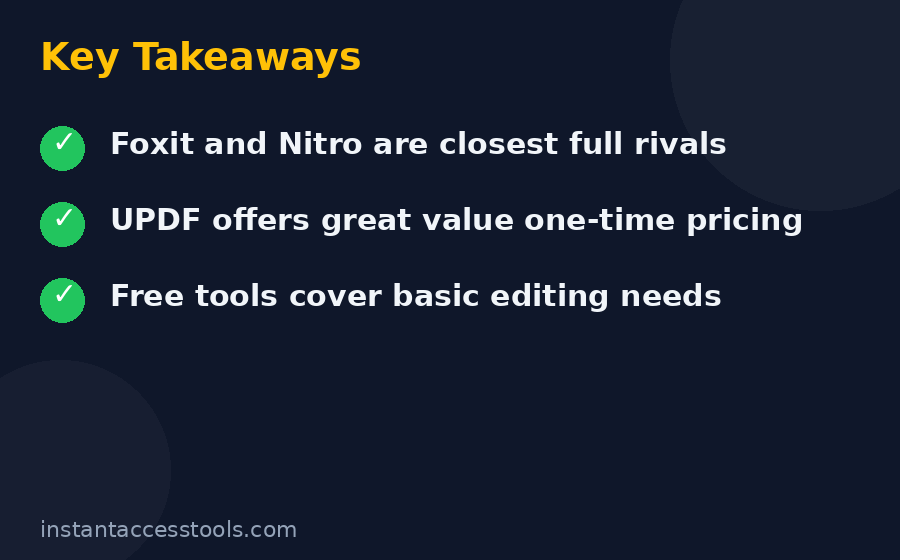
The quick answer: Foxit PDF Editor is the best overall Acrobat alternative for most people. UPDF is the best value with surprisingly good AI features. And if your needs are light, PDF24 or Sejda handle them free. Details below.
How I Picked These Adobe Acrobat Alternatives
I did not just read feature lists. Every tool on this list was installed (or opened, for the web-based ones) and put through the same test battery:
- Edit text and images directly in a real business PDF
- OCR a 20-page scanned document and check accuracy
- Merge, split, reorder, and compress files
- Create a simple fillable form
- Convert PDF to Word and check formatting survival
- Redact a page and verify the text was actually removed
Tools earned their place by passing most of these tests, offering fair pricing, and not pulling bait-and-switch tricks like watermarking everything on the free tier. Anything that crashed repeatedly or mangled documents got cut, no matter how cheap it was.
The 10 Best Adobe Acrobat Alternatives at a Glance
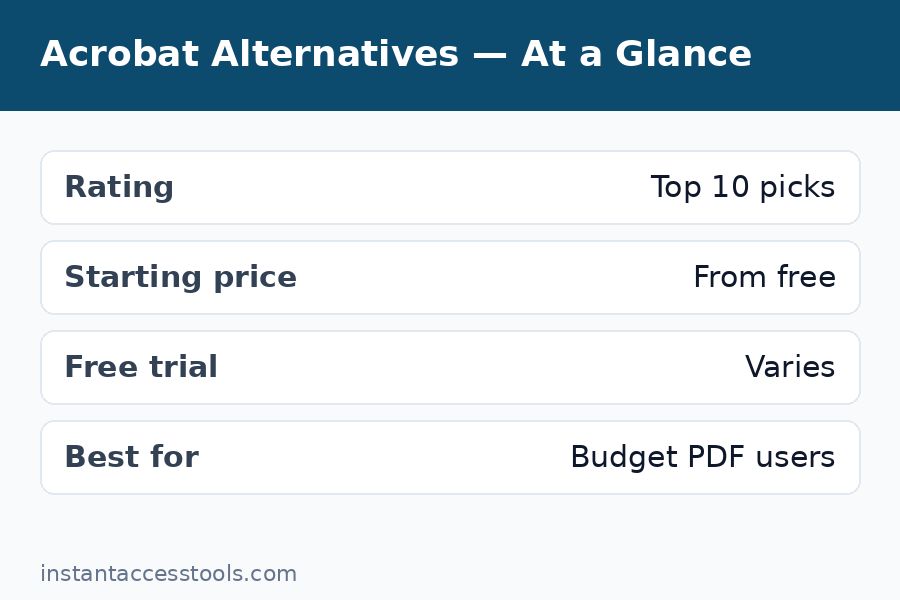
| Tool | Best for | Starting price (at time of writing) | Free trial / free tier |
|---|---|---|---|
| Foxit PDF Editor | Best overall Acrobat replacement | $129.99/yr | 7-day free trial |
| UPDF | Best value + AI features | ~$29.99/yr | Free version (limited) |
| Nitro PDF Pro | Best for teams and Office-style workflows | ~$15/user/mo | 14-day free trial |
| PDFelement | Best one-time purchase | $129.99 one-time | Free trial |
| PDF-XChange Editor | Cheapest one-time purchase | ~$58 one-time | Free version |
| Smallpdf | Best browser-based suite | ~$9–12/mo | Free (limited daily tasks) |
| Sejda | Best free plan for occasional use | Free; Pro $7.50/mo | Free tier, no signup |
| PDF24 Tools | Best 100% free option | Free | Free forever |
| Xodo PDF Studio | Best perpetual desktop license | $119.88/yr; $240 perpetual | Free trial |
| PDF Expert | Best for Mac users | ~$79.99/yr | Free trial |
Prices change — vendors run sales constantly — so treat these as starting points and check the official sites for current pricing.
1. Foxit PDF Editor — Best Overall Adobe Acrobat Alternative
Foxit is the closest thing to a true Acrobat replacement, and my top pick among the adobe acrobat alternatives for most people. It edits text and images inline, converts to and from Office formats, OCRs scanned documents accurately, builds forms, redacts properly, and signs documents — the full professional toolkit.
Key features: Full text/image editing, strong OCR, Smart Redaction (on the + plan), Foxit eSign with 150 envelopes per year (on the + plan), Office-style ribbon interface, Windows/Mac/web/mobile apps, 20GB cloud storage.
Pricing: $129.99 per year for the standard editor at the time of writing (about $10.99/month), or $159.99 per year for PDF Editor+ with eSign, AI Assistant, and Smart Redaction. That is roughly half of Acrobat Pro’s $239.88 per year.
Pros:
– Does nearly everything Acrobat does for about half the price
– Fast, lightweight, and genuinely pleasant to use
– The + plan’s eSign bundle replaces a separate DocuSign subscription for many small businesses
– 7-day full-featured free trial
Cons:
– Occasional rendering quirks on exotic PDFs with complex embedded media
– AI Assistant is a paid add-on, not included in the base plan
– Smaller third-party integration ecosystem than Adobe
Bottom line: If you want one tool that replaces Acrobat with the least compromise, this is it. I use Foxit for my own daily PDF work. For the full head-to-head, see our acrobat pro vs foxit comparison.
2. UPDF — Best Value With AI Features
UPDF is the rising star of the cheaper than acrobat pro category, and the acrobat vs updf question comes up constantly — so here is my honest take. UPDF offers a clean, modern interface, solid editing and annotation, good OCR, and a genuinely useful AI assistant that can summarize documents, answer questions about them, and translate content. One license covers Windows, Mac, iOS, and Android with cloud sync between them.
Key features: PDF editing and annotation, OCR (38+ languages), UPDF AI (summarize, chat with PDFs, translate, mind maps), batch conversion, form filling, one license for all platforms.
Pricing: Starts at around $29.99 per year for UPDF Pro at the time of writing, with perpetual license options also available. The AI features are a paid add-on or bundled tier. This is dramatically cheaper than Acrobat Pro.
Pros:
– Remarkably cheap for the feature set — the best price-to-capability ratio I tested
– Modern, fast interface that beginners actually enjoy
– AI features (chat with your PDF, summaries) work well
– One license works across all your devices
Cons:
– Younger company; less proven in enterprise compliance environments
– Advanced preflight and print-production tools are thinner than Acrobat or Foxit
– Some advanced features feel less polished than the core editing
Bottom line: acrobat vs updf is not a fair fight on price — UPDF costs a fraction of Acrobat — and for everyday editing, annotation, and AI-assisted reading, UPDF holds its own. Best pick for students, freelancers, and anyone who wants AI document features without Adobe prices.
3. Nitro PDF Pro — Best for Teams and Office Workflows
Nitro has been the enterprise-friendly Acrobat rival for years, and the acrobat pro vs nitro comparison is the classic “same tools, lower price” story. Its Microsoft Office-style ribbon interface means anyone who lives in Word and Excel will feel at home instantly, and its document conversion quality is among the best I tested.
Key features: Full PDF editing, excellent Office conversion, batch processing, digital signatures, Nitro Sign integration, form creation, strong admin controls for IT departments.
Pricing: Around $15 per user per month at the time of writing (roughly $135 per user per year on annual billing), with a $270 one-time 3-year license option for Windows. A 14-day free trial with full access and no credit card required.
Pros:
– Familiar Office-style interface — near-zero learning curve for business users
– Excellent conversion quality, especially PDF to Excel
– Strong option for IT-managed team deployments
– Generous 14-day trial
Cons:
– The 3-year “one-time” license is Windows-only and expires — it is not truly perpetual
– E-signature workflows require separate Nitro Sign licensing, which changes the value math
– Overkill (and overpriced) for casual individual use
Bottom line: acrobat pro vs nitro favors Nitro for Windows-centric teams that want Acrobat-like power with easier deployment and lower seat costs. Solo users should look at Foxit or UPDF instead.
4. PDFelement (Wondershare) — Best One-Time Purchase
PDFelement is the answer for everyone who is tired of subscriptions. Wondershare’s PDF editor covers the full professional toolkit — editing, OCR, forms, redaction, batch processing, e-signatures, and AI tools — and sells a perpetual license, so you pay once and own it.
Key features: Full editing suite, OCR in 20+ languages, form creation and data extraction, Bates numbering, batch processing, AI summarization and translation, e-signatures, Windows/Mac/mobile apps.
Pricing: $79.99 per year for the annual plan, or $129.99 as a one-time perpetual license at the time of writing. That one-time price is less than seven months of Acrobat Pro.
Pros:
– Perpetual license means no subscription treadmill
– Very complete feature set for the price — closest to Acrobat’s depth among budget tools
– Good OCR and batch tools for the money
– 30-day money-back guarantee
Cons:
– Perpetual license does not include future major-version upgrades
– Interface is functional rather than beautiful
– AI features are less refined than Acrobat’s or UPDF’s
Bottom line: If the words “subscription fatigue” describe your feelings about software, PDFelement’s perpetual license is the best way to escape Acrobat’s monthly billing while keeping professional-grade tools.
5. PDF-XChange Editor — Cheapest Serious One-Time Purchase
PDF-XChange Editor is the sleeper hit of the adobe acrobat alternatives world — a Windows PDF editor with remarkable depth for its price. It handles editing, annotation, OCR (in the Plus version), form filling, and document assembly, and it has a loyal following among technical users who value its speed and its deeply customizable interface.
Key features: Text and image editing, extensive annotation and markup tools, OCR (Plus), form support, document assembly, highly customizable UI, very fast performance.
Pricing: The Plus version (with OCR and full editing) costs around $50–60 as a one-time purchase at the time of writing — the cheapest serious desktop PDF editor I know of. A free version covers viewing and basic annotation.
Pros:
– Absurdly cheap for a capable desktop editor
– Extremely fast and lightweight
– Power-user features like custom stamps and measurement tools
– One-time purchase, no subscription
Cons:
– Windows only — no Mac version
– Interface looks dated and can overwhelm beginners
– Weaker cloud and mobile story than competitors
Bottom line: For Windows users on a tight budget who need real editing power, nothing touches PDF-XChange on price. It is not pretty, but it is capable and honest.
6. Smallpdf — Best Browser-Based PDF Suite
Smallpdf takes the opposite approach: no installation, everything in the browser. It offers more than 20 tools — compress, convert, merge, split, e-sign, edit, OCR — in a clean interface that works on any device. For people who handle PDFs occasionally and hate installing software, it is the most polished web option.
Key features: 20+ web-based PDF tools, e-signatures, file compression, format conversion, OCR, decent mobile apps, integrations with Google Drive and Dropbox.
Pricing: Free tier allows a limited number of tasks per day; Smallpdf Pro starts at around $9–12 per month at the time of writing (cheaper on annual billing).
Pros:
– Nothing to install; works on any device with a browser
– Cleanest, most beginner-friendly interface of any tool here
– Good for quick one-off tasks without commitment
Cons:
– Free tier is quite limited (a few tasks per day)
– Uploading sensitive documents to a third-party server is a privacy consideration
– Full editing is less deep than desktop editors
Bottom line: The best free acrobat alternative for light, occasional use — but heavy users will hit the free limits fast and should consider a desktop tool instead.
7. Sejda — Best Free Plan for Occasional Use
Sejda is a web-based PDF editor with the most generous free tier I have found: you can perform a limited number of tasks per day with no account required, and the tools themselves — edit text, merge, split, compress, convert, redact, sign — are genuinely capable. Files are deleted from their servers after a few hours, which is a nice privacy touch.
Key features: Edit text in PDFs, merge/split/compress/convert, redaction, e-signatures, form filling, no signup required for the free tier, files auto-deleted after processing.
Pricing: Free tier (limited daily tasks, files up to a size cap); Sejda Desktop Pro is around $7.50 per month at the time of writing.
Pros:
– Generous free tier with no account needed
– Clean interface, good output quality
– Privacy-friendly: files deleted after a few hours
Cons:
– Daily task limits mean it cannot replace a desktop editor for regular work
– File size caps on the free tier
– No real offline option without the paid desktop version
Bottom line: For the “I need to edit a PDF twice a month” crowd, Sejda is the free acrobat alternative I recommend first. Bookmark it.
8. PDF24 Tools — Best 100% Free Option
PDF24 is the rare thing in software: a completely free PDF toolkit with no catch I could find. The online tools cover merging, splitting, compressing, converting, and more, and there is also a free desktop app (Windows) for offline work. It is maintained by a German company and funded by their commercial products, so the free tools are not a trial in disguise.
Key features: Full suite of online PDF tools, free desktop creator app, merge/split/compress/convert/protect, no account, no watermarks, no task limits.
Pricing: Free. Actually free, not “free*”.
Pros:
– Completely free with no meaningful limits
– No account, no watermarks, no upsell walls
– Desktop app available for offline/privacy-sensitive work
Cons:
– True inline text editing is limited compared to paid editors
– Interface is utilitarian
– OCR and advanced features are thinner than paid tools
Bottom line: If your budget is zero, PDF24 is the honest answer. It will not replace Acrobat for heavy editing, but for assembly, conversion, and compression tasks it is excellent.
9. Xodo PDF Studio — Best Perpetual Desktop License
Xodo PDF Studio (formerly Qoppa PDF Studio) is the pick for users who want a serious desktop PDF editor with a true perpetual license — pay once, own it, no subscription. It runs on Windows, Mac, and Linux (a rarity), works fully offline, and covers editing, OCR, forms, redaction, and preflight checks.
Key features: Full desktop editing, OCR, form creation, redaction, preflight, digital signatures, Windows/Mac/Linux support, fully offline capable.
Pricing: Around $9.99 per user per month billed yearly ($119.88/year), or a $240 perpetual license per user at the time of writing.
Pros:
– True perpetual license option for subscription refusers
– Linux support — almost nobody else on this list has it
– Fully offline; good for air-gapped or privacy-sensitive environments
Cons:
– Interface feels dated next to UPDF or Foxit
– Smaller user community means fewer tutorials
– Mobile story is weak
Bottom line: The best adobe acrobat alternative for Linux users and for anyone who wants to buy software once and be done with it.
10. PDF Expert — Best for Mac Users
PDF Expert (by Readdle) is the Mac-first PDF editor that Apple users swear by. It is fast, beautiful, and deeply integrated with macOS and iOS — editing text, annotating, filling forms, signing, and converting all feel native in a way cross-platform tools rarely achieve. If you live in the Apple ecosystem, it is the most pleasant PDF experience short of Acrobat.
Key features: Native-feeling Mac/iOS apps, text and image editing, annotation, form filling, e-signatures, PDF to Word/Excel conversion, iCloud sync.
Pricing: Around $79.99 per year at the time of writing, with a free trial available.
Pros:
– Best-in-class Mac and iPad experience
– Fast, stable, and genuinely enjoyable to use
– Great Apple Pencil annotation support
Cons:
– Apple platforms only — no Windows or Android
– OCR and redaction are less deep than Acrobat or Foxit
– Subscription only; no perpetual option
Bottom line: Mac and iPad users who want the nicest PDF experience without Adobe prices should start their adobe acrobat alternatives free trial here.
Adobe Acrobat Alternatives: Frequently Asked Questions
What is genuinely cheaper than acrobat pro without major compromises?
Foxit PDF Editor at $129.99/year versus Acrobat Pro at $239.88/year is the cleanest “cheaper than acrobat pro” swap with minimal compromise. UPDF at around $29.99/year is dramatically cheaper with modest compromises on advanced features. PDFelement’s $129.99 one-time perpetual license is the cheapest way to own professional-grade PDF software outright.
Acrobat vs UPDF — which should I choose?
Choose Acrobat if you need the reference-standard tool for compliance, print production, or enterprise workflows — or if someone else pays for it. Choose UPDF if you want modern editing, good AI document features, and cross-device sync at a fraction of the price. For a detailed two-way breakdown, our acrobat pro vs foxit comparison covers the same decision framework against Foxit.
Is there a free acrobat alternative that is actually good?
Yes — two of them. PDF24 Tools is completely free with no task limits and handles merging, splitting, compressing, and converting. Sejda offers genuinely capable editing (including text editing and redaction) on a free tier with daily task limits and no signup. Neither fully replaces Acrobat for heavy daily editing, but for occasional use they are excellent.
Acrobat pro vs nitro — which is better for business teams?
For most business teams, Nitro PDF Pro is the better value: similar editing power, an Office-familiar interface that cuts training time, and lower per-seat costs (around $15/user/month versus Acrobat’s $19.99). Acrobat wins only where Adobe-specific compliance, preflight, or ecosystem integration is required. Note that Nitro’s e-signature features need separate Nitro Sign licensing, so price the full stack before deciding.
What is the overall adobe acrobat alternatives pros and cons picture?
The pros of switching: you can save $100–200+ per year per user, get faster and simpler apps, escape subscription lock-in with perpetual licenses, and still cover 90%+ of real-world PDF tasks. The cons: no alternative matches Acrobat’s compatibility on exotic files, its preflight/print tools, or its enterprise ecosystem depth — and if your clients or regulators mandate Adobe, the decision is made for you.
Do these adobe acrobat alternatives offer a free trial?
Almost all of them. Foxit, Nitro (14 days), PDFelement, PDF-XChange, Xodo, and PDF Expert all offer an adobe acrobat alternatives free trial with full features. UPDF, Smallpdf, and Sejda have free tiers you can use without even signing up. My advice: trial your top two candidates with the same real document and pick the one that felt smoother — an hour of testing beats a week of reading reviews.
For Adobe’s own pricing details before you decide, see our adobe acrobat pro pricing breakdown — and our full adobe acrobat pro review if you want the unfiltered take on the flagship itself.
Final Verdict: The Best Adobe Acrobat Alternatives in 2026
After a month of testing, my adobe acrobat alternatives honest review concludes with a simple decision tree:
- Edit PDFs daily and want the closest Acrobat replacement? Get Foxit PDF Editor. It is the best overall alternative and the one I use myself.
- Want the most features per dollar? Get UPDF. Nothing else comes close at around $29.99/year.
- Hate subscriptions? Buy PDFelement’s perpetual license once and be done.
- On a Windows machine with a tiny budget? PDF-XChange Editor Plus for around $50–60 one-time is unbeatable.
- Only touch PDFs occasionally? Use PDF24 or Sejda free and keep your money.
Acrobat Pro remains the reference standard — our adobe acrobat pro review explains exactly where it still wins — but in 2026, paying $240 a year for it is a choice, not a necessity. Pick the alternative that matches your actual workload, run the free trial first, and pocket the savings.
Start with Foxit — 7-day free trial, full features
Still torn between the top two? Our acrobat pro vs foxit head-to-head breaks down every round in detail.