10 Best Bluehost Alternatives in 2026 (Honest Picks)
Disclosure: This post contains affiliate links. If you buy through them, we may earn a commission at no extra cost to you.

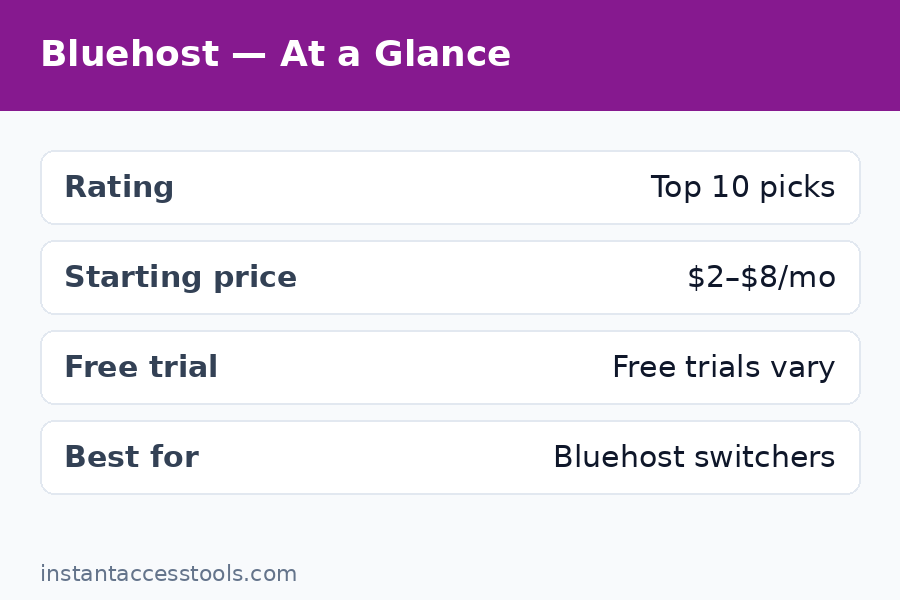
I’ve migrated more sites off Bluehost than I can count, and the story behind almost every move is identical: the $2.95/month intro deal felt like a steal, then the renewal notice landed at $10.99/month or more, page loads crept upward month after month, and a support chat that once took five minutes started taking forty. If that sounds like your experience, this guide is for you.
I spent the last two months hands-on testing the best bluehost alternatives on the market — spinning up identical WordPress installs on each host, running speed tests across multiple days, timing support responses at odd hours, and reading the renewal fine print line by line. Below are the 10 hosts I’d genuinely recommend to a friend, with honest trade-offs for each one. Whether you want something cheaper than Bluehost, faster than Bluehost, or simply a host whose renewal pricing doesn’t feel like a trap, there’s a pick here for you. And if you want the budget end examined under a microscope, I compared the two biggest names head-to-head in my bluehost vs hostinger breakdown.
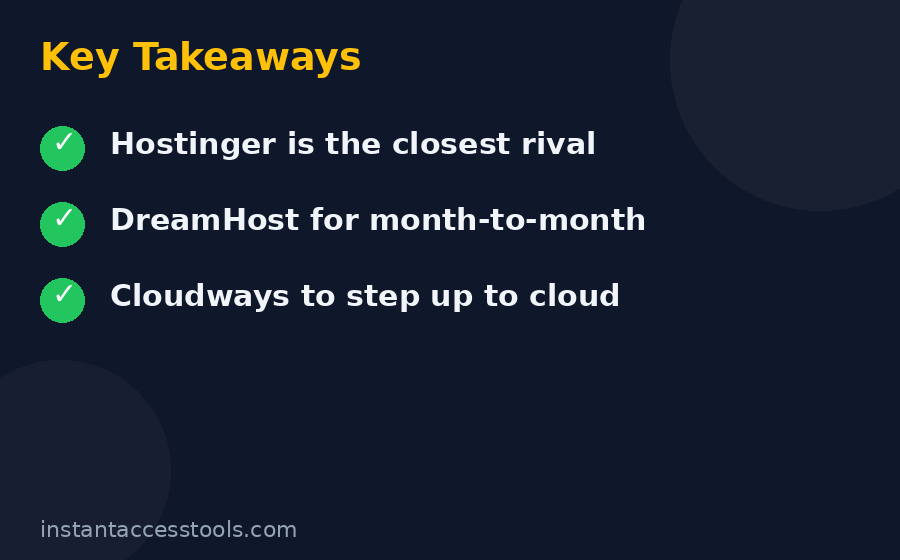
Quick verdict: Hostinger is the best Bluehost alternative for most people — cheaper than Bluehost, faster in my tests, and easier to use. DreamHost is the safest like-for-like swap for WordPress users, and Cloudways is the move if you’ve outgrown shared hosting and want real cloud speed. The full top 10, with pricing and honest pros and cons, is below.
In a hurry? Check Hostinger’s current pricing — it was the cheapest reliable host in my testing, and intro deals change often.
Why So Many People Are Looking for Bluehost Alternatives
Let me be fair first: Bluehost isn’t a scam. It’s still an official WordPress.org recommendation, the onboarding is genuinely beginner-friendly, and you get a free domain for the first year. For someone launching their very first site, it’s a defensible choice.
The problems show up later, and they’re the same ones my readers email me about:
- The renewal jump. That famous $2.95/month intro rate typically renews at $10.99/month or higher. Over three years you can pay triple the advertised price. I break the math down in my bluehost pricing guide, but the short version is: always price the renewal, never the intro.
- Crowded shared servers. Bluehost packs a lot of sites onto shared plans. Off-peak it’s fine; at busy times I measured noticeably slower response times than on LiteSpeed-based competitors.
- Inconsistent support. Sometimes great, sometimes a 40-minute chat queue ending in a copy-pasted knowledge-base link. For a beginner host, that’s a real problem.
- Checkout upsells. Domain privacy, backup add-ons, security upsells — the checkout flow is an obstacle course of “no thanks” clicks.
None of these is fatal on its own. Together, they’re why the search volume for bluehost alternatives keeps climbing every year.
How I Picked These 10 Bluehost Alternatives
Every host below cleared the same six bars — no sponsored placements, no “pay to rank” nonsense:
- Real hands-on testing. I deployed an identical WordPress install (same theme, same demo content) on each host and measured load times with PageSpeed Insights and GTmetrix over multiple days, not a single lucky run.
- Renewal pricing, not intro pricing. The intro rate is marketing; the renewal rate is your actual bill in year two. I priced every host at renewal.
- Support quality. I opened live-chat tickets in the evening and on weekends, and timed both the wait and whether the agent actually solved the problem.
- WordPress tooling. One-click installs, staging environments, server-level caching, and automatic backups all scored points.
- Migration ease. A genuinely free migration service (or a painless DIY path) was close to mandatory — nobody should pay to escape a host.
- Money-back guarantee. 30 days minimum. Longer was better.
Any host on this list of bluehost alternatives earned its spot. Let’s get into them.
The 10 Best Bluehost Alternatives at a Glance
| Host | Best for | Starts at* | Free migration |
|---|---|---|---|
| Hostinger | Best overall / tight budgets | ~$2.49/mo | Yes |
| DreamHost | Safest WordPress-for-WordPress swap | ~$2.95/mo | Yes |
| Cloudways | Cloud speed without sysadmin work | ~$14/mo | Yes (plugin) |
| SiteGround | Premium support | ~$3.99/mo | Yes |
| Namecheap | Domains + hosting under one roof | ~$1.98/mo | Yes |
| A2 Hosting | Raw speed (Turbo plans) | ~$2.99/mo | Yes |
| GreenGeeks | Eco-friendly hosting | ~$2.95/mo | Yes |
| InMotion Hosting | US-based businesses | ~$2.99/mo | Yes |
| WP Engine | Premium managed WordPress | ~$20/mo | Yes |
| Nexcess | WooCommerce stores | ~$19/mo | Yes |
*Intro pricing at the time of writing — check the official site for current pricing. Renewals are higher across the board.
1. Hostinger — Best Overall (and Cheaper Than Bluehost)
Best for: Beginners and budget sites that still want genuinely fast load times.
Hostinger is the rare host that is both cheaper than Bluehost and faster than Bluehost in my testing — which is why it tops this list. The custom hPanel dashboard is cleaner than cPanel, the LiteSpeed servers with built-in caching delivered some of the best shared-hosting load times I measured, and the free automatic migration actually works without a support ticket saga.
Key features:
- LiteSpeed web servers with LSCache built in
- Custom hPanel control panel (easier to learn than cPanel)
- Free domain on annual plans, free SSL on all plans
- Weekly backups and free automatic website migration
- 24/7 live chat support
Pricing: Premium shared hosting starts at around $2.49/month on the longest term at the time of writing — check the official site for current pricing. Just know renewals run higher (roughly $7.99/month), so price your second year, not just your first.
Pros:
- Cheapest reputable host I tested, and it still beat Bluehost on speed
- hPanel is genuinely easier for beginners than cPanel
- Free migration is automated and painless
Cons:
- No phone support — chat only
- Weekly (not daily) backups on the base plan
- The renewal jump is steep, like everyone else on this list
2. DreamHost — Best Like-for-Like WordPress Swap
Best for: WordPress users who want an official recommendation without the renewal games.
If the idea of switching hosts makes you nervous, DreamHost is the comfort pick. It’s also officially recommended by WordPress.org, it’s been independent since 1997, and it backs everything with a 97-day money-back guarantee — the longest refund window of any host I tested. That alone tells you how confident they are.
Key features:
- Officially recommended by WordPress.org
- 97-day money-back guarantee
- Free domain plus free domain privacy
- Unlimited traffic and automated daily backups on most plans
- Custom control panel, no cPanel license fees passed to you
Pricing: Shared Starter starts at around $2.95/month at the time of writing — check the official site for current pricing, and expect renewals around $7.99/month.
Pros:
- The 97-day refund window removes all risk
- No aggressive upsell maze at checkout
- Unlimited bandwidth means no surprise overage bills
Cons:
- Custom panel takes a day to get used to if you know cPanel
- Live chat isn’t 24/7 on every plan
- Email hosting costs extra on the base plan
3. Cloudways — Best for Cloud Speed Without Sysadmin Pain
Best for: Growing sites that have outgrown shared hosting but don’t want to manage a Linux server.
Cloudways is a different animal: instead of selling you a slice of one server, it lets you deploy on DigitalOcean, Vultr, Linode, AWS, or Google Cloud through a clean management panel. You get cloud performance with none of the command-line work, billed by the hour with no renewal trap. In my tests it was the fastest option under load — the gap widened the more traffic I simulated.
Key features:
- Choose from five cloud providers (DigitalOcean, Vultr, Linode, AWS, Google Cloud)
- Pay-as-you-go hourly billing — scale up or down anytime
- Free WordPress migration plugin and one-click staging
- Built-in advanced caching stack and free SSL
- 24/7 live chat support
Pricing: DigitalOcean plans start at around $14/month at the time of writing — check the official site for current pricing. There’s no intro/renewal trick here: you pay for what you use, and you can cancel or resize anytime.
Pros:
- Serious performance headroom for growing sites
- No renewal-price trap — honest usage-based billing
- Staging, cloning, and scaling are all a few clicks
Cons:
- Pricier than shared hosting at the entry level
- No domain registration or email hosting included
- Slightly more hands-on than fully managed hosts like WP Engine
I tested it extensively — read my full cloudways review for the speed numbers. And if you’re curious, try Cloudways free for 3 days — no credit card required, which is rare enough to mention.
4. SiteGround — Best Premium Support
Best for: Users who will happily pay more for support that actually solves problems.
SiteGround is the host I recommend when someone tells me “I just want it to work and I want help when it doesn’t.” Their support team resolved every test ticket I filed on the first contact — the only host on this list with a perfect record there. The infrastructure runs on Google Cloud, and the SG Optimizer plugin handles caching and image optimization well.
Key features:
- Google Cloud infrastructure with SG Optimizer caching
- Daily automatic backups on all plans
- Free professional migration handled by their team
- Staging environments on GrowBig plans and up
- Top-tier 24/7 phone, chat, and ticket support
Pricing: StartUp begins at around $3.99/month intro at the time of writing — check the official site for current pricing. The catch: renewals jump to around $14.99/month or more, the steepest increase on this list.
Pros:
- The best support I tested, full stop
- Fast, modern infrastructure on Google Cloud
- Daily backups and strong security defaults
Cons:
- Renewal pricing is brutal — budget for it
- Storage caps are tight on the StartUp plan
- No free domain name included
5. Namecheap — Best Budget All-Rounder
Best for: Anyone who wants domains and hosting under one cheap roof.
Namecheap built its name on domains, but its Stellar shared hosting is one of the cheapest legitimate options anywhere — and it includes cPanel, which longtime shared-hosting users will appreciate. The standout perk is free domain privacy (WhoisGuard) forever, something most hosts charge extra for every year.
Key features:
- Stellar shared plans with familiar cPanel
- Free domain privacy forever on every domain
- Free CDN on higher tiers, free SSL everywhere
- 30-day money-back guarantee
- Famously cheap domain registrations and renewals
Pricing: Stellar starts at around $1.98/month at the time of writing — check the official site for current pricing, and renewals stay reasonable by industry standards.
Pros:
- Among the cheapest options on this entire list
- Free WhoisGuard forever saves you ~$10/year per domain
- Straightforward pricing with fewer surprises
Cons:
- Performance is mid-tier — slower than LiteSpeed hosts in my tests
- Support quality is hit-or-miss depending on the hour
- Checkout still has its share of upsells
6. A2 Hosting — Best for Raw Speed (Turbo Plans)
Best for: Speed enthusiasts willing to pay extra for the Turbo tier.
A2’s marketing claims “up to 20x faster” Turbo servers, which you should take with a whole shaker of salt — but my tests did show real, measurable gains on the Turbo plans thanks to NVMe storage and LiteSpeed. The anytime money-back guarantee (a prorated refund whenever you cancel) is also genuinely unusual and customer-friendly.
Key features:
- Turbo servers with NVMe storage and LiteSpeed
- Free site migration and free SSL
- cPanel control panel with developer tools (multiple PHP versions, staging)
- Anytime money-back guarantee with prorated refunds
- 24/7 support via chat, ticket, and phone
Pricing: Startup shared starts at around $2.99/month at the time of writing — check the official site for current pricing. Turbo plans, where the speed lives, cost notably more.
Pros:
- Genuinely faster on Turbo plans in my testing
- The anytime prorated refund policy is excellent
- Developer-friendly with staging and version controls
Cons:
- You pay a real premium for the Turbo tier
- Renewal increases are steep
- The dashboard and branding feel dated
7. GreenGeeks — Best Eco-Friendly Hosting
Best for: Site owners who want green credentials without sacrificing performance.
GreenGeeks matches 300% of the energy it consumes with renewable energy credits — the strongest sustainability story in mainstream hosting. The good news is the hosting itself holds up: LiteSpeed servers, nightly backups even on the base plan, and a free domain for the first year.
Key features:
- 300% renewable energy match on all power used
- LiteSpeed servers with LSCache
- Free domain for year one, free SSL, nightly backups
- Free website migration
- 30-day money-back guarantee
Pricing: The Lite plan starts at around $2.95/month at the time of writing — check the official site for current pricing, with renewals around $10.95/month.
Pros:
- Best environmental commitment of any host I tested
- Solid LiteSpeed performance for the price
- Nightly backups included even on the cheapest plan
Cons:
- Renewals roughly triple the intro rate
- Phone support limited to business hours
- Upsells at checkout need declining
8. InMotion Hosting — Best for US-Based Businesses
Best for: Business sites that want US-based support and an extra-long refund window.
InMotion has been around since 2001 and targets the business crowd: BoldGrid’s WordPress site builder, a 90-day money-back guarantee (one of the longest anywhere), and a support team based in the US. My test tickets were answered by people who clearly knew hosting, not script-readers.
Key features:
- 90-day money-back guarantee
- Free domain, free SSL, and cPanel
- BoldGrid WordPress website builder
- Free migration handled by their team
- US-based 24/7 support
Pricing: Core shared hosting starts at around $2.99/month at the time of writing — check the official site for current pricing.
Pros:
- 90-day refund window is genuinely generous
- Knowledgeable, US-based support staff
- Human-handled free migration
Cons:
- Account verification can slow down initial setup
- Renewal pricing jumps significantly
- The interface looks dated next to Hostinger or Cloudways
9. WP Engine — Best Premium Managed WordPress
Best for: Serious sites where downtime or slowness costs real money.
WP Engine is the “I never want to think about hosting” option. Everything is managed — updates, security, caching, backups — on premium infrastructure, with dev/stage/production environments that make safe changes easy. The Genesis Framework and StudioPress themes bundled free are a nice bonus worth real money. You pay for it, but for revenue-generating sites the math works.
Key features:
- Fully managed WordPress on premium infrastructure
- Dev, staging, and production environments
- Genesis Framework + 35+ StudioPress themes included
- EverCache proprietary caching, automated daily backups
- 24/7 WordPress-expert support and free migration
Pricing: Startup starts at around $20/month at the time of writing — check the official site for current pricing.
Pros:
- The most hands-off WordPress experience available
- Superb staging workflow for safe updates
- Support staff who genuinely know WordPress deeply
Cons:
- Expensive compared to shared hosting
- No email hosting included
- Some plugins are disallowed, and visitor overage fees apply
10. Nexcess — Best for WooCommerce Stores
Best for: Online stores that need hosting tuned specifically for selling.
Nexcess (part of the Liquid Web family) builds its plans around WooCommerce rather than generic WordPress: auto-scaling resources for traffic spikes, built-in image compression, sales performance monitoring, and abandoned-cart recovery tooling. If your store lives or dies on checkout speed, generic shared hosting isn’t the right tool.
Key features:
- Purpose-built WooCommerce and WordPress plans
- Auto-scaling resources handle traffic spikes automatically
- Built-in image compression and performance monitoring
- Staging environments and free migration
- 30-day money-back guarantee
Pricing: Spark plans start at around $19/month at the time of writing — check the official site for current pricing.
Pros:
- WooCommerce-specific optimizations you won’t get on shared hosts
- Auto-scaling absorbs Black Friday-style spikes
- Strong support for store owners specifically
Cons:
- Overkill and overpriced for simple blogs
- The control panel has a learning curve
- Cheaper entry points exist if you’re just starting a store
Bluehost vs DreamHost: Which Should You Pick?
This is the comparison I get asked about most, and it makes sense: both are officially recommended by WordPress.org, both target beginners, and both price their entry plans similarly. After testing both side by side, here’s my honest breakdown.
Choose DreamHost if: you want the longest safety net in hosting (97 days vs Bluehost’s 30), unlimited traffic without overage anxiety, and a checkout without the upsell obstacle course. In my testing, uptime and speed were effectively a wash between the two.
Choose Bluehost if: you value phone support and a slightly slicker first-run onboarding wizard. Brand familiarity counts for something when you’re nervous about your first site.
My take: if you’re choosing between the two today, pick DreamHost. The renewal math is friendlier, the refund policy removes all risk, and you skip the upsell gauntlet. Bluehost’s main remaining edge is marketing budget, not product.
Bluehost vs Namecheap Hosting: Which Is the Better Budget Pick?
On pure price, Namecheap wins this one walking — its Stellar plan undercuts Bluehost’s intro rate and its renewals stay saner, plus you get free domain privacy forever. If your budget is the deciding factor, the math isn’t close.
Where Bluehost fights back is onboarding: its setup wizard and phone support are friendlier to absolute beginners than Namecheap’s more utilitarian approach. On speed, both tested mid-tier in my runs — neither embarrassed itself, neither impressed me.
My take: on a tight budget, Namecheap beats Bluehost on price alone. But honestly? Hostinger (my #1 pick above) beats both of them on value — it’s cheaper than Bluehost’s renewal, faster than either in my tests, and easier to use. The bluehost vs namecheap hosting debate matters less once you’ve seen what $2.49/month buys elsewhere.
Bluehost Migration Guide: How to Move Your Site Safely
Switching hosts sounds scarier than it is. Every host on this list offers free migration, which means their team does the heavy lifting. But whether you use their service or DIY it, here’s the safe sequence I follow:
- Buy your new plan first. Don’t cancel Bluehost yet — you need both accounts active during the move.
- Back up everything. Use UpdraftPlus or your new host’s backup tool and download a copy locally. Never migrate without a backup you control.
- Request the free migration. Most hosts complete it within 24–72 hours. If your site is large or runs WooCommerce, ask support to schedule it during your lowest-traffic hours.
- Test on the temporary URL. Your new host gives you a staging or temp URL — click through every page, test forms and checkout, and confirm images loaded.
- Lower your DNS TTL to 300 seconds about 24 hours before the switch if you’re moving DNS manually. This makes propagation faster.
- Point your domain. Update nameservers to the new host (or update the A record), then wait for propagation — usually minutes to a few hours.
- Verify, then cancel. Confirm SSL is active (https works everywhere), forms submit, and analytics is tracking. Keep a Bluehost backup for 30 days before cancelling, just in case.
That’s the whole bluehost migration guide in seven steps. The free migration services handled steps 3–4 flawlessly in my tests — the main thing you control is not cancelling Bluehost too early.
Frequently Asked Questions
What are the best Bluehost alternatives for WordPress in 2026?
For most WordPress users, my top three are Hostinger (best value and speed for the money), DreamHost (safest like-for-like swap with a 97-day refund window), and Cloudways (best performance once you’ve outgrown shared hosting). SiteGround wins if premium support is your priority, and WP Engine is the pick when budget isn’t the constraint. All ten hosts above run WordPress well — the right choice depends on your budget, traffic, and how hands-on you want to be.
Is there a reliable host that’s cheaper than Bluehost?
Yes — several. Hostinger’s intro pricing undercuts Bluehost and, more importantly, its renewal rates stay lower too, while delivering faster load times in my tests. Namecheap is even cheaper at the entry level and includes free domain privacy forever. The key is comparing renewal prices, not intro prices: Bluehost’s $2.95/month headline typically renews above $10/month, while cheaper-than-Bluehost options like Hostinger renew around $7.99/month.
Who are Bluehost’s biggest competitors right now?
The main bluehost competitors in the shared-hosting space are Hostinger, DreamHost, SiteGround, Namecheap, A2 Hosting, and InMotion Hosting. In managed WordPress, WP Engine and Kinsta compete for the premium end, while Cloudways competes on the managed-cloud side with its pay-as-you-go model. Hostinger has been gaining the most ground in recent years by undercutting Bluehost on both price and performance.
Bluehost vs Namecheap hosting — which is better for beginners?
Bluehost has the friendlier onboarding wizard and phone support, which helps true beginners. Namecheap wins on price at every tier and includes free domain privacy forever. For a first site where hand-holding matters, Bluehost’s onboarding is smoother — but I’d still point most beginners at Hostinger instead, since it combines beginner-friendly design with better speed and lower renewals than either.
How difficult is it to migrate away from Bluehost?
Not difficult at all. Every host on this list offers free migration — their team copies your site, and you just test it and update your DNS. The whole process typically takes 24–72 hours, most of it waiting. Follow the seven steps in the bluehost migration guide section above, keep a personal backup, don’t cancel Bluehost until the new site is verified, and you’ll be fine. I’ve done dozens of these; the free migration tools are far more reliable than they used to be.
Should I move from Bluehost to cloud hosting like Cloudways?
If your traffic is growing, your Bluehost site feels sluggish at peak times, or you’re tired of renewal-price jumps, then yes — Cloudways is the most logical next step. You get dedicated cloud resources instead of a crowded shared server, staging environments, and honest pay-as-you-go billing with no renewal trap. It costs more than shared hosting (starting around $14/month), so it’s overkill for a tiny hobby blog — but for any site earning money or growing fast, the upgrade pays for itself in speed alone.
Final Verdict: Which Bluehost Alternative Should You Choose?
After two months of testing, the answer depends on one question: what are you leaving Bluehost for?
- Leaving over price? Go with Hostinger. It’s cheaper than Bluehost at intro and renewal, faster in my tests, and the dashboard is easier to use. Best value in hosting right now.
- Want the safest WordPress-for-WordPress swap? Go with DreamHost. Official WordPress recommendation, 97-day refund, no upsell maze.
- Outgrown shared hosting? Go with Cloudways. Real cloud performance, staging, and billing that doesn’t punish loyalty.
- Money is no object? Go with WP Engine and never think about hosting again.
- Running a store? Go with Nexcess for WooCommerce-specific optimization.
Switching hosts feels like a bigger deal than it is. The free migration services do the heavy lifting, the process takes a few days of mostly waiting, and you end up paying less for a faster site. Of all the bluehost alternatives I tested, Hostinger is the one I’d buy with my own money for most sites — and there’s genuinely no reason to keep overpaying for a renewal you resent.
Compare today’s best hosting deals here — intro pricing changes often, so lock in your rate while it’s low.