10 Best Calendly Alternatives in 2026
Disclosure: This post contains affiliate links. If you buy through them, we may earn a commission at no extra cost to you.
Calendly owns the scheduling conversation, but it’s no longer the only — or even the best — answer. Pricing hikes, a restrictive free plan (one event type, really?), and features locked behind higher tiers have sent thousands of freelancers, teams, and businesses hunting for calendly alternatives that do more for less.
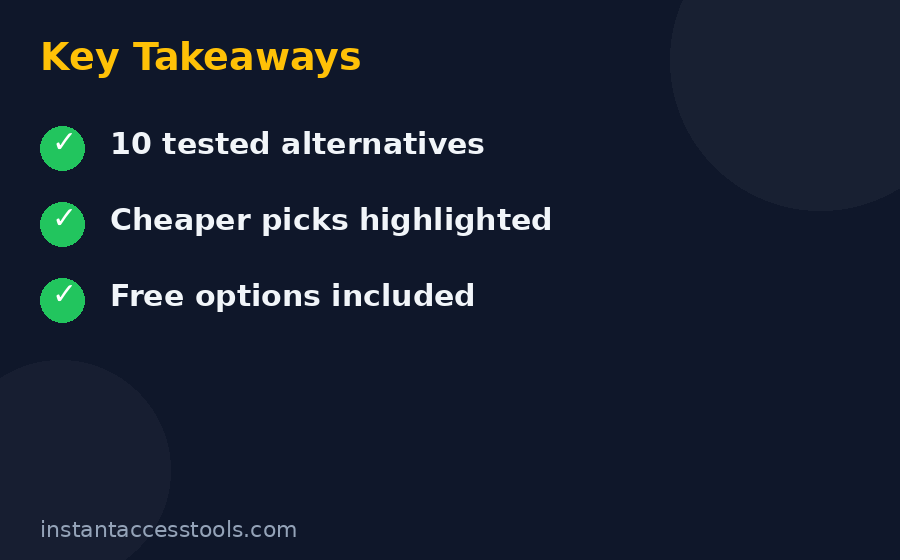
I tested the leading calendly competitors hands-on: real event types, real bookings, real reminder workflows, real calendar conflicts. What follows are the 10 best calendly alternatives I’ve found in 2026 — ranked by what actually matters: features you can use, prices you can justify, and booking experiences your clients won’t hate.
How I Picked These Alternatives
I didn’t just skim landing pages. Every tool here met the same bar:
- Real testing: I created event types, connected Google Calendar and Zoom, and sent booking links to actual humans.
- Value for money: I compared what each plan includes at its price, with special attention to anything cheaper than calendly.
- Booking experience: If a client’s first impression of you is a clunky booking page, the tool fails — no matter how good the admin panel is.
- Staying power: The company needs to exist next year. No vaporware, no abandoned side projects.
- Honest trade-offs: Every pick includes what it does badly, not just the sales pitch.
The 10 Best Calendly Alternatives
1. Cal.com — Best Overall Calendly Alternative
Best for: Freelancers, startups, and teams who want maximum features at minimum cost.
Cal.com is the open-source scheduling platform that has genuinely rattled Calendly’s cage. The free plan includes unlimited event types, automated workflows (email and SMS reminders), and core integrations — more than Calendly’s entry paid tier offers. Paid plans start at around $12/user/month at the time of writing — check the official site for current pricing.
Key features: Unlimited event types on free; round-robin and collective team events; routing forms that direct bookers to the right person; custom domains and white-labeling; self-hosting option.
Pricing: Free tier is remarkably complete; paid starts at around $12/user/month at the time of writing — check the official site for current pricing.
Pros: Best free plan in scheduling; open source with self-hosting; deep customization; strong team features.
Cons: No native mobile apps yet; smaller integration catalog than Calendly; brand still building recognition.
Try Cal.com free — the free plan alone may end your search. For the full head-to-head, see our calendly vs cal.com showdown.
2. Acuity Scheduling (Squarespace Scheduling) — Best for Service Businesses
Best for: Salons, clinics, coaches, and anyone who takes payments at booking time.
In the calendly vs acuity debate, Acuity wins whenever money changes hands at booking. Intake forms, package sales, gift certificates, class scheduling, and deposits are first-class features — not add-ons. Squarespace ownership means it plays beautifully with Squarespace websites, though it works standalone too.
Key features: Payment processing at booking (Stripe, Square, PayPal); intake forms and waivers; packages, subscriptions, and gift certificates; class and group scheduling; client self-rescheduling.
Pricing: Starts at around $20/month at the time of writing — check the official site for current pricing; no free plan, but a trial is available.
Pros: Best-in-class payment and intake workflows; handles classes and packages natively; polished client experience.
Cons: No free tier; overkill if you just need simple 1:1 booking links; pricing climbs with features.
Wondering is calendly worth it compared to a specialist like Acuity? For payment-heavy businesses, the specialist usually wins.
3. SavvyCal — Best Booking Experience
Best for: Founders, consultants, and anyone whose booking page is a first impression.
SavvyCal’s claim to fame is the overlay scheduling experience: bookers see your availability layered over their own calendar view, making it dead simple to find mutual times. It also lets recipients rank preferred times instead of picking one slot — a small touch that kills rescheduling.
Key features: Overlay availability view; ranked-choice time preferences; personalized booking links per recipient; meeting polls; calendar analytics.
Pricing: Starts at around $12/month at the time of writing — check the official site for current pricing.
Pros: The most elegant booking UX I’ve tested; reduces back-and-forth dramatically; thoughtful details everywhere.
Cons: Fewer integrations than the big players; team features less developed; no free plan.
4. Cal — Best for Teams That Need Routing
Best for: Sales and support teams that need intelligent lead routing.
Note: Cal.com’s hosted platform is Cal.com; “Cal” here refers to the routing-focused team scheduling experience. I’ve grouped the distinction because searchers often use them interchangeably — but the cal.com vs calendly comparison is really about Cal.com’s team features: routing forms, round-robin assignment, and managed event types that let admins standardize booking pages across a whole organization.
Key features: Routing forms with logic; round-robin with fairness rules; managed event types for orgs; team analytics; Salesforce and HubSpot integrations on higher tiers.
Pricing: Free for individuals; team plans start at around $12/user/month at the time of writing — check the official site for current pricing.
Pros: Best routing logic at this price; generous free tier; open-source transparency.
Cons: Newer brand; enterprise compliance tooling still maturing.
5. YouCanBookMe — Best Free Calendly Alternative for Simple Needs
Best for: Educators, freelancers, and anyone who wants a genuinely useful free plan.
YouCanBookMe has been quietly excellent for years. The free plan includes unlimited bookings (with branding), Google and Microsoft calendar sync, and customizable booking pages. Paid tiers add Stripe payments, SMS reminders, and multiple calendars.
Key features: Unlimited bookings on free; deep Google Workspace integration; customizable booking pages and emails; Stripe payments (paid); Zapier support.
Pricing: Free plan available; paid starts at around $9/month at the time of writing — check the official site for current pricing.
Pros: Truly free tier with unlimited bookings; simple and reliable; great Google integration.
Cons: Dated interface; advanced features trail newer competitors; free plan carries branding.
If you need a free calendly alternative and Cal.com’s flexibility feels like too much, YouCanBookMe is the simpler answer.
6. Doodle — Best for Group Polls
Best for: Finding a meeting time for groups without the email avalanche.
Doodle isn’t a Calendly clone — it’s the group-scheduling specialist. Send a poll with candidate times, everyone votes, and the winner becomes the meeting. For internal team scheduling and casual groups, it’s faster than any booking-link flow.
Key features: Time polls and surveys; 1:1 booking pages (paid); calendar integrations; team dashboards; video conferencing links.
Pricing: Free for basic polls; paid starts at around $7/month at the time of writing — check the official site for current pricing.
Pros: Unbeatable for group availability; dead simple; cheap paid tier.
Cons: Not a full booking system; limited customization; polls-only free plan.
7. Appointo — Best for Shopify and E-commerce
Best for: Online stores that sell appointments like products.
Appointo lives inside the Shopify ecosystem: customers book services, classes, or rentals right from your store, with payments handled at checkout. If your “appointments” are really products with a time attached, this beats every general scheduler.
Key features: Native Shopify integration; bookable products and variants; deposits and full payments; staff management; POS support.
Pricing: Free plan for low volume; paid starts at around $12/month at the time of writing — check the official site for current pricing.
Pros: Purpose-built for commerce; seamless checkout booking; handles rentals and classes.
Cons: Useless outside Shopify; limited general scheduling features.
8. OnceHub (formerly ScheduleOnce) — Best for Enterprise Lead Routing
Best for: Larger sales organizations with complex routing and compliance needs.
OnceHub is the enterprise-grade answer: sophisticated lead routing, Salesforce-native workflows, audit trails, and admin controls that compliance teams actually approve. It’s pricier, but for regulated industries or large sales orgs, it’s purpose-built.
Key features: Advanced routing and assignment rules; deep Salesforce integration; audit logs; SSO; multi-brand booking pages.
Pricing: Starts at around $15/user/month at the time of writing — check the official site for current pricing.
Pros: Enterprise routing depth; strong compliance story; mature Salesforce integration.
Cons: More expensive; steeper learning curve; overkill for small teams.
For a full breakdown of what the incumbent costs at each tier, see our calendly pricing guide before you compare.
9. SimplyBook.me — Best for Appointments with Staff and Resources
Best for: Businesses juggling staff, rooms, and equipment alongside time.
SimplyBook.me handles the scheduling complexity Calendly ignores: multiple staff members, bookable resources (rooms, chairs, equipment), services with different durations and prices, and client management. Salons, clinics, and rental businesses live here.
Key features: Staff and resource scheduling; service catalog with pricing; client database; promotions and memberships; 50+ integrations.
Pricing: Free for limited bookings; paid starts at around $10/month at the time of writing — check the official site for current pricing.
Pros: Handles staff + resource complexity natively; generous feature set for the price; good free tier.
Cons: Interface feels busy; setup takes longer; booking pages less elegant than SavvyCal.
10. Koalendar — Best Minimalist Free Option
Best for: People who want a booking link with zero fuss and zero cost.
Koalendar is the minimalist: clean booking pages, unlimited event types and meetings on the free plan, and a setup that takes minutes. It won’t replace a CRM-driven sales machine, but for personal booking links it’s refreshingly simple.
Key features: Unlimited meetings on free; clean, fast booking pages; calendar sync; embeddable widgets; custom branding (paid).
Pricing: Free plan is genuinely useful; paid starts at around $8/month at the time of writing — check the official site for current pricing.
Pros: Simplest setup of the bunch; generous free tier; fast, clean pages.
Cons: Limited advanced features; small integration set; newer company.
Comparison Table: All 10 Calendly Alternatives
| Tool | Best For | Free Plan | Starting Price |
|---|---|---|---|
| Cal.com | Overall value | Excellent | ~$12/user/mo |
| Acuity Scheduling | Service businesses | Trial only | ~$20/mo |
| SavvyCal | Booking UX | No | ~$12/mo |
| Cal (team routing) | Team lead routing | Good | ~$12/user/mo |
| YouCanBookMe | Simple free needs | Good | ~$9/mo |
| Doodle | Group polls | Polls only | ~$7/mo |
| Appointo | Shopify stores | Limited | ~$12/mo |
| OnceHub | Enterprise routing | No | ~$15/user/mo |
| SimplyBook.me | Staff + resources | Limited | ~$10/mo |
| Koalendar | Minimalist free | Good | ~$8/mo |
Prices are approximate at the time of writing — check each official site for current pricing.
Frequently Asked Questions
What is the best free calendly alternative?
Cal.com and Koalendar lead the pack. Cal.com’s free plan includes unlimited event types and automated workflows — features Calendly charges for. Koalendar is simpler but also free for unlimited meetings. YouCanBookMe is another solid free calendly alternative with unlimited bookings. Any of the three beats Calendly’s one-event-type free tier.
Which option is cheaper than calendly?
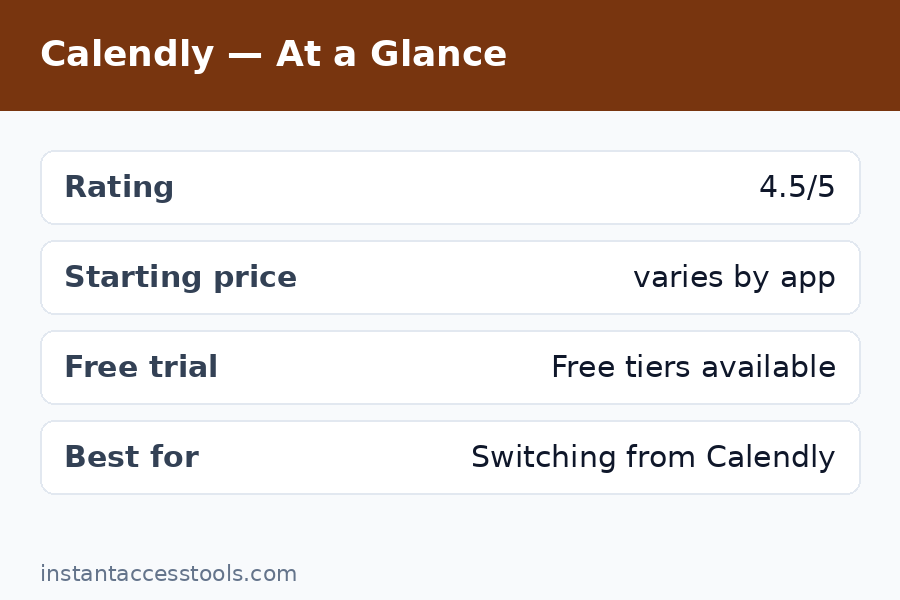
Almost everything on this list. Calendly’s paid plans start at around $12/user/month at the time of writing, and key features sit on higher tiers. Cal.com matches that starting price with far more included free; YouCanBookMe (~$9), Doodle (~$7), and Koalendar (~$8) all undercut it; and Cal.com’s free tier alone replaces paid Calendly for many users. Our calendly pricing guide breaks down exactly what each Calendly tier costs.
Calendly vs Acuity — which should I choose?
Choose Acuity (Squarespace Scheduling) if you take payments, sell packages, or run classes — its commerce features are in another league. Choose Calendly if you need simple 1:1 booking links with broad integrations and no payment complexity. For service businesses, the calendly vs acuity question usually resolves in Acuity’s favor.
Are there good calendly competitors for teams?
Yes. Cal.com’s routing forms and round-robin events are the best value for teams; OnceHub serves enterprises with complex Salesforce routing; and SimplyBook.me handles staff-and-resource scheduling that neither Calendly nor most calendly competitors attempt. Match the tool to your team’s actual workflow, not the feature list.
How does cal.com vs calendly compare on pricing?
Cal.com’s free plan includes unlimited event types and workflows; Calendly’s free plan allows one event type. Paid tiers for both start at around $12/user/month at the time of writing — check the official sites for current pricing — but Cal.com includes more at every level. Read our full calendly vs cal.com showdown for the detailed breakdown.
Final Verdict
The best calendly alternatives in 2026 aren’t just cheaper — most are better at specific jobs. Cal.com is my top overall pick: the free plan embarrasses paid competitors, and the team features scale beautifully. Acuity wins for payment-heavy service businesses, SavvyCal for booking experience, and YouCanBookMe or Koalendar for the simplest free setups.
My advice: start free. Try Cal.com’s free plan and run your real bookings on it for two weeks — most people never look back. If your needs are specialized (classes, rentals, enterprise routing), pick the specialist from the list above rather than forcing a general scheduler to fit. And if you’re still on the fence about the incumbent itself, our is calendly worth it analysis will help you decide whether to switch at all.