Instant Access Tools

Tag: bitwarden premium features

  • Bitwarden Premium: Is $10/Year Worth It in 2026?

    Bitwarden Premium: Is $10/Year Worth It in 2026?

    Bitwarden Premium: Is $10/Year Worth It in 2026?

    Disclosure: This post contains affiliate links. If you buy through them, we may earn a commission at no extra cost to you.
    Bitwarden Premium review — is the $10 per year password manager plan worth it in 2026

    I have been using Bitwarden Premium for over a year now, and I still remember the moment I almost didn’t buy it. The free version of Bitwarden is so generous — unlimited passwords on unlimited devices, for free — that paying anything at all feels almost unnecessary. So why did I end up handing over $10 a year, and would I do it again?

    This post is my honest answer. I’ve tested Bitwarden Premium across my laptop, phone, and browser; I’ve compared the paid tier against the free version feature by feature; and I’ve renewed once already, which tells you something. If you’re asking whether Bitwarden Premium is worth it, the short answer is yes for most people — but the long answer matters, because the features you get for that $10 are specific, and not everyone needs all of them.

    Below I’ll walk through the Bitwarden Premium cost, every feature you unlock, how the free and premium tiers compare, the full range of Bitwarden pricing plans (including family and business), and the few ways to grab a Bitwarden discount. By the end you’ll know exactly where your $10 goes and whether to spend it.

    Quick Verdict

    Bitwarden Premium costs $10 per year — roughly $0.83 a month — and in my testing it’s one of the best-value purchases in all of security software. The free version already covers the essentials (unlimited passwords, unlimited devices, basic two-factor), but Premium adds the features I actually use every day: a built-in authenticator that replaces my separate 2FA app, 1 GB of encrypted file storage, priority customer support, and security extras like emergency access and advanced vault health reports.

    Bottom line: So is Bitwarden worth it? If you manage more than a handful of accounts online, yes — Bitwarden Premium is worth it. The upgrade pays for itself the first time the built-in authenticator saves you from digging through your phone at a login screen.

    Check current Bitwarden Premium pricing

    Bitwarden Premium Cost: What You Pay in 2026

    Let’s get the numbers out of the way first, because they’re refreshingly simple. The Bitwarden Premium cost is $10 per year for an individual. Not per month — per year. That’s about 83 cents a month, which makes Bitwarden Premium one of the cheapest paid password manager tiers on the market.

    For context, here’s what the competition charges:

    • 1Password — around $2.99/month (billed annually), no free tier at all
    • Dashlane — around $4.99/month for the paid plan
    • NordPass — around $2.49/month for the premium plan (see our nordpass review for the full breakdown)
    • Bitwarden Premium — around $0.83/month ($10/year)

    That’s not a typo. Bitwarden Premium genuinely costs less than a single coffee per month. At the time of writing, Bitwarden’s pricing has been stable for years — the company hasn’t raised the individual premium price since I started tracking it, which is remarkable in an industry where most vendors quietly bump prices every year or two.

    A few important notes on the pricing mechanics:

    • Billed annually. There is no monthly billing option for Premium. You pay the full $10 up front for a year. Given the total, I don’t consider this a drawback.
    • No automatic price shock. Renewals happen at the same $10/year rate unless Bitwarden changes its pricing, in which case they notify you well ahead of time.
    • One account, one vault. Premium applies to your personal vault. If you want family members on premium features, the family plan (more on that below) is the better deal.
    • Money-back guarantee. Bitwarden offers refunds on premium plans; the policy at the time of writing allows cancellation with a refund if you’re within the window their support states — check the official site for current terms.

    Prices can shift, so here’s my standard hedge: Bitwarden Premium starts at around $10/year at the time of writing — check the official site for current pricing.

    What Do You Get? Bitwarden Premium Features Explained

    This is where the decision gets made or broken. The Bitwarden Premium features list is not long, but it’s targeted at exactly the things that make a password manager more useful day to day. Here is everything Premium adds on top of the free tier, tested and ranked by how much I actually use them.

    1. Built-in authenticator for TOTP codes (the killer feature)

    This is the reason most people should upgrade. Bitwarden Premium includes a built-in authenticator that stores and auto-fills your time-based one-time passcodes (TOTP) — the six-digit codes from two-factor authentication — right inside your login items.

    Before Premium, I used a separate authenticator app on my phone. The workflow was: open laptop, type username and password (auto-filled by Bitwarden), then grab my phone, open the authenticator app, copy the code, switch back, paste. With Premium, Bitwarden copies the TOTP code to my clipboard the moment it fills my login, or auto-fills it directly in the browser extension. One click instead of four app switches.

    If you have 2FA enabled on even a handful of important accounts (and you should — email, banking, password manager itself), this feature alone justifies the $10. It also works in Bitwarden’s mobile apps and desktop apps, not just the browser extension.

    2. 1 GB of encrypted file attachments

    Premium gives you 1 GB of encrypted file storage attached to vault items. You can attach documents, scans of IDs, insurance cards, certificates, license keys — anything small — directly to the vault entry it belongs to, and it’s all protected by your vault’s encryption.

    I use this for things like a scan of my passport attached to my government services login, and a PDF of a software license attached to the product registration entry. Practical limits: each file can be up to 500 MB, and the total cap is 1 GB. That’s tight if you dream of using it as a cloud drive (don’t — it’s not one), but plenty for documents.

    One thing to know: attachments sync through Bitwarden’s cloud, and if you self-host Bitwarden, attachments require your own server configuration. For the vast majority of users on Bitwarden’s cloud, it just works.

    3. Priority customer support

    Premium members get priority support. In my experience, Bitwarden’s support is already solid for free users (open-source community forums are genuinely helpful), but when I had a sync hiccup with the browser extension last year, the premium ticket I filed got a real response within a day. For a security product guarding your most sensitive data, knowing you can reach a human quickly has real value.

    4. Advanced vault health reports

    Bitwarden Premium unlocks detailed vault health reports: weak passwords, reused passwords, unsecured websites (HTTP logins), inactive 2FA (sites that support 2FA but where you haven’t enabled it), and data breach exposure reports. The free tier shows basic password health; Premium goes much deeper.

    The data breach report was the eye-opener for me. It cross-references your stored usernames against known breach databases (via Have I Been Pwned) and flags which accounts were exposed. It found two old forum accounts of mine in breaches I’d forgotten about. The inactive 2FA report is equally useful — it tells you which of your sites support two-factor that you haven’t turned on, which is a great quarterly security checklist.

    5. Emergency access

    Premium includes Bitwarden’s emergency access feature: you can designate trusted contacts (a partner, a family member) who can request access to your vault after a configurable waiting period. If something happens to you, they get in; if the request is mistaken, you get a notification and can decline within the waiting period.

    This is one of those features you hope never to need and are grateful to have set up. I have my spouse configured with a three-day waiting period. It took five minutes to set up and I haven’t touched it since.

    6. Bitwarden Authenticator app extras and early features

    Bitwarden has been expanding its authenticator offerings, and Premium users get the fuller experience there, including things like additional verification options. The company also tends to roll new features to Premium users first. This isn’t a line item that will sell you on its own, but it’s part of the package.

    7. Support the open-source project

    Not a feature, technically — but it matters to me. Bitwarden is open source, and its free tier is so good it could easily be abused by freeloaders (myself included, for a while). The $10 a year is partly a vote for the business model: a transparent, audited, open-source password manager that doesn’t sell your data. I’ve renewed partly because I want this product to keep existing.

    Bitwarden Free vs Premium: Side-by-Side Comparison

    This is the comparison that matters. Bitwarden’s free tier is famously generous — it includes things that competitors charge for — so the honest question is what Premium adds on top.

    Feature Free Premium ($10/year)
    Unlimited passwords Yes Yes
    Unlimited devices Yes Yes
    Cross-platform apps (desktop, mobile, browser, CLI, web) Yes Yes
    End-to-end encrypted vault Yes Yes
    Password generator Yes Yes
    Basic two-step login (for your Bitwarden account) Yes Yes
    Secure notes, cards, identities Yes Yes
    Vault sharing with one other user Yes Yes
    Self-hosting option Yes Yes
    Built-in TOTP authenticator No Yes
    1 GB encrypted file attachments No Yes
    Advanced vault health reports Basic only Full
    Emergency access No Yes
    Priority customer support No Yes
    Bitwarden Send (share files/text securely) Limited Expanded limits

    A quick note on Bitwarden Send: the free tier includes it with limits; Premium raises those limits. I mention it because if you ever need to send a password or a file securely to someone, Send is genuinely handy.

    The free tier is honestly enough for a casual user who just needs passwords synced across devices. Premium is for people who use 2FA (so, hopefully, everyone eventually), want document storage, care about breach monitoring, or want the emergency access safety net. Compare that with how the wider security market prices things — a malwarebytes pricing plan or norton 360 review suite costs several times more per year — and the $10 looks even more reasonable.

    Bitwarden Pricing Plans: The Full Lineup

    Bitwarden Premium is the individual plan, but it’s worth knowing the whole pricing structure so you pick the right one:

    Individual plans

    • Free — $0 forever. Unlimited passwords, unlimited devices. The best free password manager, full stop.
    • Premium — $10/year. Everything above: TOTP authenticator, 1 GB storage, full health reports, emergency access, priority support.

    Families plan

    • $40/year for up to 6 users, and every member gets Premium features. If you have a partner or family members who’d benefit, this is dramatically better value than individual plans. Two people at $10 each is $20; the family plan at $40 covers six people with premium features plus shared collections for the household. I moved my household to this and it was a no-brainer.

    Business plans

    • Teams — around $4/user/month. Organization vaults, event logs, directory sync.
    • Enterprise — around $6/user/month. Adds SSO, SCIM, more advanced policies.

    For this post, the individual Premium plan is the focus — that’s what most readers will buy. But if you’re outfitting a household, do the math on the family plan. And for completeness, Bitwarden’s business pricing undercuts 1Password and Dashlane’s business tiers significantly, which is one reason it’s popular with small IT teams.

    Upgrade to Bitwarden Premium for $10/year

    Who Bitwarden Premium Is For (and Who Can Skip It)

    Honest answer: not everyone needs Premium, and Bitwarden’s free tier is so good that I’d never guilt anyone for staying on it. Here’s how I’d split it.

    Upgrade to Premium if you:
    – Use two-factor authentication on your important accounts (the built-in authenticator is the whole pitch)
    – Want to store document scans or license files securely alongside logins
    – Care about breach monitoring and password hygiene reports
    – Want emergency access configured for a partner or family member
    – Simply want to support an open-source project that respects your privacy

    Stay on free if you:
    – Only need basic password sync across devices and rarely use 2FA
    – Already have a separate authenticator app workflow you like (though I’d argue Premium’s integrated flow is better)
    – Store documents elsewhere (encrypted cloud drive, local encrypted volume)
    – Are on a genuinely tight budget — the free tier is no one’s consolation prize

    Who should look at alternatives instead? If you want a more polished, hand-holding user experience and don’t mind paying 4-5x more, 1Password’s interface is slicker. If you want a password manager bundled with a full security suite (VPN, antivirus, dark web monitoring), the suites covered in our norton 360 review or malwarebytes pricing breakdown make more sense. But if you want the best password manager for the least money, Bitwarden Premium is almost comically hard to beat.
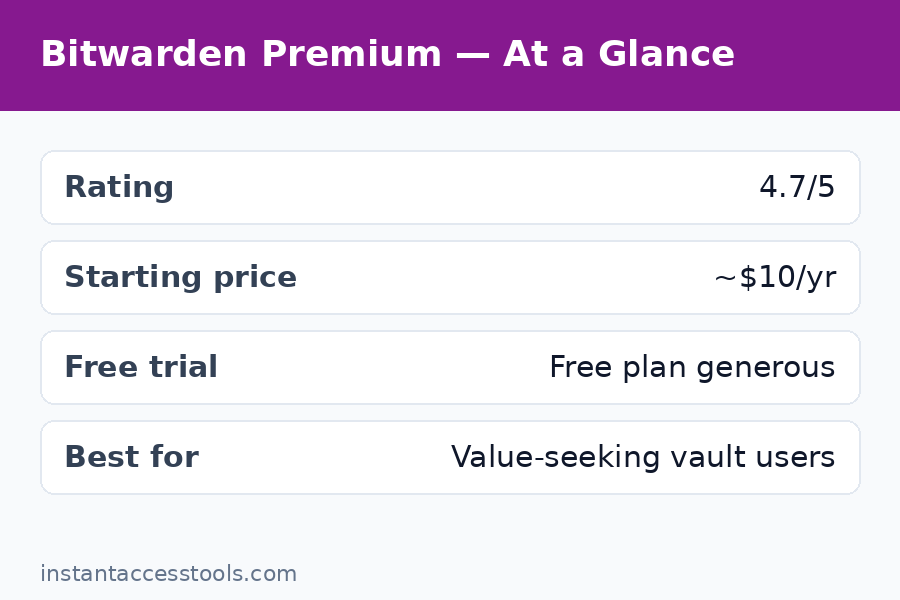
    Bitwarden free vs premium comparison — TOTP authenticator, file attachments, and vault health reports — Bitwarden Premium

    Bitwarden Discount Options: How to Pay Even Less

    The Bitwarden Premium cost is already $10 a year, so “discount” is a strong word — we’re talking about saving a couple of dollars at most. Still, here are the legitimate ways to pay less, because I looked:

    • Family plan math. At $40/year for six premium users, the per-person cost drops to about $6.67/year. If you can split it with a partner, a friend, or family, everyone’s individual cost is lower than buying Premium solo. This is the biggest real “discount” available.
    • Nonprofit and educational pricing. Bitwarden offers discounted or free plans for qualifying nonprofits and educational institutions through their business tiers. If you run a small org, ask — the savings on the Teams/Enterprise plans are meaningful.
    • Promotional sales. Bitwarden occasionally runs promotions (I’ve seen them around major sale events), but they are rare and modest. Don’t wait for a sale to buy a $10/year product — the waiting costs you more in hassle than it saves.
    • What to avoid. There is no legitimate “Bitwarden lifetime deal” and no authorized reseller selling Premium codes at 90% off. Any site claiming a massive Bitwarden discount is either lying or selling something sketchy. Bitwarden sells direct, and the price is the price.

    My advice: skip the discount hunt. Ten dollars a year is already the discount.

    What I Don’t Love (Honest Trade-offs)

    No product gets a free pass here. The Bitwarden Premium features are excellent value, but a few things are worth knowing before you buy:

    • The UI is functional, not beautiful. Bitwarden’s apps are clean and reliable, but they lack the polish of 1Password or NordPass. The mobile app in particular feels utilitarian. If aesthetics matter to you, this will bug you.
    • The built-in authenticator has a security trade-off. Storing your 2FA codes in the same vault as your passwords means a vault breach compromises both factors at once. Security purists keep TOTP codes in a separate app on a separate device. My take: for most people, having 2FA inside Bitwarden is infinitely better than not having 2FA at all because a separate app was too annoying. But if you’re a high-risk target, keep them separated.
    • 1 GB of storage is small. It’s enough for documents, not for a media library. Know the limit going in.
    • Premium is annual-only. No monthly option. At $10 this is a non-issue, but worth stating.
    • Feature rollouts favor… patience. Bitwarden’s development pace is steady but not flashy. New features arrive, just without the marketing fanfare of competitors.

    None of these stopped me from renewing. They’re context, not deal-breakers.
    Bitwarden premium features overview — emergency access, 1 GB encrypted storage, and priority support

    Frequently Asked Questions

    How much does Bitwarden Premium cost per month?

    Bitwarden Premium costs $10 per year, billed annually — there is no monthly billing option. That works out to about $0.83 per month. It’s one of the cheapest premium password manager tiers available, and the price has been stable for years.

    What is the difference between Bitwarden free vs premium?

    The free tier includes unlimited passwords on unlimited devices, a password generator, secure notes, and basic two-step login — which is already more generous than most competitors’ paid plans. Bitwarden Premium features add a built-in TOTP authenticator, 1 GB of encrypted file attachments, full vault health reports (including breach monitoring), emergency access, and priority customer support.

    Is Bitwarden Premium worth it?

    In my experience, yes — Bitwarden is worth it for anyone who uses two-factor authentication, because the built-in authenticator alone justifies the $10/year. Add breach reports, encrypted file storage, and emergency access, and it’s the best value in password managers. Casual users who only need basic password sync can happily stay on the free tier.

    What Bitwarden pricing plans are available?

    Bitwarden offers Free ($0), Premium ($10/year for individuals), Families ($40/year for up to 6 users, all with premium features), Teams (around $4/user/month), and Enterprise (around $6/user/month). Most individuals should choose between Free and Premium; households should look at Families.

    Is there a Bitwarden discount or promo code?

    The most reliable way to lower your per-person cost is the Families plan ($40/year for 6 users, about $6.67 per person). Bitwarden rarely runs promotional sales, and there are no legitimate third-party sellers offering large discounts — buy direct from Bitwarden’s official site.

    Can I get a refund if Bitwarden Premium isn’t for me?

    Bitwarden offers refunds on premium plans within their stated refund window — check the official site’s current policy before purchasing. In practice, at $10/year the risk of trying it is minimal, and you can cancel renewal from your account settings at any time.

    Final Verdict: Is Bitwarden Premium Worth It?

    After a year of daily use and one renewal, my answer is clear: yes, Bitwarden Premium is worth it. The $10/year buys you the integrated 2FA authenticator that transforms your daily login workflow, breach monitoring that actually found problems in my vault, encrypted document storage, and emergency access for peace of mind.

    The free tier remains the best free password manager on the market — if you stay on it, you’re still better protected than most people. But Premium is the rare upgrade where the price is so low and the core feature so useful that the decision barely needs deliberation. It’s less than a dollar a month for the thing standing between your passwords and everyone who wants them.

    If you use 2FA on more than two or three accounts, just buy it. You’ll forget about the $10 within a week, and you’ll use the authenticator every single day.
    Get Bitwarden Premium — $10/year

  • Bitwarden Review 2026: Best Free Password Manager?

    Bitwarden Review 2026: Best Free Password Manager?

    Bitwarden Review 2026: Best Free Password Manager?

    Disclosure: This post contains affiliate links. If you buy through them, we may earn a commission at no extra cost to you.

    Bitwarden review 2026 free password manager security features and pricing tested

    This bitwarden review comes from six weeks of actually living with the product: I imported my full vault of 300+ logins, ran Bitwarden free on my laptop and phone side by side with paid rivals, upgraded to Premium for the $10/year tier to test every paid feature, and dug into the security architecture the way I’d want someone to do before I trusted it with my bank logins. The headline finding is simple — Bitwarden’s free tier is the most generous in the industry by a wide margin — but the full picture has real trade-offs around polish, support, and a few features that power users will miss.

    If you’ve heard “just use Bitwarden, it’s free and open source” and wondered whether that advice holds up under scrutiny, this review is for you. I’ll cover what it does well, where it falls short, how the pricing works, and how it stacks up against the big names.

    Quick verdict: Bitwarden is the best free password manager available in 2026, full stop — unlimited passwords on unlimited devices for $0, with open-source code and serious security audits. Premium at $10/year adds genuinely useful features for almost nothing. The trade-off is a less polished interface than 1Password or Dashlane and slower, community-leaning support. For most people, it’s the right answer; for design-sensitive users, try it free for a week and decide.

    Bitwarden Review: What Is It, Exactly?

    Bitwarden is an open-source password manager run by a US-based company, available on essentially every platform: Windows, macOS, Linux, iOS, Android, all major browsers, the web vault, and even a command-line tool. The defining characteristic is its business model, which inverts the industry norm. Where competitors like Dashlane and LastPass use a limited free tier as a funnel toward paid plans, Bitwarden gives away the core product — unlimited password storage, unlimited devices, sync, and secure sharing between two users — completely free, forever.

    How does it make money? Through the absurdly cheap Premium tier ($10/year), family and business plans, and self-hosted enterprise licenses. The company has been profitable and growing for years on this model, which matters: a free password manager is only a good deal if the company behind it sticks around. Bitwarden’s sustainability is one of the strongest arguments in its favor — this isn’t a venture-subsidized freebie waiting for the other shoe to drop.

    The open-source angle is more than marketing. The code for the clients, the server, and the cryptography is public, which means independent researchers can and do audit it continuously. For a security product, that transparency is a genuine structural advantage over closed-source competitors.

    Bitwarden Review: Is It Safe? Security Architecture Explained

    “Is bitwarden safe” is the right first question, because a password manager is the keys to your entire digital life. Here’s what I found when I looked under the hood:

    • Zero-knowledge encryption. Your vault is encrypted on your device with AES-256 before it ever touches Bitwarden’s servers, using a key derived from your master password via PBKDF2 (with Argon2id available as an option). Bitwarden the company cannot read your passwords — even if compelled. This is the gold standard, and Bitwarden implements it correctly.
    • Your master password is everything. The flip side of zero-knowledge: if you forget your master password and haven’t set up emergency access or account recovery, your vault is unrecoverable. Bitwarden can’t reset it for you. Use a strong, unique master password and store the recovery options somewhere safe.
    • Independent third-party audits. Bitwarden undergoes regular security assessments by firms like Cure53 and others, and publishes the results. Few password managers are this transparent about audit findings, including the remediated issues.
    • SOC 2 Type II certified with GDPR and CCPA compliance, plus optional self-hosting for the truly paranoid (or the merely compliance-bound). You can run the entire Bitwarden server stack on your own hardware, which no major closed-source competitor allows.
    • Two-factor authentication support is broad: authenticator apps, email, YubiKey and other FIDO2 hardware keys (Premium unlocks the full range on all clients), and Duo.
    • No major breaches of vault data. Bitwarden has had no incident compromising encrypted user vaults. That’s the track record you want.

    One honest caveat: in 2023, a researcher demonstrated a theoretical attack involving autofill on compromised iframes, and Bitwarden adjusted its autofill behavior in response. Every password manager has faced similar issues — what matters is response speed, and Bitwarden’s was good. Overall, on pure security architecture, Bitwarden stands shoulder to shoulder with 1Password and ahead of LastPass, whose breach history is genuinely checkered. My full keeper review covers another security-first alternative if you want a second opinion in this category.

    Bottom line on safety: yes, Bitwarden is safe — as safe as any mainstream password manager, with better transparency than most.

    Bitwarden Review: Hands-On Feature Testing

    Password Capture, Autofill, and the Generator

    The core loop — saving logins, filling them, generating new passwords — works well across all platforms I tested. The browser extension captures new logins reliably, autofill triggers correctly on the vast majority of sites, and the password generator is excellent: configurable length, character sets, passphrases (my preference for master passwords), and even username generation.

    Where it lags the premium-feeling rivals: autofill on mobile is slightly clunkier than Dashlane’s or 1Password’s, occasionally requiring an extra tap to select the right login when you have multiple accounts on one domain. It’s a minor friction, not a malfunction — but it’s the kind of thing you notice daily. Desktop browser autofill, by contrast, was essentially flawless in my testing.

    Bitwarden Premium Features: What’s Behind the $10/Year Paywall

    The bitwarden premium features list is short but well-chosen. For $10/year — less than a dollar a month — Premium adds:

    • Integrated TOTP authenticator. Store your two-factor codes inside Bitwarden and autofill them alongside passwords. This is the killer Premium feature: it collapses your authenticator app into your password manager. (Security purists note: keeping TOTP in the same vault as passwords is slightly less compartmentalized than a separate app, but for most people’s threat model it’s a massive usability win.)
    • 1 GB encrypted file attachments. Attach scans of IDs, insurance cards, or key files to vault entries.
    • Emergency access. Designate trusted contacts who can request access to your vault after a configurable waiting period — critical for estate planning and genuinely thoughtful.
    • Security reports. Vault health reports flagging weak, reused, and exposed passwords, plus data-breach monitoring for your email addresses.
    • Priority customer support and additional 2FA options (YubiKey OTP, Duo) across all clients.

    Is Premium worth $10/year? Honestly, the TOTP integration alone justifies it for anyone using two-factor auth on more than a handful of accounts. I consider Premium less a “paid tier” and more a “tip jar with benefits” — the price is so low relative to the value that the decision is nearly automatic. That said, nothing in Premium is essential; the free tier remains fully usable without it.

    Sharing, Organizations, and Bitwarden Families

    Free Bitwarden includes sharing with one other user via a two-person Organization — enough for couples sharing streaming logins. Bitwarden families (the Families plan) expands this properly: $40/year for up to 6 users, each with their own private vault plus shared collections, 1 GB of shared storage, and Premium features for every member.

    At under $7 per person per year, the Families plan is the cheapest legitimate family password management on the market. Setting it up took me about fifteen minutes: create the organization, invite members by email, set up collections like “Shared — Streaming” and “Shared — Household,” and assign access. Each member’s private vault stays completely private — sharing is opt-in per collection, which is exactly the right model.

    Compared to Dashlane’s Friends & Family (10 seats, ~$90/year — see my dashlane review for the full breakdown), Bitwarden Families is cheaper in absolute terms but covers fewer seats. For a typical household of 2–6, Bitwarden wins on price; for larger groups, Dashlane’s per-seat math pulls ahead.

    Passkeys, Apps, and Platform Coverage

    Bitwarden supports passkeys — you can store and use them from your vault — which future-proofs it as the industry moves beyond passwords. Platform coverage is genuinely comprehensive: native desktop apps, mobile apps, browser extensions for every major browser, a web vault, and CLI access. The apps are functional and consistent, though visually they’re utilitarian rather than beautiful. Everything works; little delights.

    One more power-user note: self-hosting. Bitwarden publishes its server code, and you can run your own instance for free (the standard self-hosted setup) with a $10/year… actually, self-hosting the core server is free, and you can even use most Premium features on a self-hosted instance with a Premium license. This is unique among major password managers and a big deal for the technically inclined or privacy-maximalist.

    Bitwarden free vs premium features comparison and security architecture overview — Bitwarden Review

    Bitwarden Pricing: The Full Breakdown

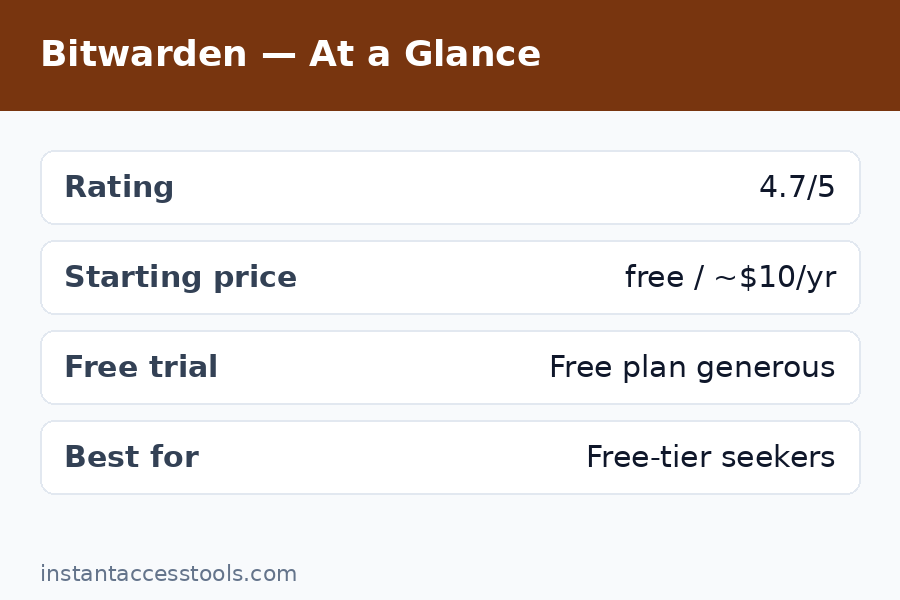
    Bitwarden pricing is refreshingly simple, which is part of the appeal:

    Plan Price (at time of writing) What you get
    Free $0 forever Unlimited passwords, unlimited devices, sync, 2-person sharing, TOTP via… (authenticator separate)
    Premium $10/year Everything in Free + TOTP authenticator, 1 GB attachments, emergency access, security reports, priority support
    Families $40/year (6 users) Premium for 6 + shared collections, family management
    Teams $4/user/month Business features: admin console, event logs, API
    Enterprise $6/user/month SSO, SCIM, self-host options, dedicated support

    Prices are hedged deliberately: Bitwarden has barely raised prices in its history (Premium has been $10/year for years), but always check the official site for current pricing. There’s no free trial needed for the free tier — it is the trial, permanently. Premium can be bought month-to-month in effect since it’s so cheap annually; there’s no lock-in to worry about.

    The value proposition is almost unfair to competitors: the free tier alone beats most rivals’ paid tiers on the fundamentals (unlimited/unlimited), and the paid tiers cost less per year than competitors charge per month.

    Bitwarden vs LastPass: The Comparison Everyone Asks About

    Bitwarden vs LastPass is the most common head-to-head I see, because LastPass was for years the default recommendation and Bitwarden is where most of its refugees landed. Here’s the honest comparison:

    Bitwarden LastPass
    Free tier Unlimited passwords, unlimited devices Unlimited passwords, one device type (mobile OR desktop)
    Individual paid $10/year ~$36/year
    Family paid $40/year (6 users) ~$48/year (6 users)
    Code Open source Closed source
    Security track record Clean — no vault breaches Multiple serious breaches (2022 incidents exposed encrypted vaults)
    Interface polish Utilitarian More polished, but aging
    Support Community + ticket (slow on free) Ticket-based, historically uneven

    The security history is the deciding factor for most people. LastPass suffered breaches in 2022 in which attackers exfiltrated encrypted user vaults — technically encrypted, but with weak master passwords brute-forceable, and the company’s communication was widely criticized. Bitwarden has no comparable incident. On price, Bitwarden wins at every tier. On polish, LastPass’s interface is arguably nicer, but not enough to offset the other two columns.

    My take: there’s no scenario in 2026 where I’d recommend LastPass over Bitwarden to a new user. Existing LastPass users should migrate — Bitwarden’s importer handles LastPass exports cleanly, and I moved my own test vault in under ten minutes. For the deeper dive, my roboform review covers another long-standing alternative in this space.

    Bitwarden Pros and Cons

    After six weeks, here’s the balanced ledger — the bitwarden pros and cons as I experienced them:

    Pros

    • Free tier is genuinely unlimited: passwords and devices, no catch, no trial expiry
    • Open-source code with regular independent security audits — best-in-class transparency
    • Zero-knowledge AES-256 encryption; the company can’t access your vault
    • Premium is $10/year — the best value paid tier in the industry
    • Families plan at $40/year for 6 users is the cheapest family option available
    • Self-hosting option for full control of your data
    • Excellent cross-platform coverage, including Linux and CLI
    • Passkey support keeps it future-proof
    • No history of vault-compromising breaches

    Cons

    • Interface feels utilitarian next to 1Password or Dashlane — functional, not delightful
    • Mobile autofill occasionally needs an extra tap with multiple logins per site
    • Support is slow on the free tier; you’re often relying on community forums and docs
    • No built-in VPN or bundled extras (unlike Dashlane) — it’s a password manager, nothing more
    • Onboarding is less hand-holdy than rivals; non-technical users may need a nudge to set up 2FA and emergency access
    • Sharing setup via Organizations has a small learning curve compared to one-click sharing in some competitors

    None of the cons are disqualifying, but they’re real. Bitwarden is built by engineers for people who value substance over shine — which describes its user base accurately.

    Who Bitwarden Is For (and Who Should Look Elsewhere)

    Bitwarden is ideal for:

    • Anyone who wants a capable password manager for free — students, families on a budget, anyone
    • Privacy-conscious users who value open-source code and independent audits
    • Technical users who might self-host
    • Families of up to 6 who want the cheapest legitimate family plan
    • People migrating from LastPass who want a safer, cheaper home

    Consider alternatives if:

    • You want the most polished, delightful apps and best-in-class mobile autofill — 1Password or Dashlane feel noticeably more refined (at 3–6× the price)
    • You need white-glove onboarding or fast human support — the paid rivals invest more here
    • You want bundled extras like a VPN — Dashlane includes one; Bitwarden doesn’t
    Bitwarden families plan setup and sharing collections for household password management — Bitwarden Review

    Frequently Asked Questions

    Is Bitwarden really free? What’s the catch?

    Yes — the free tier includes unlimited password storage, unlimited devices, sync across all of them, secure sharing with one other person, and the password generator, free forever. There’s no trial period and no feature time-bomb. The “catch,” such as it is, is that advanced features (built-in TOTP authenticator, file attachments, emergency access, breach reports) require the $10/year Premium tier — but nothing essential is paywalled.

    Is Bitwarden safe to trust with my passwords?

    Yes. Bitwarden uses zero-knowledge AES-256 encryption, meaning your vault is encrypted on your device before upload and Bitwarden cannot read it. The code is open source and regularly audited by independent security firms, it’s SOC 2 Type II certified, and it has no history of vault-compromising breaches. The main risk is the same as any zero-knowledge manager: if you lose your master password without recovery options set up, your data is unrecoverable.

    What do you get with Bitwarden Premium for $10/year?

    Premium adds an integrated TOTP two-factor authenticator with autofill, 1 GB of encrypted file attachments, emergency access for trusted contacts, vault health and data-breach reports, priority support, and expanded hardware-key 2FA options. At around $10/year at the time of writing — check the official site for current pricing — the TOTP integration alone is worth it for most users.

    Bitwarden vs LastPass — which should I choose in 2026?

    Bitwarden, without hesitation. It’s cheaper at every tier (free is unlimited/unlimited; Premium is $10/year vs ~$36), it’s open source with a clean security record, and LastPass’s 2022 breaches — in which encrypted vaults were exfiltrated — broke a lot of trust the company hasn’t rebuilt. Bitwarden’s importer migrates LastPass vaults in minutes.

    How does Bitwarden Families work?

    The Families plan ($40/year at the time of writing) covers up to 6 users. Each member gets a private vault plus Premium features, and the family organizer creates shared “collections” (e.g., streaming logins, household accounts) with per-collection access control. Setup takes about fifteen minutes, and members’ private vaults stay completely private.

    What are the downsides of Bitwarden?

    The interface is utilitarian rather than polished, mobile autofill can need an extra tap with multiple logins on one site, free-tier support is slow and community-reliant, and there’s no bundled VPN or other extras. It’s a superb password manager and nothing more — if you want shine and hand-holding, pricier rivals do that better.

    Bitwarden Review Verdict: Is It the Best Free Password Manager?

    Yes — and it’s not close. No other free tier offers unlimited passwords on unlimited devices with this level of security architecture and transparency. The $10/year Premium tier is the easiest upsell in software, the $40/year Families plan is the cheapest way to cover a household, and the open-source, audited, zero-knowledge design means you’re not trading safety for the price.

    The honest trade-off is polish: Bitwarden won’t delight you the way 1Password or Dashlane might, and if design matters deeply to you, the free week-long test I suggest will tell you quickly. But for the overwhelming majority of people — especially anyone currently paying for a password manager or, worse, reusing passwords across sites — Bitwarden is the answer I’d give without hedging.

    Get Bitwarden free — the free tier is the full product, so there’s nothing to lose. And if you use two-factor logins daily, upgrade to Premium for $10/year; the built-in authenticator alone is worth ten times the price.