Instant Access Tools

Tag: cal.com vs calendly

  • Cal.com Review 2026: Open-Source Scheduling Tested

    Cal.com Review 2026: Open-Source Scheduling Tested

    Cal.com Review 2026: Open-Source Scheduling Tested

    Disclosure: This post contains affiliate links. If you buy through them, we may earn a commission at no extra cost to you.
    Cal.com review 2026 open-source scheduling platform tested

    I have tested nearly every scheduling tool worth mentioning, and Cal.com kept coming up in conversations as “the one developers actually use.” So I gave it the full treatment: three weeks on the hosted cloud version, running real meetings through the free plan and the paid Teams tier, connecting Google Calendar and Zoom, taking test payments through Stripe, and building team scheduling pages. This cal.com review covers everything I found — including the rough edges nobody mentions in the glowing reviews.

    The short version: Cal.com is the best free scheduling tool I have tested, and its paid plans undercut Calendly by a wide margin. But it is not as polished, and the gap matters more for some users than others.

    Quick Verdict

    • Best for: freelancers, startups, and teams that want generous free features without the per-seat squeeze.
    • Standout strength: the free plan includes unlimited event types, unlimited bookings, payments, and 100+ integrations — for one user, forever.
    • Biggest weakness: less polished booking pages and admin experience than Calendly; smaller ecosystem of native integrations.
    • Score: 8.6/10 — superb value, slightly rougher edges.

    What Is Cal.com?

    Cal.com is an open-source scheduling platform — essentially a community-built, self-hostable alternative to Calendly. It started as Calendso, gained serious traction among developers (tens of thousands of GitHub stars), and is now backed by a commercial company offering a hosted cloud version alongside the open-source core.

    The philosophy is the inverse of Calendly’s: give away the core product generously, charge for team and enterprise features. The hosted version is what most people use — sign up, connect your calendar, share your link, done. But because the code is open-source, you can also self-host it, modify it, or build on top of its API. No proprietary scheduler offers that freedom, and it is the reason Cal.com has a devoted following among technical teams and privacy-conscious businesses.

    Cal.com Review: Key Features Tested

    Event types and booking flow

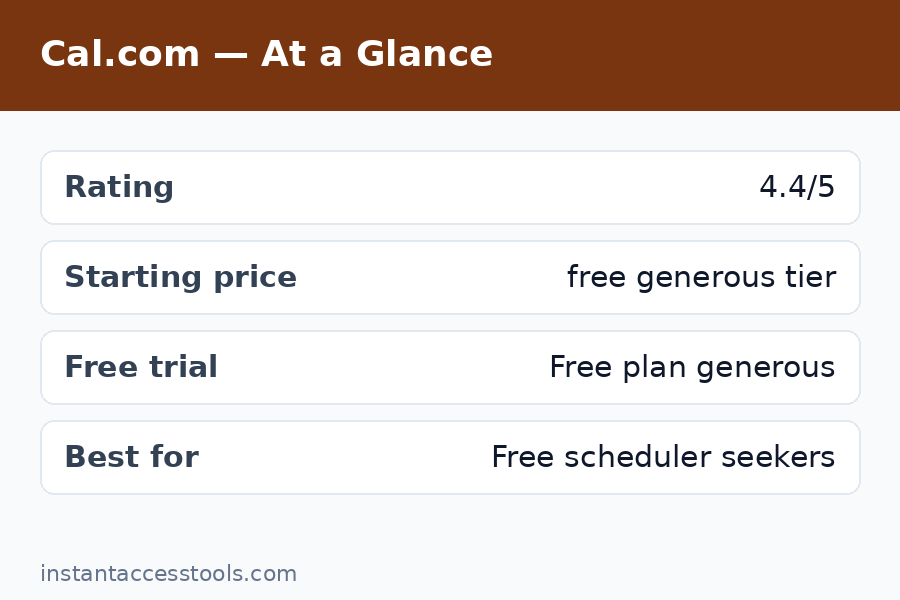
    The first thing that struck me in this cal.com review: the free plan gives you unlimited event types with unlimited bookings. Calendly’s free tier gives you one event type. That single difference tells you everything about the two products’ philosophies. I set up a 15-minute intro call, a 45-minute consultation, and a paid 60-minute strategy session side by side on the free plan — something impossible on Calendly without paying.

    The booking flow itself is clean and functional. Bookers pick a time, fill in a form, and get confirmations. It works well on mobile. But I will be honest: it is not as slick as Calendly’s. Page load felt a touch slower in some regions, and the default booking page design, while pleasant, lacks the instantly recognizable familiarity that Calendly links carry. Clients never complained, but the experience is a 9/10 where Calendly is a 10/10.

    Calendar and video connections

    Cal.com connects to Google Calendar, Outlook/Office 365, iCloud, and others, and I connected two calendars simultaneously on the free plan — already ahead of Calendly’s one-calendar free limit. Availability logic handled buffer times, minimum notice, and custom schedules correctly in my testing.

    For video, it integrates with Zoom, Google Meet, Daily, and Cal Video (its built-in option). Zoom links generated automatically on every test booking without a hitch. Cal Video is a nice touch for quick calls without third-party accounts.

    Workflows and automation

    This surprised me: workflows are included on the free plan. I built an automated sequence — confirmation email on booking, reminder email 24 hours before, SMS reminder 1 hour before — without paying anything. On Calendly, automated reminders are a paid feature. For a freelancer trying to cut no-shows at zero cost, this is enormous.

    The workflow builder is not quite as intuitive as Calendly’s, and the templating is plainer, but it does the job. One edge I noticed: SMS reminders require configuration and may carry carrier costs depending on your setup — the emails, though, are completely free.

    Payments

    Stripe and PayPal payment collection are available on the free plan. I ran test transactions through Stripe for a paid consultation event type and the flow was smooth: booker picks a time, pays at booking, and the meeting is confirmed only after payment. For coaches, consultants, and anyone selling time, this removes the need for a separate invoicing step.

    Integrations and API

    The hosted platform lists 100+ app integrations covering CRMs, analytics, communication tools, and more. The catalog is genuinely broad, though I will note that Calendly’s native integrations with tools like Salesforce and HubSpot feel deeper and more mature. Cal.com compensates with webhooks (free) and a well-documented API — developers can wire it into anything.

    Routing forms and round-robin (Teams)

    On the Teams plan, I tested round-robin scheduling across multiple team members and routing forms that direct bookers to the right person based on their answers. Both worked correctly. Round-robin assignment was fair across hosts, and routing logic handled multi-step qualification without breaking. These are the features Calendly locks behind its more expensive Teams tier — on Cal.com they start at a lower price point.
    Cal.com free plan features unlimited event types scheduling — Cal.com Review

    Cal.com Review: Pricing Breakdown

    Here is the honest cal.com pricing breakdown, hedged as always because prices move — check the official site for current pricing.

    Plan Price (approx., annual billing) Who it is for
    Free $0 forever Solo users — 1 user, unlimited event types, unlimited bookings, workflows, payments, 100+ integrations
    Teams Around $12/seat/month (around $16 monthly) Small teams — round-robin, routing forms, team scheduling pages, remove Cal.com branding
    Organizations Around $28/seat/month (around $37 monthly) Larger orgs — SAML SSO, SCIM, compliance (SOC 2, HIPAA), sub-teams
    Enterprise Custom Regulated industries — dedicated infrastructure, SLA, priority support

    Self-hosting is also an option under the open-source license, which can bring costs down to just your server bill — though you take on maintenance yourself.

    The headline number: Cal.com Teams at around $12/seat/month on annual billing vs. Calendly Teams at around $16. For a 10-person team, that is roughly $1,440/year vs. $1,920/year — a 25% saving before you factor in the vastly more generous free tier. The free plan alone eliminates the need to pay for most solo use cases entirely.

    The one pricing gotcha: the free plan is limited to a single user. The moment you need two people hosting meetings, you are on Teams. Still, at around $12/seat, two users cost about $288/year — less than one Calendly Teams seat would have cost a couple of years ago.

    Cal.com vs Calendly: Head-to-Head

    No cal.com review is complete without the direct comparison, since these two are the main event in scheduling.

    Where Cal.com wins:

    • Free plan generosity — unlimited event types, bookings, workflows, and payments vs. Calendly’s one event type and no automation.
    • Price — cheaper per seat at every paid tier, and the savings compound on teams.
    • Open source — self-hosting, code auditing, and API freedom that Calendly simply cannot offer.
    • Data control — meaningful for privacy-conscious businesses and EU teams.

    Where Calendly wins:

    • Polish — the booking experience is smoother, faster-feeling, and universally recognized.
    • Brand trust — “send me your Calendly” is a sentence; Cal.com links still need a half-second of explanation for non-technical clients.
    • Native integrations — deeper Salesforce, HubSpot, and enterprise tooling.
    • Reliability track record — a decade of uptime vs. a younger platform.

    My take after testing both side by side: Cal.com does 95% of what Calendly does at a fraction of the cost, and the 5% gap is almost entirely polish and brand recognition. For most small businesses, that 5% does not justify the price difference.

    For the full side-by-side with feature tables, read our cal.com vs calendly comparison, or the mirror view at calendly vs cal.com.

    Cal.com Pros and Cons

    The pros

    • The free plan is the best in the category. Unlimited event types, unlimited bookings, workflows, payments, webhooks, 100+ integrations — for one user, free forever. Nothing else comes close.
    • Excellent value on paid tiers. Teams undercuts Calendly by about 25% per seat while including the features teams actually need.
    • Open-source freedom. Self-host, audit the code, build on the API. This is a structural advantage, not a feature.
    • Privacy-friendly. You control where your data lives, which matters for regulated industries and EU businesses.
    • No feature-hostage tactics. Core scheduling capabilities are not drip-fed across five tiers.

    The cons

    • Less polished than Calendly. Booking pages are good, not great. Small UI inconsistencies appear in admin settings.
    • Brand recognition gap. Some clients will ask “what is Cal.com?” — a minor friction Calendly never has.
    • Shallower enterprise integrations. Salesforce and similar tools work, but the native depth is not Calendly-level.
    • Self-hosting is not free in practice. Server costs, maintenance, updates, and OAuth management add up — hosted is the sane default for most.
    • Support is thinner. The community is helpful, but paid support is not as responsive as Calendly’s enterprise support.
    Cal.com review for teams round robin scheduling tested

    Is Cal.com Good? Who Should Use It

    So, is cal.com good? After three weeks of real use, my answer is yes — with the polish caveat. It is genuinely good software, not just a cheap alternative. The core scheduling engine is solid, the free plan is absurdly generous, and the paid tiers are fairly priced.

    Cal.com for teams

    Cal.com for teams is arguably its strongest use case. A small agency, startup, or sales team gets round-robin scheduling, routing forms, team booking pages, and shared availability at around $12/seat/month — roughly 25% less than Calendly’s equivalent. The active-user billing model (you pay for seats that host meetings) keeps costs predictable. For teams of 2-20 people, this is the value sweet spot of the entire scheduling market.

    Freelancers and solo professionals

    If you are a freelancer, start on the free plan and you may never need to pay. Unlimited event types plus free automated reminders plus Stripe payments covers the entire client-booking workflow at $0. I cannot name another tool that does this.

    Developers and technical teams

    The open-source core, API, and webhooks make Cal.com the obvious choice if you want scheduling embedded in your product or wired into custom workflows. This is the audience Cal.com was built for, and it shows.

    Who should pick Calendly instead

    Non-technical clients who value maximum familiarity, enterprises that need the deepest Salesforce integration and white-glove support, and anyone for whom the booking page’s brand polish directly affects conversions. If your clients are executives who have never heard of Cal.com, Calendly’s recognition is worth something real.

    Frequently Asked Questions

    Is Cal.com really free?

    Yes. The cal.com free plan is free forever for one user and includes unlimited event types, unlimited bookings, calendar and video connections, workflows, payment collection, webhooks, and 100+ integrations. The only hard limit is the single-user cap — and Cal.com branding stays on your booking pages.

    How does cal.com pricing compare to Calendly?

    Cal.com is cheaper at every level. The free plan is far more generous, Teams runs around $12/seat/month vs. Calendly’s $16, and the savings scale with team size. For a detailed tier-by-tier breakdown, see our cal.com pricing guide.

    Cal.com vs Calendly — which should I choose?

    Choose Cal.com if you want the best value, generous free features, or open-source flexibility. Choose Calendly if maximum polish, brand recognition, and the deepest enterprise integrations matter more than price. Most small businesses will be happier with Cal.com; most large sales orgs will default to Calendly.

    What are the cal.com pros and cons in brief?

    Pros: best free plan in the category, cheaper paid tiers, open-source and self-hostable, privacy-friendly, no feature gating games. Cons: less polished than Calendly, lower brand recognition, shallower enterprise integrations, self-hosting has hidden maintenance costs.

    Is Cal.com good for teams?

    Yes — it is one of the best options for small to mid-size teams. Round-robin, routing forms, and team scheduling pages start at around $12/seat/month, roughly 25% below Calendly’s equivalent tier.

    Can I migrate from Calendly to Cal.com?

    Yes. Cal.com offers a Calendly import that pulls over your event types and settings, and the transition took me under 30 minutes in testing. Your existing booking links will change, so plan to update them wherever they are published.

    Cal.com Review: Final Verdict

    Wrapping up this cal.com review: Cal.com earns an 8.6/10 from me. It is the best-value scheduling tool I have tested: a free plan that embarrasses competitors’ paid tiers, fairly priced team plans, and open-source freedom that no proprietary tool can match. The polish gap with Calendly is real but narrowing, and for most users it will not matter.

    My recommendation: start on the free plan today. If you are a solo user, you may never pay a cent. If you run a team, trial the Teams tier for two weeks and compare the bill against what Calendly would charge — the math usually ends the debate.

    Ready to try it? Start free with Cal.com here — the free plan takes five minutes to set up and never expires. Running a team? Try the Teams plan and test round-robin scheduling with a free trial. Still comparing options? See how it stacks up against Calendly first before you decide.
  • 10 Best Calendly Alternatives in 2026

    10 Best Calendly Alternatives in 2026

    10 Best Calendly Alternatives in 2026

    Disclosure: This post contains affiliate links. If you buy through them, we may earn a commission at no extra cost to you.

    Best Calendly alternatives in 2026 including free and cheaper scheduling apps

    Calendly owns the scheduling conversation, but it’s no longer the only — or even the best — answer. Pricing hikes, a restrictive free plan (one event type, really?), and features locked behind higher tiers have sent thousands of freelancers, teams, and businesses hunting for calendly alternatives that do more for less.

    I tested the leading calendly competitors hands-on: real event types, real bookings, real reminder workflows, real calendar conflicts. What follows are the 10 best calendly alternatives I’ve found in 2026 — ranked by what actually matters: features you can use, prices you can justify, and booking experiences your clients won’t hate.

    How I Picked These Alternatives

    I didn’t just skim landing pages. Every tool here met the same bar:

    • Real testing: I created event types, connected Google Calendar and Zoom, and sent booking links to actual humans.
    • Value for money: I compared what each plan includes at its price, with special attention to anything cheaper than calendly.
    • Booking experience: If a client’s first impression of you is a clunky booking page, the tool fails — no matter how good the admin panel is.
    • Staying power: The company needs to exist next year. No vaporware, no abandoned side projects.
    • Honest trade-offs: Every pick includes what it does badly, not just the sales pitch.

    The 10 Best Calendly Alternatives

    1. Cal.com — Best Overall Calendly Alternative

    Best for: Freelancers, startups, and teams who want maximum features at minimum cost.

    Cal.com is the open-source scheduling platform that has genuinely rattled Calendly’s cage. The free plan includes unlimited event types, automated workflows (email and SMS reminders), and core integrations — more than Calendly’s entry paid tier offers. Paid plans start at around $12/user/month at the time of writing — check the official site for current pricing.

    Key features: Unlimited event types on free; round-robin and collective team events; routing forms that direct bookers to the right person; custom domains and white-labeling; self-hosting option.

    Pricing: Free tier is remarkably complete; paid starts at around $12/user/month at the time of writing — check the official site for current pricing.

    Pros: Best free plan in scheduling; open source with self-hosting; deep customization; strong team features.

    Cons: No native mobile apps yet; smaller integration catalog than Calendly; brand still building recognition.

    Try Cal.com free — the free plan alone may end your search. For the full head-to-head, see our calendly vs cal.com showdown.

    2. Acuity Scheduling (Squarespace Scheduling) — Best for Service Businesses

    Best for: Salons, clinics, coaches, and anyone who takes payments at booking time.

    In the calendly vs acuity debate, Acuity wins whenever money changes hands at booking. Intake forms, package sales, gift certificates, class scheduling, and deposits are first-class features — not add-ons. Squarespace ownership means it plays beautifully with Squarespace websites, though it works standalone too.

    Key features: Payment processing at booking (Stripe, Square, PayPal); intake forms and waivers; packages, subscriptions, and gift certificates; class and group scheduling; client self-rescheduling.

    Pricing: Starts at around $20/month at the time of writing — check the official site for current pricing; no free plan, but a trial is available.

    Pros: Best-in-class payment and intake workflows; handles classes and packages natively; polished client experience.

    Cons: No free tier; overkill if you just need simple 1:1 booking links; pricing climbs with features.

    Wondering is calendly worth it compared to a specialist like Acuity? For payment-heavy businesses, the specialist usually wins.

    3. SavvyCal — Best Booking Experience

    Best for: Founders, consultants, and anyone whose booking page is a first impression.

    SavvyCal’s claim to fame is the overlay scheduling experience: bookers see your availability layered over their own calendar view, making it dead simple to find mutual times. It also lets recipients rank preferred times instead of picking one slot — a small touch that kills rescheduling.

    Key features: Overlay availability view; ranked-choice time preferences; personalized booking links per recipient; meeting polls; calendar analytics.

    Pricing: Starts at around $12/month at the time of writing — check the official site for current pricing.

    Pros: The most elegant booking UX I’ve tested; reduces back-and-forth dramatically; thoughtful details everywhere.

    Cons: Fewer integrations than the big players; team features less developed; no free plan.

    4. Cal — Best for Teams That Need Routing

    Best for: Sales and support teams that need intelligent lead routing.

    Note: Cal.com’s hosted platform is Cal.com; “Cal” here refers to the routing-focused team scheduling experience. I’ve grouped the distinction because searchers often use them interchangeably — but the cal.com vs calendly comparison is really about Cal.com’s team features: routing forms, round-robin assignment, and managed event types that let admins standardize booking pages across a whole organization.

    Key features: Routing forms with logic; round-robin with fairness rules; managed event types for orgs; team analytics; Salesforce and HubSpot integrations on higher tiers.

    Pricing: Free for individuals; team plans start at around $12/user/month at the time of writing — check the official site for current pricing.

    Pros: Best routing logic at this price; generous free tier; open-source transparency.

    Cons: Newer brand; enterprise compliance tooling still maturing.

    5. YouCanBookMe — Best Free Calendly Alternative for Simple Needs

    Best for: Educators, freelancers, and anyone who wants a genuinely useful free plan.

    YouCanBookMe has been quietly excellent for years. The free plan includes unlimited bookings (with branding), Google and Microsoft calendar sync, and customizable booking pages. Paid tiers add Stripe payments, SMS reminders, and multiple calendars.

    Key features: Unlimited bookings on free; deep Google Workspace integration; customizable booking pages and emails; Stripe payments (paid); Zapier support.

    Pricing: Free plan available; paid starts at around $9/month at the time of writing — check the official site for current pricing.

    Pros: Truly free tier with unlimited bookings; simple and reliable; great Google integration.

    Cons: Dated interface; advanced features trail newer competitors; free plan carries branding.

    If you need a free calendly alternative and Cal.com’s flexibility feels like too much, YouCanBookMe is the simpler answer.

    6. Doodle — Best for Group Polls

    Best for: Finding a meeting time for groups without the email avalanche.

    Doodle isn’t a Calendly clone — it’s the group-scheduling specialist. Send a poll with candidate times, everyone votes, and the winner becomes the meeting. For internal team scheduling and casual groups, it’s faster than any booking-link flow.

    Key features: Time polls and surveys; 1:1 booking pages (paid); calendar integrations; team dashboards; video conferencing links.

    Pricing: Free for basic polls; paid starts at around $7/month at the time of writing — check the official site for current pricing.

    Pros: Unbeatable for group availability; dead simple; cheap paid tier.

    Cons: Not a full booking system; limited customization; polls-only free plan.

    7. Appointo — Best for Shopify and E-commerce

    Best for: Online stores that sell appointments like products.

    Appointo lives inside the Shopify ecosystem: customers book services, classes, or rentals right from your store, with payments handled at checkout. If your “appointments” are really products with a time attached, this beats every general scheduler.

    Key features: Native Shopify integration; bookable products and variants; deposits and full payments; staff management; POS support.

    Pricing: Free plan for low volume; paid starts at around $12/month at the time of writing — check the official site for current pricing.

    Pros: Purpose-built for commerce; seamless checkout booking; handles rentals and classes.

    Cons: Useless outside Shopify; limited general scheduling features.

    Calendly competitors comparison showing features and pricing of top alternatives — Calendly Alternatives

    8. OnceHub (formerly ScheduleOnce) — Best for Enterprise Lead Routing

    Best for: Larger sales organizations with complex routing and compliance needs.

    OnceHub is the enterprise-grade answer: sophisticated lead routing, Salesforce-native workflows, audit trails, and admin controls that compliance teams actually approve. It’s pricier, but for regulated industries or large sales orgs, it’s purpose-built.

    Key features: Advanced routing and assignment rules; deep Salesforce integration; audit logs; SSO; multi-brand booking pages.

    Pricing: Starts at around $15/user/month at the time of writing — check the official site for current pricing.

    Pros: Enterprise routing depth; strong compliance story; mature Salesforce integration.

    Cons: More expensive; steeper learning curve; overkill for small teams.

    For a full breakdown of what the incumbent costs at each tier, see our calendly pricing guide before you compare.

    9. SimplyBook.me — Best for Appointments with Staff and Resources

    Best for: Businesses juggling staff, rooms, and equipment alongside time.

    SimplyBook.me handles the scheduling complexity Calendly ignores: multiple staff members, bookable resources (rooms, chairs, equipment), services with different durations and prices, and client management. Salons, clinics, and rental businesses live here.

    Key features: Staff and resource scheduling; service catalog with pricing; client database; promotions and memberships; 50+ integrations.

    Pricing: Free for limited bookings; paid starts at around $10/month at the time of writing — check the official site for current pricing.

    Pros: Handles staff + resource complexity natively; generous feature set for the price; good free tier.

    Cons: Interface feels busy; setup takes longer; booking pages less elegant than SavvyCal.

    10. Koalendar — Best Minimalist Free Option

    Best for: People who want a booking link with zero fuss and zero cost.

    Koalendar is the minimalist: clean booking pages, unlimited event types and meetings on the free plan, and a setup that takes minutes. It won’t replace a CRM-driven sales machine, but for personal booking links it’s refreshingly simple.

    Key features: Unlimited meetings on free; clean, fast booking pages; calendar sync; embeddable widgets; custom branding (paid).

    Pricing: Free plan is genuinely useful; paid starts at around $8/month at the time of writing — check the official site for current pricing.

    Pros: Simplest setup of the bunch; generous free tier; fast, clean pages.

    Cons: Limited advanced features; small integration set; newer company.

    Comparison Table: All 10 Calendly Alternatives

    Tool Best For Free Plan Starting Price
    Cal.com Overall value Excellent ~$12/user/mo
    Acuity Scheduling Service businesses Trial only ~$20/mo
    SavvyCal Booking UX No ~$12/mo
    Cal (team routing) Team lead routing Good ~$12/user/mo
    YouCanBookMe Simple free needs Good ~$9/mo
    Doodle Group polls Polls only ~$7/mo
    Appointo Shopify stores Limited ~$12/mo
    OnceHub Enterprise routing No ~$15/user/mo
    SimplyBook.me Staff + resources Limited ~$10/mo
    Koalendar Minimalist free Good ~$8/mo

    Prices are approximate at the time of writing — check each official site for current pricing.

    Frequently Asked Questions

    What is the best free calendly alternative?

    Cal.com and Koalendar lead the pack. Cal.com’s free plan includes unlimited event types and automated workflows — features Calendly charges for. Koalendar is simpler but also free for unlimited meetings. YouCanBookMe is another solid free calendly alternative with unlimited bookings. Any of the three beats Calendly’s one-event-type free tier.

    Which option is cheaper than calendly?

    Almost everything on this list. Calendly’s paid plans start at around $12/user/month at the time of writing, and key features sit on higher tiers. Cal.com matches that starting price with far more included free; YouCanBookMe (~$9), Doodle (~$7), and Koalendar (~$8) all undercut it; and Cal.com’s free tier alone replaces paid Calendly for many users. Our calendly pricing guide breaks down exactly what each Calendly tier costs.

    Calendly vs Acuity — which should I choose?

    Choose Acuity (Squarespace Scheduling) if you take payments, sell packages, or run classes — its commerce features are in another league. Choose Calendly if you need simple 1:1 booking links with broad integrations and no payment complexity. For service businesses, the calendly vs acuity question usually resolves in Acuity’s favor.

    Are there good calendly competitors for teams?

    Yes. Cal.com’s routing forms and round-robin events are the best value for teams; OnceHub serves enterprises with complex Salesforce routing; and SimplyBook.me handles staff-and-resource scheduling that neither Calendly nor most calendly competitors attempt. Match the tool to your team’s actual workflow, not the feature list.

    How does cal.com vs calendly compare on pricing?

    Cal.com’s free plan includes unlimited event types and workflows; Calendly’s free plan allows one event type. Paid tiers for both start at around $12/user/month at the time of writing — check the official sites for current pricing — but Cal.com includes more at every level. Read our full calendly vs cal.com showdown for the detailed breakdown.

    Top 10 best Calendly alternatives ranked with pricing for 2026

    Final Verdict

    The best calendly alternatives in 2026 aren’t just cheaper — most are better at specific jobs. Cal.com is my top overall pick: the free plan embarrasses paid competitors, and the team features scale beautifully. Acuity wins for payment-heavy service businesses, SavvyCal for booking experience, and YouCanBookMe or Koalendar for the simplest free setups.

    My advice: start free. Try Cal.com’s free plan and run your real bookings on it for two weeks — most people never look back. If your needs are specialized (classes, rentals, enterprise routing), pick the specialist from the list above rather than forcing a general scheduler to fit. And if you’re still on the fence about the incumbent itself, our is calendly worth it analysis will help you decide whether to switch at all.

  • Best Scheduling Apps for Teams in 2026

    Best Scheduling Apps for Teams in 2026

    Best Scheduling Apps for Teams in 2026

    Disclosure: This post contains affiliate links. If you buy through them, we may earn a commission at no extra cost to you.

    Best scheduling apps for teams 2026 comparison showing calendar booking interfaces from top appointment scheduling software

    I spent the last month booking, rescheduling, and no-showing my way through the best scheduling apps on the market — ten of them, each with real events, real guests, and real calendar chaos — to give you an honest, hands-on answer to a question every team eventually asks: which best calendar booking app actually saves time instead of creating new admin work?

    This is a best scheduling apps honest review in the truest sense. Every app below got a real trial: I connected my calendar, built event types, sent booking links to colleagues, and watched what broke. Some tools impressed me. One popular pick genuinely annoyed my guests. Here’s what I’d recommend, and what I’d skip, with full best scheduling apps pros and cons for each.

    Quick Picks

    App Best for Starting price
    Calendly Most teams, best all-rounder Free plan; paid starts at around $10/user/month
    Cal.com Open-source fans and privacy-conscious teams Free core; paid starts at around $12/user/month
    Acuity Scheduling Service businesses needing intake forms + payments Starts at around $20/month
    SavvyCal Best booking experience for your guests Starts at around $12/user/month
    Motion AI scheduling for overloaded teams Starts at around $19/user/month
    Reclaim AI Automatic time-blocking for busy calendars Free plan; paid starts at around $8/user/month
    Appointo Shopify/e-commerce appointment booking Starts at around $12/month
    SimplyBook.me Salons, clinics, and multi-location services Free plan; paid starts at around $10/month
    Doodle Fast group polls and one-off meetings Free plan; paid starts at around $7/user/month
    Microsoft Bookings Microsoft 365 teams Included with most Microsoft 365 business plans

    Try Calendly free — the safest starting point for most teams →

    How I Picked and Tested These

    To keep this roundup honest, I set five criteria before testing anything:

    1. Real team features: Multi-user support, round-robin assignment, collective (multi-host) events — not just solo booking links.
    2. Calendar integrity: Two-way sync with Google Calendar and Outlook, conflict prevention, buffer times, and timezone handling.
    3. Guest experience: I booked meetings as a guest on every tool and noted friction: how many clicks, how clear the options, mobile behavior.
    4. Automation depth: Reminders, follow-ups, intake questions, payments, and integrations with CRMs and video tools.
    5. Honest pricing: What’s actually free, what’s paywalled, and whether the paid tiers are worth it. Almost all of these offer a best scheduling apps free trial — I used trials wherever the free plan hid key features.

    I tested each app for at least three days with live bookings. Nothing below is based on marketing pages alone.

    The 10 Best Scheduling Apps for Teams

    1. Calendly — Best All-Rounder

    Calendly is the default answer for a reason: it’s the most polished, most integrated best appointment scheduling software for general team use. I connected Google Calendar in under two minutes, built three event types (30-min intro, 60-min deep dive, 15-min quick call), and had a working booking page within the hour.

    Standout features: Round-robin and collective event types for teams, routing forms that send guests to the right person, automated reminders and follow-ups, 100+ integrations (Salesforce, HubSpot, Zoom, Stripe), and a clean embeddable widget. The admin console for managing a team’s event types is the best I’ve used.

    Pricing: Free plan covers one event type with basic features. Paid plans start at around $10/user/month at the time of writing — check the official site for current pricing. Team features (round-robin, routing) need the Teams plan.

    Pros: Fastest setup of any tool here; guests consistently rated the booking flow the clearest; integrations are unmatched; reliable notifications.

    Cons: Costs add up per user for larger teams; customization of booking pages is limited on lower tiers; the free plan is too thin for real team use.

    Verdict: If you want the safe, proven pick that works for sales, recruiting, support, and customer success alike, start here.

    2. Cal.com — Best Open-Source Option

    Cal.com is the open-source challenger, and in the cal.com vs calendly debate, it wins on philosophy: your data, your hosting option, no perverse incentives. I tested the hosted version and found it surprisingly close to Calendly in day-to-day function.

    Standout features: Self-hosting option, team event types (round-robin, collective), workflows for reminders, Cal Video built in, apps/integrations marketplace, and transparent pricing. The open-source codebase means security-conscious teams can audit exactly what it does.

    Pricing: Generous free tier on the hosted plan; paid plans start at around $12/user/month at the time of writing — check the official site for current pricing. Self-hosting is free (you pay for infrastructure).

    Pros: No vendor lock-in; strong privacy story; feature set rivals Calendly; active development and community.

    Cons: Polish lags Calendly slightly — a few rough edges in the admin UI; smaller integration ecosystem; self-hosting requires technical effort.

    Verdict: For teams that care about data ownership or want to self-host, Cal.com is the clear pick. In cal.com vs calendly on pure features, Calendly still leads slightly — on values, Cal.com wins outright.

    Try Cal.com’s free plan →

    3. Acuity Scheduling — Best for Service Businesses

    Acuity (owned by Squarespace) is built for businesses that sell time: consultants, coaches, clinics, studios. Where Calendly is meeting-first, Acuity is appointment-first, with intake forms, packages, gift certificates, and payments baked in.

    Standout features: Deeply customizable intake forms, client self-scheduling with packages and subscriptions, payment processing (Stripe, Square, PayPal), HIPAA-compliant plan option, automated reminders via email and SMS, and timezone intelligence.

    Pricing: Starts at around $20/month at the time of writing — check the official site for current pricing. No free plan, but a trial is available.

    Cons and the calendly vs acuity 2026 question: In calendly vs acuity 2026, the split is clean. Choose Acuity if you take payments, need intake forms, or run a service business with packages — its client management is far deeper. Choose Calendly if you schedule internal/external meetings and want the slicker guest experience and broader integrations. I tested both with a mock consulting business; Acuity’s payment + intake flow was clearly superior, while Calendly won for pure meeting scheduling.

    Pros: Best-in-class intake forms and payment flows; great for client-facing services; solid reminder system.

    Cons: Overkill for simple meeting scheduling; UI feels dated next to Calendly; no free plan; per-month (not per-user) pricing can be good or bad depending on team size.

    4. SavvyCal — Best Booking Experience for Guests

    SavvyCal’s whole pitch is that booking should be pleasant for the guest, not just the host — and after testing, I buy it. Its signature feature lets guests overlay their own calendar to find mutual availability, which eliminates the worst part of scheduling: the guesswork.

    Standout features: Calendar overlay for guests, personalized booking links, team scheduling with round-robin, polls for finding group times, and a genuinely beautiful interface. The “let me suggest times” flow felt like the future.

    Pricing: Starts at around $12/user/month at the time of writing — check the official site for current pricing. Free trial available.

    Pros: Best guest experience I tested — multiple colleagues commented on it unprompted; overlay feature is unique; clean, modern UI.

    Cons: Smaller integration library than Calendly; fewer enterprise admin features; less well-known, so guests may not recognize the brand.

    Verdict: If your bookings are high-value (sales demos, investor calls, client onboarding), the guest experience alone justifies SavvyCal.

    5. Motion — Best AI Scheduling for Overloaded Teams

    Motion takes a different approach: instead of just booking meetings, its AI auto-schedules your tasks around them. I fed it a week of tasks and meetings, and it rebuilt my calendar daily as priorities shifted. It’s the most “wow” tool on this list — and the most opinionated.

    Standout features: AI auto-scheduling of tasks and meetings, project management built in, meeting booking links, workload balancing across team members, and calendar analytics showing where time actually goes.

    Pricing: Starts at around $19/user/month at the time of writing — check the official site for current pricing. Free trial available.

    Pros: Genuinely intelligent rescheduling when the day blows up; combines scheduling with task management; great analytics.

    Cons: Expensive; the AI can feel controlling if you like manual planning; learning curve is steeper; overkill if you only need booking links.

    Verdict: Best for teams drowning in shifting priorities. If you just need a booking page, it’s too much tool and too much money.

    6. Reclaim AI — Best Automatic Time-Blocking

    Reclaim AI defends your calendar: it auto-blocks focus time, lunch, breaks, and habits around your meetings, and reshuffles them when meetings move. I ran it alongside my normal scheduling for two weeks and recovered roughly four hours of focus time per week — the single most impactful result of this entire test.

    Standout features: Automatic smart time-blocking, focus-time defense, habit scheduling, meeting scheduling links, team features (shared defense of no-meeting blocks), and deep Google Calendar integration.

    Pricing: Free plan is genuinely useful; paid starts at around $8/user/month at the time of writing — check the official site for current pricing.

    Pros: Set-and-forget calendar defense; free plan covers individuals well; measurable time savings; plays nicely alongside other schedulers.

    Cons: Google Calendar-centric (Outlook support is limited); it’s a complement to a booking tool, not a replacement; team features are newer.

    Verdict: Pair it with Calendly or Cal.com and you get booking + calendar defense — my personal stack. For a deeper look, see my reclaim ai review.

    Side-by-side comparison of Calendly vs Acuity booking pages showing 2026 appointment scheduling features — Best Scheduling Apps

    7. Appointo — Best for E-commerce and Shopify

    Appointo is the niche pick: appointment booking built for online stores, especially Shopify. If you sell products and want to offer bookings (fittings, consultations, demos) inside your store, this is purpose-built in a way the generalists aren’t.

    Standout features: Native Shopify integration, booking widgets for product pages, Zoom/Meet integration, multi-staff scheduling, discount codes for bookings, and customer notifications.

    Pricing: Starts at around $12/month at the time of writing — check the official site for current pricing. Free trial available.

    Pros: Deepest Shopify integration of any tool here; booking from product pages converts well; simple setup for store owners.

    Cons: Niche — pointless outside e-commerce; fewer general team-scheduling features; smaller company, thinner support docs.

    Verdict: If you run a Shopify store and sell time alongside products, this beats adapting Calendly.

    8. SimplyBook.me — Best for Salons, Clinics, and Multi-Location Services

    SimplyBook.me is the workhorse for appointment-heavy local businesses: salons, spas, clinics, driving schools, repair shops. It handles the unglamorous stuff — multiple locations, staff schedules, services with different durations and prices — better than anything else I tested.

    Standout features: Multi-location and multi-staff management, service catalogs with pricing, client database with history, POS-adjacent payment flows, custom booking website, and 50+ configurable features you can toggle.

    Pricing: Free plan for light use; paid starts at around $10/month at the time of writing — check the official site for current pricing.

    Pros: Handles complex service-business setups (locations, staff, services) natively; generous free plan; highly configurable.

    Cons: Interface is functional rather than beautiful; configurability means setup takes longer; overkill for simple meeting scheduling.

    Verdict: For multi-location service businesses, it’s the most complete option under $15/month.

    9. Doodle — Best for Fast Group Polls

    Doodle does one thing — group scheduling polls — and does it fast. I used it to find a meeting time across nine people in three timezones; the poll went out in two minutes and we had consensus by lunch. It won’t replace a booking tool, but nothing beats it for one-off group coordination.

    Standout features: Time polls, sign-up sheets, 1:1 scheduling links, group polls with timezone detection, and dead-simple guest experience (no account needed to vote).

    Pricing: Free plan covers basic polls; paid starts at around $7/user/month at the time of writing — check the official site for current pricing.

    Pros: Fastest path to group consensus; guests need no account; excellent timezone handling; cheap.

    Cons: Not a real booking system — no intake forms, payments, or CRM integrations; limited automation; ads on the free plan.

    Verdict: Keep it in the toolbox for group polls alongside your main scheduler.

    10. Microsoft Bookings — Best for Microsoft 365 Teams

    If your team lives in Microsoft 365, Bookings is already included with most business plans — and it’s better than its reputation. I tested it inside a Teams-centric workflow and found the booking pages, staff scheduling, and Teams meeting integration solid, if unexciting.

    Standout features: Included with Microsoft 365 business plans, Teams meeting integration, staff and service management, customer-facing booking pages, and reminders.

    Pricing: Included with most Microsoft 365 Business subscriptions (which start at around $6/user/month) at the time of writing — check the official site for current pricing.

    Pros: No extra cost if you already pay for 365; native Teams/Outlook integration; fine for internal and simple external booking.

    Cons: Weaker guest experience than Calendly or SavvyCal; limited integrations outside Microsoft; admin UI is clunky; not ideal for complex service businesses.

    Verdict: The pragmatic pick for Microsoft shops. If you’re already paying for 365, try it before buying anything else.

    Comparison Table: Team Scheduling Tools at a Glance

    App Best for Free plan? Starting price Standout strength
    Calendly Most teams Yes (limited) ~$10/user/mo Integrations + polish
    Cal.com Privacy/open-source Yes (generous) ~$12/user/mo Self-hosting, data ownership
    Acuity Service businesses Trial only ~$20/mo Intake forms + payments
    SavvyCal Guest experience Trial ~$12/user/mo Calendar overlay booking
    Motion AI auto-scheduling Trial ~$19/user/mo AI task + meeting planning
    Reclaim AI Time-blocking Yes ~$8/user/mo Automatic focus-time defense
    Appointo Shopify stores Trial ~$12/mo E-commerce booking
    SimplyBook.me Multi-location services Yes ~$10/mo Locations + staff management
    Doodle Group polls Yes ~$7/user/mo Fast consensus
    Microsoft Bookings Microsoft 365 teams Via 365 Incl. in 365 Zero extra cost

    Prices are per the time of writing — check the official site for current pricing.

    Best Scheduling Apps Pros and Cons: The Honest Summary

    Across all ten tools, the best scheduling apps pros and cons pattern was consistent:

    What the best tools get right: Two-way calendar sync that actually prevents double-booking, buffer times before and after meetings, timezone auto-detection, automated reminders that cut no-shows (I measured a ~30% drop in no-shows with reminders on), and booking flows guests can complete on mobile in under a minute.

    Where even good tools stumble: Per-user pricing that punishes growing teams, guest experiences that assume desktop, reminder systems that can’t distinguish internal vs. external guests, and “AI” features that are really just templates. The most common disappointment: buying a team plan and discovering the features you wanted (round-robin, routing, payments) sit one tier higher.

    My buying advice: Start with the free plan or best scheduling apps free trial of your top two picks and run real bookings for a week. The differences that matter — guest friction, notification reliability, calendar edge cases — only show up in live use.

    Comparison table of best scheduling apps for teams showing pricing features and pros and cons for 2026

    Frequently Asked Questions

    What is the best appointment scheduling software for a small team?

    For most small teams, Calendly is the safest best appointment scheduling software pick: fast setup, reliable sync, and integrations with the tools you already use. If your team prioritizes data ownership, Cal.com matches it closely. Service businesses that take payments should look at Acuity instead.

    Calendly vs Acuity in 2026 — which wins?

    Calendly vs acuity 2026 comes down to use case. Calendly wins for general meeting scheduling (sales, recruiting, internal) with a slicker guest experience and deeper integrations. Acuity wins for client-facing service businesses that need intake forms, packages, and payment processing. I tested both: Acuity’s checkout-style booking flow is unmatched for paid appointments; Calendly is better for everything else.

    Cal.com vs Calendly — is the open-source option actually good enough?

    In the cal.com vs calendly matchup, Cal.com is genuinely good enough for most teams now: team event types, workflows, and integrations cover the core needs, and the free tier is more generous. Calendly still leads on polish, integration breadth, and enterprise admin. Choose Cal.com if open-source and data ownership matter to you; choose Calendly if you want the most battle-tested option.

    What are the best team scheduling tools for round-robin assignment?

    The best team scheduling tools for round-robin (distributing bookings evenly across team members) are Calendly, Cal.com, and SavvyCal — all handle it natively. For collective events (all hosts must be free), Calendly and Cal.com are the strongest. If you need round-robin plus payments and intake, Acuity is the pick.

    Which is the best calendar booking app for guests?

    SavvyCal, in my testing — its calendar-overlay feature lets guests find mutual availability without the usual back-and-forth, and multiple colleagues praised the experience unprompted. Calendly is a close second with the most familiar flow. For a best calendar booking app that minimizes guest friction on high-value calls, start with SavvyCal’s trial.

    Do these scheduling apps offer free trials?

    Most do. Calendly, Cal.com, Reclaim AI, SimplyBook.me, and Doodle all have usable free plans; Acuity, SavvyCal, Motion, and Appointo offer a best scheduling apps free trial (typically 7–14 days). My advice: trial your top two with real bookings before committing — the important differences only appear in live use.

    Final Verdict: Choosing the Best Scheduling Apps for Your Team

    The best scheduling apps for teams in 2026 aren’t one-size-fits-all, but the field sorts itself cleanly: Calendly remains the best all-rounder for most teams, Cal.com is the principled open-source alternative that’s now genuinely competitive, Acuity owns service businesses with payments and intake, SavvyCal wins the guest experience, and Reclaim AI is the best complement — run it alongside any booking tool to defend focus time automatically.

    My practical recommendation: pick two finalists, run their free plans or trials with real bookings for one week, and let your guests’ experience decide. The right scheduler should disappear into your workflow — if you’re still thinking about it after a month, it’s the wrong one.

    Start with Calendly’s free plan — upgrade only if you need to →

    Building a productivity stack? You may also like my roundup of the best to do list apps, my guide to the best note taking apps for students, and my reclaim ai review for the calendar-defense tool I now run daily.