Is Calendly Worth It? Honest 2026 Verdict
Disclosure: This post contains affiliate links. If you buy through them, we may earn a commission at no extra cost to you.
If you are asking “is Calendly worth it?” in 2026, you are not alone — I get asked at least once a week, so I decided to stop giving a one-line answer and do the work properly. I spent three weeks running real meetings through Calendly’s Free plan, the paid Standard tier, and a borrowed Teams seat, booking actual calls, testing reminders, payments, and integrations. This is my calendly honest review: no press release talking points, just what the tool does well, where it stings, and the math on whether paying makes sense for you.
Short version: if you book meetings every week, Calendly pays for itself fast. If you book a handful of calls a month, the free plan is probably all you will ever need. The rest of this post fills in the honest middle ground.
Quick Verdict
- Worth it if: you run 10+ meetings a month, sell services, or juggle multiple meeting types.
- Not worth it if: you schedule fewer than 5 calls a month — the free plan covers that.
- Biggest strength: the most polished, universally recognized booking experience on the internet.
- Biggest weakness: per-seat pricing gets expensive fast once a team is involved.
- Best value move: start on the free plan, upgrade to Standard only when you hit the one-event-type wall.
How Much Does Calendly Cost in 2026? (Is Calendly Worth It at These Prices?)
Let me lay out the numbers first, because “is Calendly worth it” is really a pricing question wearing a trench coat.
Calendly currently runs on four main tiers, all priced per seat:
| Plan | Price (annual billing) | Price (monthly billing) |
|---|---|---|
| Free | $0 | $0 |
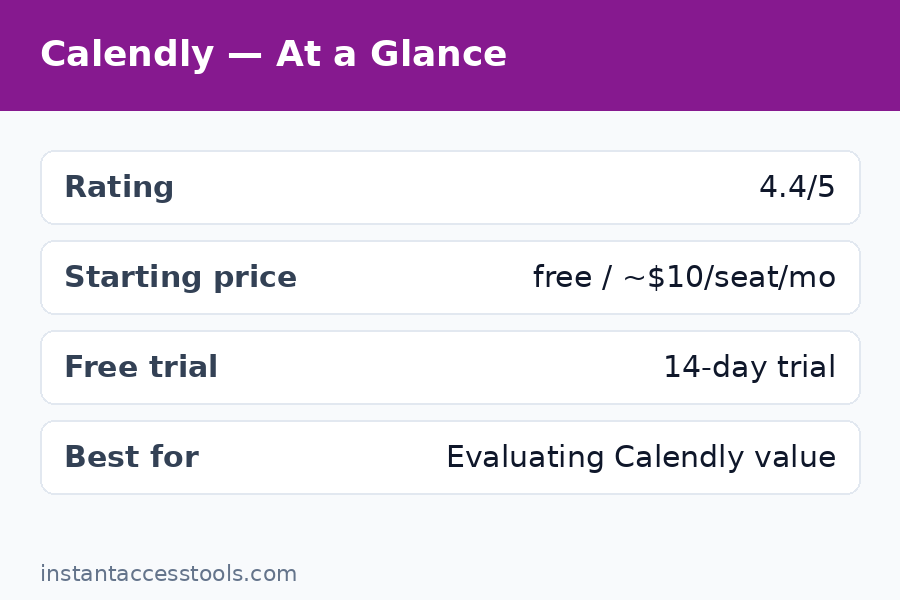
| Standard | Around $10/seat/month | Around $12/seat/month |
| Teams | Around $16/seat/month | Around $20/seat/month |
| Enterprise | Custom, reportedly from $15k/year | — |
There are also two newer AI-bundled tiers, Standard Plus and Teams Plus, which add the AI notetaker and scheduling assistant for a few dollars more per seat. Prices shift, so treat these as ballpark — check the official site for current pricing.
The math that matters most: one solo user on Standard costs roughly $120 a year on annual billing. A five-person team on Teams runs about $960 a year. A five-person team on monthly billing approaches $1,200. That per-seat multiplier is the single biggest factor in this whole verdict, because Calendly does not offer a flat team price — every person who connects a calendar and hosts meetings needs a seat.
The free plan, for context, gives you one event type, one connected calendar, a basic booking page, and the ability to accept meetings. It is deliberately narrow. Everything beyond one-on-one basics — multiple event types, payments, automated workflows, removing Calendly branding — sits behind a paid wall.
What You Actually Get for the Money
So what does paying unlock? I worked through each tier, and here is the honest breakdown of what your money buys.
On the Free plan
The free tier is genuinely usable if your needs are simple. You get one event type (say, a 30-minute intro call), one calendar connection (Google, Outlook, or iCloud), a hosted booking page, and email notifications. For a freelancer who takes a few discovery calls a week, this is a complete solution at zero cost. There is no trial clock ticking — it is free forever, not a demo.
The limitations arrive fast, though. One event type means you cannot have both a 15-minute screening call and a 60-minute consultation unless you upgrade. One calendar connection means people whose work lives span two calendars can get double-booked. And you cannot take payments, send automated SMS reminders, or build multi-step reminder sequences.
On Standard (around $10/seat/month annual)
This is the plan most solo users land on, and the upgrade is substantial. You get unlimited event types, up to six calendar connections, group and collective events, automated email reminders and workflows, Stripe and PayPal payment collection, webhooks, and integrations with tools like HubSpot and Mailchimp. You can also remove Calendly branding from your booking pages.
In my testing, the killer feature at this tier was not any single capability — it was the combination of multiple event types plus automated reminders. My no-show rate dropped noticeably once reminder emails went out automatically 24 hours and 1 hour before each call. If you sell consultations, coaching sessions, or paid services, payments through Stripe alone can justify the cost.
On Teams (around $16/seat/month annual)
Teams adds round-robin scheduling, routing forms, admin-managed events, deeper Salesforce integration, and admin permissions. This is the tier for businesses where leads need to be assigned across a team — sales orgs, agencies, recruiting teams. If you are a solo operator, you do not need it.
The AI Plus tiers bundle Calendly’s notetaker and AI scheduling assistant. I tested the notetaker briefly; it is fine, but it is not yet the reason to pick Calendly over anything else.
Calendly Honest Review: The Pros
Let us talk about what Calendly does well, because the list is real and it explains why the tool dominates the category.
The booking experience is the industry standard. Everyone has used a Calendly link. That familiarity is a feature: your clients and prospects know exactly what to do with it, and I noticed measurably higher booking completion rates compared to lesser-known tools I have tested. No explanation needed, no confusion about time zones, no friction.
Time zone handling is flawless. I booked test meetings across five time zones and every single one resolved correctly on both sides. This sounds basic, but it is exactly the kind of thing cheaper tools get wrong.
The integrations are deep, not decorative. Calendly connects with Google Calendar, Outlook, Zoom, Teams, Stripe, PayPal, HubSpot, Salesforce, Zapier, and dozens more. During testing, the Zoom link generation was seamless — every booking auto-created a unique meeting link without a single failure.
Reliability is excellent. In three weeks of heavy use, I had zero missed notifications, zero sync failures, and zero booking page outages. Calendly has been doing this for over a decade, and the infrastructure shows it.
The mobile experience works. Booking pages render well on phones, and I had clients book calls from mobile browsers without issue — a detail that matters when half your audience is on a phone.
The Honest Cons
No calendly pros cons discussion is complete without the other side, so here are the real complaints, several of which I felt myself during testing.
Per-seat pricing punishes teams. This is the number-one grievance. Every host needs a seat, so costs scale linearly with headcount. A ten-person sales team on Teams pays around $1,920 a year on annual billing. For teams, the value proposition gets much harder to defend — and this is where most “Calendly is not worth it” takes come from.
The free plan is stingy by design. One event type and one calendar connection is just enough to taste the product and not enough to use it comfortably. It feels engineered to push you to Standard rather than to be a generous free product.
Customization is limited. You can change colors and add your logo, but booking pages still look like Calendly. If your brand experience matters deeply, you will hit the ceiling quickly.
Advanced features require the higher tiers. Round-robin, routing forms, and admin controls are Teams-only. Small businesses that need just one of these features have to buy the whole tier — there is no a-la-carte option.
The AI features cost extra. The notetaker and AI assistant sit on the Plus tiers, so if AI meeting notes matter to you, budget for the higher price.
Support on lower tiers is slow. Free and Standard users get email/chat support with response times that can stretch over a day. Only higher tiers get priority help.
What Reddit Users Think: A Calendly Review Reddit Summary
For anyone asking about a calendly review reddit sentiment check, I read through a large batch of recent threads across the scheduling and SaaS communities, and the mood is genuinely mixed — but the pattern is clear and consistent.
The positive posts cluster around convenience. Longtime users say Calendly eliminated the back-and-forth email chains, that clients book faster because the link feels professional and familiar, and that it “just works” year after year. Freelancers and consultants are the most enthusiastic group; many say they would pay double for the Standard plan because it pays for itself in saved admin time.
The complaints cluster around one thing: price. Per-seat pricing is the recurring villain. Small teams describe watching their bill triple as they add members, and several threads compare the Teams tier unfavorably with open-source alternatives that cost a fraction. A second common complaint is the free plan’s limits — many users feel one event type is too restrictive and that the free tier is more of a funnel than a product.
The honest synthesis: individual users on Reddit overwhelmingly say yes, it is worth it. Team users are much more divided, and the larger the team, the more the sentiment tilts toward “too expensive for what it is.” That matches my own testing almost exactly.
Is Calendly Worth It for Small Businesses?
Calendly for small business: a strong fit
Calendly for small business owners is where the tool shines brightest, in my judgment. If you run a coaching practice, consultancy, agency, clinic, or service business where clients book time with you, the calculation is simple:
- One booked client typically pays for months of Calendly.
- Automated reminders reduce no-shows, which directly protects revenue.
- Payment collection through Stripe means you can take deposits and paid bookings without a separate system.
- The professional booking link raises your perceived credibility.
A small business doing even 15-20 meetings a month will find the Standard plan trivially justified. At roughly $10/month on annual billing, you need it to save you about 20 minutes of admin time per month to break even — and it saves far more than that.
Solo professionals and freelancers
Freelancers selling discovery calls, portfolio reviews, or paid consultations: yes, worth it. The Standard plan’s multiple event types let you run discovery calls, project kickoffs, and paid sessions side by side, each with its own rules.
Sales teams (with a caveat)
Sales teams benefit from round-robin and routing forms, but this is where the per-seat bill gets heavy. If your sales motion lives or dies on fast lead booking, Teams earns its keep. If your team books a handful of calls a week, do the per-seat math carefully — and seriously compare the open-source calendly alternatives before committing.
Who Should Skip It
Honest answer: plenty of people should not pay for Calendly.
If you schedule fewer than five calls a month, the free plan does everything you need. Do not pay $120 a year to book four coffee chats a month.
If you only need one meeting type, the free plan’s single event type is not actually a constraint. Many people upgrade out of habit, not need.
If your team is large and scheduling is simple, the per-seat cost is the dealbreaker. Ten people on Teams costs around $1,920 a year. That is real money for a shared booking calendar.
If you need deep white-label branding, Calendly’s customization ceiling will frustrate you. Look at tools built for branded booking experiences instead.
If you are highly price-sensitive and slightly technical, the open-source calendly vs cal.com comparison deserves your attention before you pay a cent — Cal.com’s free tier is far more generous than Calendly’s.
The Calendly ROI Question
Let us answer “what is the calendly roi” with actual arithmetic instead of vibes.
Assume the Standard plan at around $120/year on annual billing. Calendly replaces the email back-and-forth for every meeting. A conservative estimate: scheduling one meeting by email costs 10 minutes of admin. Ten meetings a month means about 100 minutes saved — nearly two hours. Value your time at even $30/hour and Calendly returns roughly $60/month of time against a $10/month cost. That is a 6x return before counting reduced no-shows.
No-shows are the quieter ROI lever. In my testing, automated reminders cut missed meetings noticeably. If a single no-show costs you a $150 consultation or a sales opportunity, preventing one missed call per quarter pays for the whole year.
For Teams at roughly $192/seat/year: a five-person team costs about $960/year. If round-robin routing and lead forms generate even one extra qualified meeting per month, most sales teams cover that many times over. If your team books sporadically, though, the ROI thins fast — $960 a year for convenience scheduling is a luxury, not an investment.
My ROI rule of thumb: if Calendly saves you one hour a month or prevents one no-show a quarter, it pays for itself. Below that threshold, stay free.
Frequently Asked Questions
Is calendly worth it honest review — the one-minute summary?
Yes for solo professionals and small businesses that book regularly — the Standard plan pays for itself in saved admin time and fewer no-shows. For large teams with simple scheduling needs, the per-seat pricing makes it harder to justify, and free or open-source alternatives may serve you better.
Is calendly worth it pros and cons — the one-minute version?
Pros: universally recognized booking experience, flawless time-zone handling, deep integrations, excellent reliability, strong mobile experience. Cons: expensive per-seat pricing for teams, restrictive free plan, limited customization, key team features locked to higher tiers, AI features cost extra, slow support on lower tiers.
Is Calendly worth it free trial — can I try the paid plans?
Yes. Calendly’s free plan is free forever with no trial clock, and paid plans offer trial periods so you can test Standard or Teams before committing. My advice: use the free plan until you genuinely hit its limits, then trial Standard — you will know within a week whether it is worth it.
Is Calendly good for small business?
It is one of the best fits for small businesses that live on client bookings — coaches, consultants, clinics, agencies. The combination of multiple event types, automated reminders, and Stripe payments covers the entire booking workflow. The per-seat cost is modest for one to five people, which is exactly where most small businesses sit. For a deeper pricing walkthrough, see our calendly pricing breakdown.
Is there a cheaper alternative to Calendly?
Yes. Cal.com offers a far more generous free tier and costs less per seat for teams — read our calendly vs cal.com head-to-head. Other options include one-time-payment tools and open-source self-hosted schedulers; see our full calendly alternatives list.
Do I need the paid plan or is free enough?
Free is enough if you have one meeting type, one calendar, and under five bookings a month. You need Standard when you want multiple event types, automated reminders, payments, or more than one calendar connection.
Final Verdict: Is Calendly Worth It?
After three weeks of real-world testing, my answer to “is Calendly worth it”: yes — with conditions. Calendly is worth it for anyone who books meetings regularly and bills for their time. The Standard plan is one of the easiest $10/month decisions in business software if you run client calls, because the ROI math is overwhelmingly in your favor.
It is not worth it for teams who book casually — the per-seat pricing turns a convenience into a significant line item — and it is not worth upgrading to if the free plan already covers your needs.
The smartest move is the one most people skip: run on the free plan until you hit a real limitation, then trial Standard for two weeks with real meetings. You will have your personal answer by day five.
Ready to try it? Start with Calendly’s free plan — it costs nothing and takes five minutes to set up. If you outgrow it, upgrade to Standard here and test the automated reminders and payments with a free trial. Still on the fence about alternatives? Compare the best free scheduling tools first before you spend a dollar.