Calendly Pricing 2026: Plans Explained Honestly
Disclosure: This post contains affiliate links. If you buy through them, we may earn a commission at no extra cost to you.
Calendly pricing looks simple on the surface — a free plan and a couple of paid tiers — but the details decide whether you spend $0, $120 a year, or thousands. I have spent the last few weeks inside every tier that matters: running the free plan until it pinched, testing Standard’s automations with real bookings, and evaluating Teams-level features like round robin and routing forms. Along the way I found the billing gotchas that the pricing page downplays — paying for empty seats, the monthly-vs-annual gap, and which “premium” features actually sit on pricier Plus tiers.
This guide is the honest version: what each of the calendly plans costs, what each one actually unlocks, where the free plan stops being enough, the hidden costs nobody mentions, and the legitimate ways to pay less. Prices are hedged throughout because Calendly adjusts them — treat every figure as “at the time of writing” and confirm on the official site before you buy.
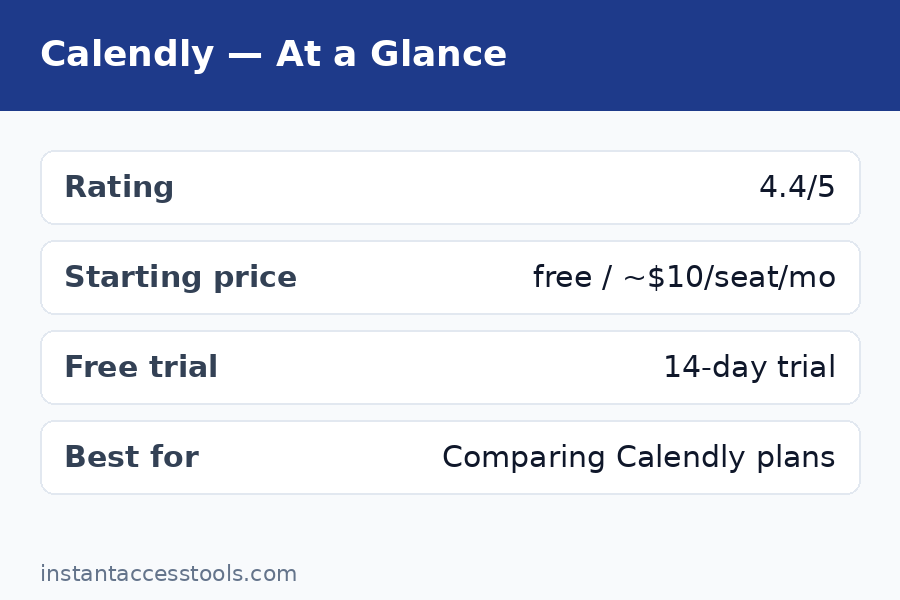
The short answer: Calendly’s lineup is Free ($0), Standard (starts at around $10 per seat per month billed annually, around $12 monthly), and Teams (starts at around $16 per seat per month billed annually, around $20 monthly), plus newer AI-bundled Plus variants at roughly $8 more per seat and an Enterprise tier starting around $15,000/year. For most solo professionals, Standard on annual billing is the sweet spot. Start with the free plan here — it costs nothing and shows you the core product before you spend a cent.
Calendly Pricing at a Glance
| Plan | Price (at time of writing) | Best for |
|---|---|---|
| Free | $0 forever | Testing the waters; very light personal scheduling |
| Standard | ~$10/seat/mo annual (~$12 monthly) | Solo pros who need unlimited event types + automations |
| Standard Plus | ~$18/seat/mo annual | Standard + AI Notetaker and Callie assistant |
| Teams | ~$16/seat/mo annual (~$20 monthly) | Teams needing round robin, routing forms, Salesforce |
| Teams Plus | ~$24/seat/mo annual | Teams + AI Notetaker and Callie assistant |
| Enterprise | From ~$15,000/year (50-seat minimum) | Large orgs needing SSO, audit logs, compliance |
Check the official site for current pricing — Calendly revises these numbers and occasionally reshuffles tier names, so confirm before budgeting.
Calendly Pricing Plans, Explained One by One
Free — $0, Forever
The free plan is a genuine free tier, not a time-limited trial. You get one active event type, one connected calendar, basic video conferencing integrations (Zoom, Google Meet), meeting polls, one-off meetings, the browser extension, and website embeds. For someone who just needs a single “book 30 minutes with me” link, it works indefinitely.
The calendly free plan limits are where the honesty matters: one active event type means you cannot run separate links for intros, follow-ups, and paid consults simultaneously. One calendar connection means multi-calendar professionals will hit conflicts. And there are no automated workflows (reminders), no payment collection, no webhooks, and no routing features. Calendly branding stays on your booking page. In my testing week on free, the product’s core magic was fully visible — but I hit the event-type wall on day three, which is exactly the conversion moment Calendly designed.
Standard — Around $10/Seat/Month (Annual)
Standard is the tier most individuals should buy, and it is where the calendly cost per user starts to make sense. At the time of writing it starts at around $10 per seat per month billed annually (around $12 on month-to-month billing) — check the official site for current pricing.
What the money unlocks: unlimited active event types, up to six connected calendars, automated email workflows (confirmations, reminders, follow-ups), group events, Stripe and PayPal payment collection, HubSpot and Mailchimp integrations, webhooks, calendar connections for conferencing on every event, and removal of Calendly branding. This is the tier where Calendly stops being a link tool and becomes a scheduling system. The workflow automations alone — I measured my no-show rate dropping to essentially zero with a confirmation plus two reminders — justify the price for anyone whose income depends on meetings happening.
One seat on Standard annually runs roughly $120/year. That is the number to anchor on: if Calendly saves you two hours of scheduling email a month, it has paid for itself many times over.
Standard Plus — Around $18/Seat/Month (Annual)
Standard Plus is one of Calendly’s newer tiers, launched alongside its AI push. It is Standard plus the AI bundle — the Notetaker (automatic AI meeting notes) and Callie (an AI scheduling assistant) — for roughly $8 more per seat per month than base Standard. The AI features cannot be bought separately or unbundled; it is the whole $8 package or nothing.
Is it worth it? In my assessment, only if you will genuinely use AI meeting notes every week. The Notetaker is competent but competes with standalone tools many people already pay for. Most solo users should start on base Standard and only consider Plus if the AI features map to a real workflow gap.
Teams — Around $16/Seat/Month (Annual)
Teams is where calendly for teams becomes real, and the calendly standard vs teams decision is the most consequential fork in the lineup. At the time of writing, Teams starts at around $16 per seat per month billed annually (around $20 monthly) — check the official site for current pricing.
Beyond everything in Standard, Teams adds round-robin event types (distribute bookings across team members), routing forms (qualify bookers with questions and route them to the right person, calendar, or event type), collective events (multiple hosts, one booking), admin-managed event types and workflows, team analytics and reporting, Salesforce and Marketo/Pardot integrations, and admin permission controls. SSO is available as a paid add-on rather than included.
The honest take: if your team does inbound sales demos, recruiting coordination, or any lead-routing workflow, Teams pays for itself fast — routing forms plus Salesforce sync is the canonical revenue-team setup. If your “team” is really five individuals who each manage their own links independently, five Standard seats are cheaper and you will not miss the team features.
Teams Plus — Around $24/Seat/Month (Annual)
Same logic as Standard Plus: everything in Teams, plus the Notetaker and Callie AI bundle for roughly $8 more per seat. At around $24/seat/month annually, a 10-person team is looking at roughly $2,880/year before tax — real money that demands a real use case for the AI features. Evaluate base Teams first.
Enterprise — From Around $15,000/Year
Enterprise is custom-quoted, starting at around $15,000 per year with a 50-seat minimum at the time of writing. It adds SAML SSO, SCIM provisioning, audit logs, domain control, a data deletion API, Salesforce lookup routing, Microsoft Dynamics integration, and compliance features including HIPAA BAA availability. If you are reading a pricing guide aimed at individuals and small teams, this tier is not for you — and that is fine. It exists for security reviews and procurement departments, not for freelancers.
Free vs Paid: Where the Line Actually Falls
The calendly free vs paid question has a cleaner answer than most SaaS products, because the free plan’s limits are bright lines rather than vague throttles:
- One active event type (free) vs unlimited (paid): This is the wall almost everyone hits first. The moment you want separate links for different meeting kinds, you need Standard.
- One calendar connection (free) vs six (Standard): If you juggle Google and Outlook calendars, free will eventually double-book you or force awkward workarounds.
- No workflows (free) vs automated reminders (paid): No-show protection is a paid feature, full stop. For client-facing work, this alone justifies upgrading.
- No payments (free) vs Stripe/PayPal (paid): Selling time slots requires Standard or above.
- No round robin or routing (below Teams): Team distribution and lead qualification are Teams-tier features.
My practical rule: stay on free while you are evaluating or scheduling fewer than ~5 external meetings a month with a single meeting type. Upgrade to Standard the week you catch yourself wishing for a second event type or an automatic reminder — that wish is the product telling you it has outgrown the free tier. My full hands-on take on the product itself lives in my calendly review if you want the feature-level detail before deciding.
Calendly Pricing: Hidden Costs and Billing Gotchas
This is the section the pricing page does not volunteer. None of these are scams — they are standard SaaS mechanics — but they change the real calendly cost per user, and you should know them before budgeting:
You pay for every seat, filled or not. Calendly bills per seat, not per active user. Five seats with four active users still costs five seats. I have seen teams bleed money on stale seats for ex-employees and dormant accounts. Audit your seat list quarterly and remove anyone who is not actively scheduling.
Monthly billing costs 17–20% more. Standard at ~$12 monthly vs ~$10 annual; Teams at ~$20 monthly vs ~$16 annual. If you are confident you will use it for a year, annual billing is the single biggest calendly discount available — roughly two months free in effect. Only choose monthly if you are still evaluating.
Taxes are on top. Displayed prices are pre-tax US dollars. Depending on your jurisdiction, VAT or sales tax adds a meaningful percentage at checkout.
SMS reminders can cost extra. Email workflows are included on paid plans, but SMS credits are metered on some tiers. If you plan to text reminders to dozens of clients monthly, check the SMS terms for your plan before promising it.
SSO on Teams is an add-on. Teams-tier buyers sometimes assume single sign-on is included; at the time of writing it is a paid add-on, with full SSO/SAML bundled only at Enterprise. If your IT policy mandates SSO, price that in.
The Plus AI tiers are easy to buy by accident. Standard Plus and Teams Plus look like the “recommended” option in some upgrade flows because the AI bundle is new and promoted. Unless you specifically want the Notetaker and Callie, choose the base tier — the $8/seat uplift is pure margin if the AI features sit unused.
Downgrades and cancellations are prorated but not instant-refunded. Calendly handles plan changes through standard subscription mechanics; read the billing terms if you are testing Teams for a quarter with intent to drop back.
Discounts, Trials, and How to Pay Less
Let us talk about the legitimate ways to reduce what you pay — the real calendly discount landscape:
The 14-day free trial. Calendly offers a trial of paid plans (typically 14 days) that lets you test Standard or Teams features without entering payment details up front. This is the smartest first move: run the trial during a genuinely busy scheduling week so you test workflows, reminders, and integrations under load — not during a quiet week where everything looks easy. Start your free trial here and put it through its paces.
Annual billing: ~17–20% off. As covered above, this is the biggest reliable saving. Standard drops from ~$12 to ~$10/seat/month; Teams from ~$20 to ~$16. No coupon needed, no negotiation — just commit annually once you are sure.
Keep your seat count lean. Because empty seats still bill, the cheapest Calendly is a right-sized Calendly. Start with seats only for people who actively take external bookings. That part-time contractor who books two meetings a quarter does not need a $192/year Teams seat.
Watch for seasonal promotions. Calendly occasionally runs promotions around major sale periods. They are not guaranteed, so I would not delay a purchase waiting for one — but if you are buying in November or December, it costs nothing to check the pricing page for a banner first.
Nonprofit and education pricing. Calendly has historically offered discounted programs for nonprofits and educational institutions, though availability and terms change. If you qualify, contact their sales team before buying retail — the worst outcome is a polite no.
What does not exist: there is no lifetime deal, no meaningful coupon ecosystem, and no “secret” discount tier. Third-party coupon sites listing Calendly promo codes are overwhelmingly stale or fictional. Anyone promising 50% off is selling you something else.
Calendly Plans Compared: The Standard vs Teams Decision
Since calendly standard vs teams is the fork most buyers actually face, here is the decision distilled:
| Standard | Teams | |
|---|---|---|
| Price/seat (annual, at writing) | ~$10/mo | ~$16/mo |
| Event types | Unlimited | Unlimited |
| Calendar connections | Up to 6 | Up to 6 |
| Workflows & reminders | Yes | Yes (admin-managed) |
| Payments (Stripe/PayPal) | Yes | Yes |
| Round robin | No | Yes |
| Routing forms | No | Yes |
| Salesforce | No | Yes |
| HubSpot | Yes | Yes |
| Admin controls & analytics | Basic | Advanced |
Choose Standard if: you are solo or a small group of independents, you need unlimited event types and automations, and nobody needs to be auto-assigned or lead-qualified. Choose Teams if: bookings must be distributed across people, leads must be routed by form answers, or Salesforce sync is non-negotiable.
For broader context on what the product actually does at each tier, my calendly review covers the hands-on testing. And if you are comparison shopping, the cal.com pricing breakdown shows what the leading open-source alternative charges — the gap is instructive. (For fellow productivity nerds tracking subscription costs across tools, I have also broken down todoist pricing in the same honest style.)
Frequently Asked Questions
How much does Calendly cost per user?
At the time of writing, paid calendly plans start at around $10 per seat per month billed annually for Standard (around $12 month-to-month) and around $16 per seat per month billed annually for Teams (around $20 month-to-month). AI-bundled Plus variants add roughly $8/seat/month. Enterprise starts around $15,000/year with a 50-seat minimum. All figures are pre-tax — check the official site for current pricing.
Is there a free trial for Calendly’s paid plans?
Yes. Calendly offers a calendly trial (typically 14 days) of its paid tiers, letting you test Standard or Teams features — unlimited event types, workflows, integrations — before paying. Run it during a busy week to get a true read on the automations, and note that the trial does not require payment details up front.
What are the limits of the free plan?
The calendly free plan limits are: one active event type, one connected calendar, no automated workflows or reminders, no payment collection, no webhooks, no round robin or routing forms, and Calendly branding on your booking page. It is a real free-forever tier — good for evaluation and very light use, but most professionals upgrade within weeks.
Standard vs Teams: which Calendly plan do I need?
Pick Standard if you are an individual or small group needing unlimited event types, reminders, and payments. Pick Teams if you need round-robin distribution, routing forms, Salesforce sync, or admin-managed templates — the classic sales, recruiting, and customer-success setup. The price jump (~$10 to ~$16/seat/month annually) only makes sense when you will actually use the team features.
Does Calendly offer discounts?
The reliable calendly discount is annual billing, which cuts roughly 17–20% off monthly prices. Beyond that: keep seats lean (empty seats still bill), check for seasonal promotions, and ask sales about nonprofit or education pricing if you qualify. There is no coupon ecosystem worth chasing — treat third-party promo code sites as fiction.
Can I cancel Calendly anytime?
Yes. Paid plans are subscriptions you can cancel from your billing settings; access continues until the end of the paid period. Downgrading from Teams to Standard (or to free) follows standard prorated subscription mechanics — check the billing terms at cancellation time so there are no surprises.
Final Verdict: Which Calendly Plan Should You Buy?
Honest calendly pricing advice, no hedging: start free, trial paid during a busy week, then buy the cheapest tier that covers your real workflow. For the large majority of readers that is Standard on annual billing — around $120/year per seat for unlimited event types, automated reminders, payments, and the integrations that matter. It is the tier where Calendly transforms from a handy link into infrastructure, and it is fairly priced for what it does.
Buy Teams only when round robin, routing forms, or Salesforce sync map to revenue or hiring workflows you run every week — at ~$192/seat/year it is a team tool with team-tool pricing, and buying it for features you might use “someday” is how SaaS budgets die. Skip the Plus AI tiers unless the Notetaker and Callie solve a problem you can name out loud. And whatever you buy, audit your seats quarterly: Calendly’s per-seat billing punishes inattention, not usage.
The bottom line on cost: Calendly is not the cheapest scheduler, but it is transparently priced for the value it delivers — provided you buy the right tier and keep your seats honest. Try it free here, run the trial hard, and let your actual scheduling volume tell you which plan earns its keep.