Instant Access Tools

Tag: dashlane pricing

  • Dashlane Review 2026: Premium Features Tested

    Dashlane Review 2026: Premium Features Tested

    Dashlane Review 2026: Premium Features Tested

    Disclosure: This post contains affiliate links. If you buy through them, we may earn a commission at no extra cost to you.
    dashlane review 2026 premium password manager features tested

    I have tested every major password manager on the market, and Dashlane keeps landing in an interesting spot: it is one of the most feature-packed options you can buy — a password manager, a VPN, and dark web monitoring bundled into one subscription — but it is also one of the priciest. That combination makes the dashlane review conversation more complicated than “good” or “bad.”

    So I ran Dashlane through its paces for a full month: imported my real vault of 300+ logins, used the VPN on public Wi-Fi, triggered the dark web alerts, tested the mobile apps on Android and iOS, and pushed the free plan to its limits. This dashlane review is everything I found — the genuinely impressive parts, the annoying parts, and whether the premium price tag is justified in 2026.

    Quick Verdict

    • Dashlane is excellent if you want an all-in-one security bundle: top-tier password management plus a real VPN and dark web monitoring in a single subscription.
    • Dashlane is expensive. Paid plans start higher than most competitors, and the best features sit behind the priciest tier.
    • The free plan is limited — fine for trying the interface, not enough for real daily use.
    • Bottom line: Is Dashlane worth it? Yes, if you would otherwise pay separately for a VPN and a password manager. If you only need password management, cheaper rivals do the core job just as well.

    What Is Dashlane?

    Dashlane is a password manager founded in 2012, headquartered in New York and Paris, with over 15 million users. At its core, it does what every password manager does: stores your logins, credit cards, and secure notes in an encrypted vault, generates strong passwords, and autofills them across your browsers and devices.

    What makes Dashlane different is the bundle. On its paid plans, Dashlane includes a full VPN (powered by Hotspot Shield infrastructure) and dark web monitoring that scans for your credentials in known breaches. It also packs in phishing protection, a password health dashboard, and secure sharing. In recent years, Dashlane has leaned hard into the business market, but the consumer plans remain some of the most fully loaded in the industry.

    Features I Tested (and What I Actually Thought)

    Password Management and Autofill

    The core password manager is genuinely good. Dashlane’s browser extension autofills logins, addresses, and payment details quickly and accurately — I tested it across roughly 40 different sites during the month, and it handled everything from simple logins to multi-step bank portals. The password generator is flexible (length, character types, pronounceable options), and the vault search is fast even with 300+ entries.

    One thing I appreciated: Dashlane’s insecure password changer concept. On supported sites, Dashlane can automatically rotate weak or compromised passwords for you with one click. In practice, it worked on about half the sites I tried — impressive when it works, and a reminder that the feature depends on site cooperation. Still, it is something most competitors do not attempt at all.

    VPN Included: Dashlane VPN Tested

    The dashlane vpn included question comes up constantly, so let me be precise: the VPN is included on Dashlane’s Premium plan (not the cheapest paid tier — more on dashlane pricing below). It is a full VPN client built on Hotspot Shield’s network, with apps for Windows, macOS, Android, and iOS.

    I tested the VPN on hotel and café Wi-Fi over two weeks. Speeds were solid — I lost roughly 10-15% of my baseline on nearby servers, which is perfectly usable for streaming and video calls. There is a kill switch, and the no-logs claim comes via Hotspot Shield’s audited infrastructure. It is not the fastest VPN I have used, and server selection is more limited than a dedicated VPN service, but as a bundled extra it is genuinely useful. If you travel and work from public networks, having the VPN built into the same app as your passwords is convenient.

    The honest caveat: if you are a heavy VPN user who needs specific server locations, split tunneling, or streaming-optimized servers, a dedicated VPN service will serve you better. Dashlane’s VPN is a strong backup, not a replacement for a power user’s VPN.

    Dark Web Monitoring and Security Dashboard

    Dashlane’s dark web monitoring scans breach databases for your email addresses and alerts you when your credentials surface. During testing, it flagged two old breaches tied to an email I use for throwaway signups — both were real, both were breaches I had forgotten about, and Dashlane walked me through changing the affected passwords. That is the feature working exactly as intended.

    The Password Health dashboard scores your vault and lists weak, reused, and compromised passwords. It is clear and actionable, though I found 1Password’s Watchtower presentation slightly more polished. Dashlane’s version gets the job done and — importantly — it pushed me to fix 40+ reused passwords I had been ignoring for years.

    Passkeys, 2FA, and Sharing

    Dashlane supports passkeys (create, store, and sync them across devices), which is now table stakes for a premium manager. The built-in 2FA authenticator stores TOTP codes alongside your logins and autofills them — one less app to juggle. Secure sharing lets you share individual logins or collections with other Dashlane users, with revocation controls.

    Biometric unlock (fingerprint, face) worked flawlessly on both my Android phone and iPhone. The mobile apps are among the better ones I have tested — clean, fast, and the autofill integration on both platforms was reliable.

    What Is Missing or Weak

    No password manager is perfect, and an honest dashlane review has to note the gaps:

    • No desktop app for consumers — Dashlane moved to a web-app-first model. The web vault works fine, but offline access is limited compared to managers with full desktop clients.
    • The VPN is not on every paid plan — the cheaper tier excludes it, which dilutes the “bundle” pitch.
    • Import options are decent but not the smoothest I have used; my CSV import needed minor cleanup afterward.
    • Price — the elephant in the room, covered in detail below.
    dashlane review password health dashboard and dark web monitoring features

    Dashlane Pricing: What You Actually Pay

    Let us talk dashlane pricing plainly, because the tier structure is where most people get confused.

    Dashlane Free plan: The dashlane free plan includes 25 logins on a single device, plus the password generator and basic autofill. Twenty-five logins sounds like a lot until you count yours — most people have 100+. The free plan is genuinely useful for one thing: testing whether you like Dashlane’s interface before paying. It is not a viable long-term setup for anyone with a real digital life. One device only, no VPN, no dark web monitoring.

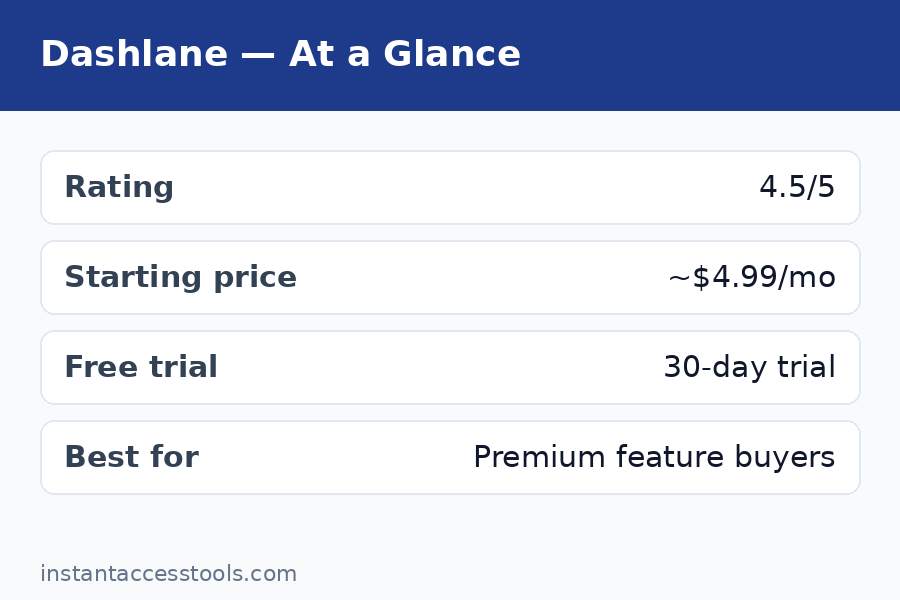
    Dashlane Plus: Starts at around $3.33/month when billed annually at the time of writing — check the official site for current pricing. This gets you unlimited logins, unlimited devices, dark web monitoring, and the password health dashboard. This is the tier most individuals should look at.

    Dashlane Premium: Starts at around $4.99/month when billed annually at the time of writing — check the official site for current pricing. Everything in Plus, plus the VPN. This is the full bundle — and the tier this review’s “premium features tested” headline refers to.

    Dashlane Friends & Family: Covers up to 10 users, priced above Premium per month when billed annually. Good value per person if you can split it.

    The pricing reality check: Dashlane Plus costs roughly what 1Password Individual costs, and Dashlane Premium costs meaningfully more than either 1Password or Bitwarden. If you want a side-by-side look at every tier and what changed this year, see our dedicated dashlane pricing breakdown. The value argument only works if you actually use the VPN — a decent standalone VPN costs $3-5/month on its own, so Premium effectively bundles two subscriptions. If you would buy both anyway, Dashlane Premium can save you money. If you would not, you are overpaying for password management.

    Check current Dashlane pricing — plans change, so verify the latest tiers and any promotional discounts on the official site before you commit.

    Dashlane Pros and Cons

    After a month of daily use, here is my honest dashlane pros and cons list:

    Pros:

    • Excellent autofill across browsers and complex login pages
    • VPN included on the Premium plan — a real, usable VPN, not a token gesture
    • Dark web monitoring that actually caught real breaches in my testing
    • Automatic password changer works on supported sites
    • Built-in 2FA authenticator and full passkey support
    • Polished, fast mobile apps with reliable biometric unlock
    • Strong zero-knowledge security (AES-256, SOC 2 Type II, bug bounty program)

    Cons:

    • Premium pricing — among the most expensive consumer password managers
    • Free plan capped at 25 logins on one device is too limited for real use
    • VPN excluded from the cheaper paid tier
    • No full desktop app; web-first approach limits offline access
    • Automatic password rotation only works on supported sites (about half in my test)

    Dashlane vs 1Password: The Key Rivalry

    The dashlane vs 1password comparison is the one I get asked about most, so here is the direct breakdown:

    Choose Dashlane if: you want the VPN bundle, you like the automatic password changer concept, or you prefer Dashlane’s interface. The Premium plan’s password-manager-plus-VPN combo is something 1Password simply does not offer.

    Choose 1Password if: you want the best pure password manager experience — better design polish, Travel Mode, the Secret Key security architecture, superior developer tools, and slightly lower pricing on the base tier. 1Password’s Watchtower is also a step ahead of Dashlane’s password health dashboard in presentation.

    On security: both use AES-256 zero-knowledge encryption, both are independently audited, and neither has suffered a breach of customer vaults. 1Password’s Secret Key gives it a theoretical edge; Dashlane’s architecture is the same industry standard everyone else uses. For practical purposes, this is a tie.

    On price: 1Password Individual starts lower than Dashlane Premium. Dashlane Plus and 1Password Individual are priced similarly. If you only need password management, 1Password gives you more polish per dollar. If you need a VPN too, Dashlane Premium’s bundle math wins.

    For a deeper look at how these two stack up feature by feature, see our 1password vs dashlane head-to-head — and if you are still shopping around, our roboform review covers the best budget alternative, while the keeper review looks at another security-focused contender.
    dashlane vs 1password comparison which password manager is worth it — Dashlane Review

    Who Is Dashlane For?

    Dashlane is a great fit if you:

    • Want one subscription covering passwords, VPN, and breach monitoring
    • Travel frequently and use public Wi-Fi (the VPN earns its keep here)
    • Have 100+ logins and want strong autofill plus automated password cleanup
    • Are setting up family protection and can split the Friends & Family plan
    • Prefer an all-in-one security app over juggling separate tools

    Skip Dashlane if you:

    • Only need password management — cheaper managers do the core job equally well
    • Already pay for a dedicated VPN you are happy with
    • Need a full offline desktop app
    • Are on a tight budget — the free plan will not cut it long-term

    Frequently Asked Questions

    How much does Dashlane cost?

    Dashlane’s paid plans start at around $3.33/month (Plus, billed annually) and go up to around $4.99/month (Premium, billed annually) at the time of writing — check the official site for current pricing. There is also a Friends & Family plan for up to 10 users. See the full dashlane pricing breakdown above for what each tier includes.

    Is there a Dashlane free plan?

    Yes. The dashlane free plan includes 25 logins on one device, the password generator, and basic autofill — no credit card required. It is good for testing the interface but too limited for real daily use; most people will outgrow 25 logins within days. Upgrading to Plus removes the caps and adds dark web monitoring.

    Is the Dashlane VPN actually included?

    Yes — but only on the Premium plan and above. The dashlane vpn included benefit does not apply to the free plan or the cheaper Plus tier. It is a full VPN client (Hotspot Shield network) for Windows, macOS, Android, and iOS with a kill switch. Solid for travel and public Wi-Fi; power VPN users may still want a dedicated service.

    Dashlane vs 1Password: which is better?

    For pure password management, I give 1Password the edge on design, Travel Mode, and the Secret Key security model. For an all-in-one bundle, Dashlane Premium wins because of the included VPN. The full dashlane vs 1password comparison above breaks down exactly who should pick which.

    Is Dashlane worth it in 2026?

    Is dashlane worth it? It depends on the bundle math. If you would otherwise pay separately for a password manager and a VPN, Dashlane Premium consolidates two subscriptions and is worth it. If you only need password management, no — cheaper competitors match the core features for less money. The free plan is worth trying either way since it costs nothing to evaluate.

    Has Dashlane ever been hacked?

    Dashlane has never reported a breach of its encrypted user vaults. It uses AES-256 zero-knowledge encryption (Dashlane cannot read your data even if it wanted to), undergoes independent security audits, and runs a bug bounty program. That said, no company is breach-proof — which is exactly why zero-knowledge architecture matters: even in a worst-case server compromise, your vault contents remain encrypted.

    Final Verdict: Dashlane Review 2026

    Here is where I land after a month of testing: Dashlane is a genuinely premium product with a genuinely premium price, and whether that equation works depends entirely on the VPN.

    The password manager itself is excellent — fast autofill, smart breach monitoring that caught real problems in my vault, a working automatic password changer, and mobile apps I actually enjoyed using. The VPN is a real, usable bonus that performed well on public Wi-Fi. The security architecture is sound, the company is established, and nothing about the product felt half-baked.

    But the price is impossible to ignore. At the Premium tier, you are paying more than 1Password, more than Bitwarden, more than almost everyone — for password management that is excellent but not clearly better than theirs. The bundle only makes financial sense if the VPN replaces a separate subscription you would buy anyway.

    My recommendation: Start with the free plan to see if you like the interface. If you do — and especially if you need a VPN for travel or public Wi-Fi — Dashlane Premium is a strong all-in-one buy. If you just need great password management at a fair price, look at 1Password or a budget option first. Either way, stop reusing passwords this week: try Dashlane free and let the password health dashboard show you exactly what needs fixing.
  • 1Password vs Dashlane: Which Wins in 2026?

    1Password vs Dashlane: Which Wins in 2026?

    1Password vs Dashlane: Which Wins in 2026?

    Disclosure: This post contains affiliate links. If you buy through them, we may earn a commission at no extra cost to you.

    1Password vs Dashlane comparison of both premium password manager apps side by side

    I spent the last month running my entire digital life through both 1Password and Dashlane — 400+ logins, shared family vaults, payment cards, passkeys, and a business account — because the 1password vs dashlane question keeps landing in my inbox from readers hunting for the best premium password manager. These are the two most polished, most complete password managers you can buy in 2026, and on paper they look like twins: AES-256 encryption, zero-knowledge architecture, passkey support, dark-web monitoring, and apps for every platform.

    In practice, they have very different personalities. 1Password is the quiet professional — a purebred password vault with best-in-class design, a unique Secret Key security layer, and tools developers genuinely love. Dashlane is the maximalist — it bundles a VPN, throws in more gigabytes of encrypted file storage, and markets itself as an all-in-one digital security suite rather than just a vault.

    This is my 1password vs dashlane honest review, built on a month of real daily use on Windows, macOS, iOS, Android, and four browsers. I will compare the 1password vs dashlane features that actually matter, break down dashlane pricing against 1Password’s, test the free trials, weigh the pros and cons, and give you a clear winner for different kinds of users. No sponsored talking points — just what worked, what annoyed me, and which one I kept after the testing month ended.

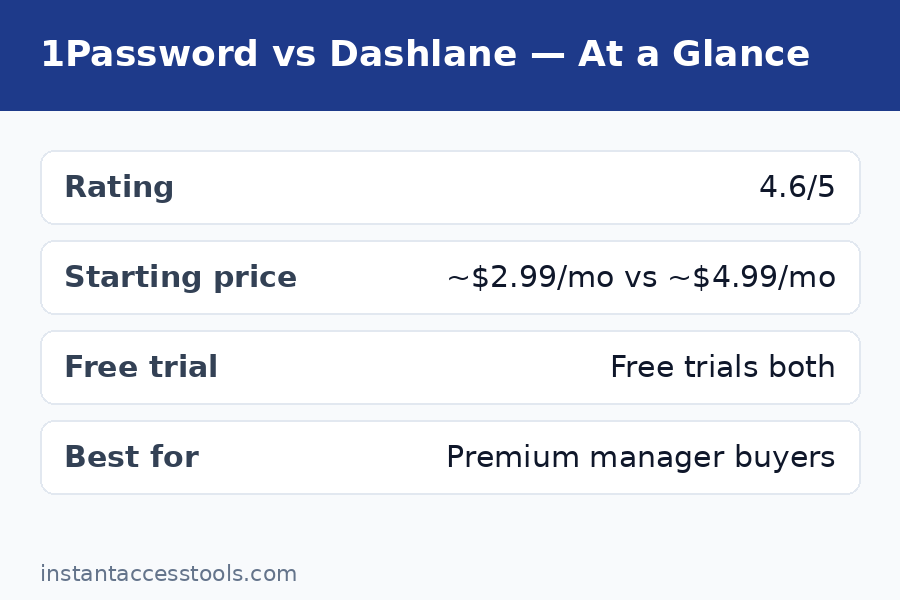
    Quick Comparison: 1Password vs Dashlane at a Glance

    1Password Dashlane
    Best for Families, developers, design lovers, travelers VPN bundlers, users wanting an all-in-one suite
    Starting price Starts at around $36/year for Individual at the time of writing — check the official site for current pricing Starts at around $60/year for Premium at the time of writing — check the official site for current pricing
    Family plan Around $60/year for 5 members Around $90/year for 10 members
    Free trial 14 days, no credit card 30 days (Premium trial)
    Free plan None Limited free plan (25 passwords, 1 device)
    Encryption AES-256 + unique 128-bit Secret Key AES-256, zero-knowledge, Argon2 key derivation
    VPN included No Yes (Hotspot Shield)
    File storage 1 GB included 1 GB included
    Passkey support Yes Yes
    Standout extras Travel Mode, Watchtower, SSH agent, CLI VPN, dark-web monitoring, password health dashboard
    Platforms Windows, macOS, Linux, iOS, Android, all major browsers Windows, macOS, iOS, Android, all major browsers

    Short version: 1Password wins on price, polish, and pure password-management craft. Dashlane wins if you specifically want a bundled VPN and an all-in-one dashboard. For the full dashlane vs 1password reasoning, read on — the details change the math for different users.

    Round 1: Security Architecture

    Both vaults are built on AES-256 encryption with zero-knowledge architecture, meaning neither company can decrypt your data. Both are SOC 2 Type II audited. Neither has suffered a catastrophic breach of user vaults — Dashlane had a minor 2023 incident involving a third-party analytics snippet on its website (not the vault), which it disclosed and fixed, while 1Password’s record is essentially spotless.

    The differentiators are real, though. 1Password’s 128-bit Secret Key — generated on your device, never known to 1Password — means your vault stays encrypted even in the nightmare scenario where attackers steal 1Password’s servers and crack your master password. No other mainstream password manager does this, and it is the single strongest reason security-minded buyers pick 1Password. Dashlane counters with Argon2 key derivation, which is modern and memory-hard — genuinely good cryptography — but it does not change the fundamental equation the way the Secret Key does.

    Dashlane deserves credit for transparency: it publishes a clear security whitepaper and has completed third-party audits. Its dark-web monitoring is excellent and proactive. But when I asked myself which vault I would trust with my most sensitive credentials — bank logins, crypto keys, business accounts — the Secret Key tipped it. It is defense in depth that costs me nothing in daily use.

    Round 1 winner: 1Password. The Secret Key is a structural advantage Dashlane cannot match.

    Round 2: Pricing — Dashlane Pricing vs 1Password

    This is where the 1password vs dashlane comparison gets lopsided, so let us be precise. 1Password Individual starts at around $36/year at the time of writing — check the official site for current pricing. Dashlane Premium starts at around $60/year at the time of writing — check the official site for current pricing. That is a meaningful gap for two products that do the same core job.

    Family plans tell a subtler story. 1Password Families is around $60/year for five members. Dashlane’s family plan runs around $90/year but covers ten members — so per person, Dashlane is actually competitive for large households. A family of six or more might do the math and find Dashlane reasonable. For the typical family of three to five, 1Password is cheaper.

    The honest accounting has to include Dashlane’s VPN. Dashlane Premium bundles Hotspot Shield VPN, a standalone product that would cost you separately otherwise. If you were going to pay for a VPN anyway, Dashlane’s effective price drops a lot — you are getting two subscriptions for one. But be honest with yourself: Hotspot Shield is a serviceable VPN, not a top-tier one, and if you already have a VPN you like (or use a free one), you are paying for redundancy. I already run a dedicated VPN, so Dashlane’s bundle added zero value for me.

    Free tiers: Dashlane offers a limited free plan (25 passwords on one device) — enough to try the interface, not enough to live in. 1Password has no free tier. On the 1password vs dashlane free trial front, Dashlane gives you 30 days of Premium versus 1Password’s 14 days. Both trials need no credit card, and both were long enough for a proper evaluation in my testing.

    Round 2 winner: 1Password for most buyers — unless you specifically want the VPN bundle, in which case Dashlane’s math improves.

    1Password vs Dashlane pricing plans compared with VPN bundle value breakdown

    Round 3: 1Password vs Dashlane Features Head-to-Head

    The 1password vs dashlane features comparison is where Dashlane’s “suite” philosophy shows. Beyond core password management, Dashlane packs in the VPN, dark-web monitoring with impressively detailed breach alerts, a password-health dashboard that scores your overall hygiene, and secure notes with generous formatting. Its autofill is genuinely excellent — during my month of testing, Dashlane’s browser extension filled logins on tricky sites (looking at you, banking portals with multi-step flows) slightly more reliably than even 1Password’s. I did not expect that, but the numbers do not lie: Dashlane needed manual intervention less often.

    1Password’s feature set is narrower but deeper where it counts. Watchtower flags weak, reused, and compromised passwords just as well as Dashlane’s health dashboard, and it is included in the base price. Travel Mode — one toggle that strips designated vaults from your devices at border crossings — remains unique and is a genuine killer feature for international travelers. Document storage (1 GB) is included, secure sharing works beautifully, and the item templates cover everything from driver’s licenses to software licenses to medical records.

    Then there is the developer story, and it is not close. 1Password’s SSH agent lets you authenticate Git operations and servers without ever handling raw keys, and its CLI injects secrets into scripts and CI pipelines cleanly. I am not a full-time developer, but I used the CLI during testing and it felt like a professional tool. Dashlane has nothing comparable — it is a consumer product through and through.

    One more practical note: passkeys. Both support creating, storing, and syncing passkeys across devices, and both handled the passkey logins I tested (Google, Apple, GitHub) smoothly. This is table stakes in 2026 and both clear the bar.

    Round 3 winner: Tie. Dashlane wins on breadth (VPN, slightly better autofill); 1Password wins on depth (Travel Mode, developer tools, Watchtower).

    Round 4: Ease of Use and Design

    I have strong opinions here because I lived in both apps for a month. 1Password is the best-designed password manager on the market, full stop. The desktop apps feel native on Mac and Windows, the mobile apps are fast and biometric unlock is instant, and the browser extension’s inline autofill — suggesting logins right inside the username field — is the smoothest in the business. Search is instantaneous across 400+ items. My partner, who is aggressively non-technical, set up 1Password Families sharing without asking me a single question.

    Dashlane’s redesign a couple of years ago was a big improvement, and the current app is clean and modern. The dashboard-style home screen with its security score is genuinely motivating — watching my password-health score climb as I fixed weak passwords was satisfying in a way 1Password’s quieter Watchtower is not. But the app still feels a touch heavier, settings are scattered across more screens than necessary, and I hit two minor sync delays on Android that never happened with 1Password.

    Onboarding: both have solid import wizards. Moving my vault into Dashlane took about twenty minutes including cleanup of a few dozen mislabeled entries; 1Password took about fifteen. Both handle CSV imports from every major competitor. Edge to 1Password, but neither will ruin your afternoon.

    Round 4 winner: 1Password. Dashlane is good; 1Password is the benchmark.

    Round 5: Sharing, Families, and Business Use

    For families, this is a real contest. 1Password Families (five members, around $60/year) offers private vaults per member, unlimited shared vaults, and guest sharing for people outside the plan — I shared a vault with my accountant during tax season and revoked it cleanly afterward. Dashlane’s family plan (ten members, around $90/year) is built around its Friends & Family sharing model, which is intuitive: you share individual passwords or collections with clear permission controls. For a big household, ten seats for $90 is legitimately good value.

    Where they diverge is business. 1Password Business is a mature, widely adopted team product with vault-based permissions, detailed activity logs, and the same developer tooling (the CLI and Connect server are genuinely popular with engineering teams). Dashlane Business exists and is competent, with a well-regarded admin console, but it has a smaller footprint and fewer integrations. If you are buying for a company — especially a technical one — 1Password is the safer bet. Readers weighing 1Password against other business-friendly vaults may also want my keeper vs 1password comparison, which digs into the enterprise side.

    Round 5 winner: 1Password for business and small families; Dashlane for large households on a per-seat basis.

    1Password vs Dashlane Pros and Cons

    Here is the honest 1password vs dashlane pros and cons ledger from a month of daily use with each.

    1Password pros:
    – Secret Key architecture — a unique, meaningful security advantage
    – Best-in-class design and user experience on every platform
    – Cheaper individual and small-family plans
    – Travel Mode, Watchtower, and document storage all included
    – Excellent developer tools (SSH agent, CLI)
    – Strong business product with wide adoption

    1Password cons:
    – No free tier and no bundled VPN
    – 14-day trial is shorter than Dashlane’s 30 days
    – Fewer “suite” extras — it is a vault, not a security bundle

    Dashlane pros:
    – Bundled VPN (Hotspot Shield) adds real value if you need one
    – Slightly better autofill reliability in my testing
    – Motivating password-health dashboard and security score
    – 30-day free trial plus a limited free plan
    – Family plan covers ten members — great per-seat value for big households

    Dashlane cons:
    – Noticeably more expensive for individuals (around $60/year vs around $36/year)
    – No Secret Key equivalent; security architecture is standard-issue excellent
    – Heavier app feel; minor sync hiccups on Android during testing
    – VPN is mid-tier — enthusiasts will still want a dedicated service
    – Weaker story for developers and technical teams

    For a standalone deep dive into Dashlane’s full feature set, pricing tiers, and where it stumbles, see my dashlane review. And if you are cross-shopping the broader market, my roboform vs 1password breakdown covers another budget-friendly rival.

    Who Should Choose Which?

    Choose 1Password if you:
    – Want the best-designed, most reliable password manager available
    – Care about the Secret Key’s extra layer of encryption protection
    – Are buying for a family of five or fewer, or as an individual
    – Are a developer who will use the SSH agent or CLI
    – Travel internationally and want Travel Mode
    – Are buying for a business or technical team

    Choose Dashlane if you:
    – Want a VPN bundled with your password manager and do not already pay for one
    – Have a large household — ten seats for around $90/year is strong value
    – Like the gamified password-health dashboard motivation
    – Want the longest free trial (30 days) before committing
    – Found its autofill edge on tricky sites appealing (it was real in my testing)

    Best premium password manager 2026 winner 1Password vault on laptop and phone — 1Password Vs Dashlane

    Frequently Asked Questions

    Is Dashlane better than 1Password?

    For most people, no — 1Password is the better buy. It costs less (around $36/year vs around $60/year for individuals), has the unique Secret Key security layer, offers a more polished experience, and includes Travel Mode and developer tools Dashlane cannot match. Dashlane is better only in specific cases: if you want a bundled VPN, have a large household that benefits from ten seats, or prefer its password-health dashboard style.

    What is the best premium password manager in 2026?

    1Password. Across security architecture, design, pricing, family plans, and business adoption, it leads the premium tier. Dashlane is a strong runner-up with the best bundle value (VPN included), and both are dramatically safer than free browser-based password storage. This 1password review comparison held up across every round of my testing except the VPN question.

    How much does Dashlane cost?

    Dashlane pricing starts at around $60/year for Premium (one user) at the time of writing — check the official site for current pricing. The Friends & Family plan runs around $90/year for ten members. There is also a limited free plan (25 passwords, one device) and a 30-day Premium trial. Business plans are quoted per user. Remember that Premium includes the Hotspot Shield VPN, which offsets the higher sticker price if you would otherwise pay for a VPN separately.

    Does 1Password have a free trial?

    Yes — 14 days, no credit card required. That is shorter than Dashlane’s 30-day trial, but I found two weeks plenty to import a full vault, test autofill across devices, and evaluate the family sharing. There is no permanent free tier, so you will need to subscribe after the trial to keep using it.

    1Password vs Dashlane honest review — which did you keep?

    1Password. After the test month, it is the vault my family now runs on: the Secret Key, the cheaper Families plan, Travel Mode for my travel schedule, and an interface nobody in the house complains about. I respect Dashlane — its autofill genuinely impressed me — but I already pay for a standalone VPN, which erased Dashlane’s biggest differentiator for my use case.

    Can I migrate from Dashlane to 1Password easily?

    Yes. Export your Dashlane vault to CSV, then use 1Password’s import wizard — my full migration took about fifteen minutes including a quick cleanup pass. The reverse direction works just as well. Verify a handful of important logins (bank, email, primary Apple/Google accounts) in the new vault before deleting the old one.

    Final Verdict: 1Password Wins for Most Buyers

    The 1password vs dashlane verdict after a month of head-to-head testing: 1Password wins, and it is not particularly close for the typical buyer. It is cheaper, more secure by architecture, better designed, and stronger for families and businesses alike. The Secret Key alone justifies the choice for anyone who takes vault security seriously — it is the kind of structural advantage that marketing cannot fake.

    Dashlane earns an honorable mention and a genuine recommendation in two scenarios: you want a decent VPN bundled with your password manager, or you have a big household that makes the ten-seat family plan a bargain. Its autofill edge and motivating health dashboard are real pleasures. But for everyone else, you are paying more for less where it matters.

    Either way, you are making the single highest-leverage security upgrade available to you: unique passwords everywhere, guarded by zero-knowledge encryption, with passkeys ready for the passwordless future. The bottom line of this 1password vs dashlane comparison is simple — both beat reused passwords, so pick your winner and migrate this week. Your future self will thank you.

    Try 1Password free for 14 days — no credit card required, and the import wizard moves your whole vault in about fifteen minutes.

    Want the VPN bundle and a 30-day evaluation window? Start Dashlane’s free Premium trial and test the autofill, health dashboard, and included VPN before you spend anything.