10 Best Adobe Express Alternatives for 2026
Disclosure: This post contains affiliate links. If you buy through them, we may earn a commission at no extra cost to you.
Adobe Express is good. I want to get that out of the way first, because most roundups either praise it blindly or bury it unfairly. It has the best AI tools of any browser editor I have tested, and the free plan is genuinely generous. But it is not the right fit for everyone — and that is exactly why the market of adobe express alternatives is worth exploring in 2026.
Maybe the subscription stings when you only design a few times a month. Maybe you tried it and found the template library thinner than expected, or you need stronger photo editing, better multi-page documents, or simpler brand management. Whatever brought you here, I have spent the last few weeks putting the best adobe express competitors through the same real-world workload: social graphics, thumbnails, a pitch deck, a flyer under deadline, and a round of photo touch-ups. This adobe express alternatives honest review covers what each tool does better than Express, where each one falls short, and what you will actually pay.
Quick Verdict
If you want one answer: Canva Pro is the safest overall replacement for Adobe Express — bigger template and stock libraries, stronger collaboration, and a free trial to prove it to yourself. If your main problem is price, VistaCreate delivers 90% of the experience for noticeably less money. If you live in Photoshop’s shadow and want the AI perks, stick with Express itself — nothing on this list matches Firefly yet. Details below.
How I Picked These Adobe Express Alternatives
No filler picks. Every tool below earned its place by clearing three bars: it had to handle everyday design jobs (social posts, thumbnails, simple marketing graphics) without making me miss Adobe Express; it had to be meaningfully better at something specific or a cheaper adobe express option; and it had to offer a real free plan or adobe express alternatives free trial so you can verify my claims yourself. I also weighed the adobe express alternatives pros and cons honestly — the template counts, the AI tools, the export limits, and the pricing fine print.
Where I had direct comparisons, I ran them side by side. You will notice two callouts in particular — adobe express vs vistacreate and adobe express vs snappa — because those are the two matchups readers ask me about most often.
The 10 Best Adobe Express Alternatives
1. Canva Pro — Best Overall Alternative
Best for: Creators and small teams who want the biggest template library and the smoothest editor.
Canva Pro is the obvious headliner among adobe express alternatives, and it earns the spot. The template library is simply bigger and better organized than Express’s — hundreds of thousands of social, presentation, and print templates with consistently high design quality. The editor is forgiving for beginners but deep enough for daily production work, and features like Magic Resize, Brand Kit, and the background remover are all polished.
Where Express wins is AI: Firefly’s generative fill and text effects are still ahead of Canva’s Magic Studio. But Canva wins almost everywhere else — more stock assets, better collaboration and commenting, a genuinely useful content scheduler, and apps that work offline on mobile.
Key features: 600,000+ templates, 100M+ stock assets, Magic Resize, Brand Kit, background remover, Magic Studio AI tools, social scheduler.
Pricing: Starts at around $15/month for individuals at the time of writing — check the official site for current pricing. Generous free plan and a 30-day Pro trial.
Pros: Largest template and stock library; best collaboration; excellent mobile apps; beginner-friendly.
Cons: AI tools lag behind Firefly; per-user pricing gets expensive for teams.
See the direct matchup: adobe express vs canva pro.
Try Canva Pro free for 30 days and compare it against Express yourself
2. VistaCreate — Best Budget Alternative
Best for: Social media creators who want Canva-like output for less money.
The adobe express vs vistacreate comparison is one of the most common questions I get, so here is the straight answer: VistaCreate feels like a younger, cheaper sibling of both Canva and Express. The template-first workflow is nearly identical, the social format coverage is excellent, and the animation tools are genuinely fun to use. Template quality is a half-step behind Express’s best work, but for day-to-day social graphics the gap is barely noticeable.
The real story is value. VistaCreate’s paid plan undercuts Express while covering everything a solo creator needs: background remover, brand kit, sticker and animation library, and direct publishing to social platforms.
Key features: 150,000+ templates, background remover, brand kit, animation and sticker library, direct social publishing.
Pricing: Starts at around $10/month at the time of writing — check the official site for current pricing, with frequent discounts on annual plans.
Pros: Very affordable; huge social template selection; easy learning curve; solid free plan.
Cons: Template quality can be inconsistent; fewer integrations; collaboration is basic.
3. Snappa — Best for Speed
Best for: Marketers and bloggers who need graphics in minutes, not hours.
Adobe express vs snappa is an interesting matchup because Snappa is not trying to beat Express on features — it is trying to beat it on speed. The editor strips design down to essentials: pick a template, swap the text, export. There is no AI generation, no deep photo editing, no asset ecosystem. What you get instead is the fastest path from blank screen to finished social graphic I have tested.
I timed it: a clean Instagram post took me about four minutes in Snappa versus nine in Express, mostly because Snappa never tempts you down a rabbit hole of AI effects. For bloggers batching featured images and marketers churning out ad variants, that speed compounds.
Key features: 6,000+ templates, 3M+ stock photos and graphics, one-click resize, scheduled social sharing.
Pricing: Starts at around $15/month at the time of writing — check the official site for current pricing. Free plan allows 3 downloads per month.
Pros: Fastest workflow of the bunch; dead simple; good stock library for the price.
Cons: No AI tools; smaller template library; free plan is quite limited.
4. Fotor — Best for Photo Editing Plus Design
Best for: Anyone who needs real photo editing alongside graphic design.
Fotor is the pick I recommend when someone’s complaint about Express is “I wish the photo tools were stronger.” Fotor started as a photo editor and it shows: HDR effects, beauty retouching, batch processing, and genuinely capable AI enhancement tools sit next to a full design suite with templates and text effects. It is two tools in one, and both halves are solid.
The design side is not as deep as Canva or Express — fewer templates, less polished typography — but if half your workload is touching up product photos or portraits before they go into a graphic, Fotor saves you from bouncing between two apps.
Key features: AI photo enhancer, HDR and beauty tools, batch editing, collage maker, design templates.
Pricing: Starts at around $9/month at the time of writing — check the official site for current pricing. Free plan available with watermarked exports on some features.
Pros: Strongest photo editing on this list; AI enhancer is excellent; good value pricing.
Cons: Smaller template library; design typography options are basic.
5. PicMonkey — Best for Brand Consistency
Best for: Small businesses that need on-brand graphics without a designer.
PicMonkey sits in the sweet spot between Express’s creative flash and Canva’s template firehose. Its brand kit implementation is one of the best I have used — logos, colors, and fonts apply consistently across templates with minimal fiddling — and the touch-up tools (teeth whitening, blemish removal, wrinkle smoothing) are surprisingly good for a browser editor.
It lacks AI generation entirely, which feels like a miss in 2026, and the template library is smaller than Express’s. But for a small business owner producing consistent Instagram content and the occasional flyer, PicMonkey’s simplicity is a feature, not a gap.
Key features: Brand kit, photo touch-up tools, 9,000+ templates, background remover, multi-page projects.
Pricing: Starts at around $13/month at the time of writing — check the official site for current pricing. No free plan, but there is a trial.
Pros: Excellent brand kit; strong touch-up tools; simple and focused.
Cons: No AI generation; no free plan; smaller template library.
6. Desygner — Best for Multi-Page Documents
Best for: Anyone making PDFs, ebooks, menus, or multi-page marketing documents.
Desygner is the alternative I reach for when Express’s single-canvas mindset gets in the way. Multi-page documents — brochures, ebooks, restaurant menus, pitch decks — are first-class citizens here, with master pages and consistent styling across pages that Express handles awkwardly. It even imports PDFs for editing, which Express cannot do at all.
The social template library is decent but unremarkable, and the interface feels a generation older than Express. But for document work, Desygner quietly outperforms tools that cost twice as much.
Key features: Multi-page documents with master pages, PDF import and editing, 1M+ templates and assets, brand kit.
Pricing: Starts at around $10/month at the time of writing — check the official site for current pricing. Free plan available.
Pros: Best multi-page workflow on this list; PDF import is genuinely useful; affordable.
Cons: Dated interface; weaker social templates; no AI generation.
7. Visme — Best for Presentations and Infographics
Best for: Professionals who live in decks, reports, and data visuals.
Visme is not a general Express replacement — it is a specialist. If your work is presentations, infographics, reports, and interactive data visuals, Visme runs circles around Express. The chart and graph tools are the best in this price range, the infographic templates are excellent, and you can publish interactive versions with animations and embedded content.
For social graphics it is overkill and slower than Express. But I have stopped recommending Express for serious presentation work entirely; Visme is simply better at it, with presenter notes, analytics on views, and brand controls that scale to teams.
Key features: Presentation builder, infographic templates, data visualization tools, interactive publishing, brand kit.
Pricing: Starts at around $29/month at the time of writing — check the official site for current pricing. Free plan available with limited features.
Pros: Best-in-class presentations and infographics; great data visuals; interactive publishing.
Cons: Pricier than Express; overkill for simple social graphics; learning curve.
8. Easil — Best for Template Quality
Best for: Designers and marketers who care about template taste level.
Easil’s whole pitch is template quality over quantity, and it delivers. The library is smaller than Express’s, but the average template looks like it was art-directed rather than mass-produced — bold typography, strong layouts, genuinely current aesthetics. Easil also offers drag-and-drop GIF creation and text masking effects that feel fresh.
The tradeoff is scale: fewer templates overall, a smaller stock library, and less name recognition means fewer tutorials and community resources. But if you have ever scrolled Express’s library thinking “everything looks the same,” Easil is the antidote.
Key features: Designer-grade templates, GIF maker, text effects and masking, brand kit, team workspaces.
Pricing: Starts at around $9/month at the time of writing — check the official site for current pricing. Free plan available.
Pros: Beautiful, distinctive templates; text effects stand out; affordable.
Cons: Smaller library; fewer integrations; smaller community.
9. Kittl — Best for Graphic and Typography Design
Best for: Creators making logos, merch, posters, and typography-heavy graphics.
Kittl is the odd one out — it is less of an Express clone and more of a browser-based Illustrator-lite with a template layer. The text effects engine is superb: vintage badges, warped typography, texture overlays, and mockup generation for merch that Express simply does not offer. If you sell t-shirts, design logos, or make posters, Kittl does things no other tool on this list can.
It is a poor fit for general social graphics, though — the workflow assumes you want to craft, not to crank. Think of Kittl as the specialist you keep alongside a generalist like Express or Canva, not as a full replacement.
Key features: Advanced text effects, vintage and texture styles, mockup generator, illustration tools, AI image generation.
Pricing: Starts at around $12/month at the time of writing — check the official site for current pricing. Free plan available.
Pros: Unmatched text and vintage effects; great for merch and logos; AI generation included.
Cons: Not a general design tool; steeper learning curve; weaker social templates.
10. BeFunky — Best Free Adobe Express Alternative
Best for: Casual users who want capable editing and design without paying anything.
If you are looking for a genuinely free adobe express alternative, BeFunky deserves the last slot. The free plan is one of the most generous on this list: a capable photo editor, a collage maker, and a graphic designer with a solid template set, all usable without an account for basic tasks. The paid Plus plan unlocks batch processing, artsy effects, and more templates, but the free tier alone covers casual needs better than Express’s free plan covers its premium features.
It is not a professional tool — the interface is simple, the templates are cheerful rather than cutting-edge, and there is no AI generation. But for quick edits, birthday invitations, and social posts on a zero budget, BeFunky is hard to beat.
Key features: Photo editor, collage maker, graphic designer, batch processing (paid), artsy photo effects.
Pricing: Free plan available; Plus starts at around $10/month at the time of writing — check the official site for current pricing.
Pros: Excellent free plan; no account needed for basics; simple and fast.
Cons: Basic templates; no AI tools; ads on the free plan.
Adobe Express Alternatives Compared at a Glance
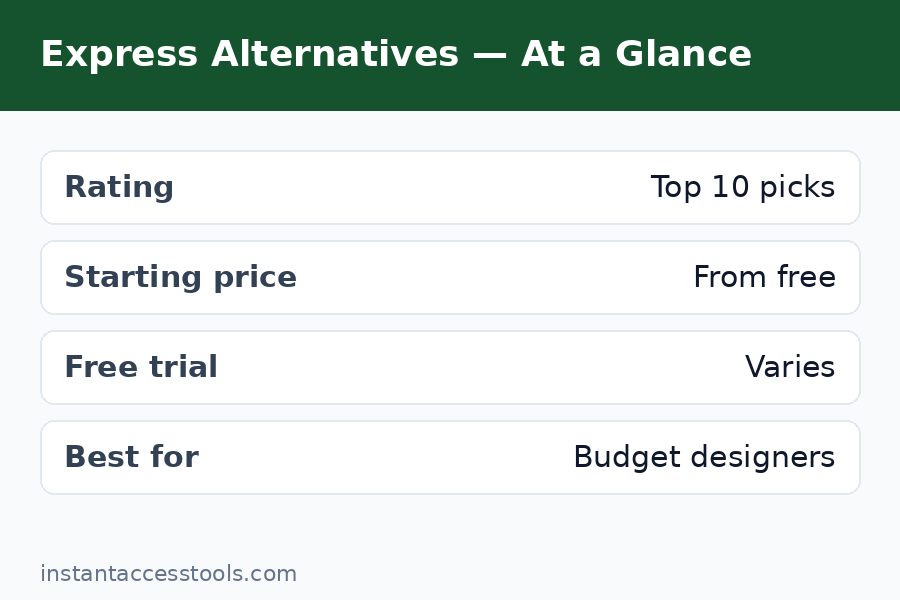
| Tool | Best For | Free Plan / Trial | Paid From* |
|---|---|---|---|
| Canva Pro | Overall replacement | Yes / 30-day trial | ~$15/mo |
| VistaCreate | Budget social design | Yes / trial | ~$10/mo |
| Snappa | Speed | Limited / trial | ~$15/mo |
| Fotor | Photo editing + design | Yes / trial | ~$9/mo |
| PicMonkey | Brand consistency | Trial only | ~$13/mo |
| Desygner | Multi-page documents | Yes / trial | ~$10/mo |
| Visme | Presentations, infographics | Yes / trial | ~$29/mo |
| Easil | Template quality | Yes / trial | ~$9/mo |
| Kittl | Typography, merch | Yes / trial | ~$12/mo |
| BeFunky | Free casual use | Yes (generous) | ~$10/mo |
*Approximate starting prices at the time of writing — check the official site for current pricing.
Curious how Express itself stacks up before you switch? Read my full adobe express review and the pricing breakdown in adobe express pricing.
See current pricing and start a free trial on your top pick
Frequently Asked Questions About Adobe Express Alternatives
What is the best Adobe Express competitor overall?
Canva Pro. It has the largest template and stock library of any browser editor, stronger collaboration tools, and a more mature mobile experience. Adobe Express keeps its edge in AI generation with Firefly, so if generative fill and AI text effects are central to your workflow, Express itself may still be the better pick — but for most people, Canva Pro is the strongest overall competitor.
Is there a cheaper Adobe Express alternative than Adobe Express itself?
Yes, several. VistaCreate, Fotor, Easil, Desygner, and BeFunky all start at around $9–$10/month, undercutting Express’s paid plan while covering the core jobs — social graphics, basic photo editing, and templates. VistaCreate is my top budget recommendation because the price cut comes with the smallest quality compromise. If you only design occasionally, BeFunky’s free plan may eliminate the need to pay at all.
Is there a completely free Adobe Express alternative?
BeFunky has the most generous free plan on this list — a real photo editor, collage maker, and graphic designer with usable templates, no account required for basic tasks. Canva’s free plan is also strong for design work, and VistaCreate, Fotor, and Desygner all offer functional free tiers. The catch with every free plan is the same: premium templates, AI tools, and background removers are usually paywalled, and some free exports carry watermarks.
Do Adobe Express alternatives offer free trials?
Almost all of them do. Canva Pro offers a 30-day free trial with full access, and most competitors — VistaCreate, Snappa, Fotor, PicMonkey, Desygner, Visme, Easil, Kittl — offer trials or free plans that let you test the core workflow before paying. My advice: trial your top two candidates with a real project, not a toy test, and time yourself. The tool that gets you to a finished graphic fastest is usually the right one.
What are the pros and cons of switching from Adobe Express to an alternative?
The honest adobe express alternatives pros and cons breakdown: pros include lower prices (VistaCreate, Easil, Fotor), bigger template libraries (Canva), stronger photo editing (Fotor), better multi-page documents (Desygner), and faster simple workflows (Snappa). The cons: you lose Firefly’s AI tools, which remain best-in-class; you lose Creative Cloud integration if you use other Adobe apps; and switching costs are real — rebuilding brand kits and learning a new editor takes an afternoon you will not get back. Switch for price or a specific feature gap, not on a whim.
Should I pick VistaCreate or Snappa instead of Adobe Express?
It depends on what you value. In the adobe express vs vistacreate matchup, VistaCreate wins on price and social template volume but loses on AI tools and typography quality — pick it if budget is the priority. In the adobe express vs snappa matchup, Snappa wins on pure speed for simple graphics but loses on features across the board — pick it if you batch-produce basic social images and never touch AI. If you use generative fill or AI effects regularly, neither replaces Express; consider Canva Pro instead.
Final Verdict: Which Adobe Express Alternative Should You Choose?
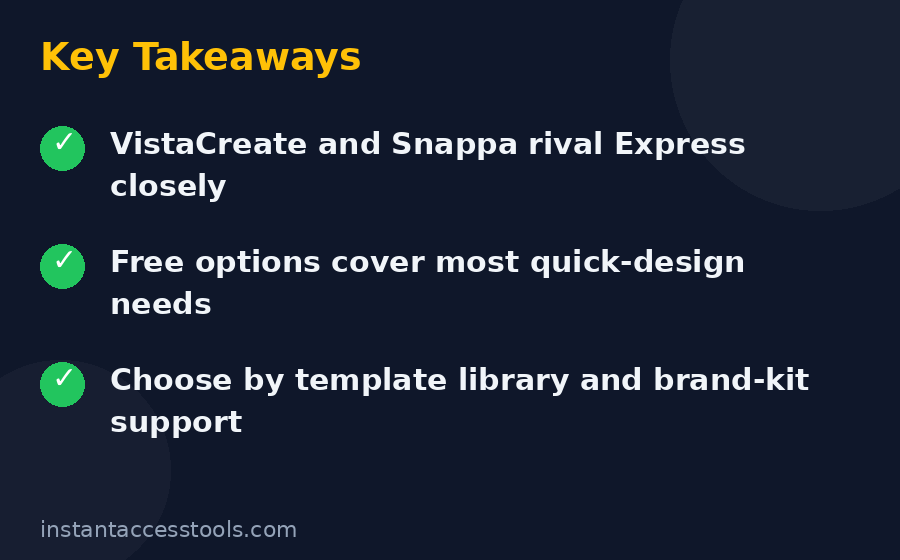
After testing all ten, here is how I would decide. Choose Canva Pro if you want the safest, most capable overall replacement with the biggest library. Choose VistaCreate if price is the main reason you are leaving Express. Choose Snappa if speed matters more than features. Choose Fotor if photo editing is half your workload. Choose Desygner or Visme for documents and presentations respectively. And stay with Adobe Express if Firefly’s AI tools are central to how you work — none of these adobe express alternatives match it there yet.
One last piece of practical advice: do not pay for a year upfront on day one. Run the free trial on a real project, check that the export quality and template style fit your brand, and only then commit. Every tool on this list will still be here next month.