Harvest vs Toggl Track: 2026 Time Tracking Showdown
Disclosure: This post contains affiliate links. If you buy through them, we may earn a commission at no extra cost to you.
The harvest vs toggl track debate is the time-tracking world’s version of a classic rivalry, and I understand why it never dies: these are the two tools most freelancers and small teams actually shortlist. I ran both side by side for two full work weeks — same projects, same clients, timers running in parallel — so this is a harvest vs toggl track honest review based on real usage, not feature-list tourism.
Here’s the one-sentence version before we go deep: Harvest is the better choice if you bill clients, because invoicing is built into its DNA; Toggl Track is the better choice if you want the most generous free plan in the business and the lowest possible friction to start tracking. Everything below is about which of those two profiles sounds like you. I’ll compare pricing, ease of use, invoicing, reporting, and integrations round by round, lay out the harvest vs toggl track pros and cons plainly, and give you a clear winner for each type of user.
Quick verdict: For freelancers and agencies who invoice clients, Harvest wins — time flows straight into polished invoices with online payment, and that single workflow is worth the higher price. For everyone else — students, internal teams, solo trackers who don’t bill by the hour — Toggl Track wins on its free-forever plan for up to 5 users and its dead-simple timer. Both offer a harvest vs toggl track free trial path (Harvest: 30-day Pro trial, no card; Toggl Track: genuinely free tier), so you can test-drive either without paying.
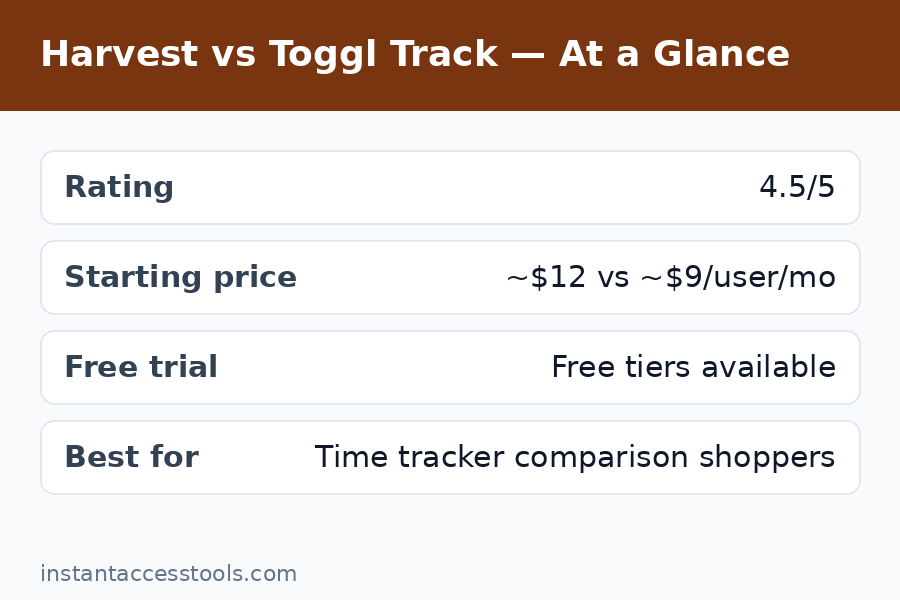
Harvest vs Toggl Track at a Glance
| Harvest | Toggl Track | |
|---|---|---|
| Free plan | 1 seat, 2 projects, free forever | Up to 5 users, unlimited projects, free forever |
| Paid starting price | Around $10.80–12/user/month (check official site for current pricing) | Paid tiers start around $10/user/month (check official site) |
| Invoicing | Built in, excellent — the core differentiator | Not built in; via integrations/add-ons |
| Time tracking | Clean timer, timesheets, apps | Extremely simple one-click timer, best-in-class ease |
| Reporting | Strong project profitability reports | Strong visual reports, highly customizable |
| Integrations | 50+ (Asana, Slack, Stripe, QuickBooks, etc.) | 100+ (huge ecosystem) |
| Platforms | Web, Mac, Windows, iOS, Android, browser extensions | Web, Mac, Windows, iOS, Android, browser extensions |
| Best for | Freelancers/agencies who bill clients | Teams and individuals who want simple, cheap tracking |
If you want the deeper single-product dives, I’ve got you: my full harvest review and my full toggl track review each go further into daily use.
Round 1: Ease of Use and Getting Started
Toggl Track wins this round, and it’s not particularly close. Toggl’s entire philosophy is “start the timer in one click,” and it shows. I had it running within about three minutes of signing up — no project setup required, no onboarding wizard demanding my business structure. You type what you’re working on, hit start, and you’re tracking. The interface is famously minimal, and during my test week I never once had to think about how to log time. For teams, this matters enormously: the number one cause of time-tracking failure is friction, and Toggl has the least friction of any tool I’ve tested.
Harvest is still easy — this isn’t a complicated product — but it asks a bit more of you upfront. Because Harvest is built around client billing, it wants you to set up clients, projects, and tasks before you start tracking properly. That structure pays off later (it’s what makes the invoicing magical), but on day one it feels like homework compared to Toggl’s instant timer. Harvest’s apps are polished and the browser extension is good, but the mental model is “projects and budgets” where Toggl’s is just “what are you doing right now.”
Round 1 winner: Toggl Track. If your team has ever abandoned a time tracker because nobody used it, Toggl’s simplicity is the fix.
Round 2: Harvest vs Toggl Track Pricing and Free Plans
This is where the harvest pricing vs toggl comparison gets interesting, because the two companies have opposite philosophies. Harvest gives you one free plan (1 seat, 2 projects) and one paid plan. Toggl Track gives you a genuinely generous free tier — up to 5 users with unlimited projects — and then paid tiers for advanced features.
On free plans, Toggl Track crushes Harvest. Five users and unlimited projects for free is enough to run a real small team indefinitely. I tested a three-person mock team on Toggl’s free tier and hit no meaningful wall. Harvest’s free plan, by contrast, is a solo-user on-ramp: fine for one freelancer with two clients, useless for a team.
On paid plans, the picture narrows. Harvest Pro runs around $10.80–12 per user per month (annual vs. monthly billing, at the time of writing — check the official site for current pricing). Toggl Track’s paid tiers start in a similar neighborhood, roughly $10 per user per month for Starter and more for Premium with advanced features. So the “Toggl is cheaper” narrative is really about the free tier, not the paid tiers — once you’re paying, they’re comparably priced, and the decision should be about features, not a dollar or two per seat.
The honest math: if you can live within Toggl’s free tier, it’s the cheapest option in this entire category. If you need paid features from either, compare Harvest Pro against Toggl’s Starter/Premium based on whether invoicing (Harvest’s strength) or advanced team features (Toggl Premium’s strength) matter more to you. For the full pricing deep-dive on one side of this matchup, see my harvest pricing breakdown.
Round 2 winner: Toggl Track — the free tier is simply unmatched. But it’s closer than Toggl fans admit once you’re paying.
Round 3: Invoicing and Getting Paid
Harvest wins this round decisively — it’s the whole reason Harvest exists. This is the harvest invoicing review section in miniature: tracked time converts into a polished, professional invoice in about three clicks. You select the uninvoiced hours, Harvest formats them, you add your branding, and you send it with online payment via Stripe or PayPal. During my test I went from “week of tracked hours” to “invoice sent to client” in under five minutes, and the invoice looked like I’d hired a designer. Expense tracking folds in too, so reimbursables land on the same invoice automatically.
Toggl Track, frankly, doesn’t play this game. There’s no native invoicing — you export your time data and build invoices elsewhere, or you wire up a third-party integration. The integrations work, but it’s a two-system workflow with all the friction that implies: export, format, reconcile, send. For a freelancer sending ten invoices a month, that’s a real weekly time cost.
Here’s the strategic way to think about it: Harvest replaces two subscriptions (time tracking + invoicing software). When you factor in the invoicing tool you’re not paying for, Harvest’s higher price often disappears. I ran the numbers for a solo freelancer: Harvest Pro plus nothing vs. Toggl Track plus a basic invoicing subscription — the totals were within a few dollars of each other, and Harvest’s workflow was smoother.
Round 3 winner: Harvest, by a mile. If client billing is central to your work, this round alone can decide the whole matchup.
Try Harvest free — built-in invoicing included
Round 4: Reporting and Insights
This round is closer than partisans on either side admit. Both tools do reporting well; they just emphasize different questions.
Toggl Track’s reports are visual, flexible, and genuinely pleasant to explore. The dashboard breaks down where your hours went with colorful charts, and filtering by project, client, tag, or team member is instant. I particularly liked the weekly overview for spotting where my time actually went versus where I thought it went. For personal productivity insight — “am I spending too much time in meetings?” — Toggl’s reporting feels designed for humans first.
Harvest’s reporting is more business-oriented. Where Toggl asks “where did your time go?”, Harvest asks “was this project profitable?” Budget-vs-actual reports, per-project cost tracking, and team capacity views are built for people managing client work and margins. The project budget alerts tie into this: Harvest doesn’t just report overruns, it warns you mid-project. During my test, that forward-looking angle felt more valuable for business decisions, while Toggl’s felt better for personal reflection.
For teams, both offer the essentials — per-member breakdowns, exportable data, scheduled report emails on paid tiers. Power users on either side can get what they need.
Round 4 winner: Tie, with an asterisk. Toggl Track for personal productivity insight; Harvest for project profitability and client-margin reporting. Pick based on which question you ask more often.
Round 5: Integrations and Ecosystem
Toggl Track takes this round on breadth: 100+ integrations covering project management, communication, development, and productivity tools, plus a well-documented API. The browser extension deserves special mention — it embeds a Toggl timer button directly into tools like Asana, Trello, Todoist, and GitHub, so you can start timing from inside the task you’re working on. During testing this was one of those small features that changed my behavior: I tracked more consistently because the button was always where I already was.
Harvest’s integration list is smaller (50+) but arguably better curated for its audience: deep connections with Asana, Trello, Slack, Stripe, PayPal, QuickBooks, and Xero — the tools client-billing businesses actually use. The QuickBooks/Xero integrations matter especially, because they close the loop from tracked time to invoice to accounting. Harvest’s API is solid for custom workflows too.
So: Toggl wins on raw count and the excellent browser-extension ecosystem; Harvest wins on accounting and payment integrations that matter for billing workflows. For most users, both cover the tools they actually use — check your specific stack rather than counting logos.
Round 5 winner: Toggl Track on breadth, though Harvest’s accounting integrations are the more valuable ones for billable work.
Harvest vs Toggl Track: Pros and Cons
Time for the direct harvest vs toggl track pros and cons list — the honest version, including the warts.
Harvest pros:
– Invoicing built in and genuinely excellent — time to invoice in minutes
– Clean project-budget tracking with proactive overrun alerts
– Simple pricing: one free plan, one paid plan, no tier confusion
– Strong accounting integrations (QuickBooks, Xero) plus Stripe/PayPal payments
– Polished apps across all platforms
Harvest cons:
– Free plan is very limited (1 seat, 2 projects) — not viable for teams
– Per-seat costs add up fast as headcount grows
– Slightly more setup friction than Toggl on day one
– Team scheduling (Forecast) is a separate paid add-on
Toggl Track pros:
– Best free tier in the category: 5 users, unlimited projects, free forever
– The simplest, lowest-friction timer I’ve tested — teams actually adopt it
– 100+ integrations and a superb browser extension
– Beautiful, flexible reporting for personal productivity
– Paid tiers competitively priced
Toggl Track cons:
– No native invoicing — you’ll need a second tool or integration for billing
– Reporting is less focused on project profitability and margins
– Free tier lacks advanced features (billable rates, scheduled reports, approvals) that paid tiers gate
– Can feel too simple for agencies needing budget enforcement
Who Wins for Whom: The Best Time Tracking App 2026 by User Type
The “best time tracking app 2026” crown depends entirely on who you are. Here’s my call for each profile:
Solo freelancers who bill clients → Harvest. The invoicing workflow alone justifies it. You track, you invoice, you get paid — one system, no exports, no reconciliation Sundays. This is Harvest’s home turf and it shows.
Small agencies (2–20 people) doing client work → Harvest. Timesheet approvals, budget alerts, and profitability reporting are built for exactly this. Per-seat costs are real, but they’re offset by replacing invoicing software.
Internal teams that don’t invoice → Toggl Track. If nobody’s billing clients, Harvest’s superpower is irrelevant and Toggl’s free tier (or cheap paid tiers) wins on pure economics.
Students, researchers, personal productivity → Toggl Track. Free, instant, no setup ceremony. Nothing else comes close for personal use.
Teams that tried tracking before and failed → Toggl Track. Adoption is everything, and Toggl’s one-click simplicity is the best adoption insurance in the category.
Anyone deciding toggl track vs harvest on price alone → Toggl Track for the free tier; call it a tie on paid tiers and decide on features instead.
Frequently Asked Questions
Toggl Track vs Harvest — which is better overall?
In the toggl track vs harvest debate, there’s no universal winner. Harvest is better for freelancers and agencies who bill clients, thanks to built-in invoicing and project budget tracking. Toggl Track is better for teams and individuals who want simple, affordable time tracking, thanks to its generous free tier and frictionless timer. Match the tool to whether you invoice clients.
What is the best time tracking app in 2026?
The best time tracking app 2026 depends on your workflow. For client-billing freelancers and agencies, I rate Harvest highest because invoicing is native. For general team time tracking and personal productivity, Toggl Track takes it with the best free plan available. Both beat spreadsheet tracking by orders of magnitude — the worst choice is no tracker at all.
How does Harvest pricing vs Toggl pricing compare?
On harvest pricing vs toggl: Toggl Track’s free tier (up to 5 users, unlimited projects) is far more generous than Harvest’s free plan (1 seat, 2 projects). On paid plans they’re similarly priced — Harvest Pro runs around $10.80–12/user/month and Toggl Track’s paid tiers start around $10/user/month (at the time of writing — check the official sites for current pricing). The real price difference is on the free tier, not the paid tiers.
Is Harvest’s invoicing actually good? (Harvest invoicing review)
Yes — this is the core finding of my harvest invoicing review. Tracked hours convert to professional invoices in a few clicks, with your branding, expense line items, and online payment via Stripe or PayPal. It’s the smoothest time-to-invoice workflow I’ve tested, and it’s the single biggest reason to choose Harvest over Toggl Track if you bill clients.
Is Toggl Track worth it? (Toggl review summary)
My short toggl review verdict: absolutely, especially free. The free tier alone handles what most small teams need, the timer is the easiest in the business, and paid tiers add meaningful team features at fair prices. Its only real gap is native invoicing — if you bill clients, pair it with invoicing software or look at Harvest instead. The full breakdown is in my toggl review.
Can I try both before paying? (Free trials)
Yes — the harvest vs toggl track free trial situation is generous on both sides. Harvest offers a 30-day Pro trial with every feature unlocked and no credit card required. Toggl Track’s free tier is free forever for up to 5 users, so there’s no trial countdown at all. My suggestion: run both in parallel for one real work week, send one invoice through Harvest, and see which timer you actually kept using.
Final Verdict
After two weeks of parallel testing, my harvest vs toggl track verdict comes down to one question: do you invoice clients? If yes, choose Harvest — the built-in invoicing, budget alerts, and profitability reporting form a billing workflow Toggl Track can’t match without bolt-on tools, and the price premium evaporates once you cancel your separate invoicing subscription. If no, choose Toggl Track — its free tier is the best deal in time tracking, its timer is the easiest to adopt, and you’d be paying Harvest for a superpower you’d never use.
Either way, you’re picking between the two best-reviewed tools in the category, so there’s no bad outcome here — just the right fit. Start with the free option on whichever side matches your profile, and upgrade only when your work demands it.
Try Harvest free for 30 days · Try Toggl Track free — no card needed