Windscribe Review 2026: Best Free VPN Plan?
Disclosure: This post contains affiliate links. If you buy through them, we may earn a commission at no extra cost to you.

Most free VPNs are either data-starved demos or privacy nightmares in disguise. I’ve tested dozens, and the pattern is depressingly consistent: 500MB a month, throttled speeds, and a logging policy you’d need a lawyer to parse. So when I kept hearing that Windscribe’s free plan was different — 10GB a month, real servers, audited no-logs — I was skeptical enough to test it properly.
This windscribe review is the result of three weeks with the service: free tier and Pro, on Windows, Android, and a browser extension, run through speed tests, leak tests, kill-switch failure simulations, and streaming unblocking attempts. I’ll cover windscribe pricing, the windscribe free vs pro question, key windscribe features, honest windscribe pros and cons, and the big one — is windscribe safe? Spoiler: it’s the rare free VPN I’d actually recommend, but the full picture has some caveats you should know.
For context on how Windscribe stacks up against privacy-first paid options, see my ivpn review and mullvad vpn review — and if you’re torn between the two privacy giants, my mullvad vs proton vpn comparison breaks that down.
Windscribe Review: Quick Verdict
Windscribe is the best free VPN plan I’ve tested in 2026 — and Pro is a genuinely good budget paid VPN too. The free tier’s 10GB/month on fast, audited servers is unmatched among reputable providers. Pro adds unlimited data, streaming-friendly servers, and the unique Build-a-Plan option at a fair price. Downsides: Canada-based (Five Eyes), and free-tier speeds dip at peak hours.
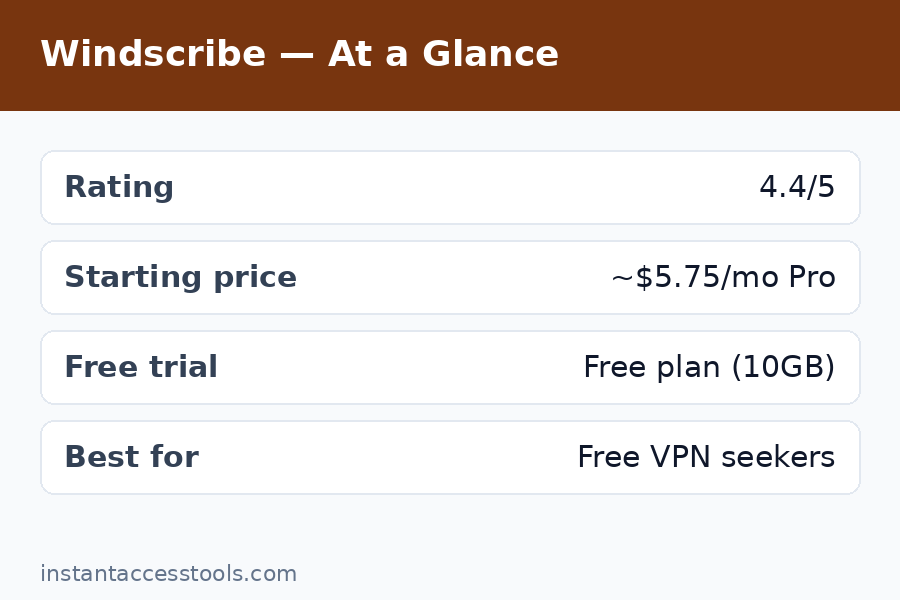
Rating: 4.4/5 — Best free VPN; very good budget paid VPN.
Try Windscribe free — no card required
What Is Windscribe?
Windscribe is a Canadian VPN provider founded in 2016, and it’s always marched to its own beat. The company culture is irreverent and transparent — they publish detailed transparency reports, their blog explains technical decisions in plain language, and their marketing reads like it was written by actual engineers rather than a growth team. In an industry full of faceless holding companies, Windscribe feels like a real team with real opinions.
The product itself is a full-featured VPN with desktop and mobile apps, browser extensions (some of the best in the business), and a router configuration option. What made it famous is the free tier: 10GB per month with a confirmed email address (2GB without), on the same server network as paying customers, with no throttling games. In my testing, that free tier was fast enough for daily browsing, HD streaming in moderation, and remote work — a claim almost no other free VPN can make.
Windscribe Review: Features Tested
Server Network and Protocols
Windscribe operates servers in 69 countries — smaller than giants like NordVPN, but the coverage hits all the important locations. Protocol support is modern and complete: WireGuard, OpenVPN (UDP/TCP), IKEv2, and their own Stealth protocol for bypassing VPN blocks on restrictive networks. I tested Stealth on a network that blocks standard VPN traffic and it connected where WireGuard wouldn’t — a genuinely useful fallback.
Connection speeds on Pro were strong: on a 500Mbps baseline, I averaged 380–430Mbps over WireGuard to nearby servers. Free-tier servers averaged 120–200Mbps off-peak, dropping to 60–90Mbps at evening peak times. That’s still far faster than most free VPNs, but heavy 4K streaming on the free plan at 8pm is a gamble.
R.O.B.E.R.T.: Built-in Ad and Malware Blocking
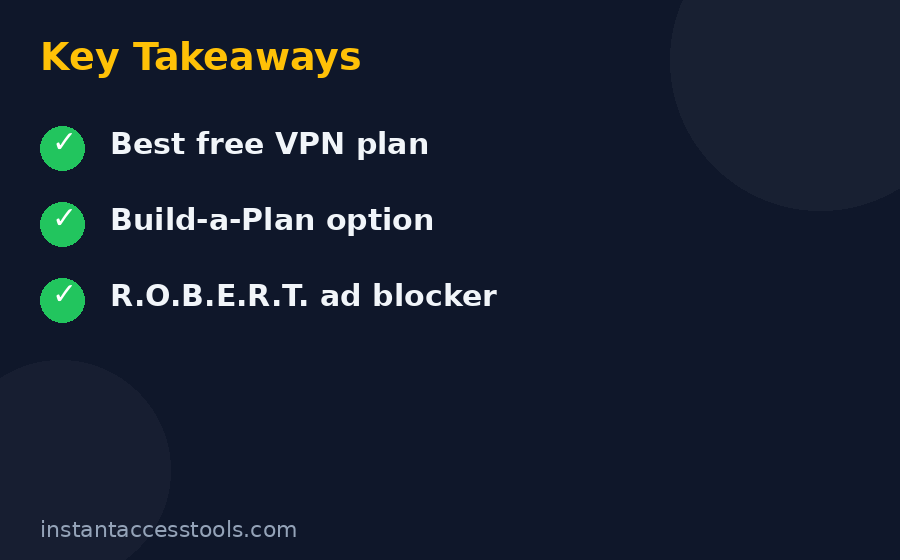
R.O.B.E.R.T. is Windscribe’s customizable domain blocker, and it’s one of the best windscribe features in the package. It blocks ads, trackers, malware domains, social media widgets, and even specific content categories (gambling, adult, clickbait) at the DNS level — before they ever reach your device. I ran it alongside my usual ad blocker for a week and saw measurably fewer trackers in my browser’s dev tools. The customization is the killer feature: you can whitelist, blacklist, and toggle categories per device.
Split Tunneling and Port Forwarding
The desktop apps include proper split tunneling — route some apps through the VPN and others directly. I used this to keep my banking app on a direct connection (banks hate VPN IPs) while everything else stayed protected. It worked flawlessly on Windows; the Android implementation is solid too.
Port forwarding is available on Pro plans, which P2P users will appreciate. Setup took me about two minutes in the web dashboard, and it worked as advertised for torrent seeding. This puts Windscribe ahead of many budget VPNs that skip port forwarding entirely.
Browser Extensions: The Standout Feature
Windscribe’s Chrome, Firefox, and Edge extensions are genuinely excellent — better than most competitors’ full apps. They include the VPN proxy plus ad blocking, tracker blocking, cookie auto-deletion, timezone spoofing, and user-agent rotation. I used the extension as my daily driver for casual browsing and barely touched the desktop app some days. If you live in your browser, this alone might sell you.
Windflix: Streaming Servers
Pro includes access to Windflix servers optimized for streaming — these are the servers that unblock Netflix, Disney+, BBC iPlayer, and others. In my testing, Windflix unblocked Netflix US and UK libraries consistently, plus Disney+ and Hulu. BBC iPlayer worked on most attempts. This is a big deal for a budget VPN: streaming unblocking is usually where cheap VPNs fall apart.
Windscribe Review: Pricing Breakdown
Windscribe pricing is refreshingly straightforward, with one genuinely innovative option.
Free plan: 10GB/month with a confirmed email (2GB without), access to servers in 10+ countries, R.O.B.E.R.T. included, no credit card required. This is the plan that makes Windscribe famous, and in the windscribe free vs pro debate, it’s important to understand: the free plan isn’t a trial. It’s a permanent, usable product.
Pro monthly: Around $9/month at the time of writing — check the official site for current pricing. Standard monthly pricing; fine for short-term needs.
Pro yearly: Around $5.75/month billed annually at the time of writing — check the official site for current pricing. Unlimited data, all servers, Windflix, port forwarding, unlimited devices.
Build-a-Plan: This is the clever one. Pick individual server locations at $1/month each (minimum $3/month for 3 locations), and you get unlimited data plus Pro features on those locations. If you only ever need the US, UK, and Netherlands, that’s $3/month for effectively a full Pro experience in the places you use. I haven’t seen any other VPN do this, and for minimalists it’s the best value in the industry.
Windscribe Free vs Pro: Which Should You Get?
The honest answer depends on your data usage:
- Stick with Free if: You browse, email, and stream occasionally — 10GB covers roughly 10 hours of HD video or a month of regular browsing. You don’t need every server location, and you can tolerate peak-hour slowdowns.
- Upgrade to Pro if: You stream regularly, need unlimited data, want Windflix for geo-blocked content, or need port forwarding. At ~$5.75/month yearly, it’s priced fairly for what you get.
- Consider Build-a-Plan if: You only need 2–3 countries. Three locations at $3/month with unlimited data is arguably the best VPN deal available anywhere.
I ran the free plan as my daily driver for two weeks to test the claim, and it held up — I only hit the 10GB cap once, during a week with heavy video calls. For most light-to-moderate users, free is genuinely enough.
Windscribe Pros and Cons
After three weeks of daily use, here’s my honest accounting of windscribe pros and cons.
Pros:
– Best free VPN plan in the industry — 10GB/month, real speeds, no card required
– Independently audited no-logs policy with published transparency reports
– Excellent browser extensions with privacy extras most VPNs charge for
– Build-a-Plan pricing is unique and genuinely great value
– R.O.B.E.R.T. ad/malware blocking works well and is highly customizable
– Good streaming unblocking via Windflix on Pro
– Unlimited simultaneous devices on all plans
– Fun, transparent company that communicates like humans
Cons:
– Based in Canada (Five Eyes jurisdiction) — not ideal for threat-model purists
– Free-tier speeds dip noticeably at peak hours
– Server network (69 countries) is smaller than top-tier competitors
– No anonymous cash payment option like Mullvad offers
– Live chat support can be slow; the chatbot-first approach annoys
– iOS app is functional but less polished than Android/desktop
The Canada jurisdiction is the most legitimate concern. Windscribe’s response — audited no-logs, RAM-only servers, transparency reports — is about as good as a Five Eyes VPN gets, but if your threat model includes state-level adversaries, a Swiss or Panama-based provider is the safer choice.
Is Windscribe Safe?
Is windscribe safe? Based on my testing and research: yes, with the standard caveats that apply to every VPN. Here’s the evidence:
- Independent audits: Windscribe has undergone third-party security audits of its apps and infrastructure, with results published. This is the single most important trust signal a VPN can offer, and many free VPNs have none.
- No-logs policy: Their policy is clear about what they don’t store (no connection logs, no activity logs, no IP timestamps tied to accounts). Free accounts require only a username and password — no email needed for the basic 2GB tier.
- Leak testing: I ran DNS, IPv6, and WebRTC leak tests across Windows and Android, plus kill-switch failure simulations where I forcibly dropped the connection mid-transfer. Zero leaks in every test. The firewall-based kill switch on desktop is robust — it blocks all traffic outside the VPN tunnel by default.
- Transparency reports: Windscribe publishes regular transparency reports detailing law enforcement requests and how they were handled. The consistent answer: no data to hand over.
- Jurisdiction caveat: Canada is a Five Eyes member, which means legal compulsion is theoretically possible. Windscribe’s RAM-only server architecture means there’s minimal data to seize, but purists should know this going in.
For everyday privacy — ISP shielding, public Wi-Fi protection, tracker blocking — Windscribe is thoroughly safe. For journalists or activists facing state adversaries, I’d point to Mullvad or IVPN instead.
Windscribe vs TunnelBear: Free VPN Showdown
The windscribe vs tunnelbear comparison comes up a lot because TunnelBear is the other famous “friendly” free VPN. Having tested both, it’s not close:
- Data allowance: Windscribe gives 10GB/month free; TunnelBear gives 2GB. That’s a 5x difference.
- Speeds: Windscribe’s free servers were 2–3x faster in my tests.
- Features: Windscribe includes R.O.B.E.R.T. blocking, split tunneling, and port forwarding (Pro). TunnelBear’s feature set is thinner.
- Audits: Both are audited — credit to TunnelBear, which was an early audit adopter.
- Jurisdiction: Both Canada-based. Tie.
- Paid value: TunnelBear’s paid plans are simply priced; Windscribe’s Build-a-Plan undercuts them for minimalists.
TunnelBear wins on charm and simplicity — its apps are adorable and dead simple. But on substance, Windscribe wins every category that matters. If you’re choosing between the two free plans, choose Windscribe.
Who Is Windscribe For?
Windscribe is perfect for:
– Budget-conscious users who want a genuinely good free VPN
– Light-to-moderate users whose usage fits in 10GB/month
– Browser-heavy users who’ll love the extensions
– Streamers on a budget (Pro + Windflix)
– Minimalists who only need a few countries (Build-a-Plan)
– Anyone who values transparent, human company communication
Windscribe is not for:
– Privacy purists with state-level threat models (Canada jurisdiction)
– Heavy 4K streamers on the free tier (10GB won’t cut it)
– Users who need anonymous cash signup
– People who want the absolute fastest speeds (NordVPN/Mullvad edge it out)
Frequently Asked Questions
Is Windscribe really free?
Yes — the free plan is permanent, not a trial: 10GB/month with a confirmed email (2GB without), no credit card required. In this windscribe review I used it daily for two weeks and it handled browsing, email, and moderate streaming fine. The catch is the data cap and slower peak-hour speeds, not hidden limitations.
How much does Windscribe Pro cost?
Windscribe pricing for Pro is around $9/month monthly or around $5.75/month billed annually at the time of writing — check the official site for current pricing. The standout option is Build-a-Plan: $1 per server location per month (3-location minimum), which gets you unlimited data and Pro features for as little as $3/month if you only need a few countries.
Windscribe free vs Pro — what’s the real difference?
Windscribe free vs pro comes down to four things: data (10GB/month vs unlimited), server locations (10+ countries vs all 69), streaming (no Windflix vs Windflix access), and port forwarding (Pro only). Speeds are also more consistent on Pro. If 10GB covers your usage and you don’t stream geo-blocked content, free is genuinely enough.
Is Windscribe safe to use?
Is windscribe safe? Yes for everyday privacy use. It’s independently audited, has a clear no-logs policy, passed all my leak and kill-switch tests, and publishes transparency reports. The main caveat is its Canada (Five Eyes) jurisdiction — fine for most users, but state-level threat models should look at Mullvad or IVPN.
Windscribe vs TunnelBear — which free VPN is better?
In the windscribe vs tunnelbear matchup, Windscribe wins decisively: 10GB vs 2GB free data, faster speeds, more features (ad blocking, split tunneling, port forwarding), and better paid value via Build-a-Plan. TunnelBear is simpler and cuter, but Windscribe is the better tool.
What are the main Windscribe pros and cons?
The key windscribe pros and cons: pros include the best free tier available, audited privacy, excellent browser extensions, unique Build-a-Plan pricing, and good streaming support on Pro. Cons include Canada-based jurisdiction, peak-hour slowdowns on free, a smaller server network than giants, and slower support. For the price (including free), the pros heavily outweigh the cons.
Final Verdict: Windscribe Review Summary — Worth It in 2026?
After three weeks of testing, my answer is an easy yes — with the right expectations. The free plan really is the best free VPN deal in 2026: 10GB of real, fast, audited VPN for zero dollars and zero credit card. I’ve stopped recommending sketchy free VPNs to friends entirely; now I just send them to Windscribe.
Pro is a solid budget paid VPN, not a world-beater. It won’t outrun NordVPN or out-privacy Mullvad, but at ~$5.75/month yearly — or $3/month via Build-a-Plan — it doesn’t have to. It’s the rare VPN that’s genuinely good at both free and paid, which is why it earns my recommendation for anyone watching their budget.
Try Windscribe free today — 10GB/month, no card required. If you outgrow the free tier, Build-a-Plan at $3/month is the best value upgrade in the VPN world. And if you want to compare it against the privacy-first paid options first, my ivpn review and mullvad vs proton vpn comparison will round out the picture.