Motion Pricing 2026: Is $34/Month Worth It?
Disclosure: This post contains affiliate links. If you buy through them, we may earn a commission at no extra cost to you.
I’ll be honest with you: when I first looked into Motion, the motion pricing nearly made me close the tab. Thirty-four dollars a month for a calendar app? That’s more than some of my streaming subscriptions combined. But my schedule was a genuine disaster at the time — double-booked meetings, tasks scattered across three different apps, and “focus time” blocks that never actually survived contact with my inbox. So I signed up for the trial, ran Motion through two weeks of my real, chaotic work life, and tracked what it would actually cost me across every billing option.
In this guide, I’m breaking down exactly how Motion pricing works in 2026: every plan, what each one includes, the real motion cost per month once you factor in annual billing, whether the motion annual discount is worth locking in, how the motion free trial actually works, and how motion vs sunsama pricing stacks up for anyone torn between the two. No marketing fluff — just what I found as a paying-curious skeptic who hates wasting money on apps.
Quick Verdict
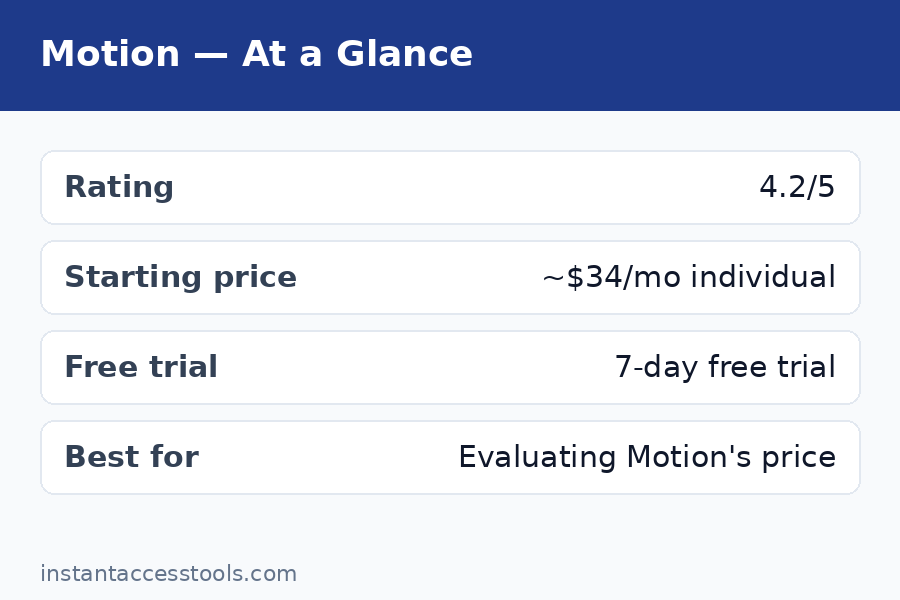
- Motion Individual starts at around $34/month billed monthly, or roughly $19/month when billed annually at the time of writing — check the official site for current pricing.
- There is no free plan. Your only free option is the 7-day free trial.
- Annual billing cuts the price by roughly 44%, but you’re committed for the full year with no monthly escape hatch.
- Best for: busy professionals and teams who live inside their calendars and will genuinely use AI auto-scheduling every day.
- Skip it if: you just need a simple shared calendar or to-do list — cheaper tools handle that fine.
Motion Pricing: The Plans at a Glance
Motion keeps its lineup refreshingly simple. There are two motion plans — Individual and Team — and the difference between them matters less than the billing cycle you choose. Here’s the snapshot from my testing:
| Plan | Monthly billing | Annual billing | Best for |
|---|---|---|---|
| Individual | ~$34/month | ~$19/month (billed yearly) | Solo professionals, freelancers, executives |
| Team | ~$34/user/month | ~$20/user/month (billed yearly) | Companies rolling Motion out across staff |
Prices are hedged because Motion has adjusted them before and may again — starts at around these figures at the time of writing, so check the official site for current pricing before you commit.
The big takeaway: your billing choice moves the motion cost per month more than anything else. Going annual on the Individual plan nearly halves what you pay. That’s the single biggest lever in the entire motion pricing structure, and it’s why I spend a full section on it below.
The Individual Plan
The Individual plan is what most people land on, and it’s the one I tested. For roughly $34/month billed monthly (or about $19/month when you pay annually), you get the full Motion experience: AI auto-scheduling for tasks and meetings, calendar management, project views, docs, and the meeting scheduler.
What sold me during testing was the auto-scheduling engine. You dump in your tasks with deadlines and priorities, connect your calendars, and Motion rebuilds your day around them — rescheduling automatically when a meeting runs long or something urgent lands. During my two-week test, it genuinely reclaimed about 30–45 minutes a day that I’d previously lost to manual schedule tetris. Whether that’s worth $34/month depends entirely on what your time is worth, but for me the math was interesting.
One thing to know: every Individual seat is standalone. There’s no sharing, no shared workspaces, no team analytics. If you’re a freelancer or a solo operator, that’s perfect. If you’re coordinating with even one other person, you’ll outgrow this plan fast.
The Team Plan
The Team plan is priced per seat and adds everything teams need: shared projects and workspaces, team workload views, admin controls, priority support, and centralized billing. At the time of writing, Team seats run around $34/user/month billed monthly or roughly $20/user/month billed annually — so a five-person team on annual billing is looking at roughly $100/month, or about $1,200/year.
The per-seat math is where teams get surprised, so do this calculation before you buy: multiply by your actual headcount, then add a seat or two of buffer, because Motion charges for every invited member. A ten-person team is roughly $200/month on annual billing. That’s not outrageous next to tools like Asana or Monday, but it’s real money — and it’s why I recommend starting one or two power users on Individual first, proving the ROI, then rolling out the Team plan.
If you’re comparing team productivity stacks, my asana premium review and trello premium review break down what those alternatives cost at each tier.
The Motion Annual Discount: How Much Do You Really Save?
The motion annual discount is the steepest in the productivity space, and it’s the main reason I tell people to think hard before defaulting to monthly billing. Here’s the math at current list prices:
- Monthly billing: ~$34 × 12 = ~$408/year
- Annual billing: ~$19 × 12 = ~$228/year
- You save: ~$180/year, or about 44%
That’s a genuinely large discount — most SaaS tools offer 15–20% for annual. Motion is effectively saying: commit to us for a year and we’ll nearly halve the price.
But here’s my honest take after testing: don’t take the annual discount on day one. Use the motion free trial first, then pay for one or two months at the monthly rate. If you’re still using Motion daily after 60 days — actually letting it auto-schedule, not just admiring the calendar — then switch to annual and pocket the savings. The discount is only a deal if the habit sticks, and a 44% discount on an app you abandon in March is still money wasted.
Motion Free Trial: What the 7 Days Really Give You
The motion free trial is 7 days, full-featured, no credit card required up front in most cases. That’s the good news. Here’s what I wish someone had told me before I started mine:
Day 1–2 is setup, not testing. Connecting calendars, importing tasks, teaching Motion your work hours and priorities takes real effort. I burned most of my first two days just getting data in. If you start the trial on a Monday morning without prep, you’ll waste nearly a third of it on onboarding.
My advice: block 90 minutes before you activate the trial. Connect Google Calendar or Outlook, import your task list, set your work hours, and define 3–5 priority projects. Then start the 7-day clock. You’ll get a full week of actual auto-scheduling instead of a week of configuration.
What to test during the trial: Let Motion reschedule at least one full chaotic day for you. Add a fake urgent meeting mid-day and watch what it does to your tasks. Test the meeting scheduler link with a real booking. And check the mobile app — it’s solid, but the desktop experience is where Motion shines.
The trial’s biggest limitation: seven days isn’t enough to build the habit. Motion’s value compounds as it learns your patterns. By day 7, I was impressed but not converted. It took about three weeks of paid use before I trusted the auto-scheduling enough to stop manually checking it. Factor that into your decision — the trial shows you the engine, but the trust takes longer.
Free vs Paid: Is There a Free Version of Motion?
Short answer: no. Motion has never offered a free plan, and as of my 2026 testing, that hasn’t changed. The motion free trial is the only way to use Motion without paying, and it expires after 7 days.
This is a deliberate positioning choice. Motion’s pitch is that it’s a premium AI scheduling engine, not a freemium task list, and the pricing reflects that. Competitors like Todoist, Asana, and Notion all have generous free tiers — Motion has none, and the company seems comfortable losing price-sensitive users to protect its premium image.
If you need a free option, my honest recommendation is to look at Reclaim’s free plan instead — I’ve broken down the numbers in my reclaim pricing guide, and it’s the closest thing to Motion’s auto-scheduling at zero cost. You’ll give up some polish and AI depth, but for basic auto-scheduling it genuinely works.
Motion Pricing Gotchas: Hidden Costs to Know
The sticker price isn’t the whole story. Here are the motion pricing gotchas I found that nobody mentions on the pricing page:
1. The annual lock-in is real. Pay annually and you’re committed. Motion doesn’t do prorated refunds if you cancel in month three — you’ve paid for the year. This is standard SaaS practice, but combined with the steep discount, it creates a psychological trap: the “deal” pushes you to commit before you’ve proven the habit.
2. Team seats multiply fast. As I mentioned above, every invited member is a paid seat. There’s no free viewer or guest role that lets stakeholders peek at projects without paying. For a 20-person company, that’s roughly $400/month on annual billing — at which point you’re in serious budget-review territory.
3. You’re paying for features you may not use. Motion bundles calendar, tasks, projects, docs, and meeting scheduling into one price. If you only want the AI scheduling and already love Notion for docs, you’re subsidizing a docs tool you’ll never open. I wish Motion offered a scheduling-only tier at a lower price. It doesn’t.
4. Integration gaps can cost you elsewhere. Motion plays well with Google Calendar and Outlook, but if your team lives in tools Motion doesn’t deeply integrate with, you may end up keeping a second subscription (like Asana or Jira) just for the integration — doubling your stack cost. Audit your integrations during the trial.
5. The price has moved before. Motion has raised prices in the past, and annual subscribers typically renew at the then-current rate. That $19/month annual figure is locked for your first year only. Budget for the possibility that renewal costs more.
Discounts: Finding the Best Motion App Deal
Let’s talk about the best motion app deal available, because the list price is rarely the final word:
The annual discount is the main deal. At ~44% off, it’s the single biggest saving available to regular buyers, and it stacks with nothing else because it’s already the floor price.
Education and nonprofit discounts have been offered periodically — typically around 50% off for verified students and educators. If you qualify, this beats even the annual price. Check Motion’s site or contact support with your school email.
Startup programs occasionally include Motion credits or discounted seats. If you’re at an early-stage startup, it’s worth asking — the worst they say is no.
What doesn’t exist: there is no lifetime deal, no AppSumo-style one-time payment, and no legitimate coupon-code ecosystem. Any site promising a “Motion promo code” in 2026 is almost certainly running an affiliate play or outdated content. The real motion app deal is annual billing, full stop.
Timing your purchase: Motion has historically run promotions around Black Friday and the new year. If you’re not in a rush, starting your trial in late November and converting during a holiday promotion has worked for buyers in the past — though I can’t guarantee it’ll happen again.
Motion vs Sunsama Pricing: Head-to-Head
This is the comparison I get asked about most, so let’s do motion vs sunsama pricing properly. Sunsama is Motion’s closest philosophical competitor — both promise to plan your day for you — but their pricing and approaches differ meaningfully.
| Motion | Sunsama | |
|---|---|---|
| Starting price (monthly) | ~$34/month | ~$20/month |
| Starting price (annual) | ~$19/month | ~$16/month |
| Free plan | None (7-day trial) | None (14-day trial) |
| Free trial length | 7 days | 14 days |
| Core approach | AI auto-schedules your day | Guided manual daily planning ritual |
| Team plans | Yes, per-seat | Yes, per-seat |
On pure price, Sunsama wins. It’s roughly $14/month cheaper on monthly billing and a few dollars cheaper annually. Over a year, Sunsama costs you roughly $190–240 versus Motion’s $228–408.
On automation, Motion wins. Sunsama’s daily planning ritual is intentional and mindful — you drag tasks into your day each morning, which many people find grounding. Motion’s AI does it for you and reshuffles when life happens. During my testing, Motion saved me more raw time, but Sunsama gave me more sense of control. Different brains will prefer different approaches.
My take: if your primary pain is “I don’t have time to plan my day,” Motion’s AI justifies its premium. If your pain is “I plan my day but never stick to the plan,” Sunsama’s ritual-based approach at the lower price is the better buy. There’s no wrong answer — but don’t pay Motion’s premium for automation you won’t trust enough to use.
Who Should Pay for Motion — and Who Shouldn’t
Pay for it if: you manage 15+ tasks and meetings per week, your days get derailed regularly, you’ve tried manual planning tools and abandoned them, and the thought of an AI rebuilding your schedule sounds like relief rather than a loss of control. Executives, founders, consultants, and freelancers juggling clients tend to get the most value.
Don’t pay for it if: your calendar is mostly empty, you enjoy planning your own day, your team needs deep project management (Motion’s project features are fine, not great), or $34/month would make you resent the app every time you open it. Resentment kills adoption, and an unused $408/year subscription is the worst deal of all.
A useful gut check I give friends: if Motion saves you 30 minutes a week and you value your time at $50/hour, that’s ~$100/month of value for a $19–34 cost. The math works easily for high earners with chaotic schedules. It doesn’t work for students or anyone with a light calendar — and that’s fine.
Frequently Asked Questions
Is there really no free version of Motion?
Correct — there is no free plan, only the 7-day motion free trial. Motion has positioned itself as a premium tool from day one and shows no signs of adding a freemium tier. If you need free AI scheduling, Reclaim’s free plan is the closest alternative I’ve tested.
How much does Motion cost per month?
The motion cost per month depends on your billing cycle. At the time of writing, the Individual plan starts at around $34/month billed monthly, or roughly $19/month when billed annually (about $228/year). Team seats run around $34/user/month monthly or roughly $20/user/month annually. Always check the official site for current pricing, as these figures have changed before.
Does Motion offer an annual discount?
Yes, and it’s substantial. The motion annual discount brings the Individual plan from ~$34/month down to ~$19/month — roughly 44% off, saving you about $180/year. It’s the biggest single saving available, but it locks you in for 12 months with no prorated refund, so prove the habit on monthly billing first.
Which of the Motion plans is right for me?
The two motion plans serve different users: Individual is for solo operators who want the full AI scheduling engine for themselves, while Team adds shared workspaces, admin controls, and per-seat billing for companies. If you’re coordinating with even one other person regularly, you’ll need Team. Start with Individual to validate the ROI, then upgrade.
Is there a Motion app deal or lifetime discount?
The best legitimate motion app deal is the annual billing discount (~44% off). There is no lifetime deal, and sites promising “Motion promo codes” are generally running outdated or affiliate-driven content. Verified students and educators have historically qualified for ~50% education discounts, and holiday promotions occasionally appear around Black Friday.
How does motion vs sunsama pricing compare?
In the motion vs sunsama pricing matchup, Sunsama is cheaper: ~$20/month monthly or ~$16/month annually, versus Motion’s ~$34/~$19. Sunsama also gives you a 14-day trial versus Motion’s 7 days. You’re paying Motion’s premium for full AI auto-scheduling; Sunsama charges less for a guided manual planning ritual. Choose based on whether you want automation or intentionality.
Final Verdict: Is Motion Pricing Worth It?
After two weeks of testing and a lot of spreadsheet math, here’s where I land on motion pricing: yes, it’s worth it — but only for the right person.
At ~$19/month on annual billing, Motion costs less than most people spend on coffee in a week, and if it genuinely saves you 30+ minutes a day of schedule management, the ROI is almost comically positive. The AI auto-scheduling is the real deal — not a gimmick, not a thin wrapper, but a genuinely useful engine that adapts when your day falls apart. For busy professionals with chaotic calendars, I haven’t tested anything better.
But $34/month on monthly billing with no free plan is a big ask, and Motion knows it. The pricing is designed to push you toward annual commitment, and you should resist that push until you’ve proven — over at least a month of real use — that Motion fits how your brain works. Some people hate surrendering their schedule to an algorithm, and no discount fixes that mismatch.
My recommendation: start the 7-day free trial today, prep your data before you activate it, and run it through at least one genuinely chaotic week. If you’re still letting it auto-schedule by day 30, switch to annual billing and lock in the ~44% discount. If you’re fighting it, cancel and check my reclaim pricing breakdown for a cheaper AI-scheduling alternative — your wallet will thank you.
Check Motion’s current pricing and start your trial — and remember, the annual discount is the best deal going, but only after you’ve proven the habit.