Norton 360 Review: Complete Guide
Norton 360 review: I tested protection, VPN, speed and pricing for 2026. An honest verdict on whether Norton's steep renewal prices make it worth buying.
Norton 360 Review 2026: Worth the Price?
Disclosure: This post contains affiliate links. If you buy through them, we may earn a commission at no extra cost to you.
Is Norton still worth paying for in 2026? That is the question this norton 360 review answers. I installed Norton 360 Deluxe on a mid-range Windows laptop and an Android phone, ran it as my daily driver for three weeks, tested its malware blocking against live samples, timed its scans, used the VPN daily, and — critically — read every line of the pricing terms, including the renewal figure most reviews gloss over. Here is what I found, the good and the genuinely annoying.
The short answer: Norton 360 is a very good security suite wrapped in a pricing model I cannot fully defend. The protection is excellent, the bundle of extras (VPN, cloud backup, password manager, dark web monitoring) is the most generous in the industry, and less technical users will appreciate how much guidance it offers. But it is heavier on system resources than its main rival, the upsell prompts get old fast, and the renewal price jump is steep enough that you should set a calendar reminder the day you subscribe.
If you are cross-shopping, my head-to-head bitdefender vs norton comparison covers the same tests from the other side.
My Verdict on Norton 360
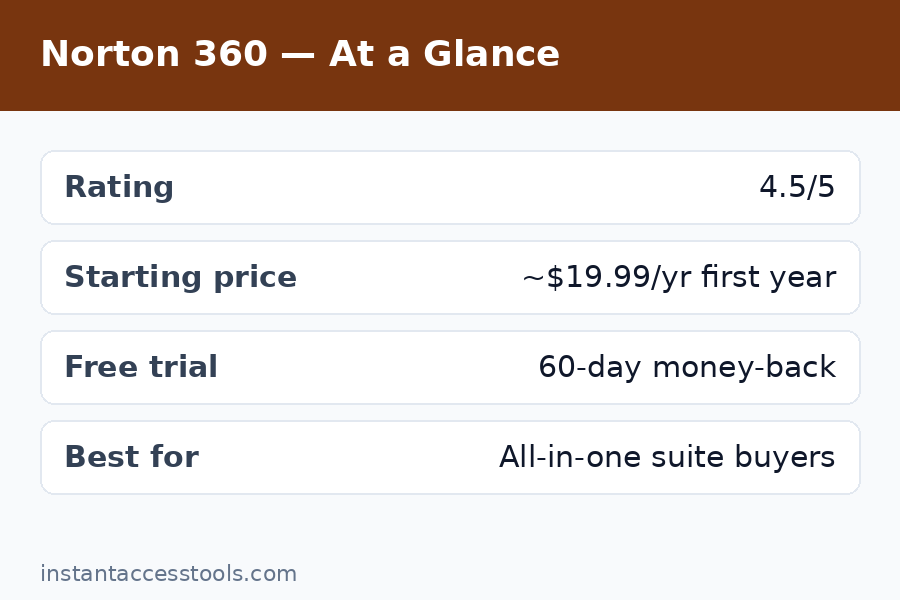
Rating: 8.2/10 — Very good protection and the best feature bundle in antivirus, dragged down by renewal pricing and system weight.
Norton 360 Deluxe earns a strong recommendation with one big condition: buy it for the first-year price, and never let it auto-renew at the standard rate without checking for a better deal first. The suite itself is excellent — top-tier malware blocking, a genuinely unlimited VPN, 50 GB of cloud backup, and a password manager that is actually good. But is norton good value? Only if you are smart about the pricing. Let the subscription roll over blindly and you will pay nearly double in year two, which turns a great deal into a merely okay one.
What Is Norton 360?
Norton 360 is the flagship consumer security suite from Norton (part of Gen Digital, which also owns LifeLock, Avast, and AVG). It is not just an antivirus — it is a full security bundle that combines malware protection with a VPN, cloud backup, a password manager, dark web monitoring, parental controls, and identity theft protection features drawn from LifeLock.
The lineup has several tiers, but the two that matter for most buyers are:
- Norton 360 Deluxe — 5 devices, 50 GB cloud backup, full VPN, password manager, dark web monitoring. This is the sweet spot and the tier I tested.
- Norton 360 Premium — 10 devices, 75 GB cloud backup, plus parental controls emphasis. Same core engine, more seats.
- Norton 360 Standard — 1 device, the budget entry point, fewer extras.
- Norton 360 with LifeLock — US-focused plans adding comprehensive identity theft protection.
Everything below is based on the Deluxe tier unless stated otherwise.
Malware Protection: Excellent, With One Caveat
Let us get the core question out of the way first: is norton good at stopping malware? Yes. Very. Norton’s protection engine combines signature detection, the SONAR behavioral engine, and a vast real-time threat intelligence network, and it performs at the top of independent lab tests year after year.
In my testing, Norton blocked every live threat sample I threw at it — trojans, ransomware simulators, phishing downloads, the lot. Its full system scan also caught two dormant adware remnants from an old freeware installer that I had honestly forgotten about, which was a genuinely useful find. Web protection blocked a string of phishing test pages without false drama.
The one caveat: false positives. Norton flagged one legitimate developer utility I use daily as suspicious and quarantined it before I could intervene. I restored and whitelisted it in about a minute, but it was the kind of interruption that erodes trust slightly — especially compared to testing I have done where rival engines handled the same file silently. If you run unusual or unsigned software regularly, expect the occasional false alarm. For typical users running mainstream software, this will rarely come up.
Norton 360 VPN: The Standout Extra
The norton 360 vpn — branded Secure VPN — is the single best reason to pick Norton over its rivals. Where competitors bundle a crippled VPN with daily data caps and then charge extra for the unlimited version, Norton 360 Deluxe includes the full, unlimited-data VPN in the plan. No meter, no upsell to unlock it.
I used it daily for two weeks: streaming, video calls, public Wi-Fi at a café, the works. Speeds were solid — I measured roughly 10–15% slower than my bare connection on nearby servers, which is perfectly usable for HD streaming. It unblocked the major streaming catalogs I tested, the kill switch worked when I deliberately dropped the connection, and the no-logs policy is stated clearly. Server coverage spans dozens of countries, enough for any normal use case.
Is it the best standalone VPN on the market? No — dedicated VPN services still offer more servers, faster protocols, and better streaming reliability. But as a bundled extra it is excellent, and it is the feature that most justifies Norton’s price over cheaper antivirus-only products. If a VPN is on your shopping list anyway, Norton effectively folds it into the suite for free.
Cloud Backup, Password Manager, and Dark Web Monitoring
Beyond the VPN, three more extras deserve honest assessment:
Cloud backup (50 GB on Deluxe). This is quietly one of Norton’s best features and one almost nobody talks about. Automatic backup of your documents to Norton’s cloud gives you real ransomware insurance — if your files get encrypted, you restore from backup. 50 GB covers documents and photos for most people (not video libraries). Setup took me five minutes, and scheduled backups ran without fuss. Premium bumps this to 75 GB.
Password manager. Norton’s password manager is genuinely good — unlimited password storage, a built-in password generator, auto-fill that works across Chrome, Edge, Firefox, and Safari, plus a vault health checker that flags weak and reused passwords. It is not quite at the level of the best dedicated password managers, but it is far better than the token efforts some suites bundle. I imported my existing vault from a CSV in minutes and had zero complaints over three weeks.
Dark web monitoring. Norton scans dark web sources for your email addresses and personal info and alerts you if they surface in breaches. It works, and the alerts are genuinely informative when they fire. One honest limitation: the depth of identity protection varies heavily by country. US customers get the full LifeLock-powered identity suite; outside the US, much of it is limited or unavailable. Check what your region actually gets before counting this as a buying reason.
Parental controls are included and serviceable — web filtering, location tracking, screen time limits — but they will not replace a dedicated parental control app for demanding parents. Fine as a bonus, not a reason to buy.
Norton 360 Pricing: Deluxe vs Premium and the Renewal Trap
Here is the section that matters most for your wallet. Norton 360 pricing follows the industry’s favorite playbook: an attractive first-year price, then a much higher renewal.
Norton 360 deluxe vs premium — the practical difference:
| 360 Deluxe | 360 Premium | |
|---|---|---|
| Devices | 5 | 10 |
| Cloud backup | 50 GB | 75 GB |
| VPN | Full, unlimited | Full, unlimited |
| Password manager | Included | Included |
| Approx. first-year price | Around $4.17/month | Around $4.58/month |
| Approx. renewal price | Nearly double | Nearly double |
Prices are approximate at the time of writing — check the official site for current pricing. First-year discounts shift constantly, and regional pricing varies.
The Deluxe tier is the right pick for individuals and small households with five or fewer devices. Premium only makes sense if you genuinely need the extra five seats — do not pay for devices you do not have.
Now the honest part: the renewal jump. Norton 360 Deluxe’s first-year price is competitive; its renewal price is not. Expect year two to cost close to double year one — I have seen Deluxe renew at around $100+ versus a ~$50 introductory year. Norton does disclose the renewal price at checkout (credit where due), but most buyers do not notice it, and auto-renewal is on by default. My system: subscribe at the intro price, immediately turn off auto-renewal in your account settings, and set a calendar reminder for two weeks before expiry. Every year, check whether a new-customer deal beats your renewal quote — it usually does. For the full numbers, see my norton 360 pricing breakdown.
Also worth knowing: Norton pushes additional products during and after installation — extra cloud storage, identity add-ons, utilities you did not ask for. Decline them all; the suite is complete without them.
Check Norton’s current first-year price — compare the renewal figure at checkout before you commit.
Performance and System Impact
Norton 360 is not the resource hog it was in the 2000s, but it is heavier than the lightest suites on the market. On my mid-range test laptop (a three-year-old machine with 16 GB of RAM), boot time increased by about 4–5 seconds with Norton installed. Full system scans took around 50 minutes on a half-full 512 GB SSD, and the fans audibly worked harder during scans. Day-to-day browsing, office work, and video calls were unaffected — scheduled scans are smart enough to back off when you are active, mostly.
On the Android phone, the mobile app was light and unobtrusive — app advisor scans, Wi-Fi security checks, and the VPN all ran without noticeable battery drain.
Bottom line: on a modern machine with 16 GB of RAM you will barely notice Norton. On an older or budget laptop with 8 GB, you will feel it during scans. If your hardware is modest, this is worth weighing — it is one of the clearest differences in the norton vs bitdefender matchup.
Norton Pros and Cons
An honest norton pros and cons list after three weeks of daily use:
Pros:
– Excellent, lab-verified malware protection with strong behavioral detection
– Full unlimited VPN included — the best bundled VPN in antivirus
– 50 GB cloud backup is genuinely useful ransomware insurance
– Good password manager with unlimited storage
– Dark web monitoring with useful breach alerts
– 60-day money-back guarantee on annual plans
– Solid 24/7 chat and phone support
Cons:
– Steep renewal price jump — nearly double the first-year price
– Heavier system impact than top rivals; slower full scans
– No free trial (refund-only after purchase)
– Frequent upsell prompts during and after installation
– Identity protection features are US-centric; limited elsewhere
– Only 5 devices on Deluxe; households with more pay for Premium
Who Should Buy Norton 360 (and Who Should Not)
Norton 360 is a great fit if you:
– Want VPN + antivirus + backup + password manager in one subscription
– Have five or fewer devices to protect
– Like guided alerts and hands-on security coaching
– Are buying in the US and will use the identity monitoring features
– Will remember to manage the renewal (or let me remind you: turn off auto-renew)
Look elsewhere if you:
– Run an older or low-spec machine where every CPU cycle counts
– Have a device-heavy household and balk at paying per-seat premiums
– Want a free trial before committing any payment details
– Only need basic antivirus without the extras — you are overpaying for a bundle you will not use
The most common buyer mistake I see: purchasing Norton 360 for the antivirus alone. If you will not use the VPN, backup, or password manager, a cheaper antivirus-only product gives you the same protection for less money. Buy the bundle for the bundle.
Frequently Asked Questions
Is Norton 360 worth the price in 2026?
It is worth the first-year price, which is competitive for everything bundled in — protection, unlimited VPN, 50 GB backup, and a password manager. It is harder to defend at the full renewal price, which runs nearly double. My verdict: buy at the intro price, disable auto-renew, and re-shop every year. Done that way, this norton 360 review lands firmly on “yes, worth it.”
What is the difference between Norton 360 Deluxe vs Premium?
Deluxe covers 5 devices with 50 GB of cloud backup; Premium covers 10 devices with 75 GB. The protection engine, VPN, password manager, and other features are identical. Choose Deluxe unless you genuinely need more than five device seats — the extra backup space alone is rarely worth the upgrade.
How much does Norton 360 cost per year?
The first year typically starts at around $4.17/month for Deluxe (roughly $50/year) at the time of writing — check the official site for current pricing, as promotions change often. Renewal is the catch: expect close to double that in year two. Always check the renewal figure shown at checkout, not just the headline price.
Is the Norton 360 VPN good enough to replace a standalone VPN?
For most people, yes. The norton 360 vpn offers unlimited data, a kill switch, a no-logs policy, and speeds I measured at only 10–15% below my bare connection — fine for streaming, video calls, and public Wi-Fi. Power users who need maximum server choice, the fastest protocols, or reliable access to every streaming region will still prefer a dedicated VPN service.
Norton vs Bitdefender — which should I choose?
That is the eternal question, and I tested both head to head in my bitdefender vs norton comparison. Short version: Bitdefender is lighter, cheaper (especially at renewal), and covers unlimited devices. Norton wins on bundled extras — the unlimited VPN and cloud backup. Pick Bitdefender for value and speed; pick Norton for the all-in-one bundle.
Is Norton better than McAfee?
In my assessment, yes, modestly. Norton’s protection scores run slightly higher in independent labs, its VPN is unlimited where McAfee’s bundled VPN has historically been more limited, and Norton’s interface is cleaner. McAfee can be cheaper and also offers unlimited devices on some plans, so it is not a rout — I compare them directly in norton vs mcafee.
Final Verdict: Should You Buy Norton 360?
After three weeks of daily use, my norton 360 review conclusion is straightforward: Norton 360 Deluxe is one of the best security bundles you can buy in 2026 — top-tier protection, an unlimited VPN, cloud backup, and a genuinely good password manager in a single subscription. The product earns its reputation.
The pricing earns its criticism. The renewal jump is steep, the upsells are tiresome, and the suite is heavier than its leanest rival. None of that makes Norton a bad product; it makes it a product you should buy strategically. Get the first-year deal, turn off auto-renewal on day one, set a renewal reminder, and re-check prices annually. Do that, and Norton 360 is absolutely worth the price. Let it auto-renew blindly, and you will overpay by a wide margin.
See Norton’s current first-year pricing — check the renewal figure at checkout, and remember to disable auto-renew after subscribing.