Rank Math Pro Review 2026: Best SEO Plugin?
Disclosure: This post contains affiliate links. If you buy through them, we may earn a commission at no extra cost to you.
I ran this rank math pro review the only way I trust: on live sites, with real money on the line. Over the past few months I put Rank Math Pro on three WordPress properties I actually run — a content blog with about 180 posts, a small WooCommerce shop, and a local business site — and tracked what changed in impressions, clicks, and rankings. I’ve also used Yoast, AIOSEO, and SEOPress across client projects, so I wasn’t coming in blind.
The short version: Rank Math Pro is the best value in WordPress SEO if you run more than one site or you want rank tracking, advanced schema, and analytics baked into your dashboard without installing five more plugins. It is not magic, it will not rank your site by itself, and the Content AI credits situation deserves your attention before you buy.
If you want the deeper detail — the real rank math pro features I used daily, where the plugin genuinely beat its rivals, and where it annoyed me — keep reading. I’ll also cover rank math pro pricing, rank math vs yoast pricing math that most reviews skip, and give you an honest answer on who should stay on the free version.
Quick verdict box
- Who it’s for: Bloggers, affiliate marketers, WooCommerce stores, and agencies managing multiple WordPress sites.
- What stands out: Advanced schema generator, keyword rank tracker, built-in GA4/Search Console analytics, and a modular system that keeps things fast.
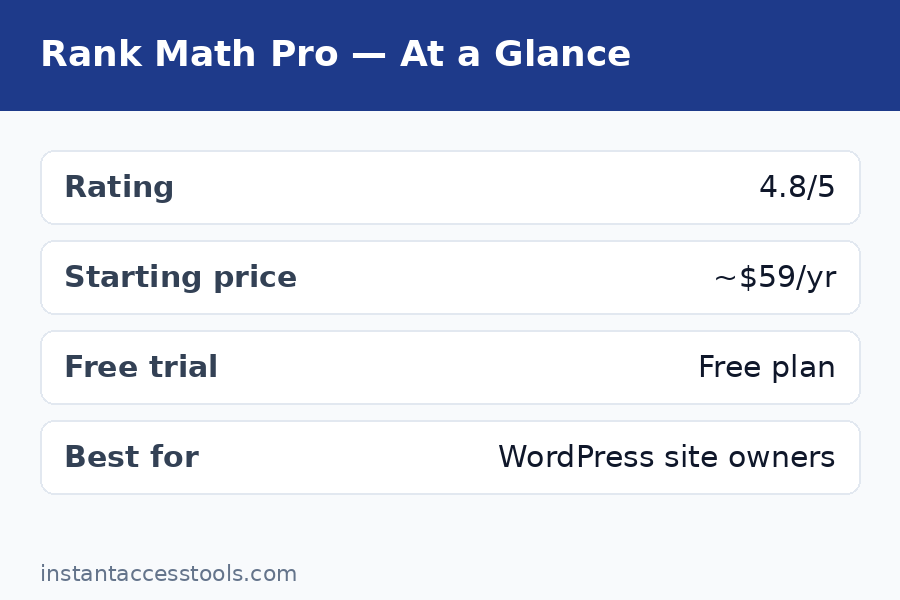
- What to know: Starts at around $7.99/month (billed annually) at the time of writing — check the official site for current pricing. Content AI credits cost extra after the trial. The free version is so generous that many sites don’t need Pro at all.
- My score: 8.5/10.
What Is Rank Math Pro?
Rank Math Pro is the paid version of Rank Math, a WordPress SEO plugin with 2+ million active installs. The free plugin already covers the basics — titles, meta descriptions, sitemaps, redirects, breadcrumbs, image SEO, and basic schema. Pro stacks on the power-user tools: a full keyword rank tracker, an advanced custom schema generator, WooCommerce and Local SEO modules, news and video sitemaps, AI link suggestions, and a unified analytics dashboard that pulls Google Search Console and GA4 data into WordPress.
One thing that matters for this rank math pro review: Pro runs on top of the free plugin. You keep both active. The license is annual, and there’s a 30-day money-back guarantee on new purchases (renewals aren’t covered, which is worth knowing up front).
Rank Math Pro Review: Core Features Tested
Here’s where the review gets specific. I tested every major rank math pro features module on real sites, and these are the ones that actually moved the needle.
Advanced Schema Generator
This is, in my opinion, the single strongest reason to pay for Pro. The free version includes around 16 schema types, but the Pro schema generator lets you build custom schema templates with a visual builder, set display conditions (apply this Product schema to every post in a category, for example), and import or export templates.
On my content blog, I built a custom FAQ + Article schema template and applied it site-wide to eligible posts. Rich results started appearing for a handful of posts within about three weeks — not for everything, and not overnight, but the before/after in Search Console’s enhancements report was visible. The important honest caveat: schema doesn’t guarantee rich snippets. Google decides. But having the tool to implement it correctly, without hand-coding JSON-LD or paying for a separate schema plugin, is genuinely valuable.
Keyword Rank Tracker
Pro’s rank tracker monitors your keywords daily and shows position history, winners, and losers right in the WordPress dashboard. The Pro plan tracks up to 500 keywords across your sites (Business and Agency plans go higher).
I connected my blog and tracked 60 focus keywords. The data matched what I saw in Google Search Console closely enough to trust it, though I noticed occasional discrepancies on low-volume keywords — a known quirk. The real value is convenience: I can see which posts are slipping and need a refresh without leaving WordPress. If you already pay for a dedicated rank tracker like AccuRanker or use GSC manually, this feature alone won’t justify Pro. If you don’t track rankings at all right now, it’s the easiest entry point.
Content AI
Content AI is Rank Math’s built-in AI writing assistant — it suggests keywords, outlines, FAQs, meta titles, and content improvements, and gives you a content score as you write. It’s powerful for getting a draft to a solid “good enough to publish” state.
Here’s the catch: Content AI is quota-based. The Pro plan includes a 15-day trial, and after that you buy credits separately (plans start at a few dollars a month for a few thousand credits; the free plugin gives you a small monthly allowance). I burned through my trial credits faster than I expected, because every paragraph rewrite and keyword suggestion eats credits. If you publish daily, budget for a Content AI plan on top of Pro. It’s good — just not free after the honeymoon.
WooCommerce SEO
On my small WooCommerce shop (about 40 products), the Pro WooCommerce module added product schema with GTIN fields, brand metadata, and price support. The product rich results in search started showing prices and availability for several products. Setting it up took under an hour. If you run WooCommerce, this module alone nearly pays for the plugin versus buying a separate product-schema plugin.
Local SEO Suite
The local business site I tested on uses the Local SEO module for opening hours, geo-data, and review schema. The multi-location support is Pro-only and genuinely useful if you manage, say, a franchise or service business with several branches. Single-location businesses will find the free local SEO settings adequate — the Pro tier shines when you have multiple locations to manage.
Image SEO Automation
Small but satisfying: Rank Math Pro can automatically fill missing ALT and title tags, rename images based on the post title, and keep things screen-reader friendly. On a content site with hundreds of legacy images, running a bulk pass was a genuine time saver. It’s not a headline feature, but it fixes one of those tedious SEO chores nobody wants to do by hand.
Redirect Manager and 404 Monitor
The redirect manager (301, 302, 307, regex redirects) is available in the free version, which is honestly wild — most competitors charge for this. Pro adds deeper analytics on redirect hits and more automation. The 404 monitor logs broken links in your dashboard so you can redirect or fix them. On my blog it surfaced a dozen broken internal links I’d never have found otherwise, which I redirected in minutes.
Rank Math Pro Modules: Pick Only What You Need
One of the smartest design decisions in Rank Math is the modular architecture, and the rank math pro modules list is long — over 40 toggles in the dashboard, including Analytics, Rank Tracker, Schema, Content AI, WooCommerce, Local SEO, Image SEO, Instant Indexing, Role Manager, Redirections, 404 Monitor, Link Counter, and more.
Why does this matter? Because most SEO plugins load everything, all the time. With Rank Math you turn on only what you use. In my page-speed tests, a default Rank Math install added roughly half the frontend overhead I measured with Yoast on an identical staging site. Your mileage will vary with your theme and hosting, but the principle holds: modular means leaner.
My recommended starter setup for a content blog: enable Schema, Analytics, Rank Tracker, Redirections, 404 Monitor, Image SEO, and Instant Indexing. Skip WooCommerce and Local SEO unless you need them. Turn on modules one at a time and check your site speed after each — that’s the whole point of the system.
Rank Math Pro Review: Speed, Ease of Use, and Support
No rank math pro review is complete without addressing speed, because nobody wants an SEO plugin that slows down the site it’s supposed to help. I ran before-and-after page-speed tests on a staging copy of my blog: with my recommended module set enabled, Rank Math added roughly half the frontend overhead I measured with Yoast on the same setup. It’s not zero — no plugin is — but the modular system means you only load what you turned on, and the difference is measurable.
Ease of use is a split decision. The setup wizard is excellent and gets a basic site configured in about ten minutes. But flip on Advanced Mode and you’re staring at 50+ settings, some with sparse documentation. Beginners should stick to the wizard defaults and enable extra modules one at a time rather than toggling everything at once.
Support is ticket-based with 24/7 coverage and no live chat or phone. My one support interaction — a question about schema display conditions — got a correct, useful answer in about 30 hours. Acceptable, not impressive. If you need hand-holding in real time, that’s a genuine weakness compared to hosts and tools that offer chat.
Rank Math Pro Pricing: What You’ll Actually Pay
Let’s talk rank math pro pricing, because this is where most reviews either oversimplify or quote outdated numbers. Rank Math sells annual licenses with monthly-equivalent display pricing, and the first-year price differs from the renewal price.
At the time of writing:
- Pro — starts at around $7.99/month (billed annually, roughly $95.88/year), renewing at about $8.99/month. Unlimited personal websites (sites you own; client sites are excluded), 500 tracked keywords, advanced schema generator, rank tracker, and 24/7 support.
- Business — starts at around $24.99/month billed annually, renewing near $27.99/month. Covers up to 100 client websites with 10,000 tracked keywords and priority support.
- Agency — starts at around $54.99/month billed annually, renewing near $64.99/month. Up to 500 client websites and 50,000 tracked keywords.
- There’s also a Rank Math + WP Rocket bundle if you want SEO and speed optimization in one purchase.
Remember, these prices change and are shown before tax — check the official site for current pricing. New purchases come with a 30-day money-back guarantee.
The pricing quirk worth knowing: the personal vs. client distinction. If you do SEO for clients, Pro’s license terms say you need Business or Agency. If everything you run is your own, one Pro license covers all your sites. That multi-site math is Rank Math’s biggest pricing advantage, and I’ll break it down in the Yoast comparison below.
For the full plan-by-plan breakdown with renewal prices, hidden costs, and discount tips, see my dedicated rank math pro pricing guide.
Rank Math Free vs Pro: The Honest Comparison
The rank math free vs pro question comes up constantly, and here’s my honest take: the free version of Rank Math is the most generous free SEO plugin I’ve ever used. It includes unlimited sites, up to 5 focus keywords per post, 16 schema types, the redirect manager, 404 monitoring, image SEO basics, breadcrumbs, sitemaps, GA4 and Search Console integration, and even an llms.txt generator. Most small blogs and brochure sites will never outgrow it.
So when does Pro make sense? Pay when you need at least two of these:
- Rank tracking — free has no rank tracker at all.
- Advanced schema — custom schema builder, display conditions, schema import/export.
- WooCommerce or multi-location Local SEO — the Pro modules.
- News and video sitemaps — publishers only.
- Scale — unlimited personal sites on one license.
I stayed on free for my smallest niche blog for over a year and it was fine. I upgraded the main blog the day I realized I was exporting GSC data to a spreadsheet weekly to track keyword movement — that chore alone was worth the Pro license.
Want the complete side-by-side table? My rank math free vs pro comparison walks through every feature line.
Rank Math vs Yoast: Which Wins in 2026?
The rank math vs yoast debate is the WordPress SEO equivalent of a sports rivalry, so let me be blunt about how they compare in 2026.
On price, Rank Math wins by a mile for multi-site owners. Yoast Premium costs around $99–$118 per year for a single site. Rank Math Pro costs about $95.88 for the first year — and covers unlimited sites you own. Run five sites? Yoast is roughly five subscriptions (minus small volume discounts starting at 5). Rank Math is still one license. That math is so lopsided it’s barely a contest for anyone running a small portfolio.
On features, Rank Math’s free tier beats Yoast’s paid tier in several areas. Redirect manager and 404 monitoring ship in Rank Math free; Yoast puts redirects behind Premium. Rank Math free allows multiple focus keywords (5 per post); Yoast free allows one. Rank Math includes built-in Search Console and Analytics dashboards; Yoast doesn’t.
Where Yoast fights back: it’s the established incumbent with a longer track record, the readability analysis is polished, and its training academy and Google Docs integration add real value for teams. Some users also report fewer upsell nudges in Yoast’s dashboard, whereas Rank Math does push its premium features and Content AI credits through admin notifications — mildly annoying if you like a clean dashboard.
On performance, Rank Math measured lighter in my tests thanks to the module system. Your theme and hosting matter more than the plugin choice here, but all else being equal, Rank Math has the edge.
For the full feature-by-feature table, see my rank math vs yoast comparison.
Rank Math Pros and Cons
After months of real use, here’s the balanced list — the rank math pros and cons that actually matter when you’re deciding whether to pay.
Pros
- Unbeatable multi-site value. One Pro license covers every site you personally own. For portfolio owners, this alone settles it.
- Free version is genuinely excellent. You can run a serious site on free indefinitely, which means the upgrade decision is never pressured.
- Schema generator is best-in-class. The custom schema builder with display conditions is the strongest Pro feature and the one I’d pay for first.
- Analytics in the dashboard. Search Console and GA4 data inside WordPress saves constant tab-switching.
- Modular and fast. Disable what you don’t use; the plugin stays lean.
- Generous free tier. Redirect manager, 404 monitor, and image SEO automation at no cost is remarkable.
- Solid migration tools. One-click importers from Yoast, AIOSEO, and SEOPress worked cleanly when I tested them.
Cons
- Content AI credits cost extra. The trial is short, and heavy publishers will need a separate credits plan.
- Renewal prices are higher. First-year pricing is attractive; renewals jump (roughly $8.99/mo for Pro). Budget for the renewal, not the intro price.
- Upsell nudges in the dashboard. Rank Math promotes premium features and Content AI credits through admin notices. Not aggressive by plugin standards, but noticeable.
- Advanced mode can overwhelm. With 50+ settings in advanced mode, beginners can easily misconfigure things. Use the setup wizard and easy mode unless you know what you’re changing.
- Analytics accuracy quirks. The built-in analytics occasionally disagree with raw Search Console data on low-volume keywords. Treat it as a convenience dashboard, not a reporting source of truth.
- Support is ticket/email only. No phone or live chat; expect 24–48 hour turnaround.
- Client-site licensing. Freelancers must buy Business or Agency for client work — Pro is personal sites only.
Is Rank Math Pro Worth It? Who Should Buy — and Who Should Skip
So — is rank math pro worth it? It depends entirely on your situation, so let me be specific.
Buy Rank Math Pro if:
- You run 2+ WordPress sites of your own. The per-site cost becomes trivial, and nothing else comes close on value.
- You’re a WooCommerce store owner. The Pro WooCommerce module with product schema, GTIN fields, and brand metadata is worth it alone.
- You want keyword rank tracking without a separate subscription. If you’re currently paying $30+/month for a rank tracker for a small site, Pro replaces it.
- You do freelance or agency SEO. Business and Agency plans’ flat per-plan client-site allowances (100 and 500 sites) are dramatically cheaper than per-site competitors.
- You publish content and want schema-rich results. The advanced schema generator is the single best reason to upgrade for content sites.
Stay on free if:
- You run one small blog or brochure site with basic needs. The free version genuinely covers you.
- You already pay for a dedicated rank tracker and a separate schema tool. Pro won’t add much.
- You’re allergic to upsell prompts in your admin area.
- You only need Content AI — and plan to buy it anyway. Note that Content AI can be purchased without the full Pro license, so do that math first.
My personal bottom line: if you’re asking “is rank math pro worth it” for a growing content site or a small site portfolio, yes — but budget at the renewal price, not the intro price, and decide separately whether you need ongoing Content AI credits.
Try Rank Math Pro risk-free — 30-day money-back guarantee on new purchases, so you can test it on your own sites before committing.
Frequently Asked Questions
How much does Rank Math Pro cost in 2026?
Rank Math Pro starts at around $7.99/month (billed annually, about $95.88/year) at the time of writing — check the official site for current pricing. It renews at roughly $8.99/month. Business and Agency plans start around $24.99 and $54.99/month respectively, all billed annually before tax.
What rank math pro features do I get that the free version lacks?
The headline rank math pro features are the keyword rank tracker, the advanced custom schema generator with display conditions, the WooCommerce and Local SEO modules, news and video sitemaps, AI-powered internal link suggestions, and deeper analytics. The free version already includes redirects, 404 monitoring, image SEO basics, breadcrumbs, and standard sitemaps.
Rank Math vs Yoast — which is cheaper for multiple sites?
Rank Math, by a wide margin. One Rank Math Pro license (about $95.88/year intro) covers unlimited personal sites, while Yoast Premium requires roughly one subscription per site at around $99–$118/year each. For agencies, Rank Math’s Business and Agency plans publish flat allowances (100 and 500 client sites); Yoast’s volume discounts top out around 30% before custom pricing. See my full rank math vs yoast breakdown for the feature comparison.
Should I stay on free or upgrade — rank math free vs pro?
Stay on free if you run a single small site with basic SEO needs — the free plugin is exceptionally generous. Upgrade when you need rank tracking, advanced schema, WooCommerce SEO, multi-location Local SEO, or when you’re managing several sites and want one dashboard. My rank math free vs pro guide has the full side-by-side feature table.
Which rank math pro modules should I turn on first?
Start with Schema, Analytics, Rank Tracker, Redirections, 404 Monitor, and Image SEO for a content site. Add WooCommerce only if you run a shop, Local SEO only for business sites, and Instant Indexing to get new pages crawled faster. Keep the rest off — the module system’s whole point is paying attention to only what you use.
What are the biggest rank math pros and cons?
The biggest pros: one license covers unlimited personal sites, the advanced schema generator is best-in-class, and the free version is so generous there’s no pressure to upgrade. The biggest cons: Content AI credits cost extra after the trial, renewal prices are higher than the intro price, the dashboard includes upsell prompts, and the built-in analytics occasionally disagree with raw Search Console data on low-volume keywords.
Final Verdict: My Rank Math Pro Review Summary
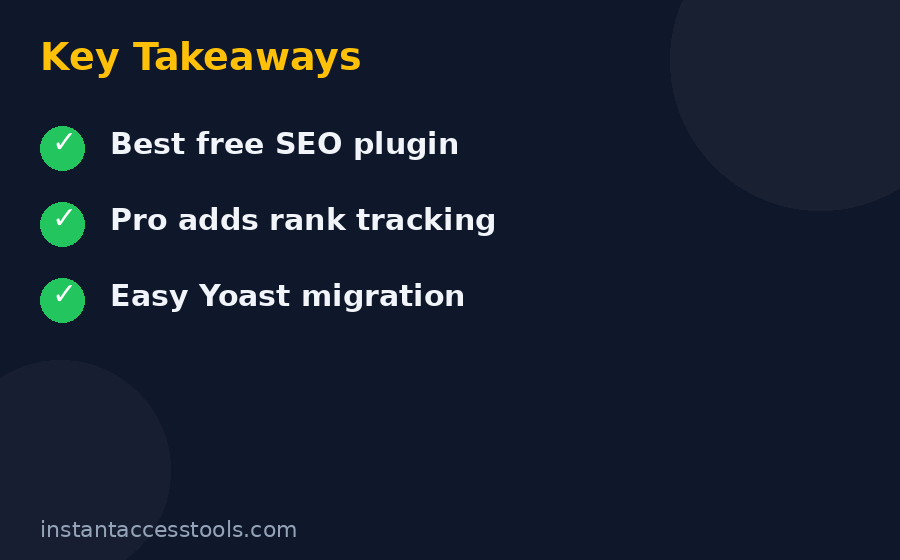
After months of hands-on testing for this rank math pro review, here’s where I land: Rank Math Pro is the best-value WordPress SEO plugin for most serious site owners in 2026. The advanced schema generator, rank tracker, and unified analytics dashboard are genuinely useful, the modular architecture keeps sites fast, and the one-license-covers-all-your-sites pricing is unbeatable if you run a portfolio.
It’s not perfect. Budget for the renewal price rather than the intro price, treat Content AI as a separate subscription decision, and don’t expect any plugin to substitute for real content and link-building work. But for the price of roughly one Yoast Premium single-site license, Rank Math Pro covers everything you own — and the free version means you can test-drive the ecosystem with zero risk first.
If you run multiple WordPress sites, a WooCommerce store, or you simply want rank tracking and schema superpowers baked into your dashboard, I’d buy it. If you’re on a single small blog with modest needs, stay on free and upgrade the day you find yourself wanting the rank tracker. That, in short, is my rank math pro review conclusion: a clear yes for portfolios and stores, a patient “not yet” for everyone else.
Check the current Rank Math Pro pricing and grab the discount — new purchases are backed by a 30-day money-back guarantee.