TickTick Pricing 2026: Premium Plan Breakdown
Disclosure: This post contains affiliate links. If you buy through them, we may earn a commission at no extra cost to you.
TickTick pricing is refreshingly simple: there is a free plan, and there is one paid tier — TickTick Premium. That’s it. No Starter/Pro/Business ladder, no team upsells, no “contact sales” page. But simplicity can be deceptive, because the difference between the free tier and Premium is bigger than most people expect, and whether it’s worth paying for depends entirely on how you manage your tasks.
I spent three weeks running my entire life through TickTick — work deadlines, grocery lists, habit tracking, Pomodoro sessions, the lot — first on the free plan, then on Premium, so I could feel exactly where the free tier starts to pinch. This is my full breakdown of the ticktick plans, what each one costs, the ticktick free limits nobody mentions upfront, where to find a ticktick discount, and how the price compares to rivals like Todoist.
Quick Verdict
If you just want a quick answer: the free plan is one of the most generous in the to-do app world, and it will cover casual personal use comfortably. Premium is an easy upgrade — it starts at around $35.99/year at the time of writing (check the official site for current pricing) — and it’s worth it if you use reminders heavily, track habits, or run projects with lots of lists. My honest take: try free for two weeks, and if you bump into a limit, you’ll know Premium is for you.
TickTick Pricing: Plans at a Glance
There are exactly two TickTick plans to choose from:
| Free | Premium | |
|---|---|---|
| Price | $0 | ~$35.99/year or ~$3.99/month |
| Lists | 9 | 999 |
| Tasks per list | 99 | 999 |
| Subtasks per task | 19 | 199 |
| Reminders per task | 1 | 5 |
| Calendar subscriptions | 1 | Up to 30 |
| Custom filters / smart lists | No | Yes |
| Habit tracker | Limited | Full |
| Pomodoro stats | Basic | Full history |
| Themes | Basic | Premium themes |
| File attachments | 1 per task (small) | Larger quotas |
Prices above are what TickTick listed at the time of writing — always check the official site for current pricing, since app-store pricing can vary by region.
The Free Plan: $0, and Honestly Pretty Great
The free plan is where most people start, and it stays genuinely usable in a way that many competitors’ free tiers don’t. You get task management with subtasks, due dates, priorities, one reminder per task, the built-in calendar, Pomodoro timer, and basic habit tracking. Nine lists is enough for most personal setups (Work, Personal, Shopping, Someday, and a few projects), and 99 tasks per list is a ceiling most casual users never hit.
Where it shows its limits is volume and automation. Power users juggling dozens of projects, or anyone who relies on multiple reminders per task (a nudge the night before AND the morning of), will feel the pinch. The free calendar only allows one calendar subscription, so if you want to overlay your Google Calendar, Outlook, and a team calendar, you’ll need Premium.
The Premium Plan: One Tier, Everything Unlocked
Premium unlocks the entire app. No tiers, no feature gates within the paid plan — you get 999 lists, 999 tasks per list, custom smart lists and filters, full habit tracking with statistics, complete Pomodoro history, premium themes, timeline and grid calendar views, up to 5 reminders per task, and third-party calendar subscriptions (Google, Outlook, iCloud). It also removes the attachment limits and unlocks custom swipe actions, rich note editing, and duration-based planning on the calendar.
Free vs Premium: What You Actually Get in Daily Use
Numbers on a pricing page are abstract. Here’s what the upgrade actually feels like in practice, based on my three weeks of testing:
Reminders are the biggest daily difference. On free, you get one reminder per task. In practice, one reminder means “remind me at 9 AM” — but I regularly wanted a second heads-up, like an evening-before reminder for early meetings. On Premium, five reminders per task meant I could layer them: night-before prep, morning-of, and 30-minutes-before for time-sensitive items. If you live by reminders, this alone justifies the upgrade.
Custom filters change how you work. Free users browse lists manually. Premium’s smart lists let you build custom views — “all high-priority tasks due this week,” “work tasks tagged @calls,” “everything overdue across every list.” I set up three smart lists on day one of Premium and barely opened individual lists afterward.
Habit tracking goes from toy to tool. The free habit tracker records check-ins, but Premium adds detailed statistics, achievement streaks, and historical data. If you’re using TickTick to build morning routines or exercise habits, the Premium stats view is motivating enough to matter.
The calendar becomes a real planner. The free calendar is fine for seeing what’s due. Premium’s timeline view, duration support (plan tasks as actual time blocks), and multiple calendar subscriptions turn TickTick into a genuine daily planner — I started time-blocking my mornings directly in it.
Pomodoro stats help you improve. The free Pomodoro timer works fine for focusing, but Premium keeps your full focus history and statistics. Seeing my “focus score” trend over two weeks was the nudge I needed to notice my post-lunch slump and reschedule deep work to mornings.
TickTick Free Limits: Where They Actually Bite
The official ticktick free limits (9 lists, 99 tasks per list, 19 subtasks, 1 reminder per task, 1 calendar subscription) sound abstract until you hit them mid-workflow. Here’s where each one bit me during testing:
- 9 lists: This was my first wall. Between Work, Personal, Shopping, Ideas, Reading, Travel planning, a client project, household chores, and a shared list with my partner, I hit 9 lists in week two. Consolidating lists felt like stuffing clothes into an overfull drawer.
- 1 reminder per task: The second wall, and the most annoying one. Travel bookings, bill payments, and anything with a hard deadline genuinely benefit from layered reminders.
- 99 tasks per list: I only hit this in my “Ideas” catch-all list, which had accumulated 110+ entries. Splitting it into Ideas-2026 and an archive was a minor chore, not a crisis.
- 1 calendar subscription: If you live in both Google Calendar and Outlook (common for work/personal splits), this forces a choice — or manual duplication.
- No custom filters: You don’t miss what you’ve never had, but once I saw Premium’s smart lists, there was no going back.
None of these limits make the free plan bad — they’re deliberately set so casual users never notice, while heavy users self-select into Premium. That’s honest pricing design.
TickTick Pricing Deep Dive: The Premium Cost, Broken Down
Let’s talk numbers. The ticktick premium cost is straightforward: Premium is billed either monthly or annually, and the annual plan is dramatically better value.
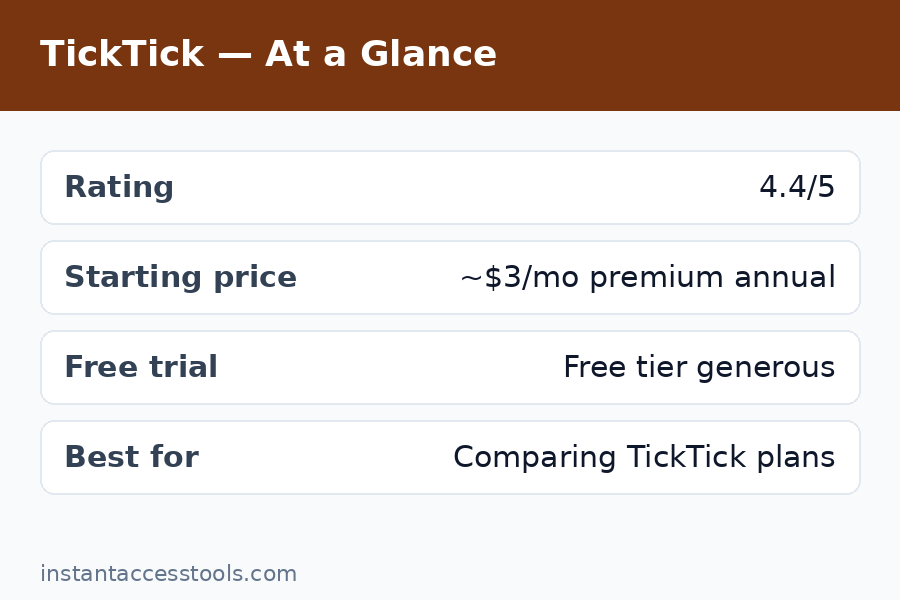
The ticktick annual plan starts at around $35.99/year at the time of writing — which works out to roughly $3/month. The monthly option starts at around $3.99/month, meaning a full year of monthly billing costs about $47.88 — roughly a third more than paying annually. If you use TickTick daily, annual billing is the obvious move; it pays for itself versus monthly in about nine months.
A few honest notes on the cost:
- It’s cheaper than most rivals. Todoist Pro runs around $48/year. Any.do Premium is around $59.99/year. Things 3 is a one-time $49.99 but Mac/iOS only. TickTick Premium at ~$36/year is genuinely one of the cheapest premium tiers among the major to-do apps — and it includes features (habit tracker, Pomodoro, built-in calendar) that competitors charge extra for or don’t have at all.
- App store vs website pricing can differ. Buying through Apple or Google sometimes costs slightly more because of platform fees. If you’re price-sensitive, subscribe on the web and log in everywhere — your Premium status follows your account, not your purchase platform.
- There are no team plans. TickTick is a personal productivity app. If you need shared workspaces and admin controls for a team, you’ll be looking at Todoist Business or Asana — and paying accordingly.
- Refunds are case-by-case. TickTick’s refund policy is reasonable but not automatic; subscribe monthly for a month if you’re unsure, then switch to annual once you’re committed.
Try TickTick Premium free for a trial period — most new users can test the full feature set before paying a cent.
Hidden Costs and Things the Pricing Page Doesn’t Tell You
TickTick doesn’t do the shady upsell dance, but there are a few cost-adjacent things worth knowing before you pay:
- Regional pricing varies. The dollar figure on the website isn’t universal — some regions see adjusted pricing through app stores. Always check the price shown to you at checkout, not the price quoted in a blog post (including this one).
- The monthly plan is a tax on commitment-phobes. At ~$3.99/month vs ~$35.99/year, monthly billing costs ~33% more over a year. The smart play: buy one month to test Premium properly, then switch to annual if it sticks.
- Habit streaks don’t transfer cleanly between plans. Downgrading from Premium to free keeps your data, but you lose access to the detailed statistics views. Your check-in history isn’t deleted, it’s just hidden behind the paywall again.
- Shared lists are free-tier friendly. Collaborating on a shared list doesn’t require both people to have Premium — nice, since some apps gate collaboration.
- No lifetime purchase option. Unlike Things or some one-time-purchase apps, TickTick is subscription-only. If you hate subscriptions on principle, factor that in — though at ~$36/year it’s one of the least painful ones.
How to Get a TickTick Discount
Nobody likes paying full price. Here’s every legitimate way I’ve found to lower the ticktick premium cost:
- Choose the annual plan. This is the single biggest discount — roughly 25-33% cheaper than paying monthly for a year, depending on current pricing.
- Watch for Black Friday / Cyber Monday deals. TickTick has run promotional pricing around major sale events in past years, sometimes knocking 20-30% off the annual plan. If you’re not in a hurry, late November is worth waiting for.
- Student and education discounts. TickTick has offered student pricing in the past — check their site or support page for current eligibility before paying full price.
- Referral and promo codes. Occasionally, productivity newsletters and app roundups include TickTick promo codes. A quick search before checkout costs nothing.
- Subscribe via the website, not the app store. As noted above, app-store pricing can carry a platform markup in some regions. The web price is usually the baseline.
- Free trial first. New users typically get a trial of Premium features — use it to make sure the upgrade is worth it for your workflow before spending anything.
One thing I don’t recommend: “lifetime deal” resellers or grey-market license keys. TickTick Premium is account-based, and third-party keys are a good way to lose your account, your data, or both.
Check current TickTick pricing and start your free trial — pricing changes, so verify the latest offer on the official site.
TickTick vs Todoist Price: Head-to-Head
Since this is the comparison everyone Googles, here’s the honest ticktick vs todoist price breakdown:
| TickTick | Todoist | |
|---|---|---|
| Free plan | Generous (9 lists, subtasks, calendar, Pomodoro, habits) | 5 projects, basic features |
| Paid tier | Premium ~$35.99/yr | Pro ~$48/yr |
| Monthly option | ~$3.99/mo | ~$5/mo |
| Business/team plan | None | Business ~$72/user/yr |
| Built-in calendar | Yes (both plans) | Paid add-on / limited |
| Habit tracker | Built-in | No |
| Pomodoro timer | Built-in | Via integration |
TickTick wins on pure price: it’s roughly $12/year cheaper than Todoist Pro, with a more generous free tier and more built-in features (calendar, habits, Pomodoro) that Todoist either lacks or charges extra for through integrations. Todoist’s edge is elsewhere — its natural-language input is slightly slicker, its third-party integrations are deeper, and its team plan exists. But if price-per-feature is your metric, TickTick takes it.
For the full feature comparison beyond pricing, my ticktick vs todoist breakdown covers where each app actually wins — and if you’re still deciding between apps entirely, the ticktick alternatives guide rounds up the other contenders worth a look.
Is TickTick Premium Worth It? My Honest Take
After three weeks of daily use on both tiers, here’s my framework:
Stay on free if: you manage under 9 lists, one reminder per task is enough, you don’t track habits seriously, and you mostly need a clean place to capture and check off tasks. The free plan is genuinely one of the best free to-do apps available — no credit card, no trial countdown, no nag screens that I encountered.
Upgrade to Premium if: you hit any free limit more than twice, you want layered reminders, you track habits or use Pomodoro seriously, you live in the calendar view, or you want smart lists to auto-organize your chaos. At ~$3/month billed annually, it’s the cost of one coffee — and it replaced two other apps (a habit tracker and a focus timer) for me, which actually saved money.
Skip it if: you need team collaboration with admin controls (look at Todoist Business or Asana), you’re on a strict no-subscription diet, or you only use a to-do list for groceries and the occasional reminder — the free tier has you covered.
For a deeper look at the app itself beyond pricing, my full ticktick review covers the features, the interface, and the quirks I found after a month of real use.
Frequently Asked Questions
How much does TickTick Premium cost?
The ticktick annual plan starts at around $35.99/year at the time of writing (check the official site for current pricing), which works out to roughly $3/month. A monthly option starts at around $3.99/month. Annual billing is significantly cheaper — about a third less than twelve months of monthly payments — so go annual once you’re sure you’ll stick with it.
What are the TickTick free limits?
The free plan includes 9 lists, 99 tasks per list, 19 subtasks per task, 1 reminder per task, 1 calendar subscription, and basic habit tracking and Pomodoro. It’s generous for personal use — most casual users never hit these ceilings. Heavy users managing many projects or relying on multiple reminders per task will feel the limits within a couple of weeks.
Is there a TickTick discount or free trial?
Yes on both counts. The annual plan is itself the biggest standing discount versus monthly billing. TickTick has historically run sale pricing around Black Friday, and student discounts have been offered — check the official site for current promotions. New users can also trial Premium features free before paying, which is the best way to decide if the upgrade is worth it.
Is TickTick Premium cheaper than Todoist Pro?
Yes. TickTick Premium starts at around $35.99/year versus Todoist Pro at around $48/year — roughly $12/year less, with a more generous free tier and more built-in features (calendar, habit tracker, Pomodoro). The full ticktick vs todoist comparison breaks down where each app wins beyond the price tag.
Can I use TickTick Premium on multiple devices?
Yes. Premium is tied to your TickTick account, not your device or purchase platform. Subscribe once (ideally on the website for the best price) and your Premium status syncs across iOS, Android, web, Windows, Mac, and even the Apple Watch app.
What happens if I cancel TickTick Premium?
You keep access until the end of your billing period, then drop back to the free plan. Your data isn’t deleted — lists beyond the free limit stay visible but read-only-ish in practice, and Premium-only views (like detailed habit stats) lock again. You can resubscribe anytime and everything comes back.
Final Verdict on TickTick Pricing
TickTick pricing is one of the fairest deals in productivity software: a genuinely useful free tier with no dark patterns, and a single Premium plan at ~$36/year that undercuts its biggest rival while including features the rival doesn’t even have. There are no tiers to game, no team upsell lurking, and the annual plan is the obvious value play.
My recommendation is simple: start free, use it hard for two weeks, and let the limits tell you whether you need Premium. If you do, buy the annual plan on the website — it’s the cheapest path to the best-value to-do app I’ve tested this year.
Start your free TickTick trial and see the current pricing — check the official site for today’s price, since deals and regional pricing change.