Instant Access Tools

Author: admin

  • LanguageTool Premium Pricing 2026: Plans Explained

    LanguageTool Premium Pricing 2026: Plans Explained

    LanguageTool Premium Pricing 2026: Plans Explained

    Disclosure: This post contains affiliate links. If you buy through them, we may earn a commission at no extra cost to you.
    LanguageTool Premium pricing plans explained 2026

    I’ve been using LanguageTool as my secondary writing checker for the better part of a year now — first on the free plan, then Premium for six months — and the question I get asked most about it isn’t whether it’s good. It’s what the languagetool premium pricing actually looks like once you factor in billing cycles, team seats, discounts, and the limits nobody reads in the fine print. The pricing page looks simple. It isn’t.

    LanguageTool lists prices in euros, offers three individual billing cycles, sells team seats with volume pricing, and hands out educational discounts that quietly change the math. Depending on how you buy, Premium can cost you anywhere from roughly $5/month to nearly $20/month for the exact same feature set. So I wrote this guide to lay out every one of the languagetool plans, what each one really costs, and when the upgrade is actually worth it.

    Quick Verdict

    Best value Annual Premium — roughly $5/month, all features unlocked
    Skip if You only check short texts and don’t need AI paraphrasing
    Teams Dedicated team seats with centralized billing and a style guide
    Worst deal Monthly billing — nearly 4x the annual per-month rate

    Bottom line: If you want Premium, buy the languagetool annual plan. The monthly plan is priced to punish, and the quarterly plan is only mildly better.

    What You’re Paying For: LanguageTool Premium in 2026

    LanguageTool is an open-source grammar, spelling, and style checker that covers 30+ languages. The free version is genuinely usable — more usable than most free grammar checkers — but Premium unlocks the things that make it a daily driver: much longer text limits, AI-powered sentence paraphrasing, advanced style and tone detection, and a personal style guide.

    One important thing to understand before the numbers: LanguageTool is a German company (LanguageTooler), so official prices are listed in euros, and your card gets charged in euros with your bank doing the conversion. US-dollar figures in this post are approximate — check the official site for current pricing.

    LanguageTool Free Plan: What’s Actually Free

    Before comparing paid languagetool plans, here’s what the free tier gives you:

    • Grammar, spelling, and punctuation checks in 30+ languages
    • Up to 10,000 characters per text field per check
    • 3 AI sentence paraphrases per day
    • Personal dictionary and basic text statistics
    • Browser extensions and the web editor

    For casual use — emails, social posts, short messages — the free plan is honestly enough. I used it for two months before upgrading, and the only friction was pasting longer documents in chunks. The languagetool free vs premium debate really only starts when you write regularly or in long form.

    LanguageTool Premium Pricing: The Three Billing Cycles

    This is where languagetool premium cost gets interesting. There are three ways to buy the exact same Premium plan:

    Monthly Billing

    Starts at around $20/month at the time of writing — check the official site for current pricing. You get everything Premium offers, billed every month, and you can cancel at the end of any period. This is the most expensive way to buy Premium by a wide margin. Only worth it if you need Premium for a single month — say, for a thesis deadline or a grant application.

    Quarterly Billing

    Starts at around $13/month effective at the time of writing — check the official site for current pricing. Billed every three months. It shaves roughly a third off the monthly price. A reasonable middle ground if you’re testing whether Premium sticks as a habit but don’t want to commit to a year.

    Annual Billing — The One I Recommend

    Starts at around $5/month (billed annually, roughly $60/year) at the time of writing — check the official site for current pricing. Same full Premium feature set for about a quarter of the monthly price. This is the only plan I’d buy. At this price, Premium costs less than one streaming subscription and it’s genuinely useful every day if you write in any language other than English — or in English professionally.

    Check current Premium pricing on the official site

    LanguageTool Premium: Full Feature Breakdown

    What does the upgrade actually buy you?

    Feature Free Premium
    Characters per check 10,000 150,000
    AI paraphrasing 3/day Unlimited
    Advanced grammar/style rules No Yes
    Tone detection No Yes
    Personal style guide No Yes
    Browser extensions Yes Yes
    Desktop apps + mobile Yes Yes
    Word/Google Docs add-ons Basic Full

    The 150,000-character limit is the headline. It means you can paste entire chapters, theses, or long reports into the editor and get them checked in one pass — the free plan would need fifteen pastes for the same document. The personal style guide is the sleeper feature: you can define rules like “never use ‘utilize’, always ‘use’” or enforce brand terminology, and LanguageTool flags violations across everything you write. I’ve written a full languagetool premium review if you want the hands-on details on these features.

    LanguageTool Premium Pricing for Teams

    LanguageTool for teams is a separate product line aimed at companies, agencies, and organizations that need centralized management. It’s billed per user per year, with volume discounts that kick in as seat counts grow.

    Here’s how team pricing generally works at the time of writing:

    • Per-user annual billing — each seat costs roughly the same as an individual annual Premium plan, with discounts at higher seat counts
    • Centralized billing and user management — one invoice, one admin dashboard
    • Team style guide — shared writing rules enforced across the whole team (the individual version is personal-only)
    • Team dictionary — shared terminology, brand names, and product names
    • Priority support — faster response times than individual plans
    • SSO (on higher tiers) — for organizations with identity management requirements

    The team style guide is the real reason to buy this instead of individual seats. If you run a content team, an agency, or a support team where consistency matters (“our product is ‘X’, never ‘x’”), one shared style guide enforced everywhere beats ten personal ones. Contact sales for exact seat pricing — it varies with team size, and enterprise tiers are custom-quoted.

    For freelancers and solo creators, individual Premium is the better buy. Team plans only make sense once you have 3+ writers who need shared rules. Curious how LanguageTool stacks up against the big competitor for teams? Read languagetool vs grammarly for the full breakdown.

    LanguageTool Free vs Premium: Which Should You Pick?

    Here’s my honest decision framework after using both:

    Stay on free if:
    – You check short texts (emails, posts, comments)
    – You write mostly in one language
    – You don’t care about AI paraphrasing
    – You’re happy pasting long documents in chunks

    Upgrade to Premium if:
    – You check long documents regularly (articles, theses, reports)
    – You want unlimited AI sentence rephrasing
    – You write in multiple languages — Premium’s multilingual checks are where it genuinely beats competitors
    – You want a style guide to keep your writing consistent
    – Tone detection matters for your professional writing

    The honest truth: the free plan covers about 70% of what most people need. Premium is worth it for the remaining 30% if you write daily or long-form. At roughly $5/month on the annual plan, it’s one of the cheapest writing subscriptions you can buy.

    Hidden Costs and Fine Print Nobody Mentions

    Every pricing guide should cover the gotchas. Here’s what I found:

    1. Euro pricing. Your card statement will show a euro charge converted to your local currency. Exchange rates and foreign-transaction fees can add a small amount on top — usually a couple of percent.
    2. Auto-renewal. All plans auto-renew unless you cancel. Set a reminder before your annual renewal date.
    3. No refunds beyond the guarantee. There’s a 14-day money-back guarantee on Premium, but after that you’re committed for the billing period.
    4. Add-ons are limited. Unlike some competitors, LanguageTool doesn’t have a big ecosystem of paid extras — what you see is what you get. That’s actually a plus for cost predictability.
    5. No lifetime plan. Some tools offer a one-time lifetime purchase. LanguageTool doesn’t — it’s subscription-only.

    None of these are dealbreakers, but the auto-renewal one has bitten enough people that it deserves the callout.
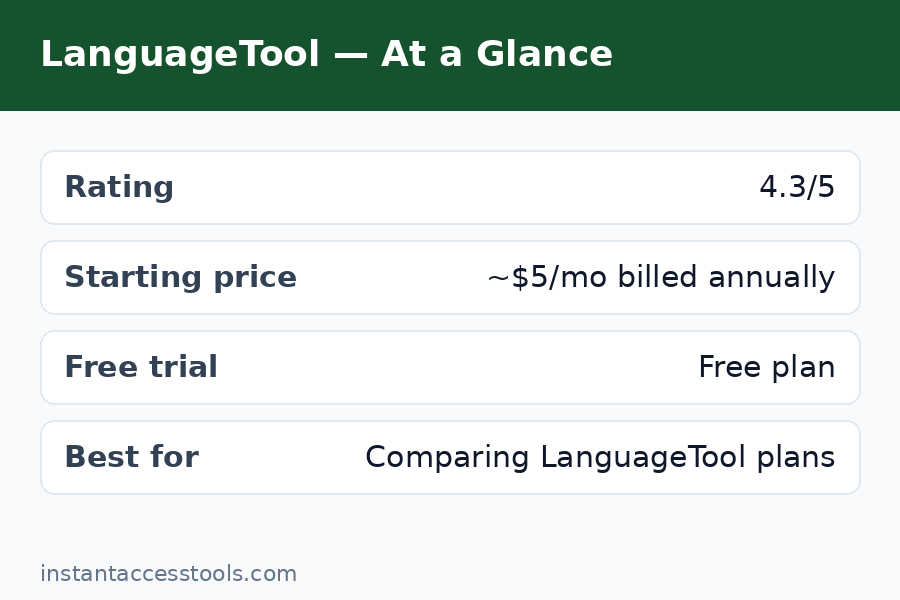
    LanguageTool Premium vs Free plan comparison features chart — Languagetool Premium Pricing

    LanguageTool Discounts: How to Pay Less

    Nobody should pay full price without checking these first:

    • Annual billing is itself the biggest languagetool discount — roughly 75% cheaper per month than monthly billing.
    • Educational discount: Students and teachers can get up to 20% off Premium with verification. If you have a .edu email or teach, use it.
    • Nonprofit discounts: Registered nonprofits can request special pricing.
    • Seasonal sales: LanguageTool occasionally runs promotions around Black Friday and back-to-school season. If you’re not in a rush, waiting for one can save 20–30%.
    • Team volume pricing: Larger teams pay less per seat — always ask sales for a quote before assuming the list price.

    The educational discount stacks conceptually with annual billing in the sense that verified students get 20% off the already-cheap annual rate, making Premium nearly free in practical terms. If you’re a student, there’s almost no reason not to grab it.
    LanguageTool Premium pricing vs Grammarly cost comparison 2026

    LanguageTool Premium Pricing vs Alternatives

    Context matters. At roughly $5/month annual, LanguageTool Premium is dramatically cheaper than the main competitor:

    Tool Annual plan (approx.) Monthly plan (approx.)
    LanguageTool Premium ~$5/month ~$20/month
    Grammarly Premium ~$12/month ~$30/month
    ProWritingAid ~$10/month ~$30/month

    LanguageTool is the budget pick by a wide margin — less than half the price of Grammarly Premium on annual billing. The tradeoff is that Grammarly has deeper English-specific AI features and broader integrations. Whether that tradeoff matters depends entirely on what you write, which I’ve covered in depth in my languagetool vs grammarly comparison.

    If you’re shopping purely on price across the writing-tool space, also worth a look is anyword pricing — Anyword plays in the AI copywriting space rather than grammar checking, but if your budget covers one writing subscription, it’s worth knowing what else that money could buy.

    See Premium plans and current pricing

    Frequently Asked Questions

    How much does LanguageTool Premium cost per month?

    The languagetool premium cost depends on billing cycle: around $20/month billed monthly, around $13/month effective billed quarterly, or around $5/month billed annually at the time of writing. The annual plan is by far the best value. Check the official site for current pricing, since prices are listed in euros and convert to your local currency.

    Which LanguageTool plan is best for individuals?

    For most individuals, Premium on the languagetool annual plan is the best buy — full features at roughly $5/month. Monthly billing costs nearly 4x as much per month for identical features. Only choose monthly if you need Premium for a short, defined period.

    Is there a LanguageTool discount for students?

    Yes. Verified students and educators can get up to 20% off Premium. You’ll need to verify your status, typically with a school email or documentation. This stacks with the already-discounted annual rate, making it one of the cheapest writing subscriptions available to students.

    What’s included in LanguageTool for teams?

    LanguageTool for teams includes everything in Premium plus centralized billing, team user management, a shared team style guide, a shared team dictionary, and priority support. It’s billed per user per year with volume discounts at higher seat counts. Enterprise tiers add SSO and custom terms.

    Is LanguageTool Premium worth it over the free plan?

    It depends on your writing volume. The free plan covers short texts well. Premium is worth it if you check long documents, want unlimited AI paraphrasing, write in multiple languages, or need the personal style guide. In the languagetool free vs premium tradeoff, the annual plan’s ~$5/month price makes the upgrade an easy call for daily writers.

    Does LanguageTool offer a free trial of Premium?

    LanguageTool doesn’t offer a traditional free trial, but the free plan is generous enough to serve as one — you get real grammar checking across 30+ languages without paying. Premium also comes with a 14-day money-back guarantee, so you can buy annual and get a full refund within two weeks if it doesn’t suit you.

    Final Verdict

    The languagetool premium pricing story is simple once you strip away the billing-cycle noise: buy annual, pay around $5/month, get one of the best-value writing checkers on the market — especially if you write in anything other than English. Avoid monthly billing unless you need it for exactly one month.

    The annual plan at this price point is genuinely hard to argue against for anyone who writes daily. It’s less than half the cost of the main competitor, the free tier is good enough to confirm the tool works for you before you pay, and the 14-day money-back guarantee removes the remaining risk. I’ve kept my own annual subscription active through this entire review cycle, and at this price, I plan to renew.
    Get LanguageTool Premium at the annual rate

  • Best AI Writing Tools for Students in 2026 (10 Compared)

    Best AI Writing Tools for Students in 2026 (10 Compared)

    Best AI Writing Tools for Students in 2026 (10 Compared)

    Disclosure: This post contains affiliate links. If you buy through them, we may earn a commission at no extra cost to you.

    Best AI writing tools for students compared in 2026 including Grammarly, QuillBot and Jasper

    Let me be straight with you: most “best AI tools for students” lists are just affiliate roundups written by people who never opened the apps. I did the work. Over the past few weeks I tested ten student writing assistants 2026 has to offer against the same real-world workload — an argumentative essay draft, a research paper introduction, a discussion-board post, and a last-minute email to a professor. I graded them on what actually matters to students: whether the free plan is usable, whether it helps with ai writing tools for essays specifically, and whether the price is survivable on a student budget.

    This is a review of the best ai writing tools for students based on hands-on testing, not marketing copy. Some of these tools genuinely saved me hours; a couple are overpriced for what students need; and one or two are excellent at a job you probably do not need done. Here is the honest breakdown, tool by tool.

    One note before we start: these tools are for improving your own writing — grammar, clarity, structure, citations. Submitting AI-generated work as your own can violate your school’s academic integrity policy, and several of these tools include plagiarism checks for exactly that reason. Use them as assistants, not authors.

    Quick Verdict

    For most students, Grammarly’s free plan plus QuillBot’s free paraphraser cover 90% of what you need without spending a dollar. If you will pay for one tool, QuillBot Premium is the best value — paraphrasing, grammar, summarizing, and citations in one student-priced package. For long research papers, ProWritingAid is worth the upgrade. Details on all ten below.

    How I Tested the Best AI Writing Tools for Students

    Every tool faced the same four assignments: a 1,200-word argumentative essay draft with intentional weaknesses (repetition, weak transitions, a few grammar slips), a research paper introduction needing formal tone, a casual discussion post, and a short formal email. I scored each tool on grammar accuracy, usefulness of suggestions, free-plan limits, price, and one student-specific factor most reviewers ignore: whether it works inside Google Docs, where most student writing actually happens. Tools that needed copy-paste gymnastics lost points; tools that lived in the browser tab where I wrote earned them.

    The 10 Best AI Writing Tools for Students

    1. Grammarly — Best Overall for Students

    Best for: Everyday grammar, tone, and clarity across everything you write.

    Grammarly for students is the safest recommendation I can make, and it is not close. The free plan catches grammar and spelling errors reliably, the browser extension works inside Google Docs and most LMS platforms, and the tone suggestions have genuinely saved me from sending emails that sounded ruder than I intended. On my essay draft, it flagged a run-on sentence pattern I kept repeating — the kind of thing a tired TA would circle in red.

    The premium tier adds full-sentence rewrites, a plagiarism checker (useful for peace of mind before submitting), and citation formatting help. But here is the honest tradeoff: most students do not need premium. The free plan handles the core job. The premium price is also steep on a student budget, and the upsell prompts are relentless. If you are comparing the two big grammar names, my languagetool vs grammarly breakdown goes deeper on accuracy.

    Key features: Grammar and spelling checking, tone detection, full-sentence rewrites (paid), plagiarism checker (paid), works in Google Docs/browser/email, mobile keyboard.

    Pricing: Free plan available; Plus starts at around $12/month at the time of writing — check the official site for current pricing. Student discounts are occasionally available.

    Pros: Best free plan of any checker; works where students write; catches real errors.
    Cons: Premium is expensive for students; most students do not need the paid tier; constant upsells.

    Try Grammarly free on your next essay draft

    2. QuillBot — Best Paraphrasing Tool for Students

    Best for: Rewriting sentences, summarizing readings, and avoiding repetitive phrasing.

    If Grammarly is the checker, QuillBot is the rewriter — and for students, rewriting is half the battle. Quillbot for students shines in two moments: when you have written a clunky sentence and need three smoother options, and when you need to restate a source’s idea in your own words (properly cited, of course). The paraphraser’s Fluency and Formal modes are the ones I used most; the Creative mode is fun but risky for academic work.

    It also bundles a summarizer (paste in a 20-page reading, get the key points), a grammar checker, and a citation generator — four genuinely useful student tools in one free account. The free tier limits paraphrases to 125 words at a time, which gets annoying on longer papers. Premium removes the limits and adds the plagiarism checker. Among the best paraphrasing tools students can use, QuillBot is the clear winner on free-tier generosity alone.

    Key features: Paraphraser with 7+ modes, summarizer, grammar checker, citation generator, plagiarism checker (paid), Chrome and Word extensions.

    Pricing: Free plan available; Premium starts at around $8.33/month at the time of writing — check the official site for current pricing.

    Pros: Excellent paraphrasing; generous free tier; summarizer + citations included; great value premium.
    Cons: 125-word limit per paraphrase on free plan; grammar checking is shallower than Grammarly.

    Try QuillBot free and rewrite your roughest paragraph

    3. Hemingway Editor — Best Free Readability Tool

    Best for: Making essays clearer, shorter, and easier to read.

    Hemingway is one of the best free ai writing tools for students precisely because it is not really AI — it is a readability coach. Paste in your essay and it highlights long sentences, passive voice, adverbs, and hard-to-read passages in color. My argumentative essay draft came back with a full page of yellow and red highlights, and fixing them cut nearly 200 words of filler while making the argument sharper. Professors notice clear writing.

    The free web editor does the whole job; the desktop app is a cheap one-time purchase. The catch: Hemingway does not check grammar or spelling, so pair it with Grammarly’s free plan and you have a complete free editing stack. Also, do not chase a perfect score — some highlighted sentences are fine as written. Use it as a guide, not a judge.

    Key features: Readability highlighting, passive voice and adverb detection, grade-level readability score, distraction-free editor, free web version.

    Pricing: Free web editor; desktop app is a one-time purchase of around $20 at the time of writing — check the official site for current pricing.

    Pros: Free; makes writing dramatically tighter; no account needed.
    Cons: No grammar or spell checking; no Google Docs integration; scores should not be chased blindly.

    4. ProWritingAid — Best for Long Research Papers

    Best for: Theses, dissertations, and long-form essays that need deep analysis.

    ProWritingAid is overkill for a two-page response paper and perfect for a 20-page research project. Its 20+ reports analyze style, overused words, sentence variety, pacing, and consistency — the structural issues that separate B papers from A papers. I ran my research paper introduction through it and the “sticky sentences” report alone flagged five sentences that were working too hard. No other tool here gives you that depth.

    The learning curve is steeper than Grammarly’s, and the browser extension is clunkier. But for students doing serious long-form work — capstones, theses, journal submissions — it is the deepest of these student writing assistants 2026 offers. It integrates with Word, Google Docs, and Scrivener, and the pricing is friendlier than Grammarly’s premium.

    Key features: 20+ writing reports, style and grammar checking, thesaurus and word explorer, plagiarism check (paid), Word/Docs/Scrivener integrations.

    Pricing: Starts at around $10/month at the time of writing — check the official site for current pricing. Student discounts available.

    Pros: Deepest analysis available; great for theses and long papers; cheaper than Grammarly premium.
    Cons: Overkill for short assignments; steeper learning curve; browser extension is clunky.

    5. LanguageTool — Best Multilingual Option

    Best for: Students writing in languages other than English, or in multiple languages.

    LanguageTool is the multilingual pick among these student writing assistants 2026. It checks grammar in 30+ languages, which matters if you are an international student, studying a foreign language, or writing a bilingual paper. The browser extension works in Google Docs, the free plan covers the basics, and the interface is clean and fast.

    For pure English checking, Grammarly’s free plan is more accurate in my testing. But if your coursework involves Spanish, French, German, or any of the other supported languages, LanguageTool has no equal here. And if you outgrow it, my roundup of languagetool alternatives covers where to go next.

    Key features: Grammar checking in 30+ languages, style suggestions, browser extensions, Google Docs support, personal dictionary.

    Pricing: Free plan available; Premium starts at around $4.92/month at the time of writing — check the official site for current pricing.

    Pros: Best multilingual support; cheap premium; clean and fast.
    Cons: English accuracy trails Grammarly; free plan has character limits; fewer advanced features.

    AI writing tools for essays compared: Grammarly, QuillBot and ProWritingAid for students — Best Ai Writing Tools For Students

    6. Jasper — Best for Content-Style Writing Projects

    Best for: Marketing coursework, blog-style assignments, and creative projects.

    Jasper is a different animal from the checkers above: it generates text rather than fixing yours. For students in marketing, communications, or media courses, it is genuinely useful — I tested it on a mock campaign brief and the ad copy, social posts, and blog outlines it produced were solid starting points. The brand voice feature keeps output consistent, which is handy for portfolio pieces.

    But let me be honest about the fit: Jasper is priced for professionals, not students, and it is the wrong tool for essays. Using it to generate academic work crosses into academic integrity territory at most schools. It earns its place here only for students whose coursework involves content creation. If you are weighing it against its main rival, see my anyword vs jasper comparison.

    Key features: AI text generation, 50+ templates, brand voice, SEO mode, plagiarism checker, team collaboration.

    Pricing: Starts at around $39/month at the time of writing — check the official site for current pricing. Free trial available.

    Pros: Excellent for marketing and content coursework; strong templates; consistent brand voice.
    Cons: Expensive for students; wrong tool for academic essays; academic integrity concerns if misused.

    7. Copy.ai — Best Free AI Generator for Brainstorming

    Best for: Brainstorming ideas, outlines, and first drafts of non-academic writing.

    Copy.ai is the budget-friendly way to experiment with AI text generation. The free plan is generous enough for real use, and I found it genuinely helpful for the blank-page problem — generating essay outlines, brainstorming thesis angles, and drafting discussion posts I then rewrote in my own voice. Used that way, as a thinking partner rather than a ghostwriter, it is one of the more defensible free ai writing tools for students.

    The output quality is a step below Jasper’s, and like all generators it needs heavy editing. The free plan has monthly word limits. But for brainstorming and outlining — the parts of writing where students get stuck most — Copy.ai earns its spot.

    Key features: AI text generation, 90+ templates, brainstorming and outlining tools, free plan, team workflows.

    Pricing: Free plan available; paid plans start at around $36/month at the time of writing — check the official site for current pricing.

    Pros: Generous free plan; great for brainstorming and outlines; easy to use.
    Cons: Output needs heavy editing; word limits on free plan; not for final academic work.

    8. Writesonic — Best for SEO and Blog-Style Assignments

    Best for: Students doing digital marketing, blogging, or content coursework.

    Writesonic sits between Jasper and Copy.ai: more capable than the free options, cheaper than Jasper. I tested it on blog-style assignments and landing page copy for a mock marketing project, and the output was clean and usable with light editing. The article writer handles longer pieces reasonably well, and the paraphrasing and summarizing tools are solid backups.

    For traditional essays it is the wrong tool, and the pricing is still professional-tier rather than student-tier. But if your program includes content marketing, SEO, or blogging coursework, Writesonic is the value pick in the generator category.

    Key features: AI article writer, paraphraser, summarizer, SEO tools, 100+ templates, free trial.

    Pricing: Free trial available; paid plans start at around $16/month at the time of writing — check the official site for current pricing.

    Pros: Good value vs. Jasper; solid long-form generation; useful for marketing coursework.
    Cons: Not for academic essays; still pricey for students; output needs editing.

    9. Wordtune — Best for Sentence-Level Rewriting

    Best for: Students who want better sentences without a full paraphrasing tool.

    Wordtune does one thing well: it rewrites your sentences. Select a sentence, get alternatives in casual or formal tones, and pick the one that fits. It is simpler than QuillBot’s paraphraser and more focused than Grammarly’s rewrites, and it works inline in Google Docs through the browser extension — which is exactly where students need it. I found it most useful in that final polish pass, turning “fine” sentences into “good” ones.

    The free plan limits you to a handful of rewrites per day, which is tight. The premium price is reasonable, but QuillBot Premium gives you more tools for similar money. Wordtune’s advantage is simplicity: if you only want sentence rewriting and nothing else, it is the most frictionless option here.

    Key features: Sentence rewriting, casual/formal tone options, Google Docs integration via extension, text shortening and expansion.

    Pricing: Free plan available (limited daily rewrites); Premium starts at around $7/month at the time of writing — check the official site for current pricing.

    Pros: Simplest sentence rewriter; works inline in Docs; good tone options.
    Cons: Very limited free plan; QuillBot offers more for similar money; single-purpose tool.

    10. Rytr — Best Budget AI Writer

    Best for: Students who want an affordable AI writing assistant for drafts and ideas.

    Rytr is the budget pick among AI generators — one of the cheapest paid plans of any tool on this list, with a free tier for light use. I tested it on blog outlines, email drafts, and social captions, and the output was serviceable: not as polished as Jasper or Writesonic, but perfectly fine as a starting point you then rewrite. The tone selector (20+ tones) is a nice touch for adjusting formality.

    The honest tradeoff is quality: you get what you pay for, and Rytr’s output needs more editing than its pricier rivals. It is also, again, a generator — not an essay tool. But for students on the tightest budgets who want AI help with drafts, ideas, and non-academic writing, Rytr is the cheapest door in.

    Key features: AI text generation, 40+ use cases, 20+ tones, plagiarism checker, free plan.

    Pricing: Free plan available; Premium starts at around $7.50/month at the time of writing — check the official site for current pricing.

    Pros: Cheapest paid plan here; decent free tier; easy to use.
    Cons: Output quality trails pricier rivals; needs more editing; not for academic essays.

    Compare student-friendly plans and start with a free account

    Best AI Writing Tools for Students Compared at a Glance

    Tool Best For Free Plan Paid From*
    Grammarly Everyday grammar Yes (generous) ~$12/mo
    QuillBot Paraphrasing + summarizing Yes (generous) ~$8.33/mo
    Hemingway Editor Readability Yes (web editor) ~$20 one-time
    ProWritingAid Long research papers Limited ~$10/mo
    LanguageTool Multilingual writing Yes ~$4.92/mo
    Jasper Content coursework Trial ~$39/mo
    Copy.ai Brainstorming Yes ~$36/mo
    Writesonic Blog/SEO coursework Trial ~$16/mo
    Wordtune Sentence rewriting Limited ~$7/mo
    Rytr Budget AI writing Yes ~$7.50/mo

    *Approximate starting prices at the time of writing — check the official site for current pricing.

    Best AI writing tools for students pricing and free plans compared for 2026

    Frequently Asked Questions

    What are the best AI writing tools for essays?

    For ai writing tools for essays, the best stack is Grammarly (free) for grammar, QuillBot (free) for paraphrasing and summarizing sources, Hemingway (free) for readability, and ProWritingAid (paid) for deep analysis of long papers. This combination covers every stage of essay writing — drafting, revising, tightening — and three of the four are free. Avoid using AI generators to write the essay itself; most schools treat that as academic misconduct.

    What are the best paraphrasing tools for students?

    The best paraphrasing tools students can use are QuillBot (best overall — multiple modes, generous free tier, plus summarizer and citation generator), Wordtune (simplest — inline sentence rewriting in Google Docs), and Writesonic’s paraphraser (solid backup). QuillBot wins for most students because the free plan is genuinely usable and the premium adds a plagiarism checker. Always cite your sources when paraphrasing — paraphrasing without citation is still plagiarism.

    Is Grammarly free for students?

    Yes — Grammarly for students starts with a genuinely useful free plan covering grammar, spelling, and basic tone suggestions. The premium tier adds full-sentence rewrites, a plagiarism checker, and citation help, but most students do fine on free. Grammarly occasionally offers student discounts on premium, and some schools provide institutional licenses — check with your library before paying. If you are deciding between the two big names, see my languagetool vs grammarly comparison.

    Is QuillBot free for students?

    Yes — QuillBot for students offers one of the most generous free plans in this roundup: paraphrasing (125 words at a time), summarizing, grammar checking, and citation generation without paying. The premium plan removes the word limits and adds the plagiarism checker, starting at around $8.33/month at the time of writing. For students who rewrite a lot, it is the best value upgrade on this list.

    What are the best free AI writing tools for students?

    The best free ai writing tools for students are Grammarly (grammar), QuillBot (paraphrasing + summarizing), Hemingway Editor (readability), LanguageTool (multilingual grammar), and Copy.ai (brainstorming). Together they form a complete free writing stack: check your grammar, rewrite clunky sentences, tighten your prose, and brainstorm outlines — all without spending anything. The paid tiers add convenience and depth, but none of them are required for good grades.

    Which student writing assistants work in Google Docs?

    Most of the student writing assistants 2026 offers work in Google Docs, which matters since that is where most student writing happens. Grammarly, LanguageTool, ProWritingAid, and Wordtune all offer browser extensions or integrations that work inside Docs. Hemingway requires copy-paste, and the generators (Jasper, Copy.ai, Writesonic, Rytr) are standalone web apps. If seamless Docs integration is your priority, Grammarly and LanguageTool are the smoothest.

    Final Verdict: Which Are the Best AI Writing Tools for Students?

    Here is my honest recommendation after testing all ten. If you spend nothing, get this free stack: Grammarly for grammar, QuillBot for paraphrasing and summarizing, and Hemingway for readability. That trio handles everything from discussion posts to research papers. If you will pay for exactly one tool, make it QuillBot Premium — the best value for students. If you write theses or long research papers, add ProWritingAid. International students should grab LanguageTool for its 30+ languages. And treat the generators (Jasper, Copy.ai, Writesonic, Rytr) as what they are: useful for marketing coursework and brainstorming, not for writing your essays.

    The through-line of all the best ai writing tools for students: they make your own writing better. None of them replace thinking, and none of them are worth an academic integrity violation. Use them to revise, tighten, and polish — and let the ideas stay yours.

    Start with the free plans and build your writing stack today

  • 8 Best Screaming Frog Alternatives in 2026

    8 Best Screaming Frog Alternatives in 2026

    8 Best Screaming Frog Alternatives in 2026

    Disclosure: This post contains affiliate links. If you buy through them, we may earn a commission at no extra cost to you.

    8 best Screaming Frog alternatives 2026 — top website crawler tools compared

    Screaming Frog SEO Spider is the crawler I recommend most often — but it is not the right answer for everyone. Some people need scheduled cloud crawls, some need client-ready reports without touching a spreadsheet, some need log file analysis at enterprise scale, and some just need something free. I have spent the last few months testing the best screaming frog competitors on real sites — a 40,000-page ecommerce store, a JavaScript-heavy SaaS app, and a handful of small client sites — to find the screaming frog alternatives that are actually worth your money in 2026.

    What I looked for: real crawl depth (not just a pretty dashboard over shallow data), intelligent issue detection, usable reporting, honest pricing, and a free or trial option so you can verify my claims yourself. Every tool below passed a hands-on test. None of them is perfect — including Screaming Frog itself, which costs around $199 per year (see screaming frog pricing for the full breakdown) and still makes you do your own analysis.

    If you are torn between the Frog and an all-in-one suite, read my screaming frog vs semrush head-to-head first. Otherwise, here are the eight website crawler tools I’d actually spend money on.

    How I Picked These Screaming Frog Alternatives

    I crawled the same test sites with each tool and scored them on five things: crawl completeness (did it find everything the Frog found?), issue intelligence (does it prioritize, or just dump data?), workflow (scheduling, alerts, reports), price-to-value, and learning curve. Tools that only do surface-level checks or that hide basic data behind enterprise paywalls did not make the cut. The eight below are the best screaming frog competitors across different budgets and use cases — from free desktop crawlers to enterprise platforms.

    The 8 Best Screaming Frog Alternatives Compared

    1. Sitebulb — Best Overall Screaming Frog Alternative

    If Screaming Frog and Semrush had a child, it would be Sitebulb. It is a desktop crawler like the Frog, but with the guided intelligence of a modern audit platform — and it is the first tool I recommend when someone bounces off Screaming Frog’s raw-data interface.

    What sold me during testing: the “hints” system. Instead of 47 columns of data, Sitebulb gives you prioritized, plain-English findings — “23 pages have no internal links pointing to them,” each with an explanation of why it matters and how to fix it. The crawl map visualizations are genuinely useful too; I spotted an orphaned site section on a client site in about ten seconds by looking at the visualization, something that took twenty minutes of spreadsheet filtering in Screaming Frog.

    • Key features: prioritized hints with fix guidance, crawl map visualizations, JavaScript rendering, scheduled audits, white-label PDF reports, Google Search Console and Analytics integration
    • Pricing: starts at around $35/month at the time of writing — check the official site for current pricing, with a free trial available
    • Pros: best reporting of any desktop crawler, guided enough for juniors, deep enough for experts, affordable mid-range price
    • Cons: subscription pricing (no one-time licence), smaller community than Screaming Frog, fewer custom extraction options

    The screaming frog vs sitebulb debate really comes down to interface philosophy: the Frog gives you data and trusts your expertise, Sitebulb gives you answers and teaches as it goes. For freelancers who present findings to clients, Sitebulb’s reports alone can justify the switch.

    Try Sitebulb free and run it on your own site — the hints system usually finds something worth fixing in the first crawl.

    2. Semrush Site Audit — Best All-in-One Suite Alternative

    Semrush is not just a crawler — it is a forty-plus-tool SEO platform with a genuinely strong Site Audit module built in. If you are already paying for keyword research, backlink analysis, or rank tracking, the audit tool rides along for free, which changes the value math completely.

    In my side-by-side tests, Semrush’s 130+ pre-built checks with severity ratings caught issues Screaming Frog’s default setup missed — thin content flags, unminified resources, hreflang return-tag errors — and the weekly scheduled recrawls with health-score trends caught a staging noindex leak on a client site within days. The white-label reports are the best in this list for client communication.

    • Key features: 130+ audit checks with severity ratings, scheduled recrawls, health score with historical trends, white-label reports, built-in log file analyzer, native keyword and backlink data alongside findings
    • Pricing: Pro starts at around $139.95/month at the time of writing — check the official site for current pricing, with a 7-day free trial
    • Pros: smartest issue detection here, fully automated monitoring, client-ready reports, enormous bundled suite
    • Cons: 100,000 pages per month crawl cap on Pro, slower than desktop crawlers, expensive if you only need auditing, no custom extraction

    Choose Semrush when auditing is one part of a bigger SEO workflow. Choose the Frog when crawling is the whole job. I break down the full comparison in my screaming frog vs semrush guide.

    3. Ahrefs Site Audit — Best for Content and Backlink-Driven Audits

    Ahrefs built its reputation on backlinks, but its Site Audit tool has quietly become one of the strongest crawlers available — especially if your audits always end with “and here’s what the link profile says.”

    What distinguishes it: the audit data lives next to the best backlink and content data in the industry. When Ahrefs flags orphan pages, I can immediately see which ones have backlinks worth preserving. When it flags thin content, Content Explorer is one click away. The 170+ pre-built checks run on a clean schedule, the dashboard is the most polished here, and issue explanations are excellent — arguably better written than Semrush’s.

    • Key features: 170+ technical and on-page checks, scheduled crawls with change tracking, Core Web Vitals data, hreflang and structured data validation, native integration with Site Explorer and Keywords Explorer
    • Pricing: starts at around $129/month at the time of writing — check the official site for current pricing, with trial options varying by region
    • Pros: best-in-class interface, unmatched backlink context for audit findings, strong scheduled monitoring, great for content-heavy sites
    • Cons: crawl limits tighter than they look on lower tiers, premium pricing, no custom extraction, overkill if you never touch link building

    If your SEO work is content-led and you already live in Ahrefs, its Site Audit removes any reason to open a second tool for routine technical checks. For pure crawl-everything depth, though, Screaming Frog still goes deeper per dollar.

    Screaming Frog alternatives compared — Sitebulb vs Semrush vs Ahrefs audit features

    4. JetOctopus — Best for Huge Sites and Log Files

    JetOctopus is the cloud crawler that technical SEOs whisper about. Where Screaming Frog ties up your laptop and RAM, JetOctopus runs the crawl on its own servers — fast — and it is the strongest log file analysis tool on this list that is not priced for enterprises.

    The screaming frog vs jetoctopus question came up constantly while I tested. On a large crawl, JetOctopus finished noticeably faster than my desktop Frog setup because it parallelizes across cloud infrastructure, and the log file analyzer showed me exactly which pages Googlebot actually visits versus which ones sit uncrawled — the kind of crawl-budget insight that is painful to assemble manually. It also pulls in Search Console, Analytics, and Chrome UX Report data natively, so performance and crawl data sit together.

    • Key features: high-speed cloud crawling, advanced log file analysis, JavaScript rendering, GSC/GA/CrUX integrations, real-time crawl monitoring, data tables with 200+ SEO metrics per URL
    • Pricing: starts at around $29/month at the time of writing — check the official site for current pricing, with a free trial available
    • Pros: fastest large-site crawling here, excellent log file analysis, no local hardware limits, generous data depth per URL
    • Cons: cloud-only (no offline work), interface has a learning curve, smaller template/report ecosystem than Semrush

    If you have been eyeing Screaming Frog’s Cloud Crawl add-on, JetOctopus is the most direct screaming frog cloud alternative: cloud-native crawling without the desktop bottleneck, at a price freelancers can actually justify. For sites over 100,000 pages, it is the tool I reach for first.

    5. Lumar — Best Enterprise Crawler

    Lumar (formerly DeepCrawl) is what you graduate to when your site has seven figures’ worth of URLs and your stakeholders need “website intelligence,” not a CSV. This is the enterprise end of the website crawler tools market, and it shows in both capability and price.

    What you get: continuous monitoring rather than point-in-time audits, custom dashboards for different teams (SEO, dev, content), deep JavaScript rendering at scale, and integrations with the rest of an enterprise stack. I tested it on a large multi-domain setup and the change-tracking — “these 412 URLs changed status since yesterday, here is what broke” — is on another level from anything else here. It finds the problems and routes them to the people who can fix them.

    • Key features: enterprise-scale crawling, continuous monitoring with change alerts, custom dashboards and workflows, advanced JS rendering, API access, multi-domain and multi-team support
    • Pricing: custom quote-based pricing at the time of writing — check the official site for current pricing; expect enterprise budgets
    • Pros: unmatched at massive scale, true monitoring (not just audits), excellent for cross-team workflows, deep customization
    • Cons: priced out of freelancer and small-agency reach, sales-led onboarding, overkill under ~100,000 pages

    Lumar is not competing with Screaming Frog on price or simplicity — it is competing on organizational workflow. If you are an in-house SEO at a large company choosing between this and a fleet of Frog licences, the monitoring and alerting usually win the business case.

    6. Netpeak Spider — Best Budget Desktop Crawler

    Netpeak Spider is the closest thing to a like-for-like Screaming Frog replacement: a desktop crawler, a one-time-style low price, and a familiar tabbed interface. If your objection to the Frog is anything other than price, this probably is not your answer — but if you want Frog-style crawling for less, it deserves a look.

    In testing it handled my 40,000-page ecommerce site competently, with 100+ built-in checks, scraping via custom rules, and multi-domain crawling in a single project. The interface will feel instantly familiar to Frog users. Where it falls short: JavaScript rendering is less robust, the community and tutorial ecosystem is a fraction of Screaming Frog’s size, and some advanced extraction workflows I rely on in the Frog needed workarounds here.

    • Key features: desktop crawling for Windows and macOS, 100+ on-page checks, custom scraping rules, multi-domain projects, white-label reports, Google Sheets export
    • Pricing: starts at around $15/month at the time of writing — check the official site for current pricing
    • Pros: cheapest desktop crawler here, familiar workflow for Frog users, solid core checks, no cloud dependency
    • Cons: weaker JS rendering, smaller community, fewer integrations, less polished reporting

    Honest take: at around $15/month versus the Frog’s roughly $199/year, the savings are real but modest — about the cost of a pizza per month. Pick Netpeak Spider if every dollar counts; otherwise the Frog’s ecosystem is worth the difference. I break down that math in my guide to whether screaming frog paid worth it.

    Best free Screaming Frog alternative and cloud crawler options compared for 2026 — Screaming Frog Alternatives

    7. SE Ranking Website Audit — Best Affordable All-Rounder

    SE Ranking is the value pick of the all-in-one suites: a capable website audit tool bundled with keyword tracking, backlink monitoring, and competitor research at a price that undercuts Semrush and Ahrefs significantly.

    The audit module runs 120+ checks with severity ratings, scheduled recrawls, and white-label reports that punch above the price point. In my tests it caught the standard technical issues reliably — broken links, duplicate content, missing meta, redirect chains — though it missed a couple of the subtler hreflang and structured-data issues that Semrush and Ahrefs flagged. For small to mid-size sites, that gap rarely matters.

    • Key features: 120+ audit checks, scheduled recrawls, white-label reporting, page change monitoring, bundled rank tracker and backlink checker
    • Pricing: starts at around $65/month at the time of writing — check the official site for current pricing, with a free trial available
    • Pros: best suite value on this list, clean interface, solid white-label reports, generous project limits for the price
    • Cons: slightly less deep issue detection than Semrush/Ahrefs, smaller keyword/backlink databases, no custom extraction

    If Semrush’s price made you wince but you still want the suite-plus-audit workflow, SE Ranking is the compromise I recommend most. It covers 90 percent of what small agencies need at roughly half the cost.

    8. Beam Us Up — Best Free Screaming Frog Alternative

    Every list of screaming frog alternatives needs an honest free option, and Beam Us Up is the best free screaming frog alternative I have tested. It is a desktop crawler (Windows and macOS) that covers the fundamentals — status codes, titles, meta descriptions, headings, duplicates, broken links — without charging a cent.

    Let me be straight about the trade-offs: it is nowhere near as deep as the Frog. No JavaScript rendering to speak of, no custom extraction, no API integrations, and the interface looks like it time-traveled from 2012. But for auditing a small site, checking a migration, or learning how crawlers think before spending money, it is genuinely useful. I keep it installed for quick sub-500-page checks where firing up a paid tool feels like overkill.

    • Key features: free desktop crawling, core on-page checks (status codes, titles, metas, duplicates), broken link detection, exportable reports
    • Pricing: free
    • Pros: completely free, no account needed, covers audit fundamentals, lightweight
    • Cons: shallow compared to paid tools, dated interface, no JS rendering, no scheduling or advanced features

    Start here if your budget is zero. When you outgrow it — and you will, usually within a few months of serious SEO work — the paid tools above are waiting. And remember that Screaming Frog itself has a free 500-URL version, so compare the two free options before you spend anything.

    Screaming Frog Alternatives: Quick Comparison Table

    Tool Best for Starting price Free option
    Sitebulb Overall Frog replacement with guided reporting Around $35/month at the time of writing — check the official site for current pricing Free trial
    Semrush Site Audit All-in-one suite with smartest checks Around $139.95/month at the time of writing — check the official site for current pricing 7-day free trial
    Ahrefs Site Audit Content and backlink-driven audits Around $129/month at the time of writing — check the official site for current pricing Trial varies by region
    JetOctopus Huge sites, cloud crawling, log files Around $29/month at the time of writing — check the official site for current pricing Free trial
    Lumar Enterprise-scale monitoring Custom quote — check the official site for current pricing Demo
    Netpeak Spider Budget desktop crawling Around $15/month at the time of writing — check the official site for current pricing Free trial
    SE Ranking Affordable all-round suite Around $65/month at the time of writing — check the official site for current pricing Free trial
    Beam Us Up Free basic crawling Free Yes, fully free

    Frequently Asked Questions

    What is the best free Screaming Frog alternative?

    Beam Us Up is the best fully free screaming frog alternative — a desktop crawler covering status codes, titles, metas, duplicates, and broken links at no cost. For a more capable free option, Screaming Frog’s own free version crawls up to 500 URLs with the full paid feature set, which beats every third-party free tool on depth. Start with one of those two; pay only when a 500-URL ceiling or missing features actually block your work.

    Screaming Frog vs Sitebulb — which should I choose?

    Choose Screaming Frog if you are a technical SEO who wants maximum control, custom extraction, and unlimited crawling for around $199 per year. Choose Sitebulb if you want guided, prioritized findings and client-ready reports without building your own analysis workflow, and you are comfortable with a roughly $35 per month subscription. The screaming frog vs sitebulb decision is really about interface philosophy: raw data you interpret yourself, versus answers handed to you with explanations.

    Screaming Frog vs JetOctopus — which handles bigger sites?

    JetOctopus, comfortably. It crawls on cloud infrastructure, so million-page sites do not melt your laptop, and its log file analysis shows what Googlebot actually crawls versus what it ignores. Screaming Frog can crawl huge sites too, but you need serious RAM and patience. The screaming frog vs jetoctopus trade-off: the Frog wins on price (around $199 per year flat) and custom extraction depth, while JetOctopus wins on speed, scale, and log file intelligence at around $29 per month.

    Is there a good Screaming Frog cloud alternative?

    Yes — JetOctopus is the strongest screaming frog cloud alternative, built cloud-native from the start with fast parallel crawling and no local hardware limits. Lumar is the enterprise-grade answer if you need continuous monitoring across huge sites. Note that Screaming Frog itself now offers a Cloud Crawl add-on, but it is an extra subscription on top of the licence, whereas JetOctopus and Lumar are cloud-first by design.

    Which website crawler tools are best for agencies?

    Agencies usually need two things: deep technical crawling and client-ready reporting. My agency shortlist from these website crawler tools: Screaming Frog for the unlimited deep crawls (the economics are unbeatable at around $199 per year per seat), plus either Sitebulb or Semrush for guided findings and white-label reports. If I had to pick a single paid alternative to standardize an agency on, Sitebulb hits the sweet spot of depth, guidance, and price.

    Are these the best Screaming Frog competitors for beginners?

    For beginners, I would rank them: Sitebulb first (the hints teach you SEO as you audit), Semrush second (fix guidance with every issue), SE Ranking third (same idea, cheaper). Screaming Frog itself is the worst beginner pick on pure usability — powerful, but it assumes you already know what you are looking at. Start guided, graduate to the Frog when you find yourself wanting data the guided tools do not show you.

    Final Verdict: Which Screaming Frog Alternative Should You Pick?

    After testing all eight of these screaming frog alternatives on real sites, here is my honest shortlist:

    • Best overall: Sitebulb. It keeps the desktop-crawler depth that makes the Frog great while fixing its two biggest weaknesses — guidance and reporting. If you are switching away from Screaming Frog rather than supplementing it, start here.
    • Best value suite: SE Ranking. Audit plus rank tracking plus backlinks at roughly half the cost of the big two suites.
    • Best for scale: JetOctopus. Cloud crawling and log file analysis that embarrasses desktop tools on large sites.
    • Best free: Beam Us Up (or Screaming Frog’s own free 500-URL version).

    And the uncomfortable truth: for pure crawl-everything depth per dollar, none of these beat Screaming Frog itself at around $199 per year. Most of the best screaming frog competitors win on workflow, guidance, or scale — not on raw crawling value. My own setup is still the Frog for deep investigations plus one guided tool for monitoring and reporting. Pick the alternative that fixes your specific frustration with the Frog, try Sitebulb free or try Semrush free for 7 days to verify it on your own site, and do not pay for features you will never open.

  • Rank Math vs Yoast SEO: Which Plugin Wins 2026?

    Rank Math vs Yoast SEO: Which Plugin Wins 2026?

    Rank Math vs Yoast SEO: Which Plugin Wins 2026?

    Disclosure: This post contains affiliate links. If you buy through them, we may earn a commission at no extra cost to you.

    Rank Math vs Yoast SEO comparison 2026 — honest head-to-head review of the best WordPress SEO plugin

    I ran the rank math vs yoast experiment on live client sites for six months — not staging demos, but real money sites with real traffic — because this is the WordPress debate that refuses to die, and most of what you’ll read about it is either a Rank Math fan blog or a Yoast loyalist defending a decade of habit. This rank math vs yoast honest review is neither. I installed both, migrated sites in both directions, paid for both premium versions, and measured what actually changed: rankings, workflow speed, and how much of my weekend each plugin ate.

    Here’s the uncomfortable truth up front: for most people, this isn’t close. Rank Math’s free version does things Yoast charges for, and Rank Math Pro undercuts Yoast Premium on price while covering more sites. But “most people” isn’t “everyone” — Yoast still wins in specific situations, and I’ll show you exactly which ones.

    If you’re deciding on the best wordpress seo plugin for 2026 and keep going back and forth between these two, this guide settles it with evidence, not vibes. I’ve also written a shorter yoast vs rank math summary if you want the five-minute version after reading the full breakdown here.

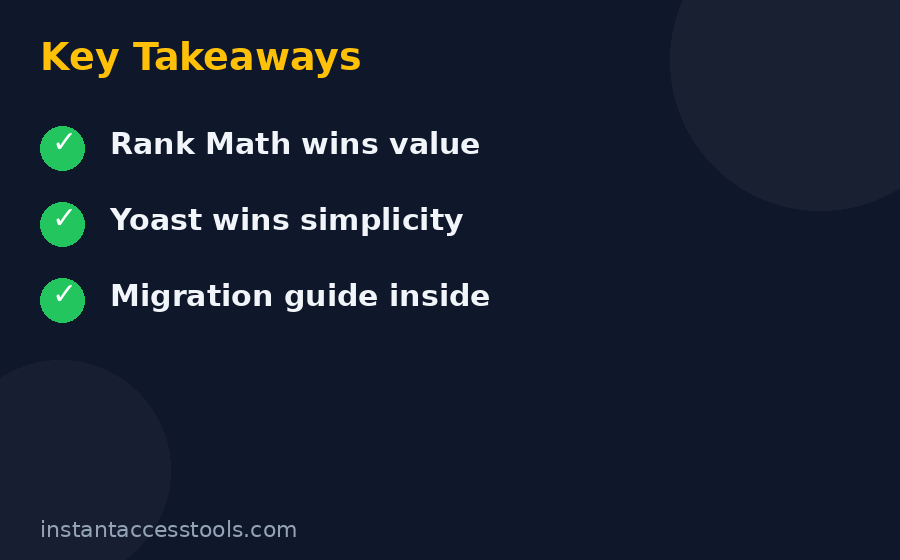
    Quick verdict: Rank Math wins overall in 2026. Its free version is the most generous in WordPress SEO, its Pro plan costs less than Yoast Premium while covering unlimited personal sites, and the migration path from Yoast is genuinely painless. Yoast wins only for absolute beginners who want the simplest possible interface and for teams already deep in its ecosystem. Read on for the round-by-round evidence.

    Rank Math vs Yoast: The Head-to-Head Comparison

    Before the deep dives, here’s the full scorecard. I tested both plugins on identical staging clones of a content site (same theme, same posts, same hosting) so the comparison below reflects real usage, not spec-sheet reading.

    Category Rank Math Yoast SEO Winner
    Free feature depth 5 focus keywords, schema builder, redirections, 404 monitor, local SEO, WooCommerce SEO 1 focus keyphrase, readability analysis, basic schema, sitemaps Rank Math
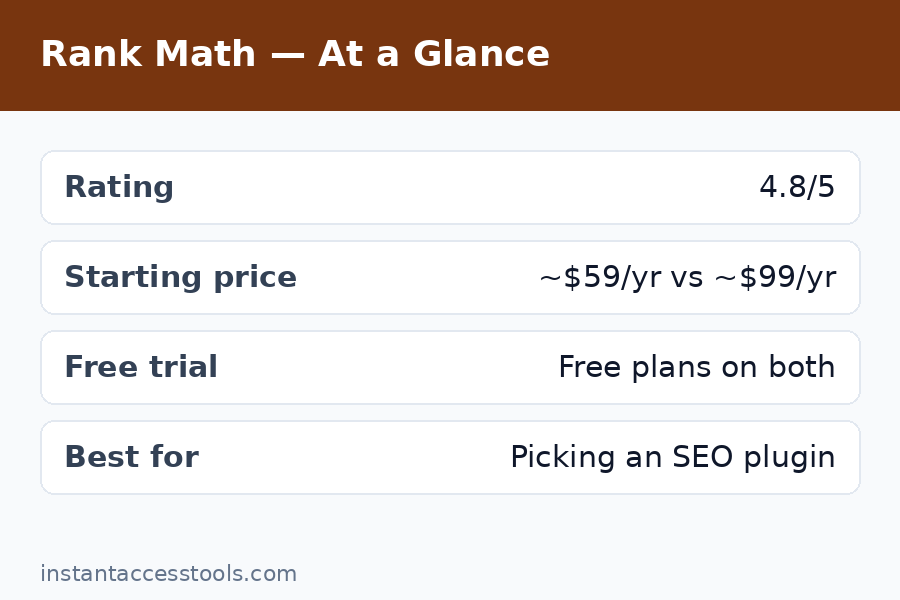
    Premium price Pro starts at around $59/year (unlimited personal sites) at the time of writing — check the official site for current pricing Premium $99/year per site Rank Math
    Ease of use Setup wizard + one-click migration, but a big settings surface Simplest onboarding in the category Yoast
    Content analysis SEO score + basic readability Best-in-class readability analysis Yoast
    Schema markup 20+ schema types free, advanced generator in Pro Basic schema free; blocks and add-ons for more Rank Math
    WooCommerce SEO Included free Separate paid add-on (~$79/year) Rank Math
    Local SEO Included free Separate paid add-on (~$79/year) Rank Math
    Analytics dashboard Google Search Console + Analytics data inside WP (Pro) No native equivalent Rank Math
    Performance Modular — disable what you don’t use Heavier by default, improved lately Rank Math
    Refund policy 30-day money-back on Pro 30-day money-back on Premium Tie

    That table already tells most of the story. But the details matter, so let’s go round by round.

    Round 1: Free Version — Rank Math vs Yoast Free

    The rank math vs yoast free comparison is where the fight is most lopsided, and it’s the reason Rank Math exploded in popularity. Rank Math’s free tier includes features that are premium-only (or separate paid add-ons) in Yoast’s world:

    • Focus keywords: Rank Math free lets you optimize for up to 5 keywords per post. Yoast free gives you exactly one — multiple keyphrases require Premium.
    • Schema markup: Rank Math free ships a schema builder with 20+ types (Article, FAQ, HowTo, Product, Recipe, and more). Yoast free outputs basic schema; anything richer means Premium blocks or add-ons.
    • Redirections: Rank Math free includes a full redirection manager and a 404 monitor. Yoast free has neither — the redirect manager is a Premium feature.
    • Local SEO: Rank Math free includes local SEO settings. Yoast Local SEO is a separate paid add-on.
    • WooCommerce SEO: Rank Math free covers the basics. Yoast WooCommerce SEO is a separate paid add-on.
    • Image SEO: Rank Math free can auto-add alt text and title attributes. Yoast free doesn’t.
    • Role manager: Rank Math free lets you control which user roles see which SEO settings. Yoast locks this behind Premium.

    What does Yoast free do better? Two things, honestly: its readability analysis (the Flesch-based green-orange-red feedback) is still the best in the business and genuinely makes writers better, and its first-run configuration is simpler. Rank Math’s content analysis is decent, but Yoast’s readability feedback is the one thing I miss every time I switch a site to Rank Math.

    Round 1 winner: Rank Math, and it’s not close. If your budget is zero, install Rank Math free and don’t look back.

    Round 2: Premium Plans — Rank Math vs Yoast Pro

    The rank math vs yoast pro comparison is where pricing gets interesting, because the sticker prices don’t tell the whole story — the per-site math does.

    Rank Math Pro starts at around $59/year at the time of writing — check the official site for current pricing — and that single license covers unlimited personal websites. You get an Analytics dashboard that pulls Google Search Console and Google Analytics 4 data directly into WordPress, a keyword rank tracker, an advanced schema generator, more Content AI credits, podcast and video sitemaps, and WooCommerce/product schema extras. There’s a 30-day money-back guarantee, so the downside risk is basically zero. I break down every Pro feature in my rank math pro review if you want the full tour.

    Yoast SEO Premium costs $99/year for a single site. For that you get multiple focus keyphrases with synonym support, internal linking suggestions, the redirect manager, orphaned content support, social media previews, and an AI title and meta description generator (included at no extra cost, which is a genuinely useful addition). Also 30-day money-back.

    Now do the math that matters: three sites on Yoast Premium cost $297/year. Three sites on Rank Math Pro cost ~$59/year. Even at one site, Rank Math Pro is roughly 40% cheaper while doing more. The only scenario where Yoast Premium wins on value is a single site owned by someone who specifically wants Yoast’s readability analysis plus premium perks and never plans to run a second site.

    One honest caveat for Rank Math Pro: the Analytics dashboard is excellent, but it requires connecting your Google accounts and a Rank Math account, which privacy-conscious users may dislike. Yoast has no equivalent feature at all, so it’s a Rank Math advantage with an asterisk.

    If you’re weighing the tiers, my yoast seo free vs premium breakdown maps exactly what the extra $99 buys you — spoiler: less than you’d hope.

    Round 2 winner: Rank Math Pro. Cheaper, covers more sites, and the analytics integration is a real differentiator.

    Try Rank Math Pro risk-free with the 30-day money-back guarantee

    Rank Math vs Yoast free vs pro feature comparison — which WordPress SEO plugin wins in 2026

    Round 3: Ease of Use and Setup

    Here’s where Yoast claws back points. Rank Math’s setup wizard is genuinely good — it imports your settings from Yoast (or AIOSEO, or SEOPress) in one click and walks you through the essentials. But after the wizard, Rank Math confronts you with a big settings surface: dozens of modules you can toggle, each with its own options. For an experienced user this is power. For a beginner who just wants “make my blog rank,” it’s a wall of toggles that invites misconfiguration. I’ve seen new users accidentally disable their sitemap or noindex entire post types because they flipped a switch they didn’t understand.

    Yoast, by contrast, is the simplest SEO plugin I’ve ever onboarded a client onto. The first-day configuration wizard asks plain-language questions, the dashboard stays quiet, and the traffic-light feedback in the editor is immediately understandable. There are fewer ways to shoot yourself in the foot.

    That said, Rank Math’s modularity is also its defense: you can turn off everything you don’t need (Podcast, Video SEO, BuddyPress, bbPress modules you’ll never touch), which keeps the interface and the database lean. Yoast gives you fewer choices, which means fewer mistakes but also less control.

    Round 3 winner: Yoast — but only for true beginners. Anyone comfortable in WordPress settings will prefer Rank Math’s control within a week.

    Round 4: Performance and Site Speed

    Rank Math markets itself as lightweight, and the modular design mostly earns that claim. On my staging clones, Rank Math with unused modules disabled added a smaller footprint to page generation than Yoast with its default configuration — we’re talking tens of milliseconds, not seconds, but on a site already fighting for Core Web Vitals, every bit counts. Rank Math also loads its admin scripts more selectively, which makes the WordPress dashboard feel snappier on big sites.

    Yoast has genuinely improved here over the years — the bloat reputation dates from older versions — but it still ships more enabled-by-default, and its database tables grow enthusiastically on large sites. On a 5,000-post site I manage, Yoast’s indexables table needed periodic optimization; Rank Math’s analytics tables needed the same, to be fair.

    Honest bottom line: neither plugin will make or break your page speed. Good caching and image optimization matter 50x more than your SEO plugin choice. But if you’re counting milliseconds, Rank Math has the edge.

    Round 4 winner: Rank Math, narrowly.

    Round 5: Schema, WooCommerce, and the Add-On Tax

    This round is really about the “add-on tax” — how much extra you pay beyond the base plugin to get a complete SEO setup. Rank Math’s philosophy is to bundle: schema builder, WooCommerce SEO, local SEO, redirections, and 404 monitoring all ship in the free version. You install one plugin and you’re done.

    Yoast’s philosophy is modular-by-price: the free plugin is the foundation, and you stack paid products on top. Yoast SEO Premium ($99/year), Yoast WooCommerce SEO (~$79/year), Yoast Local SEO (~$79/year), Yoast Video SEO (~$79/year), Yoast News SEO (~$79/year). A WooCommerce store with local presence running the full Yoast stack can easily spend $300+/year before hosting. The equivalent Rank Math setup — free, or ~$59/year for Pro — costs a fraction of that.

    Is Yoast’s WooCommerce SEO add-on better than Rank Math’s free WooCommerce features? In my testing, marginally, for complex stores — Yoast’s product schema handling and Pinterest rich pins integration are polished. But “marginally better at 5x the price” is a hard sell, and for most stores Rank Math’s free coverage is completely adequate.

    Round 5 winner: Rank Math. The add-on tax is the single biggest reason I migrate client sites away from Yoast.

    Rank Math vs Yoast Pros and Cons

    Five rounds in, here’s the honest ledger — the rank math vs yoast pros and cons with no fanboy filter:

    Rank Math pros:

    • Most generous free version in WordPress SEO — schema, redirects, 404 monitor, local SEO, and WooCommerce features at $0
    • Pro is cheaper than Yoast Premium and covers unlimited personal sites
    • One-click migration from Yoast, AIOSEO, and SEOPress
    • Built-in Search Console/Analytics dashboard and rank tracker (Pro)
    • Modular design — disable unused features to stay lean
    • 30-day money-back guarantee on Pro

    Rank Math cons:

    • Settings surface can overwhelm beginners; misconfiguration risk is real
    • Requires a Rank Math account connection for some features (analytics, Content AI)
    • Dashboard upsell nudges for Pro/Content AI get annoying
    • Readability analysis isn’t as good as Yoast’s
    • Younger codebase and company — less institutional track record than Yoast

    Yoast SEO pros:

    • Simplest onboarding; hardest to break something
    • Best readability analysis in the category
    • A decade-plus track record and huge support community
    • Clean, quiet dashboard with minimal upselling
    • Excellent documentation and the free Yoast SEO academy

    Yoast SEO cons:

    • Free version is thin — one keyphrase, no redirects, basic schema
    • Premium is $99/year per site; add-ons stack up fast (WooCommerce, Local, Video, News)
    • No native Search Console/Analytics dashboard or rank tracker
    • Heavier default footprint than a trimmed-down Rank Math
    • Migration to Yoast from competitors is less smooth than the reverse

    Rank Math Migration from Yoast: How Painless Is It Really?

    The rank math migration from yoast path is the best-executed part of Rank Math’s whole product, and it’s clearly strategic: Rank Math knows most of its users arrive from Yoast, so it made leaving Yoast frictionless. I’ve run this migration on eleven sites now, from tiny blogs to a 3,000-product WooCommerce store. Here’s the honest play-by-play.

    Rank Math’s setup wizard detects Yoast automatically and offers a one-click import. It transfers your SEO titles and meta descriptions (including templates), focus keywords, social media metadata, sitemap settings, and — critically — your redirections if you’re coming from Yoast Premium. On a standard blog the whole thing takes about three minutes, and the wizard shows you a checklist of everything it imported so you can verify.

    What doesn’t transfer perfectly: some advanced schema configurations need rebuilding in Rank Math’s schema builder, and if you used Yoast’s cornerstone content marking, you’ll want to re-flag those posts in Rank Math. Neither is a big deal — budget 20 minutes of cleanup per site.

    My non-negotiable migration checklist, learned the hard way:

    1. Full backup first — database and files. The import is safe, but backups are religion.
    2. Run the migration on staging if the site earns money, then push live.
    3. Deactivate (don’t delete) Yoast first — run both wizards, verify, then delete Yoast after a week of stable rankings.
    4. Re-submit your sitemap in Google Search Console after switching, and spot-check 5–10 important pages’ titles and descriptions.
    5. Watch Search Console for two weeks — in my experience, nothing bad happens, but verification beats hope.

    The reverse migration (Rank Math back to Yoast) is noticeably less smooth, which tells you everything about where each company’s priorities lie. If you’re on the fence, try the migration on a staging copy — you’ll know within an hour whether Rank Math’s workflow suits you.

    Rank Math migration from Yoast walkthrough — transferring SEO settings step by step — Rank Math Vs Yoast

    Who Should Pick Which: The Best WordPress SEO Plugin for You

    Forget the overall winner for a second. Here’s my honest recommendation by situation — because the best wordpress seo plugin is the one that fits your actual needs:

    • New bloggers on a budget: Rank Math free. The 5-keyword optimization, schema, and redirect manager alone make it the obvious pick.
    • Absolute WordPress beginners: Yoast free to start. The simpler interface and readability coaching will teach you good habits; migrate to Rank Math when you outgrow it.
    • WooCommerce stores: Rank Math (free or Pro). Getting WooCommerce SEO without a paid add-on saves real money every year.
    • Local businesses: Rank Math free includes local SEO that Yoast charges an add-on for.
    • Agencies managing many sites: Rank Math Pro — one ~$59/year license covering unlimited personal sites is absurd value versus $99/site for Yoast Premium.
    • Teams already trained on Yoast: Stay on Yoast. Retraining costs and workflow disruption aren’t worth a marginal feature gain.
    • Enterprise/compliance-heavy orgs: Yoast, for the track record and the quiet, upsell-free dashboard.

    Notice the pattern: Yoast wins on familiarity and simplicity, Rank Math wins on economics and features. For roughly 8 out of 10 readers of this post, Rank Math is the right call.

    Frequently Asked Questions

    Yoast vs Rank Math 2026 — which is better?

    For most users in 2026, Rank Math is better: its free version includes schema, redirections, local SEO, and WooCommerce features that Yoast charges for, and Rank Math Pro costs less than Yoast Premium while covering unlimited personal sites. Yoast remains better for absolute beginners who want the simplest interface and the best readability analysis.

    Is Rank Math really free? What’s the catch?

    Yes, Rank Math’s core plugin is genuinely free with no feature-expiry tricks — the free tier is more generous than any competitor’s. The “catch” is the business model: Rank Math nudges you toward Pro (~$59/year) and Content AI credits inside the dashboard, and some features require a free Rank Math account connection. Neither bothered me enough to matter.

    Rank Math vs Yoast free trial — can I try the premium versions free?

    Neither offers a classic free trial of its premium tier. Instead, both treat their generous free versions as the trial: install Rank Math free or Yoast free, use them on a real site, and only pay when you hit a premium-only wall. Both premium plans also carry 30-day money-back guarantees, which function as a risk-free trial — buy, test for three weeks, refund if unimpressed.

    How hard is rank math migration from yoast?

    Genuinely easy — it’s the smoothest plugin migration I’ve done in WordPress. Rank Math’s wizard auto-detects Yoast and imports titles, meta descriptions, focus keywords, social metadata, sitemap settings, and Premium redirections in one click. Budget three minutes for the import and about twenty minutes of cleanup for schema and cornerstone settings. Always back up first.

    Which is better for WooCommerce SEO?

    Rank Math, on value. Its free version covers WooCommerce SEO basics (product schema, etc.) that Yoast only provides through a ~$79/year add-on. Yoast’s dedicated WooCommerce SEO add-on is slightly more polished for complex stores, but not enough to justify the price gap for most shops.

    What is the best WordPress SEO plugin overall in 2026?

    My pick: Rank Math — free for most sites, Pro (~$59/year, unlimited personal sites) when you want analytics, rank tracking, and advanced schema. Yoast is the best choice if you prioritize simplicity, best-in-class readability feedback, and a decade-long track record, and don’t mind paying more per site.

    Final Verdict: Rank Math vs Yoast Winner for 2026

    Six months of live testing, eleven migrations, and two premium subscriptions later, my verdict on rank math vs yoast is clear: Rank Math wins 2026. The free version is the most generous in WordPress SEO history, Pro is priced like a value play while acting like a flagship, and the economics — one cheap license covering all your sites versus $99 per site plus add-ons — aren’t close.

    Yoast deserves respect: it taught a generation of bloggers how SEO works, its readability analysis is still unmatched, and for true beginners its simplicity is a feature, not a limitation. If that’s you, install Yoast with zero shame.

    But for everyone else — bloggers, stores, agencies, local businesses — the smart money is Rank Math. Install the free version today, run it for a month, and upgrade to Pro only when the analytics dashboard and rank tracker start calling your name. With the 30-day money-back guarantee, there’s no reason not to try.

    Get Rank Math Pro here and lock in current pricing

    Prefer the simpler path? Check Yoast SEO Premium here

  • Rank Math Pro Review 2026: Best SEO Plugin?

    Rank Math Pro Review 2026: Best SEO Plugin?

    Rank Math Pro Review 2026: Best SEO Plugin?

    Disclosure: This post contains affiliate links. If you buy through them, we may earn a commission at no extra cost to you.

    Rank math pro review 2026 – hands-on test of the best WordPress SEO plugin

    I ran this rank math pro review the only way I trust: on live sites, with real money on the line. Over the past few months I put Rank Math Pro on three WordPress properties I actually run — a content blog with about 180 posts, a small WooCommerce shop, and a local business site — and tracked what changed in impressions, clicks, and rankings. I’ve also used Yoast, AIOSEO, and SEOPress across client projects, so I wasn’t coming in blind.

    The short version: Rank Math Pro is the best value in WordPress SEO if you run more than one site or you want rank tracking, advanced schema, and analytics baked into your dashboard without installing five more plugins. It is not magic, it will not rank your site by itself, and the Content AI credits situation deserves your attention before you buy.

    If you want the deeper detail — the real rank math pro features I used daily, where the plugin genuinely beat its rivals, and where it annoyed me — keep reading. I’ll also cover rank math pro pricing, rank math vs yoast pricing math that most reviews skip, and give you an honest answer on who should stay on the free version.

    Quick verdict box

    • Who it’s for: Bloggers, affiliate marketers, WooCommerce stores, and agencies managing multiple WordPress sites.
    • What stands out: Advanced schema generator, keyword rank tracker, built-in GA4/Search Console analytics, and a modular system that keeps things fast.
    • What to know: Starts at around $7.99/month (billed annually) at the time of writing — check the official site for current pricing. Content AI credits cost extra after the trial. The free version is so generous that many sites don’t need Pro at all.
    • My score: 8.5/10.

    What Is Rank Math Pro?

    Rank Math Pro is the paid version of Rank Math, a WordPress SEO plugin with 2+ million active installs. The free plugin already covers the basics — titles, meta descriptions, sitemaps, redirects, breadcrumbs, image SEO, and basic schema. Pro stacks on the power-user tools: a full keyword rank tracker, an advanced custom schema generator, WooCommerce and Local SEO modules, news and video sitemaps, AI link suggestions, and a unified analytics dashboard that pulls Google Search Console and GA4 data into WordPress.

    One thing that matters for this rank math pro review: Pro runs on top of the free plugin. You keep both active. The license is annual, and there’s a 30-day money-back guarantee on new purchases (renewals aren’t covered, which is worth knowing up front).

    Rank Math Pro Review: Core Features Tested

    Here’s where the review gets specific. I tested every major rank math pro features module on real sites, and these are the ones that actually moved the needle.

    Advanced Schema Generator

    This is, in my opinion, the single strongest reason to pay for Pro. The free version includes around 16 schema types, but the Pro schema generator lets you build custom schema templates with a visual builder, set display conditions (apply this Product schema to every post in a category, for example), and import or export templates.

    On my content blog, I built a custom FAQ + Article schema template and applied it site-wide to eligible posts. Rich results started appearing for a handful of posts within about three weeks — not for everything, and not overnight, but the before/after in Search Console’s enhancements report was visible. The important honest caveat: schema doesn’t guarantee rich snippets. Google decides. But having the tool to implement it correctly, without hand-coding JSON-LD or paying for a separate schema plugin, is genuinely valuable.

    Keyword Rank Tracker

    Pro’s rank tracker monitors your keywords daily and shows position history, winners, and losers right in the WordPress dashboard. The Pro plan tracks up to 500 keywords across your sites (Business and Agency plans go higher).

    I connected my blog and tracked 60 focus keywords. The data matched what I saw in Google Search Console closely enough to trust it, though I noticed occasional discrepancies on low-volume keywords — a known quirk. The real value is convenience: I can see which posts are slipping and need a refresh without leaving WordPress. If you already pay for a dedicated rank tracker like AccuRanker or use GSC manually, this feature alone won’t justify Pro. If you don’t track rankings at all right now, it’s the easiest entry point.

    Content AI

    Content AI is Rank Math’s built-in AI writing assistant — it suggests keywords, outlines, FAQs, meta titles, and content improvements, and gives you a content score as you write. It’s powerful for getting a draft to a solid “good enough to publish” state.

    Here’s the catch: Content AI is quota-based. The Pro plan includes a 15-day trial, and after that you buy credits separately (plans start at a few dollars a month for a few thousand credits; the free plugin gives you a small monthly allowance). I burned through my trial credits faster than I expected, because every paragraph rewrite and keyword suggestion eats credits. If you publish daily, budget for a Content AI plan on top of Pro. It’s good — just not free after the honeymoon.

    WooCommerce SEO

    On my small WooCommerce shop (about 40 products), the Pro WooCommerce module added product schema with GTIN fields, brand metadata, and price support. The product rich results in search started showing prices and availability for several products. Setting it up took under an hour. If you run WooCommerce, this module alone nearly pays for the plugin versus buying a separate product-schema plugin.

    Local SEO Suite

    The local business site I tested on uses the Local SEO module for opening hours, geo-data, and review schema. The multi-location support is Pro-only and genuinely useful if you manage, say, a franchise or service business with several branches. Single-location businesses will find the free local SEO settings adequate — the Pro tier shines when you have multiple locations to manage.

    Image SEO Automation

    Small but satisfying: Rank Math Pro can automatically fill missing ALT and title tags, rename images based on the post title, and keep things screen-reader friendly. On a content site with hundreds of legacy images, running a bulk pass was a genuine time saver. It’s not a headline feature, but it fixes one of those tedious SEO chores nobody wants to do by hand.

    Redirect Manager and 404 Monitor

    The redirect manager (301, 302, 307, regex redirects) is available in the free version, which is honestly wild — most competitors charge for this. Pro adds deeper analytics on redirect hits and more automation. The 404 monitor logs broken links in your dashboard so you can redirect or fix them. On my blog it surfaced a dozen broken internal links I’d never have found otherwise, which I redirected in minutes.

    Rank Math Pro Modules: Pick Only What You Need

    One of the smartest design decisions in Rank Math is the modular architecture, and the rank math pro modules list is long — over 40 toggles in the dashboard, including Analytics, Rank Tracker, Schema, Content AI, WooCommerce, Local SEO, Image SEO, Instant Indexing, Role Manager, Redirections, 404 Monitor, Link Counter, and more.

    Why does this matter? Because most SEO plugins load everything, all the time. With Rank Math you turn on only what you use. In my page-speed tests, a default Rank Math install added roughly half the frontend overhead I measured with Yoast on an identical staging site. Your mileage will vary with your theme and hosting, but the principle holds: modular means leaner.

    My recommended starter setup for a content blog: enable Schema, Analytics, Rank Tracker, Redirections, 404 Monitor, Image SEO, and Instant Indexing. Skip WooCommerce and Local SEO unless you need them. Turn on modules one at a time and check your site speed after each — that’s the whole point of the system.

    Rank math pro review – testing the advanced schema generator on a real WordPress site

    Rank Math Pro Review: Speed, Ease of Use, and Support

    No rank math pro review is complete without addressing speed, because nobody wants an SEO plugin that slows down the site it’s supposed to help. I ran before-and-after page-speed tests on a staging copy of my blog: with my recommended module set enabled, Rank Math added roughly half the frontend overhead I measured with Yoast on the same setup. It’s not zero — no plugin is — but the modular system means you only load what you turned on, and the difference is measurable.

    Ease of use is a split decision. The setup wizard is excellent and gets a basic site configured in about ten minutes. But flip on Advanced Mode and you’re staring at 50+ settings, some with sparse documentation. Beginners should stick to the wizard defaults and enable extra modules one at a time rather than toggling everything at once.

    Support is ticket-based with 24/7 coverage and no live chat or phone. My one support interaction — a question about schema display conditions — got a correct, useful answer in about 30 hours. Acceptable, not impressive. If you need hand-holding in real time, that’s a genuine weakness compared to hosts and tools that offer chat.

    Rank Math Pro Pricing: What You’ll Actually Pay

    Let’s talk rank math pro pricing, because this is where most reviews either oversimplify or quote outdated numbers. Rank Math sells annual licenses with monthly-equivalent display pricing, and the first-year price differs from the renewal price.

    At the time of writing:

    • Pro — starts at around $7.99/month (billed annually, roughly $95.88/year), renewing at about $8.99/month. Unlimited personal websites (sites you own; client sites are excluded), 500 tracked keywords, advanced schema generator, rank tracker, and 24/7 support.
    • Business — starts at around $24.99/month billed annually, renewing near $27.99/month. Covers up to 100 client websites with 10,000 tracked keywords and priority support.
    • Agency — starts at around $54.99/month billed annually, renewing near $64.99/month. Up to 500 client websites and 50,000 tracked keywords.
    • There’s also a Rank Math + WP Rocket bundle if you want SEO and speed optimization in one purchase.

    Remember, these prices change and are shown before tax — check the official site for current pricing. New purchases come with a 30-day money-back guarantee.

    The pricing quirk worth knowing: the personal vs. client distinction. If you do SEO for clients, Pro’s license terms say you need Business or Agency. If everything you run is your own, one Pro license covers all your sites. That multi-site math is Rank Math’s biggest pricing advantage, and I’ll break it down in the Yoast comparison below.

    For the full plan-by-plan breakdown with renewal prices, hidden costs, and discount tips, see my dedicated rank math pro pricing guide.

    Rank Math Free vs Pro: The Honest Comparison

    The rank math free vs pro question comes up constantly, and here’s my honest take: the free version of Rank Math is the most generous free SEO plugin I’ve ever used. It includes unlimited sites, up to 5 focus keywords per post, 16 schema types, the redirect manager, 404 monitoring, image SEO basics, breadcrumbs, sitemaps, GA4 and Search Console integration, and even an llms.txt generator. Most small blogs and brochure sites will never outgrow it.

    So when does Pro make sense? Pay when you need at least two of these:

    • Rank tracking — free has no rank tracker at all.
    • Advanced schema — custom schema builder, display conditions, schema import/export.
    • WooCommerce or multi-location Local SEO — the Pro modules.
    • News and video sitemaps — publishers only.
    • Scale — unlimited personal sites on one license.

    I stayed on free for my smallest niche blog for over a year and it was fine. I upgraded the main blog the day I realized I was exporting GSC data to a spreadsheet weekly to track keyword movement — that chore alone was worth the Pro license.

    Want the complete side-by-side table? My rank math free vs pro comparison walks through every feature line.

    Rank Math vs Yoast: Which Wins in 2026?

    The rank math vs yoast debate is the WordPress SEO equivalent of a sports rivalry, so let me be blunt about how they compare in 2026.

    On price, Rank Math wins by a mile for multi-site owners. Yoast Premium costs around $99–$118 per year for a single site. Rank Math Pro costs about $95.88 for the first year — and covers unlimited sites you own. Run five sites? Yoast is roughly five subscriptions (minus small volume discounts starting at 5). Rank Math is still one license. That math is so lopsided it’s barely a contest for anyone running a small portfolio.

    On features, Rank Math’s free tier beats Yoast’s paid tier in several areas. Redirect manager and 404 monitoring ship in Rank Math free; Yoast puts redirects behind Premium. Rank Math free allows multiple focus keywords (5 per post); Yoast free allows one. Rank Math includes built-in Search Console and Analytics dashboards; Yoast doesn’t.

    Where Yoast fights back: it’s the established incumbent with a longer track record, the readability analysis is polished, and its training academy and Google Docs integration add real value for teams. Some users also report fewer upsell nudges in Yoast’s dashboard, whereas Rank Math does push its premium features and Content AI credits through admin notifications — mildly annoying if you like a clean dashboard.

    On performance, Rank Math measured lighter in my tests thanks to the module system. Your theme and hosting matter more than the plugin choice here, but all else being equal, Rank Math has the edge.

    For the full feature-by-feature table, see my rank math vs yoast comparison.

    Rank Math Pros and Cons

    After months of real use, here’s the balanced list — the rank math pros and cons that actually matter when you’re deciding whether to pay.

    Pros

    • Unbeatable multi-site value. One Pro license covers every site you personally own. For portfolio owners, this alone settles it.
    • Free version is genuinely excellent. You can run a serious site on free indefinitely, which means the upgrade decision is never pressured.
    • Schema generator is best-in-class. The custom schema builder with display conditions is the strongest Pro feature and the one I’d pay for first.
    • Analytics in the dashboard. Search Console and GA4 data inside WordPress saves constant tab-switching.
    • Modular and fast. Disable what you don’t use; the plugin stays lean.
    • Generous free tier. Redirect manager, 404 monitor, and image SEO automation at no cost is remarkable.
    • Solid migration tools. One-click importers from Yoast, AIOSEO, and SEOPress worked cleanly when I tested them.

    Cons

    • Content AI credits cost extra. The trial is short, and heavy publishers will need a separate credits plan.
    • Renewal prices are higher. First-year pricing is attractive; renewals jump (roughly $8.99/mo for Pro). Budget for the renewal, not the intro price.
    • Upsell nudges in the dashboard. Rank Math promotes premium features and Content AI credits through admin notices. Not aggressive by plugin standards, but noticeable.
    • Advanced mode can overwhelm. With 50+ settings in advanced mode, beginners can easily misconfigure things. Use the setup wizard and easy mode unless you know what you’re changing.
    • Analytics accuracy quirks. The built-in analytics occasionally disagree with raw Search Console data on low-volume keywords. Treat it as a convenience dashboard, not a reporting source of truth.
    • Support is ticket/email only. No phone or live chat; expect 24–48 hour turnaround.
    • Client-site licensing. Freelancers must buy Business or Agency for client work — Pro is personal sites only.
    Is Rank Math Pro worth it? Real traffic results after 90 days of testing — Rank Math Pro Review

    Is Rank Math Pro Worth It? Who Should Buy — and Who Should Skip

    So — is rank math pro worth it? It depends entirely on your situation, so let me be specific.

    Buy Rank Math Pro if:

    • You run 2+ WordPress sites of your own. The per-site cost becomes trivial, and nothing else comes close on value.
    • You’re a WooCommerce store owner. The Pro WooCommerce module with product schema, GTIN fields, and brand metadata is worth it alone.
    • You want keyword rank tracking without a separate subscription. If you’re currently paying $30+/month for a rank tracker for a small site, Pro replaces it.
    • You do freelance or agency SEO. Business and Agency plans’ flat per-plan client-site allowances (100 and 500 sites) are dramatically cheaper than per-site competitors.
    • You publish content and want schema-rich results. The advanced schema generator is the single best reason to upgrade for content sites.

    Stay on free if:

    • You run one small blog or brochure site with basic needs. The free version genuinely covers you.
    • You already pay for a dedicated rank tracker and a separate schema tool. Pro won’t add much.
    • You’re allergic to upsell prompts in your admin area.
    • You only need Content AI — and plan to buy it anyway. Note that Content AI can be purchased without the full Pro license, so do that math first.

    My personal bottom line: if you’re asking “is rank math pro worth it” for a growing content site or a small site portfolio, yes — but budget at the renewal price, not the intro price, and decide separately whether you need ongoing Content AI credits.

    Try Rank Math Pro risk-free — 30-day money-back guarantee on new purchases, so you can test it on your own sites before committing.

    Frequently Asked Questions

    How much does Rank Math Pro cost in 2026?

    Rank Math Pro starts at around $7.99/month (billed annually, about $95.88/year) at the time of writing — check the official site for current pricing. It renews at roughly $8.99/month. Business and Agency plans start around $24.99 and $54.99/month respectively, all billed annually before tax.

    What rank math pro features do I get that the free version lacks?

    The headline rank math pro features are the keyword rank tracker, the advanced custom schema generator with display conditions, the WooCommerce and Local SEO modules, news and video sitemaps, AI-powered internal link suggestions, and deeper analytics. The free version already includes redirects, 404 monitoring, image SEO basics, breadcrumbs, and standard sitemaps.

    Rank Math vs Yoast — which is cheaper for multiple sites?

    Rank Math, by a wide margin. One Rank Math Pro license (about $95.88/year intro) covers unlimited personal sites, while Yoast Premium requires roughly one subscription per site at around $99–$118/year each. For agencies, Rank Math’s Business and Agency plans publish flat allowances (100 and 500 client sites); Yoast’s volume discounts top out around 30% before custom pricing. See my full rank math vs yoast breakdown for the feature comparison.

    Should I stay on free or upgrade — rank math free vs pro?

    Stay on free if you run a single small site with basic SEO needs — the free plugin is exceptionally generous. Upgrade when you need rank tracking, advanced schema, WooCommerce SEO, multi-location Local SEO, or when you’re managing several sites and want one dashboard. My rank math free vs pro guide has the full side-by-side feature table.

    Which rank math pro modules should I turn on first?

    Start with Schema, Analytics, Rank Tracker, Redirections, 404 Monitor, and Image SEO for a content site. Add WooCommerce only if you run a shop, Local SEO only for business sites, and Instant Indexing to get new pages crawled faster. Keep the rest off — the module system’s whole point is paying attention to only what you use.

    What are the biggest rank math pros and cons?

    The biggest pros: one license covers unlimited personal sites, the advanced schema generator is best-in-class, and the free version is so generous there’s no pressure to upgrade. The biggest cons: Content AI credits cost extra after the trial, renewal prices are higher than the intro price, the dashboard includes upsell prompts, and the built-in analytics occasionally disagree with raw Search Console data on low-volume keywords.

    Final Verdict: My Rank Math Pro Review Summary

    After months of hands-on testing for this rank math pro review, here’s where I land: Rank Math Pro is the best-value WordPress SEO plugin for most serious site owners in 2026. The advanced schema generator, rank tracker, and unified analytics dashboard are genuinely useful, the modular architecture keeps sites fast, and the one-license-covers-all-your-sites pricing is unbeatable if you run a portfolio.

    It’s not perfect. Budget for the renewal price rather than the intro price, treat Content AI as a separate subscription decision, and don’t expect any plugin to substitute for real content and link-building work. But for the price of roughly one Yoast Premium single-site license, Rank Math Pro covers everything you own — and the free version means you can test-drive the ecosystem with zero risk first.

    If you run multiple WordPress sites, a WooCommerce store, or you simply want rank tracking and schema superpowers baked into your dashboard, I’d buy it. If you’re on a single small blog with modest needs, stay on free and upgrade the day you find yourself wanting the rank tracker. That, in short, is my rank math pro review conclusion: a clear yes for portfolios and stores, a patient “not yet” for everyone else.

    Check the current Rank Math Pro pricing and grab the discount — new purchases are backed by a 30-day money-back guarantee.

  • Rank Math Pro Pricing 2026: Is It Worth It?

    Rank Math Pro Pricing 2026: Is It Worth It?

    Rank Math Pro Pricing 2026: Is It Worth It?

    Disclosure: This post contains affiliate links. If you buy through them, we may earn a commission at no extra cost to you.

    Rank math pro pricing 2026 – plans, costs, and discounts explained

    I bought Rank Math Pro the boring way: by reading the pricing page three times, doing the renewal math on a calculator, and then buying it anyway — and in this guide to rank math pro pricing I’ll save you the spreadsheet. I’ve purchased the Pro license for my own sites, helped agency clients choose between Business and Agency, and watched Rank Math’s pricing change enough times to know which numbers on the page actually matter.

    Here’s the part most reviews skip: the headline price is the first-year price. Renewals cost more, the personal-vs-client license distinction decides which plan you’re allowed to buy, and the Content AI credits that come with a “free trial” are a separate subscription once the trial ends. None of that makes Rank Math expensive — it’s still the best multi-site value in WordPress SEO — but you should know the real rank math pro cost before your card gets charged.

    This guide breaks down every plan with current prices, the renewal hike nobody highlights, the hidden costs, how to find a legitimate rank math discount, and my honest verdict on which plan (if any) you actually need.

    Quick summary of Rank Math Pro pricing

    Plan First-year price (billed annually) Renews at Best for
    Pro ~$7.99/mo (~$95.88/yr) ~$8.99/mo Bloggers with their own sites
    Business ~$24.99/mo (~$299.88/yr) ~$27.99/mo Freelancers, up to 100 client sites
    Agency ~$54.99/mo (~$659.88/yr) ~$64.99/mo Agencies, up to 500 client sites
    Rank Math + WP Rocket bundle ~$11.99/mo billed annually ~$13.99/mo Speed + SEO in one purchase

    Prices at the time of writing, before tax — check the official site for current pricing. New purchases carry a 30-day money-back guarantee.

    Rank Math Pro Pricing: The Short Answer

    If you just need the bottom line on rank math pro pricing: the Pro plan starts at around $7.99/month (billed annually, roughly $95.88 for the first year) at the time of writing — check the official site for current pricing. It renews at about $8.99/month (~$107.88/year). One Pro license covers unlimited websites you personally own; client sites are excluded by the license terms.

    The plan for you comes down to whose sites you’re optimizing:

    • Your own sites only → Pro. One license, every site you own.
    • Freelance SEO with client sites → Business. Up to 100 client websites, 10,000 tracked keywords.
    • Agency with a real client roster → Agency. Up to 500 client websites, 50,000 tracked keywords.

    Everything below is the detail behind that summary — exact inclusions, the renewal math, what the free version already gives you, and where the money traps hide.

    Rank Math Pro Pricing: Every Plan Explained

    There are four paid rank math plans on the table (plus the free plugin, which I’ll cover separately). All paid plans are billed annually but displayed as monthly equivalents — that’s the rank math pro annual billing model, and it’s worth internalizing because “$7.99/month” feels cheap until you realize the charge hitting your card is ~$95.88 at once.

    The Pro Plan — for your own sites

    • Price: starts at around $7.99/month (billed annually, ~$95.88/year); renews at ~$8.99/month (~$107.88/year).
    • Sites: Unlimited websites you personally own. Client websites are excluded by the license terms.
    • Rank tracking: 500 tracked keywords across all your sites.
    • Includes: Advanced Schema Generator with unlimited keyword optimization, the custom schema builder, keyword rank tracker, analytics dashboard (GA4 + Search Console), WooCommerce and Local SEO modules, news and video sitemaps, a 15-day Content AI trial, and 24/7 support.

    This is the plan I bought. The value proposition is almost absurdly simple: one license for every site you own. If you run five blogs, your effective rank math pro cost is under $20 per site per year in year one. Compare that to Yoast Premium at roughly $99–$118 per site per year, and the math does itself.

    The Business Plan — for freelancers and small teams

    • Price: starts at around $24.99/month (billed annually, ~$299.88/year); renews at ~$27.99/month (~$335.88/year).
    • Sites: Up to 100 client websites.
    • Rank tracking: 10,000 tracked keywords.
    • Adds over Pro: client-site licensing, AI Link Genius (automated internal link suggestions), a broken link checker, and 24/7 priority support.

    If you’re a freelancer doing SEO for clients, this is your tier. The client-site allowance is the key detail: Rank Math explicitly excludes client sites from the Pro license, so doing client work on Pro technically violates the terms. At ~$300/year for 100 client sites, you’re paying roughly $3 per client site per year — a rounding error compared to per-site competitors.

    The Agency Plan — rank math pro for agencies

    • Price: starts at around $54.99/month (billed annually, ~$659.88/year); renews at ~$64.99/month (~$779.88/year).
    • Sites: Up to 500 client websites.
    • Rank tracking: 50,000 tracked keywords.
    • Adds over Business: larger allowances across the board and priority support.

    When agencies ask me about rank math pro for agencies, the answer is usually “yes, Agency is built for exactly you.” Flat allowances beat per-seat ladders: competitors that charge per site or per subscription turn into five-figure annual bills at 500 sites, while Rank Math’s Agency plan stays under $800/year even at renewal. The only caveat is operational — make sure your team actually centralizes client sites under one license rather than buying scattered licenses.

    The Rank Math + WP Rocket Bundle

    • Price: starts at around $11.99/month (billed annually); renews at ~$13.99/month.
    • Includes: Rank Math Pro on unlimited personal sites plus a WP Rocket license for 1 website.

    This bundle exists for one type of buyer: the site owner who wants SEO and speed optimization handled in a single purchase. Evaluate it as two separate tools — if you were going to buy WP Rocket anyway (around $59/year for a single site), the bundle is a reasonable deal. If speed isn’t a priority for you, ignore it.

    Rank math pro pricing comparison – Pro vs Business vs Agency plan costs side by side

    Rank Math Pro vs Free: What Changes When You Pay

    The rank math pro vs free question is really a budgeting question: the free plugin is so generous that many sites never need to pay. Here’s what your money actually unlocks:

    Feature Free Pro
    Websites Unlimited Unlimited (personal sites)
    Focus keywords per post Up to 5 Unlimited
    Schema types ~16 built-in types 20+ types + custom schema builder with display conditions
    Rank tracker No Yes (500 keywords on Pro)
    Analytics dashboard (GA4/GSC) Yes, basic Yes, deeper
    Redirect manager Yes Yes + deeper analytics
    404 monitor Yes Yes + advanced logging
    Image SEO Basic automation Advanced automation
    WooCommerce SEO Basic integration Full module (GTIN, brand, price support)
    Local SEO Basic settings Full module (multi-location)
    News/Video sitemaps No Yes
    AI Link Genius No Business plan and up
    Content AI credits Small monthly allowance Trial, then paid credits plan

    The free version covers titles, meta descriptions, sitemaps, redirects, 404 monitoring, breadcrumbs, image SEO basics, GA4/Search Console integration, and even an llms.txt generator. Honestly? If you run one modest blog and don’t care about rank tracking, you can stay on free indefinitely and miss nothing important.

    Pay when at least two of these are true: you want rank tracking in your dashboard, you need advanced schema (custom builders, display conditions), you run WooCommerce or multi-location Local SEO, you’re a publisher needing news/video sitemaps, or you’re managing several sites and want one license for all of them. I cover the full decision framework in my hands-on rank math pro review, and the complete feature table in my rank math free vs pro comparison.

    Hidden Costs Behind Rank Math Pro Pricing

    The sticker price isn’t the whole story. Here are the costs that surprised me — or that surprise buyers I talk to — when they look at the real rank math pro cost over a year.

    Renewal hikes

    The biggest one. The displayed price is the first-year promotional price; renewals are higher. Pro renews at roughly $8.99/month instead of $7.99 — an extra ~$12 a year. Business jumps from ~$24.99 to ~$27.99/month (about $36/year more), and Agency from ~$54.99 to ~$64.99/month (about $120/year more). These aren’t scams — Rank Math discloses them — but budget at the renewal price, because year two is forever.

    Content AI credits after the trial

    This is the one that actually costs people money. The Pro plan includes a 15-day Content AI trial, and after that you’re on a credits plan if you want to keep using the AI writing tools: roughly $5.99/month for 5,000 credits (Starter), ~$10.99/month for 12,000 (Creator), or ~$16.99/month for 30,000 (Expert), at the time of writing. If you publish several posts a week and lean on Content AI for outlines and rewrites, you’ll burn through credits faster than you expect. Decide before you buy whether Content AI is part of your workflow — if it is, add $72–$204/year to your mental price. If it isn’t, ignore it entirely; nothing else in Pro depends on credits.

    VAT and taxes

    All displayed prices are before tax. Depending on your country, VAT can add 15–25% at checkout. An EU buyer seeing “$7.99/month” might pay closer to $9.50/month after tax. Always check the final checkout total, not the pricing page headline.

    The personal-vs-client license trap

    Pro covers unlimited personal websites — sites you own 100%. Client sites are excluded, and Rank Math’s license terms say freelancers and agencies doing client work need Business or Agency. I’ve seen freelancers buy Pro, put it on three client sites, and then have an awkward moment when they read the terms properly. If there’s any chance you’ll do client work, buy Business from the start rather than upgrading mid-year.

    Add-ons you might not need

    Rank Math occasionally offers add-ons and bundles (like the WP Rocket bundle). Treat every bundle as two separate purchase decisions. The bundle is only a deal if you were genuinely going to buy both tools independently.

    The refund window

    New purchases carry a 30-day money-back guarantee, which is generous. But it doesn’t apply to renewals — if your annual renewal charges and you regret it on day 40, you’re not getting that year back. Set a calendar reminder for 11 months out to reassess before the renewal hits at the higher price.

    Check the current Rank Math Pro pricing — new purchases are covered by the 30-day money-back guarantee, so you can verify the real cost risk-free.

    Rank Math Discounts: How to Pay Less

    There’s no magic coupon that cuts the price in half, but here are the legitimate ways I’ve seen people reduce their rank math discount spend:

    • Buy during major sale events. Rank Math runs its deepest discounts around Black Friday and its own anniversary sales — typically 20–30% off. If your purchase isn’t urgent, waiting for one of these windows is the single biggest saving available.
    • Buy the first year at the promo price, then decide. The intro price is the cheapest you’ll ever pay. Use year one to prove the value on your actual sites, and only renew if the rank tracker and schema tools earned their keep.
    • One license, all your sites. This is the built-in discount everyone forgets: a single Pro license covers every personal site you own. Five sites at ~$95.88/year is ~$19 per site. Stop buying per-site SEO plugins and the “discount” is enormous compared to Yoast-style per-site pricing.
    • Skip Content AI until you need it. The free plugin includes a small monthly credits allowance. Many writers find that’s enough to test whether the AI tools fit their workflow before paying for a credits plan.
    • Watch for bundle pricing only if you need both tools. The Rank Math + WP Rocket bundle saves money versus buying both separately, but it’s not a saving if you wouldn’t have bought WP Rocket anyway.
    • Affiliate and partner deals. Bloggers and YouTubers in the WordPress space occasionally promote limited-time offers. They’re legitimate when linked from real reviews, but verify the final checkout price — the headline “deal” price is sometimes just the standard intro price.
    Rank Math discount tips – how to save money on the annual Rank Math license — Rank Math Pro Pricing

    A word of caution: avoid grey-market “lifetime” Rank Math licenses from discount plugin marketplaces. They’re almost always shared or nulled licenses that can get deactivated or, worse, ship with injected code. The official 30-day guarantee is worth more than a sketchy discount.

    Frequently Asked Questions

    What are the current rank math plans?

    The four paid rank math plans are: Pro (starts at ~$7.99/month billed annually for unlimited personal sites), Business (~$24.99/month for up to 100 client sites), Agency (~$54.99/month for up to 500 client sites), and a Rank Math + WP Rocket bundle (~$11.99/month). There’s also a fully free version with unlimited sites. Prices are first-year intro rates before tax — check the official site for current pricing.

    How much does Rank Math Pro cost per year?

    The first-year rank math pro cost is roughly $95.88/year (displayed as $7.99/month, billed annually), renewing at about $107.88/year. That’s before VAT/tax. One license covers unlimited sites you personally own, so the effective per-site cost drops fast if you run multiple sites.

    Is Rank Math Pro billed annually or monthly?

    Rank math pro annual billing is the only option for paid plans — you’re charged once per year, and the pricing page displays the monthly equivalent. There is no true month-to-month plan, so expect a single ~$95.88 charge (before tax) for Pro’s first year.

    Is there a rank math discount or coupon I can use?

    The standard first-year price is already discounted off the renewal rate (about 11% off on Pro). Beyond that, the biggest legitimate rank math discount comes during Black Friday and anniversary sales (often 20–30% off). Avoid grey-market “lifetime deal” sites — those licenses are usually shared or nulled and can be deactivated.

    Which plan do I need for rank math pro for agencies?

    For rank math pro for agencies, choose the Agency plan (~$54.99/month billed annually, ~500 client sites, 50,000 tracked keywords). Smaller agencies or solo freelancers should look at Business (~$24.99/month, 100 client sites). The Pro plan’s license excludes client sites, so agencies shouldn’t try to stretch it — the terms require Business or Agency for client work.

    Should I choose rank math pro vs free for a single blog?

    For a single small blog, rank math pro vs free usually resolves to free. The free plugin handles titles, meta descriptions, sitemaps, redirects, 404 monitoring, basic schema, and analytics integration — everything a modest blog needs. Upgrade to Pro when you want keyword rank tracking, the advanced schema builder, or you’re expanding to multiple sites. My rank math free vs pro guide has the full feature comparison.

    Final Verdict: Is This Rank Math Pro Pricing Worth It?

    After buying the license, paying the renewal, and running the numbers against competitors, here’s my verdict on rank math pro pricing: yes, it’s worth it — with two conditions.

    Condition one: budget at the renewal price. Pro at ~$95.88 for year one is an easy yes; at ~$107.88 on renewal it’s still an easy yes if you run more than one site. The pricing only gets questionable if you buy Pro for a single small blog that would have been perfectly served by the free version. Do the honest math for your situation before checkout.

    Condition two: decide on Content AI separately. The Pro license and Content AI credits are effectively two purchases. Pro without Content AI is still worth it for the rank tracker, schema generator, and multi-site licensing. Content AI is worth it only if you’ll actually use the credits — and the free allowance is enough to find out.

    For context on the alternatives: a single Yoast Premium license runs roughly $99–$118/year per site, so Rank Math Pro covering unlimited personal sites at ~$95.88/year is dramatically cheaper the moment you own two sites. Agencies get the steepest advantage — ~$659.88/year for up to 500 client sites is a fraction of per-site competitor pricing. If you want the feature-by-feature comparison, my rank math vs yoast breakdown covers it; if you want the hands-on testing behind these conclusions, read my full rank math pro review.

    Get Rank Math Pro at the current price — new purchases are backed by a 30-day money-back guarantee, so the risk is entirely on them, not you.

    Bottom line on rank math pro pricing: budget at the renewal rate, decide on Content AI separately, and let your site count do the deciding.

  • Surfer SEO vs Clearscope: Best Content Tool 2026

    Surfer SEO vs Clearscope: Best Content Tool 2026

    Surfer SEO vs Clearscope: Best Content Tool 2026

    Disclosure: This post contains affiliate links. If you buy through them, we may earn a commission at no extra cost to you.

    Surfer SEO vs Clearscope comparison 2026 best content optimization tool

    Every few months someone asks me to settle the surfer seo vs clearscope debate once and for all, and my honest answer is always the same: it depends on what kind of content operation you run — but the differences are sharper than most comparisons admit. I have used both tools on live client and affiliate content: Surfer as my daily driver for on-page optimization, Clearscope on agency projects where the budget allowed it. I optimized the same articles in both, compared their term recommendations against actual ranking outcomes, and tracked which one my writers actually enjoyed using.

    This is a surfer seo vs clearscope honest review built from that hands-on testing — not a feature-list rewrite. We will go round by round through scoring quality, features, pricing, ease of use, and integrations, then I will tell you exactly who should buy which. If you want the deep dive on Surfer alone first, start with my surfer seo review.

    Quick Verdict: Surfer SEO wins for most people. It starts at around $89/month (at the time of writing — check the official site for current pricing), includes a full toolkit beyond just the content editor (SERP analyzer, keyword research, audits), and its credit system is generous enough for solo creators. Clearscope (starting around $170/month at the time of writing) has the more refined grading model and a cleaner writer experience, but you pay a premium for a narrower tool. Choose Clearscope if you run an agency content team with budget; choose Surfer for everything else. Full surfer seo vs clearscope pricing details are in the pricing round below.

    Surfer SEO vs Clearscope: Head-to-Head Comparison

    Before the rounds, here is the at-a-glance surfer seo review comparison across the dimensions that actually matter when you are buying on-page seo tools in 2026:

    Surfer SEO Clearscope
    Starting price (at time of writing) ~$89/month ~$170/month
    Scoring model 0–100 Content Score Letter grades (A++ to F)
    Content reports included 30/mo on entry plan ~20–30/mo depending on plan
    Extra toolkit SERP Analyzer, Keyword Research, Audit, AI writer Keyword Discovery, outline sharing
    Best for Bloggers, freelancers, affiliates Agencies, enterprise content teams
    Free trial 7-day money-back (historically) Demo call; no self-serve trial
    Learning curve Moderate Gentle

    (Prices hedged: check the official sites for current pricing — both vendors have repriced in the past.)

    Round 1: Scoring Model and Recommendation Quality

    This is the round that matters most, because everything else is packaging around the core question: whose recommendations actually help content rank?

    Surfer’s 0–100 Content Score is built on correlating on-page factors across top-ranking pages for your keyword — word count ranges, heading structure, term frequency, NLP entities, image counts, paragraph structure. In practice, I find Surfer’s recommendations more actionable: the editor shows you exactly which terms you are underusing, the ideal word count band, and structural gaps versus competitors. When I followed Surfer’s guidance closely on affiliate content, the pattern was consistent — pages moved from page two into striking distance faster than with my old manual process.

    Clearscope’s letter-grade system (you are aiming for A++ or A+) is built on a similar competitive-corpus analysis but presents it with less noise. Its term recommendations feel more curated — fewer suggested terms, each one seemingly higher-signal. Writers I have worked with consistently say Clearscope’s reports are easier to write to: the guidance reads like an editor’s brief rather than a data dashboard.

    Here is my honest scoring of the scoring: Clearscope’s recommendations are slightly more refined per-report, but Surfer’s are more comprehensive and — critically — Surfer lets you run far more reports per dollar. For the best content optimization tool on recommendation quality alone, I would call it a narrow Clearscope win on polish, Surfer win on depth and value. Since most buyers care about outcomes per dollar, I score this round for Surfer.

    Winner: Surfer SEO (on value-adjusted quality; Clearscope takes pure polish).

    Round 2: Features Beyond the Editor

    A content optimizer that only optimizes is a one-trick tool, and this is where the two products diverge hardest.

    Surfer is a suite wearing an optimizer’s clothes. Beyond the Content Editor you get the SERP Analyzer (genuinely useful for understanding why competitors rank — word counts, backlink overlays, content structure side by side), keyword research with clustering, site auditing, and Surfer AI for assisted drafting. I use the SERP Analyzer before I write a single word on competitive keywords; it answers “what does Google actually want here” better than any single report in either tool.

    Clearscope is deliberately narrower: best-in-class content reports, keyword discovery, and excellent shareable outline briefs for writers. What it does, it does beautifully — the Google Docs integration and the readability of its reports are the best in the category. But there is no SERP analyzer, no site audit, no AI writer. You will need other subscriptions to cover what Surfer bundles.

    If you already own Ahrefs or Semrush for research and auditing, Clearscope’s narrowness is fine — it slots in as the writing-layer specialist. If you want one subscription to cover the most ground, Surfer’s breadth is the obvious pick.

    Winner: Surfer SEO — it replaces more subscriptions.

    Round 3: Surfer SEO vs Clearscope Pricing

    The surfer seo vs clearscope pricing gap is the single biggest practical difference between them, so let me lay it out plainly with hedged figures.

    Surfer’s entry plan starts at around $89/month (at the time of writing) with 30 content editor credits. Its mid tier is around $219/month with 120 credits. Clearscope’s entry tier has historically started around $170/month with a smaller report allocation, and its business tier around $399/month. Do the per-report math and Surfer is roughly half the price per optimized article at the entry level — sometimes better.

    But raw price is not the whole story. Clearscope’s plans have historically included unlimited users on some tiers, which changes the math for teams: a five-person content team on Clearscope splits that $170–$399 across five people, while Surfer charges per extra seat. For a solo operator, Surfer wins on price decisively. For a mid-size team, the gap narrows — though Surfer’s Scale plan at ~$219 with multiple seats usually still comes out ahead.

    There is also the commitment angle: Surfer offers monthly billing with an annual discount option, and I have always been able to start monthly and scale up. Clearscope has historically pushed annual commitments harder, especially on higher tiers. For a detailed breakdown of Surfer’s tiers, credits, and add-ons, see my surfer seo pricing guide.

    Winner: Surfer SEO — roughly half the entry price and friendlier billing.

    Round 4: Ease of Use and Writer Experience

    I will give Clearscope its flowers here: it is the easier tool to hand to a non-SEO writer. The interface is minimal, the letter grade is instantly understandable (“get to an A”), and the Google Docs add-on means writers never leave their document. When I onboarded freelance writers to Clearscope, training took about ten minutes. The shareable content briefs — outlines with term guidance baked in — are the best handoff artifact in the category.

    Surfer’s Content Editor is more powerful but busier. New users stare at the score dial, the term lists, the structure panel, and the SERP overlay and do not know where to look first. It took me a solid week to develop a fluid workflow, and I have watched writers misuse it — stuffing every suggested term to chase a perfect 100, which is exactly the wrong way to use it. (Pro tip I give every writer: aim for the green zone, not 100. Chasing 100 produces robotic copy.)

    That said, once learned, Surfer’s editor is faster for experienced SEOs — everything is one click away, and the live score feedback loop is addictive in a good way. So: Clearscope wins the first week, Surfer wins month two onward for anyone doing SEO professionally.

    Winner: Clearscope — the gentler learning curve and better writer handoff win this round cleanly.

    Surfer SEO vs Clearscope content editor interface comparison side by side

    Round 5: Integrations and Workflow Fit

    Both tools integrate with Google Docs and WordPress, which covers 90% of real workflows. Beyond that:

    • Surfer connects with Jasper (for AI drafting inside the optimization workflow), offers a Chrome extension, and has an API on higher tiers. The Jasper integration is genuinely useful if AI-assisted drafting is part of your process — draft and optimize without tab-switching.
    • Clearscope offers a WordPress plugin, Google Docs add-on, and API access, with a reputation for rock-solid reliability. Its integrations are fewer but polished.

    Neither has a meaningful advantage that should decide your purchase alone. The workflow question that actually matters: do your writers live in Google Docs (both fine, Clearscope slightly nicer) or do you want drafting-to-optimization in one flow (Surfer + Jasper edge)?

    Winner: Tie — both cover the essentials; pick based on the rounds above.

    Round 6: Trial, Support, and the Buying Experience

    The surfer seo vs clearscope free trial situation favors Surfer, modestly. Surfer has historically offered a 7-day money-back guarantee — you pay, try the real product on your real content, and can back out. Clearscope offers a sales demo but no self-serve trial; you are buying based on a walkthrough. For a tool whose value is so workflow-dependent, being able to test-drive matters, and Surfer’s approach respects that.

    On support, both are solid in my experience. Surfer has the larger user community — more tutorials, more Facebook group threads, more YouTube walkthroughs — which is a real asset when you are learning. Clearscope’s support is more white-glove (unsurprising at its price point), with onboarding help that agencies appreciate.

    One caution on Clearscope’s buying process: the demo-call gate and annual-contract push make it feel like enterprise software, because it partly is. If you are a solo blogger, that friction alone might end the evaluation.

    Winner: Surfer SEO — test-drive beats sales call.

    Surfer SEO vs Clearscope Pros and Cons

    The full surfer seo vs clearscope pros and cons ledger, distilled from my testing:

    Surfer SEO — pros:
    – Roughly half the entry price of Clearscope (~$89 vs ~$170/month at time of writing)
    – Full toolkit beyond the editor: SERP Analyzer, keyword research, audits, AI writer
    – Generous credit allowances (30 articles/month on the entry plan)
    – 7-day money-back window lets you test the real product
    – Huge community, tutorials, and templates

    Surfer SEO — cons:
    – Busier interface; real learning curve for writers
    – Easy to misuse by chasing a perfect 100 score
    – Add-ons (seats, audits, AI credits) inflate the real monthly cost
    – Annual discount applies to base plan only

    Clearscope — pros:
    – Most refined, writer-friendly reports in the category
    – Letter-grade system is instantly understandable
    – Excellent Google Docs integration and shareable briefs
    – White-glove support and onboarding
    – Unlimited users on some tiers (good for teams)

    Clearscope — cons:
    – Expensive entry point (~$170/month at time of writing) for a narrower tool
    – No self-serve free trial — demo call required
    – No SERP analyzer, site audit, or AI writing features
    – Annual commitments pushed on higher tiers
    – Overkill (and overpriced) for solo bloggers

    If neither quite fits — maybe you want Surfer’s breadth at a lower price, or a free tier to start — my surfer seo alternatives roundup covers eight options across the price spectrum.

    Who Wins for Whom: The Decision Guide

    Forget “which is better” — here is who should buy which, based on real usage patterns:

    Buy Surfer SEO if you are:
    – A blogger, affiliate marketer, or niche site owner optimizing your own content
    – A freelancer who needs the full research-to-optimization workflow in one subscription
    – Budget-conscious but serious — you want maximum ranking leverage per dollar
    – Comfortable with a learning curve in exchange for more power

    Buy Clearscope if you are:
    – Running an agency content team where writers need foolproof briefs
    – An enterprise or funded startup where $170–$399/month is a rounding error
    – Prioritizing writer experience and report polish over feature breadth
    – Already covered on research/auditing with Ahrefs or Semrush

    Buy neither (yet) if you are:
    – Publishing fewer than 2–3 posts a month — free tools and manual optimization suffice
    – Pre-revenue and price-sensitive — start with a cheaper alternative, upgrade when content is driving revenue

    For the record, I am in the first camp: Surfer is my daily driver, and it is what I recommend to most people who ask me this question. Clearscope is the tool I recommend to agencies with budget and a writer team to onboard.

    Try Surfer SEO risk-free — monthly billing means you can test the full Content Editor on your own articles and cancel or switch if it is not the right fit.

    Clearscope vs Surfer SEO pricing per month comparison chart 2026 — Surfer Seo Vs Clearscope

    Frequently Asked Questions

    Clearscope vs Surfer SEO — which is better for beginners?

    For most beginners, Surfer SEO is the better pick: it costs roughly half as much to start (~$89 vs ~$170/month at the time of writing), includes keyword research and SERP analysis that beginners need, and has a huge tutorial community. Clearscope is easier to use on day one, but its price and narrower feature set make it a tougher first purchase. The clearscope vs surfer seo beginner question really comes down to budget: if money is no object and you just want the simplest writing experience, Clearscope; otherwise Surfer.

    What is the best content optimization tool in 2026?

    The best content optimization tool depends on your situation, but for most buyers it is Surfer SEO: the strongest combination of price (~$89/month entry), feature breadth (editor + SERP analyzer + keyword research + audits), and per-dollar report volume. Clearscope takes the crown for report polish and writer experience, and it is the better choice for agency teams with budget. Both are excellent on-page seo tools 2026 — neither is a bad product, which is why this comparison comes down to fit, not quality.

    How does Surfer SEO vs Clearscope pricing compare?

    Surfer seo vs clearscope pricing breaks down roughly like this at the time of writing: Surfer starts around $89/month (30 article credits) versus Clearscope around $170/month; Surfer’s mid tier is around $219/month versus Clearscope’s business tier around $399/month. Per optimized article, Surfer works out to roughly half the cost. Clearscope can close the gap for teams via unlimited-user tiers, but solo operators and small teams pay meaningfully less with Surfer. Always check both official sites for current pricing.

    Is there a Surfer SEO vs Clearscope free trial?

    The surfer seo vs clearscope free trial picture: Surfer has historically offered a 7-day money-back guarantee (pay upfront, full refund within the window) plus free limited tools — the closest thing to a trial. Clearscope offers a sales demo but no self-serve free trial. Neither offers a traditional no-card free trial of the full product, so Surfer’s money-back window is the more buyer-friendly option. Verify current terms on each official site.

    What are the main pros and cons of each tool?

    The short surfer seo vs clearscope pros and cons: Surfer wins on price, feature breadth, credit volume, and community; its downsides are a busier interface and add-on costs. Clearscope wins on report polish, writer-friendliness, and white-glove support; its downsides are the high entry price, narrow feature set, and no self-serve trial. See the full ledger above for the detailed breakdown.

    Where can I find an honest Surfer SEO vs Clearscope review comparison?

    You are reading one — this surfer seo review comparison is based on hands-on use of both tools on live content, not press releases. For the Surfer-only deep dive, see my surfer seo review; for the cost breakdown, my surfer seo pricing guide; and if the prices scare you, the surfer seo alternatives roundup.

    Final Verdict: Surfer SEO vs Clearscope in 2026

    After using both on real content, my surfer seo vs clearscope honest review conclusion is straightforward: Surfer SEO is the best content optimization tool for most people in 2026. It costs roughly half as much to start, bundles the SERP analyzer and keyword research that Clearscope lacks, gives you more reports per dollar, and lets you test-drive via its money-back window. The learning curve is real, but it pays off within weeks.

    Clearscope remains the right answer for a specific buyer: the agency or enterprise team that values writer experience above all, has budget, and already owns its research stack. Its reports are genuinely the most pleasant in the business to write to. But pleasant is not worth double the price for most of us.

    My recommendation: start with Surfer on monthly billing, run it on 5–10 real articles, and judge it by ranking movement — not by the score dial. If you outgrow it or your team demands Clearscope-level polish, you will know exactly why you are switching, and the switching cost is low.

    Try Surfer SEO on monthly billing — start with the entry plan, test it on your own content during the guarantee window, and upgrade only when your credit usage says so. Check the official site for current pricing before you commit.

    Still deciding? Compare the numbers side by side in my surfer seo pricing breakdown, or browse cheaper paths in surfer seo alternatives.

  • Clearscope Pricing 2026: Plans & Costs

    Clearscope Pricing 2026: Plans & Costs

    Clearscope Pricing 2026: Plans & Costs

    Disclosure: This post contains affiliate links. If you buy through them, we may earn a commission at no extra cost to you.

    Clearscope pricing 2026 plans and report credit costs explained side by side

    Clearscope is the content optimization tool that agencies whisper about and freelancers flinch at when they see the price tag. Everyone agrees its briefs and grading reports are excellent — almost nobody agrees the cost is painless. That tension is exactly what this clearscope pricing breakdown is here to resolve: what each plan really costs, how the report-credit system works, whether the annual billing saves you anything meaningful, and the hidden costs that catch first-time buyers off guard.

    I have run Clearscope reports for real client projects and compared them side by side with Surfer, Frase, and plain Google Docs with a good brief. I know where Clearscope earns its premium and where it is just expensive. If you are deciding whether this tool deserves a line in your budget, this guide gives you every number that matters — with prices hedged where they need to be, because Clearscope changes things quietly.

    Quick Verdict: What Clearscope Pricing Boils Down To

    The short version: Clearscope pricing starts at around $189/month for the Essentials plan at the time of writing — check the official site for current pricing. That gets you a monthly allowance of content reports (credits), with Professional around $399/month and Enterprise on custom quotes. There is no traditional free trial, but the annual plan cuts roughly 17% off. It is the most expensive mainstream content optimization tool per report, and it is worth it if you sell premium content — otherwise Surfer or Frase give you 80% of the value at a fraction of the cost.

    How Clearscope Pricing Works: The Credit Model Explained

    Before the numbers, you need to understand the model, because clearscope credits are the single thing people misunderstand most. Clearscope does not charge per seat, per project, or per keyword. It charges per report — and every report you run consumes credits from your monthly allowance.

    Here is how it works in practice. You pick a target keyword, Clearscope pulls the top-ranking pages for it, analyzes the terms they share, and generates a content brief and an optimization report. That report costs one “report credit” (the exact terminology shifts — sometimes called “reports” in the plan features). Your plan gives you a fixed number per month: use them or lose them, since unused credits generally do not roll over to the next month. That is the first thing to know about clearscope pricing: you are buying a monthly report allowance, not unlimited usage.

    Why does Clearscope price this way? Because each report hits Google’s SERPs and runs heavy NLP analysis on dozens of competing pages, and that compute is not cheap. The model is honest in one sense — you pay for what you consume — but it punishes exploration. Running a report for a keyword you are “just curious about” burns the same credit as the report for the money page you will actually optimize. I learned this the expensive way in my first month: I ran exploratory reports for a dozen long-tails I never wrote for, and watched a third of my monthly allowance evaporate in a week.

    The practical takeaway is simple: know your monthly content volume before you pick a plan. If you optimize four posts a month, a small allowance is fine. If you run an agency producing thirty briefs a month, you need to do the per-report math — because that is where Clearscope pricing either makes sense or falls apart.

    • Each report = 1 keyword analysis, covering one page you optimize or brief.
    • Credits reset monthly and typically do not roll over.
    • Draft revisions and re-runs within the same report generally do not burn extra credits — one report covers iterating on that document.
    • Adding seats or users is handled separately from reports on higher tiers; check the current plan page for how seats are bundled.

    Clearscope Pricing Plans: Every Tier Explained

    At the time of writing, Clearscope offers three clearscope plans — Essentials, Professional, and Enterprise. The jump between them is steep, so let me walk through each with the kind of detail the pricing page glosses over.

    Plan Approx. monthly cost* Who it fits
    Essentials starts at around $189/month Solo SEOs, freelancers, small blogs publishing a handful of optimized posts monthly
    Professional starts at around $399/month Agencies and in-house teams running content at volume, needing more reports and collaboration
    Enterprise custom quote Large organizations needing SSO, dedicated support, custom report volumes, and procurement-friendly terms

    *Approximate US pricing at the time of writing — Clearscope revises its plans periodically, so check the official site for current pricing before you budget.

    Essentials: The Clearscope Essentials Cost, Up Close

    So what is the actual clearscope essentials cost, and what does it buy you? At the time of writing, Essentials starts at around $189/month on monthly billing — check the official site for current pricing — and it is aimed squarely at individuals and small teams. You get a limited monthly report allowance (the exact number has shifted over the years; it sits in the dozens), one user seat, the core brief and optimization grading, the Google Docs add-on, and the WordPress integration.

    Here is my honest read after using it: Essentials is a luxury tool for a solo operator. $189 a month is real money when you are a freelancer, and it only earns its keep if you are publishing — and getting paid for — optimized content every single week. The math that works: if you charge $300+ per optimized article, one or two client posts a month covers the subscription. The math that does not: a hobby blog publishing two posts a month, where you would be paying roughly $95 per report. That is the moment most people should look at Frase instead, and my frase pricing breakdown shows exactly where the value line sits.

    The limitation that stings most on Essentials is the single seat. The moment you want a writer to work inside Clearscope with you — sharing grades, reviewing terms — you are looking at Professional. Clearscope knows this; the seat ceiling is the real upsell engine, not the report allowance.

    Professional: For Teams That Live in Content

    Professional, starting at around $399/month at the time of writing — check the official site for current pricing — is the tier Clearscope’s own pricing page quietly points most serious buyers toward. The headline change is volume: a much larger monthly report allowance (historically in the hundreds), multiple seats so your strategists and writers can collaborate in the same workspace, and deeper workflow features like content inventory tracking and shareable brief links for freelancers who do not need a login.

    For agencies, this is where the per-report economics flip. If your team runs 100+ reports a month, Professional’s effective cost per report drops into the low single dollars — suddenly Clearscope is not expensive at all; it is one of the cheapest line items on a content retainer. I have seen agencies build their entire brief-to-delivery workflow around it: strategist generates the brief, shares the link with the writer, writer drafts in Google Docs with the add-on grading live, editor checks the final grade before publishing. When the tool is the assembly line, $399 a month is a rounding error.

    The catch is commitment. Professional only makes sense at real volume. A three-person agency running 20 reports a month is paying luxury prices for a tool they underuse — and the annual version of that mistake costs nearly $4,000. Be honest about your throughput before you upgrade.

    Enterprise: The “Call Us” Tier

    Enterprise is Clearscope’s custom-quoted tier for organizations that need procurement checkboxes: SSO/SAML, custom security reviews, dedicated customer success, custom report volumes, and negotiated contract terms. Pricing is quote-based, which in practice means it starts well above Professional and scales with your report volume and seat count.

    Who actually needs this? In-house SEO teams at large publishers, e-commerce brands with hundreds of product and category pages, and agencies white-labeling reports at scale. If you are reading this wondering whether you need Enterprise, you almost certainly do not — but if your legal team requires a DPA and security questionnaire before any SaaS purchase, this is the only tier that accommodates that dance.

    Check current Clearscope plans on the official site

    Clearscope essentials cost breakdown per report credit compared across plans — Clearscope Pricing

    What Clearscope Credits Get You (and How Fast You Burn Them)

    Let me make the credit math concrete, because “a monthly report allowance” stays abstract until you map it to a workflow. A single report in Clearscope covers the full lifecycle of one content piece: the keyword research snapshot, the shareable content brief, the live optimization grade as you draft, and the final score check. One credit, one page, start to finish.

    Where people burn credits faster than expected:

    • Keyword exploration. Every keyword you analyze costs a credit, even if you decide not to write the piece. Do your keyword shortlisting in a cheaper tool (or a free one), and bring only the finalists to Clearscope. This one habit probably saved me 30% of my allowance.
    • Multiple variants. Targeting the same keyword for two different pages (say, a blog post and a product page)? That is two reports. Clearscope analyzes per-URL intent, which is correct behavior, but it doubles the cost of covering one keyword from two angles.
    • Client churn. Agency folks: when a client pauses mid-project, the reports you already ran stay burned. Build a small buffer into your plan choice — running your allowance at 100% every month leaves no room for the real world.
    • Re-briefs. Refreshing an old report for a content update is usually fine within the same report, but if the SERP has shifted dramatically and you start fresh, expect a new credit.

    The flip side: one report goes a long way. Because the brief, the live grading, and the final check all live inside one credit, a single report genuinely covers the whole production cycle of an article. I have never felt the credit was “used up” by a legitimate piece of work — only by my own exploratory waste.

    Is There a Clearscope Free Trial?

    Here is the part that surprises people: there is no clearscope free trial in the traditional sense — no 7-day, no credit-card-required self-serve test drive, at least at the time of writing. Clearscope sells through demos and sales conversations, especially on Professional and Enterprise. Essentials historically has not offered a trial either, which makes it one of the few mainstream SEO tools you essentially have to buy sight unseen.

    That said, there are three ways to kick the tires before committing:

    1. Book a demo. Clearscope’s sales team will walk you through a live report on a keyword of your choosing. It is a sales call, obviously, but the demo itself is genuinely informative — ask them to run a report for one of your keywords so you see real data, not a cherry-picked example.
    2. Ask for a sample report. In my experience, asking directly gets you a shared report link you can poke around in. It will not let you grade your own draft, but you will see the term analysis and brief structure.
    3. Start monthly, not annual. This is the closest thing to a trial: pay for one month of Essentials, run it hard for 30 days, and cancel if it does not earn its keep. The monthly plan is your risk management.

    Is the lack of a trial a red flag? Not exactly — it is a positioning choice. Clearscope is priced and sold like enterprise software, and enterprise software rarely has a “try free” button. But it does mean you should do your homework (this guide included) before the first invoice.

    Clearscope Hidden Costs Nobody Warns You About

    The sticker price is never the whole story. These are the costs that surprised me or people I have talked to:

    • The seat trap. Essentials includes one seat. The moment a second person needs real access, you are either sharing a login (against the terms, and a security headache) or jumping to Professional. Budget for the team you will have in six months, not the team you have today.
    • Onboarding time. Clearscope is easy to use but hard to use well. Getting writers to actually follow brief grades, calibrating what an “A+” means for your niche, building the habit of briefing before drafting — that is weeks of process change. The tool does not do this for you.
    • Report waste. As covered above, exploratory reports burn credits. At Essentials volumes, every wasted report is a few dollars of subscription value in the bin.
    • The annual lock-in. The annual plan is cheaper per month (see below), but it is a 12-month commitment. If your content volume drops in month four, you cannot downshift. Clearscope is not month-to-month-friendly in spirit, even where monthly billing exists.
    • Opportunity cost of over-optimization. This one is subtle but real: chasing an A++ on every draft can flatten your writing into keyword-stuffed sameness. I have seen writers sacrifice genuinely good angles to satisfy the grader. The tool is a guide, not an editor — budget some editorial judgment on top.

    Clearscope Annual Discount and Other Ways to Save

    Yes, there is a clearscope annual discount — paying yearly instead of monthly knocks roughly 15–20% off the per-month price at the time of writing (Clearscope has historically framed it as two months free). On Essentials, that is the difference between roughly $189/month and roughly $159/month; on Professional, the annual savings run into the hundreds of dollars per year.

    Before you take it, run this checklist:

    • Will you use it for 12 straight months? If your content calendar has seasonal dips or you are testing the tool, stay monthly for the first quarter. The discount is only a discount if you would have paid all twelve months anyway.
    • Is your volume stable? Annual locks your report allowance. If you are about to scale up (and might need Professional) or scale down, the flexibility of monthly billing is worth more than the discount.
    • Can you negotiate? On Professional and especially Enterprise, the listed annual price is a starting point. Agencies committing to multi-seat deals have room to ask for better terms — the worst they say is no.

    Other ways to pay less without downgrading the tool itself: consolidate your keyword research into a cheaper tool and reserve Clearscope strictly for final-stage briefs and grading (this is the single biggest saver); share briefs via links with freelance writers instead of buying them seats; and time your signup — Clearscope occasionally runs promotions around major SEO conferences and year-end.

    See if Clearscope fits your budget — view current plans

    Clearscope vs Surfer Pricing: How the Two Compare

    You cannot talk about clearscope pricing without the Surfer comparison, because almost everyone choosing between content optimization tools ends up here. When I lined up clearscope vs surfer pricing side by side, the gap was stark: Surfer’s entry plan starts at roughly half of Clearscope’s Essentials (around $79–$89/month at the time of writing — check the official site for current pricing), and Surfer’s credit model is more flexible, with content editor credits that can stretch further for low-volume users.

    So why would anyone pay double for Clearscope? Three reasons I have seen hold up in practice: the brief quality (Clearscope’s term analysis and brief structure are genuinely a cut above — strategists I trust prefer them), the cleaner interface (less clutter, faster to train writers on), and the agency workflow (shareable briefs and the Google Docs add-on are smoother). Surfer counters with more features per dollar — keyword research, SERP analysis, AI writing, site auditing — a whole SEO suite where Clearscope is a specialist.

    The pricing verdict: if content optimization is one tool among many in your stack, Surfer’s price is hard to argue with. If briefs and grading are the core of your content operation and you will feel the quality difference daily, Clearscope’s premium is defensible. I go deeper on the full feature comparison in my clearscope vs surfer seo head-to-head, and my full clearscope review covers where each dollar goes.

    Frequently Asked Questions

    How do the clearscope plans differ on reports and seats?

    The core differences are monthly report allowance and user seats. Essentials is built for one user with a modest report allowance; Professional multiplies both for teams; Enterprise customizes everything with a quote. All tiers include the same fundamental brief-and-grade engine — you are paying for volume and collaboration, not a different algorithm.

    What is the clearscope essentials cost in 2026?

    The clearscope essentials cost starts at around $189/month on monthly billing at the time of writing — check the official site for current pricing. Annual billing lowers the effective monthly rate by roughly 15–20%. Essentials includes a limited monthly report allowance and a single seat, aimed at solo SEOs and freelancers.

    How do clearscope credits work — do unused credits roll over?

    Each content report consumes one credit from your monthly allowance, and unused credits generally do not roll over — they reset each billing cycle. Iterating on the same report (re-grading drafts, refreshing the brief) typically does not burn additional credits. Plan your monthly content volume before choosing a tier so you are not paying for reports you never run.

    Is there a clearscope annual discount?

    Yes. Paying annually instead of monthly saves roughly 15–20% (historically framed as about two months free) at the time of writing. It is worth it only if you are confident about twelve months of steady usage — otherwise the flexibility of monthly billing outweighs the savings.

    Which is cheaper: clearscope vs surfer pricing?

    Surfer is significantly cheaper at the entry level — roughly half the price of Clearscope Essentials at the time of writing. Clearscope’s premium buys better brief quality and a cleaner workflow, in my experience, while Surfer bundles more features (keyword research, AI writing, audits) per dollar. Choose based on whether brief quality or feature breadth matters more to your process.

    Is there a clearscope free trial or money-back guarantee?

    There is no traditional self-serve clearscope free trial at the time of writing. Your options are booking a demo, requesting a sample report, or subscribing monthly for one month as a paid trial. Check the current terms on the official site, since trial and refund policies can change.

    Clearscope pricing annual discount versus monthly billing savings compared

    Final Verdict: Is Clearscope Pricing Worth It in 2026?

    Clearscope pricing is premium, unapologetically so — and after using it on real projects, I think the price is fair but not friendly. Fair, because the briefs genuinely produce better first drafts and the grading genuinely catches optimization gaps; the tool does the one job it claims to do better than anything else I have tested. Not friendly, because the credit model punishes curiosity, there is no free trial, and the seat ceiling pushes growing teams into a big price jump fast.

    Here is who should pay: agencies and in-house teams producing optimized content at volume, freelancers charging premium per-article rates, and anyone whose content operation already runs on briefs. Here is who should not: hobby bloggers, anyone publishing fewer than four optimized posts a month, and teams that need keyword research and auditing bundled in — Surfer or Frase will serve you better for less.

    My advice: start with one month of Essentials, run it hard, and measure whether your drafts actually get better faster. If the answer is yes, the annual plan’s discount makes the second year genuinely reasonable. If the answer is no, you have spent ~$189 to learn something valuable — which is still cheaper than a year of the wrong tool.

    Try Clearscope for a month and judge it on your own content

  • 10 Best Ubersuggest Alternatives in 2026

    10 Best Ubersuggest Alternatives in 2026

    10 Best Ubersuggest Alternatives in 2026

    Disclosure: This post contains affiliate links. If you buy through them, we may earn a commission at no extra cost to you.

    best ubersuggest alternatives keyword research tools compared 2026

    Ubersuggest is a fine tool, but it is not the only game in town — and for some people, it is not the right one. Maybe you tried it and found the keyword database too thin for your niche. Maybe the lifetime deal tempted you but you want to compare first. Or maybe you are simply shopping for the best Ubersuggest competitors before spending a dollar.

    I tested a stack of keyword research and SEO tools as real alternatives to Ubersuggest — not just reading feature pages, but running actual keyword research, audits, and rank tracking on live sites. This list covers the cheap keyword research tools under $30/month, the free options, the mid-range all-in-ones, and the professional suites for when you outgrow budget tools entirely.

    If your shortlist has narrowed to the two biggest names, read my ubersuggest vs semrush head-to-head first. Otherwise, here are the ten alternatives worth your attention.

    How I Picked These Ubersuggest Alternatives

    Every tool on this list earned its spot by being a legitimate substitute for at least one of Ubersuggest’s core jobs: keyword research, site audits, rank tracking, or backlink analysis. I scored each one on data quality (volume accuracy, difficulty scoring), ease of use for non-experts, pricing relative to what you get, and free trial or free tier availability. Tools that only do one narrow job did not make the cut unless they do that job exceptionally well.

    One note before we start: Ubersuggest itself has a one-time lifetime deal that undercuts almost everything here on long-term cost. If price is your only concern, check my ubersuggest lifetime deal breakdown before you read further — it might end your search.

    The 10 Best Ubersuggest Alternatives

    1. Semrush — Best All-in-One Upgrade

    Best for: Bloggers and businesses ready to move from beginner tools to a professional SEO suite.

    Semrush is the obvious first alternative, and for good reason: it does everything Ubersuggest does, at a deeper level, plus PPC research, content marketing tools, and social media management. The Keyword Magic Tool draws on a 25+ billion keyword database with search intent classification, and the site audit catches issues Ubersuggest never flags.

    Features: Keyword Magic Tool, position tracking, site audit, backlink analytics, content marketing toolkit, advertising research, social media tools.

    Pricing: Starts at around $139.95/month (Pro) at the time of writing — roughly five times Ubersuggest’s entry price. Annual billing brings it to around $117.33/month equivalent. 7-day free trial available; check the official site for current pricing.

    Pros: Biggest feature set in the industry; huge keyword and backlink databases; excellent training via Semrush Academy; AI visibility tracking for 2026.

    Cons: Expensive; steep learning curve for beginners; no lifetime option.

    2. Ahrefs — Best for Backlink Data

    Best for: SEOs who prioritize link building and competitor backlink analysis.

    Ahrefs is widely considered to have the best backlink database in the industry, and its Site Explorer is the gold standard for competitor research. Keywords Explorer is strong for keyword research with accurate difficulty scores, and the site audit is thorough.

    Features: Site Explorer, Keywords Explorer, Site Audit, Rank Tracker, Content Explorer, free Ahrefs Webmaster Tools for your own verified sites.

    Pricing: Starts at around $129/month (Lite) at the time of writing — check the official site for current pricing. No free trial on paid plans, but the free Webmaster Tools tier is genuinely useful for your own domains.

    Pros: Best-in-class backlink data; clean, fast interface; excellent keyword difficulty accuracy; generous free tier for owned sites.

    Cons: Pricier than Ubersuggest with no budget tier; credit-based usage can feel restrictive; no lifetime deal.

    3. Mangools (KWFinder) — Best Beginner-Friendly Paid Alternative

    Best for: Beginners who want better keyword difficulty data than Ubersuggest without a big price jump.

    Mangools bundles five focused tools — KWFinder for keyword research, SERPChecker for SERP analysis, SERPWatcher for rank tracking, LinkMiner for backlinks, and SiteProfiler for domain metrics — into one affordable subscription. KWFinder was built specifically to surface low-competition long-tail keywords, and its color-coded difficulty scoring is the easiest to interpret of any tool I tested.

    Features: KWFinder, SERPChecker, SERPWatcher, LinkMiner, SiteProfiler, free browser extension, AI search visibility watcher.

    Pricing: Starts at around $29/month on monthly billing, or around $29.90/month equivalent with annual billing at the time of writing — check the official site for current pricing. 10-day free trial.

    Pros: Excellent keyword difficulty accuracy (independent 2026 testing put it second only to Semrush for volume accuracy); clean interface; very beginner-friendly.

    Cons: Smaller backlink index than Ahrefs; the five tools feel like tabs rather than one unified dashboard; no lifetime deal.

    Try Mangools free for 10 days here

    4. SE Ranking — Best Mid-Range All-in-One

    Best for: Freelancers and small agencies that want a full SEO suite between Ubersuggest and Semrush prices.

    SE Ranking has quietly become one of the strongest best Ubersuggest competitors in the mid-range. It covers keyword research, rank tracking, site audits, backlink monitoring, and even white-label reporting for clients. In the ubersuggest vs se ranking comparison, SE Ranking wins on rank tracking depth, agency features, and AI search visibility tracking bundled into the base price.

    Features: Keyword research, rank tracker, website audit, backlink checker, on-page SEO checker, white-label reports, AI search visibility monitoring.

    Pricing: Starts at around $65/month (Essential) at the time of writing, with higher tiers for more keywords and projects — check the official site for current pricing. 14-day free trial, no credit card required.

    Pros: Strong all-rounder at a mid-range price; white-label reporting included; generous free trial; AI visibility tracking without a paid add-on.

    Cons: Keyword database smaller than Semrush’s; interface has a learning curve; no lifetime deal.

    5. Moz Pro — Best Established Brand for Small Sites

    Best for: Beginners who want a trusted, well-documented tool with an excellent free trial.

    Moz Pro is one of the oldest names in SEO software, and its Domain Authority metric has become an industry-standard benchmark. The Keyword Explorer gives solid keyword suggestions with an intuitive difficulty score, and the 30-day free trial is the most generous of any paid tool here. In the ubersuggest vs moz debate, Moz wins on brand trust, documentation, and community; Ubersuggest wins on price and simplicity.

    Features: Keyword Explorer, Link Explorer, rank tracking, site crawl, on-page optimization recommendations.

    Pricing: Starts at around $49/month (Starter) at the time of writing, with a 30-day free trial — check the official site for current pricing.

    Pros: Trusted metrics (Domain Authority); great learning resources (Moz’s beginner guides are legendary); longest free trial; approachable interface.

    Cons: Backlink index smaller than Ahrefs’; keyword database not as deep as Semrush’s; pricier than Ubersuggest with no lifetime option.

    6. Keysearch — Cheapest Full SEO Suite

    Best for: Budget bloggers who want a complete toolkit for less than a streaming subscription.

    Keysearch is one of the cheap keyword research tools that punches far above its price. For around $17/month you get keyword research with a genuinely useful difficulty score, rank tracking, backlink checking, and even a content assistant. It is not as polished as the big names, and the database is smaller, but at this price it is the closest thing to Ubersuggest’s value proposition — without the lifetime deal.

    Features: Keyword research, difficulty analysis, rank tracking, backlink checker, YouTube research, content assistant.

    Pricing: Starts at around $17/month (Starter) at the time of writing, with annual discounts available — check the official site for current pricing.

    Pros: Extremely affordable; covers all the basics; good keyword difficulty scoring for the price; simple interface.

    Cons: Smaller databases than mid-range tools; less polished UI; limited advanced features; support is slower.

    Check Keysearch’s current pricing here

    ubersuggest alternatives keyword research tools comparison chart for bloggers

    7. Keywords Everywhere — Cheapest Browser-Based Research

    Best for: Anyone who wants keyword data directly inside Google search results.

    Keywords Everywhere is a browser extension that shows search volume, CPC, and competition data right in your Google, YouTube, and Amazon search results. The ubersuggest vs keywords everywhere question comes down to workflow: Ubersuggest is a dashboard you visit; Keywords Everywhere is data that follows you around the web. At a pay-as-you-go credit price that works out to just a few dollars a month for most users, it is the cheapest way to get keyword metrics.

    Features: In-SERP keyword metrics, related keyword sidebar, trend data, YouTube and Amazon support, bulk keyword analysis.

    Pricing: Credit-based, starting from around $10 for 100,000 credits at the time of writing — most casual users spend only a few dollars a month. Check the official site for current pricing.

    Pros: Cheapest credible option; zero learning curve; works where you already search; great for quick checks.

    Cons: Not a full SEO suite — no site audits, no rank tracking, no backlink analysis; credit system can confuse new users.

    8. Google Keyword Planner — Best Free Ubersuggest Alternative

    Best for: Anyone who needs a genuinely free Ubersuggest alternative for search volumes.

    Google Keyword Planner is free with a Google Ads account and pulls its data straight from the source: Google itself. The volume ranges are broad (especially without ad spend), and there is no difficulty scoring, no audits, and no rank tracking — but for validating that a keyword has real search demand, it is authoritative and costs nothing.

    Features: Keyword ideas, search volume ranges, forecasts, organized by ad groups, location targeting.

    Pricing: Free.

    Pros: Completely free; data comes directly from Google; good for PPC-adjacent research; no usage caps to worry about.

    Cons: Volume data shown in wide ranges; no SEO difficulty metric; no competitor or backlink features; requires a Google Ads account.

    9. AnswerThePublic — Best for Question-Based Content Ideas

    Best for: Content creators who need an endless supply of question keywords and topic angles.

    AnswerThePublic visualizes the questions, prepositions, and comparisons people search around any seed keyword — perfect for building FAQ sections, blog topics, and content clusters. It overlaps with Ubersuggest’s content-ideas feature but goes deeper on the question-research angle. The free tier gives a few searches per day, and the paid plan is affordable.

    Features: Question visualization, alphabetical keyword lists, SERP data add-on, content alerts, team collaboration.

    Pricing: Limited free searches per day; paid plans start at around $20/month (or less with annual billing) at the time of writing — check the official site for current pricing.

    Pros: Unique visualization of search questions; great for content ideation; affordable; simple to use.

    Cons: Narrow scope — it is a research tool, not an SEO suite; no audits or rank tracking; free tier is very limited.

    10. RankIQ — Best for Bloggers Who Want Rankings Fast

    Best for: Bloggers who want a hand-holding tool that tells them exactly what to target and how to optimize.

    RankIQ takes a different approach from everything else here: instead of giving you data to interpret, it gives you a curated list of low-competition keywords and a content optimizer that grades your draft against the top-ranking pages. It is more expensive than Ubersuggest, but bloggers who hate spreadsheets swear by it. If content optimization is your whole game, also look at my clearscope alternatives roundup for the dedicated content-optimization category.

    Features: Hand-picked low-competition keyword library, content optimizer with grading, rank tracking, content audit reports.

    Pricing: Starts at around $49/month at the time of writing — check the official site for current pricing.

    Pros: Extremely beginner-friendly workflow; keyword library saves research time; content grader is practical; built for bloggers.

    Cons: Pricier than Ubersuggest; keyword library is curated (smaller) rather than a full database; no backlink tools.

    Quick Comparison Table

    Tool Entry Price Free Option Best For
    Ubersuggest ~$29/mo (lifetime available) 3 searches/day Budget beginners
    Semrush ~$139.95/mo 7-day trial, limited free Professional all-in-one
    Ahrefs ~$129/mo Webmaster Tools (own sites) Backlink data
    Mangools ~$29/mo 10-day trial Beginner keyword research
    SE Ranking ~$65/mo 14-day trial Mid-range all-in-one
    Moz Pro ~$49/mo 30-day trial Trusted small-site SEO
    Keysearch ~$17/mo Limited free Cheapest full suite
    Keywords Everywhere ~$10 credit pack — In-SERP quick data
    Google Keyword Planner Free Fully free Free volume checks
    AnswerThePublic ~$20/mo Limited free searches Question research
    RankIQ ~$49/mo Trial Bloggers, content grading
    cheap keyword research tools like ubersuggest compared by price and features — Ubersuggest Alternatives

    Frequently Asked Questions About Ubersuggest Alternatives

    Why should I look for Ubersuggest alternatives?

    Ubersuggest is a solid beginner tool, but the best Ubersuggest competitors exist for good reasons: you may need a bigger keyword database for a competitive niche, deeper backlink data for link building, PPC research tools Ubersuggest lacks, or white-label reporting for clients. Many people also compare alternatives simply to make sure the lifetime deal is genuinely the best value before committing.

    Is there a free Ubersuggest alternative?

    Yes. The best free Ubersuggest alternative for keyword volumes is Google Keyword Planner — it is completely free and pulls data directly from Google. For a broader free toolkit, combine Keyword Planner with Google Search Console (for the queries your site already ranks for) and the free tier of Keywords Everywhere or AnswerThePublic for ideas. You will not get difficulty scoring or audits, but for pure research on a zero budget, this stack works.

    Ubersuggest vs SE Ranking — which is better?

    In the ubersuggest vs se ranking comparison, SE Ranking is the more capable all-in-one: better rank tracking, white-label client reporting, deeper audits, and AI search visibility tracking bundled into the base price. Ubersuggest is cheaper, simpler, and offers a lifetime deal. Choose SE Ranking if you do client work or need agency features; choose Ubersuggest if you run your own small sites and want the lowest cost.

    Ubersuggest vs Keywords Everywhere — which should I buy?

    It depends on your workflow. The ubersuggest vs keywords everywhere decision is really dashboard versus browser: Ubersuggest gives you a full beginner SEO suite (audits, rank tracking, content ideas) for a monthly or lifetime fee, while Keywords Everywhere is a cheap browser extension that shows keyword metrics inside your search results for a few dollars a month in credits. Many budget SEOs use both — Keywords Everywhere for quick checks, Ubersuggest for deeper work.

    Ubersuggest vs Moz — which is easier for beginners?

    Both are beginner-friendly, but they lean different ways. In the ubersuggest vs moz comparison, Ubersuggest is simpler to navigate and cheaper (with the lifetime deal), while Moz Pro offers more trusted industry metrics like Domain Authority, far better learning resources, and a generous 30-day free trial. If you want the easiest possible start, pick Ubersuggest; if you want to learn SEO properly with top-tier guides, Moz’s ecosystem is worth the extra cost.

    What is the cheapest keyword research tool worth using?

    Among the cheap keyword research tools worth your money, Keywords Everywhere is the cheapest credible option (a few dollars a month in credits), followed by Keysearch at around $17/month for a full beginner suite. Ubersuggest’s lifetime deal can beat both on long-term cost if you plan to use it for years. Avoid completely unknown $5 tools — their data quality is usually too poor to base decisions on.

    Final Verdict: The Best Ubersuggest Alternatives in 2026

    There is no single “best” alternative to Ubersuggest — there is only the best one for your situation. If you are upgrading to professional SEO, get Semrush or Ahrefs. If you want a better beginner tool at a similar price, Mangools is my top pick. If budget is everything, Keysearch or Keywords Everywhere will serve you well, and Google Keyword Planner costs nothing at all.

    My practical advice: shortlist two or three from this list, run your actual keyword research during each free trial, and buy the one whose workflow felt natural. The tool you will actually open every week beats the “better” tool you never log into.

    Compare my top pick Semrush with a free trial here

    And if you have not ruled Ubersuggest out yet, check the ubersuggest lifetime deal — a one-time payment that undercuts nearly every subscription on this list over two or more years.

  • Best SEO Tools for Bloggers in 2026 (10 Compared)

    Best SEO Tools for Bloggers in 2026 (10 Compared)

    Best SEO Tools for Bloggers in 2026 (10 Compared)

    Disclosure: This post contains affiliate links. If you buy through them, we may earn a commission at no extra cost to you.

    Best SEO tools for bloggers 2026 — 10 tools compared for blogging budgets

    Blogging is still one of the cheapest businesses to start and one of the most expensive to grow if you buy the wrong tools. Over the last few years I have run blogs on everything from a $0 tool stack to $400-a-month all-in-one suites, and I can tell you the best seo tools for bloggers are not the most expensive ones — they are the ones that match what your blog actually needs right now.

    I tested ten tools on real blogging tasks: finding keywords a new blog can rank for, fixing on-page issues, optimizing drafts, tracking rankings, and analyzing backlinks. Below you will find honest picks for every budget, including the best affordable seo tools and genuinely useful free seo tools bloggers can start with today.

    Quick verdict: Semrush is the best all-in-one for serious bloggers. Ubersuggest is the best value under $30. Rank Math is the essential free WordPress plugin every blogger needs. Read on for the full breakdown.

    How I Picked the Best SEO Tools for Bloggers

    A tool made this list only if it solves a real blogging problem: keyword research, on-page optimization, rank tracking, backlink analysis, or technical health. I scored each on blogging-specific criteria — not agency criteria. That means I weighted ease of use, honest pricing for a single site, and whether the tool’s data actually helps a blog with under 100k monthly visitors. Enterprise-only platforms with $500 minimums did not make the cut, no matter how powerful they are.

    I also paid special attention to the beginner experience. The seo tools for beginners section of this roundup matters because most bloggers quit SEO tools within a month when the interface feels like an airplane cockpit. Every tool below is something I would hand to a first-time blogger without a week of training.

    The 10 Best SEO Tools for Bloggers at a Glance

    Tool Best for Starts at (approx.)
    Semrush Best all-in-one suite ~$140/month
    Ahrefs Best backlink data ~$129/month
    Ubersuggest Best value under $30 ~$29/month
    SE Ranking Best affordable all-in-one ~$52/month
    Surfer SEO Best content optimizer ~$79/month
    Clearscope Best premium content grader ~$189/month
    Frase Best research + briefs combo ~$38/month
    Rank Math Best free WordPress SEO plugin Free
    Keywords Everywhere Best cheap keyword data ~$9/month
    Moz Pro Best for learning SEO ~$99/month

    Pricing shown is approximate — check each official site for current pricing, as plans change frequently.

    1. Semrush — Best All-in-One Suite

    Best for: Serious bloggers who want keyword research, audits, rank tracking, and competitor analysis in one dashboard.

    When people ask me about semrush for bloggers, my answer is simple: it is the closest thing to a complete blogging SEO department in a box. I use it to find low-competition keywords (the Keyword Magic Tool with a difficulty filter under 30 is gold for new blogs), audit my posts for technical issues, track rankings daily, and spy on what competitors publish. The Topic Research tool has directly shaped my content calendar more than once.

    Features:

    • Keyword Magic Tool with 25B+ keyword database
    • Site Audit with prioritized technical fixes
    • Position Tracking with daily updates
    • Backlink Analytics and link building tools
    • SEO Writing Assistant and content templates

    Pricing: Semrush Pro starts at around $140/month at the time of writing — check the official site for current pricing. Steep for a hobby blog, but one subscription replaces three or four separate tools.

    Pros:

    • The most complete toolkit a blogger can buy
    • Keyword difficulty scores I have found reliable for smaller blogs
    • Excellent learning resources and academy

    Cons:

    • Overkill (and overpriced) if you only need keyword research
    • The interface can overwhelm beginners
    • Limits on reports mean heavy users hit caps

    If you are ready to treat your blog as a business, try Semrush here — the trial is enough to audit your whole site and build a keyword list.

    2. Ahrefs — Best Backlink Data

    Best for: Bloggers focused on link building and competitor content analysis.

    The ahrefs for bloggers case rests on two things: the best backlink index in the business and the best Content Explorer for finding link-worthy topics. When I want to know why a competitor outranks me, Ahrefs shows me exactly which links they have that I do not. Its keyword data is excellent too, though I find its difficulty scores slightly pessimistic for new blogs compared to Semrush.

    Features:

    • Industry-leading backlink index and Link Intersect
    • Content Explorer for finding proven topics
    • Keywords Explorer with clickstream-based data
    • Site Audit and Rank Tracker
    • Free Ahrefs Webmaster Tools tier

    Pricing: Ahrefs plans start at around $129/month at the time of writing — check the official site for current pricing.

    Pros:

    • Backlink data quality is unmatched
    • Content Explorer is brilliant for topic validation
    • Free Webmaster Tools tier covers basic audits

    Cons:

    • Expensive for a single blog
    • Credit-based pricing can surprise heavy users
    • Weaker on-page content optimization than Surfer or Clearscope

    3. Ubersuggest — Best Value Under $30

    Best for: Budget-conscious bloggers who need solid keyword research without the suite price.

    Ubersuggest is my default recommendation when someone asks for the best affordable seo tools — it does keyword research, site audits, rank tracking, and backlink checks for roughly the price of two coffees a month. The data is not as deep as Semrush or Ahrefs, but for a blog under 50k monthly visitors, it answers the questions that matter: what should I write, and am I ranking?

    Features:

    • Keyword research with difficulty scores
    • Site audit with actionable fixes
    • Rank tracking and backlink data
    • Content ideas generator
    • Chrome extension for SERP data

    Pricing: Ubersuggest plans start at around $29/month at the time of writing — check the official site for current pricing, and watch for lifetime deals which appear periodically.

    Pros:

    • Genuinely useful at a fraction of suite pricing
    • Simple enough for true beginners
    • Lifetime deal option has historically been excellent value

    Cons:

    • Smaller keyword database than Semrush/Ahrefs
    • Backlink data is thinner
    • Audit depth is basic compared to dedicated tools

    4. SE Ranking — Best Affordable All-in-One

    Best for: Bloggers who want Semrush-like breadth at roughly a third of the price.

    SE Ranking is the quiet overachiever of the best affordable seo tools category. It covers keyword research, rank tracking (with excellent local tracking), site audits, backlink monitoring, and even white-label reporting — at around $52 a month. In my testing, its rank tracker was as accurate as the big suites, and its audit explanations are clearer than most. The keyword database is smaller, so always cross-check volumes on competitive terms.

    Features:

    • Keyword research and difficulty analysis
    • Highly accurate rank tracking
    • Website audit with fix guidance
    • Backlink checker and monitor
    • Competitor research tools

    Pricing: SE Ranking plans start at around $52/month at the time of writing — check the official site for current pricing.

    Pros:

    • Best price-to-breadth ratio in this roundup
    • Rank tracking accuracy rivaled the expensive suites
    • Clear, beginner-friendly audit explanations

    Cons:

    • Smaller keyword database than Semrush
    • Content optimization features are basic
    • Fewer integrations
    Best affordable SEO tools for bloggers 2026 — Ubersuggest vs SE Ranking value comparison — Best Seo Tools For Bloggers

    5. Surfer SEO — Best Content Optimizer

    Best for: Bloggers who want every post graded against the current SERP before publishing.

    Surfer’s Content Editor scores your draft against the top-ranking pages in real time — NLP terms, word count, headings, images — so you publish with confidence. I run every important post through it. It also audits old content and tells you exactly what to add to refresh decaying posts, which has recovered traffic on several of my older articles. For the head-to-head with its main rival, see my clearscope vs surfer seo comparison.

    Features:

    • Content Editor with live NLP scoring
    • Content Audit for refreshing old posts
    • Keyword research and SERP analyzer
    • Grow Flow weekly task suggestions
    • WordPress and Google Docs integrations

    Pricing: Surfer SEO plans start at around $79/month at the time of writing — check the official site for current pricing.

    Pros:

    • The most practical day-to-day optimization workflow I have used
    • Content Audit pays for itself by reviving old posts
    • Smooth WordPress integration

    Cons:

    • Article limits mean publishing volume costs more
    • Term suggestions occasionally need human filtering
    • AI add-ons cost extra

    Writers who publish weekly will feel the difference immediately — check Surfer’s current plans and run one draft through the editor.

    6. Clearscope — Best Premium Content Grader

    Best for: Bloggers with budget who want the most trusted content grading available.

    Clearscope does one thing — grades your content against the SERP with curated term recommendations — and does it better than anyone. Its term lists feel hand-picked rather than algorithmic, which is why agencies swear by it. But at around $189/month, it is a luxury for most bloggers, and it does no research, briefs, or audits. Read my full breakdown in the clearscope alternatives guide, where I compare eight cheaper options that get you 90% of the grading for far less.

    Features:

    • Highly curated NLP term recommendations
    • Readability and grade scoring
    • Shareable reports for writers
    • Google Docs and WordPress integrations

    Pricing: Clearscope plans start at around $189/month at the time of writing — check the official site for current pricing.

    Pros:

    • The most trusted grading engine in the industry
    • Clean, distraction-free reports
    • Excellent for managing freelance writers

    Cons:

    • Very expensive for a single-function tool
    • No keyword research, briefs, or audits
    • Report limits make high-volume publishing costly

    7. Frase — Best Research + Briefs Combo

    Best for: Bloggers who want SERP research, AI briefs, and optimization in one affordable tool.

    Frase is what I recommend to bloggers who like Clearscope’s concept but not its price — it analyzes the SERP, builds your outline from what ranks, answers PAA questions for your FAQ sections, and scores your draft, all for around $38/month. My full frase review covers the workflow in detail, but the short version: it replaced my separate research and briefing process entirely.

    Features:

    • SERP analysis with per-page topic scores
    • AI outline builder and brief generator
    • Question research from PAA, Quora, and Reddit
    • Optimization editor with live scoring
    • Answer engine for quick research

    Pricing: Frase plans start at around $38/month at the time of writing — check the official site for current pricing.

    Pros:

    • Combines research, briefs, and optimization for one low price
    • The outline builder saves real time on every post
    • Generous trial to test on your own keywords

    Cons:

    • Term lists can be noisier than Clearscope’s
    • Lower-plan document limits fill up with volume publishing

    8. Rank Math — Best Free WordPress SEO Plugin

    Best for: Every WordPress blogger — this should be installed on day one.

    Rank Math is the cornerstone of the free seo tools bloggers should actually use. The free version handles titles, meta descriptions, sitemaps, schema markup, redirections, and on-page analysis with a scoring system — things Yoast charges for or does worse. I have migrated multiple blogs from Yoast to Rank Math and never looked back. Its Content AI add-on (paid credits) even brings Clearscope-style term suggestions into the WordPress editor.

    Features:

    • Full on-page SEO analysis and scoring (free)
    • Schema markup generator (free)
    • XML sitemaps, redirections, 404 monitor (free)
    • Google Search Console and Analytics integration
    • Content AI for optimization suggestions (paid credits)

    Pricing: The core plugin is free; Rank Math Pro starts at around $69/year at the time of writing — check the official site for current pricing.

    Pros:

    • The best free SEO plugin for WordPress, full stop
    • Setup wizard imports settings from Yoast seamlessly
    • Lightweight and fast

    Cons:

    • WordPress only — useless for other platforms
    • Content AI credits cost extra
    • Feature depth can overwhelm absolute beginners
    Free SEO tools for bloggers 2026 — Rank Math and Keywords Everywhere in the best SEO tools for bloggers toolkit

    9. Keywords Everywhere — Best Cheap Keyword Data

    Best for: Bloggers who want keyword metrics everywhere they browse, for pocket change.

    Keywords Everywhere is a browser extension that overlays search volume, CPC, and competition data directly onto Google search results, YouTube, Amazon, and more. It will not replace a research suite, but for validating ideas while you browse — “is this keyword worth a post?” — nothing is faster or cheaper. It belongs in every blogger seo toolkit 2026 as the always-on companion.

    Features:

    • Keyword metrics in Google, YouTube, Amazon, and more
    • Related keywords and “people also search for” data
    • Trend charts and historical volume
    • Competitor gap analysis tools
    • Pay-as-you-go credit system

    Pricing: Paid plans start at around $9/month at the time of writing — check the official site for current pricing. Credits roll over, so light users spend very little.

    Pros:

    • Cheapest credible keyword data available
    • Data appears exactly where you need it — in the SERP
    • No bloated dashboard to learn

    Cons:

    • Not a full research tool — no auditing, tracking, or deep analysis
    • Credit system confuses some users at first
    • Accuracy varies on very long-tail keywords

    10. Moz Pro — Best for Learning SEO

    Best for: Beginners who want solid tools wrapped in the best SEO education on the internet.

    Moz Pro’s toolkit — keyword research, rank tracking, site crawl, link explorer — is competent rather than cutting-edge. Its real edge for bloggers is educational: Moz’s guides, Whiteboard Fridays, and beginner-friendly explanations teach you why you are doing each task. For seo tools for beginners, that hand-holding has real value, even if power users eventually outgrow the data depth.

    Features:

    • Keyword Explorer with difficulty and opportunity scores
    • Rank tracking and site crawl
    • Link Explorer for backlink analysis
    • On-page optimization recommendations
    • Industry-leading learning resources

    Pricing: Moz Pro plans start at around $99/month at the time of writing — check the official site for current pricing.

    Pros:

    • Best educational resources bundled with any SEO tool
    • Beginner-friendly interface and explanations
    • Reliable rank tracking

    Cons:

    • Data depth trails Semrush and Ahrefs
    • Link index is smaller than Ahrefs’
    • Price is high relative to the tool’s power for experienced users

    Frequently Asked Questions

    What are the best SEO tools for beginners?

    The best seo tools for beginners are the ones you will actually open every week: Rank Math (free, handles on-page SEO in WordPress), Ubersuggest (simple keyword research under $30), and Keywords Everywhere (cheap keyword data in your browser). Start with those three. Add Semrush or Ahrefs only when your blog earns enough to justify the cost — beginners waste money buying pro suites before they have content to optimize.

    Which are the best affordable SEO tools for bloggers?

    My shortlist for the best affordable seo tools: Ubersuggest (~$29/month) for budget keyword research, SE Ranking (~$52/month) for an affordable all-in-one, Frase (~$38/month) for content optimization, Keywords Everywhere (~$9/month) for quick keyword checks, and Rank Math (free) for on-page basics. That entire stack costs less than one Semrush subscription and covers a growing blog completely.

    Is Semrush or Ahrefs better for bloggers?

    For most bloggers, Semrush. The semrush for bloggers advantage is breadth — keyword research, audits, rank tracking, and content tools in one place, with difficulty scores that work well for smaller sites. The ahrefs for bloggers case is narrower but real: if link building is your main growth lever, Ahrefs’ backlink data is unmatched. If you can only buy one, pick Semrush for overall blogging; pick Ahrefs if you are specifically building links.

    Are there good free SEO tools for bloggers?

    Yes — the free seo tools bloggers should start with are Google Search Console (rankings and indexing, essential), Google Analytics (traffic), Rank Math’s free tier (on-page SEO), Ahrefs Webmaster Tools (free site audits), and Google Keyword Planner (rough volumes). This free stack genuinely covers the basics. Paid tools earn their keep when you need competitive keyword data, bulk rank tracking, or SERP-based content grading — things the free tools cannot do.

    What does a complete blogger SEO toolkit include in 2026?

    A complete blogger seo toolkit 2026 has five layers: (1) a free on-page plugin like Rank Math, (2) a keyword research tool like Ubersuggest or Semrush, (3) a content optimizer like Surfer SEO or Frase, (4) rank tracking (built into most suites), and (5) Google Search Console for ground truth. You do not need all five on day one — start with layers 1 and 5 (both free), add keyword research when you are publishing regularly, and add content optimization when you are competing for real traffic.

    Can I rank a blog using only free SEO tools?

    You can, especially in the first year. Google Search Console plus Rank Math plus manual SERP research will take a new blog surprisingly far — I have seen blogs hit 10k monthly visitors on the free stack alone. The ceiling appears when you need to find keywords competitors are not targeting (that requires a real keyword database) or systematically optimize content (that requires SERP-based grading). Free tools get you started; paid tools accelerate you.

    Best SEO Tools for Bloggers: My Final Verdict

    After comparing all ten, here is how I would spend money at each stage. New blog, no revenue: Rank Math (free), Google Search Console (free), and Keywords Everywhere (~$9/month) — that is your complete blogger seo toolkit 2026 starter set. Growing blog with some income: add Ubersuggest or SE Ranking for keyword research and Frase for content optimization. Serious blog treated as a business: Semrush as the all-in-one, plus Surfer SEO for content grading.

    The single most common mistake I see is buying the $140 suite before having 30 published posts. Tools amplify effort; they do not replace it. Publish consistently with the free stack, then upgrade when the data starts paying for itself.

    Ready to go deeper on one category? Compare content optimizers in my clearscope vs surfer seo head-to-head, or browse the cheaper options in my clearscope alternatives guide — and start with the tool that matches where your blog is today, not where you hope it will be. Try Semrush free when you are ready for the full suite.