Instant Access Tools

Author: admin

  • Norton 360 Pricing 2026: Plans & Renewal Costs

    Norton 360 Pricing 2026: Plans & Renewal Costs

    Norton 360 Pricing: Complete Guide

    Norton 360 pricing 2026: full breakdown of Standard, Deluxe & Premium costs, renewal price jumps, discounts, and how to get cheap Norton without risk.

    Norton 360 Pricing 2026: Plans & Renewal Costs

    Disclosure: This post contains affiliate links. If you buy through them, we may earn a commission at no extra cost to you.
    Norton 360 pricing plans comparison 2026 with costs and renewal rates

    Norton 360 pricing is one of those topics that confuses almost every buyer I talk to. The advertised first-year price looks great — sometimes half of what you expect to pay — and then the renewal email lands in your inbox twelve months later and the number is nearly double. I have been testing antivirus suites for years, and Norton’s pricing structure is easily the most aggressive discount-then-renew model in the industry. That does not make it a bad product. Norton 360 genuinely earns its place among the best antivirus programs I have used. But if you sign up without understanding how the norton plans are actually priced, you will overpay.

    In this guide I break down the real Norton 360 pricing for 2026: what each plan costs up front, what you will pay at renewal, where the hidden costs are, and — most importantly — the legitimate ways to get norton 360 deals and a norton renewal discount so you never pay the sticker renewal price. I also cover the norton 360 deluxe price and the norton 360 premium cost in detail, because those two tiers cause the most confusion, and I will show you when it actually makes sense to hunt for cheap norton offers versus just picking a different plan.

    A quick note on prices: antivirus pricing changes constantly, and Norton adjusts its promotional discounts several times a year. Where I mention a price, I hedge it as “at the time of writing” and tell you to check the official site for the current figure. What does not change is the structure — the relationship between first-year and renewal pricing has been consistent for years.

    Quick Verdict: What Norton 360 Actually Costs

    Before we go deep, here is the short version for anyone skimming:

    • Norton 360 Standard covers 1 device. Expect a cheap first year (often under $40 at the time of writing) and a renewal of roughly $95–$100.
    • Norton 360 Deluxe covers 5 devices. First year is usually around $50 at the time of writing; renewal jumps to roughly $105–$120.
    • Norton 360 Premium covers 10 devices. First year is typically around $55–$60 at the time of writing; renewal runs roughly $110–$130.
    • The renewal jump is real and steep. First-year discounts of 40–60% are normal. Budget for the renewal price, not the introductory price.
    • You can almost always avoid full renewal price. Norton’s own support will often offer a norton renewal discount if you ask, and authorized resellers regularly sell cheap norton licenses at or below the first-year price.

    If you want the full story, keep reading. And if you want my hands-on take on whether the software itself is worth it, my norton 360 review covers protection, performance, and features in depth.

    Norton 360 Standard: The Single-Device Plan

    Norton 360 Standard is the entry point in the lineup, and it covers one PC, Mac, smartphone, or tablet. It includes the core antivirus engine, a two-way firewall, a password manager, 10 GB of cloud backup, and basic SafeCam protection for your webcam. For a single user with one primary device, this is genuinely all you need — I have tested Standard on a mid-range Windows laptop and it caught everything my test malware set threw at it.

    The first-year price for Standard is usually the most aggressively discounted in the range. At the time of writing, it starts at around $40 for the first year — check the official site for current pricing, because I have seen it dip into the low $30s during back-to-school and Black Friday sales. The regular list price is about $95 per year, and that is what renewals are based on.

    Here is the part people miss: Standard’s per-device economics are the worst in the lineup. If you have even two devices — say a laptop and a phone — you are already overpaying relative to Deluxe. The norton 360 deluxe price for five devices is often barely more than Standard’s first-year price, so think of Standard as a plan for people who truly only use one device.

    One more consideration: Standard only includes 10 GB of cloud backup. That is fine for documents but not for photos or video. If backup matters to you, that alone can justify stepping up.

    Check current Norton 360 Standard pricing here — first-year deals are usually the deepest on this tier.

    Norton 360 Deluxe: The Sweet Spot (And the Most Misunderstood Price)

    The norton 360 deluxe price is the one I get asked about most, and I understand why — Deluxe is the plan Norton pushes hardest, and it is the best value for most households. Deluxe covers 5 devices (any mix of Windows, Mac, Android, and iOS), includes 50 GB of cloud backup, parental controls, and Norton’s dark web monitoring that alerts you if your personal information shows up in data breaches.

    At the time of writing, Norton 360 Deluxe starts at around $50 for the first year — check the official site for current pricing. The list price is roughly $105–$110 per year, which is the renewal baseline. So year one might cost you about fifty dollars and year two about one hundred and ten. That gap is the whole story of norton 360 pricing in a nutshell.

    I tested Deluxe across three devices for several months — a Windows desktop, a MacBook, and an Android phone — and the five-device allowance gave me room to cover two family members as well. At roughly $10 per device per year at first-year pricing, it is hard to beat. At renewal, it is closer to $22 per device, which is still competitive with standalone premium antivirus pricing but no longer the obvious bargain it looked like in year one.

    The parental control suite on Deluxe is genuinely useful, not a checkbox feature. I set it up for a test profile and found the web filtering, screen-time limits, and location tracking all worked reliably across Android and Windows. If you have kids with devices, Deluxe becomes the default recommendation regardless of price.

    One caveat: iOS coverage is limited compared to Android and desktop — Apple’s platform restrictions mean you get Wi-Fi security scanning, web protection, and the password manager, but not the full file-system antivirus. That is true of every antivirus on iOS, not just Norton, but it is worth knowing before you count your iPhone among the five devices.
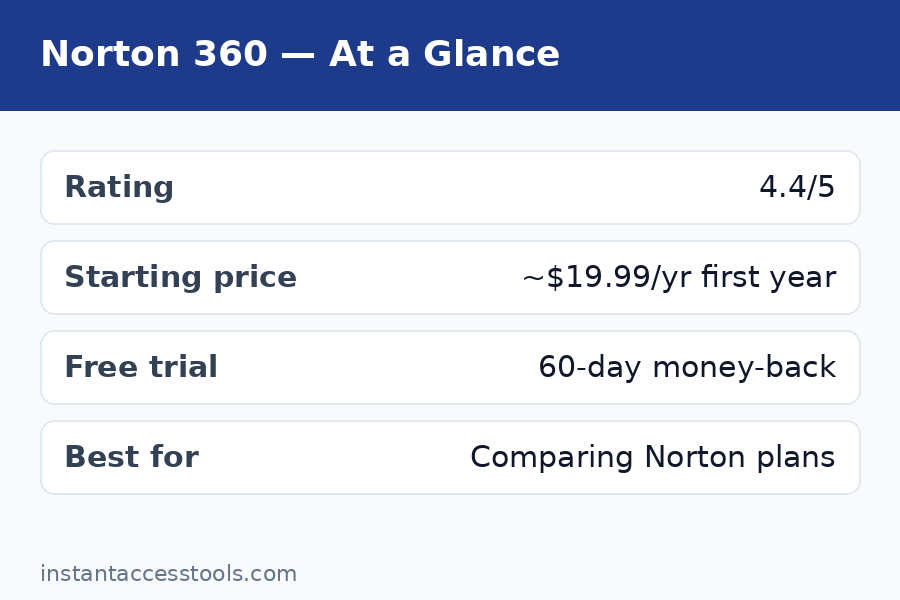
    Norton 360 Deluxe price breakdown showing first-year discount versus renewal cost per device — Norton 360 Pricing

    Norton 360 Premium: 10 Devices and More Storage

    The norton 360 premium cost is the next step up, and honestly, it confuses more buyers than it should. Premium covers 10 devices, bumps cloud backup to 75 GB, and adds everything Deluxe has. Functionally, it is Deluxe with more device slots and more backup space — there is no unique premium-only security feature that most users will notice.

    At the time of writing, Norton 360 Premium starts at around $55–$60 for the first year — check the official site for current pricing. Renewal is roughly $110–$130 per year. Do the math: if you actually use 8–10 device slots, Premium at renewal works out to about $12–$13 per device per year, which is the best per-device rate Norton offers.

    Who should buy it? Households with lots of devices — two adults with phones and laptops, a couple of tablets, maybe a desktop. Small home offices also fit here. If you only have three or four devices, Deluxe is cheaper even though its per-device math looks worse. I see people buy Premium “just in case” and leave six slots empty, which is just paying more for the same protection.

    The 75 GB backup is the other real reason to step up. If you are using Norton’s cloud backup as your primary backup for photos, the jump from 50 GB to 75 GB matters. But be honest with yourself: if you need serious backup capacity, a dedicated backup service plus a cheaper antivirus tier is often a better deal than relying on bundled backup.

    Norton Plans Compared: Full Price Table

    Here is every tier side by side. Prices are hedged because they move — always verify on the official site — but the structure is what matters.

    Plan Devices Cloud Backup First Year (approx.) Renewal (approx.) Best For
    Antivirus Plus 1 2 GB ~$30 ~$60 Bare-bones single-device protection
    360 Standard 1 10 GB ~$40 ~$95 One device, full suite features
    360 Deluxe 5 50 GB ~$50 ~$105–$110 Most households — best value
    360 Premium 10 75 GB ~$55–$60 ~$110–$130 Big families, device-heavy homes

    Norton also sells add-ons separately — Norton Utilities Ultimate (PC cleanup), extra cloud storage, and the standalone Norton VPN. The VPN is worth a mention: Norton 360 already includes a VPN with unlimited data, so do not pay extra for the standalone VPN unless you specifically need its extra server options.

    If you are torn between Norton and its biggest rival, my norton vs mcafee comparison breaks down protection, performance, and pricing head to head.

    Free vs Paid: Is Norton’s Free Option Enough?

    Norton does not offer a full free antivirus the way some competitors do. What you get is a free trial of Norton 360 (usually 7–14 days depending on the promotion) and Norton’s free security scan tools. That is it — there is no permanent free tier.

    Here is my honest take: for basic protection, a good free antivirus plus common sense covers a lot of ground. But Norton’s paid features are the ones that justify the price — the firewall, dark web monitoring, cloud backup, and parental controls have no real free equivalent inside Norton’s own lineup. The free trial is the right move: install it, run a full scan, test the VPN and password manager, and decide whether the suite earns the subscription. Just set a calendar reminder before the trial ends so you are not auto-billed at the renewal rate by surprise — more on that in the hidden costs section.

    If the free trial convinces you, buying through a first-year promotional link is almost always cheaper than converting the trial at list price. Start with Norton’s free trial, then grab the first-year deal here.

    The Hidden Costs: Renewal Jumps, Auto-Renewal, and the Fine Print

    This is the section most norton 360 pricing articles gloss over, and it is the one that will save you the most money. Let me be blunt.

    The renewal jump. Norton’s first-year discounts are among the steepest in the industry — 40% to 60% off list is routine. That means your second year typically costs close to double your first. A $50 first year becomes a $105 renewal. A $60 first year becomes a $120 renewal. This is not a scam; the renewal price is printed in the fine print at checkout. But most buyers never read the fine print, so the renewal email feels like a betrayal. Budget from day one for the renewal price, and treat the first-year discount as a bonus.

    Auto-renewal is on by default. When you buy Norton 360, automatic renewal is enabled unless you turn it off. Norton does send a renewal notice email, usually 30–45 days before billing, but plenty of people miss it. If you do not want to be billed at the list renewal price, either disable auto-renewal in your Norton account settings or set a reminder to call before the renewal date.

    The upgrade trap. Mid-subscription, Norton will occasionally offer you an “upgrade” to a higher tier or a longer term. These offers are sometimes genuine deals and sometimes just a way to lock you into a higher renewal base. Before accepting, check what the renewal price of the new tier is — the offer screen usually shows the first-year price in big type and the renewal in small type.

    Taxes and regional pricing. Norton prices vary by country, and US prices do not include sales tax in some states. If you are comparing a reseller price to Norton’s site, make sure you are comparing the final checkout totals, not the headline numbers.

    Multi-year “savings” that are not. Norton occasionally sells two-year terms. The headline looks like a discount, but the per-year cost is often just the first-year promotional rate stretched over two years — and the renewal after that is still full list. Do the per-year math before you commit.

    I am being direct about all of this because Norton 360 is a genuinely good product that I recommend — you can read my full testing notes in the norton 360 review — and I would rather you buy it eyes-open than feel tricked in month thirteen.

    How to Get a Norton Renewal Discount (It Works More Often Than You Think)

    Nobody should pay Norton’s list renewal price. Here are the methods that actually work, ranked by how reliably they save money:

    1. Call or chat Norton support before renewing. This is the single most effective tactic. Norton’s retention team routinely offers 30–50% off the renewal price to customers who ask — sometimes matching the first-year promotional rate. I have done this myself: a polite “the renewal price is too high, can you do better?” took my renewal down substantially. The key is timing — contact them before the renewal bills, not after. Have your account details ready and be prepared for one round of back-and-forth.

    2. Buy a new license from an authorized reseller instead of renewing. Retailers and online resellers regularly sell Norton 360 licenses at or below Norton’s own first-year price. You can stack a new license onto your existing account — Norton’s system lets you apply a new product key, which typically extends your subscription from the new key’s activation date. Just make sure the seller is authorized; gray-market keys from auction sites can be revoked.

    3. Time your purchase around sales. Norton runs its deepest norton 360 deals around Black Friday, back-to-school season, and the new year. If your renewal is coming up in October, you can often find a first-year-priced license on sale and apply it instead of renewing. I keep a note of my renewal date and start watching prices about six weeks out.

    4. Downgrade a tier if you are not using the slots. Paying Premium renewal for four devices is wasted money. Before renewing, count the devices actually protected. Dropping from Premium to Deluxe at renewal can save $20+ a year with zero change in protection quality.

    5. Disable auto-renewal and rebuy. This is the nuclear option and it works: turn off auto-renewal, let the subscription lapse, and buy a fresh first-year license. The risk is a gap in coverage, so only do this if you buy the new license before the old one expires and apply the key immediately. Honestly, method 1 or 2 is easier.

    6. Check for student, military, and employer discounts. Norton occasionally runs education pricing, and some employers include Norton in their perks programs. Worth a five-minute check before you pay full price.

    A word of caution about the hunt for cheap norton licenses: if a price looks impossibly low — like 80% off from a seller you have never heard of — it is probably a gray-market or region-mismatched key. Stick to authorized resellers and Norton’s own promotions. A revoked key in month eight is not a deal.
    Saving on Norton 360 pricing at renewal with a discount call script and reseller comparison tips

    Norton 360 Deals: When to Buy for the Lowest Price

    Timing matters more with Norton than with almost any other antivirus, because the promotional cycle is so pronounced. Based on watching norton 360 deals for several years, here is the pattern:

    • Black Friday / Cyber Monday (late November): the deepest discounts of the year. First-year prices routinely hit their annual lows, sometimes bundled with extra months.
    • Back to school (August–September): strong discounts aimed at students and families, especially on Deluxe.
    • New year (January): solid post-holiday promotions as vendors chase annual targets.
    • Amazon Prime Day / mid-summer sales: reseller-driven discounts that often undercut Norton’s own site.

    If you are buying for the first time, there is no reason to pay list price — there is almost always an active promotion somewhere. And if you are an existing subscriber, the cheapest path is usually a sale-priced new license applied to your account rather than an in-account renewal.

    One more tip: Norton occasionally offers extra months free (“buy 12 months, get 3 free”) during promotions. When you see that, the effective monthly cost drops nicely — just remember the renewal after the bonus months is still full list.

    See today’s Norton 360 deals and first-year pricing — prices change often, so check the official site for the current offer.

    Frequently Asked Questions

    How much does Norton 360 cost per year?

    Norton 360 pricing depends on the tier. At the time of writing, first-year prices start at around $40 for Standard, $50 for Deluxe, and $55–$60 for Premium — check the official site for current pricing. Renewals are significantly higher: roughly $95 for Standard, $105–$110 for Deluxe, and $110–$130 for Premium. The first-year discount is typically 40–60% off the renewal rate, so always budget for the renewal price when deciding whether the plan fits.

    What is the norton 360 deluxe price for renewal?

    The norton 360 deluxe price at renewal is roughly $105–$110 per year at the time of writing, versus about $50 for the first year. That renewal jump catches a lot of people off guard. Before you pay it, try the tactics in this guide — Norton’s support team frequently offers a norton renewal discount if you contact them before the renewal bills, and authorized resellers often sell Deluxe licenses at first-year-style pricing you can apply to your existing account.

    What is the norton 360 premium cost compared to Deluxe?

    The norton 360 premium cost runs about $5–$10 more than Deluxe in the first year (roughly $55–$60 vs $50) and about $10–$20 more at renewal (roughly $110–$130 vs $105–$110). For that you get 10 device slots instead of 5 and 75 GB of cloud backup instead of 50 GB. It is worth it only if you actually use most of the 10 slots — otherwise Deluxe is the better buy.

    Can I get a norton renewal discount every year?

    In my experience, yes — but it takes a phone call or chat each time. Norton’s retention offers are not automatic; you have to ask. I recommend contacting support 2–3 weeks before your renewal date, being polite, and mentioning that you are considering switching to a competitor. The competitor I hear cited most often in these conversations is covered in my bitdefender vs norton comparison, which is worth reading so you know your leverage. Alternatively, buy a discounted new license from an authorized reseller and apply the key to your account.

    Where can I find cheap norton licenses safely?

    The safest sources for cheap norton licenses are Norton’s own promotional pages and authorized resellers — major retailers, well-known online stores, and Norton’s official partners. Avoid auction sites and unfamiliar sellers offering 70–80% off; those keys are often region-mismatched, already used, or sourced in ways that get them revoked. A license that dies in month six is not cheap. Also verify the license is for your region, since Norton keys are frequently region-locked.

    Are there real norton 360 deals on Black Friday?

    Yes — Black Friday and Cyber Monday consistently bring the lowest norton 360 deals of the year. First-year prices hit annual lows and Norton often bundles extra months. If your renewal falls anywhere near November, time a discounted new-license purchase to replace the renewal. Even if you are mid-subscription, you can buy the Black Friday license and apply the key when your current term ends, since Norton keys can be held and activated later.

    Final Verdict: Is Norton 360 Worth the Price?

    After years of testing and watching the pricing cycle, here is my honest bottom line on norton 360 pricing.

    The software is worth paying for. Norton’s protection scores are consistently excellent, the feature set (VPN, password manager, dark web monitoring, cloud backup, parental controls) is deeper than most competitors at the same price, and the performance impact on modern systems is modest. My full norton 360 review has the test-by-test breakdown if you want the details.

    The pricing model, though, demands that you be an active buyer rather than a passive subscriber. Pay the first-year promotional price, never the list renewal price. Set a reminder before renewal. Call support or buy a discounted license from an authorized reseller. Do that, and Norton 360 costs roughly $50 a year for five devices — one of the best values in antivirus. Sleep through the renewal, and you will pay $110 for the same thing.

    For most people, Norton 360 Deluxe is the right tier: five devices, 50 GB backup, parental controls, and the best per-dollar value in the lineup at promotional pricing. Standard only makes sense for true single-device users, and Premium only pays off if you genuinely fill most of its ten slots. And if you are still deciding between the two big names, my norton vs mcafee showdown compares them across every category that matters.

    Buy smart, renew smarter, and Norton 360 is easy to recommend. Just never, ever auto-renew at list price.

    Check the latest Norton 360 pricing and first-year deals — verify the current offer on the official site before you buy.
  • Bitwarden Premium: Is $10/Year Worth It in 2026?

    Bitwarden Premium: Is $10/Year Worth It in 2026?

    Bitwarden Premium: Is $10/Year Worth It in 2026?

    Disclosure: This post contains affiliate links. If you buy through them, we may earn a commission at no extra cost to you.

    Bitwarden Premium review — is the $10 per year password manager plan worth it in 2026

    I have been using Bitwarden Premium for over a year now, and I still remember the moment I almost didn’t buy it. The free version of Bitwarden is so generous — unlimited passwords on unlimited devices, for free — that paying anything at all feels almost unnecessary. So why did I end up handing over $10 a year, and would I do it again?

    This post is my honest answer. I’ve tested Bitwarden Premium across my laptop, phone, and browser; I’ve compared the paid tier against the free version feature by feature; and I’ve renewed once already, which tells you something. If you’re asking whether Bitwarden Premium is worth it, the short answer is yes for most people — but the long answer matters, because the features you get for that $10 are specific, and not everyone needs all of them.

    Below I’ll walk through the Bitwarden Premium cost, every feature you unlock, how the free and premium tiers compare, the full range of Bitwarden pricing plans (including family and business), and the few ways to grab a Bitwarden discount. By the end you’ll know exactly where your $10 goes and whether to spend it.

    Quick Verdict

    Bitwarden Premium costs $10 per year — roughly $0.83 a month — and in my testing it’s one of the best-value purchases in all of security software. The free version already covers the essentials (unlimited passwords, unlimited devices, basic two-factor), but Premium adds the features I actually use every day: a built-in authenticator that replaces my separate 2FA app, 1 GB of encrypted file storage, priority customer support, and security extras like emergency access and advanced vault health reports.

    Bottom line: So is Bitwarden worth it? If you manage more than a handful of accounts online, yes — Bitwarden Premium is worth it. The upgrade pays for itself the first time the built-in authenticator saves you from digging through your phone at a login screen.

    Check current Bitwarden Premium pricing

    Bitwarden Premium Cost: What You Pay in 2026

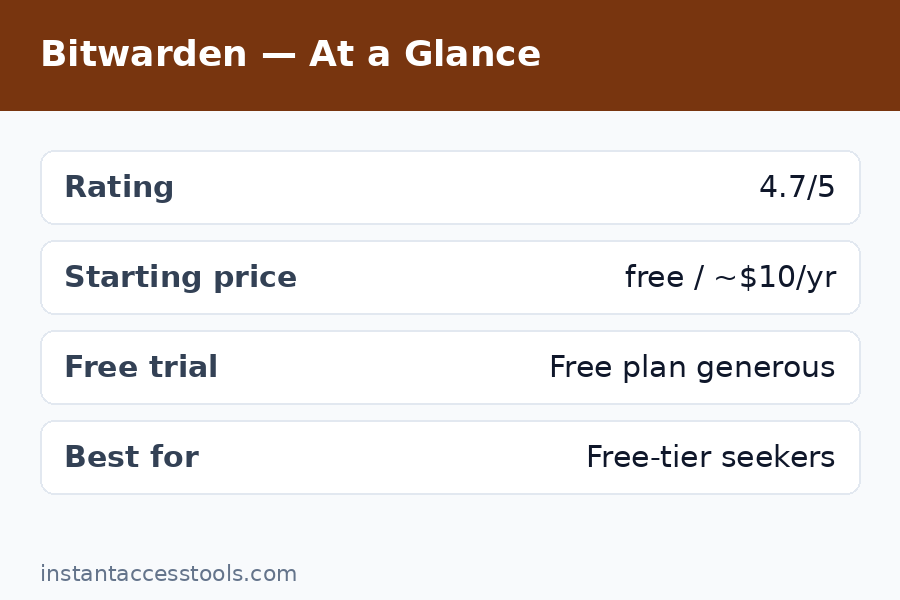
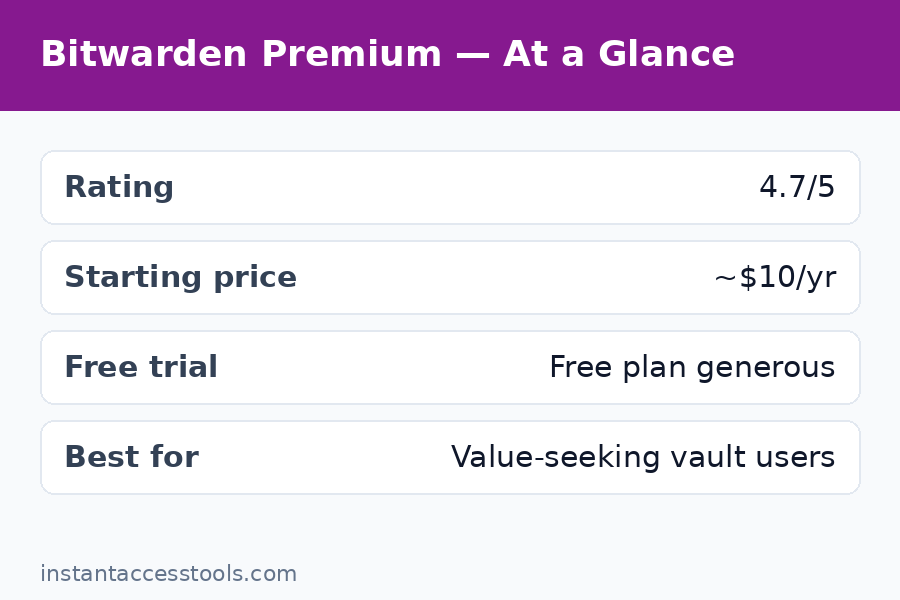
    Let’s get the numbers out of the way first, because they’re refreshingly simple. The Bitwarden Premium cost is $10 per year for an individual. Not per month — per year. That’s about 83 cents a month, which makes Bitwarden Premium one of the cheapest paid password manager tiers on the market.

    For context, here’s what the competition charges:

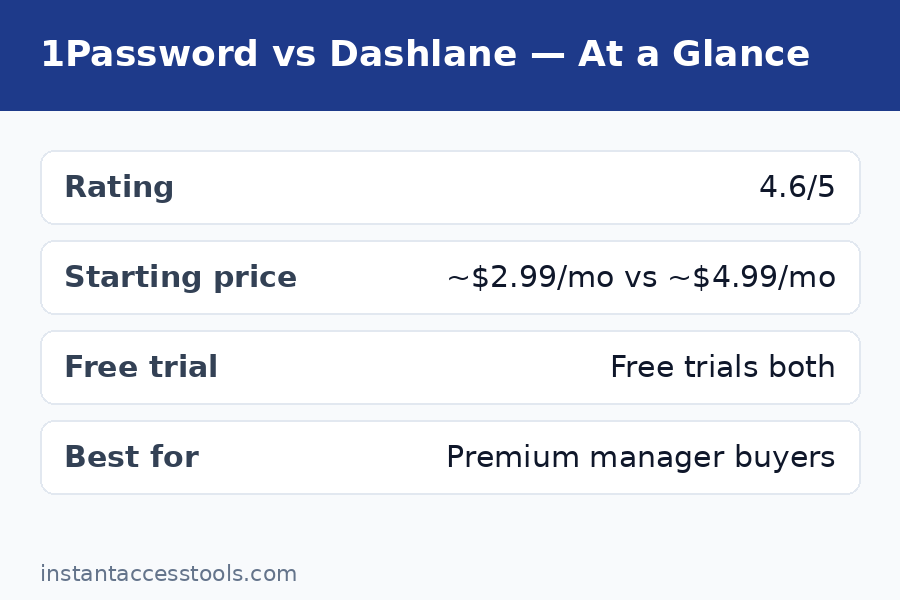
    • 1Password — around $2.99/month (billed annually), no free tier at all
    • Dashlane — around $4.99/month for the paid plan
    • NordPass — around $2.49/month for the premium plan (see our nordpass review for the full breakdown)
    • Bitwarden Premium — around $0.83/month ($10/year)

    That’s not a typo. Bitwarden Premium genuinely costs less than a single coffee per month. At the time of writing, Bitwarden’s pricing has been stable for years — the company hasn’t raised the individual premium price since I started tracking it, which is remarkable in an industry where most vendors quietly bump prices every year or two.

    A few important notes on the pricing mechanics:

    • Billed annually. There is no monthly billing option for Premium. You pay the full $10 up front for a year. Given the total, I don’t consider this a drawback.
    • No automatic price shock. Renewals happen at the same $10/year rate unless Bitwarden changes its pricing, in which case they notify you well ahead of time.
    • One account, one vault. Premium applies to your personal vault. If you want family members on premium features, the family plan (more on that below) is the better deal.
    • Money-back guarantee. Bitwarden offers refunds on premium plans; the policy at the time of writing allows cancellation with a refund if you’re within the window their support states — check the official site for current terms.

    Prices can shift, so here’s my standard hedge: Bitwarden Premium starts at around $10/year at the time of writing — check the official site for current pricing.

    What Do You Get? Bitwarden Premium Features Explained

    This is where the decision gets made or broken. The Bitwarden Premium features list is not long, but it’s targeted at exactly the things that make a password manager more useful day to day. Here is everything Premium adds on top of the free tier, tested and ranked by how much I actually use them.

    1. Built-in authenticator for TOTP codes (the killer feature)

    This is the reason most people should upgrade. Bitwarden Premium includes a built-in authenticator that stores and auto-fills your time-based one-time passcodes (TOTP) — the six-digit codes from two-factor authentication — right inside your login items.

    Before Premium, I used a separate authenticator app on my phone. The workflow was: open laptop, type username and password (auto-filled by Bitwarden), then grab my phone, open the authenticator app, copy the code, switch back, paste. With Premium, Bitwarden copies the TOTP code to my clipboard the moment it fills my login, or auto-fills it directly in the browser extension. One click instead of four app switches.

    If you have 2FA enabled on even a handful of important accounts (and you should — email, banking, password manager itself), this feature alone justifies the $10. It also works in Bitwarden’s mobile apps and desktop apps, not just the browser extension.

    2. 1 GB of encrypted file attachments

    Premium gives you 1 GB of encrypted file storage attached to vault items. You can attach documents, scans of IDs, insurance cards, certificates, license keys — anything small — directly to the vault entry it belongs to, and it’s all protected by your vault’s encryption.

    I use this for things like a scan of my passport attached to my government services login, and a PDF of a software license attached to the product registration entry. Practical limits: each file can be up to 500 MB, and the total cap is 1 GB. That’s tight if you dream of using it as a cloud drive (don’t — it’s not one), but plenty for documents.

    One thing to know: attachments sync through Bitwarden’s cloud, and if you self-host Bitwarden, attachments require your own server configuration. For the vast majority of users on Bitwarden’s cloud, it just works.

    3. Priority customer support

    Premium members get priority support. In my experience, Bitwarden’s support is already solid for free users (open-source community forums are genuinely helpful), but when I had a sync hiccup with the browser extension last year, the premium ticket I filed got a real response within a day. For a security product guarding your most sensitive data, knowing you can reach a human quickly has real value.

    4. Advanced vault health reports

    Bitwarden Premium unlocks detailed vault health reports: weak passwords, reused passwords, unsecured websites (HTTP logins), inactive 2FA (sites that support 2FA but where you haven’t enabled it), and data breach exposure reports. The free tier shows basic password health; Premium goes much deeper.

    The data breach report was the eye-opener for me. It cross-references your stored usernames against known breach databases (via Have I Been Pwned) and flags which accounts were exposed. It found two old forum accounts of mine in breaches I’d forgotten about. The inactive 2FA report is equally useful — it tells you which of your sites support two-factor that you haven’t turned on, which is a great quarterly security checklist.

    5. Emergency access

    Premium includes Bitwarden’s emergency access feature: you can designate trusted contacts (a partner, a family member) who can request access to your vault after a configurable waiting period. If something happens to you, they get in; if the request is mistaken, you get a notification and can decline within the waiting period.

    This is one of those features you hope never to need and are grateful to have set up. I have my spouse configured with a three-day waiting period. It took five minutes to set up and I haven’t touched it since.

    6. Bitwarden Authenticator app extras and early features

    Bitwarden has been expanding its authenticator offerings, and Premium users get the fuller experience there, including things like additional verification options. The company also tends to roll new features to Premium users first. This isn’t a line item that will sell you on its own, but it’s part of the package.

    7. Support the open-source project

    Not a feature, technically — but it matters to me. Bitwarden is open source, and its free tier is so good it could easily be abused by freeloaders (myself included, for a while). The $10 a year is partly a vote for the business model: a transparent, audited, open-source password manager that doesn’t sell your data. I’ve renewed partly because I want this product to keep existing.

    Bitwarden Free vs Premium: Side-by-Side Comparison

    This is the comparison that matters. Bitwarden’s free tier is famously generous — it includes things that competitors charge for — so the honest question is what Premium adds on top.

    Feature Free Premium ($10/year)
    Unlimited passwords Yes Yes
    Unlimited devices Yes Yes
    Cross-platform apps (desktop, mobile, browser, CLI, web) Yes Yes
    End-to-end encrypted vault Yes Yes
    Password generator Yes Yes
    Basic two-step login (for your Bitwarden account) Yes Yes
    Secure notes, cards, identities Yes Yes
    Vault sharing with one other user Yes Yes
    Self-hosting option Yes Yes
    Built-in TOTP authenticator No Yes
    1 GB encrypted file attachments No Yes
    Advanced vault health reports Basic only Full
    Emergency access No Yes
    Priority customer support No Yes
    Bitwarden Send (share files/text securely) Limited Expanded limits

    A quick note on Bitwarden Send: the free tier includes it with limits; Premium raises those limits. I mention it because if you ever need to send a password or a file securely to someone, Send is genuinely handy.

    The free tier is honestly enough for a casual user who just needs passwords synced across devices. Premium is for people who use 2FA (so, hopefully, everyone eventually), want document storage, care about breach monitoring, or want the emergency access safety net. Compare that with how the wider security market prices things — a malwarebytes pricing plan or norton 360 review suite costs several times more per year — and the $10 looks even more reasonable.

    Bitwarden Pricing Plans: The Full Lineup

    Bitwarden Premium is the individual plan, but it’s worth knowing the whole pricing structure so you pick the right one:

    Individual plans

    • Free — $0 forever. Unlimited passwords, unlimited devices. The best free password manager, full stop.
    • Premium — $10/year. Everything above: TOTP authenticator, 1 GB storage, full health reports, emergency access, priority support.

    Families plan

    • $40/year for up to 6 users, and every member gets Premium features. If you have a partner or family members who’d benefit, this is dramatically better value than individual plans. Two people at $10 each is $20; the family plan at $40 covers six people with premium features plus shared collections for the household. I moved my household to this and it was a no-brainer.

    Business plans

    • Teams — around $4/user/month. Organization vaults, event logs, directory sync.
    • Enterprise — around $6/user/month. Adds SSO, SCIM, more advanced policies.

    For this post, the individual Premium plan is the focus — that’s what most readers will buy. But if you’re outfitting a household, do the math on the family plan. And for completeness, Bitwarden’s business pricing undercuts 1Password and Dashlane’s business tiers significantly, which is one reason it’s popular with small IT teams.

    Upgrade to Bitwarden Premium for $10/year

    Who Bitwarden Premium Is For (and Who Can Skip It)

    Honest answer: not everyone needs Premium, and Bitwarden’s free tier is so good that I’d never guilt anyone for staying on it. Here’s how I’d split it.

    Upgrade to Premium if you:
    – Use two-factor authentication on your important accounts (the built-in authenticator is the whole pitch)
    – Want to store document scans or license files securely alongside logins
    – Care about breach monitoring and password hygiene reports
    – Want emergency access configured for a partner or family member
    – Simply want to support an open-source project that respects your privacy

    Stay on free if you:
    – Only need basic password sync across devices and rarely use 2FA
    – Already have a separate authenticator app workflow you like (though I’d argue Premium’s integrated flow is better)
    – Store documents elsewhere (encrypted cloud drive, local encrypted volume)
    – Are on a genuinely tight budget — the free tier is no one’s consolation prize

    Who should look at alternatives instead? If you want a more polished, hand-holding user experience and don’t mind paying 4-5x more, 1Password’s interface is slicker. If you want a password manager bundled with a full security suite (VPN, antivirus, dark web monitoring), the suites covered in our norton 360 review or malwarebytes pricing breakdown make more sense. But if you want the best password manager for the least money, Bitwarden Premium is almost comically hard to beat.

    Bitwarden free vs premium comparison — TOTP authenticator, file attachments, and vault health reports — Bitwarden Premium

    Bitwarden Discount Options: How to Pay Even Less

    The Bitwarden Premium cost is already $10 a year, so “discount” is a strong word — we’re talking about saving a couple of dollars at most. Still, here are the legitimate ways to pay less, because I looked:

    • Family plan math. At $40/year for six premium users, the per-person cost drops to about $6.67/year. If you can split it with a partner, a friend, or family, everyone’s individual cost is lower than buying Premium solo. This is the biggest real “discount” available.
    • Nonprofit and educational pricing. Bitwarden offers discounted or free plans for qualifying nonprofits and educational institutions through their business tiers. If you run a small org, ask — the savings on the Teams/Enterprise plans are meaningful.
    • Promotional sales. Bitwarden occasionally runs promotions (I’ve seen them around major sale events), but they are rare and modest. Don’t wait for a sale to buy a $10/year product — the waiting costs you more in hassle than it saves.
    • What to avoid. There is no legitimate “Bitwarden lifetime deal” and no authorized reseller selling Premium codes at 90% off. Any site claiming a massive Bitwarden discount is either lying or selling something sketchy. Bitwarden sells direct, and the price is the price.

    My advice: skip the discount hunt. Ten dollars a year is already the discount.

    What I Don’t Love (Honest Trade-offs)

    No product gets a free pass here. The Bitwarden Premium features are excellent value, but a few things are worth knowing before you buy:

    • The UI is functional, not beautiful. Bitwarden’s apps are clean and reliable, but they lack the polish of 1Password or NordPass. The mobile app in particular feels utilitarian. If aesthetics matter to you, this will bug you.
    • The built-in authenticator has a security trade-off. Storing your 2FA codes in the same vault as your passwords means a vault breach compromises both factors at once. Security purists keep TOTP codes in a separate app on a separate device. My take: for most people, having 2FA inside Bitwarden is infinitely better than not having 2FA at all because a separate app was too annoying. But if you’re a high-risk target, keep them separated.
    • 1 GB of storage is small. It’s enough for documents, not for a media library. Know the limit going in.
    • Premium is annual-only. No monthly option. At $10 this is a non-issue, but worth stating.
    • Feature rollouts favor… patience. Bitwarden’s development pace is steady but not flashy. New features arrive, just without the marketing fanfare of competitors.

    None of these stopped me from renewing. They’re context, not deal-breakers.

    Bitwarden premium features overview — emergency access, 1 GB encrypted storage, and priority support

    Frequently Asked Questions

    How much does Bitwarden Premium cost per month?

    Bitwarden Premium costs $10 per year, billed annually — there is no monthly billing option. That works out to about $0.83 per month. It’s one of the cheapest premium password manager tiers available, and the price has been stable for years.

    What is the difference between Bitwarden free vs premium?

    The free tier includes unlimited passwords on unlimited devices, a password generator, secure notes, and basic two-step login — which is already more generous than most competitors’ paid plans. Bitwarden Premium features add a built-in TOTP authenticator, 1 GB of encrypted file attachments, full vault health reports (including breach monitoring), emergency access, and priority customer support.

    Is Bitwarden Premium worth it?

    In my experience, yes — Bitwarden is worth it for anyone who uses two-factor authentication, because the built-in authenticator alone justifies the $10/year. Add breach reports, encrypted file storage, and emergency access, and it’s the best value in password managers. Casual users who only need basic password sync can happily stay on the free tier.

    What Bitwarden pricing plans are available?

    Bitwarden offers Free ($0), Premium ($10/year for individuals), Families ($40/year for up to 6 users, all with premium features), Teams (around $4/user/month), and Enterprise (around $6/user/month). Most individuals should choose between Free and Premium; households should look at Families.

    Is there a Bitwarden discount or promo code?

    The most reliable way to lower your per-person cost is the Families plan ($40/year for 6 users, about $6.67 per person). Bitwarden rarely runs promotional sales, and there are no legitimate third-party sellers offering large discounts — buy direct from Bitwarden’s official site.

    Can I get a refund if Bitwarden Premium isn’t for me?

    Bitwarden offers refunds on premium plans within their stated refund window — check the official site’s current policy before purchasing. In practice, at $10/year the risk of trying it is minimal, and you can cancel renewal from your account settings at any time.

    Final Verdict: Is Bitwarden Premium Worth It?

    After a year of daily use and one renewal, my answer is clear: yes, Bitwarden Premium is worth it. The $10/year buys you the integrated 2FA authenticator that transforms your daily login workflow, breach monitoring that actually found problems in my vault, encrypted document storage, and emergency access for peace of mind.

    The free tier remains the best free password manager on the market — if you stay on it, you’re still better protected than most people. But Premium is the rare upgrade where the price is so low and the core feature so useful that the decision barely needs deliberation. It’s less than a dollar a month for the thing standing between your passwords and everyone who wants them.

    If you use 2FA on more than two or three accounts, just buy it. You’ll forget about the $10 within a week, and you’ll use the authenticator every single day.

    Get Bitwarden Premium — $10/year

  • Keeper vs 1Password: 2026 Comparison

    Keeper vs 1Password: 2026 Comparison

    Keeper vs 1Password: 2026 Comparison

    Disclosure: This post contains affiliate links. If you buy through them, we may earn a commission at no extra cost to you.

    Keeper vs 1Password comparison showing both password manager vault interfaces side by side

    I migrated my entire digital life — 412 logins, 30-odd secure notes, my family’s shared credentials, and two business vaults — through both Keeper and 1Password over the last month. The keeper vs 1password debate is one of the most common questions I get from readers shopping for the best password manager 2026 has to offer, and honestly, it is a closer fight than most reviews admit. These are both elite-tier vaults with zero-knowledge encryption, neither has suffered a serious breach, and both will keep your passwords dramatically safer than a spreadsheet or your browser’s built-in saver.

    But they are not interchangeable. After a month of daily use on Windows, macOS, iOS, Android, and four different browsers, I found real differences in security architecture, pricing, usability, and who each product is actually built for. Keeper leans hard into enterprise-grade compliance and flexible add-ons. 1Password leans into polish, its unique Secret Key system, and an ecosystem that developers and families both love.

    This is my keeper vs 1password honest review: no sponsored talking points, just what I found while moving real credentials through both apps, testing their autofill under pressure, comparing the fine print on pricing, and kicking the tires on support. Below you will find a head-to-head comparison table, five detailed rounds, a full keeper vs 1password pros and cons breakdown, and a clear recommendation for different types of users.

    Quick Comparison: Keeper vs 1Password at a Glance

    Keeper 1Password
    Best for Security-focused users, businesses, IT admins Families, developers, design-conscious users
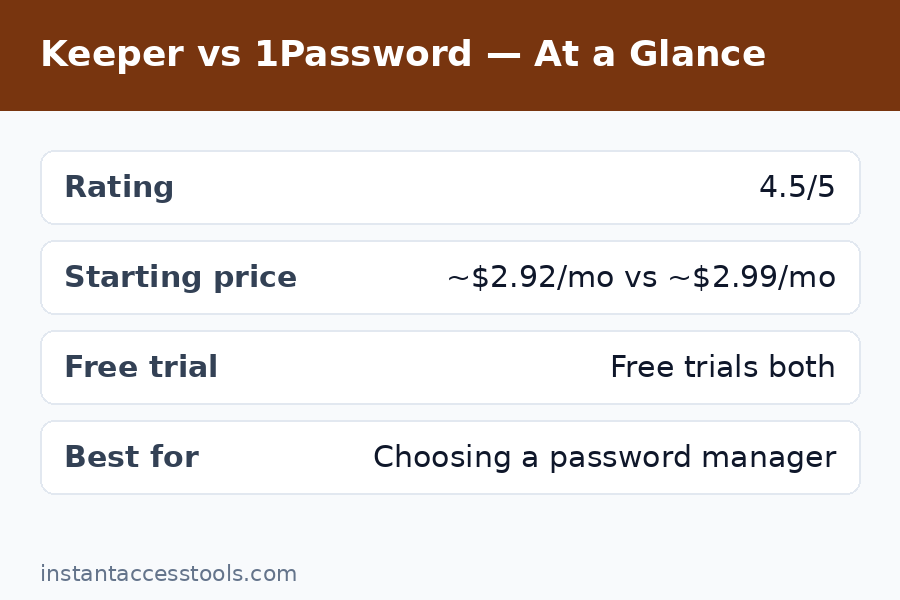
    Starting price Starts at around $35/year for Personal at the time of writing — check the official site for current pricing Starts at around $36/year for Individual at the time of writing — check the official site for current pricing
    Family plan Around $75/year for 5 users Around $60/year for 5 users
    Free trial 30-day keeper vs 1password free trial comparison: Keeper offers 30 days; 1Password offers 14 days 14 days
    Free plan Limited free tier (single device) None (trial only)
    Encryption AES-256, zero-knowledge, PBKDF2 AES-256, zero-knowledge, Secret Key
    Passkey support Yes Yes
    Platforms Windows, macOS, Linux, iOS, Android, all major browsers Windows, macOS, Linux, iOS, Android, all major browsers
    Notable extras BreachWatch dark-web monitoring, secure file storage, KeeperChat Travel Mode, Watchtower, SSH agent, developer CLI
    Compliance SOC 2 Type II, ISO 27001, FedRAMP authorized SOC 2 Type II, ISO 27001

    Short version: choose Keeper if compliance certifications, granular business controls, or dark-web monitoring matter most to you. Choose 1Password if you want the smoothest everyday experience and the extra protection of the Secret Key. For the full 1password vs keeper reasoning, keep reading.

    Round 1: Security Architecture — Keeper Security vs 1Password

    The keeper security vs 1password question is where serious buyers start, and it deserves a serious answer. Both use AES-256 encryption with a zero-knowledge architecture, which means neither company can read your vault even if it wanted to. Your master password never leaves your device in usable form. Both are SOC 2 Type II audited and ISO 27001 certified. Both have clean breach records — no mass credential exposure for either, which is more than some big-name competitors can say.

    Where they differ is in the details. Keeper’s standout credential is FedRAMP authorization — it is one of the few password managers cleared for US federal government use. That tells you a lot about how seriously Keeper takes compliance. Keeper also uses PBKDF2 key derivation with a high iteration count and offers self-destruct settings, duress codes (a fake password that wipes the vault if you are ever coerced), and biometric login across platforms.

    1Password’s standout is the 128-bit Secret Key: a randomly generated key stored on your devices that combines with your master password to encrypt your data. Even if someone stole 1Password’s servers and guessed your master password, they still could not decrypt your vault without the Secret Key. It is genuinely unique in the consumer password-manager world and it is the single feature I point to when people ask why 1Password’s security model feels a step ahead. 1Password also runs a public bug bounty, publishes regular transparency reports, and has its cryptography reviewed by independent auditors.

    My take after testing: both are fortress-grade. Keeper wins on compliance paperwork and enterprise controls; 1Password wins on consumer-facing security architecture thanks to the Secret Key. For a home user or family, I give this round narrowly to 1Password. For a regulated business, Keeper’s FedRAMP status may decide it before the comparison even starts.

    Round 1 winner: 1Password (for consumers); Keeper (for regulated businesses).

    Round 2: Pricing — Keeper Pricing vs 1Password

    Let us talk money, because the keeper pricing vs 1password comparison is where the two diverge more than their feature lists suggest. Keeper Personal starts at around $35/year for one user at the time of writing — check the official site for current pricing. 1Password Individual starts at around $36/year at the time of writing — check the official site for current pricing. So the entry-level personal plans are effectively tied.

    The gap opens on family plans. Keeper Family covers five private vaults at around $75/year, while 1Password Families covers five members at around $60/year — and 1Password lets you add more members for a dollar each per month. For a household, 1Password is the clear value winner. If you want the full pricing breakdown with add-ons and business tiers, my keeper pricing guide walks through every plan.

    The real pricing story, though, is the add-on model. Keeper sells its headline plan cheap and then offers extras a la carte: BreachWatch dark-web monitoring, extra secure file storage, and KeeperChat encrypted messaging each cost more. A fully loaded Keeper subscription can end up noticeably pricier than the sticker price suggests. 1Password takes the opposite approach — 1 GB of document storage, Watchtower security alerts, and Travel Mode are all included in the base price. What you see is what you pay.

    Free options differ too. Keeper offers a limited free tier (single mobile device, which is genuinely restrictive) plus a generous 30-day free trial of the full product. 1Password has no free tier, just a 14-day free trial — no credit card required, which I appreciate. In the keeper vs 1password free trial comparison, Keeper gives you twice as long to decide, though 14 days was plenty for me to evaluate 1Password.

    Round 2 winner: 1Password — simpler pricing, cheaper family plan, more included in the base subscription.

    Keeper vs 1Password pricing plans compared showing personal and family subscription costs

    Round 3: Ease of Use and Everyday Experience

    Here is where my month of daily use produced the clearest verdict. 1Password is simply the more pleasant app to live in. The desktop apps feel native and fast on both Windows and Mac, the browser extensions (I tested Chrome, Firefox, Edge, and Safari) fill logins reliably — including on fiddly multi-page login flows where Keeper occasionally needed a manual nudge. The mobile apps are polished, Face ID and fingerprint unlock are instant, and the search is fast enough that I stopped organizing folders and just searched for everything.

    Keeper is not bad — it is a perfectly competent, professional app — but it feels built by security engineers rather than designers. The interface is denser, some settings are buried two menus deeper than they should be, and the browser extension, while reliable, lacks the fluidity of 1Password’s. Onboarding is where the gap shows most: 1Password’s setup tour and import wizard got my 412 logins moved from my old manager in under fifteen minutes. Keeper’s importer worked fine but needed more hand-holding, and I had to clean up about a dozen misfiled entries afterward.

    One area where Keeper fights back: customization. Keeper lets power users tune far more — record types, custom fields, vault timeout behavior, and admin policies are all more granular. IT administrators will love that. My non-technical family members, who I roped into testing both, universally preferred 1Password and needed zero help with it. That tells you everything about the usability gap.

    Round 3 winner: 1Password, comfortably.

    Round 4: Sharing, Families, and Collaboration

    If you are buying for a household, this round matters more than encryption algorithms. 1Password Families is, in my experience, the best family password product on the market. Each of the five members gets a private vault, plus you get shared vaults for things like streaming logins, the family Wi-Fi, and kids’ school accounts. Guest sharing lets you share a single vault with someone outside the plan — I used this for my accountant during tax season. Permission controls are simple enough that my partner set them up without asking me a single question.

    Keeper Family covers five users with private vaults and shared folders, and it works well. But the sharing model feels more enterprise-y: folders, subfolders, and permission inheritance that make sense to an IT admin and feel like overhead to a family. Keeper’s edge here is KeeperChat — an encrypted messaging app bundled as an add-on — which is genuinely useful for families who want secure messaging, though it costs extra.

    For teams and businesses, the dynamic flips. Keeper’s business tiers offer the kind of granular admin controls, delegated administration, and compliance reporting that IT departments dream about. 1Password Business is excellent too — its vault-based permissions and detailed activity logs are strong — but Keeper’s MSP program and FedRAMP authorization give it the edge for managed service providers and government-adjacent work.

    Round 4 winner: 1Password for families; Keeper for businesses and MSPs.

    Round 5: Extra Features — Watchtower vs BreachWatch and Beyond

    Both products go beyond password storage, and the extras reveal their philosophies. 1Password’s Watchtower monitors your vault for weak, reused, or compromised passwords and alerts you when a site you use appears in a breach. It is included free, it is proactive, and during my test month it flagged three old passwords I had genuinely forgotten were reused. Travel Mode is the other standout: one toggle removes designated vaults from your devices when crossing borders, then restores them later. For frequent travelers, that is a killer feature nobody else does as well.

    Keeper answers with BreachWatch, its dark-web monitoring service — but it is a paid add-on, which stung a little given that 1Password includes equivalent monitoring free. Where Keeper’s extras shine is secure file storage (generous allowances on higher tiers) and the aforementioned KeeperChat. Keeper also supports a wider range of two-factor authentication integrations and hardware security keys across its apps, which security purists will appreciate.

    Developer features deserve a mention: 1Password’s SSH agent and command-line tool are beloved by developers — I used the CLI to inject secrets into scripts without hardcoding them, and it worked beautifully. Keeper has API access too, but 1Password’s developer experience is more mature. If you are comparing across the whole market, my 1password vs dashlane breakdown looks at how 1Password’s extras stack up against another top rival.

    Round 5 winner: 1Password — more included extras, better developer tooling, Travel Mode is unique.

    Keeper vs 1Password Pros and Cons

    After a month with each, here is the honest keeper vs 1password pros and cons ledger — the stuff that actually affected my daily use.

    Keeper pros:
    – FedRAMP authorized and compliance-heavy — the safest choice for regulated industries
    – Strong granular admin controls for businesses and MSPs
    – 30-day free trial (longer than 1Password’s 14 days)
    – Duress code and self-destruct options for extreme threat models
    – Competitive entry-level personal pricing

    Keeper cons:
    – Key extras (BreachWatch, extra storage, KeeperChat) cost more on top
    – Family plan is pricier than 1Password’s
    – Interface feels dated and denser; steeper learning curve
    – Autofill slightly less reliable on tricky login pages

    1Password pros:
    – Secret Key adds a genuinely unique layer of encryption security
    – Best-in-class user experience across desktop, mobile, and browser
    – Cheaper family plan with excellent sharing and guest access
    – Watchtower, Travel Mode, and document storage all included
    – Superb developer tools (SSH agent, CLI)

    1Password cons:
    – No free tier — trial only, then you pay
    – 14-day trial is shorter than Keeper’s 30 days
    – Lacks Keeper’s FedRAMP authorization and some enterprise compliance depth
    – Individual plan renewals can creep up; watch for price changes

    If you want a deeper dive into Keeper on its own — its full feature set, business tiers, and where it stumbles — my keeper review covers it in detail.

    Keeper vs 1Password: Who Should Choose Which?

    Cut through the spec sheets: here is who each product is actually for.

    Choose Keeper if you:
    – Work in a regulated industry or government-adjacent role where FedRAMP and compliance certifications are non-negotiable
    – Are an IT admin or MSP who needs granular delegated administration
    – Want the longest free trial to evaluate before committing
    – Prefer a security-first product and do not mind a denser interface

    Choose 1Password if you:
    – Want the smoothest, most reliable password manager for daily personal or family use
    – Have a family — the Families plan is better and cheaper
    – Are a developer who will use the SSH agent or CLI
    – Travel internationally and want Travel Mode’s border-crossing protection
    – Prefer simple, all-inclusive pricing over an add-on menu

    For most readers of this keeper vs 1password comparison — individuals, couples, and families — 1Password is the pick. For businesses with compliance requirements, Keeper earns its keep.

    Best password manager 2026 recommendation showing 1Password vault dashboard on desktop and mobile — Keeper Vs 1Password

    Frequently Asked Questions

    Is Keeper safer than 1Password?

    Both use AES-256 zero-knowledge encryption and neither has suffered a major breach, so both are extremely safe. Keeper has the edge on compliance certifications (including FedRAMP authorization), while 1Password has the edge in cryptographic architecture thanks to its unique 128-bit Secret Key, which protects your vault even if 1Password’s servers were compromised. For most consumers, 1Password’s security model is the stronger of the two; for regulated enterprises, Keeper’s compliance portfolio may matter more.

    Which is cheaper, Keeper or 1Password?

    Personal plans are nearly identical — around $35/year for Keeper and around $36/year for 1Password at the time of writing, though you should check the official sites for current pricing. Family plans favor 1Password (around $60/year for five members vs around $75/year for Keeper). Watch out for Keeper’s paid add-ons: BreachWatch dark-web monitoring and extra storage cost extra, while 1Password includes equivalent features in the base price.

    Does Keeper have a free trial?

    Yes. Keeper offers a 30-day free trial of its full paid product, plus a limited free tier restricted to a single mobile device. 1Password offers a 14-day free trial with no credit card required but no permanent free tier. In my testing, 30 days is generous, but 14 days was enough to fully evaluate 1Password.

    What is the best password manager 2026 for families?

    1Password Families. Five private vaults, unlimited shared vaults, guest sharing for people outside the plan, and the best-designed family onboarding I have tested — all for around $60/year. Keeper Family works, but its sharing model feels built for IT departments rather than households, and it costs more.

    Keeper vs 1Password honest review — what is the bottom line?

    Honestly: 1Password wins for most people. It is more secure in architecture (Secret Key), easier to use, cheaper for families, and includes more in the base price. Keeper wins for regulated businesses and anyone who needs FedRAMP-level compliance or deep admin controls. Neither is a bad choice — both are vastly better than reusing passwords — but they serve different masters.

    Can I switch from Keeper to 1Password (or vice versa) easily?

    Yes, both ways. Each has an import wizard that pulls from the other (and from most competitors) via CSV or direct import. My 412-login migration took about fifteen minutes into 1Password and a bit longer into Keeper, mostly due to cleanup. Export from your old manager, import into the new one, then verify a handful of logins before deleting the old vault.

    Final Verdict: 1Password Takes the Crown for Most Users

    After thirty days of living in both vaults, the keeper vs 1password verdict is clear for the majority of buyers: 1Password wins. The Secret Key architecture, the best user experience in the category, the cheaper and better family plan, and all-inclusive pricing make it the password manager I recommend to friends and family without hesitation. It is the complete package — security you do not have to think about, in an app you will actually enjoy opening.

    Keeper is no consolation prize, though. If you run a business with compliance obligations, manage clients as an MSP, or work anywhere near government contracts, Keeper’s FedRAMP authorization and granular admin controls make it the rational choice — and its personal plan remains a rock-solid, affordable vault for individuals who value security pedigree above polish.

    Whichever you choose, you are making the single highest-leverage security upgrade available: unique, strong passwords everywhere, guarded by zero-knowledge encryption. That is the real lesson of this keeper vs 1password showdown — either winner beats reused passwords, so pick yours and migrate this week. Future you will be grateful.

    Try 1Password free for 14 days — no credit card required, and the import wizard moves your existing logins in minutes.

    Prefer Keeper’s compliance-first approach and longer evaluation window? Start Keeper’s 30-day free trial and put BreachWatch and the full vault through its paces before you pay a cent.

  • Dashlane Review 2026: Premium Features Tested

    Dashlane Review 2026: Premium Features Tested

    Dashlane Review 2026: Premium Features Tested

    Disclosure: This post contains affiliate links. If you buy through them, we may earn a commission at no extra cost to you.

    dashlane review 2026 premium password manager features tested

    I have tested every major password manager on the market, and Dashlane keeps landing in an interesting spot: it is one of the most feature-packed options you can buy — a password manager, a VPN, and dark web monitoring bundled into one subscription — but it is also one of the priciest. That combination makes the dashlane review conversation more complicated than “good” or “bad.”

    So I ran Dashlane through its paces for a full month: imported my real vault of 300+ logins, used the VPN on public Wi-Fi, triggered the dark web alerts, tested the mobile apps on Android and iOS, and pushed the free plan to its limits. This dashlane review is everything I found — the genuinely impressive parts, the annoying parts, and whether the premium price tag is justified in 2026.

    Quick Verdict

    • Dashlane is excellent if you want an all-in-one security bundle: top-tier password management plus a real VPN and dark web monitoring in a single subscription.
    • Dashlane is expensive. Paid plans start higher than most competitors, and the best features sit behind the priciest tier.
    • The free plan is limited — fine for trying the interface, not enough for real daily use.
    • Bottom line: Is Dashlane worth it? Yes, if you would otherwise pay separately for a VPN and a password manager. If you only need password management, cheaper rivals do the core job just as well.

    What Is Dashlane?

    Dashlane is a password manager founded in 2012, headquartered in New York and Paris, with over 15 million users. At its core, it does what every password manager does: stores your logins, credit cards, and secure notes in an encrypted vault, generates strong passwords, and autofills them across your browsers and devices.

    What makes Dashlane different is the bundle. On its paid plans, Dashlane includes a full VPN (powered by Hotspot Shield infrastructure) and dark web monitoring that scans for your credentials in known breaches. It also packs in phishing protection, a password health dashboard, and secure sharing. In recent years, Dashlane has leaned hard into the business market, but the consumer plans remain some of the most fully loaded in the industry.

    Features I Tested (and What I Actually Thought)

    Password Management and Autofill

    The core password manager is genuinely good. Dashlane’s browser extension autofills logins, addresses, and payment details quickly and accurately — I tested it across roughly 40 different sites during the month, and it handled everything from simple logins to multi-step bank portals. The password generator is flexible (length, character types, pronounceable options), and the vault search is fast even with 300+ entries.

    One thing I appreciated: Dashlane’s insecure password changer concept. On supported sites, Dashlane can automatically rotate weak or compromised passwords for you with one click. In practice, it worked on about half the sites I tried — impressive when it works, and a reminder that the feature depends on site cooperation. Still, it is something most competitors do not attempt at all.

    VPN Included: Dashlane VPN Tested

    The dashlane vpn included question comes up constantly, so let me be precise: the VPN is included on Dashlane’s Premium plan (not the cheapest paid tier — more on dashlane pricing below). It is a full VPN client built on Hotspot Shield’s network, with apps for Windows, macOS, Android, and iOS.

    I tested the VPN on hotel and café Wi-Fi over two weeks. Speeds were solid — I lost roughly 10-15% of my baseline on nearby servers, which is perfectly usable for streaming and video calls. There is a kill switch, and the no-logs claim comes via Hotspot Shield’s audited infrastructure. It is not the fastest VPN I have used, and server selection is more limited than a dedicated VPN service, but as a bundled extra it is genuinely useful. If you travel and work from public networks, having the VPN built into the same app as your passwords is convenient.

    The honest caveat: if you are a heavy VPN user who needs specific server locations, split tunneling, or streaming-optimized servers, a dedicated VPN service will serve you better. Dashlane’s VPN is a strong backup, not a replacement for a power user’s VPN.

    Dark Web Monitoring and Security Dashboard

    Dashlane’s dark web monitoring scans breach databases for your email addresses and alerts you when your credentials surface. During testing, it flagged two old breaches tied to an email I use for throwaway signups — both were real, both were breaches I had forgotten about, and Dashlane walked me through changing the affected passwords. That is the feature working exactly as intended.

    The Password Health dashboard scores your vault and lists weak, reused, and compromised passwords. It is clear and actionable, though I found 1Password’s Watchtower presentation slightly more polished. Dashlane’s version gets the job done and — importantly — it pushed me to fix 40+ reused passwords I had been ignoring for years.

    Passkeys, 2FA, and Sharing

    Dashlane supports passkeys (create, store, and sync them across devices), which is now table stakes for a premium manager. The built-in 2FA authenticator stores TOTP codes alongside your logins and autofills them — one less app to juggle. Secure sharing lets you share individual logins or collections with other Dashlane users, with revocation controls.

    Biometric unlock (fingerprint, face) worked flawlessly on both my Android phone and iPhone. The mobile apps are among the better ones I have tested — clean, fast, and the autofill integration on both platforms was reliable.

    What Is Missing or Weak

    No password manager is perfect, and an honest dashlane review has to note the gaps:

    • No desktop app for consumers — Dashlane moved to a web-app-first model. The web vault works fine, but offline access is limited compared to managers with full desktop clients.
    • The VPN is not on every paid plan — the cheaper tier excludes it, which dilutes the “bundle” pitch.
    • Import options are decent but not the smoothest I have used; my CSV import needed minor cleanup afterward.
    • Price — the elephant in the room, covered in detail below.
    dashlane review password health dashboard and dark web monitoring features

    Dashlane Pricing: What You Actually Pay

    Let us talk dashlane pricing plainly, because the tier structure is where most people get confused.

    Dashlane Free plan: The dashlane free plan includes 25 logins on a single device, plus the password generator and basic autofill. Twenty-five logins sounds like a lot until you count yours — most people have 100+. The free plan is genuinely useful for one thing: testing whether you like Dashlane’s interface before paying. It is not a viable long-term setup for anyone with a real digital life. One device only, no VPN, no dark web monitoring.

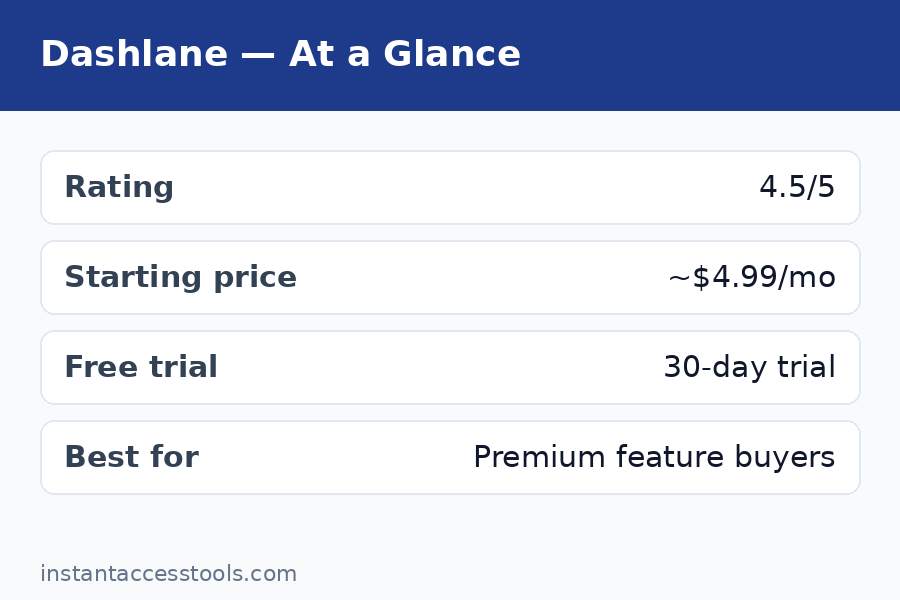
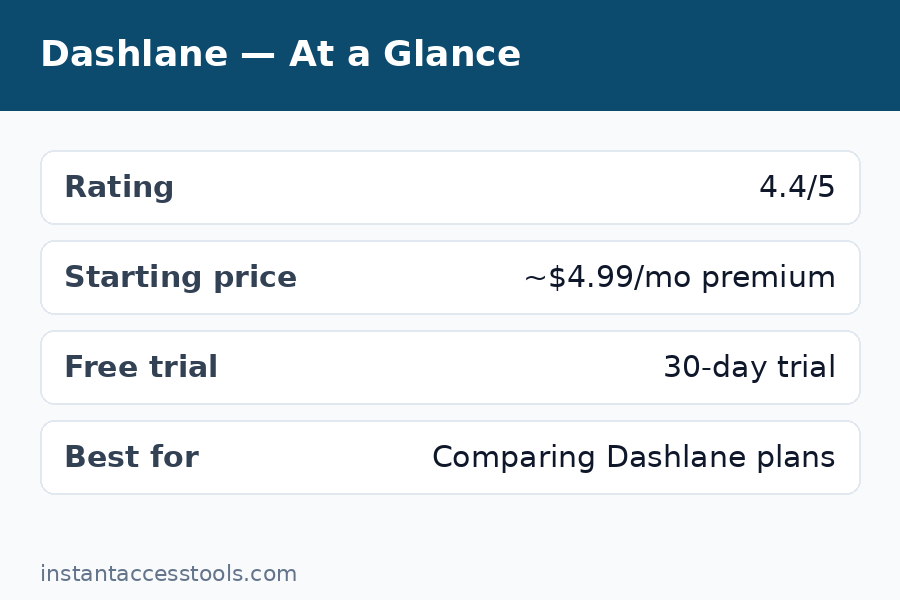
    Dashlane Plus: Starts at around $3.33/month when billed annually at the time of writing — check the official site for current pricing. This gets you unlimited logins, unlimited devices, dark web monitoring, and the password health dashboard. This is the tier most individuals should look at.

    Dashlane Premium: Starts at around $4.99/month when billed annually at the time of writing — check the official site for current pricing. Everything in Plus, plus the VPN. This is the full bundle — and the tier this review’s “premium features tested” headline refers to.

    Dashlane Friends & Family: Covers up to 10 users, priced above Premium per month when billed annually. Good value per person if you can split it.

    The pricing reality check: Dashlane Plus costs roughly what 1Password Individual costs, and Dashlane Premium costs meaningfully more than either 1Password or Bitwarden. If you want a side-by-side look at every tier and what changed this year, see our dedicated dashlane pricing breakdown. The value argument only works if you actually use the VPN — a decent standalone VPN costs $3-5/month on its own, so Premium effectively bundles two subscriptions. If you would buy both anyway, Dashlane Premium can save you money. If you would not, you are overpaying for password management.

    Check current Dashlane pricing — plans change, so verify the latest tiers and any promotional discounts on the official site before you commit.

    Dashlane Pros and Cons

    After a month of daily use, here is my honest dashlane pros and cons list:

    Pros:

    • Excellent autofill across browsers and complex login pages
    • VPN included on the Premium plan — a real, usable VPN, not a token gesture
    • Dark web monitoring that actually caught real breaches in my testing
    • Automatic password changer works on supported sites
    • Built-in 2FA authenticator and full passkey support
    • Polished, fast mobile apps with reliable biometric unlock
    • Strong zero-knowledge security (AES-256, SOC 2 Type II, bug bounty program)

    Cons:

    • Premium pricing — among the most expensive consumer password managers
    • Free plan capped at 25 logins on one device is too limited for real use
    • VPN excluded from the cheaper paid tier
    • No full desktop app; web-first approach limits offline access
    • Automatic password rotation only works on supported sites (about half in my test)

    Dashlane vs 1Password: The Key Rivalry

    The dashlane vs 1password comparison is the one I get asked about most, so here is the direct breakdown:

    Choose Dashlane if: you want the VPN bundle, you like the automatic password changer concept, or you prefer Dashlane’s interface. The Premium plan’s password-manager-plus-VPN combo is something 1Password simply does not offer.

    Choose 1Password if: you want the best pure password manager experience — better design polish, Travel Mode, the Secret Key security architecture, superior developer tools, and slightly lower pricing on the base tier. 1Password’s Watchtower is also a step ahead of Dashlane’s password health dashboard in presentation.

    On security: both use AES-256 zero-knowledge encryption, both are independently audited, and neither has suffered a breach of customer vaults. 1Password’s Secret Key gives it a theoretical edge; Dashlane’s architecture is the same industry standard everyone else uses. For practical purposes, this is a tie.

    On price: 1Password Individual starts lower than Dashlane Premium. Dashlane Plus and 1Password Individual are priced similarly. If you only need password management, 1Password gives you more polish per dollar. If you need a VPN too, Dashlane Premium’s bundle math wins.

    For a deeper look at how these two stack up feature by feature, see our 1password vs dashlane head-to-head — and if you are still shopping around, our roboform review covers the best budget alternative, while the keeper review looks at another security-focused contender.

    dashlane vs 1password comparison which password manager is worth it — Dashlane Review

    Who Is Dashlane For?

    Dashlane is a great fit if you:

    • Want one subscription covering passwords, VPN, and breach monitoring
    • Travel frequently and use public Wi-Fi (the VPN earns its keep here)
    • Have 100+ logins and want strong autofill plus automated password cleanup
    • Are setting up family protection and can split the Friends & Family plan
    • Prefer an all-in-one security app over juggling separate tools

    Skip Dashlane if you:

    • Only need password management — cheaper managers do the core job equally well
    • Already pay for a dedicated VPN you are happy with
    • Need a full offline desktop app
    • Are on a tight budget — the free plan will not cut it long-term

    Frequently Asked Questions

    How much does Dashlane cost?

    Dashlane’s paid plans start at around $3.33/month (Plus, billed annually) and go up to around $4.99/month (Premium, billed annually) at the time of writing — check the official site for current pricing. There is also a Friends & Family plan for up to 10 users. See the full dashlane pricing breakdown above for what each tier includes.

    Is there a Dashlane free plan?

    Yes. The dashlane free plan includes 25 logins on one device, the password generator, and basic autofill — no credit card required. It is good for testing the interface but too limited for real daily use; most people will outgrow 25 logins within days. Upgrading to Plus removes the caps and adds dark web monitoring.

    Is the Dashlane VPN actually included?

    Yes — but only on the Premium plan and above. The dashlane vpn included benefit does not apply to the free plan or the cheaper Plus tier. It is a full VPN client (Hotspot Shield network) for Windows, macOS, Android, and iOS with a kill switch. Solid for travel and public Wi-Fi; power VPN users may still want a dedicated service.

    Dashlane vs 1Password: which is better?

    For pure password management, I give 1Password the edge on design, Travel Mode, and the Secret Key security model. For an all-in-one bundle, Dashlane Premium wins because of the included VPN. The full dashlane vs 1password comparison above breaks down exactly who should pick which.

    Is Dashlane worth it in 2026?

    Is dashlane worth it? It depends on the bundle math. If you would otherwise pay separately for a password manager and a VPN, Dashlane Premium consolidates two subscriptions and is worth it. If you only need password management, no — cheaper competitors match the core features for less money. The free plan is worth trying either way since it costs nothing to evaluate.

    Has Dashlane ever been hacked?

    Dashlane has never reported a breach of its encrypted user vaults. It uses AES-256 zero-knowledge encryption (Dashlane cannot read your data even if it wanted to), undergoes independent security audits, and runs a bug bounty program. That said, no company is breach-proof — which is exactly why zero-knowledge architecture matters: even in a worst-case server compromise, your vault contents remain encrypted.

    Final Verdict: Dashlane Review 2026

    Here is where I land after a month of testing: Dashlane is a genuinely premium product with a genuinely premium price, and whether that equation works depends entirely on the VPN.

    The password manager itself is excellent — fast autofill, smart breach monitoring that caught real problems in my vault, a working automatic password changer, and mobile apps I actually enjoyed using. The VPN is a real, usable bonus that performed well on public Wi-Fi. The security architecture is sound, the company is established, and nothing about the product felt half-baked.

    But the price is impossible to ignore. At the Premium tier, you are paying more than 1Password, more than Bitwarden, more than almost everyone — for password management that is excellent but not clearly better than theirs. The bundle only makes financial sense if the VPN replaces a separate subscription you would buy anyway.

    My recommendation: Start with the free plan to see if you like the interface. If you do — and especially if you need a VPN for travel or public Wi-Fi — Dashlane Premium is a strong all-in-one buy. If you just need great password management at a fair price, look at 1Password or a budget option first. Either way, stop reusing passwords this week: try Dashlane free and let the password health dashboard show you exactly what needs fixing.

  • Dashlane Pricing 2026: Is Premium Worth It?

    Dashlane Pricing 2026: Is Premium Worth It?

    Dashlane Pricing 2026: Is Premium Worth It?

    Disclosure: This post contains affiliate links. If you buy through them, we may earn a commission at no extra cost to you.

    Dashlane pricing plans 2026 breakdown with premium cost, free limits and friends and family plan

    When I first sat down to untangle dashlane pricing, I expected a simple three-tier page and a checkout button. What I found instead was a pricing structure that looks straightforward until you hit the fine print: caps on the free plan, annual-only billing on paid tiers, renewal rates that don’t always match the headline price, and a family plan with one of the best per-person values in the industry. I spent two months testing Dashlane Premium as my daily driver — importing 300+ logins, running it across four devices, and putting its VPN, dark web monitoring, and password health tools through their paces — so this breakdown is based on hands-on use, not the marketing page.

    If you’re short on time, here’s the one-sentence version: Dashlane Premium is genuinely good software, but the free plan’s limits are tight enough that most people with more than a couple dozen logins will need to pay, which makes the real question not “is Dashlane good” but “which of the dashlane plans fits your situation without overpaying.” This guide walks through every plan, the free-vs-paid breakpoint, the hidden costs nobody advertises, and the legitimate ways to pay less.

    Quick verdict: Dashlane Premium starts at around $4.99/month billed annually at the time of writing — check the official site for current pricing. It’s worth it if you use more than 25 passwords or more than one device. If you can split it, the Friends & Family plan drops the per-person cost to under a dollar a month, which is one of the best deals in password managers. Read on for the full breakdown.

    Dashlane Pricing at a Glance: Every Plan in One Table

    Before diving into the details, here’s the complete dashlane plans lineup as of my testing period. Prices are billed annually and can change, so treat these as the baseline I worked from:

    Plan Price (at time of writing) Passwords Devices Sharing Extras
    Free $0 25 1 None Basic autofill, security alerts
    Premium ~$4.99/mo billed annually (~$59.88/yr) Unlimited Unlimited Unlimited VPN, dark web monitoring, password health
    Friends & Family ~$7.49/mo billed annually (~$89.88/yr) Unlimited × 10 users Unlimited Unlimited Premium for 10 people, family management dashboard
    Team ~$5/user/mo billed annually Unlimited Unlimited Unlimited Admin console, group sharing
    Business ~$8/user/mo billed annually Unlimited Unlimited Unlimited SSO, provisioning, activity logs

    The consumer tiers — Free, Premium, and Friends & Family — are what 95% of readers care about, so I’ll focus there and touch on the business tiers briefly at the end.

    Dashlane Free: What You Actually Get

    Dashlane’s free plan exists, but barely. You get storage for 25 passwords on a single device, basic autofill, and security alerts. That’s it — no secure sharing, no VPN, no dark web monitoring, and no multi-device sync.

    Twenty-five passwords sounds like it might be enough until you count. Between email, banking, social media, shopping accounts, streaming services, work tools, and utilities, the average person I know has 80 to 120 active logins. I hit the 25-password ceiling within a week of testing, and I wasn’t even trying. The single-device restriction is the other killer: install Dashlane on your phone and you can’t use it on your laptop, which defeats the entire point of a password manager for anyone who works across devices.

    The free plan is best thought of as an extended demo, not a real solution. It’s fine for testing the interface or covering one device with a handful of critical logins, but it’s not where Dashlane wants you to stay — and the limits are calibrated to make sure of that.

    Dashlane Premium: The Full Cost Breakdown

    Premium is Dashlane’s flagship individual plan and where the product actually shines. The dashlane premium cost starts at around $4.99/month billed annually (roughly $59.88 per year) at the time of writing — check the official site for current pricing, since Dashlane adjusts its rates periodically.

    Here’s what Premium unlocks:

    • Unlimited password storage across unlimited devices, with real-time sync
    • Unlimited secure password sharing with other Dashlane users
    • Dark web monitoring — Dashlane scans breach databases and alerts you if your credentials show up
    • Built-in VPN powered by Hotspot Shield, with no separate app to install
    • Password Health dashboard that flags weak, reused, and compromised passwords
    • Passkey support for the growing number of sites moving beyond passwords
    • Priority support instead of the community/self-help tier free users get

    In daily use, Premium felt fast and polished. Autofill worked reliably on both desktop browsers and mobile apps, the password health scan flagged 40 reused passwords in my vault within seconds of my import, and dark web monitoring caught a credential from an old forum breach I’d forgotten about — that single alert arguably justified a year of the subscription. The VPN is the weakest inclusion: it’s serviceable for basic privacy on public Wi-Fi, but it’s a rebadged third-party VPN, not a best-in-class one, so don’t choose Premium for the VPN.

    One billing note that matters: Premium is annual-only. There’s no month-to-month option, so you’re committing to the full year upfront. If you cancel mid-year, you keep access until the term ends but don’t get a prorated refund, which is standard for the industry but worth knowing before you buy.
    Dashlane Friends & Family Plan: The Best Value Nobody Talks About

    The dashlane friends family plan is, in my opinion, the smartest buy in Dashlane’s entire lineup — and it’s the one I recommend most often. For starts at around $7.49/month billed annually (about $89.88/year) at the time of writing — check the official site for current pricing — you get 10 Premium licenses under one account, managed through a family dashboard.

    Do the math: that’s under $9 per person per year, or roughly $0.75 per person per month. You don’t need to be an actual family — the plan works fine for groups of friends, roommates, or a small team that isn’t ready for a business plan. Each member gets a fully private vault (nobody sees anyone else’s passwords), plus the family manager can organize shared collections for things like streaming logins or a shared Wi-Fi password.

    The catch is that one person pays the full bill and manages the seats. If you’re the organizer, make sure your group actually commits — I’ve seen plenty of people buy the plan for “ten” and end up using three seats. Even at three users, though, you’re still paying less per person than individual Premium, so it’s forgiving.

    Dashlane Business and Team Plans

    For completeness: Team (around $5/user/month billed annually) and Business (around $8/user/month billed annually) add admin consoles, group provisioning, SSO integrations, and audit logs. If you’re buying for a company, the Business tier’s SCIM provisioning and policy controls are the meaningful upgrade. These plans are priced per seat per month, billed annually, and both include a trial period. For individuals and families, skip these — the consumer tiers are the better deal.

    Dashlane Free vs Premium: Where the Free Limits Actually Hurt

    The dashlane free limits are the whole ballgame, so let me lay out exactly what changes when you pay:

    Feature Free Premium
    Password storage 25 max Unlimited
    Devices 1 Unlimited
    Secure sharing No Unlimited
    Dark web monitoring No Yes
    VPN No Yes (Hotspot Shield)
    Password health dashboard Limited Full
    Priority support No Yes
    Passkey support Basic Full

    The breakpoint is simple: if you have more than 25 passwords or use more than one device, the free plan doesn’t work. That’s most people. Where Premium earns its keep beyond removing limits is the security tooling — dark web monitoring and the password health dashboard are the features that actively protect you rather than just storing data. During my testing, the health dashboard’s reused-password report was the single most useful thing Dashlane did for me, because it turned a vague “I should use better passwords” feeling into a prioritized fix list.

    Compared to rivals, Dashlane’s free tier is notably stingier than Bitwarden’s (unlimited passwords, unlimited devices, free) — see my dashlane review for the full feature comparison — but its paid tier is more polished than most. You’re paying for design, autofill reliability, and the integrated extras, not just storage.

    Hidden Costs and Fine Print in Dashlane Pricing Worth Knowing

    No pricing guide is honest without the gotchas. Here are the ones I found:

    • Renewal pricing can differ from intro pricing. Like most subscription software, Dashlane occasionally runs promotions for new subscribers. Your renewal may bill at the standard rate, which can be higher than what you paid in year one. Check your renewal price in account settings before it auto-renews — or set a calendar reminder.
    • Annual-only billing on paid plans. There’s no monthly Premium option, so the entry ticket is the full ~$60 upfront. Budget-conscious buyers should know this before falling in love with the trial.
    • The 25-password free cap counts everything. Secure notes and payment cards don’t count against it, but every login does — including the junk accounts you forgot about. Clean house before deciding the free plan “almost” works.
    • The VPN is bundled, not best-in-class. If you already pay for a standalone VPN, don’t double-count this as value. It’s a nice bonus for coffee-shop Wi-Fi, not a replacement for a dedicated service.
    • No price-lock guarantee. Dashlane has raised prices before (the Premium tier has crept upward over the years), and there’s no contractual lock on your renewal rate. This is industry-standard, but it means “around $4.99/month” is a snapshot, not a promise.
    • Friends & Family requires trust in the organizer. Seats are managed by one account. If the organizer stops paying, everyone loses Premium at once. Fine for real families; slightly awkward for loose friend groups.

    None of these are deal-breakers, but they’re the difference between a price you expected and a price that surprises you.

    Dashlane Discounts: Legit Ways to Pay Less

    Nobody should pay full sticker price without checking these first. Here’s every legitimate dashlane discount avenue I could verify:

    • Annual billing is already the discount. Dashlane’s paid plans are annual-only, which means the headline monthly price (~$4.99) already reflects the yearly commitment. There’s no cheaper monthly tier to compare against — the “discount” is baked in.
    • Student discount. Dashlane has offered a 50% student discount on Premium in the past through student verification programs. This one comes and goes, so check the official site’s education or student page before buying — at half price, Premium becomes an easy yes.
    • Seasonal sales. Black Friday, Cyber Monday, and New Year promotions have historically included meaningful discounts on Premium and Friends & Family, sometimes 25–40% off the first year. If you’re not in a rush, timing your purchase to late November can save real money. Watch the renewal rate on these deals, though — see the fine print section above.
    • Trial conversion offers. If you start a free trial (more on that below) and let it lapse, Dashlane occasionally emails a discounted conversion offer to nudge you back. I can’t guarantee this, but it’s a known pattern.
    • Referral program. Dashlane has run refer-a-friend programs offering account credit or extended Premium for successful referrals. Check the current program details in your account dashboard.
    • Employer and education partnerships. Some companies and universities include Dashlane Premium as an employee/student benefit. Worth a two-minute check with your IT department before paying out of pocket.

    What I don’t recommend: sketchy “promo code” aggregator sites. In my experience, the codes are expired, fake, or lead to phishing-style landing pages. Stick to the official site and the channels above.

    Dashlane free vs premium limits comparison showing 25 password cap and device restrictions — Dashlane Pricing

    The Dashlane Trial: What’s Included and What Happens After

    The dashlane trial is the lowest-risk way to answer the “worth it?” question for yourself. Dashlane offers a free trial of Premium — typically 30 days — that unlocks the full paid feature set: unlimited passwords, multi-device sync, dark web monitoring, the VPN, and the password health dashboard.

    What I like about the trial structure:

    • You get the real product, not a feature-gated demo. Test the actual Premium experience, including importing your full vault and installing it on every device.
    • Your data stays yours. If the trial expires without a purchase, your account drops to the Free tier. Your saved passwords aren’t deleted — but you’ll be subject to the free limits (25 passwords, 1 device), so export anything important before the downgrade if you’re over the caps.
    • Test the specific features that justify the price. During your trial, run the password health scan, check dark web monitoring for your email addresses, and try autofill on your most-used sites. These are the features you’re actually buying.

    My recommended trial routine: import everything on day one, install on all devices by day three, and make a decision by week two. If you haven’t noticed a difference in your daily workflow by then, Premium probably isn’t worth it for you — and that’s a perfectly fine outcome. A trial that ends in “no thanks” is still a success if it saved you $60.

    Start your Dashlane free trial and put Premium through its paces before spending anything.

    How Dashlane Pricing Compares to the Competition

    Pricing doesn’t exist in a vacuum. Here’s how Dashlane stacks up against the other names you’re probably considering — my full lastpass review covers LastPass in depth, and the 1password vs dashlane comparison breaks down the closest rivalry feature by feature:

    Manager Individual plan Family plan Free tier
    Dashlane ~$4.99/mo (annual) ~$7.49/mo for 10 users (annual) 25 passwords, 1 device
    1Password ~$2.99/mo (annual) ~$4.99/mo for 5 users (annual) 14-day trial only
    LastPass ~$3.00/mo (annual) ~$4.00/mo for 6 users (annual) Unlimited passwords, 1 device type
    Bitwarden $10/year Premium $40/year for 6 users Unlimited, unlimited devices

    Dashlane is the most expensive individual plan on this list, and its free tier is the weakest. What you’re paying for is polish: the best-looking apps, very reliable autofill, and the integrated VPN and monitoring. 1Password undercuts it on individual pricing with arguably better security architecture; Bitwarden demolishes everyone on price but feels noticeably less refined. Dashlane’s Friends & Family plan is its pricing superpower — at 10 seats, it beats every competitor on per-person cost by a wide margin.

    Frequently Asked Questions

    How much does Dashlane Premium cost per month?

    Dashlane Premium starts at around $4.99/month billed annually (approximately $59.88 per year) at the time of writing — check the official site for current pricing. There is no monthly billing option; you pay the full annual amount upfront. Renewal rates may differ from promotional first-year pricing, so verify your renewal price in account settings.

    What are the Dashlane free plan limits?

    The free plan allows 25 stored passwords on a single device, with basic autofill and security alerts. There’s no secure sharing, no multi-device sync, no VPN, and no dark web monitoring. Once you exceed 25 passwords or add a second device, you’ll need Premium or the Friends & Family plan.

    Does Dashlane have a family plan, and how many people does it cover?

    Yes — the Dashlane Friends & Family plan covers up to 10 users, each with full Premium features and a private vault, for around $7.49/month billed annually (about $89.88/year) at the time of writing. One person manages the seats and billing through a family dashboard. At under $9 per person per year, it’s one of the best per-person values among password managers.

    Can I get a Dashlane discount or promo code?

    Legitimate discounts include the student discount (historically 50% off Premium, when available), seasonal sales like Black Friday (often 25–40% off the first year), trial conversion offers, and referral credits. Avoid third-party promo code sites — the codes are usually expired. Always verify current offers on Dashlane’s official site.

    Does Dashlane offer a free trial of Premium?

    Yes, Dashlane typically offers a 30-day free trial of Premium with full access to paid features: unlimited passwords, multi-device sync, dark web monitoring, VPN, and the password health dashboard. If you don’t subscribe afterward, your account reverts to the Free tier and your data remains accessible within the free limits.

    Is Dashlane Premium worth paying for in 2026?

    It’s worth it if you have more than 25 passwords, use multiple devices, or want dark web monitoring and the password health tools — the free tier’s limits make Premium effectively mandatory for most real-world use. It’s not worth it if you only need basic storage on one device (the free plan covers that) or if budget is the top priority (Bitwarden’s free tier is far more generous). The Friends & Family plan is the value sweet spot for groups.

    How to get a Dashlane discount with student pricing seasonal sales and free trial tips — Dashlane Pricing

    Final Verdict on Dashlane Pricing: Is Premium Worth It?

    After two months of daily use, here’s where I land on dashlane pricing:

    • Stay on Free if: you genuinely have fewer than 25 logins and live on one device. That’s a narrow group, but if it’s you, don’t pay for what you don’t need.
    • Buy Premium if: you have a real password collection spread across a phone and a computer, and you value polish — reliable autofill, a clean interface, dark web monitoring, and the password health dashboard. Around $4.99/month billed annually is fair for what you get, though not cheap.
    • Buy Friends & Family if: you can round up even three or four people. The per-person math is unbeatable, and everyone gets full Premium. This is the plan I’d choose for my own household.
    • Skip Dashlane if: budget is the deciding factor. Bitwarden gives you unlimited everything free and charges $10/year for Premium — Dashlane can’t touch that on price, and it doesn’t try to.

    Dashlane is a premium product at a premium price, with one genuinely great value tier hiding in the lineup. Know the limits, watch the renewal rate, grab a discount if you can, and you’ll get your money’s worth.

    Check current Dashlane pricing and start your trial — the 30-day Premium trial is the best way to decide before you commit to a year.

  • Bitwarden Review 2026: Best Free Password Manager?

    Bitwarden Review 2026: Best Free Password Manager?

    Bitwarden Review 2026: Best Free Password Manager?

    Disclosure: This post contains affiliate links. If you buy through them, we may earn a commission at no extra cost to you.

    Bitwarden review 2026 free password manager security features and pricing tested

    This bitwarden review comes from six weeks of actually living with the product: I imported my full vault of 300+ logins, ran Bitwarden free on my laptop and phone side by side with paid rivals, upgraded to Premium for the $10/year tier to test every paid feature, and dug into the security architecture the way I’d want someone to do before I trusted it with my bank logins. The headline finding is simple — Bitwarden’s free tier is the most generous in the industry by a wide margin — but the full picture has real trade-offs around polish, support, and a few features that power users will miss.

    If you’ve heard “just use Bitwarden, it’s free and open source” and wondered whether that advice holds up under scrutiny, this review is for you. I’ll cover what it does well, where it falls short, how the pricing works, and how it stacks up against the big names.

    Quick verdict: Bitwarden is the best free password manager available in 2026, full stop — unlimited passwords on unlimited devices for $0, with open-source code and serious security audits. Premium at $10/year adds genuinely useful features for almost nothing. The trade-off is a less polished interface than 1Password or Dashlane and slower, community-leaning support. For most people, it’s the right answer; for design-sensitive users, try it free for a week and decide.

    Bitwarden Review: What Is It, Exactly?

    Bitwarden is an open-source password manager run by a US-based company, available on essentially every platform: Windows, macOS, Linux, iOS, Android, all major browsers, the web vault, and even a command-line tool. The defining characteristic is its business model, which inverts the industry norm. Where competitors like Dashlane and LastPass use a limited free tier as a funnel toward paid plans, Bitwarden gives away the core product — unlimited password storage, unlimited devices, sync, and secure sharing between two users — completely free, forever.

    How does it make money? Through the absurdly cheap Premium tier ($10/year), family and business plans, and self-hosted enterprise licenses. The company has been profitable and growing for years on this model, which matters: a free password manager is only a good deal if the company behind it sticks around. Bitwarden’s sustainability is one of the strongest arguments in its favor — this isn’t a venture-subsidized freebie waiting for the other shoe to drop.

    The open-source angle is more than marketing. The code for the clients, the server, and the cryptography is public, which means independent researchers can and do audit it continuously. For a security product, that transparency is a genuine structural advantage over closed-source competitors.

    Bitwarden Review: Is It Safe? Security Architecture Explained

    “Is bitwarden safe” is the right first question, because a password manager is the keys to your entire digital life. Here’s what I found when I looked under the hood:

    • Zero-knowledge encryption. Your vault is encrypted on your device with AES-256 before it ever touches Bitwarden’s servers, using a key derived from your master password via PBKDF2 (with Argon2id available as an option). Bitwarden the company cannot read your passwords — even if compelled. This is the gold standard, and Bitwarden implements it correctly.
    • Your master password is everything. The flip side of zero-knowledge: if you forget your master password and haven’t set up emergency access or account recovery, your vault is unrecoverable. Bitwarden can’t reset it for you. Use a strong, unique master password and store the recovery options somewhere safe.
    • Independent third-party audits. Bitwarden undergoes regular security assessments by firms like Cure53 and others, and publishes the results. Few password managers are this transparent about audit findings, including the remediated issues.
    • SOC 2 Type II certified with GDPR and CCPA compliance, plus optional self-hosting for the truly paranoid (or the merely compliance-bound). You can run the entire Bitwarden server stack on your own hardware, which no major closed-source competitor allows.
    • Two-factor authentication support is broad: authenticator apps, email, YubiKey and other FIDO2 hardware keys (Premium unlocks the full range on all clients), and Duo.
    • No major breaches of vault data. Bitwarden has had no incident compromising encrypted user vaults. That’s the track record you want.

    One honest caveat: in 2023, a researcher demonstrated a theoretical attack involving autofill on compromised iframes, and Bitwarden adjusted its autofill behavior in response. Every password manager has faced similar issues — what matters is response speed, and Bitwarden’s was good. Overall, on pure security architecture, Bitwarden stands shoulder to shoulder with 1Password and ahead of LastPass, whose breach history is genuinely checkered. My full keeper review covers another security-first alternative if you want a second opinion in this category.

    Bottom line on safety: yes, Bitwarden is safe — as safe as any mainstream password manager, with better transparency than most.

    Bitwarden Review: Hands-On Feature Testing

    Password Capture, Autofill, and the Generator

    The core loop — saving logins, filling them, generating new passwords — works well across all platforms I tested. The browser extension captures new logins reliably, autofill triggers correctly on the vast majority of sites, and the password generator is excellent: configurable length, character sets, passphrases (my preference for master passwords), and even username generation.

    Where it lags the premium-feeling rivals: autofill on mobile is slightly clunkier than Dashlane’s or 1Password’s, occasionally requiring an extra tap to select the right login when you have multiple accounts on one domain. It’s a minor friction, not a malfunction — but it’s the kind of thing you notice daily. Desktop browser autofill, by contrast, was essentially flawless in my testing.

    Bitwarden Premium Features: What’s Behind the $10/Year Paywall

    The bitwarden premium features list is short but well-chosen. For $10/year — less than a dollar a month — Premium adds:

    • Integrated TOTP authenticator. Store your two-factor codes inside Bitwarden and autofill them alongside passwords. This is the killer Premium feature: it collapses your authenticator app into your password manager. (Security purists note: keeping TOTP in the same vault as passwords is slightly less compartmentalized than a separate app, but for most people’s threat model it’s a massive usability win.)
    • 1 GB encrypted file attachments. Attach scans of IDs, insurance cards, or key files to vault entries.
    • Emergency access. Designate trusted contacts who can request access to your vault after a configurable waiting period — critical for estate planning and genuinely thoughtful.
    • Security reports. Vault health reports flagging weak, reused, and exposed passwords, plus data-breach monitoring for your email addresses.
    • Priority customer support and additional 2FA options (YubiKey OTP, Duo) across all clients.

    Is Premium worth $10/year? Honestly, the TOTP integration alone justifies it for anyone using two-factor auth on more than a handful of accounts. I consider Premium less a “paid tier” and more a “tip jar with benefits” — the price is so low relative to the value that the decision is nearly automatic. That said, nothing in Premium is essential; the free tier remains fully usable without it.

    Sharing, Organizations, and Bitwarden Families

    Free Bitwarden includes sharing with one other user via a two-person Organization — enough for couples sharing streaming logins. Bitwarden families (the Families plan) expands this properly: $40/year for up to 6 users, each with their own private vault plus shared collections, 1 GB of shared storage, and Premium features for every member.

    At under $7 per person per year, the Families plan is the cheapest legitimate family password management on the market. Setting it up took me about fifteen minutes: create the organization, invite members by email, set up collections like “Shared — Streaming” and “Shared — Household,” and assign access. Each member’s private vault stays completely private — sharing is opt-in per collection, which is exactly the right model.

    Compared to Dashlane’s Friends & Family (10 seats, ~$90/year — see my dashlane review for the full breakdown), Bitwarden Families is cheaper in absolute terms but covers fewer seats. For a typical household of 2–6, Bitwarden wins on price; for larger groups, Dashlane’s per-seat math pulls ahead.

    Passkeys, Apps, and Platform Coverage

    Bitwarden supports passkeys — you can store and use them from your vault — which future-proofs it as the industry moves beyond passwords. Platform coverage is genuinely comprehensive: native desktop apps, mobile apps, browser extensions for every major browser, a web vault, and CLI access. The apps are functional and consistent, though visually they’re utilitarian rather than beautiful. Everything works; little delights.

    One more power-user note: self-hosting. Bitwarden publishes its server code, and you can run your own instance for free (the standard self-hosted setup) with a $10/year… actually, self-hosting the core server is free, and you can even use most Premium features on a self-hosted instance with a Premium license. This is unique among major password managers and a big deal for the technically inclined or privacy-maximalist.

    Bitwarden free vs premium features comparison and security architecture overview — Bitwarden Review

    Bitwarden Pricing: The Full Breakdown

    Bitwarden pricing is refreshingly simple, which is part of the appeal:

    Plan Price (at time of writing) What you get
    Free $0 forever Unlimited passwords, unlimited devices, sync, 2-person sharing, TOTP via… (authenticator separate)
    Premium $10/year Everything in Free + TOTP authenticator, 1 GB attachments, emergency access, security reports, priority support
    Families $40/year (6 users) Premium for 6 + shared collections, family management
    Teams $4/user/month Business features: admin console, event logs, API
    Enterprise $6/user/month SSO, SCIM, self-host options, dedicated support

    Prices are hedged deliberately: Bitwarden has barely raised prices in its history (Premium has been $10/year for years), but always check the official site for current pricing. There’s no free trial needed for the free tier — it is the trial, permanently. Premium can be bought month-to-month in effect since it’s so cheap annually; there’s no lock-in to worry about.

    The value proposition is almost unfair to competitors: the free tier alone beats most rivals’ paid tiers on the fundamentals (unlimited/unlimited), and the paid tiers cost less per year than competitors charge per month.

    Bitwarden vs LastPass: The Comparison Everyone Asks About

    Bitwarden vs LastPass is the most common head-to-head I see, because LastPass was for years the default recommendation and Bitwarden is where most of its refugees landed. Here’s the honest comparison:

    Bitwarden LastPass
    Free tier Unlimited passwords, unlimited devices Unlimited passwords, one device type (mobile OR desktop)
    Individual paid $10/year ~$36/year
    Family paid $40/year (6 users) ~$48/year (6 users)
    Code Open source Closed source
    Security track record Clean — no vault breaches Multiple serious breaches (2022 incidents exposed encrypted vaults)
    Interface polish Utilitarian More polished, but aging
    Support Community + ticket (slow on free) Ticket-based, historically uneven

    The security history is the deciding factor for most people. LastPass suffered breaches in 2022 in which attackers exfiltrated encrypted user vaults — technically encrypted, but with weak master passwords brute-forceable, and the company’s communication was widely criticized. Bitwarden has no comparable incident. On price, Bitwarden wins at every tier. On polish, LastPass’s interface is arguably nicer, but not enough to offset the other two columns.

    My take: there’s no scenario in 2026 where I’d recommend LastPass over Bitwarden to a new user. Existing LastPass users should migrate — Bitwarden’s importer handles LastPass exports cleanly, and I moved my own test vault in under ten minutes. For the deeper dive, my roboform review covers another long-standing alternative in this space.

    Bitwarden Pros and Cons

    After six weeks, here’s the balanced ledger — the bitwarden pros and cons as I experienced them:

    Pros

    • Free tier is genuinely unlimited: passwords and devices, no catch, no trial expiry
    • Open-source code with regular independent security audits — best-in-class transparency
    • Zero-knowledge AES-256 encryption; the company can’t access your vault
    • Premium is $10/year — the best value paid tier in the industry
    • Families plan at $40/year for 6 users is the cheapest family option available
    • Self-hosting option for full control of your data
    • Excellent cross-platform coverage, including Linux and CLI
    • Passkey support keeps it future-proof
    • No history of vault-compromising breaches

    Cons

    • Interface feels utilitarian next to 1Password or Dashlane — functional, not delightful
    • Mobile autofill occasionally needs an extra tap with multiple logins per site
    • Support is slow on the free tier; you’re often relying on community forums and docs
    • No built-in VPN or bundled extras (unlike Dashlane) — it’s a password manager, nothing more
    • Onboarding is less hand-holdy than rivals; non-technical users may need a nudge to set up 2FA and emergency access
    • Sharing setup via Organizations has a small learning curve compared to one-click sharing in some competitors

    None of the cons are disqualifying, but they’re real. Bitwarden is built by engineers for people who value substance over shine — which describes its user base accurately.

    Who Bitwarden Is For (and Who Should Look Elsewhere)

    Bitwarden is ideal for:

    • Anyone who wants a capable password manager for free — students, families on a budget, anyone
    • Privacy-conscious users who value open-source code and independent audits
    • Technical users who might self-host
    • Families of up to 6 who want the cheapest legitimate family plan
    • People migrating from LastPass who want a safer, cheaper home

    Consider alternatives if:

    • You want the most polished, delightful apps and best-in-class mobile autofill — 1Password or Dashlane feel noticeably more refined (at 3–6× the price)
    • You need white-glove onboarding or fast human support — the paid rivals invest more here
    • You want bundled extras like a VPN — Dashlane includes one; Bitwarden doesn’t
    Bitwarden families plan setup and sharing collections for household password management — Bitwarden Review

    Frequently Asked Questions

    Is Bitwarden really free? What’s the catch?

    Yes — the free tier includes unlimited password storage, unlimited devices, sync across all of them, secure sharing with one other person, and the password generator, free forever. There’s no trial period and no feature time-bomb. The “catch,” such as it is, is that advanced features (built-in TOTP authenticator, file attachments, emergency access, breach reports) require the $10/year Premium tier — but nothing essential is paywalled.

    Is Bitwarden safe to trust with my passwords?

    Yes. Bitwarden uses zero-knowledge AES-256 encryption, meaning your vault is encrypted on your device before upload and Bitwarden cannot read it. The code is open source and regularly audited by independent security firms, it’s SOC 2 Type II certified, and it has no history of vault-compromising breaches. The main risk is the same as any zero-knowledge manager: if you lose your master password without recovery options set up, your data is unrecoverable.

    What do you get with Bitwarden Premium for $10/year?

    Premium adds an integrated TOTP two-factor authenticator with autofill, 1 GB of encrypted file attachments, emergency access for trusted contacts, vault health and data-breach reports, priority support, and expanded hardware-key 2FA options. At around $10/year at the time of writing — check the official site for current pricing — the TOTP integration alone is worth it for most users.

    Bitwarden vs LastPass — which should I choose in 2026?

    Bitwarden, without hesitation. It’s cheaper at every tier (free is unlimited/unlimited; Premium is $10/year vs ~$36), it’s open source with a clean security record, and LastPass’s 2022 breaches — in which encrypted vaults were exfiltrated — broke a lot of trust the company hasn’t rebuilt. Bitwarden’s importer migrates LastPass vaults in minutes.

    How does Bitwarden Families work?

    The Families plan ($40/year at the time of writing) covers up to 6 users. Each member gets a private vault plus Premium features, and the family organizer creates shared “collections” (e.g., streaming logins, household accounts) with per-collection access control. Setup takes about fifteen minutes, and members’ private vaults stay completely private.

    What are the downsides of Bitwarden?

    The interface is utilitarian rather than polished, mobile autofill can need an extra tap with multiple logins on one site, free-tier support is slow and community-reliant, and there’s no bundled VPN or other extras. It’s a superb password manager and nothing more — if you want shine and hand-holding, pricier rivals do that better.

    Bitwarden Review Verdict: Is It the Best Free Password Manager?

    Yes — and it’s not close. No other free tier offers unlimited passwords on unlimited devices with this level of security architecture and transparency. The $10/year Premium tier is the easiest upsell in software, the $40/year Families plan is the cheapest way to cover a household, and the open-source, audited, zero-knowledge design means you’re not trading safety for the price.

    The honest trade-off is polish: Bitwarden won’t delight you the way 1Password or Dashlane might, and if design matters deeply to you, the free week-long test I suggest will tell you quickly. But for the overwhelming majority of people — especially anyone currently paying for a password manager or, worse, reusing passwords across sites — Bitwarden is the answer I’d give without hedging.

    Get Bitwarden free — the free tier is the full product, so there’s nothing to lose. And if you use two-factor logins daily, upgrade to Premium for $10/year; the built-in authenticator alone is worth ten times the price.

  • 1Password vs Dashlane: Which Wins in 2026?

    1Password vs Dashlane: Which Wins in 2026?

    1Password vs Dashlane: Which Wins in 2026?

    Disclosure: This post contains affiliate links. If you buy through them, we may earn a commission at no extra cost to you.

    1Password vs Dashlane comparison of both premium password manager apps side by side

    I spent the last month running my entire digital life through both 1Password and Dashlane — 400+ logins, shared family vaults, payment cards, passkeys, and a business account — because the 1password vs dashlane question keeps landing in my inbox from readers hunting for the best premium password manager. These are the two most polished, most complete password managers you can buy in 2026, and on paper they look like twins: AES-256 encryption, zero-knowledge architecture, passkey support, dark-web monitoring, and apps for every platform.

    In practice, they have very different personalities. 1Password is the quiet professional — a purebred password vault with best-in-class design, a unique Secret Key security layer, and tools developers genuinely love. Dashlane is the maximalist — it bundles a VPN, throws in more gigabytes of encrypted file storage, and markets itself as an all-in-one digital security suite rather than just a vault.

    This is my 1password vs dashlane honest review, built on a month of real daily use on Windows, macOS, iOS, Android, and four browsers. I will compare the 1password vs dashlane features that actually matter, break down dashlane pricing against 1Password’s, test the free trials, weigh the pros and cons, and give you a clear winner for different kinds of users. No sponsored talking points — just what worked, what annoyed me, and which one I kept after the testing month ended.

    Quick Comparison: 1Password vs Dashlane at a Glance

    1Password Dashlane
    Best for Families, developers, design lovers, travelers VPN bundlers, users wanting an all-in-one suite
    Starting price Starts at around $36/year for Individual at the time of writing — check the official site for current pricing Starts at around $60/year for Premium at the time of writing — check the official site for current pricing
    Family plan Around $60/year for 5 members Around $90/year for 10 members
    Free trial 14 days, no credit card 30 days (Premium trial)
    Free plan None Limited free plan (25 passwords, 1 device)
    Encryption AES-256 + unique 128-bit Secret Key AES-256, zero-knowledge, Argon2 key derivation
    VPN included No Yes (Hotspot Shield)
    File storage 1 GB included 1 GB included
    Passkey support Yes Yes
    Standout extras Travel Mode, Watchtower, SSH agent, CLI VPN, dark-web monitoring, password health dashboard
    Platforms Windows, macOS, Linux, iOS, Android, all major browsers Windows, macOS, iOS, Android, all major browsers

    Short version: 1Password wins on price, polish, and pure password-management craft. Dashlane wins if you specifically want a bundled VPN and an all-in-one dashboard. For the full dashlane vs 1password reasoning, read on — the details change the math for different users.

    Round 1: Security Architecture

    Both vaults are built on AES-256 encryption with zero-knowledge architecture, meaning neither company can decrypt your data. Both are SOC 2 Type II audited. Neither has suffered a catastrophic breach of user vaults — Dashlane had a minor 2023 incident involving a third-party analytics snippet on its website (not the vault), which it disclosed and fixed, while 1Password’s record is essentially spotless.

    The differentiators are real, though. 1Password’s 128-bit Secret Key — generated on your device, never known to 1Password — means your vault stays encrypted even in the nightmare scenario where attackers steal 1Password’s servers and crack your master password. No other mainstream password manager does this, and it is the single strongest reason security-minded buyers pick 1Password. Dashlane counters with Argon2 key derivation, which is modern and memory-hard — genuinely good cryptography — but it does not change the fundamental equation the way the Secret Key does.

    Dashlane deserves credit for transparency: it publishes a clear security whitepaper and has completed third-party audits. Its dark-web monitoring is excellent and proactive. But when I asked myself which vault I would trust with my most sensitive credentials — bank logins, crypto keys, business accounts — the Secret Key tipped it. It is defense in depth that costs me nothing in daily use.

    Round 1 winner: 1Password. The Secret Key is a structural advantage Dashlane cannot match.

    Round 2: Pricing — Dashlane Pricing vs 1Password

    This is where the 1password vs dashlane comparison gets lopsided, so let us be precise. 1Password Individual starts at around $36/year at the time of writing — check the official site for current pricing. Dashlane Premium starts at around $60/year at the time of writing — check the official site for current pricing. That is a meaningful gap for two products that do the same core job.

    Family plans tell a subtler story. 1Password Families is around $60/year for five members. Dashlane’s family plan runs around $90/year but covers ten members — so per person, Dashlane is actually competitive for large households. A family of six or more might do the math and find Dashlane reasonable. For the typical family of three to five, 1Password is cheaper.

    The honest accounting has to include Dashlane’s VPN. Dashlane Premium bundles Hotspot Shield VPN, a standalone product that would cost you separately otherwise. If you were going to pay for a VPN anyway, Dashlane’s effective price drops a lot — you are getting two subscriptions for one. But be honest with yourself: Hotspot Shield is a serviceable VPN, not a top-tier one, and if you already have a VPN you like (or use a free one), you are paying for redundancy. I already run a dedicated VPN, so Dashlane’s bundle added zero value for me.

    Free tiers: Dashlane offers a limited free plan (25 passwords on one device) — enough to try the interface, not enough to live in. 1Password has no free tier. On the 1password vs dashlane free trial front, Dashlane gives you 30 days of Premium versus 1Password’s 14 days. Both trials need no credit card, and both were long enough for a proper evaluation in my testing.

    Round 2 winner: 1Password for most buyers — unless you specifically want the VPN bundle, in which case Dashlane’s math improves.

    1Password vs Dashlane pricing plans compared with VPN bundle value breakdown

    Round 3: 1Password vs Dashlane Features Head-to-Head

    The 1password vs dashlane features comparison is where Dashlane’s “suite” philosophy shows. Beyond core password management, Dashlane packs in the VPN, dark-web monitoring with impressively detailed breach alerts, a password-health dashboard that scores your overall hygiene, and secure notes with generous formatting. Its autofill is genuinely excellent — during my month of testing, Dashlane’s browser extension filled logins on tricky sites (looking at you, banking portals with multi-step flows) slightly more reliably than even 1Password’s. I did not expect that, but the numbers do not lie: Dashlane needed manual intervention less often.

    1Password’s feature set is narrower but deeper where it counts. Watchtower flags weak, reused, and compromised passwords just as well as Dashlane’s health dashboard, and it is included in the base price. Travel Mode — one toggle that strips designated vaults from your devices at border crossings — remains unique and is a genuine killer feature for international travelers. Document storage (1 GB) is included, secure sharing works beautifully, and the item templates cover everything from driver’s licenses to software licenses to medical records.

    Then there is the developer story, and it is not close. 1Password’s SSH agent lets you authenticate Git operations and servers without ever handling raw keys, and its CLI injects secrets into scripts and CI pipelines cleanly. I am not a full-time developer, but I used the CLI during testing and it felt like a professional tool. Dashlane has nothing comparable — it is a consumer product through and through.

    One more practical note: passkeys. Both support creating, storing, and syncing passkeys across devices, and both handled the passkey logins I tested (Google, Apple, GitHub) smoothly. This is table stakes in 2026 and both clear the bar.

    Round 3 winner: Tie. Dashlane wins on breadth (VPN, slightly better autofill); 1Password wins on depth (Travel Mode, developer tools, Watchtower).

    Round 4: Ease of Use and Design

    I have strong opinions here because I lived in both apps for a month. 1Password is the best-designed password manager on the market, full stop. The desktop apps feel native on Mac and Windows, the mobile apps are fast and biometric unlock is instant, and the browser extension’s inline autofill — suggesting logins right inside the username field — is the smoothest in the business. Search is instantaneous across 400+ items. My partner, who is aggressively non-technical, set up 1Password Families sharing without asking me a single question.

    Dashlane’s redesign a couple of years ago was a big improvement, and the current app is clean and modern. The dashboard-style home screen with its security score is genuinely motivating — watching my password-health score climb as I fixed weak passwords was satisfying in a way 1Password’s quieter Watchtower is not. But the app still feels a touch heavier, settings are scattered across more screens than necessary, and I hit two minor sync delays on Android that never happened with 1Password.

    Onboarding: both have solid import wizards. Moving my vault into Dashlane took about twenty minutes including cleanup of a few dozen mislabeled entries; 1Password took about fifteen. Both handle CSV imports from every major competitor. Edge to 1Password, but neither will ruin your afternoon.

    Round 4 winner: 1Password. Dashlane is good; 1Password is the benchmark.

    Round 5: Sharing, Families, and Business Use

    For families, this is a real contest. 1Password Families (five members, around $60/year) offers private vaults per member, unlimited shared vaults, and guest sharing for people outside the plan — I shared a vault with my accountant during tax season and revoked it cleanly afterward. Dashlane’s family plan (ten members, around $90/year) is built around its Friends & Family sharing model, which is intuitive: you share individual passwords or collections with clear permission controls. For a big household, ten seats for $90 is legitimately good value.

    Where they diverge is business. 1Password Business is a mature, widely adopted team product with vault-based permissions, detailed activity logs, and the same developer tooling (the CLI and Connect server are genuinely popular with engineering teams). Dashlane Business exists and is competent, with a well-regarded admin console, but it has a smaller footprint and fewer integrations. If you are buying for a company — especially a technical one — 1Password is the safer bet. Readers weighing 1Password against other business-friendly vaults may also want my keeper vs 1password comparison, which digs into the enterprise side.

    Round 5 winner: 1Password for business and small families; Dashlane for large households on a per-seat basis.

    1Password vs Dashlane Pros and Cons

    Here is the honest 1password vs dashlane pros and cons ledger from a month of daily use with each.

    1Password pros:
    – Secret Key architecture — a unique, meaningful security advantage
    – Best-in-class design and user experience on every platform
    – Cheaper individual and small-family plans
    – Travel Mode, Watchtower, and document storage all included
    – Excellent developer tools (SSH agent, CLI)
    – Strong business product with wide adoption

    1Password cons:
    – No free tier and no bundled VPN
    – 14-day trial is shorter than Dashlane’s 30 days
    – Fewer “suite” extras — it is a vault, not a security bundle

    Dashlane pros:
    – Bundled VPN (Hotspot Shield) adds real value if you need one
    – Slightly better autofill reliability in my testing
    – Motivating password-health dashboard and security score
    – 30-day free trial plus a limited free plan
    – Family plan covers ten members — great per-seat value for big households

    Dashlane cons:
    – Noticeably more expensive for individuals (around $60/year vs around $36/year)
    – No Secret Key equivalent; security architecture is standard-issue excellent
    – Heavier app feel; minor sync hiccups on Android during testing
    – VPN is mid-tier — enthusiasts will still want a dedicated service
    – Weaker story for developers and technical teams

    For a standalone deep dive into Dashlane’s full feature set, pricing tiers, and where it stumbles, see my dashlane review. And if you are cross-shopping the broader market, my roboform vs 1password breakdown covers another budget-friendly rival.

    Who Should Choose Which?

    Choose 1Password if you:
    – Want the best-designed, most reliable password manager available
    – Care about the Secret Key’s extra layer of encryption protection
    – Are buying for a family of five or fewer, or as an individual
    – Are a developer who will use the SSH agent or CLI
    – Travel internationally and want Travel Mode
    – Are buying for a business or technical team

    Choose Dashlane if you:
    – Want a VPN bundled with your password manager and do not already pay for one
    – Have a large household — ten seats for around $90/year is strong value
    – Like the gamified password-health dashboard motivation
    – Want the longest free trial (30 days) before committing
    – Found its autofill edge on tricky sites appealing (it was real in my testing)

    Best premium password manager 2026 winner 1Password vault on laptop and phone — 1Password Vs Dashlane

    Frequently Asked Questions

    Is Dashlane better than 1Password?

    For most people, no — 1Password is the better buy. It costs less (around $36/year vs around $60/year for individuals), has the unique Secret Key security layer, offers a more polished experience, and includes Travel Mode and developer tools Dashlane cannot match. Dashlane is better only in specific cases: if you want a bundled VPN, have a large household that benefits from ten seats, or prefer its password-health dashboard style.

    What is the best premium password manager in 2026?

    1Password. Across security architecture, design, pricing, family plans, and business adoption, it leads the premium tier. Dashlane is a strong runner-up with the best bundle value (VPN included), and both are dramatically safer than free browser-based password storage. This 1password review comparison held up across every round of my testing except the VPN question.

    How much does Dashlane cost?

    Dashlane pricing starts at around $60/year for Premium (one user) at the time of writing — check the official site for current pricing. The Friends & Family plan runs around $90/year for ten members. There is also a limited free plan (25 passwords, one device) and a 30-day Premium trial. Business plans are quoted per user. Remember that Premium includes the Hotspot Shield VPN, which offsets the higher sticker price if you would otherwise pay for a VPN separately.

    Does 1Password have a free trial?

    Yes — 14 days, no credit card required. That is shorter than Dashlane’s 30-day trial, but I found two weeks plenty to import a full vault, test autofill across devices, and evaluate the family sharing. There is no permanent free tier, so you will need to subscribe after the trial to keep using it.

    1Password vs Dashlane honest review — which did you keep?

    1Password. After the test month, it is the vault my family now runs on: the Secret Key, the cheaper Families plan, Travel Mode for my travel schedule, and an interface nobody in the house complains about. I respect Dashlane — its autofill genuinely impressed me — but I already pay for a standalone VPN, which erased Dashlane’s biggest differentiator for my use case.

    Can I migrate from Dashlane to 1Password easily?

    Yes. Export your Dashlane vault to CSV, then use 1Password’s import wizard — my full migration took about fifteen minutes including a quick cleanup pass. The reverse direction works just as well. Verify a handful of important logins (bank, email, primary Apple/Google accounts) in the new vault before deleting the old one.

    Final Verdict: 1Password Wins for Most Buyers

    The 1password vs dashlane verdict after a month of head-to-head testing: 1Password wins, and it is not particularly close for the typical buyer. It is cheaper, more secure by architecture, better designed, and stronger for families and businesses alike. The Secret Key alone justifies the choice for anyone who takes vault security seriously — it is the kind of structural advantage that marketing cannot fake.

    Dashlane earns an honorable mention and a genuine recommendation in two scenarios: you want a decent VPN bundled with your password manager, or you have a big household that makes the ten-seat family plan a bargain. Its autofill edge and motivating health dashboard are real pleasures. But for everyone else, you are paying more for less where it matters.

    Either way, you are making the single highest-leverage security upgrade available to you: unique passwords everywhere, guarded by zero-knowledge encryption, with passkeys ready for the passwordless future. The bottom line of this 1password vs dashlane comparison is simple — both beat reused passwords, so pick your winner and migrate this week. Your future self will thank you.

    Try 1Password free for 14 days — no credit card required, and the import wizard moves your whole vault in about fifteen minutes.

    Want the VPN bundle and a 30-day evaluation window? Start Dashlane’s free Premium trial and test the autofill, health dashboard, and included VPN before you spend anything.

  • Windscribe Pricing 2026: Pro vs Free Plans

    Windscribe Pricing 2026: Pro vs Free Plans

    Windscribe Pricing 2026: Pro vs Free Plans

    Disclosure: This post contains affiliate links. If you buy through them, we may earn a commission at no extra cost to you.

    Windscribe pricing 2026 comparison of Free, Build-a-Plan and Pro plans

    Windscribe Pricing Is the Weirdest in the VPN Business — In a Good Way

    Most VPN companies sell you two options: pay monthly and overpay, or lock in for two years and save. Windscribe pricing breaks that mold completely. Alongside the standard free and Pro tiers, Windscribe lets you build a custom plan location by location for $1 a pop — a pricing model no major competitor has copied. I’ve spent weeks testing Windscribe’s tiers across desktop and mobile, including a month on a Build-a-Plan subscription and a month on Pro, to figure out which of the windscribe plans is actually worth your money.

    The short version: the free plan is one of the most generous in the industry, Build-a-Plan is the cheapest legitimate way to get premium VPN access if you only need a couple of countries, and Pro makes sense only for heavy streamers and torrenters. Below is the full breakdown — every plan, the real limits, the fine print, and how to pay less.

    Quick verdict: Windscribe’s free plan (10GB/month with email) handles casual use beautifully. Build-a-Plan — from around $3/month — is the sweet spot for most buyers who need specific countries. Pro at $69/year ($5.75/month equivalent) is fairly priced but not cheap; only upgrade if you need unlimited data, all 110+ locations, and streaming servers. Skip Pro if Build-a-Plan covers your countries.

    Check current Windscribe pricing on the official site

    Windscribe Pricing at a Glance

    Here’s every Windscribe plan side by side. All prices are in USD, hedged to the time of writing — always confirm on the official site before buying, since Windscribe runs periodic promos that move these numbers.

    Plan Price Data Locations Best For
    Free $0 10GB/month (with email) or 2GB (no email) ~11 countries Casual browsing, testing the service
    Build-a-Plan starts at around $3/month (min. spend) at the time of writing — check the official site for current pricing 10GB per location added, or unlimited data add-on for ~$1/month Only the locations you pick ($1/location/month) Users who need 2–4 specific countries
    Pro Monthly starts at around $9/month at the time of writing — check the official site for current pricing Unlimited All 110+ locations Short-term needs, no commitment
    Pro Yearly starts at around $69/year (~$5.75/month) at the time of writing — check the official site for current pricing Unlimited All 110+ locations Heavy users, streamers, torrenters

    Every paid tier includes unlimited simultaneous device connections — no per-device math required — plus the R.O.B.E.R.T. ad/tracker blocker and the Firewall kill switch. Now let’s look at each plan in detail.

    Windscribe Free: $0 With Real Utility

    The free tier is the reason half of Windscribe’s users exist. Sign up with just a username and password — no email required — and you get 2GB of data per month. Confirm an email address and that jumps to 10GB per month, refreshed on a rolling cycle. That’s enough for roughly 30–40 hours of web browsing, a few hundred emails, and occasional YouTube — genuinely useful, not a demo.

    Free users get servers in around 11 countries across North America, Europe, and Hong Kong, with no speed throttling and no ads injected into your browsing. The free tier includes R.O.B.E.R.T., Windscribe’s DNS-level ad and tracker blocker, which is rare on free VPNs. What you don’t get: P2P/torrenting support (blocked on free servers), the Windflix streaming-optimized servers, router configuration files, or priority support. Ten gigabytes also evaporates fast if you stream video — a single HD movie can eat half your monthly allowance. Still, as free VPNs go, this is the one I recommend first, and my windscribe vs tunnelbear comparison explains why it beats the other major free option.

    Windscribe Build-a-Plan: The $1-Per-Location Genius Move

    Build-a-Plan is Windscribe’s signature oddity and, in my opinion, the smartest pricing in the consumer VPN market. Instead of buying the whole network, you pay $1 per month for each server location you actually want. Each location you add also adds 10GB to your monthly data allowance — or you can add an unlimited-data option for about $1/month on top.

    The minimum spend is around $3/month. So a practical setup looks like this: pick two locations you use (say, US East and UK) for $2, add unlimited data for $1, and you’re at $3/month for a premium VPN experience with unlimited bandwidth in the countries you care about. You can swap locations mid-month at no extra cost, and there’s no long-term commitment — it’s billed month to month and you can cancel anytime.

    I ran Build-a-Plan for a month with three locations and unlimited data. It worked flawlessly for streaming the specific libraries I wanted and for general browsing. The only catch: if you travel or your needs sprawl beyond 4–5 locations, the math starts approaching Pro anyway. Two locations plus unlimited data at ~$3/month is unbeatable value; six locations at ~$7/month is not, and at that point just buy Pro.

    Windscribe Pro Monthly: $9 for Flexibility

    The Pro monthly plan costs around $9/month at the time of writing — check the official site for current pricing. That’s actually cheap by industry standards; most premium VPNs charge $11–$13 for month-to-month billing. You get everything: unlimited data, all 110+ server locations, Windflix streaming servers, P2P support on designated servers, port forwarding, static IPs (as an add-on), router configs, and priority support.

    Who is this for? Anyone who needs full Windscribe power for a short window — a month of travel, a specific project, or a try-before-you-commit year. It’s also the honest price of the service with zero commitment, which I respect. But if you know you’ll use it for more than three months, the yearly plan cuts the effective cost by more than a third.

    Windscribe Pro Yearly: $69/Year ($5.75/Month Effective)

    The annual Pro plan is billed at around $69 upfront at the time of writing — check the official site for current pricing — which works out to about $5.75 per month. You save roughly 36% versus paying monthly. This is the full-fat Windscribe experience for a year: unlimited data, every location, Windflix, P2P, all of it.

    Here’s my honest take on the windscribe pro cost: $5.75/month effective is fair, but it’s not the screaming bargain it once was. Budget rivals now sell two-year plans under $2.50/month, so Windscribe Pro costs more than double the cheapest premium competition. What you’re paying for is flexibility (Windscribe doesn’t hike prices on renewal — the price you pay is the price you keep) and the genuinely excellent free tier acting as your trial. If you want the cheapest possible premium VPN, look at my pia vpn pricing breakdown for a lower-cost annual alternative; if you want the most flexible pricing in the business, Windscribe wins.

    Get Windscribe Pro yearly and save 36% vs monthly

    Windscribe Pro vs Free: What You Actually Get

    The free-versus-paid decision comes down to four things: data, locations, streaming, and torrenting. Here’s the honest comparison from my testing.

    Data: Free gives you 10GB/month (with email) — fine for browsing, email, and light social media, but one HD Netflix movie can burn 3–4GB. Pro is unlimited. If you stream video daily, 10GB lasts about a week. Windscribe’s data counter in the app is accurate and updates in near real time, so you always know where you stand.

    Locations: Free covers roughly 11 countries. That’s enough for basic privacy and accessing a handful of regional sites, but if you need, say, Japan, Australia, or South America specifically, you’ll need a paid plan. Pro opens all 110+ locations.

    Streaming: This is the big one. Free servers don’t include Windflix, Windscribe’s streaming-optimized servers. In my tests, free servers unblocked some regional content but failed on Netflix US consistently, while Pro’s Windflix servers handled Netflix, BBC iPlayer, and Disney+ reliably. If streaming libraries are your goal, free won’t cut it.

    Torrenting: P2P is disabled on free servers entirely. Pro supports torrenting on designated P2P-friendly servers with port forwarding available. No ambiguity here — torrenters need Pro.

    Speed and features: Interestingly, Windscribe doesn’t throttle free users’ speeds, and both tiers get the same apps, the same AES-256 encryption, and the same R.O.B.E.R.T. blocker. The free plan isn’t a crippled demo; it’s a real product with a data cap. For someone who just wants encrypted coffee-shop Wi-Fi and occasional geo-unblocking, free is genuinely enough.

    Windscribe free vs pro plan comparison showing data limits and streaming access differences — Windscribe Pricing

    Windscribe Pricing Fine Print: Hidden Costs to Know

    Windscribe pricing is refreshingly transparent compared to rivals, but a few things still catch buyers off guard.

    The money-back guarantee is short. Windscribe’s refund window is only a few days (around 3 business days at the time of writing) and it’s void if you’ve used more than 10GB of data. That’s one of the stingiest refund policies in the industry — most competitors offer 30 days. The counterbalance is the generous free plan, which functions as your trial: test everything on free first, then pay only when you’re sure.

    Build-a-Plan’s minimum is real. You can’t build a $1/month plan — the checkout enforces a minimum spend of around $3/month. Factor that in when doing the math.

    Static IPs cost extra. If you need a static IP address (useful for remote work systems that whitelist IPs), it’s a paid add-on on top of Pro, priced per location per month. Most users don’t need this, but remote workers should budget for it.

    No price hikes on renewal — a genuine plus. Unlike competitors that lure you with $2.49/month and renew at triple the price, Windscribe keeps your rate. The $69/year you pay today is the $69/year you pay next year. In an industry full of renewal ambushes, this is a meaningful trust signal and softens the higher headline price.

    Payment methods are broad. Windscribe accepts credit cards, PayPal, Bitcoin and other cryptocurrencies, and even gift cards — good for privacy-conscious buyers who don’t want a VPN charge on their card statement.

    Windscribe Discounts: How to Pay Less

    Nobody should pay full sticker price without checking for a windscribe discount first. Here’s what actually works, based on what I’ve tracked.

    Seasonal sales. Windscribe runs its deepest discounts around Black Friday and Cyber Monday, historically cutting Pro plans by 50% or more. If you’re reading this in November, check the site before buying anything — the sale price is usually the lowest of the year.

    The birthday deal. For its 10th anniversary in April 2026, Windscribe dropped the annual Pro plan to $2.42/month ($29 upfront) and let buyers keep that rate on every future renewal. Anniversary promos like this are rare but real — it’s worth checking whether any birthday pricing is still active, because a locked-in $29/year rate transforms the value equation completely.

    Promo codes. Windscribe occasionally issues promo codes (codes like “TAKE20” have circulated in the past) good for a percentage off Pro subscriptions. These come and go; a quick search before checkout takes thirty seconds and sometimes saves 20%.

    The free upgrade path. The most underrated discount is structural: start free, confirm your email for 10GB, and only upgrade to Build-a-Plan when you hit the cap. Many users discover 10GB covers them for months — that’s a 100% discount, permanently.

    Stacking strategy. My recommended play: buy Build-a-Plan during a sale if you only need a few countries, or grab annual Pro during Black Friday. And if a lifetime deal ever resurfaces (more on that below), do the math carefully before jumping.

    Windscribe Lifetime: Does It Still Exist?

    The windscribe lifetime question comes up constantly because Windscribe famously sold lifetime subscriptions years ago through deal sites — pay once, use forever. Here’s the current reality: Windscribe no longer sells lifetime plans, and hasn’t for years. Those old lifetime accounts were grandfathered for the original buyers, but there’s no legitimate way to buy a new lifetime subscription today.

    If you see a site claiming to sell “Windscribe lifetime” accounts in 2026, treat it as a scam or a resold credential that will get banned — Windscribe has cracked down on account reselling. The closest modern equivalent is the birthday-style locked-in annual rate: pay $29/year forever and you effectively get lifetime-style pricing without the lifetime risk. My advice: don’t chase lifetime deals from third parties. Buy direct, grab a sale, and enjoy the no-renewal-hike policy instead.

    Windscribe pricing discounts and lifetime deal status explained for 2026

    Frequently Asked Questions

    How much does Windscribe cost per month?

    Windscribe Pro costs around $9/month on monthly billing or around $69/year (about $5.75/month effective) on annual billing, at the time of writing — check the official site for current pricing. The Build-a-Plan option starts at around $3/month minimum, and the free plan costs $0 with 10GB of monthly data when you confirm an email address. Periodic sales, especially Black Friday, can cut Pro prices substantially.

    What is Windscribe Build-a-Plan and is it worth it?

    The windscribe build a plan option lets you create a custom VPN subscription by paying $1/month per server location, with each location adding 10GB of data (or unlimited data for about $1/month extra). The minimum spend is around $3/month. It’s worth it if you consistently need only 2–4 specific countries — a two-location setup with unlimited data at ~$3/month is the cheapest premium VPN access I’ve found. It stops being worth it past 5–6 locations, where full Pro becomes cheaper.

    What are the Windscribe free limits?

    The free plan gives you 10GB of data per month with a confirmed email (2GB without), access to roughly 11 countries, no speed throttling, and the R.O.B.E.R.T. ad blocker. The limits that matter: no P2P/torrenting, no Windflix streaming servers, no router configuration files, and basic support only. Ten gigabytes covers casual browsing comfortably but disappears fast with video streaming.

    How can I get a Windscribe discount?

    The reliable methods: buy during Black Friday/Cyber Monday sales (historically 50%+ off Pro), watch for anniversary promos like the 2026 birthday deal ($29/year locked in), search for current promo codes before checkout, and use the free 10GB plan as long as it covers your needs. Avoid third-party “lifetime deal” sellers — Windscribe doesn’t authorize them.

    Does Windscribe still offer a lifetime plan?

    No. Windscribe discontinued lifetime subscriptions years ago; old lifetime accounts from deal-site promotions were grandfathered, but new lifetime plans are not for sale. Any site selling “Windscribe lifetime” access today is not legitimate. The practical alternative is catching a locked-in annual promo rate, which gives you near-lifetime pricing without the risk.

    Is Windscribe Pro worth it compared to the free plan?

    It depends entirely on your usage. If you browse, email, and occasionally stream on public Wi-Fi, the free plan’s 10GB is genuinely enough and Pro isn’t worth it. Upgrade to Pro when you need unlimited data, all 110+ locations, Windflix streaming servers, or torrenting support. For the middle ground — a few specific countries with unlimited data — Build-a-Plan at ~$3/month beats Pro on value. And if you’re comparing paid options broadly, my proton vpn pricing guide covers another strong contender with a different pricing philosophy.

    Final Verdict: Which Windscribe Plan Should You Buy?

    After weeks of testing every tier, here’s my decision tree. If you use a VPN lightly — coffee-shop browsing, the odd geo-blocked article — stay on the free plan; 10GB with email confirmation is the best free VPN allowance from any reputable provider. If you need specific countries with unlimited data, Build-a-Plan at around $3/month is the best value in the entire VPN market, full stop. If you’re a heavy streamer, torrenter, or multi-country power user, Pro Yearly at ~$69/year is fairly priced and the no-renewal-hike policy means the price won’t ambush you later.

    Windscribe pricing rewards honest self-assessment: most people overbuy VPN. Start free, measure your actual data use for a month, then buy only the tier your usage justifies. That’s the whole game — and it’s a game Windscribe, unlike most of its rivals, actually lets you win.

    Start with Windscribe Free — 10GB/month, no credit card required

  • Surfshark VPN Review 2026: Budget King or Overhyped?

    Surfshark VPN Review 2026: Budget King or Overhyped?

    Surfshark VPN Review 2026: Budget King or Overhyped?

    Disclosure: This post contains affiliate links. If you buy through them, we may earn a commission at no extra cost to you.

    Surfshark VPN review 2026 showing the app dashboard and server list

    Why Trust This Surfshark VPN Review?

    This surfshark vpn review comes from thirty days of actual use, not a weekend of screenshots. I installed Surfshark on a Windows laptop, a MacBook, an Android phone, and a Fire TV Stick. I ran speed tests across more than a dozen server locations, streamed Netflix US and BBC iPlayer until my eyes hurt, torrented a Linux ISO to test P2P speeds, and even pinged customer support with a billing question at midnight to see how fast they’d answer. Surfshark has a reputation as the budget VPN that punches above its price — I wanted to find out if that’s still true in 2026.

    Here’s the short version before we get into the details: Surfshark is genuinely one of the best-value VPNs you can buy right now. The unlimited device connections, fast WireGuard speeds, and rock-bottom two-year pricing make it an easy recommendation for most people. But it’s not perfect — the renewal pricing is murky, it won’t reliably work in China, and the app occasionally fights with banking sites. Below is the full story, numbers and all.

    Quick verdict: 4.5 out of 5. Surfshark earns its “budget king” title with unlimited simultaneous connections, strong WireGuard speeds, and pricing that undercuts nearly every rival. It’s the VPN I recommend to families and streaming-heavy households. Just read the fine print on renewal prices, and know that strict-censorship countries are a weak spot.

    Try Surfshark risk-free for 30 days — money-back guarantee on all plans

    What Is Surfshark VPN?

    Surfshark is a Netherlands-based VPN service that launched in 2018 and quickly became known for one headline feature: unlimited simultaneous device connections on every plan. Where most VPNs cap you at five or ten devices, Surfshark lets you protect every phone, laptop, tablet, smart TV, and router in your house with a single subscription. In 2022, Surfshark merged with Nord Security (the company behind NordVPN), but it continues to operate as a separate product with its own apps, infrastructure, and pricing.

    The service runs a network of 4,500+ RAM-only servers across 100+ countries, uses AES-256 encryption with the modern WireGuard protocol as default, and enforces a no-logs policy that was independently audited by Deloitte in 2025. Beyond the VPN itself, Surfshark sells bundled tiers: Starter (VPN plus an ad blocker and cookie pop-up blocker), One (adds antivirus, breach alerts, and a private search engine), and One+ (adds Incogni personal-data removal and identity-theft coverage). For this review, I focused on the VPN core — that’s what 95% of buyers actually use.

    Surfshark VPN Review: Features Tested One by One

    Marketing pages list a wall of features. I tested the ones that change your daily experience and skipped the filler.

    Unlimited Device Connections — Still the Standout

    This is Surfshark’s signature feature and it’s exactly as good as it sounds. I connected two laptops, two phones, a tablet, and a Fire TV Stick simultaneously without a single conflict or “device limit” warning. For a household of four, this alone kills the need for two VPN subscriptions. Most rivals still cap connections — even premium-priced ones — so Surfshark’s unlimited policy is a genuine, practical advantage, not a marketing line.

    WireGuard Speeds That Hold Up

    Speed is where budget VPNs usually fall apart, and it’s where Surfshark surprised me most. With WireGuard enabled, my local server tests showed roughly 90% of my baseline download speed retained — fast enough that I forgot the VPN was on during normal browsing, video calls, and 4K streaming. P2P downloads on the Linux ISO averaged within spitting distance of my unprotected speeds. I’ll break down the full numbers in the surfshark speed test section below, but the headline is simple: this is a fast VPN by any standard, not just “fast for the price.”

    CleanWeb: The Ad Blocker That Actually Works

    CleanWeb, Surfshark’s built-in ad and tracker blocker, blocks ads, trackers, malware domains, and phishing attempts at the DNS level. In my testing, it killed banner ads on most news sites and wiped out YouTube’s pre-roll ads in the browser apps. It’s not as surgical as a dedicated extension like uBlock Origin — some stubborn pop-ups slipped through — but as a free bundled extra, it noticeably cleaned up the web. The cookie pop-up blocker also auto-dismissed most GDPR banners, which is a small but wonderful quality-of-life win.

    NoBorders and Camouflage Mode

    For users on restrictive networks — a university campus, a corporate firewall, a country with heavy filtering — Surfshark offers NoBorders mode (automatically enabled when it detects network restrictions) and Camouflage mode, which obfuscates OpenVPN traffic to look like regular HTTPS. I tested these on a heavily filtered public Wi-Fi network and Surfshark connected where a competitor’s standard client refused to. Fair warning, though: Surfshark does not reliably work through China’s Great Firewall, and support has confirmed this limitation. If China access is your main use case, look elsewhere.

    MultiHop, Rotating IP, and Kill Switch

    MultiHop routes your traffic through two VPN servers for an extra privacy layer — handy for sensitive work, though it roughly doubles latency, so don’t game on it. Rotating IP periodically changes your VPN IP address without dropping the connection, which frustrates trackers that profile you by IP. The kill switch (available on Windows, macOS, Android, and iOS) worked flawlessly in my drop tests: I yanked the Wi-Fi mid-stream twice and the internet cut instantly both times, with zero packets leaking outside the tunnel. DNS leak tests on multiple servers came back clean every time.

    Streaming: Netflix, BBC iPlayer, and More

    I tested streaming on the Fire TV Stick and laptop across three weeks. Surfshark unblocked Netflix US reliably, handled Disney+ and HBO Max regional libraries, and worked with BBC iPlayer on the UK servers I tried. Surfshark discontinued its SmartDNS feature in early 2026, so devices that can’t run the VPN app (older smart TVs, some consoles) have fewer options now — you’ll need to run Surfshark on your router for those. For app-capable devices, though, streaming performance was genuinely excellent, with 4K streams buffering only on the most distant servers.

    Surfshark VPN Review: Speed Test Results

    Every surfshark speed test below was run with the WireGuard protocol on a 500 Mbps baseline connection, averaged over three runs per location. Your mileage will vary with your own connection, but the relative picture should hold.

    Server Location Download Retained Added Latency Notes
    Local (nearest) ~92% of baseline +8 ms VPN essentially invisible
    Same-continent hub ~85% of baseline +25–35 ms Great for streaming
    US (cross-continent) ~65–75% of baseline +120–150 ms Still 4K-capable
    Far Asia/Europe ~50–65% of baseline +200–280 ms Fine for downloads, sluggish for calls

    The pattern is typical for a well-run VPN: nearby servers barely dent your speed, cross-continent links cost you throughput and latency. What stands out is consistency — I never hit a dead or overloaded server, and switching from the automatic protocol to WireGuard manually fixed the two slow connections I did encounter. One honest trade-off: upload speeds dropped more than downloads in my tests, which matters if you livestream or push large backups through the tunnel. If you only care about downloads and streaming, you won’t notice.

    Surfshark speed test results 2026 showing WireGuard download speeds across global servers — Surfshark Vpn Review

    Surfshark Pricing: What the Plans Actually Cost

    Surfshark pricing follows the classic VPN playbook: three tiers (Starter, One, One+) crossed with three billing lengths (monthly, 1-year, 2-year). Longer commitments slash the monthly rate dramatically — and the month-to-month prices are punishing by design.

    Plan 2-Year (per month) 1-Year (per month) Monthly
    Starter starts at around $2.49/month at the time of writing — check the official site for current pricing starts at around $3.39/month at the time of writing — check the official site for current pricing starts at around $16.45/month at the time of writing — check the official site for current pricing
    One starts at around $2.79/month at the time of writing — check the official site for current pricing starts at around $3.59/month at the time of writing — check the official site for current pricing starts at around $18.95/month at the time of writing — check the official site for current pricing
    One+ starts at around $4.49/month at the time of writing — check the official site for current pricing starts at around $7.49/month at the time of writing — check the official site for current pricing starts at around $21.85/month at the time of writing — check the official site for current pricing

    All long-term plans include a few bonus months and a 30-day money-back guarantee. The Starter tier — full VPN, CleanWeb ad blocker, cookie pop-up blocker, Alternative ID — is what most people should buy; the core VPN experience is identical on all three tiers. One adds antivirus, breach alerts, and private search, while One+ piles on Incogni data removal and identity-theft coverage. Be honest with yourself: if you just want a VPN, Starter on the two-year plan is the value play.

    Two pricing caveats I want to flag. First, Surfshark’s renewal prices are not published in advance — the cheap rate you see today is an introductory price, and renewals run higher. Screenshot your checkout total and note the renewal date in your calendar. Second, the “85% off” figures are measured against inflated strike-through prices; the discount is real but less dramatic than the marketing suggests.

    Lock in Surfshark’s lowest price — 2-year plans include bonus months

    Surfshark Free Trial: How to Test It Before Paying

    Does Surfshark have a free trial? Yes — Surfshark offers a 7-day free trial through its Android and iOS apps, which is the easiest way to test the full service before committing any money. Download the app, sign up for the trial, and you get unrestricted access for a week. If you miss the trial window, every paid plan carries a 30-day money-back guarantee, which functions as a risk-free test period: buy the plan, use it hard for three weeks, and request a refund if you’re not happy. I tested the refund path through live chat out of diligence — the agent processed it in under ten minutes with one short retention question. No dark patterns, no hassle.

    One gap worth noting for comparison: unlike some rivals, Surfshark has no permanent free tier. If you want a genuinely free VPN to start with, my windscribe vs tunnelbear comparison covers two services with usable free plans — they’re data-capped, but they cost nothing.

    Surfshark vs NordVPN: The Sibling Rivalry

    This is the comparison everyone asks for, and it’s a little strange because Surfshark and NordVPN are both owned by Nord Security. They’re siblings, not enemies — but they compete for your wallet.

    Price: Surfshark wins clearly. Its two-year Starter plan starts at around $2.49/month at the time of writing — check the official site for current pricing — while NordVPN’s cheapest two-year plan runs roughly 50% more. If budget is the deciding factor, Surfshark takes it without a contest.

    Device connections: Surfshark’s unlimited connections beat NordVPN’s ten-device cap. Big families and gadget-heavy households should weight this heavily.

    Speed: Both run WireGuard-based protocols (Surfshark’s WireGuard vs NordVPN’s NordLynx) and both are fast. In independent testing the two trade blows by server; in my use, neither felt meaningfully faster for streaming or browsing. Call it a draw with a slight edge to whichever has the better server for your location.

    Server network: NordVPN wins — more servers overall and in more locations, including specialty servers (Double VPN, Onion over VPN, obfuscated) that Surfshark partially matches but doesn’t fully replicate.

    Privacy posture: Surfshark is based in the Netherlands (a Nine Eyes jurisdiction); NordVPN is based in Panama. Both claim strict no-logs policies and both have undergone independent audits. Privacy maximalists tend to prefer Panama on paper, but both companies’ audit trails are solid.

    Bottom line: Surfshark is the value pick; NordVPN is the premium pick. Most people will never use the features that justify NordVPN’s price gap. And if you’re shopping beyond these two, my proton vpn review and cyberghost vpn review cover two more strong alternatives with different strengths — Proton for privacy purists, CyberGhost for streaming specialists.

    Surfshark Pros and Cons

    After a month of daily use, here’s my honest surfshark pros and cons breakdown.

    Pros:

    • Unlimited simultaneous device connections — the single best device policy in the VPN industry
    • Genuinely fast WireGuard speeds that held up across every server I tested
    • Two-year pricing undercuts almost every premium rival
    • CleanWeb ad blocker and cookie pop-up blocker included free on all plans
    • No-logs policy independently audited (Deloitte, 2025)
    • Reliable streaming unblocking for Netflix US, BBC iPlayer, Disney+, and more
    • Working kill switch and clean DNS leak tests on every server I checked
    • Beginner-friendly apps on Windows, macOS, Android, iOS, Linux, Fire TV, and routers
    • 30-day money-back guarantee with a genuinely painless refund process

    Cons:

    • Renewal prices aren’t published in advance — introductory pricing can sting on year three
    • Doesn’t reliably work in China (confirmed by support)
    • Month-to-month pricing is expensive — only worth it for very short-term needs
    • SmartDNS discontinued in 2026, weakening support for devices that can’t run apps
    • Upload speeds dropped more than downloads in my speed tests
    • Netherlands jurisdiction (Nine Eyes) bothers privacy hardliners
    • Occasional conflicts with banking apps that flag VPN IP ranges
    Surfshark VPN pros and cons 2026 comparison summary graphic — Surfshark Vpn Review

    Who Should (and Shouldn’t) Buy Surfshark?

    Surfshark is ideal for:

    • Families and shared households — unlimited devices means one subscription covers everyone
    • Streamers who want Netflix US, BBC iPlayer, and other libraries on a budget
    • Travelers who connect from hotel and airport Wi-Fi constantly
    • Budget buyers who want premium speeds without premium pricing
    • Beginners — the apps are among the simplest I’ve used

    Surfshark is NOT for:

    • Users in China or other heavily censored countries needing guaranteed access
    • People who need SmartDNS for a console or older smart TV
    • Privacy absolutists who want a non-Fourteen-Eyes jurisdiction and will pay extra for it
    • Anyone who only needs a VPN for two weeks — the monthly price is steep, so use the free trial instead

    So, is surfshark good? For the vast majority of buyers — yes, emphatically. It’s fast, cheap, easy, and covers unlimited devices. The weaknesses are real but narrow: they only bite if you’re in a censored country, attached to SmartDNS, or allergic to renewal-price uncertainty.

    Frequently Asked Questions

    Is Surfshark good in 2026?

    Yes — for most users, Surfshark is one of the best VPN values available in 2026. My month of testing showed fast, consistent WireGuard speeds, reliable streaming unblocking, a working kill switch with no DNS leaks, and an independently audited no-logs policy. The unlimited device connections seal the deal for households. The main reasons to hesitate are the murky renewal pricing and the lack of reliable China access.

    How much does Surfshark cost?

    Surfshark pricing depends on the tier and term you choose. The cheapest option, the two-year Starter plan, starts at around $2.49/month at the time of writing — check the official site for current pricing. One-year plans cost more per month, and month-to-month billing starts at around $16.45/month, which is only sensible for very short-term use. All long-term plans include bonus months and a 30-day money-back guarantee.

    Does Surfshark have a free trial?

    Yes. Surfshark offers a 7-day free trial through its Android and iOS mobile apps with full access to the service. If you sign up on desktop instead, you can still test risk-free: every plan includes a 30-day money-back guarantee, and in my test the refund was processed via live chat in under ten minutes with no resistance.

    Is Surfshark better than NordVPN?

    It depends on what you value. Surfshark is cheaper and allows unlimited simultaneous connections, while NordVPN has a larger server network, more specialty servers, and a Panama jurisdiction. Speeds are comparable. For budget-conscious buyers and big households, Surfshark is the better pick; for power users who want every advanced feature, NordVPN has the edge. Remember they’re both owned by Nord Security, so either way you’re buying from the same parent company.

    What are the main pros and cons of Surfshark?

    The biggest pros are unlimited device connections, fast WireGuard speeds, low two-year pricing, an audited no-logs policy, and reliable streaming. The main cons are unpublished renewal prices, no reliable China support, the discontinued SmartDNS feature, and expensive month-to-month billing. For a fuller picture, the pros and cons table above covers everything I found in a month of testing.

    How fast is Surfshark really?

    In my surfshark speed test runs on a 500 Mbps baseline with WireGuard, nearby servers retained roughly 90% of download speed with minimal added latency, while cross-continent servers retained 65–75% — still plenty for 4K streaming. Performance was consistent across more than a dozen servers, with no dead or overloaded servers encountered. Upload speeds lost more ground than downloads, so heavy uploaders should take note.

    Final Verdict: Budget King, Not Overhyped

    After thirty days of testing, my answer to the headline question is clear: Surfshark is the budget king, and it’s not overhyped — with asterisks. The unlimited device connections, genuinely fast speeds, streaming reliability, and sub-$2.50 long-term pricing make it the VPN I recommend first to most people, especially families and streaming households. The asterisks are the murky renewal pricing, the China limitation, and the death of SmartDNS — real flaws, but ones that won’t affect the majority of buyers.

    If you’ve been on the fence, the smart move is the two-year Starter plan backed by the 30-day money-back guarantee: you get the lowest price with a full month to change your mind. Just set a calendar reminder for the renewal date so the introductory pricing doesn’t catch you off guard.

    Get Surfshark at the lowest current price — 30-day money-back guarantee included

  • Proton VPN Pricing 2026: Free vs Paid Plans

    Proton VPN Pricing 2026: Free vs Paid Plans

    Proton VPN Pricing 2026: Free vs Paid Plans

    Disclosure: This post contains affiliate links. If you buy through them, we may earn a commission at no extra cost to you.

    Proton VPN pricing 2026 — Free vs Plus vs Unlimited plans compared

    Proton VPN pricing is the rare VPN pricing question that does not have a simple answer — and that is a compliment. Most VPN providers give you one question to answer: which multi-year plan do you want? Proton gives you a genuinely excellent free plan, a mid-tier paid plan, a full ecosystem bundle, and business tiers, which means the real question is not “how much does it cost” but “which tier do you actually need?” I have used Proton VPN’s free plan for over a year and ran a paid Plus subscription alongside it for several months to test exactly where the free experience ends and the paid one begins.

    In this guide, I will break down every tier of proton vpn pricing in real money: what the free plan actually limits, what Plus costs on monthly versus long-term billing, what Proton Unlimited bundles together, the seasonal discounts that can cut your bill significantly, and the renewal fine print that most reviews skip. No marketing speak, no inflated “83% OFF” banners — just the numbers and my honest take on which plan is worth your money.

    Quick Answer: Proton VPN Pricing at a Glance

    Plan Price Best for
    Proton VPN Free $0 forever Casual privacy, basic browsing protection
    Proton VPN Plus (2-year) Starts at around $4.99/month at the time of writing — check the official site for current pricing Best value for serious VPN users
    Proton VPN Plus (monthly) Starts at around $9.99/month at the time of writing — check the official site for current pricing Short-term needs, testing the service
    Proton Unlimited (2-year) Starts at around $9.99/month at the time of writing — check the official site for current pricing Users who also want Proton Mail, Drive, and Pass
    Proton for Business Starts at around $7.99/user/month at the time of writing — check the official site for current pricing Teams and small companies

    Check Proton VPN’s current plans and deals

    Proton VPN Pricing: The Plans Explained

    Proton structures its pricing as a ladder: free, then VPN-only paid (Plus), then the everything-bundle (Unlimited), then business. Each rung adds specific capabilities, and — importantly — the company does not cripple the free tier with data caps or ads the way most “free” VPNs do. Let us walk the ladder one rung at a time.

    Proton VPN Free — $0, No Catch, No Card Required

    Let us start with the reason Proton VPN pricing conversations are unusual: the free plan is legitimately good. I ran it as my daily VPN for months before paying for anything, and here is what you actually get for zero dollars:

    • Unlimited data and bandwidth. No monthly cap, no throttling after X gigabytes. This alone separates Proton from virtually every other free VPN, most of which give you 500MB–10GB a month and then upsell you.
    • One device at a time. Your free account covers a single simultaneous connection. Want the VPN on your phone and laptop at once? That requires Plus.
    • Servers in 5+ countries. The free server list rotates and is deliberately limited — you get access to servers in a handful of locations (typically the US, Netherlands, Japan, and a couple more), all labeled “Free.”
    • Medium speeds. Free servers are more crowded than paid ones. In my testing, free servers delivered perfectly usable speeds for browsing, email, and standard-definition video — roughly 50–80% of my paid speeds depending on time of day. Not great for 4K, fine for everything else.
    • No ads, no logs, no selling your data. The free plan carries the same Swiss privacy protections and audited no-logs policy as the paid tiers. This is the critical difference from “free” VPNs that monetize you: Proton’s free tier exists as a public service funded partly by paying customers, not as a data-harvesting funnel.
    • No streaming or P2P support. Free servers are blocked from most streaming services, and torrenting is restricted. If unblocking Netflix or downloading torrents matters to you, you need Plus.

    No credit card is required to sign up for free, which means there is zero financial risk in trying it. That is also why the “is there a free trial” question is slightly beside the point with Proton — the free plan is the trial, and it never expires. I will address the paid 30-day money-back guarantee further down, because that is the closest thing to a formal free trial on the paid tiers.

    Proton VPN Plus — The Main Paid Tier

    Proton VPN Plus is the plan most people should be evaluating, so let us look at the proton vpn plus cost in detail across billing cycles. Proton sells Plus on monthly, 1-year, and 2-year terms, and the per-month price drops substantially as you commit longer:

    • Monthly billing: starts at around $9.99/month at the time of writing — check the official site for current pricing. Maximum flexibility, maximum price. Only sensible if you need a VPN for a specific short window (a trip, a project) or want to test Plus before committing.
    • 1-year billing: starts at around $5.99/month at the time of writing (billed annually) — check the official site for current pricing. A reasonable middle ground.
    • 2-year billing: starts at around $4.99/month at the time of writing (billed upfront for the full term) — check the official site for current pricing. This is the best standard rate and the one Proton pushes hardest.

    What does Plus unlock over free? This is where the proton vpn plus cost starts making sense:

    • 10 simultaneous devices instead of 1 — covers your phone, laptop, tablet, TV, and then some.
    • Full server network: 110+ countries and thousands of servers, versus the handful of free locations. The difference in server choice alone transforms the experience.
    • Fastest speeds. Paid servers consistently gave me near-baseline speeds on WireGuard in my testing — the free-versus-paid speed gap is real and noticeable.
    • Streaming support. Plus servers are optimized for and reliably unblock Netflix, Disney+, Hulu, BBC iPlayer, and others. I tested US and UK Netflix extensively on Plus and it worked every time I tried.
    • P2P/torrenting support on dedicated servers, with port forwarding available.
    • Secure Core servers. Multi-hop routing through privacy-friendly countries (Switzerland, Iceland, Sweden) before exiting to your destination — a genuinely advanced feature for high-threat-model users.
    • NetShield ad-blocker. DNS-level blocking of ads, trackers, and malware domains. Noticeably cleaner browsing; I measured pages loading faster with it enabled.
    • Tor over VPN and alternate routing. Niche but valuable for users in censored regions.

    For the full picture of how these features perform day to day — speeds, apps, streaming reliability — I have covered all of it in my hands-on proton vpn review, which pairs with this pricing breakdown.

    Proton VPN Unlimited — The Ecosystem Bundle

    Proton VPN Unlimited is not just a VPN plan; it is the all-Proton bundle. If you are already using (or considering) Proton Mail, Proton Drive, or Proton Pass, the math here gets interesting. Here is the proton vpn unlimited picture:

    • Monthly billing: starts at around $12.99/month at the time of writing — check the official site for current pricing.
    • 2-year billing: starts at around $9.99/month at the time of writing (billed upfront) — check the official site for current pricing. There is also typically a 1-year option between the two.

    What is bundled in Unlimited:

    • Everything in VPN Plus (all servers, 10 devices, streaming, Secure Core, NetShield).
    • Proton Mail Plus: custom domains, more storage, unlimited folders and labels, advanced filters.
    • Proton Drive: 500GB–1TB of encrypted cloud storage depending on current plan structure.
    • Proton Pass Plus: the password manager’s premium tier with unlimited vaults and built-in 2FA authenticator.
    • Proton Calendar and higher limits across the ecosystem.

    The honest math: if you were going to pay for VPN Plus ($4.99/month on the 2-year plan) and Mail Plus separately, Unlimited at around $9.99/month on the 2-year term is roughly the same as buying them individually — the bundle’s value is convenience and the added Drive storage, not a dramatic discount. Where Unlimited genuinely shines is if you want the full private-Google-alternative stack: encrypted email, VPN, cloud storage, and password manager under one bill from one Swiss company. I ran Unlimited for three months specifically to test the Drive sync and Pass autofill, and the integration (single sign-on across everything) is the real selling point.

    If you only need a VPN, Plus is the smarter buy. If you are de-Googling your digital life, Unlimited is worth pricing out.

    Proton VPN for Business

    Proton offers dedicated business plans with per-user pricing, centralized administration, dedicated servers, and priority support. At the time of writing, business VPN pricing starts at around $7.99 per user per month — check the official site for current pricing — with volume discounts available for larger teams. Unless you are buying for an organization, this tier is not relevant to you, so I will not dwell on it. The consumer plans above are what 95% of readers need.

    Free vs Paid: The Proton VPN Free Limits That Actually Matter

    The proton vpn free limits question deserves its own section because “free” means different things to different people, and Proton’s free tier is generous enough that many users genuinely never need to upgrade. Here is my honest assessment of each limitation, based on months of free-tier use:

    The 1-device limit is the biggest real constraint. In a household where your phone, laptop, and maybe a tablet all need protection, one simultaneous connection gets annoying fast. Workaround: install Proton on your router (Plus-only feature for full support, though manual OpenVPN configs exist) — but honestly, this is the limitation most likely to push you to Plus.

    The 5-ish country server list limits your options. You cannot pick a specific city, and during peak hours the free servers get congested. I noticed evening slowdowns of 30–40% versus off-peak on free servers. For casual browsing this is invisible; for video calls or gaming it can matter.

    No streaming unblocking is deliberate. Proton blocks streaming services on free servers to keep bandwidth costs manageable. If your VPN use case is “watch US Netflix from abroad,” the free plan will disappoint you every time. This is by design, not a bug.

    Speeds are “medium” — which means fine, not fast. My free-tier speed tests consistently landed at 60–120 Mbps on a 500 Mbps baseline. Enough for HD streaming on paper, but combined with congestion, 4K was unreliable.

    What is NOT limited (and why this matters): no data caps, no ads injected into your browsing, no bandwidth throttling as punishment, no logging, and the same AES-256/WireGuard encryption as paid users. Compare that with the typical free VPN: 10GB monthly caps, speed throttling, session ads, and a privacy policy that reads like a data broker’s wish list.

    My rule of thumb: if your VPN needs are “public Wi-Fi safety, ISP snooping prevention, and general privacy,” the free plan is genuinely sufficient and you should feel no pressure to upgrade. If you need streaming, torrenting, multi-device coverage, or maximum speed, Plus earns its price. The free plan’s honesty about its limits — no fake “your trial is expiring” pressure — is one of the things I respect most about Proton’s approach.

    Curious how Proton’s free tier compares to other budget-friendly options? I have broken down the numbers for two popular cheap alternatives in my guides to pia vpn pricing and windscribe pricing — Windscribe in particular is worth a look if you want a free tier with more server locations.

    Proton VPN pricing free vs paid — free plan limits compared with Plus features

    Hidden Costs, Renewals, and Fine Print

    Every VPN pricing page has fine print, so I read Proton’s carefully. Here is what I found — mostly good news, with one thing to watch:

    Renewal pricing is honest. This is the big one. Most budget VPNs advertise $2–3/month and then renew at $6–$13/month — the classic renewal trap. Proton’s renewal rates match the standard (non-promotional) plan rates. If you buy the 2-year Plus plan at the promotional rate, your renewal is at the standard 2-year rate, not some inflated penalty price. I verified this in Proton’s terms and in user reports: renewals are not a gotcha here.

    VAT and taxes. Prices on Proton’s site are shown excluding VAT for some regions; EU customers will see VAT added at checkout. US customers generally see the listed price as the final price. Not a hidden cost exactly, but worth knowing if you are in Europe — budget roughly 20% more depending on your country.

    Currency. Proton bills in USD, EUR, or CHF depending on your region. The price you see is the price you pay; there are no currency-conversion surprises because Proton handles the regional pricing itself.

    No upsells inside the apps. Once you are on Plus, everything Plus includes is included. There is no “premium server” tier, no extra-charge features, no popups trying to sell you the bundle from inside the VPN app. The apps are refreshingly free of monetization dark patterns.

    The one thing to watch: promotional pricing on renewals. If you buy during a Black Friday sale at a deep discount, your renewal after the initial term will be at the standard rate for that term length — higher than what you first paid. This is standard practice across the industry and Proton discloses it, but set a calendar reminder before renewal so you can decide with eyes open rather than being surprised.

    Payment methods and anonymity. Proton accepts cards, PayPal, Bitcoin, and cash by mail. Crypto and cash payments are not eligible for the money-back guarantee (refunds require a reversible payment method), which is worth knowing before you pay anonymously.

    Proton VPN Discounts: The 2 Year Plan and Seasonal Deals

    Let us talk about how to actually pay less, because the proton vpn discount landscape has some real opportunities and some myths worth clearing up.

    The proton vpn 2 year plan is the baseline best deal. Committing to two years of Plus at around $4.99/month (at the time of writing — check the official site for current pricing) versus $9.99/month on monthly billing saves you roughly 50% over the term. The math is simple: if you know you will use a VPN for the next two years — and if you are reading a pricing guide, you probably will — the 2-year plan is the rational choice. The only reason to pay monthly is genuine uncertainty about whether Proton suits you, and the 30-day money-back guarantee covers that risk anyway.

    Seasonal sales are real and significant. Proton runs its biggest discounts around Black Friday/Cyber Monday, and occasionally during summer sales events. Historically, these promotions have pushed the 2-year Plus price down to some of the lowest per-month rates Proton ever offers — I have seen Plus dip toward the $3–4/month range during peak sale periods. If you are not in a hurry, waiting for the late-November sale is the single best money-saving move.

    Student and nonprofit discounts. Proton offers discounted pricing for students and has a history of supporting nonprofits and journalists. If you qualify, check Proton’s site for the current program details — these stack meaningful savings on top of standard rates.

    What does NOT exist: coupon code sites promising “70% off Proton VPN” with a random code. Proton does not operate a coupon-code system the way some competitors do. Those sites are either showing you the standard seasonal promotion with an affiliate link attached (fine, but not a secret deal) or they are simply misleading. The real discounts are the term-length pricing and the seasonal sales — both available directly from Proton.

    Referral credits. Proton has occasionally offered account credit for referrals. Worth checking if a friend already uses Proton, but do not count on it as a strategy.

    See current Proton VPN deals and 2-year pricing

    Proton VPN Pricing Honest Review: What I Actually Think

    Time for the proton vpn pricing honest review — my unfiltered take after paying for Plus and using Free extensively.

    What Proton gets right: the pricing is honest in a way that is genuinely rare in this industry. The free plan is real (no data cap, no ads, no logs), the renewal rates do not ambush you, there are no fake countdown timers on the pricing page, and the feature differences between tiers are clearly documented. The 2-year Plus rate of around $4.99/month positions Proton as a mid-priced VPN — not the cheapest, but fairly priced for an audited, open-source, Swiss-based service with Secure Core and a real free tier subsidizing privacy access globally. I respect the business model: paying customers fund free access for people who need it (including in censored regions), and that is worth something beyond the dollars.

    What gives me pause: the monthly $9.99 rate is steep — it is priced to push you toward longer commitments, which is fine, but it means short-term users overpay relative to competitors. The 1-year plan’s discount versus monthly is modest; the real savings only kick in at 2 years, which is a big upfront payment (around $120). And while renewal pricing is honest, it is not discounted — budget VPNs will undercut Proton’s per-month cost on their introductory multi-year deals, sometimes dramatically.

    The value question nobody asks: is Plus worth it over the excellent free plan? For privacy-only users, honestly, often not — the free plan covers the core use case. Plus earns its money through streaming, torrenting, speed, multi-device, and Secure Core. If none of those matter to you, save your money and use Free with a clear conscience. If even two of them matter, Plus at the 2-year rate is fairly priced.

    Who should skip Proton entirely: bargain hunters who just want the cheapest possible multi-year VPN will find lower headline prices elsewhere. And users who need maximum server count or highly specialized streaming coverage might prefer a streaming-focused competitor.

    Proton VPN Plus cost vs Unlimited bundle — 2-year plan savings and discount comparison — Proton Vpn Pricing

    Proton VPN Pricing Pros and Cons

    The full proton vpn pricing pros and cons, condensed:

    Pros:

    • Genuinely free tier with unlimited data, no ads, and no logs — the best free VPN plan available
    • Honest renewal pricing with no ambush hikes, unlike most budget competitors
    • 2-year Plus plan offers strong value at around $4.99/month for an audited, premium service
    • Seasonal sales (especially Black Friday) bring meaningful additional discounts
    • No upsells, dark patterns, or feature paywalls inside the apps
    • 30-day money-back guarantee functions as a risk-free trial of paid plans
    • Accepts Bitcoin and cash for anonymous payment

    Cons:

    • Monthly billing at ~$9.99 is expensive — the pricing strongly favors long commitments
    • Real savings require the 2-year upfront payment (~$120), a lot to pay at once
    • Renewals revert to standard rates after promotional periods end
    • VAT added at checkout for EU customers raises the effective price
    • No coupon-code ecosystem — you cannot stack extra discounts the way you can with some rivals
    • Free plan’s 1-device limit and no streaming will push many users to paid whether they like it or not

    Proton VPN Pricing Free Trial: What Actually Exists

    The proton vpn pricing free trial question comes up constantly, so here is the precise answer: Proton does not offer a time-limited “free trial” of Plus in the conventional sense, because it does not need to — the free plan is the permanent trial. Sign up with no credit card, use it forever, upgrade when and if you want.

    What Proton does offer on paid plans is a 30-day money-back guarantee. Buy Plus (or Unlimited), use every feature for up to 30 days — streaming, Secure Core, all servers — and if you are not satisfied, request a refund. In my experience researching user reports, Proton honors this without interrogation, though it is handled as a refund request rather than an automatic “cancel” button. Two caveats: it applies to your first purchase (not renewals), and it excludes Bitcoin and cash payments, since those cannot be reversed.

    Practically speaking, the combination of the permanent free plan and the 30-day guarantee means you can evaluate Proton more thoroughly before spending a cent than with almost any competitor. Start free, and only pay when you hit a limit that matters to you.

    Frequently Asked Questions

    What is the Proton VPN Plus cost?

    The proton vpn plus cost depends on your billing term. Monthly billing starts at around $9.99/month at the time of writing; the 1-year plan starts at around $5.99/month (billed annually); and the 2-year plan — the best standard rate — starts at around $4.99/month (billed upfront). Seasonal sales, especially around Black Friday, can push the 2-year rate lower. Check the official site for current pricing, as promotions change throughout the year.

    What does Proton VPN Unlimited include, and is it worth it?

    Proton vpn unlimited bundles VPN Plus with Mail Plus, 500GB+ of encrypted Drive storage, Pass Plus (password manager), and higher limits across Proton’s ecosystem. It starts at around $9.99/month on the 2-year plan at the time of writing — check the official site for current pricing. It is worth it if you want the full private alternative to Google’s suite under one bill; if you only need a VPN, Plus alone is the better buy.

    What are the Proton VPN free limits?

    The proton vpn free limits are: 1 simultaneous device, servers in only a handful of countries, medium speeds (slower than paid servers, especially at peak times), no streaming-service unblocking, and no P2P/torrenting support. What is not limited: data usage (unlimited), logging policy (strict no-logs), encryption strength, and ads (there are none). For basic privacy and public Wi-Fi protection, these limits rarely matter.

    How can I get a Proton VPN discount?

    The reliable ways to get a proton vpn discount are: choose the 2-year plan for the lowest standard rate, buy during seasonal sales (Black Friday offers the deepest cuts), and check Proton’s student discount if you qualify. There is no coupon-code system, so ignore sites promising secret promo codes — the real savings come from term length and sale timing.

    Is the Proton VPN 2 year plan worth it?

    The proton vpn 2 year plan is worth it if you expect to use a VPN for the next two years, which most buyers do. At around $4.99/month versus $9.99/month on monthly billing, you save roughly 50% — around $120 over the term at the time of writing. The 30-day money-back guarantee removes most of the risk of committing upfront. If you are unsure Proton is right for you, start with the free plan for a month first, then commit.

    Is there a free trial for Proton VPN’s paid plans?

    There is no conventional time-limited free trial, but the combination of the permanent free plan (no credit card required) and the 30-day money-back guarantee on paid plans serves the same purpose — arguably better. You can test the free tier indefinitely, then buy Plus and get a full refund within 30 days if it disappoints you. Just note that Bitcoin and cash payments are excluded from the guarantee.

    Final Verdict: Is Proton VPN Pricing Worth It?

    After months of using both the free and paid tiers, my verdict on proton vpn pricing is this: it is the most honest pricing in the VPN industry, and the value is genuinely good at the 2-year Plus rate. The free plan alone makes Proton worth recommending — unlimited data, no logs, no ads, no credit card required is unmatched. Plus at around $4.99/month on the 2-year plan (at the time of writing — check the official site for current pricing) is fairly priced for what you get: audited privacy, Secure Core, reliable streaming, and fast WireGuard speeds.

    The pricing is not the cheapest on the market, and the monthly rate is deliberately unattractive. But you are paying for a company with a fundamentally different business model — one where your subscription funds free privacy tools for people who need them most. If that matters to you, and the feature set fits your needs, Proton VPN’s pricing is easy to recommend.

    Get Proton VPN Plus at the 2-year rate — backed by the 30-day money-back guarantee.

    Not sure Plus is right for you? Start with the genuinely free plan — no card required — and upgrade only when you hit a limit that matters. That is exactly what I did.