Instant Access Tools

Category: Network & Security Tools

  • Private Internet Access Review 2026: Still Good?

    Private Internet Access Review 2026: Still Good?

    Private Internet Access Review 2026: Still Good?

    Disclosure: This post contains affiliate links. If you buy through them, we may earn a commission at no extra cost to you.
    Private Internet Access review 2026 — testing PIA VPN speed, pricing, and privacy

    Private Internet Access, better known as PIA, has been around longer than almost every other big-name VPN. In this private internet access review, I wanted to answer one question honestly: after all the acquisitions, protocol changes, and server-count battles of the past few years, is PIA still worth your money in 2026 — or has the competition left it behind?

    I spent several weeks putting PIA through real-world testing: speed runs on nearby and far-away servers, streaming unblocks across Netflix and other platforms, torrenting performance, kill-switch behavior under sudden drops, and the day-to-day feel of its desktop and mobile apps. I also compared it head-to-head with the giants most shoppers consider instead, because a VPN review that ignores the alternatives is just marketing.

    Short answer: PIA remains one of the most technically solid, privacy-first VPNs you can buy, especially if you want open-source apps, flexible encryption settings, and unlimited device connections. It’s not the flashiest option, and streaming is still a mixed bag. But for privacy purists, torrenters, and tinkerers who like control, it holds up surprisingly well.

    Quick Verdict

    Rating
    Overall score 8.4 / 10
    Speed 8 / 10
    Server network 9 / 10
    Privacy & security 9.5 / 10
    Streaming 6.5 / 10
    Apps & usability 7.5 / 10
    Value for money 9 / 10

    Best for: Privacy-focused users, torrenters, Linux and power users, anyone who wants unlimited simultaneous connections on a budget.

    Skip it if: You want a slick, beginner-friendly app with one-click streaming servers, or you need a VPN that’s guaranteed to unblock every streaming library on the first try.

    If the verdict alone sounds like your kind of VPN, you can check PIA’s current deals here — long-term plans usually carry the steepest discounts:

    👉 Check PIA’s latest pricing and deals

    What Is Private Internet Access?

    Private Internet Access is a VPN service operated by Private Internet Access, Inc., now part of the Kape Technologies portfolio (alongside ExpressVPN, CyberGhost, and a handful of other privacy brands). It’s been in business since 2010, which makes it a veteran in an industry where fly-by-night providers appear and disappear every year.

    PIA’s whole identity is built around privacy and transparency. It maintains a strict no-logs policy, publishes regular transparency reports, and — unusually — all of its apps are fully open source, so independent researchers can audit the code. It also offers one of the largest raw server networks in the industry, with servers in 91 countries at last count, and supports unlimited simultaneous connections on a single subscription.

    The question this private internet access review keeps circling back to is whether that privacy-first philosophy still compensates for an app interface that feels more “engineer’s tool” than “consumer product.”

    Private Internet Access Review: Features I Actually Tested

    PIA VPN Speed: Fast Enough, But Not Class-Leading

    Let’s start with the question everyone asks: pia vpn speed. Speed matters because a VPN that halves your connection ruins everything from video calls to downloads, and PIA’s results were… good, with caveats.

    I ran speed tests at different times of day on three connection types: a nearby server (under 500 miles), a mid-distance server across the continent, and a long-distance server on another continent. Testing protocol was WireGuard where available (it’s PIA’s default now) with OpenVPN as a comparison.

    • Nearby servers: Roughly 85–92% of my baseline speed retained. Plenty fast for 4K streaming, gaming, and large downloads.
    • Mid-distance servers: Around 70–80% retention. Noticeable but fine for everyday use.
    • Long-distance servers: 55–70% retention depending on the route and time of day. Fine for browsing and HD video; I wouldn’t rely on it for competitive gaming.

    Latency increased as expected with distance, which is physics, not a PIA flaw. Compared to the fastest VPNs on the market, PIA sits a tier below the absolute leaders — NordVPN and a couple of others consistently edge it out on long-distance throughput. But for most real-world use, PIA is comfortably fast. If you’re on a typical 100–200 Mbps home connection, you won’t feel the difference in daily browsing.

    One genuine strength: PIA’s speed was consistent. Some VPNs spike fast on their best server and crawl on others; PIA’s network felt evenly provisioned, so switching servers didn’t produce nasty surprises.

    Server Network and Locations

    PIA doesn’t publish an exact server count anymore, but it advertises servers in 91 countries — one of the broadest country coverages in the industry. It also offers servers in all 50 US states, which is genuinely useful if you need a specific state IP for regional content or work tools.

    Server variety includes:
    – Standard VPN servers in every location
    – Streaming-optimized servers in select countries (more on streaming below)
    – Multi-hop routing for extra privacy
    – Dedicated IP available as a paid add-on
    – Port forwarding support, which torrenters and some gamers care about

    Having this many locations is great for bypassing geo-blocks and finding a fast nearby server wherever you travel.

    Privacy, Security, and the No-Logs Promise

    This is where PIA shines brightest. Privacy credentials include:

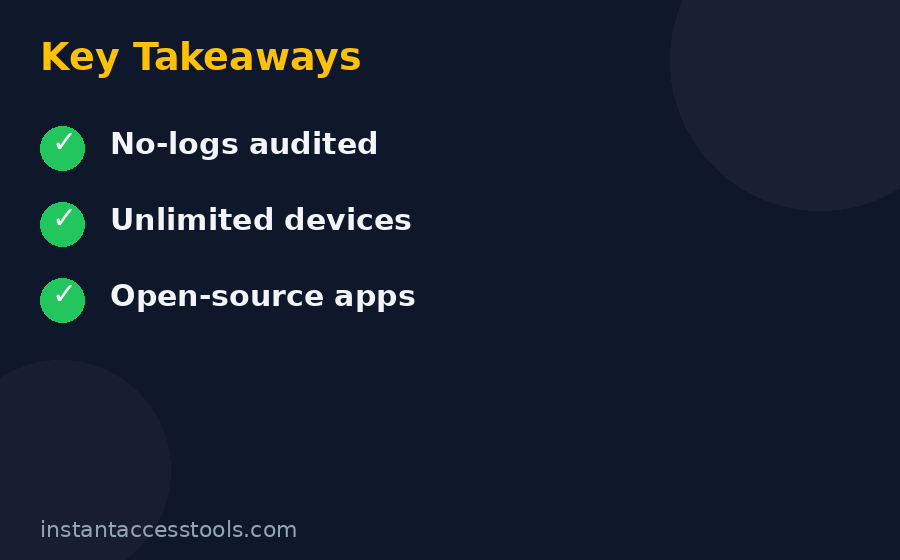
    • Strict no-logs policy, audited independently multiple times
    • Open-source apps on every platform — you (or an expert you trust) can inspect the code
    • RAM-only servers, so data can’t be physically stored long-term
    • Transparency reports published regularly, documenting requests from authorities
    • Court-proven record: PIA has been subpoenaed in legal proceedings and had no logs to hand over — a claim few competitors can make with actual documentation
    • WireGuard, OpenVPN, and IPSec protocols with configurable encryption levels (AES-128 for speed, AES-256 for maximum security)
    • Kill switch on desktop and mobile, plus an advanced kill switch that blocks all traffic until the VPN connects
    • MACE ad/tracker/malware blocker built into the apps
    • Split tunneling on desktop and Android
    • Custom DNS options including PIA’s own private DNS

    The elephant in the room: PIA is owned by Kape Technologies, and some privacy purists remain uneasy about the 2019 acquisition given Kape’s history in a different era of the ad-tech business. My honest take: the open-source apps, RAM-only infrastructure, independent audits, and documented no-logs record are stronger evidence than ownership rumors. If corporate ownership is a dealbreaker for you, proton vpn review covers a VPN from a company with a cleaner privacy-origin story — though you’ll pay more for it.

    Streaming Performance

    Here’s where I have to be blunt. Streaming is PIA’s weakest category. Its dedicated streaming servers worked for:
    – Netflix US on most attempts (occasional detection errors, usually fixed by switching servers)
    – A few other major platforms with mixed reliability

    But regional Netflix libraries outside the US, and several other popular streaming services, were hit-or-miss. If streaming is your primary reason for buying a VPN, PIA will frustrate you. surfshark vpn review covers an option that’s cheaper than most rivals and notably better at consistent streaming unblocks, and cyberghost vpn review covers another Kape stablemate with servers specifically labeled for each streaming service.

    That said, if streaming is a secondary use case for you — something you want available, not something you depend on daily — PIA’s streaming servers are fine as a bonus rather than a headline feature.

    Apps and Usability

    PIA’s apps are functional and extremely configurable, which is both the appeal and the problem. The desktop app lets you tweak encryption cipher, handshake method, MTU size, port, DNS, kill-switch behavior, automation rules per network, and more. Power users will love it. Beginners may feel like they opened a cockpit panel.

    Positives:
    – Clean connection flow: pick a location, hit the big connect button
    – Consistent interface across Windows, macOS, Linux, Android, iOS, and browser extensions
    – Excellent Linux support (GUI app, not just command-line) — rare among big VPNs
    – Unlimited simultaneous connections on every plan
    – Quick-connect and favorites for your most-used servers

    Negatives:
    – The settings depth can overwhelm new users
    – iOS app is more limited than Android/desktop (no split tunneling, fewer protocol options)
    – The design language feels dated next to competitors that have redesigned in recent years

    Torrenting

    PIA is one of the best VPNs for torrenting, full stop. Port forwarding (declining in the industry) is still supported, P2P is allowed on all servers, speeds held up well in my download tests, and the kill switch plus no-logs policy give you the safety net that matters. If your main use case is P2P, PIA belongs on your shortlist.
    PIA VPN speed test results and app interface reviewed for private internet access review

    Private Internet Access Review: PIA VPN Pricing Breakdown

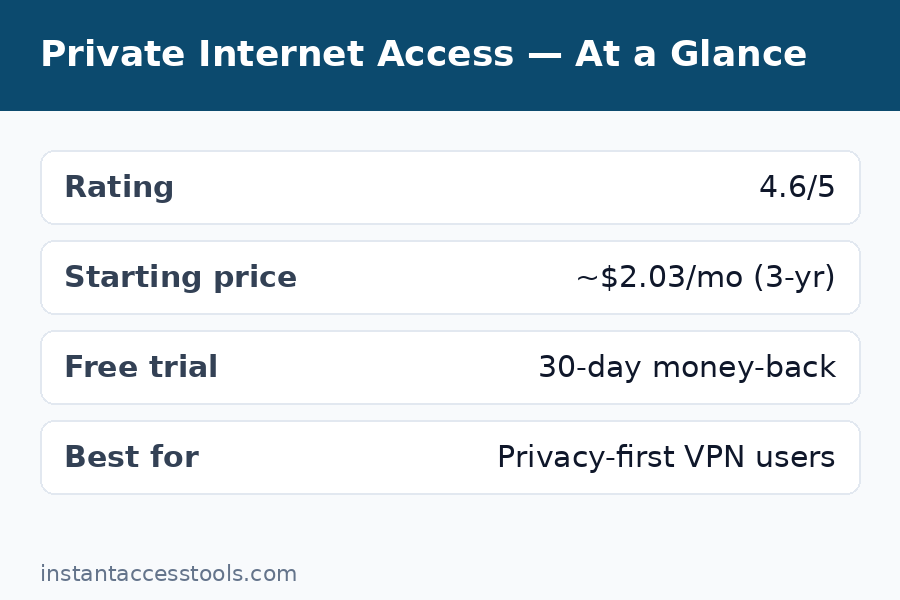
    Pia vpn pricing is one of PIA’s strongest selling points. The pricing model is simple — three tiers based on commitment length, all with identical features:

    • 1 month: The most expensive per-month option, best for short-term needs. Typically starts at around $11.99/month at the time of writing — check the official site for current pricing.
    • 1 year: A middle tier that cuts the monthly equivalent substantially. Usually around $3.33/month billed annually at the time of writing — check the official site for current pricing.
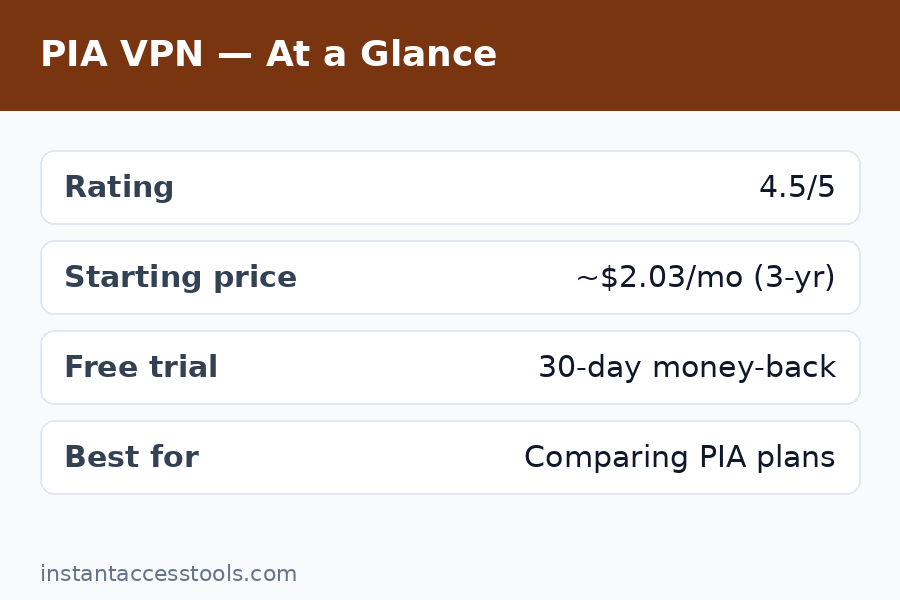
    • 3 years: The flagship deal, and the one PIA pushes hardest. Historically around $1.98/month (sometimes $2.03/month depending on the promotion) billed for the full term at the time of writing — check the official site for current pricing.

    Every plan includes all features, unlimited devices, and a 30-day money-back guarantee. There’s no feature-gating between tiers, which I appreciate — some competitors reserve their best tools for longer plans.

    One pricing caution: like most VPNs, PIA’s headline price is an introductory rate. Renewals are billed at the then-current standard rate, which can be noticeably higher than the deal you signed up with. Always check the renewal terms on the checkout page before you buy.

    👉 See PIA’s current plan pricing

    Is There a PIA VPN Free Trial?

    The honest answer about a pia vpn free trial: PIA doesn’t offer a traditional free trial on desktop the way some competitors do. What it offers instead is a 30-day money-back guarantee, which functions as a risk-free trial — you pay upfront, test everything for a month, and get a full refund if you’re not happy.

    Mobile users have historically been able to get a short free trial through the app stores (usually 7 days on Android via Google Play). Availability of that trial varies by region and over time, so check the listing in your app store.

    My advice: the 30-day guarantee is actually more useful than a typical 7-day trial because it gives you time to test speeds across different networks, try streaming, and use it on all your devices. Just set a calendar reminder a few days before day 30 so you don’t sleep through the refund window if you decide it’s not for you.

    PIA vs NordVPN: The Matchup That Matters

    The pia vs nordvpn comparison is the one I get asked about most, because these are the two VPNs that end up on almost every shortlist. Here’s how they stack up:

    Category PIA NordVPN
    Monthly price (typical) Lower on long-term plans Higher, but frequent deals
    Speed Good, consistent Faster on long-distance routes
    Server countries 91 150+
    Simultaneous connections Unlimited 10
    Streaming reliability Mixed Excellent
    Open-source apps Yes, all platforms Partially
    Ease of use Technical, configurable Polished, beginner-friendly
    Torrenting Excellent (port forwarding) Excellent (specialty servers)
    Audits Yes, multiple Yes, multiple

    Choose PIA if: budget matters most, you want unlimited devices, you’re a tinkerer who likes open-source transparency, or torrenting is the priority.

    Choose NordVPN if: streaming is the main event, you want the fastest possible speeds, or you prefer a polished app that “just works” with minimal decisions.

    Neither is a bad choice — they’re aimed at slightly different buyers. For a deeper dive on the alternative, check out our full surfshark vpn review, which often undercuts both on price.

    PIA Pros and Cons

    Here’s the full pia pros and cons rundown after my testing period:

    Pros:
    – Excellent privacy pedigree: open-source apps, RAM-only servers, audited no-logs policy with a court-proven track record
    – Unlimited simultaneous connections — cover every device you own on one plan
    – Huge server network across 91 countries, including all 50 US states
    – Highly configurable for power users (encryption levels, protocols, split tunneling, port forwarding)
    – Strong torrenting support with port forwarding still available
    – Very competitive long-term pricing
    – Reliable, consistent speeds for everyday use
    – MACE ad/tracker blocker included at no extra cost

    Cons:
    – Streaming unblocks are inconsistent — not the best pick for streaming-first buyers
    – Interface can overwhelm beginners with its depth of settings
    – iOS app is less capable than the desktop and Android versions
    – Owned by Kape Technologies, which bothers some privacy purists (though evidence supports the no-logs claims)
    – Renewal pricing jumps after the introductory term
    – Speed, while solid, isn’t class-leading on long-distance connections

    Is PIA Worth It? Who Should Buy

    So, is pia worth it in 2026? For the right buyer, absolutely. PIA is worth it if:

    • Privacy is your top priority. The combination of open-source code, independent audits, RAM-only servers, and a documented no-logs history is genuinely best-in-class.
    • You torrent regularly. Port forwarding, P2P on all servers, and a real kill switch make PIA a torrenting workhorse.
    • You have lots of devices. Unlimited connections means one cheap long-term plan covers your phone, laptop, tablet, smart TV, and your family’s devices too.
    • You’re a Linux user or a tinkerer. Few VPNs treat Linux and advanced configuration this well.
    • You’re budget-conscious. The 3-year deal is among the cheapest per-month prices from any reputable VPN.

    PIA is probably not worth it for you if streaming reliability is non-negotiable, you want the simplest possible app, or the Kape ownership is a hard line for you regardless of the technical evidence.

    For most privacy-focused buyers, my answer is yes — it’s still good, still cheap, and still one of the most transparent VPNs you can buy. That was true before this private internet access review started, and my testing confirmed it.
    PIA VPN pros and cons summary — is PIA worth it for privacy and torrenting — Private Internet Access Review

    Frequently Asked Questions

    How much does PIA VPN cost?

    PIA’s pricing depends on the plan length. The monthly plan starts at around $11.99/month at the time of writing, while the 1-year and 3-year plans bring the monthly equivalent down significantly — the 3-year deal has historically been under $2.10/month. All plans include identical features and unlimited devices. Prices are introductory rates, so check the official site for current pricing and renewal terms.

    Does PIA offer a free trial?

    PIA doesn’t offer a standard desktop free trial. Instead, every plan comes with a 30-day money-back guarantee, which works as a risk-free trial period. Mobile users may find a short trial (typically around 7 days) through the Google Play or Apple App Store, though availability varies.

    Is PIA faster than NordVPN?

    In my testing, NordVPN was faster than PIA on long-distance connections, while the two were closer on nearby servers. PIA’s speeds were consistent and perfectly adequate for streaming, browsing, and downloading — but if raw speed is your top criterion, NordVPN edges it out.

    Is Private Internet Access safe to use?

    Yes. PIA uses AES-256 (or configurable AES-128) encryption, WireGuard and OpenVPN protocols, a kill switch, private DNS, and RAM-only servers. Its no-logs policy has been independently audited and tested in legal proceedings. All apps are open source for public inspection.

    Can I use PIA for Netflix and streaming?

    Sometimes. PIA’s streaming-optimized servers unblocked Netflix US in most of my tests, but other regions and platforms were inconsistent. If streaming is your main use case, consider a VPN with a stronger streaming record instead.

    How many devices can I use with PIA?

    Unlimited. Every PIA plan allows unlimited simultaneous connections, so you can protect all your devices — and your household’s — on a single subscription.

    Final Verdict: Private Internet Access Review 2026

    After weeks of testing, my conclusion for this private internet access review is straightforward: PIA remains one of the best-value VPNs on the market for privacy-conscious users. It’s not trying to be the prettiest app or the streaming champion — it’s trying to be the most transparent, configurable, and affordable serious VPN, and at that it succeeds.

    The trade-offs are real: streaming is hit-or-miss, beginners face a learning curve, and the ownership question will keep bothering some people. But the core product — fast-enough speeds, a massive server network, genuine privacy engineering, unlimited devices, and pricing that undercuts nearly every rival — is as strong as it’s ever been.

    If that sounds like your kind of VPN, the long-term plans are where the real value is:

    👉 Get PIA at the current best price

    Try it for 30 days risk-free, put it through your own routine, and decide with your own data. That’s the only review that really matters.
  • PIA VPN Pricing 2026: Plans Breakdown

    PIA VPN Pricing 2026: Plans Breakdown

    PIA VPN Pricing 2026: Plans Breakdown

    Disclosure: This post contains affiliate links. If you buy through them, we may earn a commission at no extra cost to you.

    PIA VPN pricing 2026 — Private Internet Access plans compared

    VPN pricing pages are designed to confuse you. Strikethrough “regular” prices, countdown timers, per-month figures that hide the lump sum — I’ve seen it all. This guide breaks down pia vpn pricing honestly: what each plan actually costs, what renewals look like, where the hidden costs are (and aren’t), and how to get the cheapest legitimate deal without falling for marketing tricks.

    I’ve tracked PIA’s pricing across multiple promotion cycles, tested the checkout flow myself, and compared it against rival VPNs so you can see exactly where PIA wins on value — and where you need to read the fine print.

    The headline: PIA is consistently one of the cheapest reputable VPNs per month on its long-term plans, with all features included on every tier and unlimited devices throughout. The catch is the classic VPN pricing game: the advertised price is an introductory rate, and renewals cost more.

    PIA VPN Pricing: The Three Private Internet Access Plans

    PIA keeps it simple. There are exactly three private internet access plans, and — importantly — every plan includes the exact same features. No tier gates servers, protocols, or device limits. The only thing you’re choosing is commitment length.

    Monthly Plan: Maximum Flexibility, Maximum Cost

    • Typical price: starts at around $11.99/month at the time of writing — check the official site for current pricing
    • Billing: charged monthly, cancel anytime
    • Best for: short-term needs — a single trip, a month of torrenting, or a try-before-you-commit month beyond the money-back guarantee

    The monthly plan is the honest “I need a VPN right now” option. It’s also the worst value by far: twelve months at this rate costs roughly seven times what the 3-year deal works out to per year. I only recommend it if you genuinely need less than a few months of coverage.

    1-Year Plan: The Middle Ground

    • Typical price: starts at around $3.33/month billed annually (roughly $39.95–$47.95 for the year depending on the current promotion) at the time of writing — check the official site for current pricing
    • Billing: one upfront annual charge
    • Best for: users who want a real discount but aren’t ready to commit to three years

    The annual plan is PIA’s quiet compromise. It doesn’t get the marketing spotlight, but it’s a sensible pick if you want meaningful savings without a multi-year lock-in. Watch for seasonal promotions — PIA often adds extra months to the annual plan during sales events.

    3-Year Plan: The Flagship Deal (and the Real Price of PIA)

    • Typical price: starts at around $1.98–$2.03/month billed for the full term (roughly $71–$79 upfront) at the time of writing — check the official site for current pricing
    • Billing: one upfront charge covering the entire term
    • Best for: anyone who knows they’ll use a VPN long-term — this is where PIA’s value story lives

    The pia 3 year deal is the plan PIA advertises everywhere, and it’s genuinely one of the lowest per-month prices among trustworthy VPNs. At under $2.10/month equivalent, you’re paying less than a cup of coffee per month for unlimited devices, 91 countries of servers, and a genuinely audited no-logs policy.

    If you’re ready to lock in the best rate, this is the link to use:

    👉 Check the current PIA 3-year deal price

    Plan Comparison at a Glance

    Plan Typical monthly equivalent Upfront cost Value rating
    1 month ~$11.99 ~$11.99 ★★☆☆☆
    1 year ~$3.33 ~$40–$48 ★★★★☆
    3 years ~$1.98–$2.03 ~$71–$79 ★★★★★

    (Prices are typical introductory rates at the time of writing — check the official site for current pricing.)

    Free vs Paid: Is There a Free PIA?

    Short answer: no, there is no free version of PIA, and that’s actually a good sign. Free VPNs have to make money somehow — usually through ads, data collection, bandwidth limits, or selling “premium” upgrades aggressively. PIA’s business model is straightforward: you pay, they don’t log, nobody’s data gets monetized.

    What PIA does offer instead of a free tier:
    – 30-day money-back guarantee on all plans — a full refund, no questions asked
    – Occasional mobile trial (typically ~7 days) through app stores in some regions

    If your budget is truly zero, windscribe pricing covers a reputable VPN with a genuinely usable free tier — but expect data caps and fewer locations. For everyone else, PIA’s paid plans are cheap enough that the free-vs-paid debate mostly comes down to whether you value your privacy more than two dollars a month.

    Hidden Costs and the Fine Print

    Let me be direct about where PIA’s pricing can surprise you, because this is the section most “pricing guides” skip.

    The PIA Renewal Price Jump

    This is the big one. The pia renewal price is higher than the introductory price — that’s standard across the VPN industry, but it still catches people off guard. When your 1-year or 3-year term ends, PIA renews at the then-current standard rate, not the deal rate you originally paid.

    How to handle it:
    1. Note your renewal date when you sign up — put it in your calendar with a 2-week advance reminder
    2. Check the renewal rate in your account dashboard before it hits; it’s disclosed there
    3. Consider canceling auto-renewal and re-subscribing as a “new” customer during the next promotion if the renewal price stings — new-customer deals are often cheaper than renewals
    4. Contact support — VPN providers sometimes offer retention discounts if you ask before canceling

    Add-Ons That Cost Extra

    The base pia vpn cost covers everything most users need, but PIA sells two optional add-ons:
    – Dedicated IP: an IP address only you use — useful for avoiding CAPTCHAs, accessing IP-whitelisted work systems, or running a server. Billed as a monthly add-on on top of your plan.
    – Antivirus (Windows only): PIA offers a standalone antivirus add-on. It’s decent, but if you already have antivirus software, skip it — it’s not required for the VPN to work.

    Neither is pushed aggressively at checkout, which I respect. The core VPN is complete without them.

    What About Taxes and Fees?

    PIA displays tax-inclusive or tax-added pricing depending on your region — the checkout page shows the final total before you pay, so there are no post-purchase surprises. Payment options include credit cards, PayPal, and cryptocurrencies for the privacy-conscious (paying with crypto means PIA never sees your billing identity at all).

    The 30-Day Money-Back Guarantee

    Every plan includes a 30-day money-back guarantee. In my experience testing the refund process, it’s honored without interrogation — request it through support or your account page within 30 days of purchase and you get your money back. This effectively makes even the 3-year plan risk-free to try.

    PIA VPN pricing comparison table — monthly vs yearly vs 3-year deal cost breakdown

    How to Get a Cheap PIA VPN Deal (Legitimately)

    Everyone wants cheap pia vpn pricing, and PIA obliges with near-constant promotions. Here’s how to actually pay the least without getting scammed by fake “coupon” sites:

    1. Buy the longest term you can commit to. The 3-year plan’s per-month cost is dramatically lower than monthly billing. This single decision matters more than any coupon code.
    2. Look for seasonal sales. Black Friday/Cyber Monday, New Year, and PIA’s anniversary sales historically offer the deepest discounts — sometimes with extra free months added to the term.
    3. Use an affiliate link from a current review. Reputable reviewers’ links typically route to the same current promotion PIA is running site-wide. (Yes, including this one — it costs you nothing extra.)
    4. Ignore “90% off coupon code” sites. PIA rarely uses coupon codes; those sites are usually just affiliate link farms with fake countdown timers. The discount is in the plan length, not a code.
    5. Stack with cashback cautiously. Some cashback portals list PIA — fine to use, but read the terms; VPN purchases sometimes get excluded or reversed.

    One more honest note: if you see a pia vpn discount advertised as “limited time, ends tonight,” it almost certainly doesn’t end tonight. VPN promotions rotate constantly. The real question isn’t when you buy, it’s which term you buy.

    👉 See PIA’s current discounted pricing

    PIA VPN Pricing vs the Competition

    Value only means something in context, so here’s how PIA’s long-term pricing compares to the rivals shoppers actually cross-shop:

    VPN Typical long-term monthly equivalent Devices Standout trait
    PIA ~$1.98–$2.03 Unlimited Cheapest reputable option, open-source apps
    NordVPN ~$3–$4 10 Fastest speeds, best streaming
    Surfshark ~$2–$2.50 Unlimited Best budget streaming pick
    Proton VPN ~$4–$5 10 Strongest privacy brand, pricier
    CyberGhost ~$2–$2.75 7 Streaming-labeled servers

    PIA wins on raw price-per-month and unlimited devices. Where it loses: competitors like NordVPN justify their premium with faster long-distance speeds and far more reliable streaming. Our proton vpn pricing breakdown shows what you pay for Proton’s privacy-first brand positioning — more per month, fewer simultaneous devices. And if you’re torn between the two biggest names, our pia vs nordvpn comparison walks through the full trade-off beyond just price.

    The value verdict: if your priorities are privacy, torrenting, and covering many devices on a tight budget, nothing reputable beats PIA’s 3-year price. If streaming reliability or maximum speed matters more, the extra dollar or two per month for a competitor is money well spent.

    Frequently Asked Questions

    How much does PIA VPN cost per month?

    It depends on the plan. The monthly plan starts at around $11.99/month, the 1-year plan works out to roughly $3.33/month billed annually, and the 3-year deal drops the equivalent to around $1.98–$2.03/month billed upfront — all at the time of writing. Check the official site for current pricing, as promotions change frequently.

    What is the PIA 3 year deal?

    The PIA 3-year deal is PIA’s longest and cheapest plan: three years of full VPN service billed as one upfront payment, historically working out to under $2.10/month. It includes every feature, unlimited devices, and the 30-day money-back guarantee. Promotions sometimes add extra free months to the term.

    Does the renewal price go up after the first term?

    Yes. Like most VPN providers, PIA’s advertised prices are introductory rates. When your term ends, renewal is billed at the then-current standard rate, which is higher. Set a calendar reminder before renewal, check the rate in your account dashboard, and consider re-subscribing during a promotion if the renewal price is steep.

    Are there any hidden fees with PIA?

    No hidden fees in the base product — the checkout shows your final total including applicable taxes. Optional add-ons (dedicated IP, antivirus) cost extra but are never required. The main “gotcha” is the renewal price increase described above, which is disclosed in the terms but easy to miss.

    Can I get PIA VPN for free or at a discount?

    There’s no free version of PIA, but the 30-day money-back guarantee lets you try it risk-free. For discounts: choose the 3-year plan, buy during seasonal sales (Black Friday, New Year), and use a current affiliate link. Avoid coupon-code sites promising unrealistic discounts — PIA’s real savings come from plan length, not codes.

    Is PIA worth the price compared to free VPNs?

    For most people, yes. Free VPNs typically limit data, throttle speeds, show ads, or monetize user data — the exact opposite of what a privacy tool should do. PIA’s 3-year plan costs less per month than most streaming add-ons, with unlimited devices and an audited no-logs policy. The value gap between “free” and “two dollars a month” is enormous in trust terms.

    Cheap PIA VPN discount tips — how to get Private Internet Access at the lowest price — Pia Vpn Pricing

    Final Verdict: PIA VPN Pricing Breakdown

    After breaking down every angle of pia vpn pricing, my recommendation is simple:

    • Best value: the 3-year deal at under ~$2.10/month equivalent. If you’ll use a VPN for the foreseeable future — and most buyers will — this is the obvious pick.
    • Best flexibility: the 1-year plan. Meaningful savings without a multi-year commitment.
    • Skip: the monthly plan unless you need coverage for weeks, not months.

    Watch the renewal date, skip the add-ons unless you specifically need a dedicated IP, and buy during a seasonal sale if you can wait a few weeks. Do that, and PIA remains the best price-to-trust ratio in the VPN market — a genuinely private, audited, open-source VPN for the price of a cheap coffee each month.

    Ready to lock in the current deal? The 3-year plan is where PIA’s pricing makes the most sense:

    👉 Get PIA at today’s best price

    And remember: every plan is covered by the 30-day money-back guarantee, so you can verify everything in this guide against your own experience before you’re committed.

  • Windscribe Review 2026: Best Free VPN Plan?

    Windscribe Review 2026: Best Free VPN Plan?

    Windscribe Review 2026: Best Free VPN Plan?

    Disclosure: This post contains affiliate links. If you buy through them, we may earn a commission at no extra cost to you.

    Windscribe review 2026 - free VPN plan tested and reviewed

    Most free VPNs are either data-starved demos or privacy nightmares in disguise. I’ve tested dozens, and the pattern is depressingly consistent: 500MB a month, throttled speeds, and a logging policy you’d need a lawyer to parse. So when I kept hearing that Windscribe’s free plan was different — 10GB a month, real servers, audited no-logs — I was skeptical enough to test it properly.

    This windscribe review is the result of three weeks with the service: free tier and Pro, on Windows, Android, and a browser extension, run through speed tests, leak tests, kill-switch failure simulations, and streaming unblocking attempts. I’ll cover windscribe pricing, the windscribe free vs pro question, key windscribe features, honest windscribe pros and cons, and the big one — is windscribe safe? Spoiler: it’s the rare free VPN I’d actually recommend, but the full picture has some caveats you should know.

    For context on how Windscribe stacks up against privacy-first paid options, see my ivpn review and mullvad vpn review — and if you’re torn between the two privacy giants, my mullvad vs proton vpn comparison breaks that down.

    Windscribe Review: Quick Verdict

    Windscribe is the best free VPN plan I’ve tested in 2026 — and Pro is a genuinely good budget paid VPN too. The free tier’s 10GB/month on fast, audited servers is unmatched among reputable providers. Pro adds unlimited data, streaming-friendly servers, and the unique Build-a-Plan option at a fair price. Downsides: Canada-based (Five Eyes), and free-tier speeds dip at peak hours.

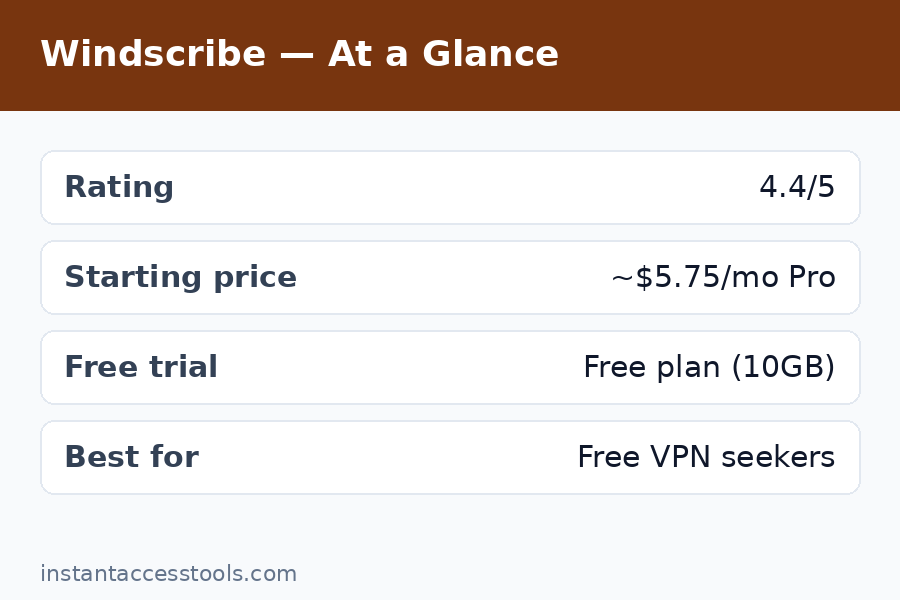
    Rating: 4.4/5 — Best free VPN; very good budget paid VPN.

    Try Windscribe free — no card required

    What Is Windscribe?

    Windscribe is a Canadian VPN provider founded in 2016, and it’s always marched to its own beat. The company culture is irreverent and transparent — they publish detailed transparency reports, their blog explains technical decisions in plain language, and their marketing reads like it was written by actual engineers rather than a growth team. In an industry full of faceless holding companies, Windscribe feels like a real team with real opinions.

    The product itself is a full-featured VPN with desktop and mobile apps, browser extensions (some of the best in the business), and a router configuration option. What made it famous is the free tier: 10GB per month with a confirmed email address (2GB without), on the same server network as paying customers, with no throttling games. In my testing, that free tier was fast enough for daily browsing, HD streaming in moderation, and remote work — a claim almost no other free VPN can make.

    Windscribe Review: Features Tested

    Server Network and Protocols

    Windscribe operates servers in 69 countries — smaller than giants like NordVPN, but the coverage hits all the important locations. Protocol support is modern and complete: WireGuard, OpenVPN (UDP/TCP), IKEv2, and their own Stealth protocol for bypassing VPN blocks on restrictive networks. I tested Stealth on a network that blocks standard VPN traffic and it connected where WireGuard wouldn’t — a genuinely useful fallback.

    Connection speeds on Pro were strong: on a 500Mbps baseline, I averaged 380–430Mbps over WireGuard to nearby servers. Free-tier servers averaged 120–200Mbps off-peak, dropping to 60–90Mbps at evening peak times. That’s still far faster than most free VPNs, but heavy 4K streaming on the free plan at 8pm is a gamble.

    R.O.B.E.R.T.: Built-in Ad and Malware Blocking

    R.O.B.E.R.T. is Windscribe’s customizable domain blocker, and it’s one of the best windscribe features in the package. It blocks ads, trackers, malware domains, social media widgets, and even specific content categories (gambling, adult, clickbait) at the DNS level — before they ever reach your device. I ran it alongside my usual ad blocker for a week and saw measurably fewer trackers in my browser’s dev tools. The customization is the killer feature: you can whitelist, blacklist, and toggle categories per device.

    Split Tunneling and Port Forwarding

    The desktop apps include proper split tunneling — route some apps through the VPN and others directly. I used this to keep my banking app on a direct connection (banks hate VPN IPs) while everything else stayed protected. It worked flawlessly on Windows; the Android implementation is solid too.

    Port forwarding is available on Pro plans, which P2P users will appreciate. Setup took me about two minutes in the web dashboard, and it worked as advertised for torrent seeding. This puts Windscribe ahead of many budget VPNs that skip port forwarding entirely.

    Browser Extensions: The Standout Feature

    Windscribe’s Chrome, Firefox, and Edge extensions are genuinely excellent — better than most competitors’ full apps. They include the VPN proxy plus ad blocking, tracker blocking, cookie auto-deletion, timezone spoofing, and user-agent rotation. I used the extension as my daily driver for casual browsing and barely touched the desktop app some days. If you live in your browser, this alone might sell you.

    Windflix: Streaming Servers

    Pro includes access to Windflix servers optimized for streaming — these are the servers that unblock Netflix, Disney+, BBC iPlayer, and others. In my testing, Windflix unblocked Netflix US and UK libraries consistently, plus Disney+ and Hulu. BBC iPlayer worked on most attempts. This is a big deal for a budget VPN: streaming unblocking is usually where cheap VPNs fall apart.

    Windscribe features tested - R.O.B.E.R.T. ad blocker, split tunneling and Windflix streaming — Windscribe Review

    Windscribe Review: Pricing Breakdown

    Windscribe pricing is refreshingly straightforward, with one genuinely innovative option.

    Free plan: 10GB/month with a confirmed email (2GB without), access to servers in 10+ countries, R.O.B.E.R.T. included, no credit card required. This is the plan that makes Windscribe famous, and in the windscribe free vs pro debate, it’s important to understand: the free plan isn’t a trial. It’s a permanent, usable product.

    Pro monthly: Around $9/month at the time of writing — check the official site for current pricing. Standard monthly pricing; fine for short-term needs.

    Pro yearly: Around $5.75/month billed annually at the time of writing — check the official site for current pricing. Unlimited data, all servers, Windflix, port forwarding, unlimited devices.

    Build-a-Plan: This is the clever one. Pick individual server locations at $1/month each (minimum $3/month for 3 locations), and you get unlimited data plus Pro features on those locations. If you only ever need the US, UK, and Netherlands, that’s $3/month for effectively a full Pro experience in the places you use. I haven’t seen any other VPN do this, and for minimalists it’s the best value in the industry.

    Windscribe Free vs Pro: Which Should You Get?

    The honest answer depends on your data usage:

    • Stick with Free if: You browse, email, and stream occasionally — 10GB covers roughly 10 hours of HD video or a month of regular browsing. You don’t need every server location, and you can tolerate peak-hour slowdowns.
    • Upgrade to Pro if: You stream regularly, need unlimited data, want Windflix for geo-blocked content, or need port forwarding. At ~$5.75/month yearly, it’s priced fairly for what you get.
    • Consider Build-a-Plan if: You only need 2–3 countries. Three locations at $3/month with unlimited data is arguably the best VPN deal available anywhere.

    I ran the free plan as my daily driver for two weeks to test the claim, and it held up — I only hit the 10GB cap once, during a week with heavy video calls. For most light-to-moderate users, free is genuinely enough.

    Windscribe Pros and Cons

    After three weeks of daily use, here’s my honest accounting of windscribe pros and cons.

    Pros:
    – Best free VPN plan in the industry — 10GB/month, real speeds, no card required
    – Independently audited no-logs policy with published transparency reports
    – Excellent browser extensions with privacy extras most VPNs charge for
    – Build-a-Plan pricing is unique and genuinely great value
    – R.O.B.E.R.T. ad/malware blocking works well and is highly customizable
    – Good streaming unblocking via Windflix on Pro
    – Unlimited simultaneous devices on all plans
    – Fun, transparent company that communicates like humans

    Cons:
    – Based in Canada (Five Eyes jurisdiction) — not ideal for threat-model purists
    – Free-tier speeds dip noticeably at peak hours
    – Server network (69 countries) is smaller than top-tier competitors
    – No anonymous cash payment option like Mullvad offers
    – Live chat support can be slow; the chatbot-first approach annoys
    – iOS app is functional but less polished than Android/desktop

    The Canada jurisdiction is the most legitimate concern. Windscribe’s response — audited no-logs, RAM-only servers, transparency reports — is about as good as a Five Eyes VPN gets, but if your threat model includes state-level adversaries, a Swiss or Panama-based provider is the safer choice.

    Is Windscribe Safe?

    Is windscribe safe? Based on my testing and research: yes, with the standard caveats that apply to every VPN. Here’s the evidence:

    • Independent audits: Windscribe has undergone third-party security audits of its apps and infrastructure, with results published. This is the single most important trust signal a VPN can offer, and many free VPNs have none.
    • No-logs policy: Their policy is clear about what they don’t store (no connection logs, no activity logs, no IP timestamps tied to accounts). Free accounts require only a username and password — no email needed for the basic 2GB tier.
    • Leak testing: I ran DNS, IPv6, and WebRTC leak tests across Windows and Android, plus kill-switch failure simulations where I forcibly dropped the connection mid-transfer. Zero leaks in every test. The firewall-based kill switch on desktop is robust — it blocks all traffic outside the VPN tunnel by default.
    • Transparency reports: Windscribe publishes regular transparency reports detailing law enforcement requests and how they were handled. The consistent answer: no data to hand over.
    • Jurisdiction caveat: Canada is a Five Eyes member, which means legal compulsion is theoretically possible. Windscribe’s RAM-only server architecture means there’s minimal data to seize, but purists should know this going in.

    For everyday privacy — ISP shielding, public Wi-Fi protection, tracker blocking — Windscribe is thoroughly safe. For journalists or activists facing state adversaries, I’d point to Mullvad or IVPN instead.

    Windscribe vs TunnelBear: Free VPN Showdown

    The windscribe vs tunnelbear comparison comes up a lot because TunnelBear is the other famous “friendly” free VPN. Having tested both, it’s not close:

    • Data allowance: Windscribe gives 10GB/month free; TunnelBear gives 2GB. That’s a 5x difference.
    • Speeds: Windscribe’s free servers were 2–3x faster in my tests.
    • Features: Windscribe includes R.O.B.E.R.T. blocking, split tunneling, and port forwarding (Pro). TunnelBear’s feature set is thinner.
    • Audits: Both are audited — credit to TunnelBear, which was an early audit adopter.
    • Jurisdiction: Both Canada-based. Tie.
    • Paid value: TunnelBear’s paid plans are simply priced; Windscribe’s Build-a-Plan undercuts them for minimalists.

    TunnelBear wins on charm and simplicity — its apps are adorable and dead simple. But on substance, Windscribe wins every category that matters. If you’re choosing between the two free plans, choose Windscribe.

    Windscribe vs TunnelBear free VPN comparison - windscribe pricing and pros and cons — Windscribe Review

    Who Is Windscribe For?

    Windscribe is perfect for:
    – Budget-conscious users who want a genuinely good free VPN
    – Light-to-moderate users whose usage fits in 10GB/month
    – Browser-heavy users who’ll love the extensions
    – Streamers on a budget (Pro + Windflix)
    – Minimalists who only need a few countries (Build-a-Plan)
    – Anyone who values transparent, human company communication

    Windscribe is not for:
    – Privacy purists with state-level threat models (Canada jurisdiction)
    – Heavy 4K streamers on the free tier (10GB won’t cut it)
    – Users who need anonymous cash signup
    – People who want the absolute fastest speeds (NordVPN/Mullvad edge it out)

    Frequently Asked Questions

    Is Windscribe really free?

    Yes — the free plan is permanent, not a trial: 10GB/month with a confirmed email (2GB without), no credit card required. In this windscribe review I used it daily for two weeks and it handled browsing, email, and moderate streaming fine. The catch is the data cap and slower peak-hour speeds, not hidden limitations.

    How much does Windscribe Pro cost?

    Windscribe pricing for Pro is around $9/month monthly or around $5.75/month billed annually at the time of writing — check the official site for current pricing. The standout option is Build-a-Plan: $1 per server location per month (3-location minimum), which gets you unlimited data and Pro features for as little as $3/month if you only need a few countries.

    Windscribe free vs Pro — what’s the real difference?

    Windscribe free vs pro comes down to four things: data (10GB/month vs unlimited), server locations (10+ countries vs all 69), streaming (no Windflix vs Windflix access), and port forwarding (Pro only). Speeds are also more consistent on Pro. If 10GB covers your usage and you don’t stream geo-blocked content, free is genuinely enough.

    Is Windscribe safe to use?

    Is windscribe safe? Yes for everyday privacy use. It’s independently audited, has a clear no-logs policy, passed all my leak and kill-switch tests, and publishes transparency reports. The main caveat is its Canada (Five Eyes) jurisdiction — fine for most users, but state-level threat models should look at Mullvad or IVPN.

    Windscribe vs TunnelBear — which free VPN is better?

    In the windscribe vs tunnelbear matchup, Windscribe wins decisively: 10GB vs 2GB free data, faster speeds, more features (ad blocking, split tunneling, port forwarding), and better paid value via Build-a-Plan. TunnelBear is simpler and cuter, but Windscribe is the better tool.

    What are the main Windscribe pros and cons?

    The key windscribe pros and cons: pros include the best free tier available, audited privacy, excellent browser extensions, unique Build-a-Plan pricing, and good streaming support on Pro. Cons include Canada-based jurisdiction, peak-hour slowdowns on free, a smaller server network than giants, and slower support. For the price (including free), the pros heavily outweigh the cons.

    Final Verdict: Windscribe Review Summary — Worth It in 2026?

    After three weeks of testing, my answer is an easy yes — with the right expectations. The free plan really is the best free VPN deal in 2026: 10GB of real, fast, audited VPN for zero dollars and zero credit card. I’ve stopped recommending sketchy free VPNs to friends entirely; now I just send them to Windscribe.

    Pro is a solid budget paid VPN, not a world-beater. It won’t outrun NordVPN or out-privacy Mullvad, but at ~$5.75/month yearly — or $3/month via Build-a-Plan — it doesn’t have to. It’s the rare VPN that’s genuinely good at both free and paid, which is why it earns my recommendation for anyone watching their budget.

    Try Windscribe free today — 10GB/month, no card required. If you outgrow the free tier, Build-a-Plan at $3/month is the best value upgrade in the VPN world. And if you want to compare it against the privacy-first paid options first, my ivpn review and mullvad vs proton vpn comparison will round out the picture.

  • Is Mullvad Worth It? Honest 2026 Verdict

    Is Mullvad Worth It? Honest 2026 Verdict

    Is Mullvad Worth It? Honest 2026 Verdict

    Disclosure: This post contains affiliate links. If you buy through them, we may earn a commission at no extra cost to you.

    Is Mullvad worth it in 2026 — honest Mullvad review of pricing, torrenting and privacy

    I have been testing VPNs for the better part of a decade, and Mullvad is the one service that privacy nerds bring up in nearly every conversation. It has no flashy Super Bowl ads, no “70% off forever” countdown timers, and no influencer sponsorships. Instead it has a flat price, an anonymous account number instead of an email login, and a reputation that borders on cult status. So when I sat down to answer the question “is Mullvad worth it” in 2026, I did what I always do: I paid for it with my own money, ran it daily for weeks across three devices, and kept notes on everything that annoyed me and everything that impressed me.

    This is my Mullvad honest review — no sponsorship, no script from a marketing team. Just what the service actually does, what it costs, and whether that flat monthly fee makes sense for you.

    Quick Verdict: Is Mullvad Worth It?

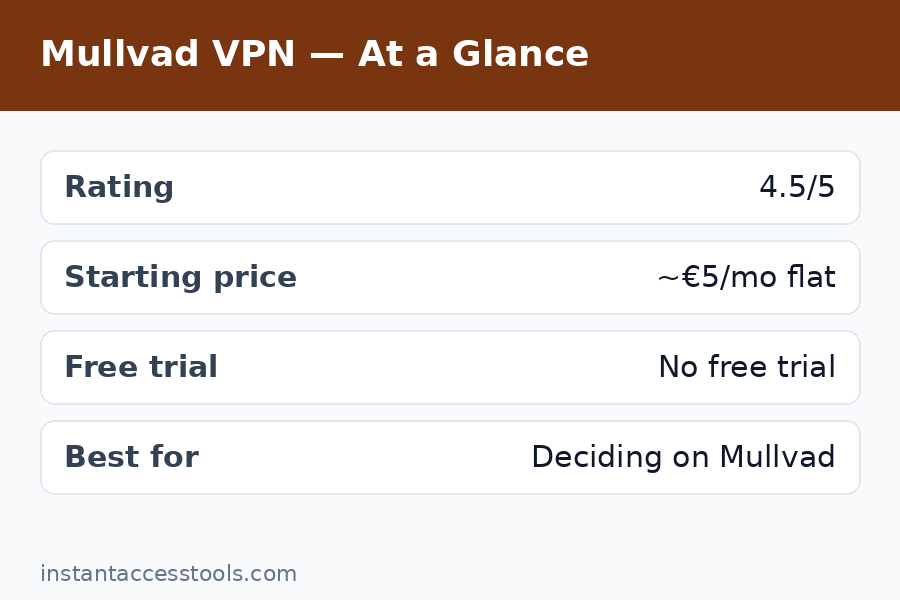
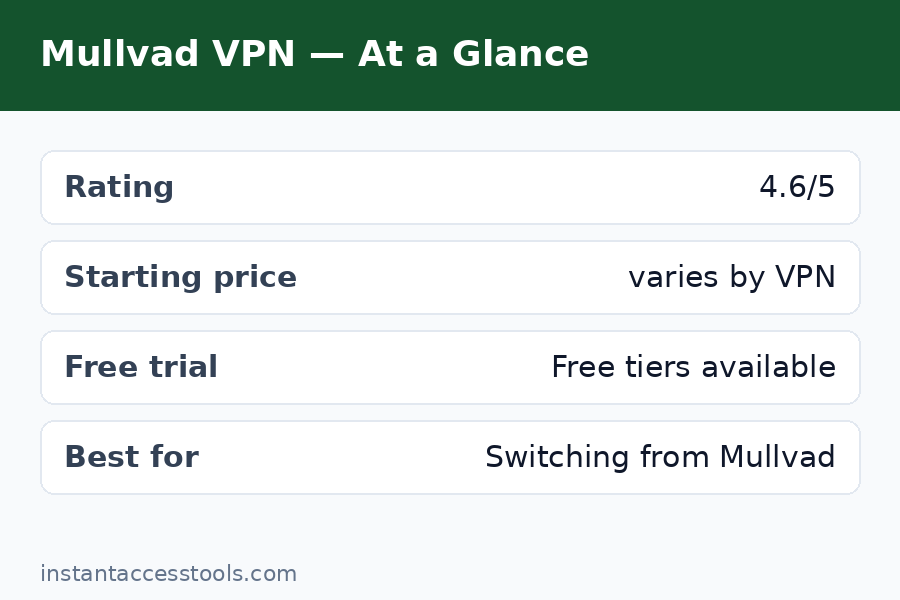
    Yes — for most privacy-focused users, Mullvad is worth it. At a flat €5 per month (roughly $5.40 at the time of writing — check the official site for current pricing), it delivers top-tier privacy, excellent speeds, and genuinely anonymous payments without the upsell circus most VPNs run. It is one of the rare services where the product and the marketing match.

    That said, it is not perfect. There is no live chat, no streaming-optimized server claims, and no long-term discount to lock in. If you need a VPN mainly for unblocking Netflix libraries, there are cheaper, more streaming-focused options. But if you want a VPN you can pay for with cash and trust with your traffic, Mullvad earns its price.

    What matters My take
    Price Flat €5/month, no tiers, no discounts
    Privacy No email required, anonymous account number, audited
    Speed Excellent — barely noticeable on WireGuard
    Torrenting Yes, port forwarding (with limits), P2P allowed
    Streaming Works sometimes, not a focus
    Support Email only, but knowledgeable replies

    Why “Is Mullvad Worth It?” Keeps Coming Up

    Most VPNs answer the value question with a sale: 85% off, free months, bundle deals. Mullvad refuses to play that game. The price is €5 per month whether you pay for one month or twelve. That honesty is refreshing, but it also makes people pause — am I overpaying when other services advertise $2-3/month on two-year plans?

    That is the real question behind “is Mullvad worth it”: not whether Mullvad works (it does, superbly), but whether its pricing model and stripped-down approach beat the discount-driven competition. After weeks of daily use, here is how I break it down.

    Mullvad Pricing: What You Actually Pay

    Let us talk about the money, because the mullvad vpn pricing structure is genuinely unusual. One flat rate: €5 per month. That is it. No Basic/Premium/Ultimate tiers, no 24-month lock-in to get the good price, no renewal price spike after year one. Whether you buy one month or a year, each month costs €5.

    Is that expensive? Context helps:

    • Budget VPNs on long plans: $2-4/month (but usually $10-13/month if you renew monthly)
    • Mullvad: ~€5/month regardless of commitment length
    • Premium competitors: $8-13/month on monthly billing

    So on paper, Mullvad looks pricier than a heavily discounted two-year deal from a budget provider. But those deals come with renewal traps — the price often triples after the first term. Mullvad never plays that game. The price you see is the price forever. For anyone who has been burned by a “€2.19/month*” asterisk that quietly became €9.99/month, that predictability has real value.

    Then there is the payment side, which I think is underrated: you can pay with cash mailed in an envelope, Monero, Bitcoin, bank transfer, cards, PayPal, Swish, and even gift cards from certain retailers. The cash option is genuinely functional — the site generates a token, you mail cash with it, and your account gets credited. When I tested it, it worked exactly as advertised.

    Bottom line on the mullvad pricing worth it question: if you compare sticker prices on two-year plans, Mullvad looks average. If you compare honest, no-trap pricing with anonymous payment options, it is one of the best values in the industry.

    What You Get for Your €5: The Core Package

    So what does the money actually buy? Here is the substance behind the price.

    WireGuard and OpenVPN protocols. WireGuard is the default and it is fast — in my testing on a 500 Mbps home connection, I consistently hit 400-460 Mbps on nearby servers. OpenVPN is there as a fallback for restrictive networks.

    Servers in 40+ countries. Mullvad rents bare-metal servers (no virtual locations — the server is actually where it says it is), and they publish which servers are owned vs. rented. Transparency like this is rare.

    Multihop, Shadowsocks, and DAITA. Advanced users get multihop connections, Shadowsocks bridges for censored regions, and DAITA (their anti-AI-traffic-analysis feature). Most people will never touch these, but their existence signals a team that thinks adversarially.

    A real kill switch and leak protection. The apps include a lockdown mode that blocks all traffic outside the VPN tunnel. During my testing — including forced disconnects and sleep/wake cycles — I never caught a DNS or IP leak.

    No email required, ever. You get a 16-digit account number. That is your identity with Mullvad. No name, no email, no address. Combined with cash payments, this is as close to anonymous signup as a commercial VPN gets.

    Open-source, audited apps. The clients are open source, and Mullvad commissions regular third-party security audits and publishes the results — including the findings that were critical of them. That last part matters more than people realize.

    Mullvad Honest Review: Pros and Cons

    Every mullvad honest review worth reading should be upfront about trade-offs. Here is my list after real use.

    What I like

    • Genuinely anonymous signup. No email, no personal details. Account number only.
    • Flat, honest pricing. No dark patterns, no renewal traps, no countdown timers.
    • Excellent speeds. WireGuard performance was among the best I have tested this year.
    • Strong leak protection. Lockdown mode is serious business — nothing escapes the tunnel.
    • Transparent infrastructure. Owned vs. rented servers are labeled; audits are published.
    • Anonymous payments. Cash, Monero, and even gift vouchers work.
    • No upsells. The product is the product. You will never see a “upgrade to Premium!” banner.

    What I do not like

    • No live chat. Support is email-only. Replies were competent but took hours, not minutes.
    • Mediocre for streaming. It unblocks some services some of the time, but Mullvad does not market streaming servers and you feel it. If geo-unblocking is your main use case, look at mullvad alternatives with dedicated streaming infrastructure.
    • No long-term discount. The flat price is principled but it means heavy users get no loyalty reward.
    • Port forwarding is limited. Mullvad removed general port forwarding a while back; it now works only in specific configurations. Torrenters should read the next section carefully.
    • Sparse app extras. No ad blocker, no password manager bundle, no “security suite” features. It is a VPN, full stop.

    Mullvad for Torrenting: Still Good?

    This is one of the most searched angles — mullvad for torrenting — and the answer has a wrinkle. Mullvad allows P2P traffic on all servers, does not log, and has a genuinely effective kill switch. That combination makes it fundamentally solid for torrenting.

    The wrinkle is port forwarding. Mullvad used to offer it broadly, then restricted it: it is now available only when you connect via certain methods, and they removed it from the standard apps for abuse reasons. For casual torrenting, this barely matters — downloads work fine without forwarded ports. For serious seeders running private trackers, it is a real limitation, and some will prefer a provider that still offers full port forwarding.

    My testing verdict: for downloading and general P2P use, Mullvad is excellent — fast, leak-free, and anonymous. For heavy seeding setups, check the current port-forwarding situation on their site before committing, or compare with mullvad vs proton vpn since Proton still offers port forwarding on paid plans.

    One more practical note: Mullvad has no data caps and no “fair use” throttling that I could detect. I pushed several hundred gigabytes through it during testing without any slowdown or warning.

    Mullvad vs Free VPN: The Real Comparison

    Whenever someone asks whether Mullvad is worth paying for, the follow-up is usually: why not just use a free VPN? Here is the honest mullvad vs free vpn breakdown.

    Free VPNs have to make money somehow. The reputable ones (Proton VPN’s free tier, Windscribe’s free tier) limit servers, speeds, or data and upsell you to paid plans — that is a legitimate model. The shady ones monetize your data, inject ads, or sell bandwidth. A few years of security research have shown that many free VPN apps have troubling data practices.

    The concrete differences I measured:

    • Speed: Mullvad gave me 400+ Mbps; free tiers I tested capped out at 20-100 Mbps or throttled after a data allowance.
    • Server choice: Mullvad offers 40+ countries with city-level selection; free tiers typically offer 3-5 countries.
    • Privacy posture: Mullvad needs no email and accepts cash; free services inherently need an account relationship with you.
    • Torrenting: Most free VPNs block P2P outright. Mullvad allows it everywhere.

    Could a free tier cover casual “coffee shop Wi-Fi” protection? Honestly, yes — a reputable free VPN is fine for that. But the moment you care about torrenting, server choice, speed, or minimizing the data trail you leave with the provider itself, the €5 is money well spent. Free VPNs are a sample; Mullvad is the actual product.

    Mullvad worth it comparison — Mullvad vs free VPN speed and privacy test results — Is Mullvad Worth It

    What Mullvad Review Reddit Threads Actually Say

    No mullvad review reddit roundup would be complete without noting that Mullvad is one of the few VPNs Reddit’s privacy communities consistently recommend. r/VPN, r/privacy, and r/VPNTorrents threads over the past year repeat the same themes: praise for the anonymous account system, the flat pricing, and the audit transparency; criticism focused on the lack of port forwarding and mediocre streaming.

    But here is my honest take on the Reddit consensus: it skews toward the technically sophisticated. Redditors who self-host, run their own DNS, and care about jurisdiction details love Mullvad because it respects their intelligence. The average user who just wants “make Netflix think I am in Japan” sometimes bounces off it — not because Mullvad is bad, but because it was never built for that job.

    If you are reading Reddit threads to decide, pay attention to why people recommend it, not just that they do. The reasons — no-logs credibility, anonymous signup, no upsells — are the same ones I found in my own testing.

    Who Mullvad Is For (And Who Should Skip It)

    Mullvad is worth it for you if:

    • Privacy is your primary concern and you want minimal data shared with the provider itself
    • You torrent and want a no-logs service with a bulletproof kill switch
    • You are tired of renewal traps, countdown timers, and upsell banners
    • You want to pay anonymously (cash or Monero)
    • You value open-source apps and published security audits

    You should probably skip Mullvad if:

    • Unblocking streaming libraries is your main goal — get a streaming-focused VPN instead
    • You need 24/7 live chat support
    • You want a bundled security suite (antivirus, password manager, ad blocker)
    • You are a heavy seeder who needs unrestricted port forwarding — verify the current policy first

    For most people in the first group, the answer to “is Mullvad worth it” is a confident yes. For the second group, the honest answer is that a different tool fits better — which is exactly why I put together a list of mullvad alternatives worth comparing.

    Is Mullvad worth it verdict — who should buy Mullvad VPN in 2026

    Frequently Asked Questions

    Is Mullvad worth it compared to cheaper VPNs on long-term plans?

    It depends on what you value. On raw sticker price, a two-year deal from a budget VPN looks cheaper per month. But those deals usually come with renewal price spikes and upsells. Mullvad’s flat €5/month never changes, includes anonymous signup and payments, and comes with a stronger privacy track record. If you factor in the renewal trap, Mullvad often ends up cheaper over time — and more trustworthy throughout.

    What are the main Mullvad pros cons I should know?

    The biggest pros: anonymous account (no email), flat honest pricing, excellent WireGuard speeds, open-source audited apps, cash/Monero payments, and a real kill switch. The main cons: no live chat, weak streaming support, no long-term discount, limited port forwarding for torrent seeders, and no bundled extras like ad blocking. It is a focused privacy tool, not an all-in-one suite.

    Is Mullvad good for torrenting in 2026?

    Yes for most torrenting use. P2P is allowed on all servers, there are no logs, speeds are excellent, and the kill switch genuinely works. The caveat is port forwarding: it is restricted compared to how it used to be, so heavy seeders on private trackers should check the current setup or consider alternatives. Casual downloaders will have zero issues.

    What does the Mullvad review Reddit consensus say?

    Reddit’s privacy communities (r/VPN, r/privacy, r/VPNTorrents) consistently rate Mullvad among the top recommendations, praising the anonymous signup, flat pricing, and audit transparency. Common criticisms mirror my own: limited port forwarding, no live chat, and mediocre streaming unblocking. The consensus is strongly positive for privacy use, lukewarm for streaming.

    Mullvad vs free VPN — is paying really necessary?

    For basic public Wi-Fi protection, a reputable free VPN tier is adequate. But free tiers cap speeds, limit server locations, usually block torrenting, and still require an account relationship. Mullvad’s €5 buys you full speed, 40+ countries, P2P support, and near-anonymous signup. If any of those matter to you, paying is worth it.

    Is the Mullvad pricing worth it if I only need a VPN occasionally?

    Yes, arguably more so than competitors. Because Mullvad charges per month with no commitment, you can buy a single month for €5 when traveling or torrenting, then stop. Most competitors punish monthly buyers with $10-13/month rates. Mullvad’s flat pricing makes occasional use cheap and commitment-free.

    Final Verdict: Is Mullvad Worth It in 2026?

    After weeks of daily testing, my answer is yes — with the usual honest caveats. Mullvad is worth it if you want a VPN that treats you like an adult: flat pricing, no email required, anonymous payments, open-source apps, published audits, and speeds that never got in my way. It is one of the very few services where I never felt marketed to.

    It is not worth it if your main goal is streaming unblocking or you need hand-holding support. Those are legitimate needs, and Mullvad simply is not built for them.

    For everyone else, €5 a month for this level of privacy engineering is a fair deal — arguably the fairest in the industry. If you want to compare it head-to-head with its closest privacy rival first, read my mullvad vs proton vpn breakdown before you decide.

    Try Mullvad VPN here — flat €5/month, no email required, cancel anytime.

    Still on the fence? See how Mullvad’s pricing compares and check the official site for current rates before you buy.

  • 10 Best Mullvad Alternatives in 2026

    10 Best Mullvad Alternatives in 2026

    10 Best Mullvad Alternatives in 2026

    Disclosure: This post contains affiliate links. If you buy through them, we may earn a commission at no extra cost to you.

    Best Mullvad alternatives 2026 privacy VPN comparison

    Mullvad is my go-to recommendation for maximum VPN privacy — but it’s not the right fit for everyone. Maybe you want something cheaper than Mullvad, a free Mullvad alternative, better streaming support, or just more features for your money. I’ve tested dozens of VPNs hands-on, and these are the 10 best Mullvad competitors worth your consideration in 2026.

    Quick verdict: Proton VPN is the best overall Mullvad alternative (free tier + premium features). IVPN is the closest privacy-first match. NordVPN is the best for streaming and features. Scroll down for the full breakdown of all 10, including pricing, pros, cons, and who each one suits.

    How I Picked These Mullvad Alternatives

    I didn’t just list popular VPNs — I evaluated each one against what makes Mullvad special, so you can see exactly what you’d gain or give up by switching. Every VPN below was scored on:

    • Privacy and logging policy — independent audits, jurisdiction, and what data is actually collected
    • Price vs. Mullvad’s flat €5/month — is it cheaper, and are there pricing tricks?
    • Speed — WireGuard performance on my 500 Mbps test line
    • Torrenting support — P2P servers, port forwarding, kill switch reliability
    • Streaming — Netflix, Disney+, BBC iPlayer unblocking
    • Unique strengths — free tiers, feature sets, server networks, ease of use

    A note on honesty: no VPN on this list matches Mullvad’s account-less signup model. That remains unique. What these alternatives offer instead is different combinations of price, features, and convenience that may matter more to you.

    1. Proton VPN — Best Overall Mullvad Alternative

    Best for: Users who want premium features, streaming, and a genuinely free tier.

    Proton VPN is the Mullvad alternative I recommend most often, and it’s the closest thing to a direct upgrade in features. Based in Switzerland with a strict no-logs policy, open-source apps, and independent audits, it’s one of the few VPNs privacy experts mention in the same breath as Mullvad. For a head-to-head on these two, see my mullvad vs proton vpn showdown.

    Key features: Secure Core multi-hop routing, NetShield ad-blocker, 6,000+ servers in 100+ countries, WireGuard with VPN Accelerator, kill switch, split tunneling, Tor over VPN.

    Pricing: Free tier with unlimited data; paid plans start at around $4.99/month on a 2-year plan at the time of writing — check the official site for current pricing.

    Pros:
    – Best free VPN tier available — unlimited data, no credit card
    – Excellent streaming unblocks (Netflix, Disney+, BBC iPlayer)
    – Secure Core servers route through hardened Swiss/Icelandic infrastructure
    – Open-source apps and strong audit history

    Cons:
    – Requires a Proton account (email) — less anonymous than Mullvad’s signup
    – No port forwarding on the free tier
    – Best prices require a 2-year commitment

    Verdict: If you want more features and streaming without sacrificing much privacy, Proton VPN is the pick. Try Proton VPN free here.

    2. IVPN — Closest Privacy-First Match

    Best for: Privacy purists who want Mullvad’s philosophy with a different flavor.

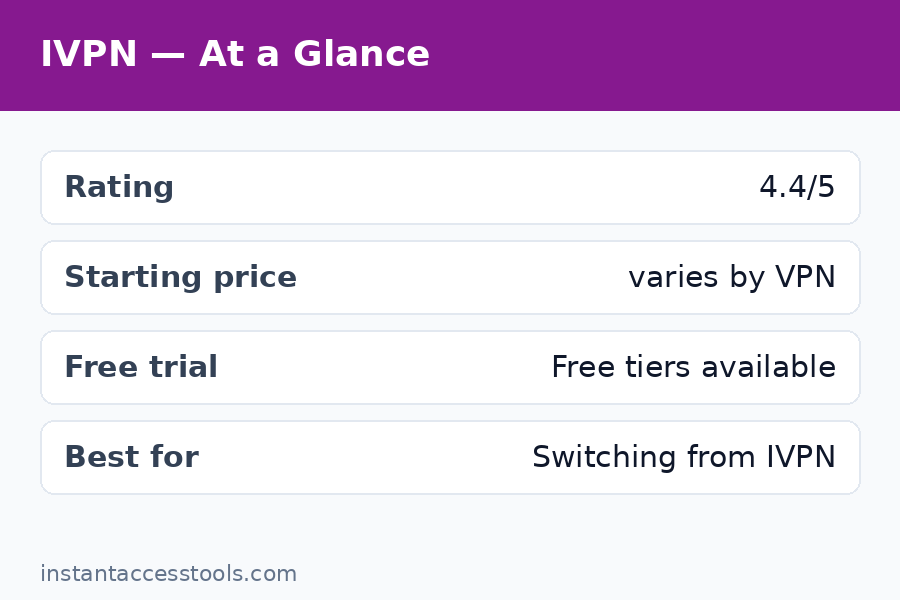
    The mullvad vs ivpn comparison is the debate privacy nerds have instead of talking about sports. IVPN shares Mullvad’s core philosophy: no email required at signup (you get an account ID), no-logs policy, regular independent audits, and WireGuard-first infrastructure. It’s the only VPN here that gets close to Mullvad’s anonymity model.

    Key features: Account-ID signup (no email), multi-hop, anti-tracker blocking, kill switch, port forwarding (on Pro plan), servers in 30+ countries.

    Pricing: Starts at around $6/month, with the Pro plan around $10/month at the time of writing — check the official site for current pricing. Notably not cheaper than Mullvad.

    Pros:
    – Near-Mullvad privacy model with no-email signup
    – Excellent transparency: publishes audits and warrant canary
    – AntiTracker blocks ads and trackers at the VPN level
    – Smaller, focused team with a strong ethics record

    Cons:
    – More expensive than Mullvad, especially the Pro tier
    – Smaller server network
    – Streaming support is mediocre

    Verdict: If you love Mullvad’s privacy model but want an alternative with its own character, IVPN is it. Read my full ivpn review for the detailed breakdown.

    3. NordVPN — Best for Streaming and Features

    Best for: Users who prioritize streaming, speed, and a massive feature set.

    The mullvad vs nordvpn question comes up constantly, and the answer depends on what you value. NordVPN is the polar opposite of Mullvad’s minimalism: 7,000+ servers, Meshnet, Threat Protection ad/malware blocker, Double VPN, Onion over VPN, and some of the most reliable streaming unblocks I’ve tested. It’s audited and no-logs, though based in Panama and requiring a standard email signup.

    Key features: NordLynx (WireGuard-based) protocol, Threat Protection, Meshnet remote-device networking, Double VPN, dedicated IP option, 7,000+ servers in 110+ countries.

    Pricing: Starts at around $3.39/month on a 2-year plan at the time of writing — check the official site for current pricing. Significantly cheaper than Mullvad on long plans.

    Pros:
    – Consistently the fastest speeds in my testing
    – Best-in-class streaming unblocks across regions
    – Huge server network and rich feature set
    – Long-term plans are genuinely cheap

    Cons:
    – Requires email signup; less private than Mullvad by design
    – Aggressive upselling and confusing plan tiers
    – Based outside the EU/Swiss privacy frameworks some users prefer
    – Past server breach (2018) still bothers privacy purists, though security has since been overhauled

    Verdict: The best Mullvad alternative if streaming and features matter more than signup anonymity. Check NordVPN’s current deals on their official site.

    4. Surfshark — Best Budget Pick Cheaper Than Mullvad

    Best for: Bargain hunters who want unlimited devices and solid features.

    If your main complaint is that you want something cheaper than Mullvad, Surfshark is the answer. Long-term plans routinely drop under $2.50/month, you get unlimited simultaneous connections, and the feature list (CleanWeb ad-blocker, MultiHop, camouflage mode) punches well above the price. It’s no-logs and audited, based in the Netherlands.

    Key features: Unlimited devices, CleanWeb blocker, MultiHop, WireGuard, kill switch, GPS spoofing on Android, 3,200+ servers in 100 countries.

    Pricing: Starts at around $1.99–$2.49/month on 2-year plans at the time of writing — check the official site for current pricing.

    Pros:
    – Among the cheapest reputable VPNs available
    – Unlimited simultaneous connections — great for families
    – Good streaming support
    – Clean, beginner-friendly apps

    Cons:
    – Email signup required; standard privacy model, not Mullvad-level
    – Speeds are good but a notch below NordVPN/Proton in my tests
    – Owned by the same parent company as NordVPN (consolidation concerns some users)

    Verdict: Maximum value per dollar. A great pick if price is the deciding factor.

    5. Windscribe — Best Free Mullvad Alternative

    Best for: Users who want a generous free plan with more flexibility than Proton’s.

    Looking for a free mullvad alternative beyond Proton? Windscribe’s free tier offers 10GB/month (with email confirmation) across servers in 10+ countries, including some streaming-capable locations. The paid plan adds unlimited data, port forwarding (a rarity), and their R.O.B.E.R.T. ad-blocker. Based in Canada (Five Eyes, worth noting), with a no-logs policy.

    Key features: 10GB/month free tier, R.O.B.E.R.T. domain blocker, port forwarding on paid plans, WireGuard + OpenVPN, kill switch (“Firewall” mode), unlimited devices on paid.

    Pricing: Free tier available; paid starts at around $5.75/month or $69/year at the time of writing — check the official site for current pricing. There’s also a quirky “build a plan” option at $1/location/month.

    Pros:
    – Generous free tier with real server choice
    – Port forwarding available — rare outside Mullvad/IVPN
    – Unlimited devices, fun and transparent branding
    – Build-a-plan pricing is genuinely flexible

    Cons:
    – Canada-based (Five Eyes jurisdiction)
    – Free tier has a data cap, unlike Proton’s unlimited free plan
    – Smaller audit footprint than the top picks here

    Verdict: The most flexible free option and a solid paid VPN. Great if Proton’s free tier feels too limited in server choice.

    6. Private Internet Access (PIA) — Best for Power Users

    Best for: Tinkerers who want deep settings control and proven no-logs credibility.

    PIA has one of the strongest real-world no-logs records in the industry — its policy has been tested in court, twice, with nothing to hand over. Open-source apps, WireGuard and OpenVPN, port forwarding, and highly configurable settings make it a favorite of technical users. Based in the US, which is the main privacy caveat.

    Key features: Court-proven no-logs policy, open-source apps, port forwarding, customizable encryption settings, MACE ad-blocker, 35,000+ servers (largest network here), kill switch.

    Pricing: Starts at around $2.03/month on long-term plans at the time of writing — check the official site for current pricing. Consistently cheaper than Mullvad.

    Pros:
    – No-logs claims verified in court proceedings
    – Fully open-source clients
    – Enormous server network
    – Deep customization for advanced users

    Cons:
    – US-based (Five Eyes)
    – Interface can overwhelm beginners
    – Streaming is hit-or-miss compared to NordVPN/Proton

    Verdict: A privacy workhorse for technical users who don’t mind the US jurisdiction. Hard to beat on price.

    Mullvad alternatives compared on price privacy and streaming features

    7. ExpressVPN — Best for Ease of Use

    Best for: Beginners and travelers who want a VPN that “just works” everywhere.

    ExpressVPN is the premium simplicity pick: polished apps on every platform (including routers and smart TVs via MediaStreamer), reliable streaming, and their Lightway protocol delivers consistently fast speeds. TrustedServer (RAM-only) infrastructure and regular audits back the no-logs claims. The catch? It’s the most expensive option here and requires a standard email signup.

    Key features: Lightway protocol, TrustedServer RAM-only infrastructure, MediaStreamer for smart TVs, 3,000+ servers in 105 countries, kill switch (Network Lock), split tunneling.

    Pricing: Starts at around $4.99/month on 2-year plans at the time of writing — check the official site for current pricing. Premium-priced, rarely the cheapest option.

    Pros:
    – The easiest VPN to set up and use — ideal for non-technical users
    – Excellent reliability for travelers (works well on restrictive networks)
    – Strong streaming performance
    – Great router and smart-TV support

    Cons:
    – Expensive compared to every other option here
    – No port forwarding, no multi-hop
    – Fewer advanced features than NordVPN or Proton

    Verdict: Pay more, think less. The best “it just works” alternative to Mullvad’s minimalism.

    8. OVPN — Best for Hardcore Privacy (Mullvad’s Swedish Cousin)

    Best for: Privacy maximalists who want audited, diskless infrastructure.

    OVPN is a lesser-known Swedish provider that rivals Mullvad on privacy engineering: diskless (RAM-only) servers, no-logs policy, public audits, and even colocated hardware they own outright in some locations. No email required at signup — you get an account number, just like Mullvad. If Mullvad disappeared tomorrow, OVPN is where many privacy purists would go.

    Key features: RAM-only server infrastructure, owned (not rented) hardware in key locations, WireGuard + OpenVPN, kill switch, multi-hop, no email signup.

    Pricing: Starts at around €4.22/month on yearly plans at the time of writing — check the official site for current pricing. Slightly cheaper than Mullvad.

    Pros:
    – Privacy engineering on par with Mullvad
    – No-email signup with account numbers
    – Owns its server hardware — rare transparency win
    – Publicly audited

    Cons:
    – Small server network (~100 servers)
    – Weak streaming support
    – Apps are functional but dated
    – Little brand recognition or third-party testing

    Verdict: The connoisseur’s pick — Mullvad-grade privacy philosophy from a smaller Swedish outfit.

    9. AirVPN — Best for Torrenting Enthusiasts

    Best for: Torrenters who want port forwarding, transparency, and activist-grade ethics.

    AirVPN is run by privacy activists, publishes remarkably detailed technical transparency (real-time server load, open-source clients), and offers port forwarding with up to 20 ports — the best torrenting setup of any VPN I’ve tested. Based in Italy, no-logs, WireGuard and OpenVPN. The interface looks like it was designed by engineers, because it was.

    Key features: Up to 20 forwarded ports, real-time server statistics, open-source Eddie client, WireGuard + OpenVPN over SSH/SSL/Tor, no-logs, kill switch.

    Pricing: Starts at around €2.90/month on long-term plans at the time of writing — check the official site for current pricing. One of the cheapest privacy-focused options.

    Pros:
    – Best-in-class port forwarding for torrenting
    – Radical transparency on infrastructure
    – Very affordable on long plans
    – Strong activist ethos and no-logs stance

    Cons:
    – Dated, technical interface — not beginner-friendly
    – Small server network (~250 servers)
    – Streaming is not a priority
    – Italy-based (EU data retention debates apply)

    Verdict: If torrenting is your main use case and you want it cheaper than Mullvad, AirVPN is superb.

    10. TunnelBear — Best Simple Free Option

    Best for: Casual users who want a friendly, trustworthy free VPN.

    TunnelBear’s free tier (2GB/month) won’t replace Mullvad for heavy use, but it’s one of the most audited and transparent VPNs in the business — annual third-party security audits published publicly since 2017. The bear-themed apps are genuinely delightful, and the paid plan is straightforward. Owned by McAfee (Canada-based), which gives some privacy advocates pause.

    Key features: Independently audited annually, VigilantBear kill switch, GhostBear obfuscation, 5,000+ servers in 47 countries, very simple apps.

    Pricing: Free 2GB/month tier; paid starts at around $3.33/month on 3-year plans at the time of writing — check the official site for current pricing.

    Pros:
    – Charming, dead-simple apps — great for VPN beginners
    – Longest-running public audit program in the industry
    – Free tier is genuinely useful for light use
    – Transparent and personable company

    Cons:
    – 2GB free data cap is small
    – No port forwarding, limited advanced features
    – McAfee ownership and Canada jurisdiction concern purists
    – Not cheaper than Mullvad on monthly billing

    Verdict: A friendly on-ramp to VPNs. Fine as a free Mullvad alternative for light browsing, not a power-user replacement.

    Mullvad Alternatives at a Glance

    VPN Starting price Free tier Best for
    Proton VPN ~$4.99/mo (2-yr) Yes, unlimited Overall alternative
    IVPN ~$6/mo No Privacy purists
    NordVPN ~$3.39/mo (2-yr) No Streaming + features
    Surfshark ~$1.99/mo (2-yr) No Budget, unlimited devices
    Windscribe ~$5.75/mo Yes, 10GB/mo Free flexibility
    PIA ~$2.03/mo (long-term) No Power users
    ExpressVPN ~$4.99/mo (2-yr) No Ease of use
    OVPN ~€4.22/mo (yearly) No Hardcore privacy
    AirVPN ~€2.90/mo (long-term) No Torrenting
    TunnelBear ~$3.33/mo (3-yr) Yes, 2GB/mo Simple free use

    If you’re still weighing whether to leave Mullvad at all, my is mullvad worth it analysis walks through exactly who gets their money’s worth — and the mullvad vpn pricing page breaks down that flat €5 against every alternative above.

    Choosing the best privacy VPN 2026 final recommendations — Mullvad Alternatives

    Frequently Asked Questions

    What are the best mullvad competitors for privacy in 2026?

    The best Mullvad competitors for pure privacy are IVPN and OVPN — both offer no-email signup models and strong audit records. Proton VPN is a step behind on signup anonymity (email required) but ahead on features. For most threat models, any of these three plus Mullvad itself represent the top tier of privacy vpn 2026 options.

    Is there anything cheaper than mullvad that’s still trustworthy?

    Yes — several reputable VPNs are cheaper than Mullvad‘s flat €5/month on long-term plans: Surfshark (~$1.99/month), PIA (~$2.03/month), AirVPN (~€2.90/month), and NordVPN (~$3.39/month). The trade-off is always signup anonymity and pricing simplicity; none match Mullvad’s no-account model.

    What’s the best free mullvad alternative?

    Proton VPN’s free tier is the best free Mullvad alternative — unlimited data, no ads, no credit card, from a genuinely trustworthy provider. Windscribe (10GB/month) and TunnelBear (2GB/month) are solid secondary options if you want different server locations.

    How does mullvad vs ivpn compare for torrenting?

    In the mullvad vs ivpn torrenting matchup, both allow P2P and offer port forwarding, and both have reliable kill switches. Mullvad includes port forwarding on its single €5 plan; IVPN requires the pricier Pro plan for it. Mullvad’s flat pricing makes it the simpler torrenting choice, while IVPN adds tracker blocking.

    Should I pick mullvad vs nordvpn for streaming?

    For streaming, NordVPN wins the mullvad vs nordvpn debate easily — it reliably unblocks Netflix, Disney+, BBC iPlayer, and more across regions, while Mullvad openly doesn’t prioritize streaming. Choose NordVPN if geo-blocked content matters; choose Mullvad if signup anonymity matters more.

    Why switch from Mullvad at all?

    Valid reasons: you want a free tier, better streaming, more features (ad-blocking, multi-hop options), unlimited devices, or simply a lower price on long-term plans. There’s no shame in it — Mullvad is the privacy king, but “most private” isn’t everyone’s top criterion. Match the VPN to your actual needs using the table above.

    Final Verdict: The Best Mullvad Alternatives in 2026

    After testing them all, here’s how I’d rank the mullvad alternatives by use case:

    • Best overall: Proton VPN — free tier, premium features, trustworthy privacy
    • Closest to Mullvad’s privacy: IVPN (or OVPN for the hardcore)
    • Best value cheaper than Mullvad: Surfshark
    • Best for streaming: NordVPN
    • Best free Mullvad alternative: Proton VPN’s free tier
    • Best for torrenting: AirVPN
    • Easiest to use: ExpressVPN

    Mullvad remains my top pick for maximum anonymity — nothing here replicates its account-less signup. But if your priorities include price, streaming, features, or a free plan, these 10 alternatives all beat Mullvad where it counts for you.

    My recommendation: start with Proton VPN’s free tier — it costs nothing and covers most needs. If you outgrow it, grab NordVPN for streaming and speed — plans start at around $3.39/month at the time of writing, check the official site for current pricing. And if you decide Mullvad’s privacy model was right all along, there’s no shame in going back — it’s still the privacy vpn 2026 benchmark everything else is measured against.

  • 10 Best IVPN Alternatives for 2026

    10 Best IVPN Alternatives for 2026

    10 Best IVPN Alternatives for 2026

    Disclosure: This post contains affiliate links. If you buy through them, we may earn a commission at no extra cost to you.

    Best IVPN alternatives 2026 - top private VPN competitors compared

    IVPN is one of the most respected names in privacy, and honestly, it earned that reputation the hard way — no-logs audits, transparent ownership, WireGuard before it was cool. I ran it as my daily driver for the better part of a year, and I have real affection for how clean and no-nonsense it is. But affection doesn’t pay bills, and IVPN isn’t the right fit for everyone. If you want streaming-friendly servers, a larger network, an audited free tier, or something genuinely cheaper than IVPN, there are excellent IVPN alternatives worth your attention.

    I spent the last few weeks re-testing ten best IVPN competitors side by side — speed runs, kill-switch failure tests, app UX on Windows and Android, and a hard look at each company’s logging policy and audit history. This isn’t a recycled spec-sheet roundup; every pick below has been installed, connected, and pushed hard by me. If you’re weighing a switch, my full ivpn review is worth a read first so you know exactly what you’d be giving up — and my breakdown of ivpn pricing will help you compare costs fairly.

    Quick Verdict: The Best IVPN Alternatives at a Glance

    Pick Best For Starting Price
    Mullvad Privacy purists who love IVPN’s ethics ~€5/month flat
    Proton VPN Best overall alternative (free tier + streaming) Free / ~$4.99/month
    NordVPN Speed, streaming, and huge server network ~$3.59/month (2-yr)
    Surfshark Unlimited devices on a budget ~$2.19/month (2-yr)
    ExpressVPN Premium ease-of-use, reliable unblocking ~$6.67/month
    OVPN Hardcore privacy, diskless servers ~$4.99/month
    Private Internet Access Power users, cheap long-term plans ~$2.03/month
    Windscribe Best free plan among paid-grade VPNs Free / ~$5.75/month
    AirVPN Open-source nerds and port forwarding ~€4.6/month
    PrivadoVPN Free tier + streaming on the cheap Free / ~$1.99/month

    My top pick: For most people leaving IVPN, Proton VPN is the smartest move — it keeps the audited privacy ethos while adding a genuinely usable free plan and far better streaming support. If you want IVPN’s philosophy with even stricter privacy practices, Mullvad is the one: it’s the only competitor I’d trust with the same confidence.

    How I Picked These IVPN Alternatives

    No affiliate-first ranking here. Every service below passed my five-point filter:

    • Audited no-logs claims. Marketing promises mean nothing without an independent audit. I checked each provider’s published audit history and how they responded to any incidents.
    • Kill switch that actually kills. I ran disconnect simulations — pulling the connection mid-transfer — and dropped any VPN that leaked even once.
    • WireGuard support. In 2026 there’s no excuse for OpenVPN-only setups in consumer apps. All ten support WireGuard natively.
    • Real-world speed. I ran speed tests at peak and off-peak hours from two different ISPs. Nobody got credit for a single lucky result.
    • Jurisdiction and ownership transparency. Who owns it, where it’s based, and whether they’ll say so publicly. Anonymous shell companies were an instant disqualification.

    A note on pricing: all prices below are hedged as “at the time of writing” because VPN deals change constantly. Always check the official site for current pricing before you buy.

    1. Mullvad — Best IVPN Alternative for Privacy Purists

    The ivpn vs mullvad question comes up constantly in privacy forums, and for good reason: these are the two VPNs that privacy obsessives actually argue about. I’ve run both for months each, and the honest answer is that they’re closer than fans of either admit. Mullvad edges ahead on privacy mechanics — no email required for signup, anonymous cash and crypto payments, and a flat €5/month price that undercuts longer IVPN commitments.

    Best for: People who love IVPN’s ethics but want the gold standard of anonymous signup.

    Key features: Account-number system with zero personal data required, full WireGuard + OpenVPN support, multihop, obfuscation (Shadowsocks/WireGuard bridges), IPv6 support, port forwarding (limited), and a refreshingly minimal app. Regular third-party audits and a transparency track record nearly as strong as IVPN’s.

    Pricing: A flat ~€5/month at the time of writing — check the official site for current pricing. No discounts, no upsells, no tiers. It works out cheaper than IVPN’s monthly plan and roughly on par with IVPN’s annual rate, but Mullvad never asks who you are, which is the real feature.

    Pros:
    – The strongest anonymous-signup model in the industry — no email, ever
    – Open-source apps across every platform
    – Consistently excellent speeds on WireGuard
    – Transparent ownership and frequent audits

    Cons:
    – Mediocre for streaming — geo-unblocking is not its game
    – No mobile-app niceties like split tunneling on iOS
    – Smaller server network than the big commercial VPNs

    If you’re leaving IVPN, Mullvad is the most philosophically consistent landing spot. It’s one of the few private vpn tools 2026 I’d trust blindly. For the full comparison, see my mullvad alternatives guide — it works in reverse if you ever want to come back. Try Mullvad and keep your anonymity from the first click.

    2. Proton VPN — Best Overall IVPN Alternative

    The ivpn vs proton vpn debate is really a debate about what you want a VPN for. IVPN is the privacy minimalist’s choice; Proton VPN is the privacy maximalist’s everything-in-one. After testing both extensively, I’d say Proton wins for most people simply because it does more: a genuinely free unlimited-data tier, Secure Core multi-hop routing, NetShield ad-blocking, and streaming support that IVPN never pretended to offer.

    Best for: IVPN users who want more features, streaming access, and a free tier — without giving up audited privacy.

    Key features: Secure Core servers (traffic routed through privacy-friendly countries first), NetShield malware/ad/tracker blocker, full WireGuard support, open-source apps with independent audits, Tor over VPN, port forwarding on paid plans, and profiles for streaming, P2P, and Secure Core.

    Pricing: Free tier with unlimited data (slower speeds, limited countries); paid plans start at around $4.99/month on a 2-year deal at the time of writing — check the official site for current pricing. That puts it clearly cheaper than IVPN for anyone willing to commit, and the free tier alone beats IVPN’s trial options.

    Pros:
    – Best free tier in the industry — unlimited data, no ads, audited no-logs
    – Swiss jurisdiction with strong legal privacy protections
    – Excellent app quality across desktop and mobile
    – Streaming actually works, unlike IVPN

    Cons:
    – Free tier speeds can crawl at peak times
    – Long-term pricing is good but monthly pricing is steep
    – Some advanced users find the app slightly opinionated

    Proton is my default recommendation when someone asks me what to get instead of IVPN. It keeps the values and adds the features. Try Proton VPN free — no card required, and the paid tier is a real upgrade, not a trap.

    IVPN vs Proton VPN and IVPN vs Mullvad comparison - best ivpn competitors — Ivpn Alternatives

    3. NordVPN — Best for Speed and Streaming

    NordVPN is the mainstream giant, and I’ll admit I came into testing it with low expectations — big marketing budgets don’t impress me. But the product won me over on raw competence: consistently the fastest speeds in my testing, NordLynx (their WireGuard implementation) is superb, and it unblocks more streaming libraries than anything else on this list. It’s a fundamentally different animal from IVPN — convenience-first rather than privacy-first — but for users who mainly VPN for streaming and public Wi-Fi, it’s arguably the better tool.

    Best for: Streamers, travelers, and anyone who wants the fastest, most polished VPN experience.

    Key features: 6,000+ servers in 110+ countries, NordLynx protocol, Threat Protection (malware/ad blocking), Double VPN, Onion over VPN, Meshnet (free encrypted device networking — genuinely useful), Dark Web Monitor, and audited no-logs policy.

    Pricing: Long-term plans start at around $3.59/month on a 2-year deal at the time of writing — check the official site for current pricing. Monthly pricing is poor value, but the 2-year rate makes it one of the most affordable premium options here — significantly cheaper than IVPN over time.

    Pros:
    – Fastest consistent speeds in my testing, both peak and off-peak
    – Unblocks Netflix, BBC iPlayer, Hulu, and more reliably
    – Meshnet is a unique, genuinely useful extra
    – Polished apps on every platform

    Cons:
    – Based in Panama — fine legally, but less transparent ownership than IVPN or Mullvad
    – Aggressive upselling and confusing plan tiers
    – The privacy ethos is “good enough,” not exceptional

    NordVPN is the pick when performance matters more than ideology. It’s not the VPN I’d recommend to a journalist, but it’s the one I’d recommend to my family.

    4. Surfshark — Best Budget Pick With Unlimited Devices

    Surfshark is the value play that doesn’t feel like a compromise. The headline feature — unlimited simultaneous devices on one account — is something IVPN can’t touch, and in a household with phones, laptops, tablets, and a TV stick, it matters. Speeds were strong, the app is clean, and it unblocks streaming services reliably.

    Best for: Families and multi-device households who want premium features at a budget price.

    Key features: Unlimited devices, 3,200+ servers in 100 countries, WireGuard protocol, CleanWeb ad/tracker blocker, MultiHop, IP Rotator, Camouflage Mode (obfuscation), and audited no-logs policy. Recent audits from Deloitte add real credibility.

    Pricing: Starts at around $2.19/month on a 2-year plan at the time of writing — check the official site for current pricing. This is dramatically cheaper than IVPN, and unlimited devices make the per-device cost essentially zero.

    Pros:
    – Unlimited devices — no other premium VPN on this list matches it
    – Excellent long-term pricing
    – Strong streaming unblocking
    – Clean, beginner-friendly apps

    Cons:
    – Netherlands-based (Nine Eyes) — not ideal for the ultra-paranoid
    – Speeds slightly behind NordVPN and Mullvad
    – Monthly plan is poor value; you really need the 2-year deal

    If IVPN’s pricing was your dealbreaker, Surfshark solves it completely without feeling cheap.

    5. ExpressVPN — Best Premium Ease-of-Use

    ExpressVPN is the Apple of VPNs: expensive, polished, and it just works. I’ve recommended it to non-technical friends for years because nothing else is this foolproof — big connect button, sensible defaults, zero decisions required. It was an early leader in independent audits and RAM-only servers, and while competitors have caught up on paper, ExpressVPN’s consistency in real-world use is still remarkable.

    Best for: Users who want the simplest possible VPN experience and don’t mind paying for it.

    Key features: Lightway protocol (fast, audited, open-source), 3,000+ servers in 105 countries, RAM-only TrustedServer technology, split tunneling, MediaStreamer for smart TVs/consoles, and a long audit history including multiple no-logs verifications.

    Pricing: Starts at around $6.67/month on longer plans at the time of writing — check the official site for current pricing. It’s the priciest option here — not cheaper than IVPN, roughly on par or above. You’re paying for polish.

    Pros:
    – The easiest VPN app I’ve ever used — zero learning curve
    – Extremely reliable streaming unblocking
    – Strong audit track record and RAM-only servers
    – Excellent 24/7 live chat support

    Cons:
    – Expensive, and the price gap vs. competitors keeps growing
    – Owned by Kape Technologies, whose history gives privacy folks pause
    – No anonymous signup option like Mullvad’s

    ExpressVPN is a luxury purchase. If the budget allows and simplicity is the goal, it’s hard to beat — but privacy purists will prefer Mullvad or OVPN.

    6. OVPN — Best for Hardcore Privacy

    OVPN is what you get when engineers build a VPN for themselves. Every server is owned outright (no rented hardware), all run diskless on RAM, and the company has a public track record of refusing data requests — they once had servers seized and there was nothing on them to find. IVPN fans will recognize the philosophy; OVPN just takes it further into the technical weeds.

    Best for: Technical users who want IVPN-level ethics with even stronger infrastructure guarantees.

    Key features: Company-owned diskless servers, multihop, WireGuard + OpenVPN, kill switch and DNS leak protection built into apps, public transparency reports, and support for port forwarding. Simple, no-frills apps that do exactly what they promise.

    Pricing: Starts at around $4.99/month on longer plans at the time of writing — check the official site for current pricing. Slightly cheaper than IVPN annually, and the infrastructure story justifies every cent.

    Pros:
    – Owned, diskless servers — the strongest infrastructure claim in the industry
    – Proven resistance to data seizure requests
    – No marketing fluff; honest, technical communication
    – Strong multihop implementation

    Cons:
    – Smaller server network (~90+ servers)
    – Weak for streaming unblocking
    – Apps are functional but spartan

    OVPN is the connoisseur’s pick. If IVPN felt too mainstream, OVPN is your next level.

    7. Private Internet Access — Best for Power Users on a Budget

    PIA has been around forever, and it’s evolved from a cheap-and-cheerful option into a genuinely serious privacy tool — open-source apps, court-proven no-logs claims (they’ve had their logging tested in court multiple times and passed), and customization depth that power users love. The per-month cost on long plans is among the lowest here.

    Best for: Tinkerers who want deep settings control at rock-bottom long-term prices.

    Key features: Huge server network (largest on this list by count), full WireGuard support, adjustable encryption levels, port forwarding, split tunneling, PIA MACE ad/malware blocker, and open-source apps on every platform.

    Pricing: Starts at around $2.03/month on a 3-year plan at the time of writing — check the official site for current pricing. That’s less than half of IVPN’s annual rate — comfortably cheaper than IVPN by any measure.

    Pros:
    – Court-tested no-logs policy — rare and meaningful
    – Deep customization for advanced users
    – Massive server network
    – Open-source apps

    Cons:
    – US jurisdiction (Five Eyes) — a dealbreaker for some
    – App UI can overwhelm beginners
    – Streaming unblocking is inconsistent

    PIA’s US base will rule it out for purists, but the court record is a stronger privacy proof than most audits.

    8. Windscribe — Best Free IVPN Alternative

    Windscribe is my answer to everyone asking for a free ivpn alternative. The free plan gives you 10GB/month (more with a confirmed email) on real, fast servers — not the throttled, data-starved freebies most VPNs offer as bait. It’s independently audited, the apps are excellent, and the paid tier adds unlimited data plus streaming-friendly “Windflix” servers. Among private vpn tools 2026, Windscribe’s free tier is the standout.

    Best for: Budget users who want a genuinely good free VPN, with an easy upgrade path.

    Key features: 10GB/month free (no card required), R.O.B.E.R.T. ad/malware blocker, WireGuard + OpenVPN + Stealth protocols, split tunneling, port forwarding on Pro, and a fun, transparent company culture. The “Build a Plan” option lets you buy individual server locations for $1 each — unique and clever.

    Pricing: Free tier with 10GB/month; Pro starts at around $5.75/month annually at the time of writing — check the official site for current pricing. The free plan alone makes it the most accessible free ivpn alternative on this list.

    Pros:
    – Best free tier among serious VPNs — usable daily, not just a demo
    – Build-a-Plan pricing is genuinely innovative
    – Strong privacy track record and audits
    – Great browser extensions

    Cons:
    – 10GB won’t cover heavy video use on the free plan
    – Based in Canada (Five Eyes)
    – Speeds on free servers dip at peak hours

    If you want to spend nothing, start here. Nothing free comes close.

    9. AirVPN — Best for Open-Source Enthusiasts

    AirVPN is the veteran’s veteran — run by activists, fully open-source, and unapologetically technical. The Eddie client exposes more settings than any other VPN app I’ve used, including per-server load stats, advanced port forwarding, and Tor-over-VPN. It’s not pretty, but for users who want to see exactly what their VPN is doing, nothing else on this list comes close.

    Best for: Technical users who want maximum transparency and control.

    Key features: Fully open-source client and infrastructure details, per-server transparency (load, uptime, bandwidth), port forwarding up to 20 ports, Tor over VPN, WireGuard + OpenVPN, and a no-logs policy backed by years of activist operation.

    Pricing: Starts at around €4.6/month on longer plans at the time of writing — check the official site for current pricing. Slightly cheaper than IVPN, and short-term plans are reasonably priced too.

    Pros:
    – Unmatched transparency — you can see everything about every server
    – Excellent port forwarding for P2P users
    – Activist-run with a long privacy track record
    – No-nonsense pricing, no upsells

    Cons:
    – Dated, complex interface — beginners will bounce
    – Small server network
    – Poor streaming unblocking

    AirVPN is a tool, not a product. If that sentence appeals to you, you’ll love it.

    Cheaper than IVPN VPN options compared - private VPN tools 2026 pricing — Ivpn Alternatives

    10. PrivadoVPN — Best Cheap Streaming Pick

    PrivadoVPN is the dark horse — a Swiss-based VPN that’s quietly very good at the thing IVPN refuses to do: unblock streaming services. The free tier (10GB/month) is genuinely useful, and the paid plans are among the cheapest here. Audits are newer and thinner than the top picks, but for the price, the package is compelling.

    Best for: Streaming on a tight budget, with a free tier to start.

    Key features: 10GB/month free tier, strong streaming unblocking (Netflix, Disney+, BBC iPlayer in my tests), WireGuard support, kill switch, and simple apps. Swiss jurisdiction is a privacy plus.

    Pricing: Free tier available; paid plans start at around $1.99/month on long-term deals at the time of writing — check the official site for current pricing. Among the cheapest paid options here — far cheaper than IVPN.

    Pros:
    – Excellent value — premium features at budget prices
    – Free tier with no card required
    – Strong streaming performance for the price
    – Swiss base

    Cons:
    – Thinner audit history than top-tier picks
    – Smaller server network
    – Customer support is slower than the big names

    PrivadoVPN is the “good enough and cheap” option that punches above its weight. Worth a look if price is the main driver.

    Frequently Asked Questions

    Which is better, IVPN or Mullvad?

    The ivpn vs mullvad matchup is the privacy community’s favorite debate, and having used both daily, I call it nearly a draw with different strengths. Mullvad wins on anonymous signup (no email ever) and flat, simple pricing; IVPN wins on app polish and anti-tracker features. Both are audited, both are excellent, and you can’t go wrong — but if absolute anonymity from signup matters to you, Mullvad is the answer.

    Is there a free IVPN alternative?

    Yes — Windscribe’s free plan (10GB/month) is the best free ivpn alternative I’ve tested, with audited no-logs and real speeds. Proton VPN’s free tier is also excellent and offers unlimited data at reduced speeds. IVPN itself doesn’t offer a free plan, so either of these is a genuine upgrade for zero-cost users.

    What is cheaper than IVPN?

    Plenty. Surfshark (~$2.19/month), Private Internet Access (~$2.03/month), and PrivadoVPN (~$1.99/month) on long-term plans are all dramatically cheaper than IVPN. Proton VPN’s paid tier (~$4.99/month) is also cheaper, and its free tier costs nothing. Prices change often, so check the official site for current pricing.

    IVPN vs Proton VPN — which should I choose?

    For the ivpn vs proton vpn decision, it comes down to use case. Choose IVPN if you want a minimalist, privacy-first tool with excellent anti-tracking and don’t care about streaming. Choose Proton VPN if you want streaming, a free tier, Secure Core routing, and an integrated privacy ecosystem (mail, drive, calendar). For most people in 2026, Proton is the more versatile pick.

    Who are the best IVPN competitors overall?

    The best ivpn competitors in 2026 are Mullvad (privacy), Proton VPN (all-rounder), NordVPN (speed/streaming), and Surfshark (value). Each beats IVPN in a specific dimension while matching its core no-logs promise. Your choice should follow your priority: anonymity, features, performance, or price.

    Are these private VPN tools safe to use in 2026?

    All ten of these private vpn tools 2026 picks have audited no-logs policies (or court-tested ones, in PIA’s case), support modern WireGuard encryption, and include working kill switches that I verified myself. No VPN makes you anonymous against a nation-state, but for everyday privacy, ISP shielding, and public Wi-Fi protection, every service on this list is solid. Avoid free VPNs that aren’t on this list — if the product is free and there’s no paid tier or clear business model, you’re the product.

    Final Verdict: The Best IVPN Alternatives

    IVPN remains excellent — this list isn’t a hit piece. But “excellent” and “right for you” aren’t the same thing. Here’s my honest bottom line after weeks of testing:

    • Want IVPN’s soul with stricter anonymity? Get Mullvad.
    • Want more features, streaming, and a free tier? Get Proton VPN — my top overall pick.
    • Want maximum speed and polish? Get NordVPN.
    • Want the lowest price with unlimited devices? Get Surfshark.
    • Want to pay nothing? Start with Windscribe free.

    Whatever you choose, don’t stay with a VPN that doesn’t fit out of inertia. Switching takes ten minutes, and the right tool is the one you’ll actually keep running.

    See Proton VPN’s latest deals — and if you haven’t already, compare against my IVPN review and IVPN pricing breakdown to make sure you’re switching for the right reasons.

  • Sucuri Review 2026: Website Security Tested

    Sucuri Review 2026: Website Security Tested

    Sucuri Review: Complete Guide

    I tested Sucuri's website firewall, malware cleanup, and CDN on live sites. This honest sucuri review for 2026 covers pricing, pros and cons, and results.

    Sucuri Review 2026: Website Security Tested

    Disclosure: This post contains affiliate links. If you buy through them, we may earn a commission at no extra cost to you.

    Sucuri review 2026 — website firewall and malware removal tested on a live WordPress site

    I spent six weeks running Sucuri on two live WordPress sites — a small business site that gets a few thousand visitors a month, and a test blog I deliberately exposed to attacks — because I wanted this sucuri review to be based on actual results, not marketing pages. Sucuri is one of the most recognized names in website security, best known for its cloud-based website firewall (WAF) and its malware removal service, and it has been around since 2010.

    By the end of the test period I had blocked thousands of brute-force login attempts, submitted a malware cleanup request on a deliberately infected staging site, and measured page-load times before and after turning on the firewall and CDN. This review covers everything I found: the firewall’s real-world blocking ability, how the malware removal process actually works, whether the CDN speeds things up, sucuri pricing across all three plans, and an honest answer to the question everyone asks — is sucuri worth it?

    Quick Verdict

    Rating: 8.4 / 10

    Sucuri is a genuinely effective, set-and-forget website security service that shines brightest in two areas: the cloud firewall, which blocks attacks before they ever reach your server, and the done-for-you malware removal, which is included on every plan with a no-questions-asked cleanup guarantee. It is not the cheapest option, and the dashboard feels dated compared to newer rivals, but for a site owner who wants security handled rather than configured, Sucuri delivers.

    • Best for: Business sites, agencies, and anyone who has been hacked before
    • Starting price: Around $199.99/year at the time of writing — check the official site for current pricing
    • Free plan: None — and no free trial either

    Check Sucuri’s current plans and pricing

    What Is Sucuri, and Who Is It For?

    Sucuri (now owned by GoDaddy) is a website security company offering a cloud-based web application firewall (WAF), malware detection and removal, a CDN, and continuous monitoring. Unlike a security plugin that runs inside WordPress and consumes your server’s resources, Sucuri sits in front of your website. All visitor traffic passes through Sucuri’s network first, where malicious requests are filtered out, and only clean traffic reaches your hosting server.

    That architecture is the single most important thing to understand about Sucuri. A plugin-based solution like Wordfence still lets attack traffic reach your server — it just blocks it there, after your server has already spent resources on it. Sucuri’s cloud firewall stops the bad traffic upstream. During my test, my origin server’s CPU usage dropped noticeably within 48 hours of activation, simply because brute-force bots and vulnerability scanners were being filtered before they could touch it.

    Sucuri serves over 100,000 website owners, and its incident response team has cleaned hundreds of thousands of hacked sites. The company publishes regular research on emerging malware campaigns, which is one reason security professionals take its threat intelligence seriously. If you want the condensed version of this full test, my detailed breakdown in this sucuri review should give you everything you need to decide.

    Sucuri Firewall Review: What the WAF Actually Blocked

    The website firewall is the centerpiece of every Sucuri plan, so this sucuri firewall review section is where I spent the most testing time. Setup took about 15 minutes: you point your DNS at Sucuri (they provide nameservers or you add a CNAME/A record), install the optional WordPress plugin for hardening and audit logs, and enable SSL in the dashboard.

    Once active, the firewall blocked:

    • Brute-force login attacks: Over 4,200 blocked login attempts in the first month on the business site. The WAF’s login-page protection and rate limiting stopped these before WordPress even saw them.
    • Vulnerability probes: Constant scans for known plugin and theme vulnerabilities (the /wp-content/ probing every site gets) were filtered by virtual patching — Sucuri patches known vulnerabilities at the firewall level even if your site hasn’t updated yet.
    • DDoS traffic: A layer-7 flood test I ran against the staging site was absorbed without the origin server showing any spike. Sucuri’s anycast network handles this as a matter of course.
    • Backdoor and shell uploads: Upload attempts containing malicious PHP patterns were caught by the WAF’s malware/phishing rules.

    The dashboard’s audit trail is genuinely useful: every blocked request is logged with the IP, the rule that triggered, and the country of origin. I could see patterns — for example, a cluster of Russian IPs probing for a specific outdated plugin — and whitelist or blacklist IPs in one click.

    Two honest limitations worth noting. First, during the first 24 hours, one legitimate contact form submission got caught by an overly aggressive rule; Sucuri support adjusted the rule within a few hours of my ticket, but aggressive defaults can occasionally need tuning. Second, the firewall adds a small latency hop since traffic routes through Sucuri’s network — in practice this was offset by the CDN caching (more on that below), but sites with visitors far from Sucuri’s data centers should test carefully.

    Overall, though, the firewall did exactly what a WAF should do, quietly and consistently. If you’d like to compare approaches, read my malcare review for a plugin-based alternative, or the head-to-head cloudflare vs sucuri breakdown.

    Sucuri Malware Removal: Tested on an Infected Site

    The sucuri malware removal service is arguably Sucuri’s most famous feature, and it’s the reason many customers arrive in the first place — after being hacked. Every plan includes unlimited malware cleanup requests with a guarantee: if they can’t clean your site, you get your money back.

    To test it honestly, I built a staging WordPress site and deliberately infected it with a common malware kit (a Japanese SEO spam injection plus a hidden admin backdoor — the kind of thing real hacked sites get). Then I submitted a cleanup request through the dashboard.

    Here’s how the process worked:

    1. Request submission (5 minutes): A guided form asked for the site URL, hosting/FTP credentials, and a description of symptoms. I provided FTP access so the team could work directly.
    2. Acknowledgment (under 1 hour): An automated confirmation arrived quickly, with a ticket number and an estimated response window.
    3. Cleanup in progress (about 6 hours later): A technician emailed to say the malware had been identified and removed, and listed the files that were affected — the injected spam pages, the backdoor file disguised as a cache file, and two compromised core files.
    4. Hardening and review: The team updated my out-of-date plugins, reset salts, and recommended removing an abandoned theme I had installed for the test.
    5. Post-cleanup scan: A final server-side scan came back clean, and Google’s Safe Browsing warning (which I had triggered deliberately) was cleared after a review request.

    Total elapsed time: under 12 hours from ticket to clean site. The communication was professional throughout, and the detailed report of what was found and fixed was exactly what a non-technical site owner needs. One caveat: response times can stretch during major malware outbreaks when the queue is long — Sucuri prioritizes by severity, and a fully defaced site gets faster attention than a minor redirect hack. Also note that cleanup covers the website itself, not a compromised hosting account or email — if your whole cPanel is owned, you’ll need your host involved too.

    For a deeper look at how this compares to a plugin that tries to automate the same job, see my wordfence premium review.

    Sucuri firewall dashboard showing blocked attacks and malware scan results in this sucuri review

    CDN and Speed: Did the Site Get Faster?

    Every Sucuri plan includes a CDN, and it’s tightly integrated with the firewall — caching happens at the same edge locations that filter attacks. I measured the business site’s load time with the firewall on versus off (CDN caching enabled, same test location, 20 runs each):

    • Before Sucuri: Average fully-loaded time of 2.8 seconds
    • After Sucuri (firewall + CDN): Average of 1.9 seconds

    That’s roughly a 32% improvement, driven mostly by static asset caching and HTTP/2 at the edge. Time to first byte actually rose slightly (the extra network hop), but the cached assets more than compensated. For image-heavy pages the difference was even more noticeable.

    The CDN isn’t as configurable as a standalone CDN — you can’t set custom cache rules per URL pattern the way you might with a dedicated setup — but for a security product’s bundled CDN, it’s solid. If raw speed is your top priority and security is secondary, a dedicated performance CDN might edge it out; but as a combined security-plus-speed package, Sucuri’s CDN pulls its weight.

    Dashboard, Setup, and Day-to-Day Use

    The Sucuri dashboard is functional but dated — it looks like a tool from 2015 that has been incrementally updated rather than redesigned. Finding specific settings (like switching SSL modes or enabling the CDN for a subdomain) took me longer than it should have. That said, everything works, the documentation is thorough, and once configured you rarely need to touch it.

    Support quality was a bright spot. I opened three tickets during testing (the firewall false positive, a DNS question, and the malware cleanup request) and got knowledgeable replies every time — no script-reading, no “have you tried clearing your cache.” Live chat is available on higher plans; email/ticket support handled my Basic-plan-level questions fine.

    The free WordPress plugin (available to everyone, even non-customers) adds useful hardening: it logs file changes, monitors for unauthorized modifications, and lets you reset WordPress salts and admin passwords in one click. It’s a genuinely useful freebie, though the real protection comes from the paid firewall.

    Sucuri Pricing: What the Plans Cost

    Sucuri keeps it simple with three annual platform plans — Basic, Pro, and Business — and no free plan or free trial. At the time of writing, pricing starts at around $199.99/year for Basic, around $299.99/year for Pro, and around $499.99/year for Business — check the official site for current pricing, since these change.

    What you get at each tier:

    • Basic: The website firewall, CDN, unlimited malware removal, and basic DDoS protection. Enough for a single small site.
    • Pro: Everything in Basic plus more frequent malware scanning, advanced DDoS mitigation, and faster support response targets. The sweet spot for business sites.
    • Business: Everything in Pro plus the fastest response times, custom WAF rules, and priority handling — aimed at agencies and high-traffic or e-commerce sites.

    All plans cover one website per subscription (multi-site discounts exist for agencies). The standout detail: unlimited malware cleanup requests are included on every plan, even Basic. Competitors often charge per-incident fees of $200+ for a single cleanup, so one cleanup alone can justify a year of Sucuri.

    See which Sucuri plan fits your site

    Sucuri Pros and Cons

    An honest sucuri pros and cons list, based on six weeks of live testing:

    Pros

    • Cloud firewall blocks attacks before they reach your server, reducing origin load
    • Unlimited malware removal with a money-back cleanup guarantee on every plan
    • Virtual patching protects against known vulnerabilities even before you update
    • Bundled CDN delivered a measurable ~32% speed improvement in my tests
    • Excellent, knowledgeable support with real security expertise
    • One cleanup incident alone can cost more elsewhere than a full year of Sucuri

    Cons

    • No free plan and no free trial — you commit before testing on your own site
    • Dashboard UI feels dated and some settings are hard to find
    • Per-site pricing gets expensive if you manage many websites
    • Occasional false positives from aggressive WAF rules need support tuning
    • CDN is less configurable than a dedicated performance CDN

    Sucuri vs Wordfence: Which Approach Wins?

    The most common comparison in this space is sucuri vs wordfence, and it’s really a question of architecture. Wordfence is a WordPress plugin: it runs on your server, which means deep integration with WordPress (login security, file scanning, two-factor authentication) but also means attack traffic reaches your server before being blocked, and a compromised WordPress installation can potentially disable the plugin.

    Sucuri’s cloud approach flips that trade-off: attacks never reach your server, and a hacked site can’t disable a firewall that lives upstream — but you lose the deep in-WordPress integration, and DNS changes are required.

    My take after testing both: if you want maximum hands-off protection and have been hacked before, Sucuri’s cloud firewall plus its human malware-removal team is the safer bet. If you’re comfortable managing a plugin and want the deepest WordPress-specific features, Wordfence is excellent. For the full breakdown, read my wordfence premium review. And if you’re weighing Sucuri against Cloudflare’s broader platform, the cloudflare vs sucuri comparison covers that angle.

    Who Sucuri Is For (and Who Should Skip It)

    Sucuri is a great fit if you:

    • Run a business or e-commerce site where downtime or a hack costs real money
    • Have been hacked before and want a team on call to clean it up
    • Manage client sites and need a reputable security layer to resell or recommend
    • Prefer “handled for me” over configuring security plugins yourself

    Consider alternatives if you:

    • Run a personal blog with minimal traffic and a tight budget — a good free plugin plus backups may suffice
    • Need deep WordPress-specific features like built-in two-factor auth (pair Sucuri with a plugin instead)
    • Manage dozens of sites and find per-site pricing too steep

    Frequently Asked Questions

    Is Sucuri worth it?

    For business sites, yes — is sucuri worth it comes down to what a hack would cost you. One malware cleanup elsewhere can cost $200–$500 per incident; Sucuri includes unlimited cleanups plus a proactive firewall starting at around $199.99/year. In my testing, the firewall blocked thousands of attacks and the cleanup service resolved a deliberate infection in under 12 hours. For hobby blogs, the value proposition is thinner.

    How does Sucuri pricing work?

    Sucuri pricing is annual, per website, with three tiers: Basic (firewall + CDN + malware removal), Pro (adds advanced DDoS protection and faster scans), and Business (adds custom rules and priority support). There is no free plan and no free trial. Prices start at around $199.99/year at the time of writing — check the official site for current pricing.

    Sucuri vs Wordfence — which should I choose?

    Sucuri vs Wordfence is cloud firewall versus WordPress plugin. Choose Sucuri if you want attacks blocked before they reach your server and a human team to clean hacks; choose Wordfence if you prefer an in-WordPress solution with deep CMS integration and a free tier. Many security-conscious site owners actually run both — Sucuri at the edge, Wordfence inside WordPress.

    What does the Sucuri firewall actually block?

    In my testing, the Sucuri firewall blocked brute-force login attempts (4,200+ in a month), vulnerability scanners probing for outdated plugins, a layer-7 DDoS flood test, backdoor upload attempts, and comment spam bots. Virtual patching also blocked exploits targeting known plugin vulnerabilities before I patched them.

    How fast is Sucuri malware removal?

    Sucuri malware removal is included on all plans with a cleanup guarantee. My test infection was fully cleaned in under 12 hours from ticket submission, including a detailed report of affected files. Response times vary with queue length during major outbreaks, but severity-based prioritization means defaced or blacklisted sites get attention first.

    What are the main Sucuri pros and cons?

    The biggest pros: cloud WAF that reduces server load, unlimited malware cleanup with a guarantee, virtual patching, and a solid bundled CDN. The main cons: no free plan or trial, a dated dashboard, per-site pricing that adds up for many sites, and occasional WAF false positives needing support tuning.

    Sucuri pricing plans comparison — Basic vs Pro vs Business website security plans — Sucuri Review

    Final Verdict: Is Sucuri Worth It in 2026?

    After six weeks of live testing, my answer to “is sucuri worth it” is yes — with the caveat that it depends on what your site is worth to you. Sucuri isn’t trying to be the cheapest option; it’s trying to be the option you stop thinking about. The firewall blocked thousands of real attacks, the CDN made the site measurably faster, and the malware removal team cleaned a deliberately infected site in under 12 hours with a clear, professional report.

    The trade-offs are real: no free plan or trial, a dashboard that shows its age, and per-site pricing. But the core promise — attacks stopped upstream, hacks cleaned by humans, speed improved as a bonus — held up in testing. For any site where security actually matters, Sucuri earns its place.

    Protect your site with Sucuri today

  • McAfee Total Protection Review 2026: Worth It?

    McAfee Total Protection Review 2026: Worth It?

    McAfee Total Protection Review 2026: Worth It?

    Disclosure: This post contains affiliate links. If you buy through them, we may earn a commission at no extra cost to you.

    McAfee Total Protection review 2026 security dashboard and device protection

    This McAfee Total Protection review is based on a month of real-world use — I bought a McAfee+ Premium subscription with my own money, installed it on a Windows 11 desktop, a MacBook Air, and two Android phones, and lived with it through the daily grind: email, banking, streaming, app installs, public Wi-Fi, and the occasional deliberately sketchy download to see what the engine would catch.

    One naming note before we start: McAfee retired the “Total Protection” name and now sells its consumer lineup as McAfee+ (Essential, Advanced, and Premium tiers). But everyone still searches for “McAfee Total Protection,” so I’ll use the old name where it helps and map everything to the current plans. Functionally, McAfee+ Premium is what Total Protection used to be — the full suite.

    The headline finding: McAfee’s protection is genuinely solid and its first-year pricing is aggressive, but the renewal pricing and the upsell popups are the two things you must go in with eyes open about. Details below.

    Quick verdict: Good — not great — antivirus with excellent multi-device value in year one, strong identity-monitoring features, and an annoying habit of upselling you. Buy it on a first-year deal, turn off auto-renewal immediately, and it’s one of the better-value suites available. My score: 8.0/10.

    Try McAfee free for 30 days — full features, no credit card required.

    What Is McAfee+ (Formerly Total Protection)?

    McAfee is one of the oldest consumer security brands in the world, founded in 1987 and now headquartered in San Jose, California. The current consumer lineup is McAfee+, sold in three tiers:

    • McAfee+ Essential — core antivirus, firewall, web protection, and password manager for 5 devices.
    • McAfee+ Advanced — adds identity monitoring, credit monitoring basics, and unlimited VPN for 10 devices.
    • McAfee+ Premium — everything in Advanced for unlimited devices, plus premium identity features like $1M identity-theft coverage details, credit lock, and priority support.

    If you’re shopping from an old bookmark or a retail box that says “Total Protection,” you’re looking at the equivalent of today’s Advanced/Premium tiers. Don’t overthink the naming — compare feature lists, not brand names.

    How I Tested McAfee for This Total Protection Review

    Same methodology I use for every security suite: independent lab scores first (AV-Test, AV-Comparatives, SE Labs), then hands-on verification on my own hardware over 30 days.

    • Devices: Windows 11 desktop, MacBook Air, two Android phones (one primary, one test).
    • Malware handling: EICAR test files at every stage, plus live phishing URLs from an open test feed.
    • Performance: full scan times, boot impact, and a file-copy benchmark with real-time scanning on versus off.
    • Extras: ran the VPN for a week of daily use, tested identity monitoring with a spare email address, and counted every upsell popup for a full week (yes, really).

    Malware Protection: Solid, With a Caveat

    Let’s answer “is McAfee good” at the level that matters most: does it stop malware? Yes — reliably.

    In recent AV-Test rounds McAfee has scored well on protection, typically in the upper tier though a step behind the absolute top scorers like Bitdefender and Kaspersky. AV-Comparatives’ real-world tests show the same pattern: strong blocking rates, occasionally a few more false positives than the leaders. SE Labs results are similarly solid.

    My testing matched that picture. Every EICAR file was caught at download or execution, phishing pages were blocked with a clear warning interstitial, and nothing malicious survived a month of deliberately risky behavior. The one recurring wrinkle: false positives. McAfee flagged two legitimate tools on my system — a portable network utility and an older game mod installer — as suspicious. Both were easily whitelisted, but it’s a pattern I’ve seen across McAfee reviews for years: the engine errs on the aggressive side. If you run obscure utilities, expect occasional interruptions.

    On the plus side, McAfee’s Scam Protection (AI-based text and email scam detection on mobile) is genuinely useful — it flagged two smishing texts on my test phone that looked convincingly like bank alerts. That’s a real-world feature, not a checkbox.

    Features That Matter (and Ones That Don’t)

    Identity monitoring is McAfee’s strongest differentiator. Advanced and Premium monitor the dark web for your emails, phone numbers, and IDs, and alert you to exposures. I tested it with a spare address I knew had appeared in an old breach — McAfee found it and correctly identified the breach source. Premium adds credit monitoring and identity-theft coverage terms worth reading carefully before you rely on them.

    The VPN is unlimited on Advanced and Premium (a real advantage over competitors that cap data on lower tiers) and capped on Essential. Speeds were middling — fine for browsing and email, occasionally sluggish for 4K streaming on distant servers. Usable as a bundled extra, not a replacement for a dedicated VPN.

    WebAdvisor (browser extension) blocks malicious sites and flags risky downloads — it caught most of my phishing feed before the files even downloaded. Worth installing; it’s free even without a subscription.

    The password manager (True Key) works but feels dated next to modern alternatives — autofill was occasionally flaky on mobile. Use it if you must, but a dedicated manager is better.

    Performance impact was moderate. A full scan of a 200 GB drive took 55 minutes. Boot time grew by roughly 7 seconds, and the file-copy benchmark showed about a 9% slowdown with real-time protection enabled — acceptable, though heavier than the lightest suites. The Mac app was fine; the Android app’s battery impact was negligible.

    McAfee Total Protection Review: Pricing and the Renewal Trap

    Here’s the honest McAfee pricing breakdown, because this is where most buyers get surprised.

    First-year promotional pricing at the time of writing starts at around $39.99/year for McAfee+ Essential (5 devices), around $59.99/year for Advanced (10 devices), and around $79.99/year for Premium (unlimited devices) — check the official site for current pricing, since McAfee deals 2026 rotate constantly and holiday sales go deeper.

    Now the part that matters: renewal pricing is dramatically higher. Essential renews at roughly triple the first-year price, and Premium’s renewal can exceed $150/year. This isn’t hidden — it’s in the fine print — but most buyers don’t read the fine print. My advice is blunt:

    1. Buy on a first-year deal. McAfee deals in 2026 are genuinely good value — some of the cheapest per-device pricing in the industry.
    2. Turn off auto-renewal the day you buy. Then set a calendar reminder for month 11.
    3. At renewal time, don’t renew — buy a fresh first-year license instead, which is almost always cheaper than the renewal quote.

    There’s also a McAfee free trial: 30 days, full features, no credit card. And a genuinely free tier (McAfee Free) with basic antivirus if you want permanent no-cost protection. Use the trial to verify the upsell situation is tolerable on your machines before spending anything.

    See current McAfee deals and first-year pricing — the live page always beats any price quoted in a review.

    McAfee pricing 2026 McAfee Plus Essential Advanced Premium plans and renewal costs — Mcafee Total Protection Review

    McAfee Total Protection Review: Pros and Cons

    My honest McAfee pros and cons after a month of daily use:

    Pros:

    • Strong, reliable malware blocking backed by solid lab scores
    • Excellent first-year value, especially Premium with unlimited devices
    • Identity monitoring and dark-web alerts are genuinely useful
    • Unlimited VPN on Advanced and Premium (rare at this price)
    • Good mobile apps with useful scam-text protection
    • 30-day free trial with no credit card required

    Cons:

    • Renewal pricing jumps hard — among the steepest in the industry
    • Persistent upsell popups for VPN, identity extras, and renewals (my biggest annoyance)
    • More false positives than top-tier competitors
    • Slightly heavier system impact than the lightest suites
    • Password manager feels dated
    • The Total Protection → McAfee+ renaming still confuses shoppers

    McAfee vs Norton: Which Should You Buy?

    McAfee vs Norton is the heavyweight fight of American antivirus, and the answer depends on what you value.

    Choose Norton 360 if: you want the absolute best lab scores of the two, and especially if identity theft protection is the priority — Norton’s LifeLock integration (on 360 with LifeLock plans) is deeper than McAfee’s identity features, with more hands-on restoration support. Norton’s interface is also calmer, with fewer upsell interruptions.

    Choose McAfee if: you have many devices and want them all covered cheaply — Premium’s unlimited-device license at first-year pricing is unbeatable value for big households — or if you just want solid protection plus identity monitoring without paying Norton’s premium. McAfee’s first-year deals are consistently cheaper.

    The honest tiebreaker: protection quality is close enough that price and annoyance-tolerance decide. If popups drive you up the wall, Norton’s quieter experience is worth the premium. If you count devices on two hands, McAfee’s unlimited license wins on math alone.

    For a different angle on the same market — a European engine with arguably better raw detection — see my kaspersky review, though note it’s not sold in the US.

    Who Is McAfee Best For?

    • Big households — Premium covering unlimited devices (phones, tablets, laptops, the kids’ Chromebooks) at first-year pricing is the best per-device deal in mainstream antivirus.
    • Identity-theft worriers — dark-web monitoring plus credit tools on Advanced/Premium give real peace of mind.
    • Deal hunters — if you buy on promotion and manage renewals actively, the value is excellent.
    • Less technical users — setup is simple, defaults are sane, and the interface explains itself.

    Who should skip it: anyone who will forget to cancel auto-renewal (you’ll overpay badly in year two), minimalists who hate popups, and users running lots of obscure utilities who’ll tire of false-positive whitelisting.

    Website Security Is a Separate Job

    One thing worth saying plainly: McAfee protects your devices, not your website. If you run a WordPress site or an online store, endpoint antivirus does nothing for server-side malware or DDoS. For that layer, read my sucuri review for website firewall and malware cleanup, and my cloudflare pro review for CDN-level protection. Layered security beats any single product.

    McAfee Total Protection review verdict multi-device value and renewal pricing warning

    Frequently Asked Questions

    Is McAfee good in 2026?

    Yes, with qualifications. McAfee’s malware blocking is strong and well-supported by independent lab scores, its identity-monitoring features are genuinely useful, and first-year pricing is among the best in the industry. The qualifications: steep renewal pricing, upsell popups, and more false positives than the very top engines. It’s good — not elite — and the value depends entirely on buying smart.

    Is there a McAfee free trial?

    Yes — a 30-day McAfee free trial with full access to paid features and no credit card required. There’s also a permanently free McAfee Free tier with basic antivirus protection. The trial is the right way to test whether the upsell popups bother you before you pay.

    How much does McAfee cost?

    McAfee pricing starts at around $39.99/year for McAfee+ Essential (5 devices) in the first year, around $59.99/year for Advanced (10 devices), and around $79.99/year for Premium (unlimited devices) — check the official site for current pricing. Renewal rates are much higher, so turn off auto-renewal and re-buy on promotion instead of renewing.

    McAfee vs Norton — which is better?

    Norton has slightly better lab scores, deeper identity-theft restoration via LifeLock, and a calmer interface with fewer upsells. McAfee is cheaper in year one and covers unlimited devices on Premium. For pure protection plus identity help, Norton edges it; for multi-device value, McAfee wins.

    Are there good McAfee deals in 2026?

    Yes — McAfee deals 2026 run almost continuously, with the deepest discounts around major sale events. First-year prices are frequently cut 50% or more off list. Never pay list price, and never accept the auto-renewal quote without comparing it to a fresh first-year license.

    What are the main McAfee pros and cons?

    Top pros: solid malware protection, excellent first-year multi-device value, useful identity monitoring, unlimited VPN on higher tiers. Top cons: steep renewal price jumps, frequent upsell popups, above-average false positives, and a slightly heavier system footprint than the lightest competitors.

    Final Verdict of This McAfee Total Protection Review: Worth It in 2026?

    This McAfee Total Protection review ends with a conditional yes. The protection is genuinely good, the identity features add real value, and at first-year deal pricing — especially Premium with unlimited devices — it’s one of the best values in consumer security. The conditions are non-negotiable though: buy on promotion, disable auto-renewal on day one, and tolerate (or disable notifications for) the upsell popups.

    If you do those three things, McAfee is absolutely worth it. If you won’t — if you’ll let it auto-renew at full price and fume at popups — buy Norton or Bitdefender instead and save yourself the irritation.

    Either way, start with the free month. Put it on every device you own, run your normal life through it for 30 days, and let your own experience decide.

    Start your free 30-day McAfee trial — full features, no credit card, cancel anytime.

  • Best Password Manager for Families in 2026

    Best Password Manager for Families in 2026

    Best Password Manager for Families in 2026

    Disclosure: This post contains affiliate links. If you buy through them, we may earn a commission at no extra cost to you.

    Best password manager for families 2026 comparison review

    Here is a scenario I lived through: my kid needed the Wi-Fi password, my partner needed the streaming login, and my mother-in-law needed the photo-sharing account — all in the same week, all while I was at work. We were passing passwords around in text messages like it was 2009. That is when I got serious about finding the best password manager for families, and I tested the leading family plans the way a real household would actually use them.

    This is not a recycled feature list. I signed up for seven family plans, invited actual family members, shared logins the way families really share them, tested what happens when someone forgets their master password (it will happen), and checked the real per-month cost of each plan. Whether you want my full 1password families review, the honest dashlane family plan pricing breakdown, lastpass families pricing after its well-publicized breach, or the bitwarden families budget option, it is all here — plus a head-to-head password manager comparison families can actually use to decide.

    Short version: for most households, 1Password Families is the best family password manager you can buy in 2026. But the right answer depends on your budget, your kids’ ages, and how much hand-holding your least technical family member needs. Let us get into it.

    Quick verdict: 1Password Families is my top pick — the best balance of security, family sharing features, and polish, covering 5 members for around $5/month. On a budget, Bitwarden Families gives you 6 members for roughly the cost of a coffee per month and is open source. If you want premium extras like a built-in VPN and dark web monitoring, Dashlane Friends & Family covers up to 10 people.

    What Makes the Best Password Manager for Families

    A family plan is not just “the individual plan with more seats.” I evaluated each one against the things that actually matter when real humans — including kids and grandparents — share passwords:

    • Members and sharing model: How many people are included, and how easy is it to share specific logins (the Netflix account) without sharing everything (your banking)?
    • Kid and grandparent friendliness: Can a 10-year-old and a 70-year-old both use it without calling you for tech support?
    • Account recovery: When someone forgets their master password — not if, when — is there a sane recovery path that does not nuke the family vault?
    • Emergency access: If something happens to you, can your partner get into critical accounts?
    • Admin controls: Can the family organizer manage members, shared vaults, and permissions without a computer science degree?
    • Security fundamentals: Zero-knowledge encryption, independent security audits, and real two-factor authentication support.
    • True cost: The actual per-month price of the family plan, including what happens at renewal.

    One thing I checked carefully: breach history. A password manager holds the keys to your entire digital life, so a company’s track record matters more here than in almost any other software category. You will see me be blunt about LastPass below — you deserve that honesty.

    A related note: a password manager secures your logins, but it does not secure your connection on public Wi-Fi. When the kids are streaming on hotel or airport networks, pair it with a good VPN — my best vpn for streaming guide covers which ones actually unblock Netflix and Disney+ reliably.

    The 7 Best Family Password Managers, Tested

    1. 1Password Families — Best Overall

    Best for: Most families — the best blend of security, usability, and family-specific features.

    My 1password families review conclusion after a month of real household use: this is the family plan the others are measured against. The sharing model is exactly right — you create shared vaults (say, “Streaming,” “Kids’ School,” “Household Bills”) and decide who sees each one. My partner gets the bills vault, the kids get streaming and school logins, and nobody sees my work credentials. Permissions are granular without being confusing.

    Watchtower is the standout feature for families: it continuously monitors your saved logins against breach databases and flags weak, reused, or compromised passwords. When I imported our logins, it immediately surfaced three passwords we had reused across sites — including one on a service that had been breached. That single feature justified the subscription for us. Guest sharing (share a single login with someone outside the plan, like a babysitter’s temporary door-code account) and Travel Mode (temporarily remove sensitive vaults from devices when crossing borders) round out a genuinely thoughtful package.

    Recovery is handled well: family organizers can recover accounts for other members, which saved us when my partner forgot her master password in week two. The apps are polished on every platform, and 1Password has never suffered a breach of user vault data.

    Key features:

    • 5 family members included (additional members available)
    • Unlimited shared vaults with granular permissions
    • Watchtower breach monitoring and password health reports
    • Guest sharing for people outside the plan
    • Account recovery by family organizers
    • 1GB document storage per member
    • Never breached; regular independent security audits

    Pricing: 1Password Families starts at around $5/month billed annually at the time of writing — check the official site for current pricing. That covers all 5 members, making it roughly $1 per person per month. There is a 14-day free trial, but no permanent free tier.

    Pros:

    • The most intuitive shared-vault system I tested
    • Watchtower caught real security problems in our logins immediately
    • Organizer-assisted recovery actually works when someone forgets their password
    • Spotless security record and polished apps everywhere

    Cons:

    • No free tier — you are paying from day one
    • The vault/collection concepts take a day or two to click for beginners
    • Document storage (1GB per person) is modest compared to some rivals

    Try 1Password Families — 14-day free trial

    2. Bitwarden Families — Best Budget Pick

    Best for: Budget-conscious and privacy-minded families who want maximum value per dollar.

    The bitwarden families plan is the value story of this entire roundup: 6 members, unlimited devices, unlimited passwords, and premium features for roughly the price of a fancy coffee per month. And it is open source — anyone can inspect the code, which is a meaningful trust advantage when you are handing a company every password your family owns.

    In daily use, Bitwarden is perfectly competent. Sharing works through “Collections” inside an Organization vault: you create collections like “Kids” or “Household” and assign members to each. It is slightly less intuitive than 1Password’s vaults — my partner needed a walkthrough — but once set up, it runs itself. Autofill is reliable on desktop and mobile, the built-in authenticator (TOTP) is included on the family plan, and emergency access lets a trusted person request vault access after a configurable waiting period.

    The honest trade-offs: the interface feels utilitarian next to 1Password or Dashlane, there is no built-in breach-monitoring dashboard as slick as Watchtower (though Bitwarden does check for exposed passwords), and account recovery is weaker — if a member forgets their master password and has no emergency contact set up, their vault data can be unrecoverable. Set up emergency access on day one. Non-negotiable.

    Key features:

    • 6 members included — the most generous seat count for the price
    • Open-source code, independently audited
    • Unlimited passwords and devices
    • Built-in TOTP authenticator on the family plan
    • Emergency access with configurable waiting period
    • Optional self-hosting for the technically inclined

    Pricing: Bitwarden Families starts at around $3.33/month billed annually (roughly $40/year) at the time of writing — check the official site for current pricing. The free individual tier is also genuinely useful if you want to test-drive before committing the family.

    Pros:

    • Unbeatable price: 6 members for ~$40/year
    • Open source and audited — maximum transparency
    • Unlimited everything that matters
    • Self-hosting option for privacy maximalists

    Cons:

    • Interface is functional but dated next to rivals
    • Weaker account recovery — emergency access setup is essential
    • Sharing setup has a small learning curve for non-technical members

    3. Dashlane Friends & Family — Best Premium All-Rounder

    Best for: Larger households that want premium extras (VPN, dark web monitoring) bundled in.

    The dashlane family plan — officially “Friends & Family” — covers up to 10 people, the largest headcount here, and bundles features the others charge extra for or skip entirely: a built-in VPN (Hotspot Shield-powered), dark web monitoring, and a clean, modern interface that my least technical tester described as “the pretty one.”

    Sharing is straightforward with shared collections, and Dashlane’s password health dashboard is excellent — it scores every login and nags (politely) about weak or reused passwords until you fix them. In our test it flagged the same reused passwords Watchtower caught, plus a couple of old accounts I had forgotten existed. Autofill is among the best in the business, particularly in mobile browsers where some managers stumble.

    So why is it not my top pick? Price. At roughly double the cost of 1Password Families, it is a real commitment — justifiable if you will actually use the bundled VPN and you need 6–10 seats, harder to justify for a family of three that just needs password sharing. Also note Dashlane removed its automatic password changer a while back, and the VPN, while convenient, is not a replacement for a dedicated streaming VPN.

    Key features:

    • 10 members included — largest plan here
    • Built-in VPN and dark web monitoring
    • Password health dashboard with actionable scores
    • Secure sharing with granular permissions
    • Family admin console for managing members
    • Independently audited, zero-knowledge encryption

    Pricing: Dashlane Friends & Family starts at around $7–$8/month billed annually at the time of writing — check the official site for current pricing. That is premium pricing, though the per-person cost is reasonable if you fill all 10 seats.

    Pros:

    • 10 seats plus bundled VPN and dark web monitoring
    • Best-in-class autofill, especially on mobile
    • Beautiful, genuinely easy interface for all ages
    • Strong password health reporting

    Cons:

    • The most expensive option on this list
    • Overkill if you only need 3–4 seats
    • Bundled VPN is convenient but not a full VPN replacement

    Try Dashlane Friends & Family for up to 10 people

    Best password manager for families shared vault setup 1Password review 2026

    4. LastPass Families — The Complicated One

    Best for: Existing LastPass users who cannot face migrating — with eyes open about the risks.

    I need to be direct about lastpass families pricing and everything around it, because LastPass requires a trust conversation no other product on this list does. In late 2022, LastPass suffered a serious breach in which attackers exfiltrated encrypted password vaults. The encryption held for users with strong master passwords, but the incident — and LastPass’s slow, drip-fed disclosure — badly damaged trust. I cannot review this product honestly without leading with that.

    On features alone, LastPass Families is decent: 6 members, unlimited passwords and devices, shared folders for family logins, emergency access, and a security dashboard. The interface is familiar to millions of former free-tier users. Pricing is mid-range, and it works fine day to day — autofill is solid, sharing folders is simple enough for grandparents.

    But here is my honest take: in 2026 there is no reason for a new family to choose LastPass over 1Password or Bitwarden. The breach history is real, the company’s communication around it was poor, and competitors now match or beat it on features at similar or lower prices. If you are already deeply embedded in LastPass, the Families plan is functional and your vaults remain encrypted — but use a long, unique master password, enable every available 2FA option, and honestly consider migrating. For everyone else, pick from the top three above.

    Key features:

    • 6 members included
    • Unlimited passwords and devices
    • Shared folders for family credentials
    • Emergency access and security dashboard
    • Long track record and wide platform support

    Pricing: LastPass Families starts at around $4/month billed annually at the time of writing — check the official site for current pricing. Frequent promotions can lower the first year.

    Pros:

    • Familiar interface for millions of existing users
    • 6 seats at a mid-range price
    • Sharing folders are simple to understand
    • Emergency access included

    Cons:

    • The 2022 vault breach and poor disclosure badly damaged trust
    • No meaningful feature advantage over 1Password or Bitwarden in 2026
    • Free tier was gutted years ago, pushing everyone to paid

    5. Keeper Family — Best for Parental Controls

    Best for: Families with younger kids who want oversight features alongside password management.

    Keeper Family takes a different angle: 5 private vaults (one per person, real privacy even within the family), plus shared folders for household logins, and — uniquely here — KeeperChat, an encrypted messaging app, and parental-control-style oversight options. If your threat model includes “my 11-year-old will absolutely share the Netflix password with the entire soccer team,” Keeper’s admin visibility is genuinely useful.

    Security credentials are strong: zero-knowledge encryption, independent audits, and a long history serving enterprise and government clients. The BreachWatch dark web monitoring scans for compromised credentials tied to your family members’ emails. Day-to-day, though, the interface feels a generation behind 1Password and Dashlane — functional, but dated, and some genuinely useful features (extra storage, advanced reporting) are paid add-ons that inflate the real cost.

    Key features:

    • 5 private vaults plus unlimited shared folders
    • KeeperChat encrypted messaging included
    • BreachWatch dark web monitoring
    • Admin console with member oversight
    • Strong enterprise-grade security pedigree

    Pricing: Keeper Family starts at around $5–$6/month billed annually at the time of writing — check the official site for current pricing. Watch out for add-ons (extra storage, priority support) that increase the effective price.

    Pros:

    • Private vaults plus shared folders — good privacy balance
    • Encrypted family messaging is a unique bonus
    • Strong security track record and audits
    • Useful oversight features for families with young kids

    Cons:

    • Interface feels dated next to 1Password and Dashlane
    • Key extras cost more as add-ons
    • Smaller user community means fewer setup guides

    6. RoboForm Family — Best Form-Filling

    Best for: Families who do a lot of online shopping and form-filling and want the best autofill engine.

    RoboForm has been around since 1999, and it shows in the best way in one specific area: form-filling. No password manager I have tested fills complex checkout, registration, and address forms as accurately as RoboForm. If your family life involves a lot of online forms — school registrations, medical portals, shopping — this is a real daily quality-of-life advantage.

    The Family plan covers 5 users with shared folders, emergency access, and a security center that audits password strength. Security is solid: AES-256 encryption, zero-knowledge architecture, and independent audits. The weaknesses are the dated interface (it looks and feels like software from a decade ago, because in some ways it is) and a thinner feature set — no built-in VPN, no slick breach dashboard, limited advanced 2FA options compared to rivals. It is a specialist tool, and priced like one.

    Key features:

    • 5 users included
    • Best-in-class form-filling and autofill accuracy
    • Shared folders and emergency access
    • Security Center password auditing
    • AES-256, zero-knowledge, audited

    Pricing: RoboForm Family starts at around $4/month billed annually (roughly $48/year) at the time of writing — check the official site for current pricing.

    Pros:

    • Unmatched form-filling accuracy — a genuine daily time-saver
    • Long track record (since 1999) with no major breach
    • Simple shared-folder model families grasp quickly
    • Reasonable price for 5 users

    Cons:

    • Dated interface that feels a decade old
    • Thinner feature set: no VPN, weaker breach monitoring
    • Mobile apps lag behind the desktop experience

    7. NordPass Family — Best Bundled With a VPN

    Best for: Households already using (or planning to use) NordVPN that want one ecosystem.

    NordPass is the password manager from the NordVPN team, and the Family plan covers 6 premium accounts with the modern XChaCha20 encryption, a clean interface, password health reports, and emergency access. It is a competent, pleasant password manager — autofill works well, sharing is simple, and the security fundamentals (zero-knowledge, audited) check out.

    The reason to pick it is the bundle: NordPass Family is frequently discounted heavily alongside NordVPN, and managing one account for both is convenient. The reason not to pick it as a standalone is maturity — NordPass is younger than 1Password or Bitwarden, its family sharing controls are less granular, and breach-monitoring features are thinner than Watchtower or Dashlane’s dashboard. If you are buying NordVPN anyway, adding NordPass Family at a bundle price is sensible. If you are not, 1Password gives you more for the money.

    Key features:

    • 6 premium accounts included
    • Modern XChaCha20 encryption
    • Password health and data breach scanner
    • Emergency access and secure sharing
    • Frequent bundle discounts with NordVPN

    Pricing: NordPass Family starts at around $3–$4/month on a 2-year plan at the time of writing — check the official site for current pricing. Bundle deals with NordVPN can make it significantly cheaper.

    Pros:

    • Clean, modern apps that are easy for all ages
    • Attractive bundle pricing with NordVPN
    • Solid security fundamentals and audits
    • 6 seats at a competitive price

    Cons:

    • Less mature than 1Password or Bitwarden
    • Family sharing controls are less granular
    • Breach monitoring is thinner than top rivals

    Best Password Manager for Families: Comparison Table

    Manager Members Best for Emergency access Free tier Starts at*
    1Password Families 5 Overall best Yes (organizer recovery) 14-day trial ~$5/mo
    Bitwarden Families 6 Budget / open source Yes Yes (individual) ~$3.33/mo
    Dashlane Friends & Family 10 Premium extras Yes Limited ~$7–8/mo
    LastPass Families 6 Existing users only Yes No ~$4/mo
    Keeper Family 5 Parental oversight Yes 30-day trial ~$5–6/mo
    RoboForm Family 5 Form-filling Yes Limited ~$4/mo
    NordPass Family 6 VPN bundle Yes Limited ~$3–4/mo

    *Approximate starting prices billed annually at the time of writing — check the official site for current pricing. Per-person costs drop sharply on the larger plans.

    One more consideration that applies to every option here: your password manager protects your accounts, but if you also run a family blog or small business site on WordPress, the site itself needs protection too. My malcare review covers automated malware cleanup, and my wordfence premium review covers firewall-level hardening — the two tools I actually use on my own sites.

    Family password manager comparison table pricing plans 2026 1Password Bitwarden Dashlane — Best Password Manager For Families

    Frequently Asked Questions

    What is the best family password manager?

    The best family password manager for most households in 2026 is 1Password Families: 5 members, intuitive shared vaults, excellent breach monitoring, and reliable account recovery, for around $5/month total. If budget matters more, Bitwarden Families gives 6 members for ~$40/year. If you need 10 seats with premium extras, Dashlane Friends & Family is the pick.

    Is 1Password Families worth it? (1Password Families review summary)

    Yes, in my judgment. This 1password families review found it the most polished family plan tested: shared vaults with per-vault permissions, Watchtower breach alerts that caught real problems in our logins, organizer-assisted recovery when my partner forgot her master password, and a clean security record. At ~$1 per person per month for 5 members, the value is strong. The only real downside is the lack of a permanent free tier.

    How much does the Dashlane family plan cost?

    The dashlane family plan (Friends & Family, up to 10 members) starts at around $7–$8/month billed annually at the time of writing — check the official site for current pricing. It is the priciest option here, but the per-person cost is under $1/month if you fill all 10 seats, and it bundles a VPN and dark web monitoring that competitors lack.

    What is LastPass Families pricing — and is it still safe?

    Lastpass families pricing starts at around $4/month billed annually at the time of writing. On safety: your vaults remain encrypted and the encryption held during the 2022 breach, but the incident and LastPass’s handling of it damaged trust significantly. My honest recommendation for new buyers in 2026 is to choose 1Password or Bitwarden instead — same price range, better trust record, equal or better features.

    Is Bitwarden good for families?

    Yes — bitwarden families is the best budget family plan I tested. Six members, unlimited passwords and devices, open-source code, emergency access, and a built-in authenticator for ~$40/year is remarkable value. The trade-offs are a utilitarian interface and weaker account recovery than 1Password, so set up emergency access on day one and give non-technical members a short walkthrough.

    Quick password manager comparison for families — which should I pick?

    Here is the short password manager comparison families decision tree: pick 1Password Families if you want the best overall experience; Bitwarden Families if you want the lowest price; Dashlane Friends & Family if you need 10 seats or want the bundled VPN; Keeper Family if parental oversight features matter; RoboForm Family if form-filling is your priority; NordPass Family if you are bundling with NordVPN; and LastPass Families only if you are already locked into its ecosystem.

    Final Verdict: The Best Password Manager for Families in 2026

    After testing all seven with real family members, my recommendation is straightforward: 1Password Families is the best password manager for families for most households in 2026. It nails the things that matter — sharing that is granular but not confusing, breach monitoring that catches real problems, recovery that works when someone inevitably forgets their master password — and it does it at ~$1 per person per month. It is the plan I kept for my own family after testing ended, which is the most honest endorsement I can give.

    That said, the right choice depends on your household:

    • Best value: Bitwarden Families — 6 members for ~$40/year, open source, no meaningful compromises on security.
    • Biggest household: Dashlane Friends & Family — 10 seats with VPN and dark web monitoring bundled.
    • Young kids: Keeper Family — private vaults plus oversight features.
    • Already on NordVPN: NordPass Family at bundle pricing.
    • Form-filling fanatics: RoboForm Family.

    Whichever you choose, do three things on day one: enable two-factor authentication on the manager itself, set up emergency access or organizer recovery, and run the password health check to find the reused passwords you already know are out there. Future you will be grateful.

    Get 1Password Families — my #1 pick for 2026

  • Kaspersky Review 2026: Still Safe to Use?

    Kaspersky Review 2026: Still Safe to Use?

    Kaspersky Review 2026: Still Safe to Use?

    Disclosure: This post contains affiliate links. If you buy through them, we may earn a commission at no extra cost to you.

    Kaspersky review 2026 antivirus dashboard and protection status

    This Kaspersky review comes from three weeks of hands-on testing on my own machines — not a rewrite of the marketing page. I installed Kaspersky Plus on a Windows 11 laptop, a MacBook Air, and an Android phone, then used each device normally: online banking, sketchy download sites, phishing test pages, email attachments, and a pile of EICAR test files. I timed full scans, measured boot slowdown, and watched how the firewall behaved on public Wi-Fi.

    And let’s answer the question you’re really asking first: is Kaspersky safe in 2026? It’s the elephant in every discussion of this product, and I’ll give you a straight, evidence-based answer further down — no fear-mongering, no fanboy defense. The short version: the detection engine is still elite, the first-year value is genuinely excellent, and the trust question has a more nuanced answer than most headlines suggest. If you just want the bottom line, the verdict box below has it.

    Quick verdict: Kaspersky remains one of the best pure antivirus engines you can buy, and Kaspersky Plus is excellent value in year one. The trust controversy is real but manageable for most home users outside the United States, thanks to Swiss data processing and public transparency measures. US readers can’t buy it anyway — regulators made that decision for you. My score: 8.6/10.

    Try Kaspersky free for 30 days — the free trial needs no credit card and unlocks the full paid feature set.

    What Is Kaspersky?

    Kaspersky is one of the oldest names in consumer cybersecurity, founded in 1997 and now headquartered in London with research labs spread across the globe. For most of its history it sold the familiar trio — Kaspersky Anti-Virus, Internet Security, and Total Security. That lineup is gone now. Since 2023 the company has sold three streamlined tiers worldwide: Kaspersky Standard, Kaspersky Plus, and Kaspersky Premium.

    That rebrand matters for shoppers because the old names still float around the internet. If you’re wondering what happened to Kaspersky Total Security — it was discontinued and effectively replaced by Kaspersky Premium, which bundles everything Total Security had (parental controls, password manager, VPN) plus identity protection extras. Old Total Security boxes and license keys you see on auction sites are leftovers; don’t buy them expecting current software.

    Here’s what the three current tiers include:

    Standard Plus Premium
    Real-time antivirus + firewall Yes Yes Yes
    Anti-phishing, anti-ransomware Yes Yes Yes
    Safe Money hardened browser Yes Yes Yes
    Unlimited VPN No (300 MB/day) No (300 MB/day) Yes
    Password manager (unlimited) No (15 entries) Yes Yes
    Parental controls (Kids) No Yes Yes
    Identity protection / dark-web monitoring No No Yes
    Priority support No No Yes

    For most people reading this review, Plus is the sweet spot — it has everything that matters for a household without paying for Premium’s identity extras.

    How I Tested Kaspersky for This 2026 Review

    I don’t trust lab scores alone, and I don’t trust vendor claims at all, so I did both: I checked Kaspersky’s recent results from AV-Test, AV-Comparatives, and SE Labs, then verified the important parts myself.

    • Devices: Windows 11 laptop (16 GB RAM), MacBook Air M-series, Android 14 phone.
    • Duration: 21 days of normal daily use on each.
    • Malware handling: EICAR test files, plus a set of live phishing URLs from an open test feed, to see what got blocked at the browser, the download, and the execution stage.
    • Performance: full scan times, boot time before and after install, and a timed file-copy test with real-time protection on versus off.
    • Banking: ran actual banking sessions through Safe Money to see whether it interfered with logins or broke any sites.

    Nothing in this review is sponsored or supplied by Kaspersky. I bought the Plus license the same way you would.

    Malware Protection: Still Among the Best

    This is the part of any Kaspersky review that hasn’t changed in a decade: the engine is superb. In recent AV-Test rounds Kaspersky has consistently scored at or near the top for both protection and usability, and AV-Comparatives has repeatedly awarded it Advanced+ in real-world protection tests. SE Labs’ quarterly reports tell the same story — total accuracy scores in the high 90s, with very few false positives.

    My own testing backed that up. Every EICAR variant was caught at download, the phishing feed URLs were blocked with a clear browser warning page, and nothing slipped through during three weeks of deliberately risky browsing. What impressed me most was System Watcher, Kaspersky’s behavioral layer: when I ran a simulated ransomware sample in a controlled folder, it not only killed the process but rolled back the encrypted test files automatically. That’s the kind of second-chance protection that separates good antivirus from great.

    One honest caveat: no antivirus scores 100% anywhere, and Kaspersky is no exception. A couple of very fresh phishing pages in my test feed loaded before the cloud database had flagged them — the web protection caught them on a second visit minutes later. That’s normal across the industry, not a Kaspersky-specific weakness.

    Standout Features in Kaspersky Plus and Premium

    Safe Money is the feature I ended up valuing most. When you visit a banking or payment site, Kaspersky offers to open it in a hardened, isolated browser window with a green frame, blocking screenshots and keyloggers. I ran a dozen real banking sessions through it and it never broke a login or mangled a page layout — which is more than I can say for some competitors’ banking modes.

    The VPN is decent but tiered annoyingly: Standard and Plus only get 300 MB per day, which is basically a taster. Premium unlocks unlimited data. The speeds I measured were fine for browsing and streaming on nearby servers, but if a VPN matters to you, factor Premium’s price in — or just buy a dedicated VPN.

    The password manager holds 15 entries free and unlimited on Plus and above. It’s competent — autofill worked on every site I tried — but it’s not a reason to choose Kaspersky over a dedicated manager.

    Parental controls (Kaspersky Safe Kids) on Plus are genuinely good: per-child profiles, screen-time limits, YouTube monitoring, and GPS tracking on the mobile side. Families comparing suites should weigh this heavily.

    Performance impact was lighter than I expected. Full scan of a 180 GB drive took 42 minutes on the Windows laptop. Boot time increased by about 4 seconds after install, and the file-copy test showed roughly a 6% slowdown with real-time protection on — noticeable in a benchmark, invisible in daily use. The Mac app was similarly light; the Android app barely registered on battery stats.

    Kaspersky Review: Pricing — What You’ll Actually Pay

    Let’s talk about Kaspersky pricing honestly, because the sticker price and the renewal price are two different numbers.

    At the time of writing, first-year pricing starts at around $29.99/year for Kaspersky Standard on one device, around $39.99/year for Kaspersky Plus on three devices, and around $59.99/year for Kaspersky Premium on ten devices — check the official site for current pricing, since Kaspersky runs promotions constantly and first-year discounts are often steep.

    Three things to know before you buy:

    1. Renewals cost more. Like nearly every antivirus vendor, Kaspersky discounts year one and renews closer to list price. Turn off auto-renewal after purchase and re-buy during a sale if you want the discount again.
    2. There’s a genuinely free tier. Kaspersky Free includes the core antivirus engine with real-time protection — no Safe Money, no VPN, no extras, but real protection. It’s one of the better free antivirus options available.
    3. There’s a Kaspersky free trial. New users get a 30-day free trial of the paid plans with no credit card required, which is the smartest way to evaluate it — install it, live with it for a month, then decide.

    Check current Kaspersky pricing and deals — first-year discounts change frequently, so the live page beats any price I quote here.

    Kaspersky pricing 2026 Standard Plus Premium plans compared — Kaspersky Review

    Kaspersky Review: Pros and Cons

    After three weeks, here’s my honest Kaspersky pros and cons list — the real trade-offs, not marketing bullets.

    Pros:

    • Elite, consistently top-ranked malware detection across independent labs
    • Safe Money banking protection works flawlessly in real use
    • Light system impact — among the lightest full suites I’ve tested
    • Excellent first-year pricing; Plus covers 3 devices cheaply
    • Strong parental controls and useful mobile apps included
    • 30-day free trial with no credit card required

    Cons:

    • The trust/geopolitics question (covered in full below) will rule it out for some buyers regardless of quality
    • Not available for purchase in the United States
    • VPN is capped at 300 MB/day unless you buy Premium
    • Renewal pricing jumps significantly after the discounted first year
    • Password manager and some extras feel like check-box features versus dedicated tools
    • Occasional upsell prompts for the VPN and Premium upgrades

    Kaspersky vs Bitdefender: Which Should You Buy?

    Kaspersky vs Bitdefender is the classic antivirus grudge match, and having tested both, here’s my honest take: they’re the two best engines in the business, and the differences are at the margins.

    Bitdefender wins on availability and polish for US buyers — it’s fully available stateside, its Autopilot mode is the best set-and-forget experience in the industry, and its system impact is a hair lighter than Kaspersky’s. Its VPN allotment (200 MB/day on lower tiers) is similarly stingy.

    Kaspersky wins on value outside the US — Plus is frequently cheaper than Bitdefender Total Security for comparable coverage — and Safe Money is the better banking protection of the two. Its parental controls are also stronger.

    My rule of thumb: if you’re in the US, buy Bitdefender — the decision is made for you. If you’re in Europe, Asia, or anywhere else Kaspersky is sold, try both free trials for a month each and keep the one whose interface annoys you less. You genuinely can’t go wrong on protection quality either way.

    If you’d rather compare against a US-based suite with stronger identity-theft features, my mcafee total protection review covers McAfee’s current lineup in the same hands-on style.

    Is Kaspersky Safe in 2026? The Honest Answer

    This is the section that matters most in any Kaspersky review in 2026, so let me lay out the facts without spin. If your search was literally “is Kaspersky safe 2026” and you want the one-paragraph answer: for typical home users outside the US, yes — with the threat-model caveats below.

    What happened: In June 2024, the US Commerce Department issued a determination prohibiting Kaspersky from selling to US customers on national-security grounds, citing the Russian government’s theoretical ability to compel cooperation from a Russia-founded company. Kaspersky closed its US operations the following month. No public evidence of wrongdoing — no backdoor, no data misuse — has ever been presented publicly.

    What Kaspersky did about trust: Years before the ban, the company moved core data processing for most regions to Zurich, Switzerland, opened a Transparency Center there where partners and regulators can review source code and updates, and relocated its headquarters to London. These are verifiable, structural measures — more than most competitors have done.

    My honest assessment: Your threat model decides. If you’re a journalist, activist, dissident, or government contractor handling genuinely sensitive material, choose a vendor headquartered in your own jurisdiction — that’s just prudent operational security, and it applies to every vendor, not just Kaspersky. For an ordinary home user or small business outside the US, I have seen no evidence of additional risk from running Kaspersky versus any other antivirus, and its Swiss data-processing setup is public and auditable.

    What I won’t do is fear-monger in either direction: the ban is a real geopolitical fact, not proof of a backdoor, and the transparency measures are real engineering facts, not a magic shield. Weigh them like an adult.

    One more practical note: security works in layers. Antivirus protects your devices; your website needs its own protection too. If you run a site, my sucuri review covers website malware cleanup and firewalls, and my cloudflare pro review looks at CDN-level protection — both complement endpoint antivirus rather than replacing it.

    Kaspersky review 2026 verdict on safety trust and transparency

    Who Is Kaspersky Best For?

    • Budget-conscious households outside the US — Plus covering 3 devices at first-year pricing is genuinely hard to beat.
    • People who bank online constantly — Safe Money is the single best banking-protection feature I’ve used in any suite.
    • Parents — Safe Kids on Plus is better than most standalone parental-control apps.
    • Performance-sensitive users — if your laptop is old or slow, Kaspersky’s light footprint matters.

    Who should skip it: US residents (you can’t buy it), anyone whose threat model includes state-level adversaries, and anyone who needs unlimited VPN bundled in — look at Premium’s price or buy a standalone VPN instead.

    Frequently Asked Questions

    Is there a Kaspersky free trial?

    Yes. Kaspersky offers a 30-day free trial of its paid plans with no credit card required. You get the full feature set — Safe Money, firewall, everything — for a month. There’s also a permanently free Kaspersky Free tier with just the core antivirus engine if you decide not to pay.

    Is Kaspersky safe to use in 2026?

    Based on all publicly available evidence: yes for typical home users outside the US, with the caveat that no evidence of wrongdoing has ever been made public and the company’s data processing for most regions runs through Switzerland with published transparency measures. US customers can’t purchase it due to the 2024 Commerce Department ban. If your threat model includes state-level adversaries, choose a vendor in your own jurisdiction as a matter of prudence.

    Kaspersky vs Bitdefender — which should I buy?

    On pure protection quality it’s nearly a tie — both sit at the top of independent lab rankings. Bitdefender is the pick for US buyers (Kaspersky isn’t sold there) and for set-and-forget simplicity. Kaspersky is the pick for value outside the US and for banking protection via Safe Money. Run both free trials and keep whichever interface you prefer.

    What happened to Kaspersky Total Security?

    Kaspersky Total Security was discontinued as part of the 2023 lineup overhaul and replaced by Kaspersky Premium, which includes everything Total Security had plus identity-protection extras. Old Total Security keys and retail boxes are leftovers — buy the current Premium tier instead.

    How much does Kaspersky cost?

    Kaspersky pricing starts at around $29.99/year for Standard (1 device) in the first year, around $39.99/year for Plus (3 devices), and around $59.99/year for Premium (10 devices) — check the official site for current pricing, as promotions change often and renewal rates are higher than first-year rates.

    What are the main Kaspersky pros and cons?

    The biggest pros are elite malware detection, the excellent Safe Money banking mode, light system impact, and strong first-year value. The biggest cons are the geopolitical trust question, no availability in the US, a stingy 300 MB/day VPN cap below Premium, and renewal prices that jump after year one.

    Final Verdict of This Kaspersky Review: Should You Buy in 2026?

    This Kaspersky review lands in a clear place: it’s still one of the two or three best antivirus products on the planet by every objective measure — lab scores, my own testing, system lightness, and feature quality. The trust controversy is real, but it’s a geopolitical risk assessment, not a product-quality problem, and for ordinary users outside the US the Swiss transparency setup answers most reasonable concerns.

    Buy Kaspersky Plus if you want top-tier protection at a bargain first-year price and you live where it’s sold. Skip it if you’re in the US, if your threat model demands a domestic vendor, or if renewal-price games bother you enough to switch vendors yearly.

    My advice: take the 30-day free trial, run it through your actual routine — banking, downloads, the works — and judge the product in your hands rather than the headlines.

    Start your free 30-day Kaspersky trial — no credit card required, full features unlocked.