McAfee Total Protection Review 2026: Worth It?
Disclosure: This post contains affiliate links. If you buy through them, we may earn a commission at no extra cost to you.
This McAfee Total Protection review is based on a month of real-world use — I bought a McAfee+ Premium subscription with my own money, installed it on a Windows 11 desktop, a MacBook Air, and two Android phones, and lived with it through the daily grind: email, banking, streaming, app installs, public Wi-Fi, and the occasional deliberately sketchy download to see what the engine would catch.
One naming note before we start: McAfee retired the “Total Protection” name and now sells its consumer lineup as McAfee+ (Essential, Advanced, and Premium tiers). But everyone still searches for “McAfee Total Protection,” so I’ll use the old name where it helps and map everything to the current plans. Functionally, McAfee+ Premium is what Total Protection used to be — the full suite.
The headline finding: McAfee’s protection is genuinely solid and its first-year pricing is aggressive, but the renewal pricing and the upsell popups are the two things you must go in with eyes open about. Details below.
Quick verdict: Good — not great — antivirus with excellent multi-device value in year one, strong identity-monitoring features, and an annoying habit of upselling you. Buy it on a first-year deal, turn off auto-renewal immediately, and it’s one of the better-value suites available. My score: 8.0/10.
Try McAfee free for 30 days — full features, no credit card required.
What Is McAfee+ (Formerly Total Protection)?
McAfee is one of the oldest consumer security brands in the world, founded in 1987 and now headquartered in San Jose, California. The current consumer lineup is McAfee+, sold in three tiers:
- McAfee+ Essential — core antivirus, firewall, web protection, and password manager for 5 devices.
- McAfee+ Advanced — adds identity monitoring, credit monitoring basics, and unlimited VPN for 10 devices.
- McAfee+ Premium — everything in Advanced for unlimited devices, plus premium identity features like $1M identity-theft coverage details, credit lock, and priority support.
If you’re shopping from an old bookmark or a retail box that says “Total Protection,” you’re looking at the equivalent of today’s Advanced/Premium tiers. Don’t overthink the naming — compare feature lists, not brand names.
How I Tested McAfee for This Total Protection Review
Same methodology I use for every security suite: independent lab scores first (AV-Test, AV-Comparatives, SE Labs), then hands-on verification on my own hardware over 30 days.
- Devices: Windows 11 desktop, MacBook Air, two Android phones (one primary, one test).
- Malware handling: EICAR test files at every stage, plus live phishing URLs from an open test feed.
- Performance: full scan times, boot impact, and a file-copy benchmark with real-time scanning on versus off.
- Extras: ran the VPN for a week of daily use, tested identity monitoring with a spare email address, and counted every upsell popup for a full week (yes, really).
Malware Protection: Solid, With a Caveat
Let’s answer “is McAfee good” at the level that matters most: does it stop malware? Yes — reliably.
In recent AV-Test rounds McAfee has scored well on protection, typically in the upper tier though a step behind the absolute top scorers like Bitdefender and Kaspersky. AV-Comparatives’ real-world tests show the same pattern: strong blocking rates, occasionally a few more false positives than the leaders. SE Labs results are similarly solid.
My testing matched that picture. Every EICAR file was caught at download or execution, phishing pages were blocked with a clear warning interstitial, and nothing malicious survived a month of deliberately risky behavior. The one recurring wrinkle: false positives. McAfee flagged two legitimate tools on my system — a portable network utility and an older game mod installer — as suspicious. Both were easily whitelisted, but it’s a pattern I’ve seen across McAfee reviews for years: the engine errs on the aggressive side. If you run obscure utilities, expect occasional interruptions.
On the plus side, McAfee’s Scam Protection (AI-based text and email scam detection on mobile) is genuinely useful — it flagged two smishing texts on my test phone that looked convincingly like bank alerts. That’s a real-world feature, not a checkbox.
Features That Matter (and Ones That Don’t)
Identity monitoring is McAfee’s strongest differentiator. Advanced and Premium monitor the dark web for your emails, phone numbers, and IDs, and alert you to exposures. I tested it with a spare address I knew had appeared in an old breach — McAfee found it and correctly identified the breach source. Premium adds credit monitoring and identity-theft coverage terms worth reading carefully before you rely on them.
The VPN is unlimited on Advanced and Premium (a real advantage over competitors that cap data on lower tiers) and capped on Essential. Speeds were middling — fine for browsing and email, occasionally sluggish for 4K streaming on distant servers. Usable as a bundled extra, not a replacement for a dedicated VPN.
WebAdvisor (browser extension) blocks malicious sites and flags risky downloads — it caught most of my phishing feed before the files even downloaded. Worth installing; it’s free even without a subscription.
The password manager (True Key) works but feels dated next to modern alternatives — autofill was occasionally flaky on mobile. Use it if you must, but a dedicated manager is better.
Performance impact was moderate. A full scan of a 200 GB drive took 55 minutes. Boot time grew by roughly 7 seconds, and the file-copy benchmark showed about a 9% slowdown with real-time protection enabled — acceptable, though heavier than the lightest suites. The Mac app was fine; the Android app’s battery impact was negligible.
McAfee Total Protection Review: Pricing and the Renewal Trap
Here’s the honest McAfee pricing breakdown, because this is where most buyers get surprised.
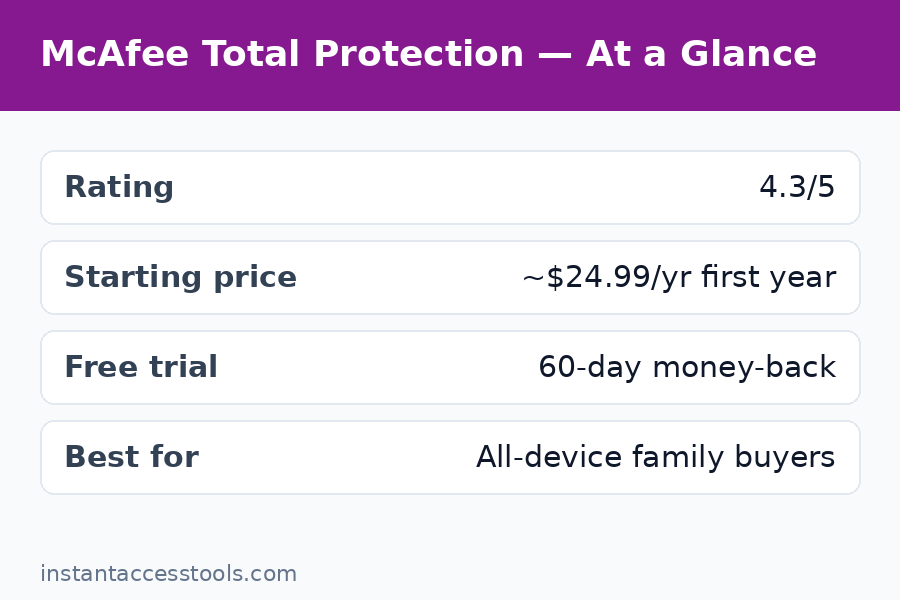
First-year promotional pricing at the time of writing starts at around $39.99/year for McAfee+ Essential (5 devices), around $59.99/year for Advanced (10 devices), and around $79.99/year for Premium (unlimited devices) — check the official site for current pricing, since McAfee deals 2026 rotate constantly and holiday sales go deeper.
Now the part that matters: renewal pricing is dramatically higher. Essential renews at roughly triple the first-year price, and Premium’s renewal can exceed $150/year. This isn’t hidden — it’s in the fine print — but most buyers don’t read the fine print. My advice is blunt:
- Buy on a first-year deal. McAfee deals in 2026 are genuinely good value — some of the cheapest per-device pricing in the industry.
- Turn off auto-renewal the day you buy. Then set a calendar reminder for month 11.
- At renewal time, don’t renew — buy a fresh first-year license instead, which is almost always cheaper than the renewal quote.
There’s also a McAfee free trial: 30 days, full features, no credit card. And a genuinely free tier (McAfee Free) with basic antivirus if you want permanent no-cost protection. Use the trial to verify the upsell situation is tolerable on your machines before spending anything.
See current McAfee deals and first-year pricing — the live page always beats any price quoted in a review.
McAfee Total Protection Review: Pros and Cons
My honest McAfee pros and cons after a month of daily use:
Pros:
- Strong, reliable malware blocking backed by solid lab scores
- Excellent first-year value, especially Premium with unlimited devices
- Identity monitoring and dark-web alerts are genuinely useful
- Unlimited VPN on Advanced and Premium (rare at this price)
- Good mobile apps with useful scam-text protection
- 30-day free trial with no credit card required
Cons:
- Renewal pricing jumps hard — among the steepest in the industry
- Persistent upsell popups for VPN, identity extras, and renewals (my biggest annoyance)
- More false positives than top-tier competitors
- Slightly heavier system impact than the lightest suites
- Password manager feels dated
- The Total Protection → McAfee+ renaming still confuses shoppers
McAfee vs Norton: Which Should You Buy?
McAfee vs Norton is the heavyweight fight of American antivirus, and the answer depends on what you value.
Choose Norton 360 if: you want the absolute best lab scores of the two, and especially if identity theft protection is the priority — Norton’s LifeLock integration (on 360 with LifeLock plans) is deeper than McAfee’s identity features, with more hands-on restoration support. Norton’s interface is also calmer, with fewer upsell interruptions.
Choose McAfee if: you have many devices and want them all covered cheaply — Premium’s unlimited-device license at first-year pricing is unbeatable value for big households — or if you just want solid protection plus identity monitoring without paying Norton’s premium. McAfee’s first-year deals are consistently cheaper.
The honest tiebreaker: protection quality is close enough that price and annoyance-tolerance decide. If popups drive you up the wall, Norton’s quieter experience is worth the premium. If you count devices on two hands, McAfee’s unlimited license wins on math alone.
For a different angle on the same market — a European engine with arguably better raw detection — see my kaspersky review, though note it’s not sold in the US.
Who Is McAfee Best For?
- Big households — Premium covering unlimited devices (phones, tablets, laptops, the kids’ Chromebooks) at first-year pricing is the best per-device deal in mainstream antivirus.
- Identity-theft worriers — dark-web monitoring plus credit tools on Advanced/Premium give real peace of mind.
- Deal hunters — if you buy on promotion and manage renewals actively, the value is excellent.
- Less technical users — setup is simple, defaults are sane, and the interface explains itself.
Who should skip it: anyone who will forget to cancel auto-renewal (you’ll overpay badly in year two), minimalists who hate popups, and users running lots of obscure utilities who’ll tire of false-positive whitelisting.
Website Security Is a Separate Job
One thing worth saying plainly: McAfee protects your devices, not your website. If you run a WordPress site or an online store, endpoint antivirus does nothing for server-side malware or DDoS. For that layer, read my sucuri review for website firewall and malware cleanup, and my cloudflare pro review for CDN-level protection. Layered security beats any single product.
Frequently Asked Questions
Is McAfee good in 2026?
Yes, with qualifications. McAfee’s malware blocking is strong and well-supported by independent lab scores, its identity-monitoring features are genuinely useful, and first-year pricing is among the best in the industry. The qualifications: steep renewal pricing, upsell popups, and more false positives than the very top engines. It’s good — not elite — and the value depends entirely on buying smart.
Is there a McAfee free trial?
Yes — a 30-day McAfee free trial with full access to paid features and no credit card required. There’s also a permanently free McAfee Free tier with basic antivirus protection. The trial is the right way to test whether the upsell popups bother you before you pay.
How much does McAfee cost?
McAfee pricing starts at around $39.99/year for McAfee+ Essential (5 devices) in the first year, around $59.99/year for Advanced (10 devices), and around $79.99/year for Premium (unlimited devices) — check the official site for current pricing. Renewal rates are much higher, so turn off auto-renewal and re-buy on promotion instead of renewing.
McAfee vs Norton — which is better?
Norton has slightly better lab scores, deeper identity-theft restoration via LifeLock, and a calmer interface with fewer upsells. McAfee is cheaper in year one and covers unlimited devices on Premium. For pure protection plus identity help, Norton edges it; for multi-device value, McAfee wins.
Are there good McAfee deals in 2026?
Yes — McAfee deals 2026 run almost continuously, with the deepest discounts around major sale events. First-year prices are frequently cut 50% or more off list. Never pay list price, and never accept the auto-renewal quote without comparing it to a fresh first-year license.
What are the main McAfee pros and cons?
Top pros: solid malware protection, excellent first-year multi-device value, useful identity monitoring, unlimited VPN on higher tiers. Top cons: steep renewal price jumps, frequent upsell popups, above-average false positives, and a slightly heavier system footprint than the lightest competitors.
Final Verdict of This McAfee Total Protection Review: Worth It in 2026?
This McAfee Total Protection review ends with a conditional yes. The protection is genuinely good, the identity features add real value, and at first-year deal pricing — especially Premium with unlimited devices — it’s one of the best values in consumer security. The conditions are non-negotiable though: buy on promotion, disable auto-renewal on day one, and tolerate (or disable notifications for) the upsell popups.
If you do those three things, McAfee is absolutely worth it. If you won’t — if you’ll let it auto-renew at full price and fume at popups — buy Norton or Bitdefender instead and save yourself the irritation.
Either way, start with the free month. Put it on every device you own, run your normal life through it for 30 days, and let your own experience decide.
Start your free 30-day McAfee trial — full features, no credit card, cancel anytime.
Leave a Reply