Toggl Track Pricing 2026: Free vs Paid Plans
Disclosure: This post contains affiliate links. If you buy through them, we may earn a commission at no extra cost to you.
I have used Toggl Track on and off for years — first as a solo freelancer logging client hours, later rolling it out to a small team. Every time someone asks me about it, the first question is never about features. It is always about money: what does toggl track pricing actually look like in 2026, and is the free plan genuinely usable?
Short answer: Toggl Track still has one of the most generous free tiers in time tracking. But the paid tiers quietly gatekeep the features that matter most to teams — billable rates, scheduled reports, and project time estimates. In this guide, I break down every plan, what the free tier really limits, the costs nobody warns you about, and how to get a real toggl track discount before you pay full price.
Quick verdict: Stick with Free if you track time solo and do not need billable rates. Upgrade to Starter (around $10 per user per month on annual billing at the time of writing) if you bill clients or manage a team. Premium only earns its price for larger teams that need forecasting, audit logs, and fixed-fee project tracking.
Toggl Track Pricing: Plans at a Glance
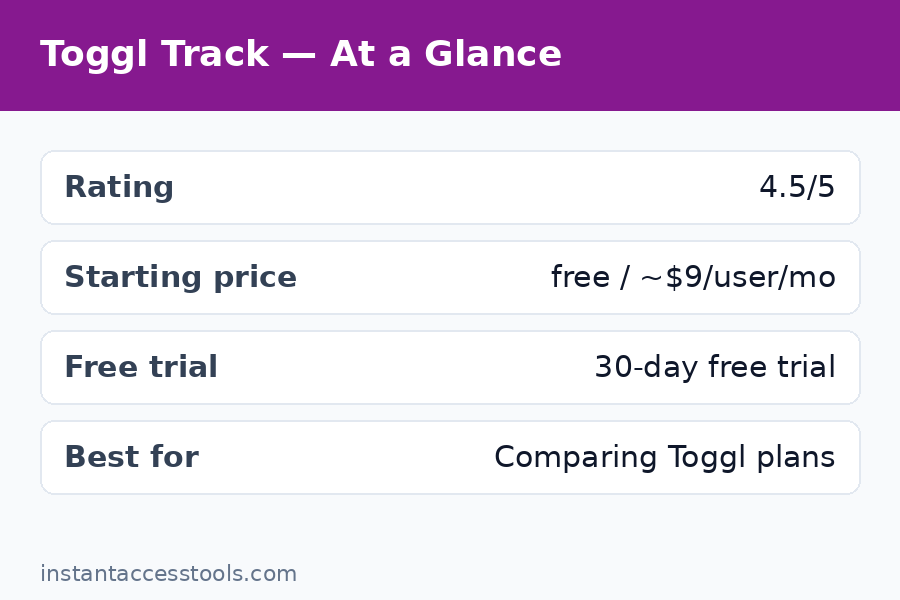
Toggl Track keeps things simple with three tiers. Here is the toggl track plans lineup as it stands at the time of writing:
| Plan | Monthly billing | Annual billing | Best for |
|---|---|---|---|
| Free | $0 | $0 | Solo users, up to 5 seats |
| Starter | ~$12/user/mo | ~$10/user/mo | Freelancers, small teams billing clients |
| Premium | ~$24/user/mo | ~$20/user/mo | Growing teams needing forecasting and controls |
Prices are per user, per month, and they are hedged for a reason — Toggl adjusts pricing periodically, so check the official site for current pricing before you commit. Annual billing knocks roughly 17% off the monthly price on both paid tiers.
Now let me walk through what each plan actually gives you, because the marketing pages gloss over the details that decide whether you will love or resent the tool.
Free Plan: Surprisingly Capable, With Real Limits
The Free plan is why Toggl Track earned its reputation. You get unlimited time entries, unlimited projects, unlimited clients, unlimited tags, and apps for desktop, mobile, and web. For a solo freelancer who just needs to know where the hours went, this is honestly enough — and I ran my entire freelance practice on it for the first year.
But toggl track free limits are real, and they are designed to nudge you upward:
- Up to 5 seats. The moment you add a sixth team member, you must upgrade. For tiny teams this is a hard ceiling.
- No billable rates. You can track time, but you cannot attach hourly rates to users, projects, or clients. If you invoice clients, this alone will push you to Starter.
- No time rounding. Entries are recorded to the second with no rounding rules — annoying if your billing policy rounds to 6- or 15-minute increments.
- Limited reporting. You get basic summary reports, but scheduled email reports, saved reports, and deeper analytics are paid features.
- No project time estimates or alerts. You cannot set a budget on a project and get warned when the team is about to blow past it.
- No task-level detail control, no audit log, no required fields. Admins cannot force time entry descriptions or lock past entries.
The free plan also lacks integrations depth: you get the basics, but the 100+ integrations (including some accounting and PM tools) are richer on paid tiers.
My honest take after testing it again this year: if your need is “I want to see where my week went,” Free is genuinely complete. If your need is “I want to invoice from this data,” it is a trial in disguise.
Starter Plan: Where Billing Gets Serious
Toggl track starter cost starts at around $10 per user per month on annual billing (around $12 month-to-month) at the time of writing — check the official site for current pricing.
What that money buys you is essentially the business layer:
- Billable rates per workspace, project, user, and client, plus labor cost tracking so you can see margins, not just hours.
- Time rounding rules (round up, down, or to nearest, in custom increments).
- Project time estimates with alerts — set a budget, get notified at thresholds.
- Saved and scheduled reports, plus the ability to share reports via links.
- Calendar integrations, Pomodoro timer, and idle detection — small quality-of-life features that add up.
- Required fields and time entry locking, so admins can enforce clean data.
For freelancers billing by the hour, Starter pays for itself the first time it saves you from an underbilled invoice. I moved to Starter the month I started billing three clients at different rates — the free plan simply could not model that.
See current Starter pricing on Toggl Track
Premium Plan: For Teams That Need Control
Toggl track premium costs around $20 per user per month on annual billing (around $24 month-to-month) at the time of writing — check the official site for current pricing. That is double Starter, so it needs to earn it.
Premium adds the management layer:
- Project forecasting and resource planning — see who is overbooked before it becomes a problem.
- Fixed-fee project tracking and profitability analysis.
- Timesheet approvals with a proper review workflow.
- Audit log for compliance-minded teams.
- Custom permissions and single sign-on (SSO) for larger organizations.
- Priority support with faster response times.
In my testing, Premium makes sense from about 10 users up — or earlier if you sell fixed-fee projects and need to know whether each project actually made money. Below that, Starter covers nearly everything a small business needs.
Free vs Paid: What Actually Changes Day to Day
The marketing comparison tables are long, but in daily use the free-vs-paid divide comes down to five things:
- Billing. Free tracks time; paid turns time into money. Billable rates, rounding, and invoice-ready reports are the core paid value.
- Team oversight. Paid plans let you see the whole team’s week, lock entries, require descriptions, and approve timesheets. Free is every-user-for-themselves.
- Project budgets. Estimates and overrun alerts are paid-only. On Free, a project can quietly run 3x over budget and you will only find out in a manual report.
- Reporting depth. Scheduled and saved reports, plus shareable links, live behind the paywall.
- Integrations and automation. The free tier covers the essentials; deeper workflow integrations open up on paid plans.
If you are comparing time trackers broadly, this is also where Toggl’s pricing philosophy differs from competitors — see my clockify vs toggl breakdown for how the two free tiers stack up, and the clockify pricing page if you want to compare costs head to head.
Toggl Track Pricing: Hidden Costs and Limits Nobody Warns You About
Toggl Track’s pricing page is cleaner than most, but a few things still catch people off guard:
- Per-seat pricing adds up fast. $10 per user sounds trivial until you have 15 people and realize it is $1,800 a year. Audit your seat list quarterly — Toggl charges for every active seat, including that contractor who logged two hours in March.
- Inactive users still count if not deactivated. Remove or deactivate former team members promptly.
- Add-ons can stack. Some advanced features and integrations carry their own costs or require specific tiers.
- The jump from Free to Starter is steep for solos. Going from $0 to ~$120/year for one seat stings, even if the billable-rate feature justifies it. This is the single biggest pricing complaint I hear.
- Annual billing locks you in. The ~17% annual discount is real money, but refunds are limited — start monthly for a month or two to confirm the fit, then switch to annual.
Toggl Track Pricing: How to Get a Discount
Nobody should pay sticker price without checking these first:
- Annual billing is the easiest toggl track discount: roughly 17% off both Starter and Premium versus monthly billing.
- Nonprofit and education discounts. Toggl offers reduced pricing for qualifying nonprofits and educational institutions — apply through their support team with proof of status.
- Seasonal promotions. Toggl occasionally runs promos around Black Friday and new-year periods. If you are not in a hurry, waiting a few weeks can pay off.
- Start with the trial, then annual. Use the free trial of a paid plan (more on that below) to confirm you need it, then buy annual from day one of the paid subscription instead of drifting on monthly billing.
One thing to avoid: there is no legitimate lifetime-deal or coupon-code marketplace for Toggl Track. If a site claims a 90%-off coupon code, it is clickbait.
Toggl Track Trial: How It Works
The toggl trial is straightforward and genuinely useful: new workspaces get a 30-day free trial of Premium features — no credit card required upfront in most regions. Your existing data carries over, and when the trial ends you drop to whichever plan you choose (including Free) without losing entries.
Two tips from experience: first, test the specific paid features you think you need (billable rates, scheduled reports) during the trial rather than just poking around the interface. Second, set a calendar reminder for day 28 — it is easy to let a trial convert to a paid plan you have not fully evaluated.
Start your free Toggl Track trial here
If scheduling and appointments are part of your workflow rather than time tracking, pricing works very differently there — my acuity pricing guide covers what appointment-scheduling tools cost by comparison.
Frequently Asked Questions
Is Toggl Track really free?
Yes — the Free plan is genuinely free, not a time-limited trial, and it includes unlimited time entries, projects, clients, and tags for up to 5 users. The catch is the toggl track free limits: no billable rates, no time rounding, no project budget alerts, and limited reporting. Solo users who do not invoice from the tool can stay on Free indefinitely.
How much does Toggl Track Starter cost per user?
Toggl track starter cost is around $10 per user per month on annual billing or around $12 month-to-month at the time of writing — check the official site for current pricing. That includes billable rates, time rounding, project estimates with alerts, saved and scheduled reports, and team management features.
What is the difference between Toggl Track Starter and Premium?
Starter covers billing and core team management (billable rates, rounding, estimates, scheduled reports). Toggl track premium adds forecasting, fixed-fee project profitability, timesheet approvals, audit logs, SSO, and priority support. Most teams under 10 people will find Starter sufficient.
How long is the Toggl Track free trial?
The toggl trial gives new workspaces 30 days of Premium features, usually without requiring a credit card upfront. Your tracked data is preserved when the trial ends, and you can drop down to the Free plan or pick a paid tier.
Is there a Toggl Track discount for nonprofits or students?
Yes — Toggl offers discounted pricing for qualifying nonprofits and educational institutions. You apply through their support team with documentation. The most universal toggl track discount remains annual billing, which saves roughly 17% on both paid plans.
Can I switch plans or cancel anytime?
Yes. You can upgrade, downgrade, or cancel from the workspace settings. Downgrading from a paid plan to Free keeps your historical data; you simply lose access to paid features. Annual plans are billed upfront, so time your switch carefully.
Final Verdict: Which Toggl Track Plan Should You Pick?
After years of using it and re-testing every tier for this toggl track pricing guide, my recommendation is simple. Choose Free if you track time for personal productivity and never invoice from it — it is the best free time tracker available. Choose Starter the moment you bill clients hourly or manage a small team; the billable rates and project alerts pay for the subscription many times over. Choose Premium when you hit 10+ users, sell fixed-fee work, or need compliance features like audit logs and SSO.
Whatever you pick, run the 30-day trial of Premium first, test the exact paid features on your real workflow, then buy annual if you commit — that sequence alone is the biggest saving most people leave on the table.