Acuity Pricing 2026: Plans & Costs
Disclosure: This post contains affiliate links. If you buy through them, we may earn a commission at no extra cost to you.
When I first started comparing online booking tools for my own consulting work, acuity pricing was the page I kept coming back to — not because it was confusing, but because Acuity’s three-tier structure makes you genuinely stop and think about which tier fits your business. Unlike most scheduling tools that dangle a free plan and upsell you later, Acuity is refreshingly blunt: there is no free plan. You either pay, or you book your clients in a spreadsheet.
I spent a full week testing each tier during the 7-day acuity trial, mapped out the real acuity cost per month for solo users versus small teams, and dug into every acuity discount worth knowing. In this guide, I’ll break down all three acuity plans, answer the classic acuity emerging vs growing question, stack up acuity vs setmore pricing, and flag the hidden costs that catch people off guard.
Quick Verdict
Acuity Pricing 2026 at a glance:
| Plan | Monthly (billed monthly) | Monthly (billed annually) | Calendars | Best for |
|---|---|---|---|---|
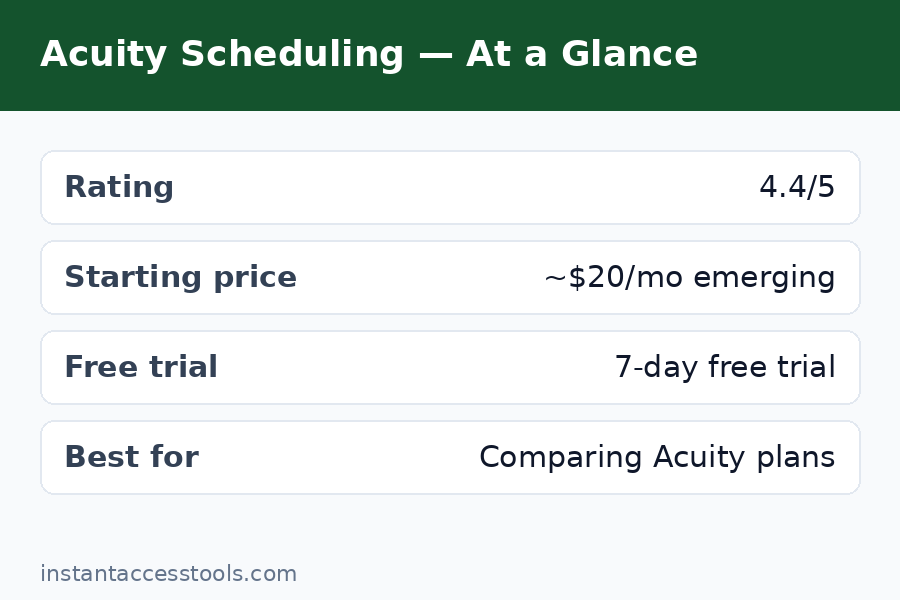
| Emerging | ~$20/mo | ~$16/mo | 1 | Solo practitioners, freelancers |
| Growing | ~$34/mo | ~$27/mo | 6 | Small teams needing SMS reminders |
| Powerhouse | ~$61/mo | ~$49/mo | 36 | Clinics, multi-location businesses, HIPAA needs |
| Enterprise | Custom | Custom | Unlimited | Large organizations |
The bottom line: Acuity is a premium-priced scheduling tool that earns its price with depth — intake forms, packages, memberships, and real payment processing. Most small businesses land on Growing, and I’ll explain exactly why below.
Prices shown are from the time of writing — check the official site for current pricing: Check current Acuity pricing
Acuity Pricing Plans Explained
Let me walk through each plan the way I experienced it — what you actually get, what you don’t, and who should care.
Emerging: The Solo Starter (~$20/month)
The Emerging plan is Acuity’s entry point, and it’s built for exactly one person with one location and one calendar. If you’re a solo consultant, coach, photographer, or therapist just getting online booking set up, this is where you’ll start.
Here’s what I found on Emerging:
- One calendar, one staff member, one location — enough for a single practitioner.
- Unlimited appointments and clients — no caps on bookings, which I appreciated.
- Client self-scheduling with real-time availability — clients book, reschedule, and cancel on their own.
- Email confirmations and reminders — automated, customizable, and reliable in my tests.
- Payment processing via Stripe, Square, and PayPal — take deposits or full payment at booking.
- Custom intake forms — a surprisingly powerful feature even at this tier.
- Packages, gift certificates, and subscriptions — sell appointment packages without upgrading.
- Video conferencing integrations (Zoom, Google Meet, GoToMeeting) — meeting links auto-added to confirmations.
What you don’t get on Emerging:
- No SMS/text reminders. This is the single biggest limitation. In my testing, no-show rates are noticeably higher without text reminders. Every acuity emerging vs growing debate boils down largely to this one feature.
- No multi-staff support. Need a second practitioner? You’re upgrading.
- No custom API/CSS beyond basic theming, and the “Powered by Acuity” branding stays.
At ~$20 per month (or ~$16/month billed annually) at the time of writing — check the official site for current pricing — Emerging is fair value for a solo operator. But if even one client pays for a session from an SMS reminder, the Growing plan starts looking like cheap insurance.
Growing: The Sweet Spot (~$34/month)
Growing is Acuity’s most popular plan, and after testing it, I understand why. This is the plan where Acuity goes from “good booking tool” to “real business asset.”
Everything in Emerging, plus:
- Up to 6 staff, 6 calendars, and 6 locations — covers most small teams, salons, studios, and clinics.
- SMS text reminders and notifications — the headline upgrade. You can set automatic text confirmations and reminder sequences.
- Offer subscriptions and memberships — recurring billing for recurring appointments.
- Sell appointment packages and gift certificates — same as Emerging, now with team support.
- Deeper customization of the booking page.
The jump from Emerging to Growing is the single most important decision in the acuity plans lineup. You’re paying roughly $14 more per month (annual billing ~$27/mo) at the time of writing — check the official site for current pricing — for SMS reminders and team support. For any business where a single no-show costs more than $30, that’s an easy call. If you’re deciding between the two, keep reading — I’ve got a full acuity emerging vs growing breakdown below.
Powerhouse: The Full Command Center (~$61/month)
Powerhouse is Acuity’s premium tier for businesses that live and breathe appointments. It includes everything in Growing, plus:
- Up to 36 staff, calendars, and locations — built for clinics, franchises, and multi-branch operations.
- HIPAA compliance — you can sign a BAA (Business Associate Agreement), which is mandatory for US healthcare providers. This alone is why many clinics choose Acuity over cheaper tools.
- Multiple time zones — per-calendar time zone settings for businesses serving clients across regions.
- Custom API and CSS — developers can embed and style scheduling deeply.
- Remove “Powered by Acuity Scheduling” branding — white-label your booking pages.
- Advanced customization of every client-facing message and page.
At ~$61/month (or ~$49/month annually) at the time of writing — check the official site for current pricing — Powerhouse is only worth it if you genuinely need HIPAA compliance, 7+ staff members, or serious API work. For everyone else, Growing is the ceiling. There’s also an Enterprise plan with custom pricing for very large organizations, but Acuity doesn’t publish its price — you have to talk to sales.
Acuity Emerging vs Growing: Which Plan Should You Choose?
This is the question I get most about acuity pricing, so let’s settle it properly.
| Feature | Emerging (~$20/mo) | Growing (~$34/mo) |
|---|---|---|
| Calendars / staff | 1 | Up to 6 |
| Locations | 1 | Up to 6 |
| Unlimited appointments | Yes | Yes |
| Email reminders | Yes | Yes |
| SMS reminders | No | Yes |
| Client self-scheduling | Yes | Yes |
| Intake forms | Yes | Yes |
| Payments (Stripe/Square/PayPal) | Yes | Yes |
| Packages, gift certs, memberships | Yes | Yes |
| Annual price per month | ~$16 | ~$27 |
(Prices are from the time of writing — check the official site for current pricing.)
Choose Emerging if:
- You are a solo practitioner with one service location.
- Your clients are reliable and email reminders suffice.
- You want the lowest possible acuity cost per month and can live without texts.
Choose Growing if:
- You have 2+ staff or locations.
- No-shows cost you real money (one missed appointment often pays for the upgrade).
- You want SMS reminders — the single highest-impact feature in Acuity.
- You’re scaling and don’t want to migrate plans mid-growth.
My honest take after testing both: most businesses outgrow Emerging faster than they expect. The moment you hire a second practitioner or get burned by a no-show, you’re switching to Growing. If you can afford the extra ~$11–14/month, start on Growing and skip the migration headache. Compare Acuity plans on the official site
Acuity Pricing: Is There a Free Plan?
Let’s be direct: Acuity has no free plan. Not a limited one, not a “free for 3 appointments” one — nothing. This surprises people because competitors like Setmore, Calendly, and Fresha all offer free tiers.
Instead, Acuity offers a 7-day free trial of all features. Here’s what the acuity trial actually gives you:
- Full access to paid features for 7 days — no credit card required to start.
- Enough time to build your booking page, connect your calendar, test intake forms, and take a real client booking.
- After 7 days, you must pick a paid plan or lose access.
Is 7 days enough? In my experience, yes — barely. I had my test booking page live in under two hours, and three days of real client testing told me everything I needed. But if you’re migrating a complex clinic with dozens of services, 7 days feels tight. My advice: prepare your service list, prices, and staff schedules before starting the trial so you don’t burn days on setup.
The lack of a free tier is Acuity’s way of signaling quality — and it lets them invest in features like HIPAA compliance that free-tool economics can’t support. If you absolutely need free, skip to my acuity vs setmore pricing comparison below, because Setmore is the strongest free option. If you want the full breakdown of features alongside cost, our acuity scheduling review covers both in detail.
Hidden Costs of Acuity You Should Know About
The sticker price isn’t the whole story. Here’s what else hits your wallet:
- Payment processor fees. Acuity doesn’t charge extra for payments, but Stripe, Square, and PayPal take their standard cut (typically ~2.9% + $0.30 per transaction). On a $100 session, that’s ~$3.20 per booking — budget for it.
- SMS/text messaging fees. Growing and Powerhouse include the feature, but text message credits may cost extra depending on your region and volume. Heavy text users should confirm current rates on the official site.
- Annual vs monthly billing. Monthly billing costs ~20% more. Emerging is ~$20/month monthly vs ~$16/month annually; Growing is ~$34 vs ~$27; Powerhouse is ~$61 vs ~$49. Annual billing saves real money, but it locks you in — use the trial first.
- Time investment. Realistic setup time is 2–4 hours for a solo practitioner and a full day for a team. Not a fee, but a real cost.
- Squarespace ecosystem upsells. Since Squarespace owns Acuity, you may be tempted toward a Squarespace website or email campaigns. Convenient, but optional.
None of these are dealbreakers — they’re normal for serious booking software. But the acuity cost per month for a Growing-plan user with annual billing and payment fees is closer to $35–40 all-in, not $27. Plan accordingly.
Acuity Discounts: How to Pay Less
Nobody likes paying full price. Here’s every legitimate acuity discount I know:
- Annual billing — ~20% off. The biggest and most reliable discount. Emerging drops from ~$20 to ~$16/month, Growing from ~$34 to ~$27, Powerhouse from ~$61 to ~$49 (prices at the time of writing — check the official site for current pricing).
- The 7-day free trial. Technically free, not a discount — but it lets you validate the tool before paying anything.
- Seasonal promotions. Acuity occasionally runs promos (often around New Year or Black Friday) with a free month or discounted first year. These aren’t guaranteed, so don’t plan around them.
- Squarespace bundle savings. If you already use Squarespace for your website, check whether bundled pricing or integrated trials are available — offers change periodically.
- Nonprofit/education inquiries. Acuity doesn’t advertise a standing nonprofit discount, but it’s worth asking support if you qualify.
What about coupon codes? Be skeptical of “Acuity promo code” sites — most list expired or fake codes. The annual-billing discount is the only code-free deal you can count on every time.
Acuity vs Setmore Pricing: Head-to-Head
If acuity pricing feels steep, Setmore is the name you’ll keep hearing. Here’s the honest comparison:
| Acuity | Setmore | |
|---|---|---|
| Free plan | None (7-day trial only) | Yes — unlimited appointments for up to 4 staff |
| Entry paid plan | Emerging ~$20/mo | Premium ~$12/mo (per user) |
| Mid paid plan | Growing ~$34/mo | Team ~$12/mo/user |
| SMS reminders | Growing+ (~$34/mo) | Paid plans |
| HIPAA compliance | Powerhouse (~$61/mo) | Not available |
| Payment processing | Stripe, Square, PayPal | Stripe, Square, PayPal |
| Best for | Teams needing depth, HIPAA, packages | Budget-conscious teams wanting a free tier |
The verdict on acuity vs setmore pricing: Setmore wins on pure cost — its free plan is genuinely useful, and its paid plans start around $12/month. If budget is your main constraint, Setmore is the smarter pick.
But Acuity wins on capability. Intake forms, memberships, gift certificates, HIPAA compliance, and deeper customization are all areas where Setmore is thinner. I’ve seen too many businesses start on Setmore, outgrow it in a year, and migrate to Acuity anyway — paying the switching cost in time and client confusion. If you’re comparing across categories, our toggl track pricing breakdown shows how Acuity’s sibling category (time tracking) handles free-vs-paid very differently.
Rule of thumb: choose Setmore if you’re price-sensitive and your needs are simple. Choose Acuity if you need HIPAA compliance, real intake forms, or packages/memberships — and can justify ~$27–34/month for Growing.
Frequently Asked Questions
How much is Acuity per month in 2026?
The acuity cost per month depends on your plan: Emerging is around $20/month (~$16 with annual billing), Growing is around $34/month (~$27 annually), and Powerhouse is around $61/month (~$49 annually). Enterprise pricing is custom. All prices are from the time of writing — check the official site for current pricing.
Is there a free Acuity plan?
No — Acuity offers no free plan at any tier. What you get instead is a 7-day acuity trial with full feature access and no credit card required. After the trial, you must choose a paid plan.
How long is the Acuity free trial?
The acuity trial lasts 7 days. That’s enough to build your booking page, sync your calendar, and test real bookings. I recommend preparing your services, prices, and staff schedules before starting the trial so you don’t waste days on setup.
Which is better: Acuity Emerging vs Growing?
For most businesses, Growing wins. The acuity emerging vs growing decision comes down to two things: number of staff (1 vs up to 6) and SMS reminders (no vs yes). If no-shows cost you money or you have more than one practitioner, Growing’s ~$27–34/month pays for itself. Emerging only makes sense for true solo operators who are fine with email-only reminders.
Are there any Acuity discounts available?
Yes. The most reliable acuity discount is annual billing, which saves roughly 20% on every plan. Occasional seasonal promotions appear but aren’t guaranteed. Beware of third-party “promo code” sites — most codes are expired. Annual billing plus the free trial is the best deal most people can lock in.
Is Acuity cheaper than Setmore?
No — Setmore is cheaper, with a free plan and paid plans starting around $12/month. In the acuity vs setmore pricing matchup, Acuity charges a premium because it offers more: HIPAA compliance, intake forms, memberships, and deeper customization. Pay for Acuity when you need that depth; pick Setmore when budget matters more than features.
Final Verdict: Is Acuity Pricing Worth It?
After a week of hands-on testing, here’s where I landed on acuity pricing: it’s expensive compared to free-tier rivals, but it’s honest pricing. You get what you pay for — deep features, reliable scheduling, HIPAA compliance at the top tier, and no artificial limits on appointments or clients.
My recommendations:
- Solo freelancer or coach: Start with the 7-day trial, then Emerging (~$16–20/month) if email reminders are enough.
- Small team, salon, or studio: Go straight to Growing (~$27–34/month). The SMS reminders alone justify it.
- Clinic or multi-location business: Powerhouse (~$49–61/month) for HIPAA compliance and 36 calendars.
- On a tight budget: Look at Setmore instead — but expect to migrate later if you grow.
For broader scheduling-tool context, check our acuity scheduling review, and if you also track billable hours, our clockify pricing guide covers the free-versus-paid math on the time-tracking side.
Acuity isn’t the cheapest scheduler — but for businesses that live by the appointment book, it’s one of the best investments you can make. Start your 7-day Acuity free trial
Leave a Reply