Bitwarden Review 2026: Best Free Password Manager?
Disclosure: This post contains affiliate links. If you buy through them, we may earn a commission at no extra cost to you.
This bitwarden review comes from six weeks of actually living with the product: I imported my full vault of 300+ logins, ran Bitwarden free on my laptop and phone side by side with paid rivals, upgraded to Premium for the $10/year tier to test every paid feature, and dug into the security architecture the way I’d want someone to do before I trusted it with my bank logins. The headline finding is simple — Bitwarden’s free tier is the most generous in the industry by a wide margin — but the full picture has real trade-offs around polish, support, and a few features that power users will miss.
If you’ve heard “just use Bitwarden, it’s free and open source” and wondered whether that advice holds up under scrutiny, this review is for you. I’ll cover what it does well, where it falls short, how the pricing works, and how it stacks up against the big names.
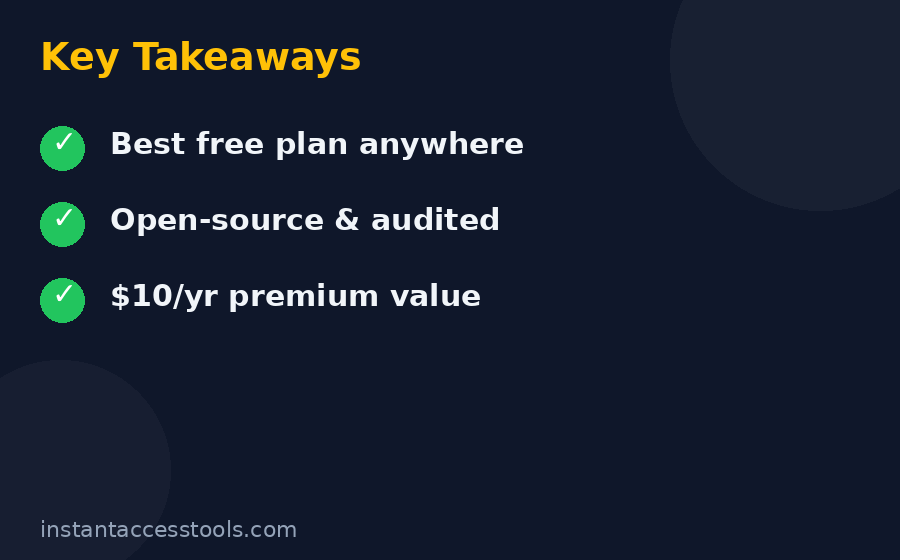
Quick verdict: Bitwarden is the best free password manager available in 2026, full stop — unlimited passwords on unlimited devices for $0, with open-source code and serious security audits. Premium at $10/year adds genuinely useful features for almost nothing. The trade-off is a less polished interface than 1Password or Dashlane and slower, community-leaning support. For most people, it’s the right answer; for design-sensitive users, try it free for a week and decide.
Bitwarden Review: What Is It, Exactly?
Bitwarden is an open-source password manager run by a US-based company, available on essentially every platform: Windows, macOS, Linux, iOS, Android, all major browsers, the web vault, and even a command-line tool. The defining characteristic is its business model, which inverts the industry norm. Where competitors like Dashlane and LastPass use a limited free tier as a funnel toward paid plans, Bitwarden gives away the core product — unlimited password storage, unlimited devices, sync, and secure sharing between two users — completely free, forever.
How does it make money? Through the absurdly cheap Premium tier ($10/year), family and business plans, and self-hosted enterprise licenses. The company has been profitable and growing for years on this model, which matters: a free password manager is only a good deal if the company behind it sticks around. Bitwarden’s sustainability is one of the strongest arguments in its favor — this isn’t a venture-subsidized freebie waiting for the other shoe to drop.
The open-source angle is more than marketing. The code for the clients, the server, and the cryptography is public, which means independent researchers can and do audit it continuously. For a security product, that transparency is a genuine structural advantage over closed-source competitors.
Bitwarden Review: Is It Safe? Security Architecture Explained
“Is bitwarden safe” is the right first question, because a password manager is the keys to your entire digital life. Here’s what I found when I looked under the hood:
- Zero-knowledge encryption. Your vault is encrypted on your device with AES-256 before it ever touches Bitwarden’s servers, using a key derived from your master password via PBKDF2 (with Argon2id available as an option). Bitwarden the company cannot read your passwords — even if compelled. This is the gold standard, and Bitwarden implements it correctly.
- Your master password is everything. The flip side of zero-knowledge: if you forget your master password and haven’t set up emergency access or account recovery, your vault is unrecoverable. Bitwarden can’t reset it for you. Use a strong, unique master password and store the recovery options somewhere safe.
- Independent third-party audits. Bitwarden undergoes regular security assessments by firms like Cure53 and others, and publishes the results. Few password managers are this transparent about audit findings, including the remediated issues.
- SOC 2 Type II certified with GDPR and CCPA compliance, plus optional self-hosting for the truly paranoid (or the merely compliance-bound). You can run the entire Bitwarden server stack on your own hardware, which no major closed-source competitor allows.
- Two-factor authentication support is broad: authenticator apps, email, YubiKey and other FIDO2 hardware keys (Premium unlocks the full range on all clients), and Duo.
- No major breaches of vault data. Bitwarden has had no incident compromising encrypted user vaults. That’s the track record you want.
One honest caveat: in 2023, a researcher demonstrated a theoretical attack involving autofill on compromised iframes, and Bitwarden adjusted its autofill behavior in response. Every password manager has faced similar issues — what matters is response speed, and Bitwarden’s was good. Overall, on pure security architecture, Bitwarden stands shoulder to shoulder with 1Password and ahead of LastPass, whose breach history is genuinely checkered. My full keeper review covers another security-first alternative if you want a second opinion in this category.
Bottom line on safety: yes, Bitwarden is safe — as safe as any mainstream password manager, with better transparency than most.
Bitwarden Review: Hands-On Feature Testing
Password Capture, Autofill, and the Generator
The core loop — saving logins, filling them, generating new passwords — works well across all platforms I tested. The browser extension captures new logins reliably, autofill triggers correctly on the vast majority of sites, and the password generator is excellent: configurable length, character sets, passphrases (my preference for master passwords), and even username generation.
Where it lags the premium-feeling rivals: autofill on mobile is slightly clunkier than Dashlane’s or 1Password’s, occasionally requiring an extra tap to select the right login when you have multiple accounts on one domain. It’s a minor friction, not a malfunction — but it’s the kind of thing you notice daily. Desktop browser autofill, by contrast, was essentially flawless in my testing.
Bitwarden Premium Features: What’s Behind the $10/Year Paywall
The bitwarden premium features list is short but well-chosen. For $10/year — less than a dollar a month — Premium adds:
- Integrated TOTP authenticator. Store your two-factor codes inside Bitwarden and autofill them alongside passwords. This is the killer Premium feature: it collapses your authenticator app into your password manager. (Security purists note: keeping TOTP in the same vault as passwords is slightly less compartmentalized than a separate app, but for most people’s threat model it’s a massive usability win.)
- 1 GB encrypted file attachments. Attach scans of IDs, insurance cards, or key files to vault entries.
- Emergency access. Designate trusted contacts who can request access to your vault after a configurable waiting period — critical for estate planning and genuinely thoughtful.
- Security reports. Vault health reports flagging weak, reused, and exposed passwords, plus data-breach monitoring for your email addresses.
- Priority customer support and additional 2FA options (YubiKey OTP, Duo) across all clients.
Is Premium worth $10/year? Honestly, the TOTP integration alone justifies it for anyone using two-factor auth on more than a handful of accounts. I consider Premium less a “paid tier” and more a “tip jar with benefits” — the price is so low relative to the value that the decision is nearly automatic. That said, nothing in Premium is essential; the free tier remains fully usable without it.
Sharing, Organizations, and Bitwarden Families
Free Bitwarden includes sharing with one other user via a two-person Organization — enough for couples sharing streaming logins. Bitwarden families (the Families plan) expands this properly: $40/year for up to 6 users, each with their own private vault plus shared collections, 1 GB of shared storage, and Premium features for every member.
At under $7 per person per year, the Families plan is the cheapest legitimate family password management on the market. Setting it up took me about fifteen minutes: create the organization, invite members by email, set up collections like “Shared — Streaming” and “Shared — Household,” and assign access. Each member’s private vault stays completely private — sharing is opt-in per collection, which is exactly the right model.
Compared to Dashlane’s Friends & Family (10 seats, ~$90/year — see my dashlane review for the full breakdown), Bitwarden Families is cheaper in absolute terms but covers fewer seats. For a typical household of 2–6, Bitwarden wins on price; for larger groups, Dashlane’s per-seat math pulls ahead.
Passkeys, Apps, and Platform Coverage
Bitwarden supports passkeys — you can store and use them from your vault — which future-proofs it as the industry moves beyond passwords. Platform coverage is genuinely comprehensive: native desktop apps, mobile apps, browser extensions for every major browser, a web vault, and CLI access. The apps are functional and consistent, though visually they’re utilitarian rather than beautiful. Everything works; little delights.
One more power-user note: self-hosting. Bitwarden publishes its server code, and you can run your own instance for free (the standard self-hosted setup) with a $10/year… actually, self-hosting the core server is free, and you can even use most Premium features on a self-hosted instance with a Premium license. This is unique among major password managers and a big deal for the technically inclined or privacy-maximalist.
Bitwarden Pricing: The Full Breakdown
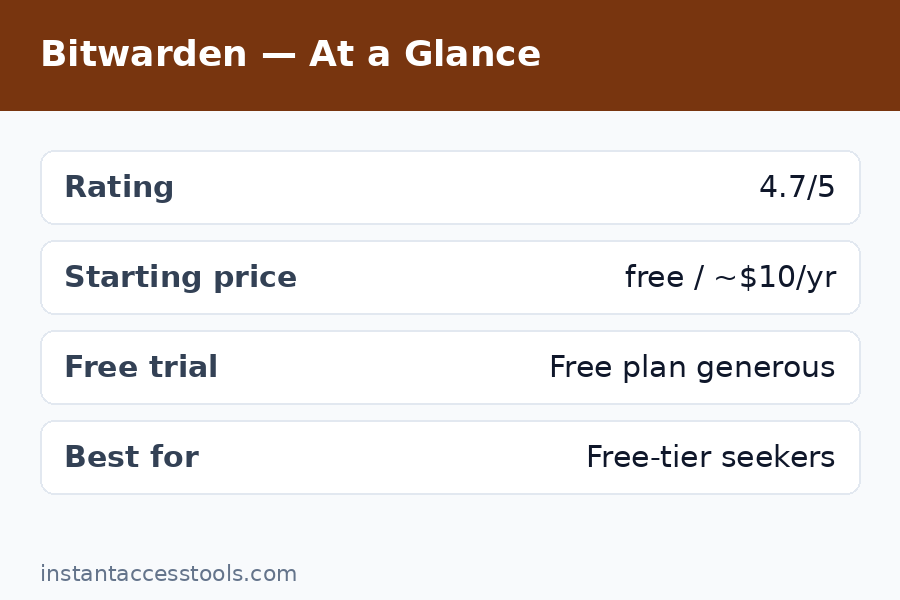
Bitwarden pricing is refreshingly simple, which is part of the appeal:
| Plan | Price (at time of writing) | What you get |
|---|---|---|
| Free | $0 forever | Unlimited passwords, unlimited devices, sync, 2-person sharing, TOTP via… (authenticator separate) |
| Premium | $10/year | Everything in Free + TOTP authenticator, 1 GB attachments, emergency access, security reports, priority support |
| Families | $40/year (6 users) | Premium for 6 + shared collections, family management |
| Teams | $4/user/month | Business features: admin console, event logs, API |
| Enterprise | $6/user/month | SSO, SCIM, self-host options, dedicated support |
Prices are hedged deliberately: Bitwarden has barely raised prices in its history (Premium has been $10/year for years), but always check the official site for current pricing. There’s no free trial needed for the free tier — it is the trial, permanently. Premium can be bought month-to-month in effect since it’s so cheap annually; there’s no lock-in to worry about.
The value proposition is almost unfair to competitors: the free tier alone beats most rivals’ paid tiers on the fundamentals (unlimited/unlimited), and the paid tiers cost less per year than competitors charge per month.
Bitwarden vs LastPass: The Comparison Everyone Asks About
Bitwarden vs LastPass is the most common head-to-head I see, because LastPass was for years the default recommendation and Bitwarden is where most of its refugees landed. Here’s the honest comparison:
| Bitwarden | LastPass | |
|---|---|---|
| Free tier | Unlimited passwords, unlimited devices | Unlimited passwords, one device type (mobile OR desktop) |
| Individual paid | $10/year | ~$36/year |
| Family paid | $40/year (6 users) | ~$48/year (6 users) |
| Code | Open source | Closed source |
| Security track record | Clean — no vault breaches | Multiple serious breaches (2022 incidents exposed encrypted vaults) |
| Interface polish | Utilitarian | More polished, but aging |
| Support | Community + ticket (slow on free) | Ticket-based, historically uneven |
The security history is the deciding factor for most people. LastPass suffered breaches in 2022 in which attackers exfiltrated encrypted user vaults — technically encrypted, but with weak master passwords brute-forceable, and the company’s communication was widely criticized. Bitwarden has no comparable incident. On price, Bitwarden wins at every tier. On polish, LastPass’s interface is arguably nicer, but not enough to offset the other two columns.
My take: there’s no scenario in 2026 where I’d recommend LastPass over Bitwarden to a new user. Existing LastPass users should migrate — Bitwarden’s importer handles LastPass exports cleanly, and I moved my own test vault in under ten minutes. For the deeper dive, my roboform review covers another long-standing alternative in this space.
Bitwarden Pros and Cons
After six weeks, here’s the balanced ledger — the bitwarden pros and cons as I experienced them:
Pros
- Free tier is genuinely unlimited: passwords and devices, no catch, no trial expiry
- Open-source code with regular independent security audits — best-in-class transparency
- Zero-knowledge AES-256 encryption; the company can’t access your vault
- Premium is $10/year — the best value paid tier in the industry
- Families plan at $40/year for 6 users is the cheapest family option available
- Self-hosting option for full control of your data
- Excellent cross-platform coverage, including Linux and CLI
- Passkey support keeps it future-proof
- No history of vault-compromising breaches
Cons
- Interface feels utilitarian next to 1Password or Dashlane — functional, not delightful
- Mobile autofill occasionally needs an extra tap with multiple logins per site
- Support is slow on the free tier; you’re often relying on community forums and docs
- No built-in VPN or bundled extras (unlike Dashlane) — it’s a password manager, nothing more
- Onboarding is less hand-holdy than rivals; non-technical users may need a nudge to set up 2FA and emergency access
- Sharing setup via Organizations has a small learning curve compared to one-click sharing in some competitors
None of the cons are disqualifying, but they’re real. Bitwarden is built by engineers for people who value substance over shine — which describes its user base accurately.
Who Bitwarden Is For (and Who Should Look Elsewhere)
Bitwarden is ideal for:
- Anyone who wants a capable password manager for free — students, families on a budget, anyone
- Privacy-conscious users who value open-source code and independent audits
- Technical users who might self-host
- Families of up to 6 who want the cheapest legitimate family plan
- People migrating from LastPass who want a safer, cheaper home
Consider alternatives if:
- You want the most polished, delightful apps and best-in-class mobile autofill — 1Password or Dashlane feel noticeably more refined (at 3–6× the price)
- You need white-glove onboarding or fast human support — the paid rivals invest more here
- You want bundled extras like a VPN — Dashlane includes one; Bitwarden doesn’t
Frequently Asked Questions
Is Bitwarden really free? What’s the catch?
Yes — the free tier includes unlimited password storage, unlimited devices, sync across all of them, secure sharing with one other person, and the password generator, free forever. There’s no trial period and no feature time-bomb. The “catch,” such as it is, is that advanced features (built-in TOTP authenticator, file attachments, emergency access, breach reports) require the $10/year Premium tier — but nothing essential is paywalled.
Is Bitwarden safe to trust with my passwords?
Yes. Bitwarden uses zero-knowledge AES-256 encryption, meaning your vault is encrypted on your device before upload and Bitwarden cannot read it. The code is open source and regularly audited by independent security firms, it’s SOC 2 Type II certified, and it has no history of vault-compromising breaches. The main risk is the same as any zero-knowledge manager: if you lose your master password without recovery options set up, your data is unrecoverable.
What do you get with Bitwarden Premium for $10/year?
Premium adds an integrated TOTP two-factor authenticator with autofill, 1 GB of encrypted file attachments, emergency access for trusted contacts, vault health and data-breach reports, priority support, and expanded hardware-key 2FA options. At around $10/year at the time of writing — check the official site for current pricing — the TOTP integration alone is worth it for most users.
Bitwarden vs LastPass — which should I choose in 2026?
Bitwarden, without hesitation. It’s cheaper at every tier (free is unlimited/unlimited; Premium is $10/year vs ~$36), it’s open source with a clean security record, and LastPass’s 2022 breaches — in which encrypted vaults were exfiltrated — broke a lot of trust the company hasn’t rebuilt. Bitwarden’s importer migrates LastPass vaults in minutes.
How does Bitwarden Families work?
The Families plan ($40/year at the time of writing) covers up to 6 users. Each member gets a private vault plus Premium features, and the family organizer creates shared “collections” (e.g., streaming logins, household accounts) with per-collection access control. Setup takes about fifteen minutes, and members’ private vaults stay completely private.
What are the downsides of Bitwarden?
The interface is utilitarian rather than polished, mobile autofill can need an extra tap with multiple logins on one site, free-tier support is slow and community-reliant, and there’s no bundled VPN or other extras. It’s a superb password manager and nothing more — if you want shine and hand-holding, pricier rivals do that better.
Bitwarden Review Verdict: Is It the Best Free Password Manager?
Yes — and it’s not close. No other free tier offers unlimited passwords on unlimited devices with this level of security architecture and transparency. The $10/year Premium tier is the easiest upsell in software, the $40/year Families plan is the cheapest way to cover a household, and the open-source, audited, zero-knowledge design means you’re not trading safety for the price.
The honest trade-off is polish: Bitwarden won’t delight you the way 1Password or Dashlane might, and if design matters deeply to you, the free week-long test I suggest will tell you quickly. But for the overwhelming majority of people — especially anyone currently paying for a password manager or, worse, reusing passwords across sites — Bitwarden is the answer I’d give without hedging.
Get Bitwarden free — the free tier is the full product, so there’s nothing to lose. And if you use two-factor logins daily, upgrade to Premium for $10/year; the built-in authenticator alone is worth ten times the price.
Leave a Reply