Rescuetime Pricing: Complete Guide
RescueTime pricing 2026 explained: Lite, Premium and Teams plans compared. Free vs Premium features, discounts, trial details and is Premium worth it.
RescueTime Pricing 2026: Premium Worth It?
Disclosure: This post contains affiliate links. If you buy through them, we may earn a commission at no extra cost to you.

RescueTime pricing is simple on the surface — a free tier, one paid individual plan, and one team plan — but the real question is not what it costs. It is what you lose by staying free, and whether the paid features are worth roughly the price of a streaming subscription every month.
I have tested RescueTime’s plans hands-on, including the free Lite tier and a 14-day Premium trial, and this guide breaks down every rescuetime plan: what each one costs, what each one actually unlocks, how the free version compares to Premium, where the discounts hide, and my honest verdict on whether Premium is worth paying for.
One important note before the numbers: RescueTime adjusts pricing periodically, and annual billing changes the math dramatically. Prices below are what I found at the time of writing — always check the official site for current pricing.
Quick Verdict
- Lite (Free): Good for passive time awareness. Bad if you want Focus Sessions, goals, or alerts.
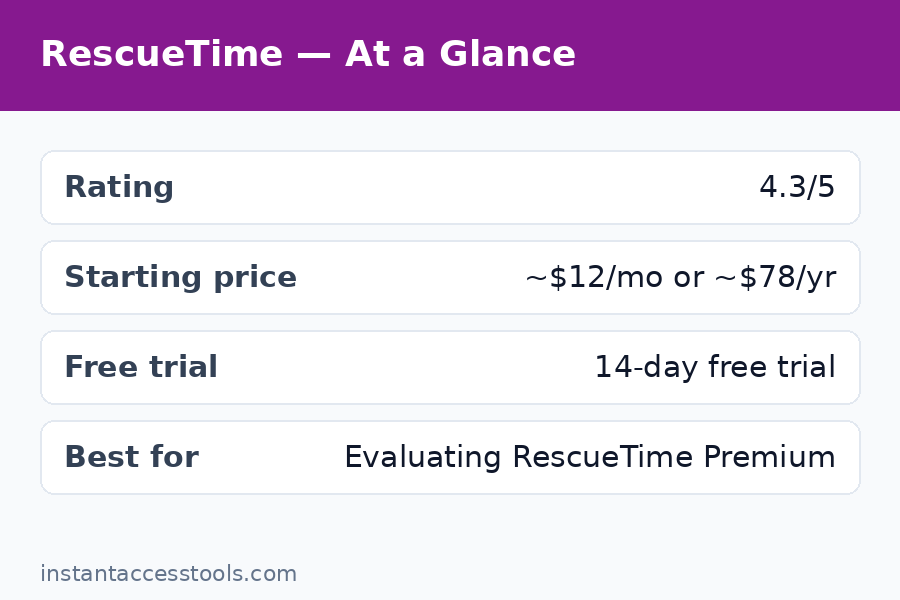
- Premium: Starts at around $12/month monthly, or around $78/year (about $6.50/month) annually at the time of writing. Worth it only if you will actually use Focus Sessions and goal alerts.
- Teams: Starts at around $6–9/user/month at the time of writing, 2-seat minimum. A productivity-visibility tool, not employee surveillance.
Bottom line: The annual Premium plan is the only one that makes financial sense for individuals. Monthly billing is nearly double the effective annual rate — never pay monthly if you can avoid it.
Start the free 14-day RescueTime Premium trial
RescueTime Lite: The Free Plan
RescueTime’s free plan, called Lite, is where everyone starts — and honestly, it is better than most free tiers at communicating what the product does. Here is what you get:
- Automatic time tracking across your desktop apps and websites
- Basic productivity categorization — apps and sites sorted into productive/distracting buckets
- The daily Productivity Pulse score (0–100)
- Weekly email summaries of your time
- 3 months of data history (some reports cite longer on older accounts)
That is a genuinely useful package for one job: answering “where did my week go?” Install it, ignore it for a month, read the weekly emails. You will learn things about your habits that no manual tracker could show you, because you never have to remember to track.
What Lite deliberately withholds is the entire behavior-change layer. No Focus Sessions, no distraction blocking, no goals, no real-time alerts, no detailed historical reports, no integrations. After two weeks on Lite, I understood my distraction problem perfectly — and had no tools inside RescueTime to fix it. That is the funnel working exactly as designed: awareness is free, intervention costs money.
Lite also caps your history, which matters more than it sounds. Productivity change is measured in quarters, not weeks. Three months of history is enough to see a trend; anything longer requires Premium.
My take: Lite is an excellent indefinite free tier for casual self-awareness, and a perfect evaluation tier before you commit. But if you came to RescueTime to change your habits rather than merely observe them, you will outgrow Lite within a month. For my full hands-on evaluation of the product itself, see my rescuetime review.
RescueTime Premium: The Full Individual Plan
Premium is the plan RescueTime actually wants to sell you, and it is where the product becomes a complete tool. Here is the rescuetime premium cost picture and everything it unlocks.
Premium pricing
- Monthly: starts at around $12/month at the time of writing
- Annual: starts at around $78/year at the time of writing — roughly $6.50/month, nearly half the monthly rate
- Trial: 14 days of full Premium access, no credit card required
The annual discount is the single most important number on this page: paying yearly cuts the effective monthly cost almost in half. If you decide Premium is worth it after the trial, annual billing is the obvious choice.
What Premium unlocks
- Focus Sessions with distraction blocking across all your connected devices — the flagship feature
- FocusTime triggers that automatically start blocking distractions when you cross a threshold (e.g., 30 minutes of distracting time in a day)
- Daily goals with real-time alerts — “you have spent 45 minutes on social networking today”
- Detailed reports with unlimited data history — year-over-year comparisons become possible
- Burnout warnings that flag excessive work intensity and unusual productivity spikes
- Offline time logging for meetings, calls, and away-from-computer work
- Integrations with Slack, Google Calendar, and Zapier, plus API access
- Premium support
In my testing, the three features that justified the price were Focus Sessions, goals with real-time alerts, and unlimited history. The burnout warnings are a nice differentiator — genuinely uncommon among time trackers — and the integrations matter if you want RescueTime data flowing into your existing workflow.
The honest math: at the annual price, Premium costs about $6.50/month. That is less than most people lose to 20 minutes of daily distraction in economic terms. But it is also real money for a self-improvement tool, and there are excellent free manual trackers. Premium is worth it if — and only if — you use Focus Sessions and alerts as a weekly habit. Buy the behavior change, not the dashboard.
RescueTime for Teams: The Team Plan
RescueTime for teams is the third rescuetime plan, aimed at small teams and companies that want visibility into how the team spends its time — without going full surveillance.
Teams pricing
- Annual: starts at around $6/user/month at the time of writing
- Monthly: starts at around $9/user/month at the time of writing
- Minimum: 2 seats
What Teams adds over Premium
- Team dashboard with aggregated productivity reports
- Per-member breakdowns of productivity scores, focus time, and distracting time
- Shared goals and team-level reporting
- Admin controls and role-based access
- Everything in Premium for each seat
What Teams does NOT do
This is the section that saves people from buying the wrong tool. RescueTime for Teams does not include:
- Screenshots or keystroke logging
- Activity-level percentages (the “is this person actually at their desk” metrics)
- Client invoicing or billable-rate calculations
- Expense management or capacity planning
- Detailed project timesheets the way a billing tool does them
Compared to tools like Time Doctor (around $7/user/month) or DeskTime, RescueTime’s team pricing is competitive — but those competitors lean into monitoring, while RescueTime deliberately does not. If you manage a remote team and your goal is productivity visibility and focus culture, Teams fits. If your goal is verifying hours for payroll or billing clients, you need a different category of tool. The rescuetime vs clockify comparison covers the billing side of this decision in detail.
RescueTime Free vs Premium: Side-by-Side
The rescuetime free vs premium decision is the one most readers actually face, so here it is in one table:
| Feature | Lite (Free) | Premium |
|---|---|---|
| Automatic time tracking | Yes | Yes |
| Productivity categorization | Basic | Full + custom categories |
| Daily Productivity Pulse score | Yes | Yes |
| Weekly email summaries | Yes (limited) | Yes (detailed) |
| Data history | 3 months | Unlimited |
| Focus Sessions + distraction blocking | No | Yes |
| FocusTime triggers | No | Yes |
| Goals and real-time alerts | No | Yes |
| Burnout warnings | No | Yes |
| Offline time logging | No | Yes |
| Integrations (Slack, Calendar, Zapier) | No | Yes |
| Price | $0 | ~$12/mo or ~$78/yr |
The pattern is clear: Lite tells you what happened; Premium helps you change what happens next. If your goal is observation — curiosity about where your time goes — Lite is enough. If your goal is intervention — blocking distractions, hitting focus goals, getting nudged in real time — Premium is the product.
My practical advice: run Lite for two to four weeks first. If you find yourself reading the weekly emails and thinking “I know my problem, now I want tools to fix it,” take the 14-day Premium trial and test Focus Sessions during your actual workdays. That trial is the whole decision compressed into two weeks.
Hidden Costs and Things to Watch
RescueTime pricing has no gotchas in the classic sense — no per-report fees, no data export charges, no surprise add-ons. But there are a few costs that are not on the pricing page:
- The classification maintenance tax. RescueTime’s default categories are broad. Expect to spend 20–30 minutes in your first week re-categorizing apps and sites, plus a few minutes weekly as new distractions appear. This is time, not money, but it is real.
- The phone gap. If your distraction lives mostly on your phone, desktop tracking undercounts it. Mobile tracking exists (Android is the stronger platform; iOS is constrained by OS permissions), but RescueTime is fundamentally a desktop-first product. You may be paying for an incomplete picture.
- The second-tool problem. RescueTime does not do billing, invoicing, or client timesheets. Freelancers who bill hours will need a second tool — a free manual tracker covers this, but it is another app to manage. See my notes on clockify pricing for the free billing-side option.
- Annual billing is a commitment. The ~$78/year price is the good deal, but it is $78 upfront for a self-improvement tool. The 14-day trial exists precisely to de-risk this — use all 14 days before you pay for a year.
- Distraction blocking is bypassable. Focus Sessions redirect you from blocked sites, but a determined user can get around them. If you need hard enforcement (parental-control style), this is not that.
None of these are deal-breakers, but they are the difference between the marketing page and the actual experience.
RescueTime Discounts: How to Pay Less
Looking for a rescuetime discount? Here is every legitimate way to lower the price:
- Annual billing is the big one. At around $78/year versus $12/month, annual billing cuts the effective monthly cost nearly in half (roughly $6.50/month). This is the discount RescueTime actually offers — take it or pay double.
- The 14-day free trial. Every new account gets two weeks of full Premium with no credit card required. Time your trial for a normal work fortnight so the data is representative.
- Start on Lite, upgrade deliberately. There is no penalty for upgrading later. Run the free plan until you feel the specific absence of Focus Sessions or alerts, then upgrade — you will know exactly what you are paying for.
- Teams annual billing. The per-seat price drops from around $9 to around $6/user/month on annual billing. For a 5-person team, that is roughly $180/year in savings.
- Watch for seasonal sales. RescueTime occasionally runs promotions around the new year (resolution season) and back-to-school periods. If you are not in a hurry, the trial plus Lite can bridge you to the next sale.
- Student and nonprofit pricing. RescueTime has historically offered education discounts — check the official pricing page or contact support if this applies to you, since these programs change.
What I would not do: hunt for coupon-code sites promising 50% off. RescueTime’s pricing is simple enough that the annual plan is the discount, and third-party coupon codes for SaaS products are usually expired or fake.
The RescueTime Trial: How to Use Your 14 Days
The rescuetime trial deserves its own section because most people waste it. Fourteen days of full Premium, no credit card — here is how to make it decisive:
- Days 1–3: install everywhere and do nothing. Let it build a baseline. Re-categorize the obvious misclassifications.
- Days 4–10: run Focus Sessions during real work. Schedule 2–3 sessions per day. Set one goal (e.g., under 1 hour of social media) and let the real-time alerts fire.
- Days 11–13: read the reports. Compare your Productivity Pulse across the two weeks. Check whether distracting time actually fell.
- Day 14: decide with data. If Focus Sessions and alerts changed your behavior, buy annual. If you just liked looking at the dashboard, drop to Lite and save your money.
The trial requires no credit card, so there is nothing to cancel — it simply expires. That is refreshingly honest for SaaS, and it means there is zero risk in testing properly.
Frequently Asked Questions
How much does RescueTime cost?
RescueTime pricing has three tiers: Lite is free; Premium starts at around $12/month or around $78/year (about $6.50/month) at the time of writing; Teams starts at around $6–9/user/month with a 2-seat minimum. Annual billing roughly halves the effective monthly cost on both paid plans. Prices change periodically, so check the official site for current pricing.
What are the RescueTime plans?
The three rescuetime plans are Lite (free automatic tracking with basic reports and 3 months of history), Premium (everything in Lite plus Focus Sessions, distraction blocking, goals, real-time alerts, unlimited history, and integrations), and Teams (everything in Premium plus a team dashboard, per-member reports, shared goals, and admin controls). There is no separate “business” or “enterprise” tier beyond Teams.
Is RescueTime Premium worth the cost?
The rescuetime premium cost is worth it if you use Focus Sessions, goals, and real-time alerts regularly — those are the features that change behavior rather than just reporting it. At the annual price (roughly $6.50/month), the value case is reasonable. It is not worth it if you only check your dashboard occasionally, or if you need billing and invoicing, which RescueTime does not do. The 14-day free trial is the right way to decide.
What is the difference between RescueTime free and Premium?
RescueTime free vs Premium comes down to observation versus intervention. Free (Lite) gives you automatic tracking, basic categorization, the daily productivity score, weekly summaries, and 3 months of history. Premium adds Focus Sessions with distraction blocking, FocusTime triggers, goals with real-time alerts, detailed reports with unlimited history, burnout warnings, offline time logging, and integrations. Lite shows you the problem; Premium gives you tools to fix it.
Is there a RescueTime discount available?
The main rescuetime discount is annual billing: around $78/year versus $12/month nearly halves the effective monthly cost. Teams save similarly with annual per-seat billing. Beyond that, use the 14-day free trial (no credit card), start on the free Lite plan until you need Premium features, and watch for seasonal promotions. Education discounts have existed historically — check the official site.
How does RescueTime for Teams pricing work?
RescueTime for teams starts at around $6/user/month billed annually or around $9/user/month billed monthly at the time of writing, with a minimum of 2 seats. Each seat includes everything in Premium, plus the team dashboard with aggregated and per-member productivity reports, shared goals, and admin controls. Note the limits: no screenshots, no keystroke logging, no invoicing — it is productivity visibility, not employee surveillance or billing software.
Final Verdict: Which Plan Should You Buy?
Here is my decision tree after testing all three rescuetime plans:
- Just curious about your habits? Stay on Lite (free). It answers “where did my week go” perfectly well.
- Want to actually fix your focus? Take the 14-day Premium trial, then buy annual Premium (~$78/year) if Focus Sessions and alerts moved the needle. Never pay monthly.
- Running a small team that wants focus culture? Teams on annual billing (~$6/user/month) is fairly priced for what it is — as long as you understand it is not a billing or monitoring tool.
RescueTime pricing is honest: a genuinely useful free tier, one paid plan with a steep annual discount, and a team plan without surveillance features. The price is only “expensive” relative to free manual trackers — and those trackers require the one thing RescueTime buyers do not have: the discipline to start a timer.
Start free, trial the Premium properly during a real work fortnight, and let your own data make the decision.
Try RescueTime Premium free for 14 days — no credit card required
Leave a Reply