Cal.com Review 2026: Open-Source Scheduling Tested
Disclosure: This post contains affiliate links. If you buy through them, we may earn a commission at no extra cost to you.
I have tested nearly every scheduling tool worth mentioning, and Cal.com kept coming up in conversations as “the one developers actually use.” So I gave it the full treatment: three weeks on the hosted cloud version, running real meetings through the free plan and the paid Teams tier, connecting Google Calendar and Zoom, taking test payments through Stripe, and building team scheduling pages. This cal.com review covers everything I found — including the rough edges nobody mentions in the glowing reviews.
The short version: Cal.com is the best free scheduling tool I have tested, and its paid plans undercut Calendly by a wide margin. But it is not as polished, and the gap matters more for some users than others.
Quick Verdict
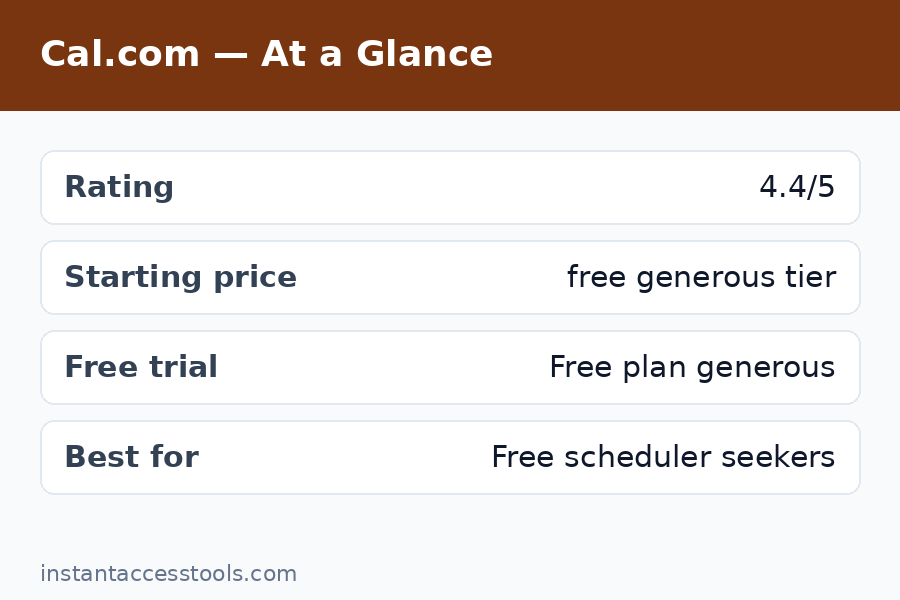
- Best for: freelancers, startups, and teams that want generous free features without the per-seat squeeze.
- Standout strength: the free plan includes unlimited event types, unlimited bookings, payments, and 100+ integrations — for one user, forever.
- Biggest weakness: less polished booking pages and admin experience than Calendly; smaller ecosystem of native integrations.
- Score: 8.6/10 — superb value, slightly rougher edges.
What Is Cal.com?
Cal.com is an open-source scheduling platform — essentially a community-built, self-hostable alternative to Calendly. It started as Calendso, gained serious traction among developers (tens of thousands of GitHub stars), and is now backed by a commercial company offering a hosted cloud version alongside the open-source core.
The philosophy is the inverse of Calendly’s: give away the core product generously, charge for team and enterprise features. The hosted version is what most people use — sign up, connect your calendar, share your link, done. But because the code is open-source, you can also self-host it, modify it, or build on top of its API. No proprietary scheduler offers that freedom, and it is the reason Cal.com has a devoted following among technical teams and privacy-conscious businesses.
Cal.com Review: Key Features Tested
Event types and booking flow
The first thing that struck me in this cal.com review: the free plan gives you unlimited event types with unlimited bookings. Calendly’s free tier gives you one event type. That single difference tells you everything about the two products’ philosophies. I set up a 15-minute intro call, a 45-minute consultation, and a paid 60-minute strategy session side by side on the free plan — something impossible on Calendly without paying.
The booking flow itself is clean and functional. Bookers pick a time, fill in a form, and get confirmations. It works well on mobile. But I will be honest: it is not as slick as Calendly’s. Page load felt a touch slower in some regions, and the default booking page design, while pleasant, lacks the instantly recognizable familiarity that Calendly links carry. Clients never complained, but the experience is a 9/10 where Calendly is a 10/10.
Calendar and video connections
Cal.com connects to Google Calendar, Outlook/Office 365, iCloud, and others, and I connected two calendars simultaneously on the free plan — already ahead of Calendly’s one-calendar free limit. Availability logic handled buffer times, minimum notice, and custom schedules correctly in my testing.
For video, it integrates with Zoom, Google Meet, Daily, and Cal Video (its built-in option). Zoom links generated automatically on every test booking without a hitch. Cal Video is a nice touch for quick calls without third-party accounts.
Workflows and automation
This surprised me: workflows are included on the free plan. I built an automated sequence — confirmation email on booking, reminder email 24 hours before, SMS reminder 1 hour before — without paying anything. On Calendly, automated reminders are a paid feature. For a freelancer trying to cut no-shows at zero cost, this is enormous.
The workflow builder is not quite as intuitive as Calendly’s, and the templating is plainer, but it does the job. One edge I noticed: SMS reminders require configuration and may carry carrier costs depending on your setup — the emails, though, are completely free.
Payments
Stripe and PayPal payment collection are available on the free plan. I ran test transactions through Stripe for a paid consultation event type and the flow was smooth: booker picks a time, pays at booking, and the meeting is confirmed only after payment. For coaches, consultants, and anyone selling time, this removes the need for a separate invoicing step.
Integrations and API
The hosted platform lists 100+ app integrations covering CRMs, analytics, communication tools, and more. The catalog is genuinely broad, though I will note that Calendly’s native integrations with tools like Salesforce and HubSpot feel deeper and more mature. Cal.com compensates with webhooks (free) and a well-documented API — developers can wire it into anything.
Routing forms and round-robin (Teams)
On the Teams plan, I tested round-robin scheduling across multiple team members and routing forms that direct bookers to the right person based on their answers. Both worked correctly. Round-robin assignment was fair across hosts, and routing logic handled multi-step qualification without breaking. These are the features Calendly locks behind its more expensive Teams tier — on Cal.com they start at a lower price point.
Cal.com Review: Pricing Breakdown
Here is the honest cal.com pricing breakdown, hedged as always because prices move — check the official site for current pricing.
| Plan | Price (approx., annual billing) | Who it is for |
|---|---|---|
| Free | $0 forever | Solo users — 1 user, unlimited event types, unlimited bookings, workflows, payments, 100+ integrations |
| Teams | Around $12/seat/month (around $16 monthly) | Small teams — round-robin, routing forms, team scheduling pages, remove Cal.com branding |
| Organizations | Around $28/seat/month (around $37 monthly) | Larger orgs — SAML SSO, SCIM, compliance (SOC 2, HIPAA), sub-teams |
| Enterprise | Custom | Regulated industries — dedicated infrastructure, SLA, priority support |
Self-hosting is also an option under the open-source license, which can bring costs down to just your server bill — though you take on maintenance yourself.
The headline number: Cal.com Teams at around $12/seat/month on annual billing vs. Calendly Teams at around $16. For a 10-person team, that is roughly $1,440/year vs. $1,920/year — a 25% saving before you factor in the vastly more generous free tier. The free plan alone eliminates the need to pay for most solo use cases entirely.
The one pricing gotcha: the free plan is limited to a single user. The moment you need two people hosting meetings, you are on Teams. Still, at around $12/seat, two users cost about $288/year — less than one Calendly Teams seat would have cost a couple of years ago.
Cal.com vs Calendly: Head-to-Head
No cal.com review is complete without the direct comparison, since these two are the main event in scheduling.
Where Cal.com wins:
- Free plan generosity — unlimited event types, bookings, workflows, and payments vs. Calendly’s one event type and no automation.
- Price — cheaper per seat at every paid tier, and the savings compound on teams.
- Open source — self-hosting, code auditing, and API freedom that Calendly simply cannot offer.
- Data control — meaningful for privacy-conscious businesses and EU teams.
Where Calendly wins:
- Polish — the booking experience is smoother, faster-feeling, and universally recognized.
- Brand trust — “send me your Calendly” is a sentence; Cal.com links still need a half-second of explanation for non-technical clients.
- Native integrations — deeper Salesforce, HubSpot, and enterprise tooling.
- Reliability track record — a decade of uptime vs. a younger platform.
My take after testing both side by side: Cal.com does 95% of what Calendly does at a fraction of the cost, and the 5% gap is almost entirely polish and brand recognition. For most small businesses, that 5% does not justify the price difference.
For the full side-by-side with feature tables, read our cal.com vs calendly comparison, or the mirror view at calendly vs cal.com.
Cal.com Pros and Cons
The pros
- The free plan is the best in the category. Unlimited event types, unlimited bookings, workflows, payments, webhooks, 100+ integrations — for one user, free forever. Nothing else comes close.
- Excellent value on paid tiers. Teams undercuts Calendly by about 25% per seat while including the features teams actually need.
- Open-source freedom. Self-host, audit the code, build on the API. This is a structural advantage, not a feature.
- Privacy-friendly. You control where your data lives, which matters for regulated industries and EU businesses.
- No feature-hostage tactics. Core scheduling capabilities are not drip-fed across five tiers.
The cons
- Less polished than Calendly. Booking pages are good, not great. Small UI inconsistencies appear in admin settings.
- Brand recognition gap. Some clients will ask “what is Cal.com?” — a minor friction Calendly never has.
- Shallower enterprise integrations. Salesforce and similar tools work, but the native depth is not Calendly-level.
- Self-hosting is not free in practice. Server costs, maintenance, updates, and OAuth management add up — hosted is the sane default for most.
- Support is thinner. The community is helpful, but paid support is not as responsive as Calendly’s enterprise support.
Is Cal.com Good? Who Should Use It
So, is cal.com good? After three weeks of real use, my answer is yes — with the polish caveat. It is genuinely good software, not just a cheap alternative. The core scheduling engine is solid, the free plan is absurdly generous, and the paid tiers are fairly priced.
Cal.com for teams
Cal.com for teams is arguably its strongest use case. A small agency, startup, or sales team gets round-robin scheduling, routing forms, team booking pages, and shared availability at around $12/seat/month — roughly 25% less than Calendly’s equivalent. The active-user billing model (you pay for seats that host meetings) keeps costs predictable. For teams of 2-20 people, this is the value sweet spot of the entire scheduling market.
Freelancers and solo professionals
If you are a freelancer, start on the free plan and you may never need to pay. Unlimited event types plus free automated reminders plus Stripe payments covers the entire client-booking workflow at $0. I cannot name another tool that does this.
Developers and technical teams
The open-source core, API, and webhooks make Cal.com the obvious choice if you want scheduling embedded in your product or wired into custom workflows. This is the audience Cal.com was built for, and it shows.
Who should pick Calendly instead
Non-technical clients who value maximum familiarity, enterprises that need the deepest Salesforce integration and white-glove support, and anyone for whom the booking page’s brand polish directly affects conversions. If your clients are executives who have never heard of Cal.com, Calendly’s recognition is worth something real.
Frequently Asked Questions
Is Cal.com really free?
Yes. The cal.com free plan is free forever for one user and includes unlimited event types, unlimited bookings, calendar and video connections, workflows, payment collection, webhooks, and 100+ integrations. The only hard limit is the single-user cap — and Cal.com branding stays on your booking pages.
How does cal.com pricing compare to Calendly?
Cal.com is cheaper at every level. The free plan is far more generous, Teams runs around $12/seat/month vs. Calendly’s $16, and the savings scale with team size. For a detailed tier-by-tier breakdown, see our cal.com pricing guide.
Cal.com vs Calendly — which should I choose?
Choose Cal.com if you want the best value, generous free features, or open-source flexibility. Choose Calendly if maximum polish, brand recognition, and the deepest enterprise integrations matter more than price. Most small businesses will be happier with Cal.com; most large sales orgs will default to Calendly.
What are the cal.com pros and cons in brief?
Pros: best free plan in the category, cheaper paid tiers, open-source and self-hostable, privacy-friendly, no feature gating games. Cons: less polished than Calendly, lower brand recognition, shallower enterprise integrations, self-hosting has hidden maintenance costs.
Is Cal.com good for teams?
Yes — it is one of the best options for small to mid-size teams. Round-robin, routing forms, and team scheduling pages start at around $12/seat/month, roughly 25% below Calendly’s equivalent tier.
Can I migrate from Calendly to Cal.com?
Yes. Cal.com offers a Calendly import that pulls over your event types and settings, and the transition took me under 30 minutes in testing. Your existing booking links will change, so plan to update them wherever they are published.
Cal.com Review: Final Verdict
Wrapping up this cal.com review: Cal.com earns an 8.6/10 from me. It is the best-value scheduling tool I have tested: a free plan that embarrasses competitors’ paid tiers, fairly priced team plans, and open-source freedom that no proprietary tool can match. The polish gap with Calendly is real but narrowing, and for most users it will not matter.
My recommendation: start on the free plan today. If you are a solo user, you may never pay a cent. If you run a team, trial the Teams tier for two weeks and compare the bill against what Calendly would charge — the math usually ends the debate.
Ready to try it? Start free with Cal.com here — the free plan takes five minutes to set up and never expires. Running a team? Try the Teams plan and test round-robin scheduling with a free trial. Still comparing options? See how it stacks up against Calendly first before you decide.
Leave a Reply