Todoist vs TickTick: 2026 Task Manager Battle
Disclosure: This post contains affiliate links. If you buy through them, we may earn a commission at no extra cost to you.
I have spent the last two months running my entire life through both Todoist and TickTick — every deadline, grocery list, habit, and half-baked side-project idea. Work tasks went in on Mondays, personal stuff landed on weekends, and I synced both apps across my phone, laptop, and browser so I could compare them in real conditions, not just in a demo. This todoist vs ticktick showdown is the result: a hands-on, no-fluff todoist vs ticktick honest review based on how these apps actually feel after weeks of daily use.
If you are short on time, here is the honest answer. There is no single winner. Todoist is the sharper pure task manager: cleaner, faster, better natural-language capture, stronger AI features, and a far bigger integration ecosystem. TickTick is the better value bundle: habits, a Pomodoro timer, an Eisenhower Matrix, and a genuinely good calendar view built in, at a lower price. The right choice in this task manager comparison comes down to one question — do you want a focused to-do list, or an all-in-one productivity system?
Quick Verdict
Choose Todoist if: you want the cleanest, fastest task capture; you live on integrations (Gmail, Slack, Zapier); you want AI help breaking down big goals; or you manage shared projects with a team.
Choose TickTick if: you want habits, focus timers, and a calendar in the same app; you want more features per dollar; or the free plan needs to stretch further.
Both offer free plans and free trials of their paid tiers, so you can test-drive either one before spending anything. Now let me show you exactly how they stack up.
Todoist vs TickTick: Side-by-Side Comparison
| Feature | Todoist | TickTick |
|---|---|---|
| Free plan | 5 active projects, basic features | 9 lists, habits + Pomodoro included |
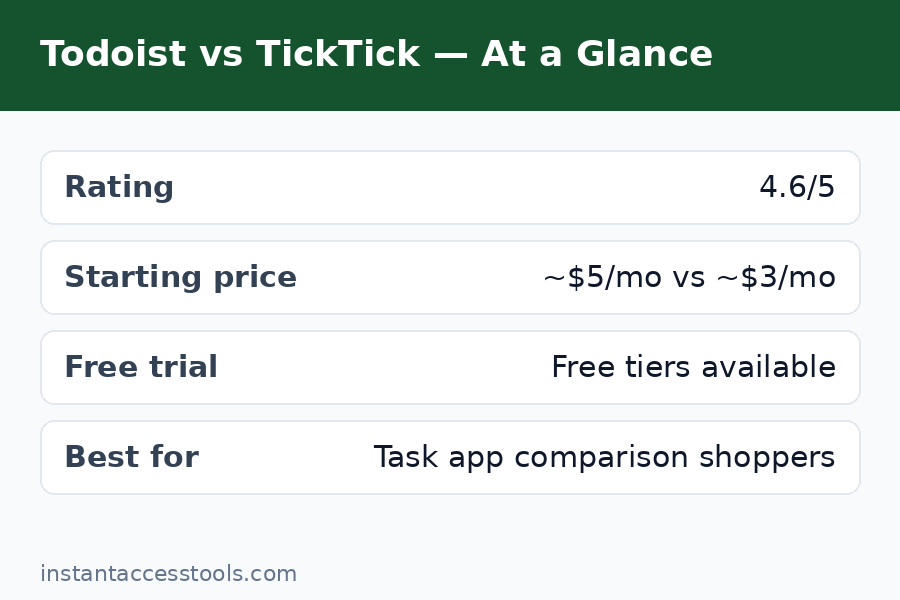
| Paid tier | Pro: starts at around $5/month billed annually ($60/year) at the time of writing — check the official site for current pricing | Premium: starts at around $36/year billed annually at the time of writing — check the official site for current pricing |
| Team plan | Business: starts at around $8/user/month at the time of writing | No real team offering |
| Natural-language input | Excellent — dates, projects, labels, priorities | Good for dates; weaker on projects and labels |
| AI features | Todoist Assist: Task Assist, Ramble voice-to-task, Email Assist, Filter Assist | Basic voice input and NLP only |
| Integrations | 80+ native, 8,000+ via Zapier | ~30 native, fewer automation options |
| Calendar view | Pro only, one project at a time | Full calendar across all lists, even on free |
| Habit tracking | None — needs a separate app | Built in, with streaks and stats |
| Pomodoro timer | None natively | Built in with white noise |
| Eisenhower Matrix | Not available | Built in |
| Reminders | Multiple per task on Pro | Persistent nagging reminders, custom sounds |
| Platforms | Web, Windows, macOS, Linux, iOS, Android, Apple Watch, Wear OS | Web, Windows, macOS, Linux, iOS, Android, Apple Watch |
| Best for | Focused task management that scales | All-in-one productivity on a budget |
Round 1: Todoist vs TickTick Pricing and Free Trials
Pricing is where ticktick vs todoist gets interesting, because Todoist raised its prices in December 2025 and the gap is now real. Todoist Pro sits at $60 a year (or $5 a month billed annually; $7 month-to-month), while TickTick Premium lands around $36 a year depending on where you subscribe. Over five years, that is $300 versus roughly $180 — a $120 difference for what is, on paper, the more feature-packed app.
The free plans deserve equal attention, because most people never upgrade. Todoist’s free tier gives you 5 active projects, which sounds fine until you realize projects are the backbone of your whole system — work, home, health, reading, ideas — and five fills up fast. TickTick’s free tier is more generous: 9 lists, plus habits, the Pomodoro timer, and a calendar view that Todoist locks behind Pro. For a free todoist vs ticktick verdict, TickTick wins the free tier by a comfortable margin.
Both paid plans come with a todoist vs ticktick free trial angle worth knowing: both apps have permanent free tiers you can use indefinitely, and paid features unlock with monthly or annual billing. TickTick’s monthly option is the cheaper way to test-drive Premium, while Todoist’s Pro trial (where offered) is the way to feel the AI Assist features before committing. My advice: live on the free plan for two full weeks with your real tasks. You will know by day ten which app you keep reaching for.
Winner of this round: TickTick. Cheaper paid plan, more generous free tier, and the monthly route to Premium costs less.
Try Todoist free — test the Pro AI features with the free plan first, then decide if the upgrade is worth it.
Round 2: Features Compared — What Each App Actually Does
This is the round people really mean when they search todoist vs ticktick features, and it splits cleanly along a philosophy line. Todoist is a task manager that refuses to become anything else. You get tasks, projects, sections, labels, filters, priorities, due dates, recurring dates, reminders (Pro), and an elegant board view. Everything it does, it does with polish. Its natural-language input is genuinely the best in the business: type “Call dentist every 3rd Tuesday at 2pm #health p1” and Todoist parses the task, the recurrence, the time, the project, and the priority in one keystroke. After two months, I still catch myself smiling at how fast capture feels.
TickTick takes the opposite bet: instead of being the best at one thing, it is very good at five things. Tasks, calendar, habits, Pomodoro, and the Eisenhower Matrix live in one app, one subscription, one sync engine. Its NLP handles “tomorrow at 3pm” fine, but complex schedules with projects and labels require more manual work than in Todoist. Where TickTick surprised me most was Smart Lists: a visual builder that lets you combine conditions without learning any query syntax, versus Todoist’s text-based filter queries, which are powerful but intimidating for non-technical users.
The reminder story also favors TickTick. Todoist Pro gives you multiple reminders per task, which is fine. TickTick gives you nagging reminders that keep pinging until you dismiss them, plus custom sounds — genuinely useful for medication, standing appointments, or anything you must not sleep through.
Winner of this round: a split. Todoist wins task capture and filtering depth; TickTick wins built-in breadth. If you will use the habits and timer, TickTick. If you will not, Todoist.
Round 3: AI and Integrations
In 2026, AI is the wedge that separates these two. Todoist has gone all-in with Todoist Assist: Task Assist breaks vague goals into concrete subtasks and suggests scheduling, Ramble turns voice notes into structured tasks with project and date parsing in 38 languages, Email Assist converts emails into tasks, and Filter Assist builds custom filters from plain English. These are not gimmicks — Ramble alone changed how I capture tasks during my commute, and Task Assist’s breakdowns of “plan the wedding” style monsters were scary good.
TickTick’s AI story is thin: voice input that transcribes speech to text, plus basic natural-language date parsing. That is table stakes in 2026, not a differentiator. If AI-assisted planning matters to you, this is not close.
Integrations widen the gap further. Todoist connects natively to 80+ tools — Gmail, Slack, Google Calendar, Outlook, Alexa — and to 8,000+ more through Zapier, plus a real API that developers build on. TickTick offers roughly 30 integrations and fewer automation paths. I pipe my starred Gmail messages into Todoist and it works flawlessly; the TickTick equivalent required a workaround.
Winner of this round: Todoist, decisively. AI features and integrations are where your money goes with Pro.
Round 4: Calendar, Habits, and the Built-In Extras
Flip the coin and this is where TickTick returns fire. Its calendar view is a genuine planning surface: see every list’s tasks laid out across the week, drag tasks to reschedule, subscribe to external calendars, and time-block your day. Todoist’s calendar layout exists on Pro but only shows one project at a time, which makes week-planning feel cramped — I found myself bouncing between projects to see my week, which defeats the purpose.
Habit tracking is TickTick’s crown jewel and it is completely absent from Todoist. I tracked exercise, reading, and water intake for six weeks inside TickTick, watching streaks and statistics build, without installing a separate habit app. Todoist users must reach for Streaks, Habitica, or another standalone tool. If consolidation matters — one app, one subscription, one sync — TickTick is the only answer of the two.
The Pomodoro timer seals it for focus workers. TickTick’s built-in timer with white noise and session stats replaced my separate focus app within a week. Todoist has no native timer at all. And the Eisenhower Matrix view gives you priority sorting that Todoist’s label system can approximate but never visualizes.
Winner of this round: TickTick, decisively. Calendar, habits, Pomodoro, and Eisenhower Matrix are four apps Todoist simply does not replace.
See TickTick Premium — the cheapest way to get habits, Pomodoro, and a full calendar in one subscription.
Round 5: Interface, Speed, and Everyday Feel
Todoist is the prettier, calmer app. Generous whitespace, a clear list design, no learning curve — a new user can be productive in minutes. Sync across devices felt seamless and instant in my testing, and the app stays light and fast even with hundreds of tasks. There is a reason it has such a loyal following: it stays out of your way.
TickTick’s interface is functional but denser. Because it packs in calendar, habits, Pomodoro, and notes, there are more panels, more sidebar sections, more settings to trip over. It offers more themes and customization, and I genuinely like some of them, but side by side with Todoist it feels busier. Performance was fine in my testing — I never hit a real slowdown — though heavy users with huge lists occasionally report the app feeling less snappy than Todoist.
The verdict here is about personality, not quality. If minimalism keeps you focused, Todoist. If you like having every tool one tap away, TickTick’s density is a feature, not a bug.
Winner of this round: Todoist. Cleaner, calmer, faster to learn.
Todoist vs TickTick Pros and Cons
Here is the todoist vs ticktick pros and cons summary after two months of real use:
Todoist pros
– Best-in-class natural-language task capture
– Todoist Assist AI: Task Assist, Ramble voice-to-task, Email Assist, Filter Assist
– 80+ native integrations and 8,000+ via Zapier, plus a real API
– Clean, minimalist interface that stays fast
– Strong team features with the Business plan
– Runs on every platform including Linux and Wear OS
Todoist cons
– More expensive after the December 2025 price increase ($60/year)
– Restrictive free plan (5 active projects)
– No habit tracking, no Pomodoro timer, no Eisenhower Matrix
– Calendar view is basic and project-limited
– Reminders are standard; no nagging mode
TickTick pros
– Cheaper Premium plan (~$36/year) with more included
– Generous free plan: 9 lists plus habits, Pomodoro, and calendar
– Built-in habit tracker with streaks and statistics
– Built-in Pomodoro timer with white noise
– Full calendar view across all lists with drag-and-drop
– Eisenhower Matrix view and Smart Lists visual builder
– Nagging reminders with custom sounds
TickTick cons
– Weaker AI features — mostly transcription and basic NLP
– Fewer integrations (~30) and weaker automation
– Denser, busier interface with a steeper learning curve
– No real team/collaboration offering
– NLP for projects and labels lags behind Todoist
For the full deep dive on one side of this fight, read my ticktick review before you decide.
Who Wins For Whom: The Best Todo App 2026, By Person
For the best todo app 2026 question, context is everything. Here is how I would actually recommend them to real people:
Students: TickTick. Tasks, study schedules, habit streaks for revision, and the Pomodoro timer for focus sessions — all free, all in one app.
Freelancers and solo professionals: Todoist, if client work lives in Gmail/Slack and you value fast capture; TickTick, if you want time-blocking and habit tracking without extra subscriptions.
Teams: Todoist, no contest. Workspaces, shared projects, roles, and activity logs are built for collaboration; TickTick is a personal-productivity app.
ADHD and executive-dysfunction workflows: TickTick’s nagging reminders, visual calendar, and all-in-one structure help more than Todoist’s minimalism — though some people find TickTick’s density overstimulating.
Minimalists: Todoist. It does one thing beautifully and gets out of the way.
Budget buyers: TickTick, and it is not close — more features for roughly 40% less per year.
Still torn between the two apps? My detailed ticktick vs todoist breakdown covers the day-to-day differences I noticed in week three and beyond. And if neither feels right, the todoist alternatives guide rounds up ten other options worth a look.
Frequently Asked Questions
Is Todoist better than TickTick?
It depends on what you value. Todoist is the better pure task manager — cleaner interface, superior natural-language input, real AI features, and far more integrations. TickTick is the better all-in-one value — habits, Pomodoro, a full calendar, and an Eisenhower Matrix built in at a lower price. For focused task management, Todoist wins; for an everything app on a budget, TickTick wins.
Which is cheaper: Todoist vs TickTick pricing?
TickTick is cheaper. TickTick Premium starts at around $36/year billed annually at the time of writing, while Todoist Pro costs $60/year (or $5/month billed annually). Todoist raised its prices in December 2025, widening the gap. Both have free plans, and TickTick’s free tier is more generous — 9 lists versus Todoist’s 5 active projects.
Is there a Todoist vs TickTick free trial?
Both apps offer permanent free plans you can use indefinitely, which function as unlimited trials. TickTick’s free tier is the more generous of the two, including habit tracking, the Pomodoro timer, and a calendar view. Paid features unlock with monthly or annual subscriptions, and you can downgrade back to free at any time.
Which app has better features for students?
TickTick. Students get tasks, a visual calendar for class schedules, habit streaks for study routines, and a Pomodoro timer for focus sessions — all in the free plan. Todoist is better only if the priority is pure assignment tracking with fast natural-language capture.
Can TickTick replace my habit tracker and focus timer?
Yes — that is one of its biggest strengths. TickTick includes a full habit tracker with streaks and statistics, plus a Pomodoro timer with white noise, built into the same app and the same subscription as your tasks. Todoist has neither, so Todoist users need separate apps for both.
Which is better for teams?
Todoist, clearly. Its Business plan offers shared workspaces, team roles and permissions, shared project templates, and activity logs. TickTick is designed around personal productivity and has no serious team offering — shared lists exist, but it is not a collaboration tool.
Final Verdict: Todoist vs TickTick
After two months of living inside both apps, my honest conclusion in this todoist vs ticktick battle is simple: Todoist is the better task manager, and TickTick is the better productivity bundle. Todoist captures tasks faster, thinks with AI, and connects to everything — it is the app I trust with a chaotic workday. TickTick does more for less money — habits, focus sessions, and calendar planning in one place — and it is the app I recommend to anyone who wants to consolidate subscriptions.
If AI features, integrations, and a calm interface justify $60 a year for you, get Todoist Pro and do not look back. If you want the most features per dollar and a free plan that actually goes the distance, TickTick Premium is the smarter buy. Either way, start free, run your real life through it for two weeks, and let your own habits decide.
Leave a Reply